CASE STUDY
How Puerto de Cartagena improved its training and engagement strategy

Brain
The first AI trained to teach

Author
The #1 AI-powered authoring tool on the market

Factory
Custom e-learning content factory

Skills
Comprehensive power skills course catalog

LMS
All-in-one LMS platform with AI

Engage
App for managing frontline teams
Product

What is Brain?
Everything you need to know about the first AI trained to teach.

How does it work?
Adaptive, conversational, and contextual. That’s learning with Brain.

Security
Why your company’s knowledge never leaves your environment or trains other models.

Comparison
Discover what sets isEazy Brain apart from other AI solutions.

Frequently Asked Questions
Want to learn more? Find answers to all your questions about isEazy Brain here.
FEATURES

AINew
Unlock your full potential and speed up course creation with artificial intelligence.

Accessibility
Automatically meet accessibility guidelines—without sacrificing interactivity!

Interactivity
Boost engagement with interactive, ready-to-use activities that make learning fun.

Course Creation
Reduce the time it takes to create your e-learning courses with our authoring tool.

Distribution
We offer you different distribution options, so that nothing can stop you.

SCORM
Publish your course in SCORM format and share it on any LMS.
SERVICES

Instrucional Design
Surprise your students with multimedia and interactive content.

Custom Courses
We create e-learning courses for you—tailored to your needs and hassle-free!

Virtual Reality
Turn learning into an immersive experience.

Custom Avatars
Give your courses and videos a unique touch with personalized avatars.

Audiovisual FactoryNew
Turn training into something dynamic and visual with engaging videos.
CATALOG

Course catalog
Over 600 skills and competency courses to help you adapt to your team's needs.
Microsoft Copilot AcademyNew
Your professionals will learn how to apply Copilot AI to key processes within your organization.

Artificial Intelligence Academy
Train your teams in the practical use of AI to boost productivity and innovation in your company.

Cybersecurity Academy
Capacita a tu empresa con el catálogo más completo en seguridad digital corporativa.
FEATURES

Learning platform
Manage all your training from one place

Analitycs
Measure the impact of your training

Learning Experience
Offer a unique learning experience to your team
Content Library
Choose from hundreds of expert-created courses
Authoring Tool
Create your own content—faster than ever

Use cases
Choose the solution that best fits your needs

Industries
Solutions for all types of industries
USE CASES

Onboarding
Facilitate the onboarding process, productivity and engagement of your new employees.

Upskilling
Boost your team's skills and prepare them for the challenges of the future with upskilling.

Microlearning
Discover all the advantages of microlearning and boost your training results.

Gamification
Enjoy addictive training that will get your professionals hooked.

Internal Communication
Improve communication in your company and enjoy an aligned and committed team.

Mobile learning
Agile, flexible, and interactive learning—built for today’s digital-first workforce.
INDUSTRIES

Banking and financial services
Training in compliance, cybersecurity, customer service, and key skills development.

Pharmaceuticals and healthcare
Digital onboarding, regulatory updates, and ongoing training for healthcare staff.

Retail and consumer
Agile and scalable training for in-store, operational, and customer service teams.

Industry and manufacturing
Training in processes, safety, and corporate culture for distributed teams.

Education and training
Digital solutions for training centers, internal academies, and corporate universities.

Technology and telecommunications
Development of technical talent, digital skills, and upskilling and reskilling programs.
CLIENTS

MAPFRE
How MAPFRE turn e-learning into sales with isEazy

Pepco
A personalised learning experience for a growing team.

BBVA
Digitisation and creation of high quality e-learning content.

Shiseido
We increase the engagement of the training with a social and gamified app.

Telefónica
Large-scale reskilling for the company's digital transformation.

Vodafone
A personalised learning experience for a growing team.
More than 1,000 companies already rely on isEazy.





MEET ISEAZY

Events
Discover our upcoming events and connect with the future of e-learning.

News
Find out the latest news about isEazy: press releases, partnerships, updates...

Contact
Leave us your personal details and we will contact you as soon as possible.
About isEazyNew
Find out more about our company.

Careers
We are looking for the best talent, join our team!

Partners
Become our partner and grow your business.
INTERESTING RESOURCES

Blog
The best content on e-learning: trends, tools and key strategies.

Whitepapers
Gain valuable insights and stay ahead of industry trends.

Product releases
The latest news and releases of our e-learning products and solutions.

Glossary
Definitions of the most commonly used terms and key industry concepts.

Guides
Discover the best step-by-step tips and tricks to optimize your L&D strategy.

Webinars
Video sessions on our products, trends and more

Comparatives
Compare e-learning solutions available on the market and choose the most suitable one.


WEBINAR
Master AI in isEazy Author in under an hour.




GUIDE
Prepare your organization to comply with the new AI regulations

Stay up to date with all our latest news
 Subscribe to our newsletter
 Stay up to date with all our latest news

May 28, 2026

CONTENT CREATED BY:

Table of contents
Choosing an e-learning platform is one of the most strategic decisions a training team can make. A poor choice slows down adoption, raises operating costs and reduces the impact of learning on the business. According to LinkedIn Learning’s 2024 Workplace Learning Report, 89% of L&D professionals consider developing employees’ skills a higher priority today than three years ago. Yet many organisations still choose their LMS based solely on price or brand recognition, ignoring the criteria that determine whether a platform will truly work in the long run.
In this guide you will find the 10 essential features every e-learning platform must have, a framework for prioritising them according to your company’s size and maturity, and the most common mistakes to avoid before making the decision.
An e-learning platform, also known as an LMS (Learning Management System), is the digital environment from which an organisation centralises all its training activity: course creation, learning path assignment, progress tracking, assessment and analytics.
For L&D and HR teams in mid-sized and large companies, the platform is not just a technical tool — it is the backbone of the learning strategy. The right choice makes it possible to scale training without multiplying costs, detect skill gaps with real data and align people development with business objectives. A poor choice, on the other hand, generates friction in adoption, information silos and a training investment that is hard to justify to leadership.
The global LMS market will exceed $50 billion by 2026, according to Global Market Insights, reflecting the central role these platforms play in corporate human capital strategies. With so many options available — from open-source tools to enterprise SaaS solutions with integrated AI — knowing which criteria to use to evaluate them becomes a competitive advantage in itself.
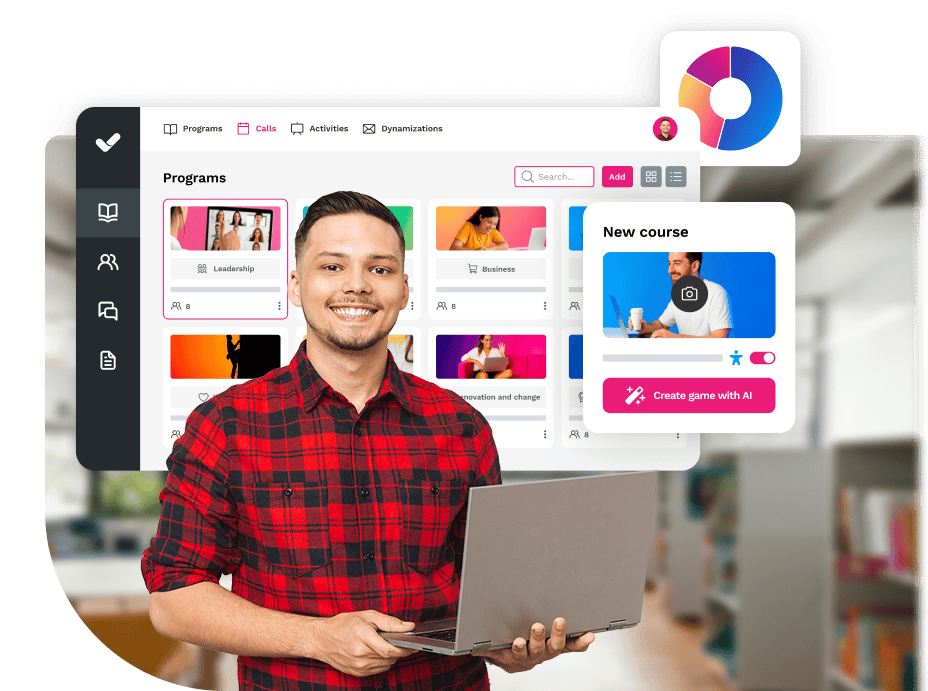
Not all LMS features carry the same weight. Some are the bare minimum for the platform to function; others make the difference between a useful tool and a strategic one. These are the ten that no organisation should overlook when evaluating options.
A platform employees don’t know how to use, won’t be used. Usability is the feature with the greatest direct impact on adoption rate. The LMS must be navigable without prior training, both for the administrators managing the platform and for the learners accessing the content. Look for clean interfaces, obvious navigation flows and a minimal learning curve for the end user.
Warning sign: if the vendor spends most of the demo explaining how to use basic features, usability is a problem.
E-learning standards ensure that courses created in an authoring tool work correctly in any LMS. SCORM (Sharable Content Object Reference Model) is the most widely used; xAPI (also known as Tin Can) allows learning to be tracked outside the LMS, such as in mobile apps or simulations. An LMS that does not support these standards locks you into the vendor’s ecosystem and limits content reuse.
Warning sign: if the vendor only mentions “proprietary courses” and sidesteps the question about SCORM, that is a sign of technological lock-in.
Most training teams need to create their own content: interactive presentations, videos, assessments, microlearning. A platform that includes a native authoring tool dramatically reduces production time and eliminates the friction between the design team and the distribution platform.
Warning sign: if creating a simple course requires exporting, converting and reimporting files multiple times, the workflow will penalise publication speed.
In organisations with different departments, geographies or hierarchical levels, granular user management is essential. The LMS must allow you to create groups, assign differentiated roles (administrator, manager, learner), manage access permissions to specific content and automate assignments based on criteria such as department, location or job title.
Warning sign: if there is only an “administrator” profile and a “user” profile, the platform will not scale well in complex organisational structures.
Without data, there is no room for improvement. A good LMS must offer detailed reports on each user’s progress, completion rates by course, assessment results and time spent on learning. The most advanced tracking systems include customisable dashboards and the ability to export data to cross-reference with business metrics.
According to the Fosway Group 2023 report, more than 60% of corporate training content is consumed on mobile devices. The platform must offer a quality native or responsive experience on smartphones and tablets, ideally with offline access for employees without constant connectivity.
Warning sign: if the mobile version is a trimmed-down desktop adaptation, it will not meet the expectations of today’s learners.
Gamification — points, badges, leaderboards, challenges — is not a decorative extra: it is a proven mechanism for increasing intrinsic motivation and course completion rates. Platforms that incorporate game dynamics into the learning flow achieve significantly higher engagement rates, especially in populations with high turnover or low initial motivation towards training.
Warning sign: if “gamification” is limited to a completed-course counter, the impact on engagement will be marginal.
An isolated LMS creates data silos. The platform must integrate with the tools your organisation already uses: HRIS (such as SAP SuccessFactors, Workday or BambooHR), communication tools (Slack, Teams), CRM (Salesforce), corporate SSO and payroll systems. Native integrations or via API are preferable to third-party connectors that require constant maintenance.
Warning sign: if the vendor cannot detail which integrations are documented and actively maintained, the technical cost of implementation will escalate.
A platform that performs well with 100 users may collapse with 5,000. Scalability is critical for growing organisations or those with peaks in training activity (mass onboardings, product launches, compliance campaigns). Verify the availability SLAs, the cloud architecture and the ability to handle large volumes of concurrent users without performance degradation.
Warning sign: if the vendor cannot share uptime data or case studies from clients with volumes similar to yours, scalability is an unknown.
An LMS is a long-term relationship, not a one-time purchase. Accessible technical support, regular updates and transparency about the product roadmap are signs of a vendor committed to the evolution of their tool. Ask about the frequency of updates, the support channel (ticketing, phone, dedicated customer success?) and whether clients participate in product definition.
Warning sign: if the vendor cannot show updates published in the last six months, the product may be in maintenance mode.

Not all features carry the same weight in the decision. This table helps prioritise by real impact on training operations:
| Feature | Type | Impact on adoption |
|---|---|---|
| Usability and intuitive interface | Essential | Very high |
| SCORM / xAPI compatibility | Essential | High |
| Integrated authoring tool | Essential | High |
| User and role management | Essential | High |
| Progress tracking and advanced analytics | Essential | Very high |
| Mobile learning | Essential | High |
| Gamification and engagement | Differentiating | Medium-high |
| Ecosystem integrations | Essential | High |
| Scalability and performance | Essential | Critical at scale |
| Support and product roadmap | Differentiating | Medium-high |
| Integrated generative AI | Emerging differentiator | Very high (2025+) |
The LMS market is broad and heterogeneous: from open-source platforms to enterprise SaaS solutions with integrated AI. Below you will find a comparison of the main options to help you orient your decision based on your organisation’s needs.

Features
Benefits
Subscription plans
Industries
Use cases
Features
Benefits
Subscription plans
Industries
Use cases

Features
Benefits
Technology, compatibility, and integration
Pricing
Features
Benefits
Technology, compatibility, and integration
Pricing

Features
Benefits
Technology, compatibility and integration
Pricing
Features
Benefits
Technology, compatibility and integration
Pricing

Strengths
Ideal use cases
Plans
Strengths
Ideal use cases
Plans

Features
Advantages
Pricing/Plans
Features
Advantages
Pricing/Plans
There is no perfect platform for every context. The features a 50-person startup should prioritise are very different from what a multinational with 10,000 people across five countries needs. This decision framework helps focus the evaluation on two key variables: organisation size and training department maturity.
For organisations taking their first steps in e-learning, the priorities are usability (for both administrator and learner), speed of implementation and total cost of ownership. At this stage, an integrated authoring tool and close vendor support are more important than integrations or advanced analytics. Look for platforms with affordable entry plans, guided onboarding and content templates to accelerate the first publication.
In organisations with a consolidated L&D team and an existing course library, priorities shift towards analytics, advanced user management and HRIS integrations. Scalability begins to matter, especially if the company is growing. At this stage it is also worth evaluating gamification and mobile learning capabilities to increase engagement among high-turnover populations.
For corporations with thousands of employees, multiple geographies or complex matrix structures, the decisive criteria are technical scalability, enterprise integrations (SSO, HRIS, CRM), granular permission management and availability SLAs. In this segment, a dedicated customer success manager and advanced customisation capabilities are just as important as the training features themselves.
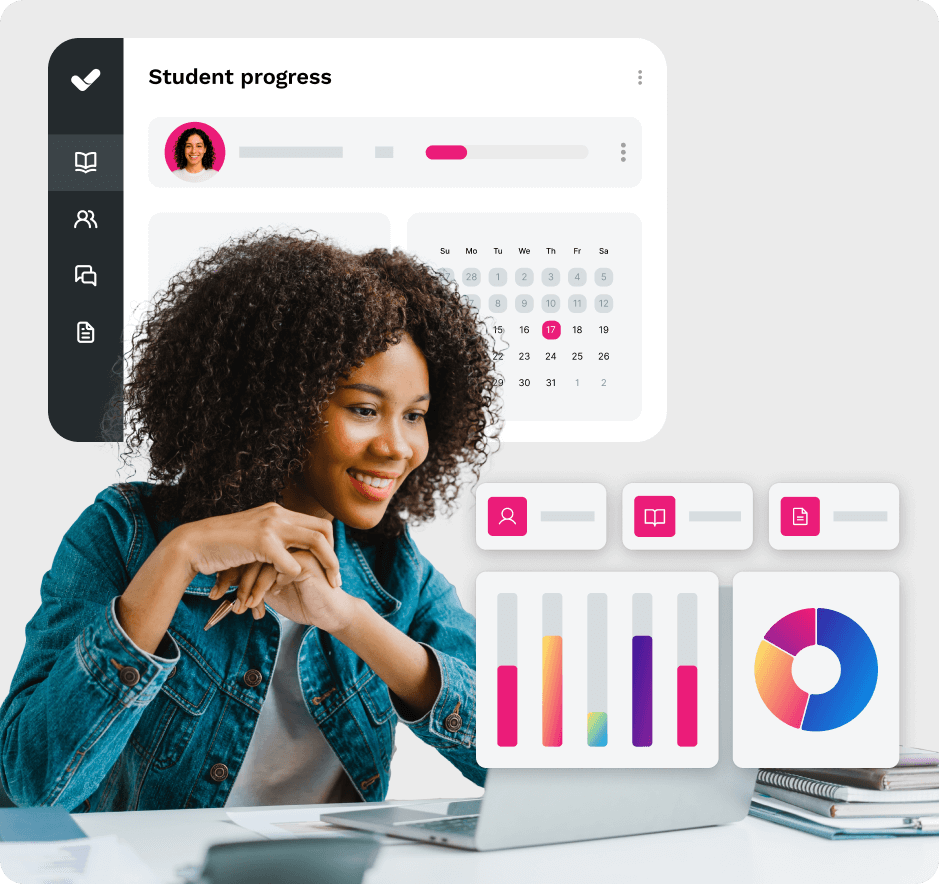
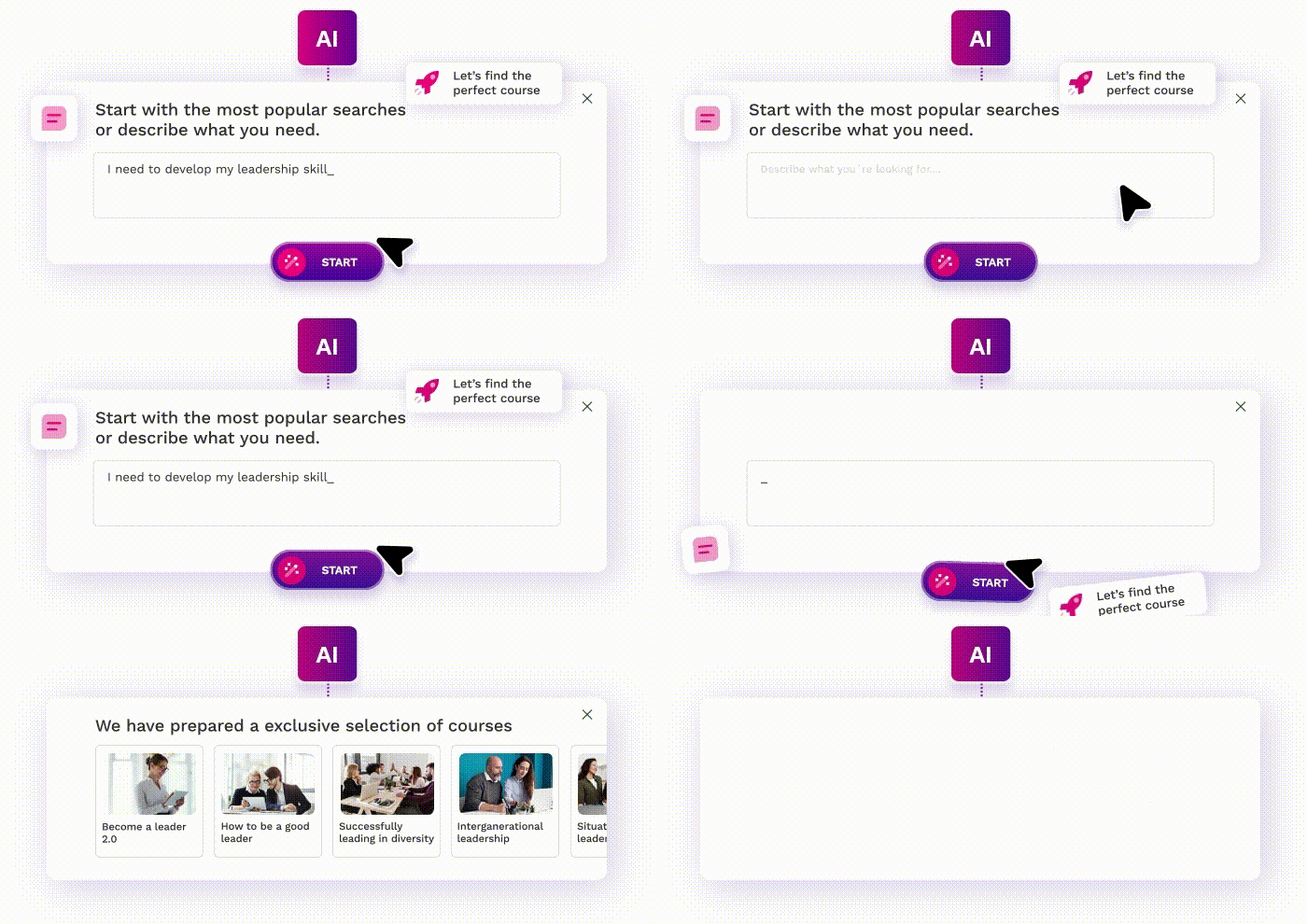
Artificial intelligence is redefining what to expect from an LMS. According to LinkedIn Learning’s 2024 Workplace Learning Report, 90% of L&D professionals are exploring the use of generative AI to create training content faster and personalise it at scale. This is no longer a future trend: it is a reality that distinguishes the most advanced platforms from the rest.
The most relevant AI features in a modern LMS include:
Knowing the most frequent mistakes in the LMS selection process is just as valuable as knowing the features it should have. These are the ones with the greatest negative impact on implementation:
The licence price is only part of the total cost of ownership. Implementation time, administrator training, content migration costs, technical integrations and first-year support can easily multiply the initial outlay. A more expensive platform with better usability and support can prove more cost-effective in the long run than a cheaper option with high operational friction.
Many selection processes focus on the administrator’s needs (management, reporting, regulatory compliance) and forget to evaluate the real experience of the employee who will use the platform every day. An unintuitive interface, the absence of mobile learning or a lack of engagement features are the main causes of low adoption and course dropout.
A vendor may claim they “integrate with everything” during the sales phase. The reality is that many integrations are superficial, require custom development or rely on third-party connectors with additional costs. Before closing the contract, request a technical demonstration of the integrations your organisation genuinely needs: SSO, HRIS, communication tools.
Deploying an LMS is an organisational change project, not just a technology one. Without an internal communication plan, administrator training and support during the first months, the platform can end up under-used even if it is technically excellent. Consider whether the vendor offers change management support or simply delivers the tool and disappears.
Grupo Puerto de Cartagena is an example of how an organisation can transform its learning strategy with the right platform. With isEazy LMS, the Port of Cartagena improved the learning experience of its employees, increased training satisfaction and raised completion rates across its programmes, integrating gamification and interactive content in an environment accessible from any device. Discover how they did it →
Choosing an e-learning platform is a decision with a direct impact on your organisation’s ability to develop talent, retain employees and adapt to business change. The ten features covered in this guide are not a marketing checklist: they are the criteria that, according to the real experience of L&D teams in mid-sized and large companies, determine whether an LMS works in the long run or becomes a problem to be solved in two years.
The key is not finding the platform with the most features, but identifying the one that best fits the size, maturity and training objectives of your organisation. And doing so before the contract is signed.
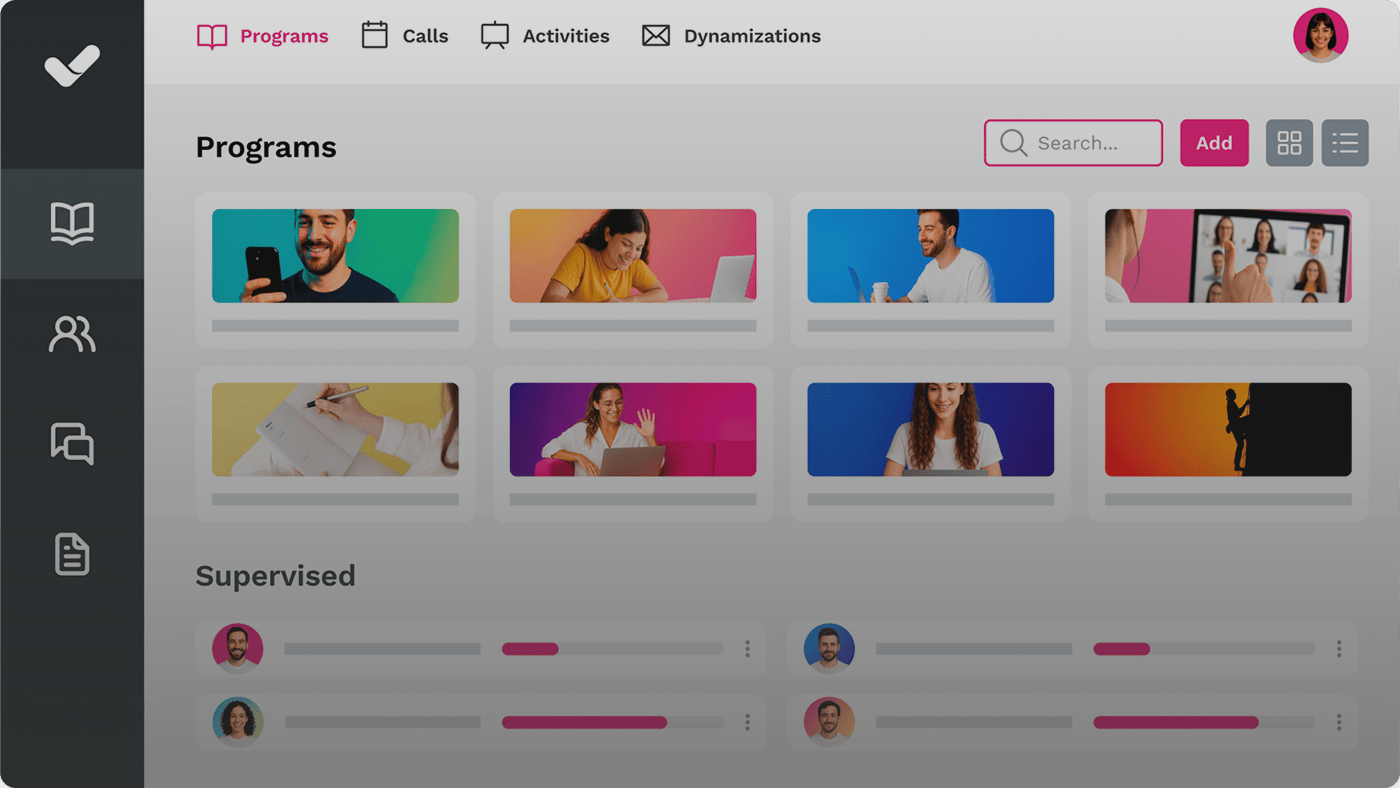
If you are looking for a platform that combines usability, advanced analytics, gamification and integrated AI in a single environment designed for mid-sized and large companies, isEazy LMS is built exactly for that profile. Request a demo and see for yourself →
An LMS (Learning Management System) is the platform that manages, distributes and tracks training: users, learning paths, reports, and assessments. An authoring tool is the software used to create the courses and learning content: interactive presentations, videos, quizzes. Both tools are complementary and, in many cases, integrate to offer a complete workflow: you create the content in the authoring tool and publish and manage it from the LMS.
SCORM (Sharable Content Object Reference Model) is the most widely used technical standard in corporate e-learning. It defines how courses are packaged and how they communicate with the LMS to record progress data, time spent, and assessment results. An LMS that supports SCORM guarantees you can use courses created with any standard authoring tool, without being locked into proprietary formats tied to a single vendor.
Implementation time for an LMS varies depending on the complexity of the organisation and the level of configuration required. For mid-sized organisations with standard configurations, a basic implementation can be completed in two to four weeks. More complex implementations, including HRIS integrations, corporate SSO, content migration and administrator training, can take between two and six months. Asking the vendor for a detailed implementation plan with milestones before signing the contract is strongly recommended.
A complete LMS should allow you to measure, at a minimum: course completion rate by user and by group, assessment results (scores, attempts, time taken), time spent per content item, progress through learning paths, and engagement level (return visits, mobile usage). More advanced systems add predictive analytics to identify dropout risks and configurable dashboards to cross-reference training data with business metrics.

GUIDE
Prepare your organization to comply with the new AI Regulations
Download guide


Streamline your training management
Experience the power of AI in an LMS that has it all


Streamline your training management
Experience the power of AI in an LMS that has it all