


Brain
The first AI trained to teach

Author
The #1 AI-powered authoring tool on the market

Factory
Custom e-learning content factory

Skills
Comprehensive power skills course catalog

LMS
All-in-one LMS platform with AI

Engage
App for managing frontline teams


FEATURES

AINew
Unlock your full potential and speed up course creation with artificial intelligence.

Accessibility
Automatically meet accessibility guidelines—without sacrificing interactivity!

Interactivity
Boost engagement with interactive, ready-to-use activities that make learning fun.

Course Creation
Reduce the time it takes to create your e-learning courses with our authoring tool.

Distribution
We offer you different distribution options, so that nothing can stop you.

SCORM
Publish your course in SCORM format and share it on any LMS.

SERVICES

Instrucional Design
Surprise your students with multimedia and interactive content.

Custom Courses
We create e-learning courses for you—tailored to your needs and hassle-free!

Virtual Reality
Turn learning into an immersive experience.

Custom Avatars
Give your courses and videos a unique touch with personalized avatars.

Audiovisual FactoryNew
Turn training into something dynamic and visual with engaging videos.

CATALOG

Course catalog
Over 600 skills and competency courses to help you adapt to your team's needs.
Microsoft Copilot AcademyNew
Your professionals will learn how to apply Copilot AI to key processes within your organization.

Artificial Intelligence Academy
Train your teams in the practical use of AI to boost productivity and innovation in your company.

Cybersecurity Academy
Capacita a tu empresa con el catálogo más completo en seguridad digital corporativa.


Use cases
Choose the solution that best fits your needs

Industries
Solutions for all types of industries
USE CASES

Onboarding
Facilitate the onboarding process, productivity and engagement of your new employees.

Upskilling
Boost your team's skills and prepare them for the challenges of the future with upskilling.

Microlearning
Discover all the advantages of microlearning and boost your training results.

Gamification
Enjoy addictive training that will get your professionals hooked.

Internal Communication
Improve communication in your company and enjoy an aligned and committed team.

Mobile learning
Agile, flexible, and interactive learning—built for today’s digital-first workforce.
INDUSTRIES

Banking and financial services
Training in compliance, cybersecurity, customer service, and key skills development.

Pharmaceuticals and healthcare
Digital onboarding, regulatory updates, and ongoing training for healthcare staff.

Retail and consumer
Agile and scalable training for in-store, operational, and customer service teams.

Industry and manufacturing
Training in processes, safety, and corporate culture for distributed teams.

Education and training
Digital solutions for training centers, internal academies, and corporate universities.

Technology and telecommunications
Development of technical talent, digital skills, and upskilling and reskilling programs.
CLIENTS

MAPFRE
How MAPFRE turn e-learning into sales with isEazy

Pepco
A personalised learning experience for a growing team.

BBVA
Digitisation and creation of high quality e-learning content.

Shiseido
We increase the engagement of the training with a social and gamified app.

Telefónica
Large-scale reskilling for the company's digital transformation.

Vodafone
A personalised learning experience for a growing team.
More than 1,000 companies already rely on isEazy.


MEET ISEAZY

Events
Discover our upcoming events and connect with the future of e-learning.

News
Find out the latest news about isEazy: press releases, partnerships, updates...

Contact
Leave us your personal details and we will contact you as soon as possible.
About isEazyNew
Find out more about our company.

Careers
We are looking for the best talent, join our team!

Partners
Become our partner and grow your business.

INTERESTING RESOURCES

Blog
The best content on e-learning: trends, tools and key strategies.

Whitepapers
Gain valuable insights and stay ahead of industry trends.

Product releases
The latest news and releases of our e-learning products and solutions.

Glossary
Definitions of the most commonly used terms and key industry concepts.

Guides
Discover the best step-by-step tips and tricks to optimize your L&D strategy.

Webinars
Video sessions on our products, trends and more

Comparatives
Compare e-learning solutions available on the market and choose the most suitable one.

Create professional courses in minutes, now for less.
Stay up to date with all our latest news
 Subscribe to our newsletter
Stay up to date with all our latest news

November 4, 2026
What’s New in isEazy Author: Fully Customizable AI Avatars, New Interactives, and More

CONTENT CREATED BY:
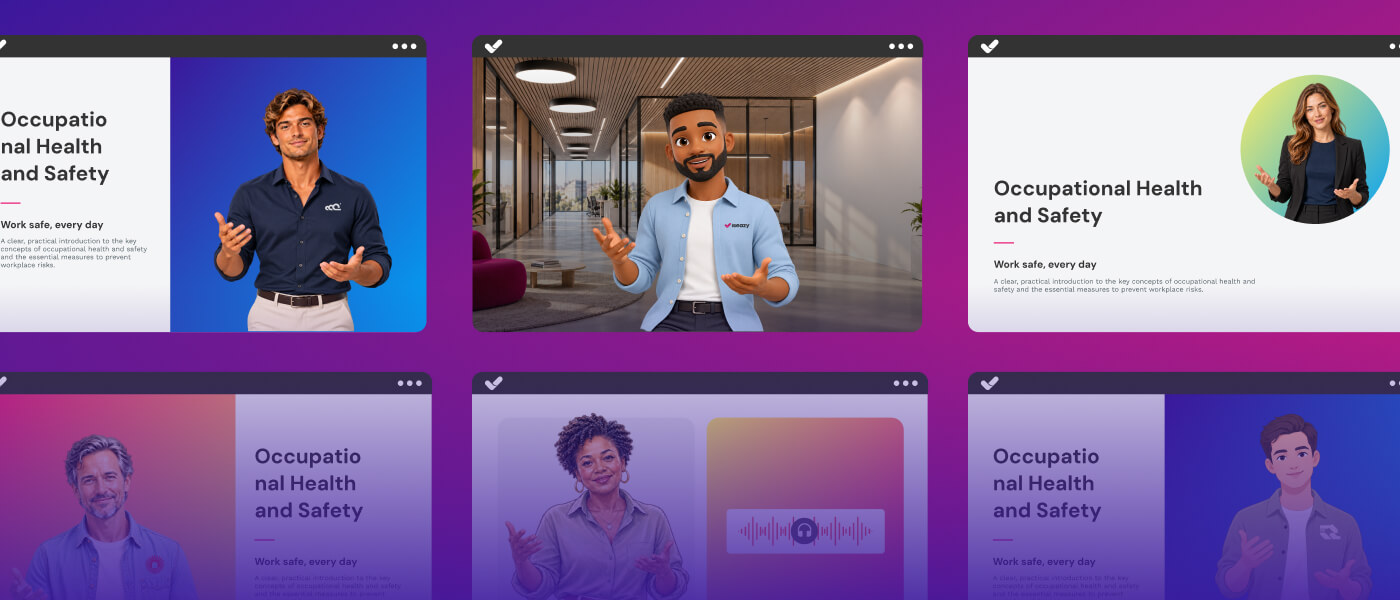
Table of contents
We’ve got news in isEazy Author to help you create courses that are even more engaging and full of personality. The star of the show is our new generation of AI avatars: you can now design your own 100% customized avatars from scratch, add your logo and brand colors, or even create them from an image. Plus, we’ll walk you through the rest of the updates: a new interactive, more versatile assessments, and a recycle bin.
Create 100% customized AI avatars
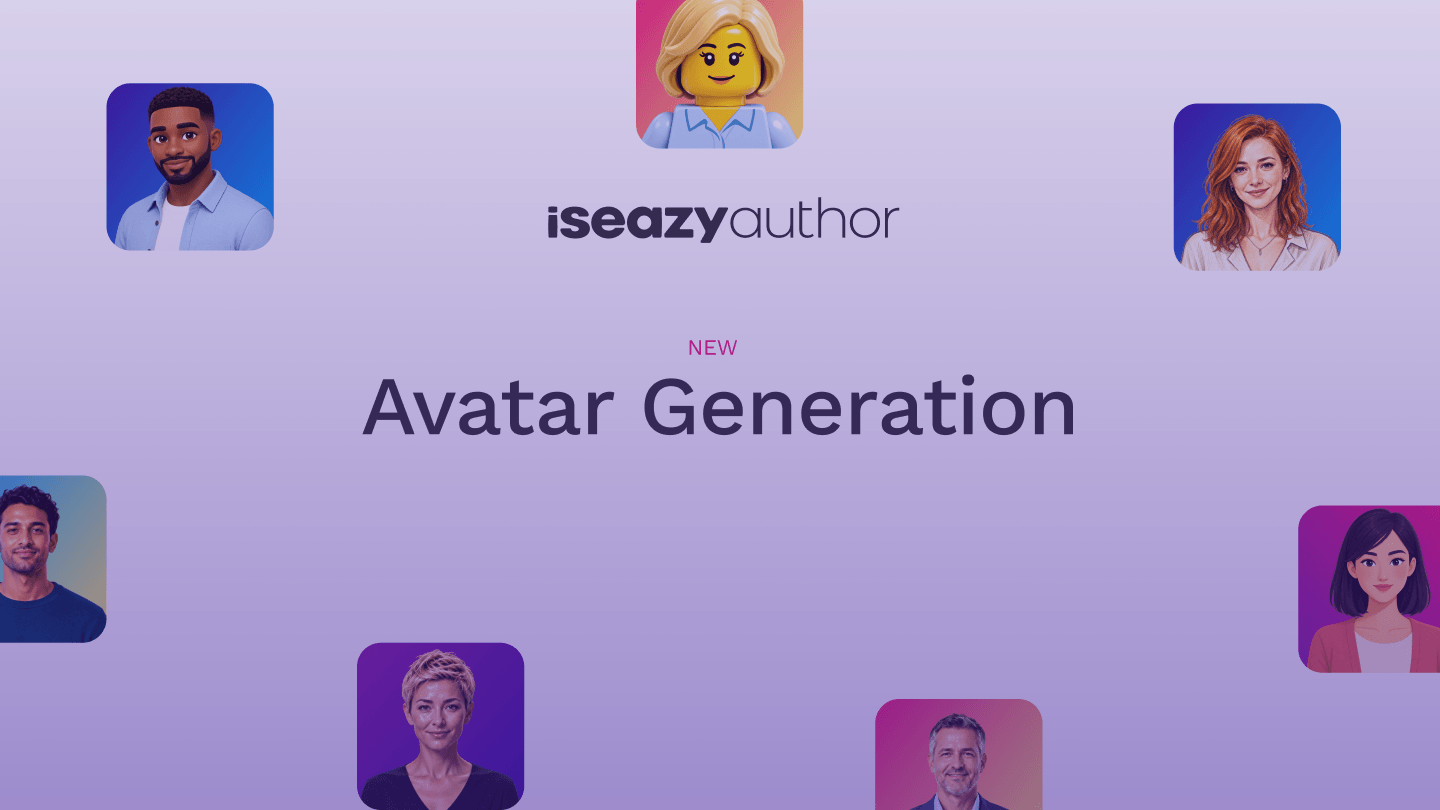
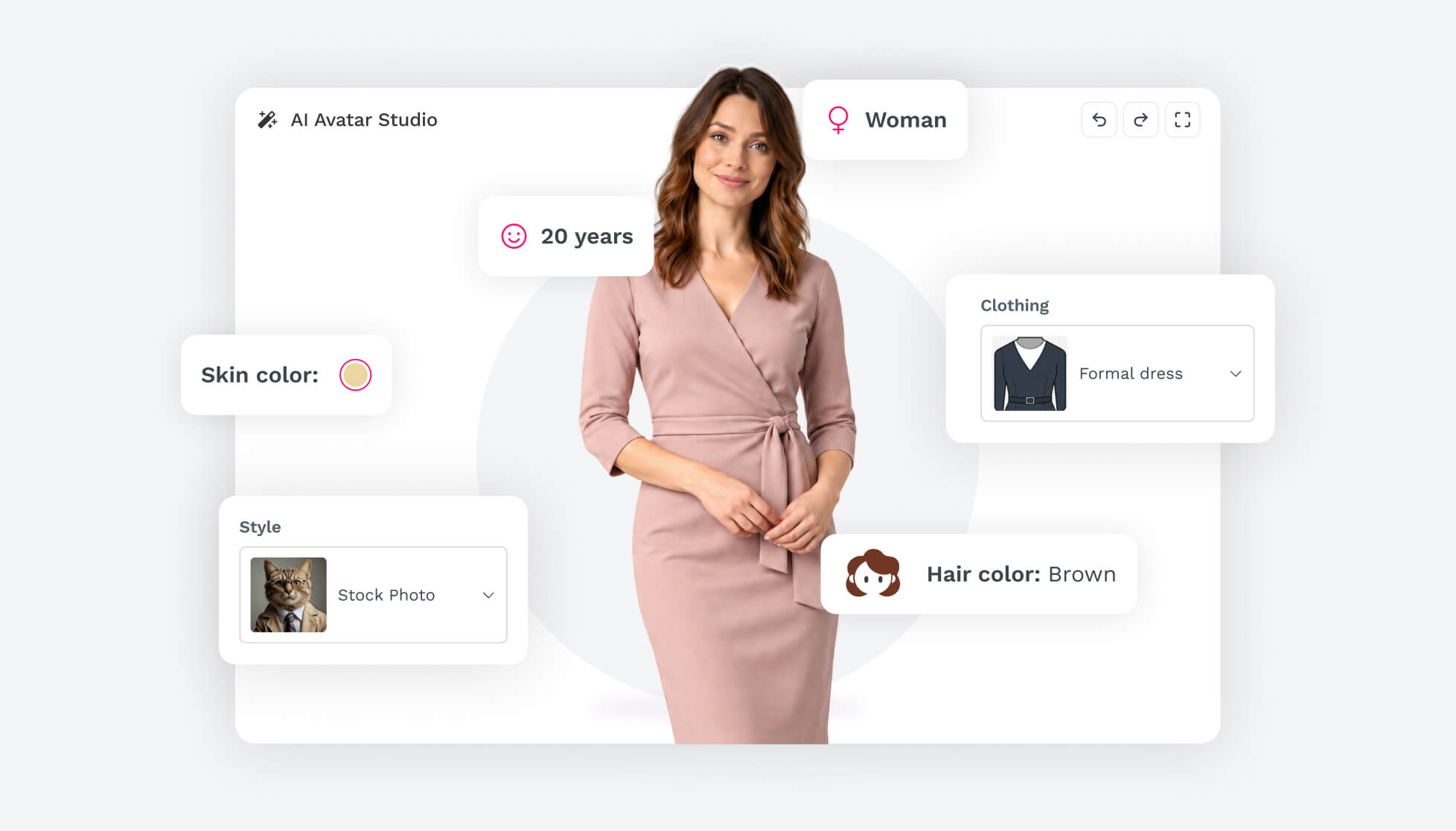
There are plenty of AI avatars out there. In isEazy Author, you design your own. On top of choosing from the 150+ avatars in our catalog, you can now create them yourself from scratch with AI. Define every detail, or generate one from an image. You decide what you want, and AI takes care of the rest.
Customize every detail of your avatar
Change its style, age, gender, hair, clothing… and even add your company logo. Design the avatar that best fits your course and place it on a transparent or colored background.
Here are the options you can configure:
- Style: realistic, illustrated, 3D… so the avatar becomes part of your course design instead of looking like an add-on.
- Gender and age: match the presenter to your learners’ profile or the tone of the content. New-hire training isn’t the same as a leadership program.
- Hair and skin tone: choose the hairstyle, look, hair color, and skin tone to create diverse presenters who represent everyone in your organization.
- Clothing: dress your avatar more formally or casually depending on the type of course, from a compliance module to a welcome micro-lesson.
The result is a one-of-a-kind presenter, designed for your content, that you won’t see in any other course. And since you can create as many as you need, you can have a different one for each training program or keep the same one throughout to give your academy a consistent feel.
Want to see how they’re created, step by step? Check out our AI-generated avatars guide in the isEazy Author Help Center.
A presenter that reflects your brand
Your courses also speak for your company. That’s why, beyond designing how your avatar looks, you can make it instantly recognizable as part of your organization, just like your website, your presentations, and the rest of your communications.
When creating them, you can include:
- Your brand palette: turn this option on and AI will generate the avatar using your brand colors, so its clothing and look match your visual identity.
- Your logo: add your company logo to the avatar’s outfit and choose where to place it, on the chest or the sleeve, as if it were wearing your team’s uniform.
Plus, every avatar is available in all of isEazy Author’s image styles (3D Minimal, Stock, Isometric, and Lego), and you can display it on a transparent or colored background. That way, it blends into your course design with the same visual consistency as the rest of your content.
All of this is especially useful for training that represents your company, such as new-hire onboarding, culture and values courses, or customer and partner training. Your learners will see a presenter who speaks on behalf of your brand, and looks the part, too.
Create an avatar from an image
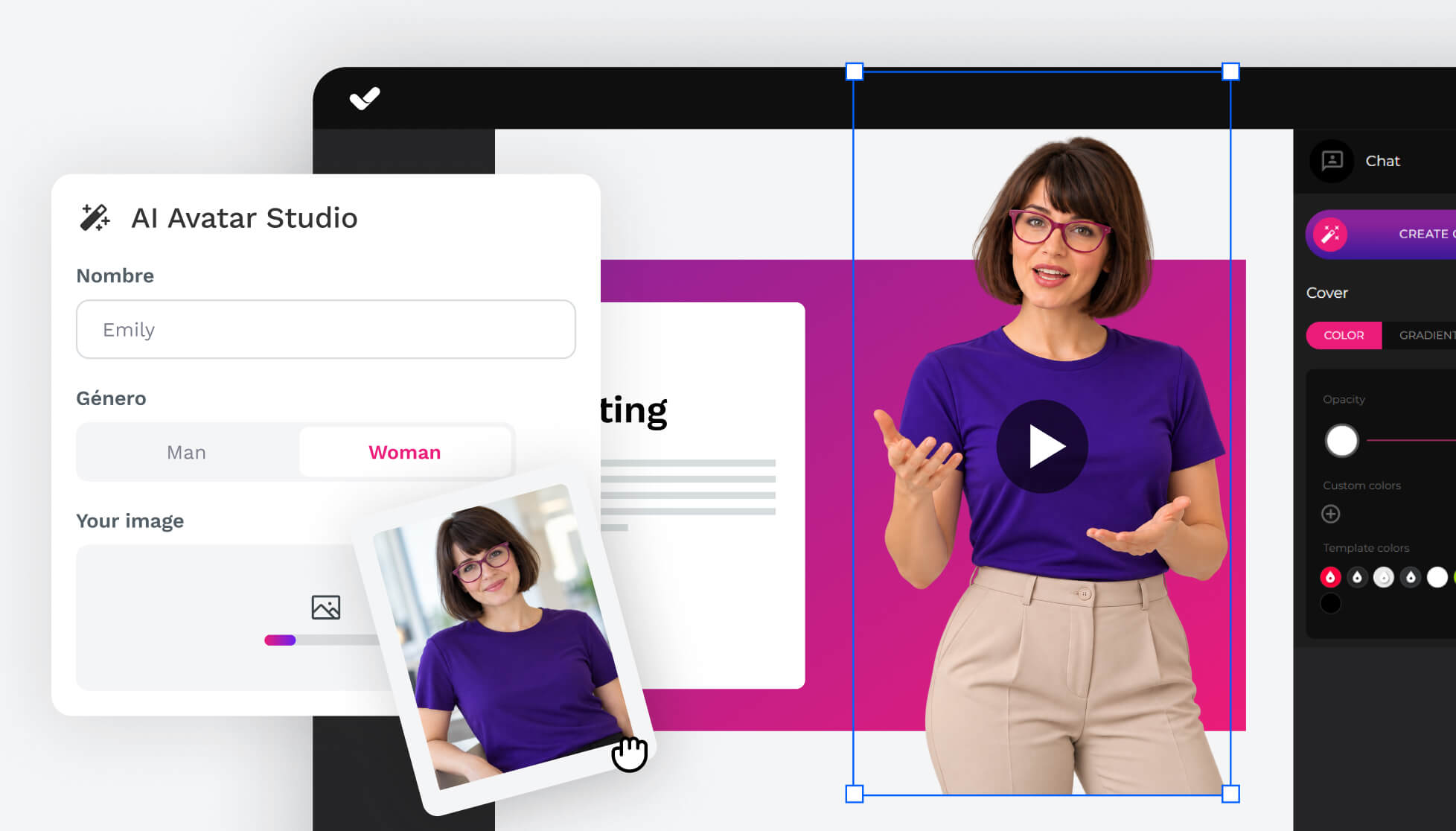
If you already have an image of a presenter that fits your course or brand, use it as your starting point: upload it and AI automatically turns it into a presenter for your courses. It even preps it for you, removing the background and framing it as a medium shot. Once you have the preview, just generate the presenter to use it in your content.
Would you rather not use a real person’s face? Turn on “Generate new face” to get a unique face that doesn’t belong to anyone. Your very own presenter for your courses, no cameras or studio required.
More natural, expressive movement
Our avatars are no longer limited to moving their heads or syncing their lips. They now gesture with their arms and hands, subtly shift their posture, and accompany every message with micro-expressions and changes in their gaze. We’ve also improved how voice and movement sync up for smoother transitions. The result: more relatable communication that grabs, and holds, your learners’ attention.
You can generate the avatar in two ways: by typing the script directly or by uploading an audio file. If you type the script, select the avatar, choose its voice (you can listen to a sample), generate the audio to check how it sounds, and finally, generate the video.
*Heads-up: only video generation uses credits. You can generate as many audio clips as you need to test and fine-tune the voice without spending any credits.
Miss the previous avatars? The classic catalog is still available, so you can keep using it in your courses.
More updates to our authoring tool
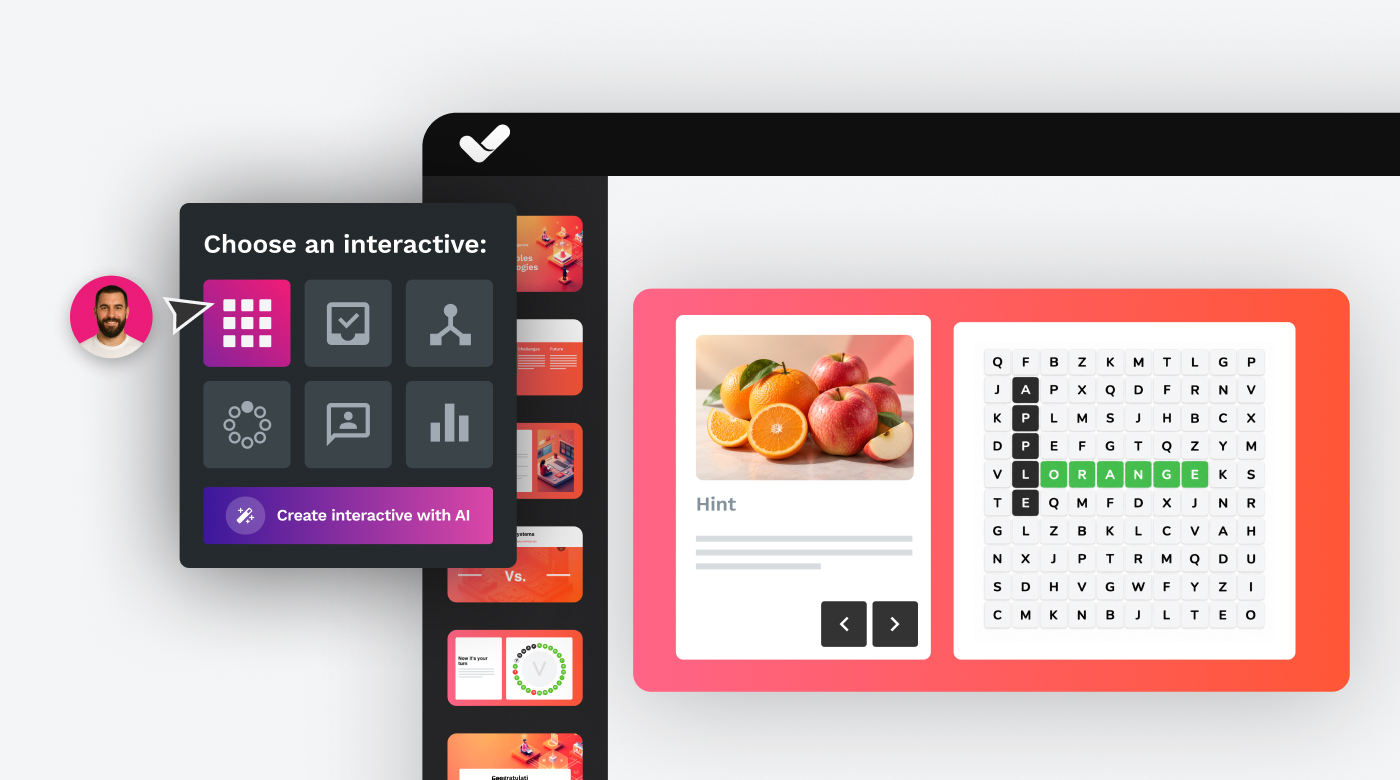
Interactive word search: review content through play
The new interactive word search turns concept review into a fun, dynamic challenge. Learners get a clue, definition, or key concept and have to find the right word in the grid before time runs out. Each correct answer earns points and moves them forward in the activity, which can also include gamification elements like a timer and power-ups to keep motivation high.
One of the biggest new features is the ability to show custom feedback after each correct answer: an extra explanation, reinforcement content, a fun fact, or a related tip. That way, the activity goes beyond testing knowledge and becomes a chance to dig deeper into the content and improve retention.
It’s an ideal activity for reviewing concepts, reinforcing specialized vocabulary, and locking in knowledge in a far more interactive way than a simple quiz.
More versatile assessments
We’ve also improved the UI for assessment settings and added two new options for even more customization:
- Randomize answers: when enabled, the answer choices for every question appear in a different order on each attempt, helping prevent learners from simply memorizing the order of the options.
- Multiple answers: lets you mark several options as correct in a single question. The question only counts as correct if the learner selects all the right answers.
Two simple options that give you much more control over how you assess your learners’ knowledge.
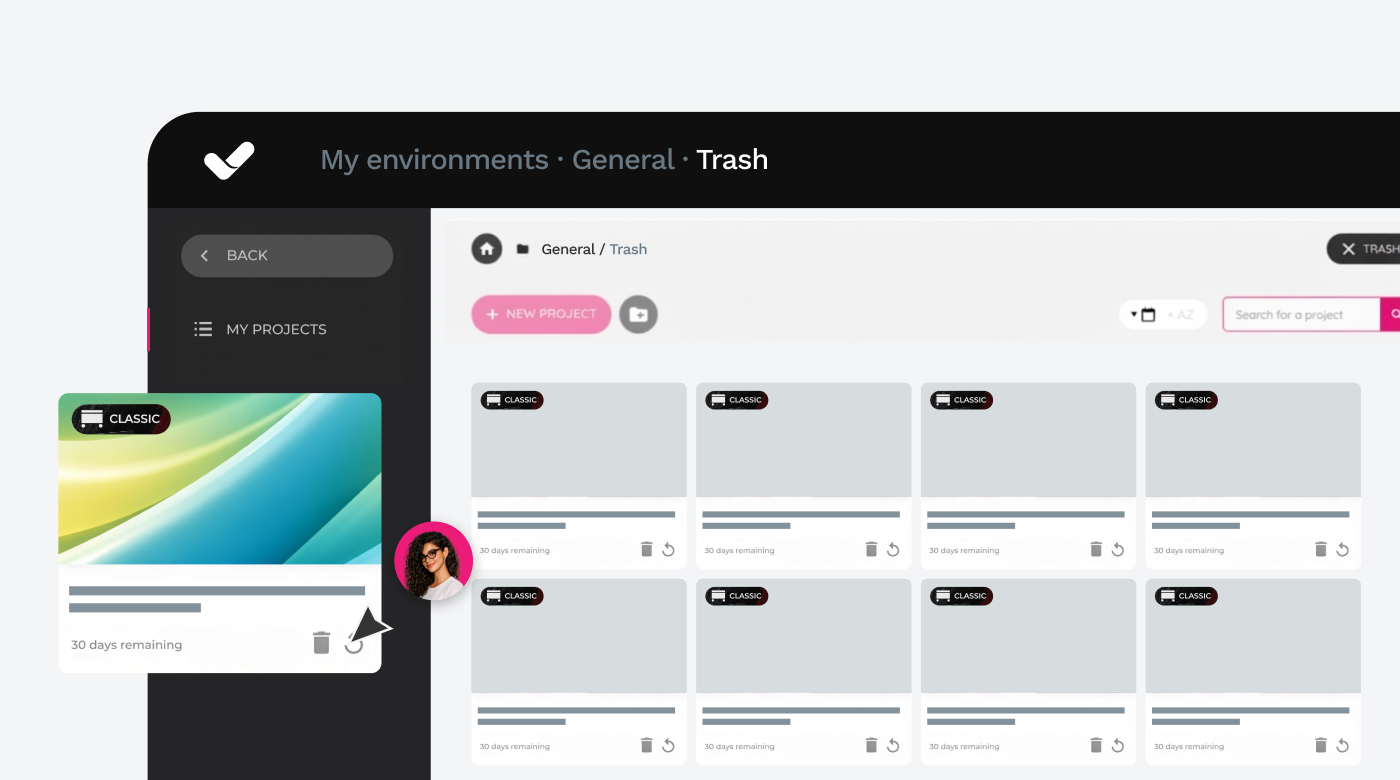
Recycle bin: recover what you thought was lost
We’ve all deleted a project by mistake at some point. With the new recycle bin, that’s no longer a problem: any project you delete is kept for 30 days, during which you can restore it to the folder of your choice or permanently delete it whenever you want. After that, it’s deleted automatically, and the recycle bin itself alerts you to projects that are running out of time.
The recycle bin works by environment, so you can view and recover all the deleted projects from a given environment in a single list, no matter which folder or subfolder they were in.
*Available on the Professional, Business, and Enterprise plans.
Ready to explore everything that’s new? Log in to your account and try out the new avatars, build your first interactive word search, set up assessments with randomized and multiple answers, and stop worrying about deleting a project by mistake. 🚀
Featured articles




Generate a complete course in minutes with AI Autopilot
Start with an idea or upload your documents, choose your style, colors, template... And you're done!
Request a demo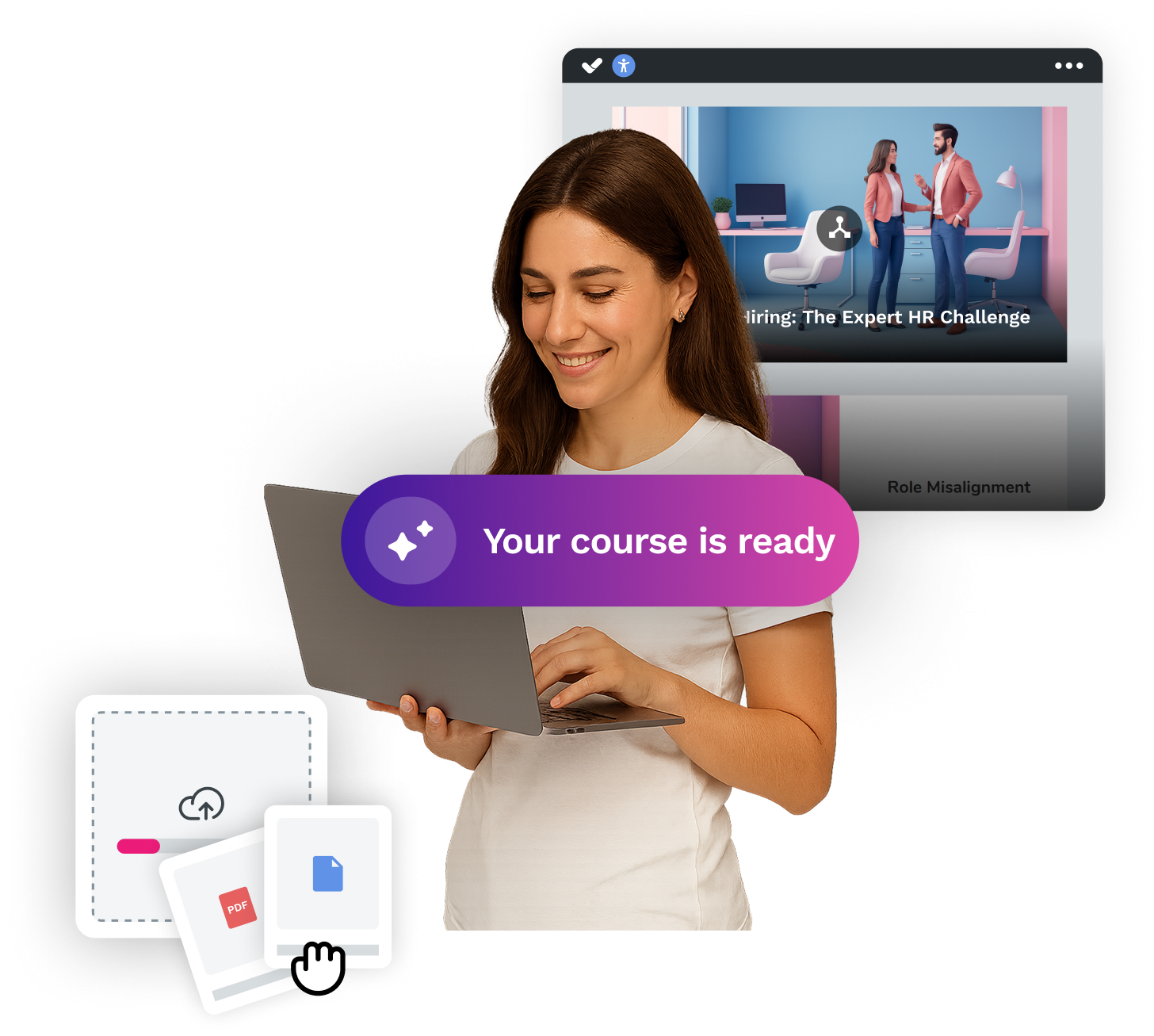

How can AI become your best ally for creating e-learning courses?
Discover isEazy Author's powerful AI features


How can AI become your best ally for creating e-learning courses?
Discover isEazy Author's powerful AI features
Related articles


