CASE STUDY
How Pepco was able to comprehensively manage employee training with an LMS

Brain
The first AI trained to teach

Author
The #1 AI-powered authoring tool on the market

Factory
Custom e-learning content factory

Skills
Comprehensive power skills course catalog

LMS
All-in-one LMS platform with AI

Engage
App for managing frontline teams
FEATURES

AINew
Unlock your full potential and speed up course creation with artificial intelligence.

Accessibility
Automatically meet accessibility guidelines—without sacrificing interactivity!

Interactivity
Boost engagement with interactive, ready-to-use activities that make learning fun.

Course Creation
Reduce the time it takes to create your e-learning courses with our authoring tool.

Distribution
We offer you different distribution options, so that nothing can stop you.

SCORM
Publish your course in SCORM format and share it on any LMS.
SERVICES

Instrucional Design
Surprise your students with multimedia and interactive content.

Custom Courses
We create e-learning courses for you—tailored to your needs and hassle-free!

Virtual Reality
Turn learning into an immersive experience.

Custom Avatars
Give your courses and videos a unique touch with personalized avatars.

Audiovisual FactoryNew
Turn training into something dynamic and visual with engaging videos.
CATALOG

Course catalog
Over 600 skills and competency courses to help you adapt to your team's needs.
Microsoft Copilot AcademyNew
Your professionals will learn how to apply Copilot AI to key processes within your organization.

Artificial Intelligence Academy
Train your teams in the practical use of AI to boost productivity and innovation in your company.

Cybersecurity Academy
Capacita a tu empresa con el catálogo más completo en seguridad digital corporativa.

Use cases
Choose the solution that best fits your needs

Industries
Solutions for all types of industries
USE CASES

Onboarding
Facilitate the onboarding process, productivity and engagement of your new employees.

Upskilling
Boost your team's skills and prepare them for the challenges of the future with upskilling.

Microlearning
Discover all the advantages of microlearning and boost your training results.

Gamification
Enjoy addictive training that will get your professionals hooked.

Internal Communication
Improve communication in your company and enjoy an aligned and committed team.

Mobile learning
Agile, flexible, and interactive learning—built for today’s digital-first workforce.
INDUSTRIES

Banking and financial services
Training in compliance, cybersecurity, customer service, and key skills development.

Pharmaceuticals and healthcare
Digital onboarding, regulatory updates, and ongoing training for healthcare staff.

Retail and consumer
Agile and scalable training for in-store, operational, and customer service teams.

Industry and manufacturing
Training in processes, safety, and corporate culture for distributed teams.

Education and training
Digital solutions for training centers, internal academies, and corporate universities.

Technology and telecommunications
Development of technical talent, digital skills, and upskilling and reskilling programs.
CLIENTS

MAPFRE
How MAPFRE turn e-learning into sales with isEazy

Pepco
A personalised learning experience for a growing team.

BBVA
Digitisation and creation of high quality e-learning content.

Shiseido
We increase the engagement of the training with a social and gamified app.

Telefónica
Large-scale reskilling for the company's digital transformation.

Vodafone
A personalised learning experience for a growing team.
More than 1,000 companies already rely on isEazy.





MEET ISEAZY

Events
Discover our upcoming events and connect with the future of e-learning.

News
Find out the latest news about isEazy: press releases, partnerships, updates...

Contact
Leave us your personal details and we will contact you as soon as possible.
About isEazyNew
Find out more about our company.

Careers
We are looking for the best talent, join our team!

Partners
Become our partner and grow your business.
INTERESTING RESOURCES

Blog
The best content on e-learning: trends, tools and key strategies.

Whitepapers
Gain valuable insights and stay ahead of industry trends.

Product releases
The latest news and releases of our e-learning products and solutions.

Glossary
Definitions of the most commonly used terms and key industry concepts.

Guides
Discover the best step-by-step tips and tricks to optimize your L&D strategy.

Webinars
Video sessions on our products, trends and more

Comparatives
Compare e-learning solutions available on the market and choose the most suitable one.


WEBINAR
Master AI in isEazy Author in under an hour.




June 25, 2026

CONTENT CREATED BY:
Table of contents
LMS integrations are technical connections that allow a learning management system (LMS) to automatically exchange data with other business tools: HR systems (HRIS/HCM), ERPs, CRMs, internal communication platforms, or business intelligence tools. These connections are established through standards such as SCORM, xAPI, or SSO, and allow organizations to synchronize employee data, enrollments, learning progress, and certifications without manual intervention.
In the context of corporate training, integrating the LMS with HR systems is no longer optional — it’s an operational necessity. According to Josh Bersin’s HR Technology 2025 report, companies with integrated learning ecosystems report 30% higher efficiency in talent management compared to those operating with siloed systems. For L&D managers, this means fewer manual tasks, better visibility into training impact, and a smoother learning experience for employees.
An LMS integration establishes a data bridge between your learning platform and the systems that manage the employee lifecycle. In practice, this means that when HR registers a new employee in the HRIS, the LMS automatically enrolls them in their onboarding program. When an employee completes a certification, the result is automatically reflected in their talent profile.
Without integration, these processes depend on manual data uploads, CSV exports, and emails between departments — generating errors, duplications, and delays that directly impact the employee experience and the L&D team’s ability to make data-driven decisions.

LMS integrations rely on a set of standards and protocols that ensure interoperability between systems. The most relevant in corporate training are:
The LMS integration landscape is evolving rapidly. The incorporation of artificial intelligence makes it possible to automate content assignment based on the skills gap analysis detected in the HRIS. Microlearning integrated into workflows allows training to reach the employee at the exact moment they need it, directly within the tools they already use every day.
Furthermore, the shift towards skills-based ecosystems is transforming how LMS platforms integrate with talent systems. It’s no longer just about syncing enrollment and completion data — it’s about mapping competencies gained through training to the actual needs of the business.
HR and L&D teams face recurring challenges that a well-implemented LMS integration can resolve at the root. Here are the six most common challenges and how integration addresses them.
When the LMS and HRIS operate as siloed systems, employee data becomes duplicated, outdated, or contradictory across platforms. Automatic integration synchronizes new hires, leavers, department changes, and profile data in real time, eliminating the administrative burden of manual updates and reducing the risk of errors that affect mandatory training assignments.
Regulations change, tools get updated, and employees need specific training to stay current. With an LMS integration, HR can automate compliance course assignments based on the employee’s role, location, or department, and receive automatic alerts when someone has not completed a mandatory certification within the required timeframe.
Without integration, managers must request manual reports from the L&D team to track how their new hires are progressing. With an integrated LMS, onboarding data flows directly to dashboards accessible by the manager, including module-level progress, time invested, and assessment results.
One of the biggest challenges of any learning platform is getting employees to actually use it. Integration with communication tools (Slack, Teams, corporate email) enables automatic reminders, new course availability notifications, and progress summaries that keep training present in the employee’s daily routine.
The onboarding process is one of the workflows that benefits most from integration. When the HRIS registers a new hire, the LMS can automatically activate a personalized onboarding journey based on department, country, and job level — ensuring every new employee receives exactly the training they need from day one.
Implementing SSO (Single Sign-On) through integration with the corporate directory (Active Directory, Okta, Azure AD) allows employees to access the LMS with their usual credentials. This not only reduces access friction but eliminates support tickets for forgotten passwords and increases learning platform adoption rates.
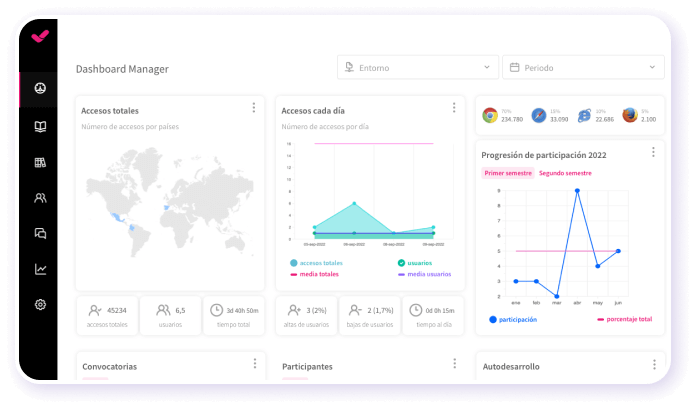
Beyond operational efficiency, LMS integrations deliver strategic benefits that directly impact the organization’s ability to develop and retain talent.
When the LMS has access to HRIS data (role, seniority, location, performance reviews), it can build truly personalized learning pathways. Employees receive content relevant to their specific context — not a generic catalogue the same for everyone. This increases engagement and the practical application of what was learned.
Integration enables cross-referencing training data with performance indicators from the HRIS: productivity, performance reviews, retention, internal promotion. For the first time, the L&D team can prove the real ROI of training with data, connecting completed courses to measurable business outcomes.
With competency data from the LMS flowing into the talent system, HR can precisely identify which employees are ready to take on new roles, where critical skills gaps exist, and which development plans to activate to close them. This turns training into a real driver of internal mobility and strategic workforce planning.
Choosing the right standard for each integration need is fundamental. Not all protocols serve the same purpose or offer the same level of detail in learning tracking. This table summarizes the key differences between the most widely used standards in corporate training.
| Standard | Main function | Adoption level |
|---|---|---|
| SCORM 1.2 / 2004 | E-learning content packaging and tracking (completion, score, time) | Very high: dominant standard |
| xAPI (Tin Can) | Recording learning experiences inside and outside the LMS | Medium-high: accelerating growth |
| SSO (SAML/OAuth) | Single sign-on with corporate credentials | Very high: basic requirement |
| Webhooks | Real-time notifications for LMS events | Medium |
Implementing an LMS integration is not without obstacles. Anticipating the most frequent challenges is key to ensuring a successful implementation.
Integration means sensitive employee data (performance, assessments, personal information) flows between systems. It is essential to ensure encryption in transit and at rest, establish role-based access controls, and ensure compliance with regulations such as GDPR. A robust corporate LMS should offer security certifications and built-in audit mechanisms.
The best technical integration fails if users don’t adopt it. It is essential to accompany the rollout with a change management plan that includes clear communication about the benefits, practical training for administrators and managers, and a period of enhanced support during the first weeks. Organizations that invest in change management report adoption rates up to three times higher.
Integrations require ongoing maintenance. Updates to the HRIS or LMS can break existing connections if not properly tested. It is advisable to maintain a staging environment, document all data flows, and assign a technical owner who periodically monitors the status of integrations.
Knowing the most frequent mistakes in LMS integration projects allows you to avoid them before they impact operations. Here are the five that come up most often in corporate environments.
Jumping into integration without a prior data mapping exercise leads to duplicate fields, orphaned data, and conflicts between systems. Before touching any configuration, it is essential to document what data travels, in which direction, how often, and which system is the source of truth for each field.
Integrating systems with dirty data (duplicate names, outdated departments, non-existent roles) propagates errors to all connected systems. Cleaning and normalizing data before the integration goes live is a step that saves months of problems later.
Many organizations postpone Single Sign-On implementation and later find LMS adoption rates below expectations. SSO is not an add-on — it is a basic requirement that eliminates access friction and should be live from launch day.
Integration projects that start solely from L&D or HR without IT support tend to stall in the technical phases. Involving IT from the outset ensures technical feasibility, alignment with security policies, and proper prioritization on the technology roadmap.
Integrations are not “set and forget.” Systems get updated, HR processes change, and training needs evolve. Establishing regular reviews (at least quarterly) and proactively monitoring data flows is the difference between an integration that works and one that silently deteriorates.
Successfully implementing an LMS integration requires a structured approach. These five steps cover everything from planning to continuous optimization.
Before any technical configuration, clearly establish what specific problems you want to solve: automate onboarding? Sync employee data? Cross-reference training data with performance? Each objective determines which systems integrate, what data flows, and what standards are needed. Document the scope in a business case with clear success metrics.
Identify all data fields that need to be synchronized between systems. For each field, define the source of truth (which system takes priority), the direction of the flow, the update frequency, and any transformation rules if formats differ. Clean and normalize data before activating the integration.
Run tests in a staging environment before going to production. Validate bidirectional synchronization with real data (anonymized if necessary), verify security controls, and confirm that access permissions work as designed. Document results and edge cases.
Deploy the integration progressively: first a pilot group, then the full organization. Accompany the launch with clear internal communication explaining what changes for each user profile (employees, managers, administrators) and practical training for teams who will manage the system.
Set up monitoring dashboards showing the status of data flows, synchronization errors, and key metrics (average user provisioning time, adoption rate, percentage of automatically assigned courses). Collect feedback from users and administrators in the first 90 days to adjust and optimize.
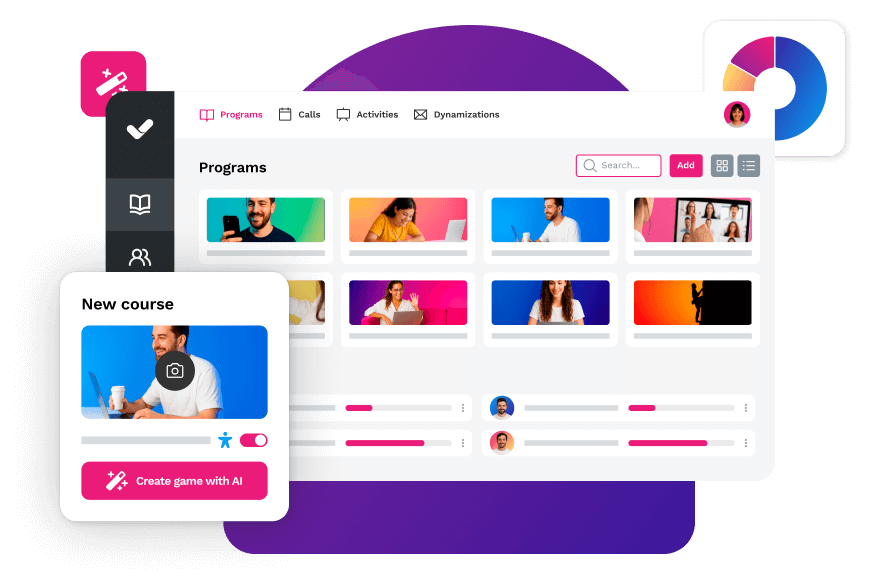
Not all LMS platforms offer the same level of integration capability. When evaluating options, consider these key criteria to ensure you choose a platform that can reliably connect with your HR systems.
| Criterion | Why it matters | What to look for |
|---|---|---|
| Open and documented APIs | Enable custom integrations with any system | Public documentation + testing sandbox |
| E-learning standards support | Ensures compatibility with content and external tools | Certified SCORM 1.2/2004 and xAPI |
| Native SSO | Removes access friction and increases adoption | Okta, Azure AD, Google Workspace, SAML 2.0 |
| Pre-built HRIS connectors | Reduces implementation time and cost | SAP SuccessFactors, Workday, BambooHR, Personio |
| Enrollment automations | Assigns training based on role, department, or event | Configurable rules without code |
| Cross L&D + HR reporting | Measures the real ROI of training | Exportable dashboards + role-based access |
isEazy LMS meets all of these criteria: documented APIs, native support for SCORM and xAPI, SSO with the leading identity providers, and no-code enrollment automations — backed by a team that understands L&D and HR processes from day one. Request a demo and discover how to simplify your integrations.
Pepco, a retail chain with over 3,000 stores across Europe, needed an LMS capable of integrating with their HR systems to manage training for thousands of employees across multiple countries from a single platform. With isEazy LMS, Pepco automated course assignments by location, role, and language, achieving scalable and efficient training management to support their rapid international expansion. Discover how they did it →
LMS integrations will continue to evolve towards increasingly connected and intelligent ecosystems. The trends already shaping the future include predictive training assignment powered by AI (the system detects skills gaps and suggests content before the manager requests it), integration with productivity tools to bring microlearning into the daily workflow, and the consolidation of skills data as the central axis connecting training, talent, and strategic planning.
Organizations that invest today in solid integrations between their LMS and their HR systems will not only optimize their training processes — they will build the data infrastructure needed to compete in a market where talent development is a strategic differentiator. Ready to take the next step? Request an isEazy LMS demo and find out how to connect your training with your business goals.
Yes, most modern LMS platforms can integrate with other systems already in use at your company, such as HR platforms, communication tools, or corporate calendars. This allows you to centralize management and avoid data duplication. Some LMS solutions even offer open APIs or pre-built connectors to simplify integration with third-party tools.
Yes, and in fact it’s essential that it does. An LMS should be able to connect with the other tools your company uses, such as the HR management system, payroll software, or digital signature platforms. This eliminates duplicate tasks and ensures employee data stays synchronized across all systems — avoiding errors and saving time for HR teams.
Choosing the right LMS requires a careful evaluation of your organization’s needs and goals. Start by identifying what you want to achieve with your training: onboarding new employees, compliance training, skills development, or a combination of all three. Then assess key criteria such as integration capabilities (SCORM, xAPI, SSO, APIs), ease of use, reporting features, scalability, and vendor support. Request demos from at least two or three providers before making a final decision.
A custom LMS can be integrated with various business systems through APIs and e-learning standards such as SCORM, xAPI, and LTI. These integrations allow the LMS to communicate with HR systems, CRMs, ERPs, and communication platforms, creating a connected learning ecosystem. The level of integration will depend on the technical capabilities of your LMS provider and the systems you want to connect.

Streamline your training management
Experience the power of AI in an LMS that has it all


Optimize your team’s training with isEazy LMS and reach new performance heights
Request a demoTry it free
Streamline your training management
Experience the power of AI in an LMS that has it all