CASE STUDY
ING: All the knowledge, communication, and training in one app.

Brain
The first AI trained to teach

Author
The #1 AI-powered authoring tool on the market

Factory
Custom e-learning content factory

Skills
Comprehensive power skills course catalog

LMS
All-in-one LMS platform with AI

Engage
App for managing frontline teams
Product

What is Brain?
Everything you need to know about the first AI trained to teach.

How does it work?
Adaptive, conversational, and contextual. That’s learning with Brain.

Security
Why your company’s knowledge never leaves your environment or trains other models.

Comparison
Discover what sets isEazy Brain apart from other AI solutions.

Frequently Asked Questions
Want to learn more? Find answers to all your questions about isEazy Brain here.
FEATURES

AINew
Unlock your full potential and speed up course creation with artificial intelligence.

Accessibility
Automatically meet accessibility guidelines—without sacrificing interactivity!

Interactivity
Boost engagement with interactive, ready-to-use activities that make learning fun.

Course Creation
Reduce the time it takes to create your e-learning courses with our authoring tool.

Distribution
We offer you different distribution options, so that nothing can stop you.

SCORM
Publish your course in SCORM format and share it on any LMS.
SERVICES

Instrucional Design
Surprise your students with multimedia and interactive content.

Custom Courses
We create e-learning courses for you—tailored to your needs and hassle-free!

Virtual Reality
Turn learning into an immersive experience.

Custom Avatars
Give your courses and videos a unique touch with personalized avatars.

Audiovisual FactoryNew
Turn training into something dynamic and visual with engaging videos.
CATALOG

Course catalog
Over 600 skills and competency courses to help you adapt to your team's needs.
Microsoft Copilot AcademyNew
Your professionals will learn how to apply Copilot AI to key processes within your organization.

Artificial Intelligence Academy
Train your teams in the practical use of AI to boost productivity and innovation in your company.

Cybersecurity Academy
Capacita a tu empresa con el catálogo más completo en seguridad digital corporativa.
FEATURES

Learning platform
Manage all your training from one place

Analitycs
Measure the impact of your training

Learning Experience
Offer a unique learning experience to your team
Content Library
Choose from hundreds of expert-created courses
Authoring Tool
Create your own content—faster than ever

Use cases
Choose the solution that best fits your needs

Industries
Solutions for all types of industries
USE CASES

Onboarding
Facilitate the onboarding process, productivity and engagement of your new employees.

Upskilling
Boost your team's skills and prepare them for the challenges of the future with upskilling.

Microlearning
Discover all the advantages of microlearning and boost your training results.

Gamification
Enjoy addictive training that will get your professionals hooked.

Internal Communication
Improve communication in your company and enjoy an aligned and committed team.

Mobile learning
Agile, flexible, and interactive learning—built for today’s digital-first workforce.
INDUSTRIES

Banking and financial services
Training in compliance, cybersecurity, customer service, and key skills development.

Pharmaceuticals and healthcare
Digital onboarding, regulatory updates, and ongoing training for healthcare staff.

Retail and consumer
Agile and scalable training for in-store, operational, and customer service teams.

Industry and manufacturing
Training in processes, safety, and corporate culture for distributed teams.

Education and training
Digital solutions for training centers, internal academies, and corporate universities.

Technology and telecommunications
Development of technical talent, digital skills, and upskilling and reskilling programs.
CLIENTS

MAPFRE
How MAPFRE turn e-learning into sales with isEazy

Pepco
A personalised learning experience for a growing team.

BBVA
Digitisation and creation of high quality e-learning content.

Shiseido
We increase the engagement of the training with a social and gamified app.

Telefónica
Large-scale reskilling for the company's digital transformation.

Vodafone
A personalised learning experience for a growing team.
More than 1,000 companies already rely on isEazy.





MEET ISEAZY

Events
Discover our upcoming events and connect with the future of e-learning.

News
Find out the latest news about isEazy: press releases, partnerships, updates...

Contact
Leave us your personal details and we will contact you as soon as possible.
About isEazyNew
Find out more about our company.

Careers
We are looking for the best talent, join our team!

Partners
Become our partner and grow your business.
INTERESTING RESOURCES

Blog
The best content on e-learning: trends, tools and key strategies.

Whitepapers
Gain valuable insights and stay ahead of industry trends.

Product releases
The latest news and releases of our e-learning products and solutions.

Glossary
Definitions of the most commonly used terms and key industry concepts.

Guides
Discover the best step-by-step tips and tricks to optimize your L&D strategy.

Webinars
Video sessions on our products, trends and more

Comparatives
Compare e-learning solutions available on the market and choose the most suitable one.


WEBINAR
Master AI in isEazy Author in under an hour.




GUIDE
Prepare your organization to comply with the new AI regulations

Stay up to date with all our latest news
 Subscribe to our newsletter
 Stay up to date with all our latest news

February 2, 2026

CONTENT CREATED BY:

Table of contents
Education is undergoing its biggest revolution in centuries. What began with interactive whiteboards and projectors has evolved into intelligent systems that personalize learning for each student. Educational technologies are no longer an “extra”—they have become the engine of modern learning.
In this article, you’ll discover what educational technologies really are, what types exist, concrete examples of tools that are making a difference, and how to apply them effectively in your organization.
Educational technologies (also known as EdTech or educational ICT) are the set of tools, platforms, methodologies, and technological resources designed to facilitate, enrich, and transform teaching and learning processes.
It’s not simply about using electronic devices in the classroom. Educational technologies involve the strategic integration of technology with innovative pedagogies to create more effective, accessible, and interactive learning experiences.
They include everything from specialized software and online platforms to mobile apps, virtual reality, artificial intelligence, and learning management systems that enable teaching and learning in ways that would have been unthinkable 20 years ago.
To understand their current importance, it helps to see how we got here:

Educational technologies have democratized access to knowledge in an unprecedented way:
For companies specifically, educational technologies make it possible to keep teams up to date, support onboarding, ensure compliance with mandatory training, and develop internal talent in a scalable way.
Educational technologies are not a single tool, but rather an ecosystem of solutions that cover different phases of the learning process: from content creation to distribution, consumption, measurement, and continuous improvement.
Each type of technology addresses a specific need within an organization’s learning strategy. Understanding these categories helps explain how they complement one another and how they can be combined to build learning experiences that are more effective, scalable, and aligned with business goals.
Learning management systems are comprehensive platforms where training content is hosted, managed, and delivered. They enable organizations to create courses, enroll learners, track progress, run assessments, and generate detailed reports.
Key features:
Practical applications:
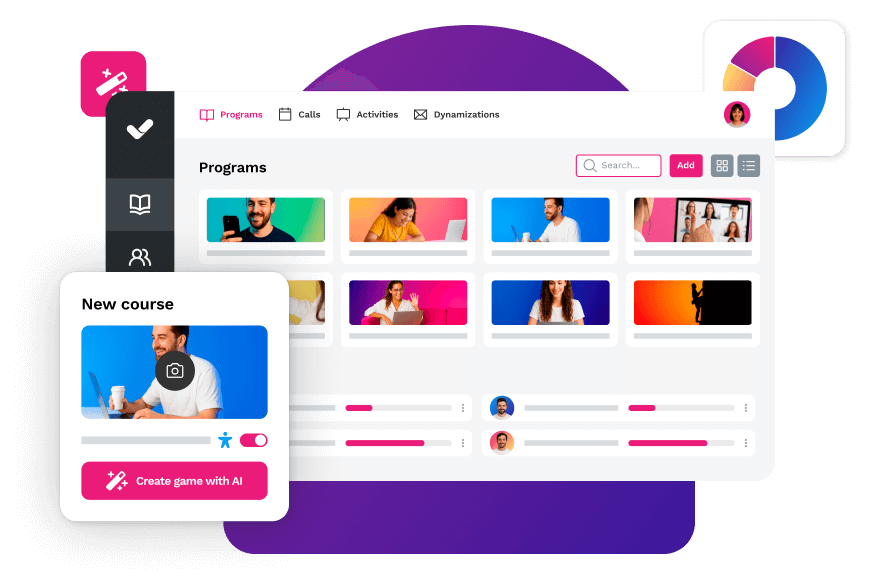
Authoring tools are specialized software solutions that allow users to create interactive e-learning content without requiring advanced technical programming skills. They make it easy to design courses with multimedia elements, assessments, interactive scenarios, and more.
Key features:
Practical applications:

Video content has become one of the most effective formats for digital learning. These platforms make it easier to create, edit, host, and distribute video-based training content.
Key features:
Practical applications:
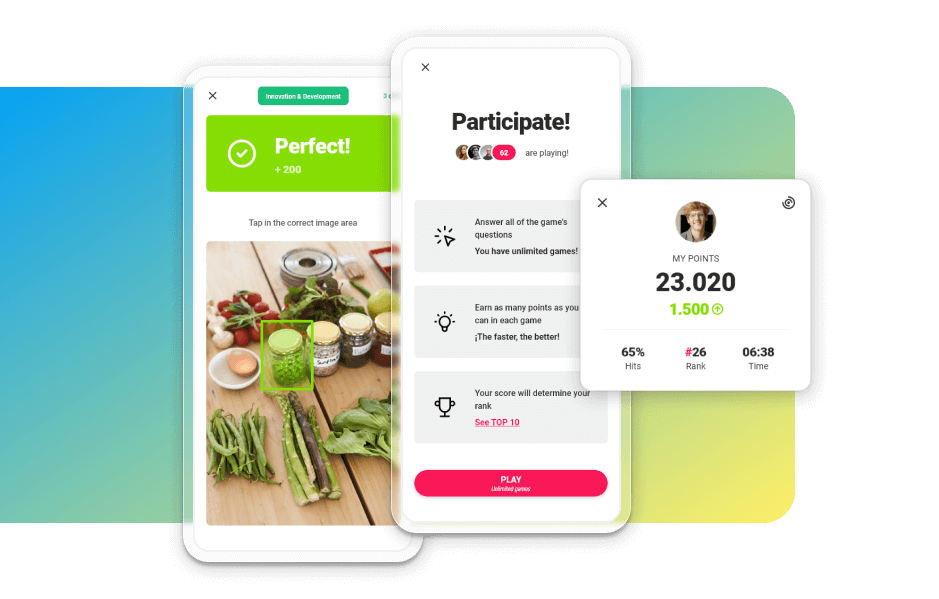
They incorporate game mechanics (points, badges, leaderboards, missions) into learning contexts to increase learner motivation and engagement.
Key features:
Practical applications:
Virtual reality and augmented reality are immersive technologies that enable learning experiences that would be nearly impossible to achieve otherwise, from training in hazardous environments to visualizing abstract concepts.
Key features:
Practical applications:

Today, many systems use AI for different purposes, from personalizing learning paths, recommending content, or automating tutoring, to creating content in a 100% automated way.
Key features:
Practical applications:

Platforms that facilitate teamwork, communication between learners and instructors, and the collaborative creation of knowledge.
Key features:
Practical applications:

Virtual spaces that centralize educational resources of all kinds: ebooks, articles, videos, podcasts, infographics, and specialized documents. They can even include course catalogs in different formats, languages, and subject areas.
Key features:
Practical applications:

Platforms specialized in measuring knowledge, skills, and competencies through different types of assessments.
Key features:
Practical applications:
Apps and platforms designed to deliver training content in small doses or microlearning, perfect for consuming during short breaks throughout the day.
Key features:
Practical applications:

After understanding the different types of educational technologies, it becomes easier to see how they take shape in specific tools. Each solution on the market combines several of these technologies to address particular training needs, whether it’s creating content, managing learning, or increasing engagement.
Below, we’ll look at some representative examples that illustrate how these technologies are applied in practice within educational and corporate environments.
An AI-powered authoring tool for creating e-learning courses quickly and without technical expertise. It enables the design of interactive, engaging, and accessible content using professional templates and multimedia resources.

Strengths
Key features
Strengths
Key features
An open-source LMS platform used by millions of educational institutions and companies worldwide. It provides a complete ecosystem for managing online training.

Strengths
Key features
Strengths
Key features
An educational gamification platform that turns learning into a competitive and social game. Perfect for both in-person and virtual training sessions.

Strengths
Key features
Strengths
Key features
Adopting educational technologies is not just a pedagogical decision, but a strategic one. In today’s business environment, where the pace of change is constant, training needs to be more efficient, measurable, and aligned with business goals. Organizations that integrate digital learning solutions not only improve the training experience, but also transform the way they develop talent, optimize resources, and maintain competitiveness. In addition:
In-person training involves travel expenses, accommodation, per diems, venue rental, and physical materials. Digital learning virtually eliminates all these costs. In addition, content is created once and reused multiple times at no additional cost.
Training 10 people or 10,000 comes at virtually the same cost and effort with educational technologies. This is especially valuable for growing companies or those with large-scale training needs.
Your employees can train when their schedule allows, without interrupting critical projects or neglecting responsibilities. Learning integrates into the workflow rather than competing with it.
All employees receive exactly the same information, regardless of when or where they train. This is crucial for regulatory compliance, product training, and process standardization.
When regulations change, a new product is launched, or a process is updated, you can modify training content in minutes and all employees immediately access the updated version.
You know exactly who has completed which training, how much time they’ve spent, what results they achieved, and where difficulties lie. This makes it possible to make decisions based on real data, not assumptions.
The combination of flexibility, engaging content, gamification, and multi-device access results in significantly higher completion rates than traditional training.
New employees can complete much of their initial training independently even before their first day, becoming productive much faster.
Educational technologies make it easier to build continuous learning cultures where employees constantly update their skills and knowledge.
All employees, regardless of their location or hierarchical level, have access to the same training and development opportunities.
For educational technologies to generate real impact, they must be implemented methodically. It’s not about adding tools, but about designing a process: diagnosing, prioritizing needs, choosing solutions, and ensuring adoption. These steps will help you implement them smoothly and with measurable results:
Before rushing to purchase tools, understand what you already have:
Specific and measurable:
You don’t need every technology from day one. Prioritize:
Key criteria to consider:
Don’t overhaul your entire training strategy at once:
The best tools fail without adoption:
Your employees need to understand:
Implementation doesn’t end at launch:
Looking only at the present is no longer enough. The decisions you make today about training must prepare you for a work environment that will continue to change rapidly. The following trends point to how technology will make learning increasingly personalized, predictive, and integrated into real work—marking the difference between companies that react and those that anticipate:
AI systems will not only recommend content, but also create fully personalized learning paths, generate content tailored to each profile, and predict training needs before they become obvious.
Shared virtual spaces where global teams gather for immersive training, complex simulations, and 3D collaboration.
Training will increasingly integrate directly into everyday work tools, offering contextual support exactly when it’s needed.
Decentralized, verifiable certifications and credentials that professionals can carry with them throughout their careers.
Systems that not only report what has happened, but also predict which skills your organization will need in the next 6–12 months and recommend proactive training plans.
The combination of VR, AR, and mixed reality will become more affordable and easier to implement, enabling immersive experiences for more organizations.

Your imagination has no limits. Now, your authoring tool doesn’t either
Discover the new AI Autopilot from isEazy Author


Educational technologies are no longer a competitive advantage, they are a requirement to stay relevant. Companies that embrace them are building more agile organizations, better-prepared employees, and continuous learning cultures that attract and retain talent.
You don’t need to transform everything overnight. Start with one small step: identify your most urgent training need and find an educational technology that solves it. Measure results, learn, adjust, and scale.
Knowledge is your organization’s most valuable asset. Educational technologies are the tools that allow you to multiply it.
Ready to transform training in your company? Discover how isEazy can help you create learning experiences that truly make a difference. Request a demo.
Not necessarily. The most effective model is usually blended learning: combining the best of both worlds. Use technology for theoretical content, individual practice, and tracking, and reserve in-person sessions for networking, resolving complex questions, and group dynamics.
The best educational technologies are designed to be intuitive. If your employees use smartphones and browse the internet, they can use these tools. In addition, provide basic training on the platforms and ensure accessible support during the first few months.
Compare metrics before and after: training costs, completion rates, time to productivity for new employees, results in competency assessments, employee retention, and, if possible, impact on business KPIs.
A pilot can be up and running in 4–6 weeks. A company-wide implementation can take 3–6 months depending on complexity and the cultural change required.
They are especially effective for theoretical knowledge, procedures, compliance, product training, and technical skills. For highly physical skills or those requiring extensive hands-on practice, they may need to be complemented with in-person practice.
Start with tools that offer freemium plans or affordable basic versions. Many platforms provide special pricing to get started. You can also begin with content creation only and use free platforms to distribute it while building the business case for a larger investment.

GUIDE
Prepare your organization to comply with the new AI Regulations
Download guide


Every learning type requires a unique solution...
With isEazy, discover the e-learning tools that adapt to all needs


Every learning type requires a unique solution...
With isEazy, discover the e-learning tools that adapt to all needs