Brain
The first AI trained to teach

Author
The #1 AI-powered authoring tool on the market

Factory
Custom e-learning content factory

Skills
Comprehensive power skills course catalog

LMS
All-in-one LMS platform with AI

Engage
App for managing frontline teams


FEATURES

AINew
Unlock your full potential and speed up course creation with artificial intelligence.

Accessibility
Automatically meet accessibility guidelines—without sacrificing interactivity!

Interactivity
Boost engagement with interactive, ready-to-use activities that make learning fun.

Course Creation
Reduce the time it takes to create your e-learning courses with our authoring tool.

Distribution
We offer you different distribution options, so that nothing can stop you.

SCORM
Publish your course in SCORM format and share it on any LMS.

SERVICES

Instrucional Design
Surprise your students with multimedia and interactive content.

Custom Courses
We create e-learning courses for you—tailored to your needs and hassle-free!

Virtual Reality
Turn learning into an immersive experience.

Custom Avatars
Give your courses and videos a unique touch with personalized avatars.

Audiovisual FactoryNew
Turn training into something dynamic and visual with engaging videos.

CATALOG

Course catalog
Over 600 skills and competency courses to help you adapt to your team's needs.
Microsoft Copilot AcademyNew
Your professionals will learn how to apply Copilot AI to key processes within your organization.

Artificial Intelligence Academy
Train your teams in the practical use of AI to boost productivity and innovation in your company.

Cybersecurity Academy
Capacita a tu empresa con el catálogo más completo en seguridad digital corporativa.


Use cases
Choose the solution that best fits your needs

Industries
Solutions for all types of industries
USE CASES

Onboarding
Facilitate the onboarding process, productivity and engagement of your new employees.

Upskilling
Boost your team's skills and prepare them for the challenges of the future with upskilling.

Microlearning
Discover all the advantages of microlearning and boost your training results.

Gamification
Enjoy addictive training that will get your professionals hooked.

Internal Communication
Improve communication in your company and enjoy an aligned and committed team.

Mobile learning
Agile, flexible, and interactive learning—built for today’s digital-first workforce.
INDUSTRIES

Banking and financial services
Training in compliance, cybersecurity, customer service, and key skills development.

Pharmaceuticals and healthcare
Digital onboarding, regulatory updates, and ongoing training for healthcare staff.

Retail and consumer
Agile and scalable training for in-store, operational, and customer service teams.

Industry and manufacturing
Training in processes, safety, and corporate culture for distributed teams.

Education and training
Digital solutions for training centers, internal academies, and corporate universities.

Technology and telecommunications
Development of technical talent, digital skills, and upskilling and reskilling programs.
CLIENTS

MAPFRE
How MAPFRE turn e-learning into sales with isEazy

Pepco
A personalised learning experience for a growing team.

BBVA
Digitisation and creation of high quality e-learning content.

Shiseido
We increase the engagement of the training with a social and gamified app.

Telefónica
Large-scale reskilling for the company's digital transformation.

Vodafone
A personalised learning experience for a growing team.
More than 1,000 companies already rely on isEazy.






MEET ISEAZY

Events
Discover our upcoming events and connect with the future of e-learning.

News
Find out the latest news about isEazy: press releases, partnerships, updates...

Contact
Leave us your personal details and we will contact you as soon as possible.
About isEazyNew
Find out more about our company.

Careers
We are looking for the best talent, join our team!

Partners
Become our partner and grow your business.

INTERESTING RESOURCES

Blog
The best content on e-learning: trends, tools and key strategies.

Whitepapers
Gain valuable insights and stay ahead of industry trends.

Product releases
The latest news and releases of our e-learning products and solutions.

Glossary
Definitions of the most commonly used terms and key industry concepts.

Guides
Discover the best step-by-step tips and tricks to optimize your L&D strategy.

Webinars
Video sessions on our products, trends and more

Comparatives
Compare e-learning solutions available on the market and choose the most suitable one.




August 5, 2026
LTI (Learning Tools Interoperability): what it is and what it is for

CONTENT CREATED BY:

Table of contents
What is LTI (Learning Tools Interoperability)?
LTI (Learning Tools Interoperability) is an open technical standard developed by 1EdTech Consortium (formerly IMS Global Learning Consortium) that enables the secure, standardized integration of external learning tools within a learning management system (LMS). In practice, LTI acts as a universal protocol that allows users to launch a third-party tool directly from their LMS—without needing to log in separately—while automatically transferring progress data, grades, and course context between both systems.
In the context of corporate training, LTI has evolved from a technical specification into a de facto standard for L&D teams managing complex learning ecosystems. According to 1EdTech, over 250 products now hold LTI Advantage certification, reflecting the standard’s level of adoption across the edtech sector. For organizations, this means being able to connect their LMS with simulators, assessment tools, content platforms, or gamification applications without building custom integrations for each vendor.
How LTI works: the basic architecture
The LTI standard defines two main roles in any integration:
- Platform (or Tool Consumer): the LMS or learning environment that serves as the user’s entry point. This is the system that launches the external tool.
- Tool (or Tool Provider): the external application integrated into the LMS. This can be a simulator, an assessment tool, a content repository, a gamification platform, or any other external learning resource.
When a user clicks on an LTI activity within the LMS, the platform automatically sends a set of digitally signed parameters to the external tool: the user’s identity, the course context, the user’s role (learner, instructor, administrator), and the grade return point. The tool receives this information, authenticates the user without requiring a separate login—a process known as SSO (Single Sign-On)—and returns results to the LMS transparently.
Since version 1.3, this data exchange is performed using OAuth2, OpenID Connect, and JSON Web Tokens (JWT), representing a significant security improvement over earlier versions of the protocol.
Standard evolution: from LTI 1.0 to LTI Advantage
The LTI standard has evolved significantly since its origins in 2008 as an open-source project. Understanding the differences between versions is relevant for L&D teams when assessing tool compatibility:
- LTI 1.0 (2010): first official version. Enabled basic external tool launch from an LMS via an OAuth 1.0-signed POST form.
- LTI 1.1 (2012): introduced the ability to return grades from the external tool back to the LMS. Still the most widely deployed version in production environments.
- LTI 2.0 (2014): introduced bidirectional REST-based communication. Saw limited adoption due to implementation complexity.
- LTI 1.3 + LTI Advantage (2019): current version. Replaces the security model with OAuth2 + OpenID Connect + JWT, and adds three advanced services under the LTI Advantage label. 1EdTech has confirmed LTI 1.3 will be the final version of the standard.
| Feature | LTI 1.1 | LTI Advantage (1.3) |
|---|---|---|
| Authentication | OAuth 1.0 (key + secret) | OAuth2 + OpenID Connect + JWT |
| Data security | Basic | Maximum (1EdTech Security Framework) |
| Grade return | Yes (basic) | Yes (AGS — automatic and granular) |
| User synchronization | No | Yes (NRPS — lists and roles) |
| Deep linking to content | No | Yes (Deep Linking) |
| Current adoption | Majority in legacy systems | Recommended standard since 2019 |
LTI Advantage: the three services that extend the standard
LTI Advantage is the package of advanced services built on top of the secure LTI 1.3 foundation. It is not a different version of the protocol, but rather a set of 1EdTech-certified additional capabilities that enable deeper integrations between the LMS and external tools. Its three components are:
- Assignment and Grade Services (AGS): allows the external tool to send grades directly to the LMS gradebook without manual intervention. For L&D teams, this eliminates the need to export and import results between systems, saving time and reducing errors.
- Names and Role Provisioning Services (NRPS): automatically synchronizes participant lists and their roles between the LMS and the integrated tool. If a learner enrolls in a course in the LMS, the external tool receives that information in real time with no additional configuration.
- Deep Linking: allows instructors to select and link specific content from an external tool (a specific module, an assessment, a video) directly within the course, rather than always linking to the tool’s general entry point.
Adopting LTI Advantage is particularly relevant in corporate environments with complex learning ecosystems, where automatic data synchronization across platforms significantly reduces the administrative burden on training teams.
LTI vs SCORM vs xAPI: when to use each standard
LTI, SCORM, and xAPI are related e-learning standards, but they address different needs. Understanding their differences is key to making informed integration decisions:
| Standard | Purpose | When to use it |
|---|---|---|
| SCORM | Packages and runs content inside the LMS | Own courses hosted on the LMS |
| xAPI | Tracks any learning experience in an LRS | Informal, mobile, or off-LMS learning |
| LTI | Launches external tools from the LMS with SSO | Integrating third-party apps into the learning ecosystem |
Benefits of LTI in corporate training
For L&D and HR managers, LTI solves one of the most common challenges in managing the training ecosystem: tool fragmentation and data loss between platforms. Its main advantages in a corporate environment are:
- Unified experience for employees: learners access all training tools from a single environment (the LMS) without managing multiple sets of credentials.
- Reduced integration costs: instead of building custom connectors for each tool, LTI provides a standard protocol that minimizes implementation time and cost.
- Centralized tracking: grades and user progress are automatically returned to the LMS, giving the training team a consolidated view of learning without manual exports.
- Scalability: once the standard is configured in the LMS, adding new LTI-compatible tools is a standardized, repeatable process.
- Data security: LTI 1.3 ensures that user information and course context are transferred in an encrypted, authenticated manner between platforms.
How to integrate external tools with an LTI-compatible LMS
The LTI integration process requires configuration by the LMS administrator, but is conceptually straightforward. The general steps are:
- 1. Verify compatibility: confirm that both the LMS and the external tool support the same version of LTI (ideally LTI Advantage). Check the LMS integrations guide for details on which tools are compatible with your platform.
- 2. Obtain the tool credentials: the external tool provider supplies the necessary configuration parameters. In LTI 1.1: launch URL, key, and shared secret. In LTI 1.3: Client ID, Deployment ID, and authentication URLs.
- 3. Register the tool in the LMS: the administrator enters those parameters in the LMS configuration panel, in the external tools or LTI integrations section.
- 4. Create the activity in the course: the instructor adds the tool as an activity within the course, configuring grade return settings and access permissions as applicable.
For L&D teams, the most relevant point is that once the integration is configured, it requires no further technical intervention: the learner accesses it directly from the course and the LMS receives results automatically.
LTI in practice: use cases for L&D teams
The versatility of LTI makes it applicable to a wide range of corporate training scenarios. Some of the most common include:
- Assessment tool integration: connecting external exam or certification platforms to the LMS so that scores are automatically recorded in the employee’s learning record.
- Simulators and practice environments: launching from the LMS sales, customer service, or compliance simulators that require specialized technology not available in the management platform.
- External content platforms: providing access to third-party content catalogs (microlearning providers, training video libraries) directly from the LMS without the learner noticing the system switch.
- Gamification tools: integrating learning gamification applications that enrich the learning experience and return engagement data to the LMS.
- Related standards: in advanced training ecosystems, LTI complements standards such as QTI (for interoperable assessments) and works alongside learning management platforms that act as the central hub of the training ecosystem.
Frequently asked questions about LTI (Learning Tools Interoperability)
What is the difference between LTI and SCORM?
LTI and SCORM are complementary standards, not equivalent ones. SCORM is a content packaging format that allows a course to run inside an LMS and send basic progress data (completion, score). LTI, on the other hand, is a communication protocol that enables external tools to be launched from an LMS without requiring the content to be packaged or hosted on the platform itself. In practice, an LMS can use SCORM for proprietary content and LTI to connect with simulators, learning games, external assessment tools, or third-party platforms. They are technologies that coexist and complement each other within the corporate training ecosystem.
Are all LMS platforms compatible with LTI?
Most modern LMS platforms support LTI, at least in version 1.1. Widely used corporate training platforms such as isEazy LMS, Moodle, Canvas, Blackboard, and Docebo implement LTI as part of their standard integrations. However, compatibility levels vary: some LMS platforms only support LTI 1.1 (basic tool launch), while others already implement LTI Advantage (v1.3), with the additional services for grading, user lists, and deep linking. Before choosing an external tool, it is worth verifying which version of LTI is supported by both the LMS and the tool provider.
What exactly is LTI Advantage and how does it differ from LTI 1.3?
LTI 1.3 is the current version of the base standard that defines the secure authentication and communication protocol between platforms (based on OAuth2, OpenID Connect, and JSON Web Tokens). LTI Advantage is the name for the package of additional services built on top of LTI 1.3. Specifically, LTI Advantage includes three services: Assignment and Grade Services (AGS), which allows scores to be sent automatically to the LMS gradebook; Names and Role Provisioning Services (NRPS), which synchronizes participant lists and roles between platforms; and Deep Linking, which lets instructors select specific content from an external tool and link it directly to the course. In short: LTI 1.3 is the secure foundation, and LTI Advantage is the set of advanced features enabled on top of it.
Do I need technical knowledge to implement LTI in my company?
For L&D or HR teams, no. LTI configuration is typically carried out by the IT team or LMS administrator, who enters the external tool parameters (launch URL, key and secret, or client ID in LTI 1.3) in the LMS administration panel. Once configured, users access the integrated tool directly from the LMS with no additional technical steps. What is useful to know is which version of LTI your LMS and the tool you want to integrate support, and whether both support LTI Advantage to take advantage of automatic grade syncing and user management.

The power of AI in a fully integrated training platform
Automate processes, access 600+ ready-to-use courses, or create your own content with the help of AI.
Request a demoContact us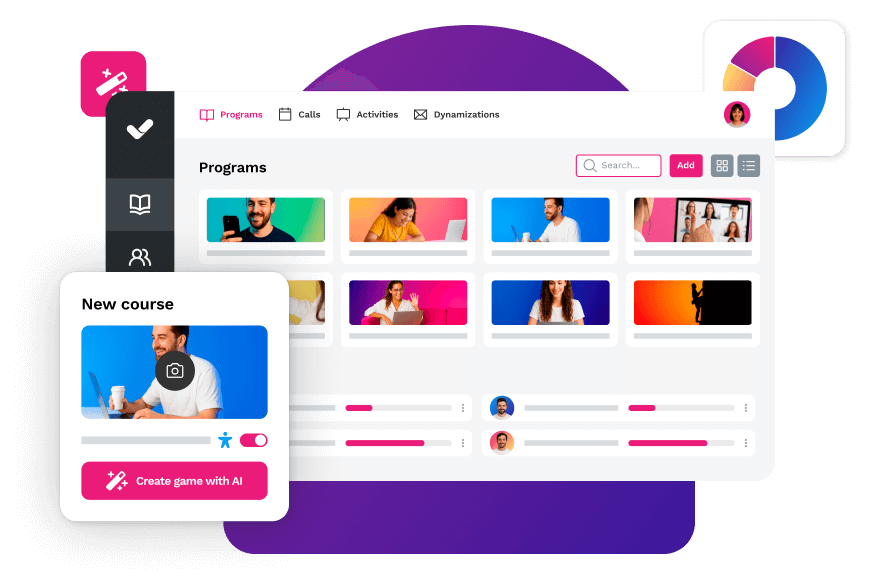


Streamline your training management
Experience the power of AI in an LMS that has it all