Brain
The first AI trained to teach

Author
The #1 AI-powered authoring tool on the market

Factory
Custom e-learning content factory

Skills
Comprehensive power skills course catalog

LMS
All-in-one LMS platform with AI

Engage
App for managing frontline teams


FEATURES

AINew
Unlock your full potential and speed up course creation with artificial intelligence.

Accessibility
Automatically meet accessibility guidelines—without sacrificing interactivity!

Interactivity
Boost engagement with interactive, ready-to-use activities that make learning fun.

Course Creation
Reduce the time it takes to create your e-learning courses with our authoring tool.

Distribution
We offer you different distribution options, so that nothing can stop you.

SCORM
Publish your course in SCORM format and share it on any LMS.

SERVICES

Instrucional Design
Surprise your students with multimedia and interactive content.

Custom Courses
We create e-learning courses for you—tailored to your needs and hassle-free!

Virtual Reality
Turn learning into an immersive experience.

Custom Avatars
Give your courses and videos a unique touch with personalized avatars.

Audiovisual FactoryNew
Turn training into something dynamic and visual with engaging videos.

CATALOG

Course catalog
Over 600 skills and competency courses to help you adapt to your team's needs.
Microsoft Copilot AcademyNew
Your professionals will learn how to apply Copilot AI to key processes within your organization.

Artificial Intelligence Academy
Train your teams in the practical use of AI to boost productivity and innovation in your company.

Cybersecurity Academy
Capacita a tu empresa con el catálogo más completo en seguridad digital corporativa.


Use cases
Choose the solution that best fits your needs

Industries
Solutions for all types of industries
USE CASES

Onboarding
Facilitate the onboarding process, productivity and engagement of your new employees.

Upskilling
Boost your team's skills and prepare them for the challenges of the future with upskilling.

Microlearning
Discover all the advantages of microlearning and boost your training results.

Gamification
Enjoy addictive training that will get your professionals hooked.

Internal Communication
Improve communication in your company and enjoy an aligned and committed team.

Mobile learning
Agile, flexible, and interactive learning—built for today’s digital-first workforce.
INDUSTRIES

Banking and financial services
Training in compliance, cybersecurity, customer service, and key skills development.

Pharmaceuticals and healthcare
Digital onboarding, regulatory updates, and ongoing training for healthcare staff.

Retail and consumer
Agile and scalable training for in-store, operational, and customer service teams.

Industry and manufacturing
Training in processes, safety, and corporate culture for distributed teams.

Education and training
Digital solutions for training centers, internal academies, and corporate universities.

Technology and telecommunications
Development of technical talent, digital skills, and upskilling and reskilling programs.
CLIENTS

MAPFRE
How MAPFRE turn e-learning into sales with isEazy

Pepco
A personalised learning experience for a growing team.

BBVA
Digitisation and creation of high quality e-learning content.

Shiseido
We increase the engagement of the training with a social and gamified app.

Telefónica
Large-scale reskilling for the company's digital transformation.

Vodafone
A personalised learning experience for a growing team.
More than 1,000 companies already rely on isEazy.






MEET ISEAZY

Events
Discover our upcoming events and connect with the future of e-learning.

News
Find out the latest news about isEazy: press releases, partnerships, updates...

Contact
Leave us your personal details and we will contact you as soon as possible.
About isEazyNew
Find out more about our company.

Careers
We are looking for the best talent, join our team!

Partners
Become our partner and grow your business.

INTERESTING RESOURCES

Blog
The best content on e-learning: trends, tools and key strategies.

Whitepapers
Gain valuable insights and stay ahead of industry trends.

Product releases
The latest news and releases of our e-learning products and solutions.

Glossary
Definitions of the most commonly used terms and key industry concepts.

Guides
Discover the best step-by-step tips and tricks to optimize your L&D strategy.

Webinars
Video sessions on our products, trends and more

Comparatives
Compare e-learning solutions available on the market and choose the most suitable one.




July 3, 2026
Single Sign-On (SSO) in LMS

CONTENT CREATED BY:

Table of contents
What Is Single Sign-On (SSO) in an LMS?
Single Sign-On (SSO) is an authentication mechanism that allows users to access multiple applications and platforms —including an LMS (Learning Management System)— with a single login. Instead of managing separate credentials for each tool, the employee authenticates once through the corporate identity provider (such as Microsoft Entra ID, Okta, or Google Workspace) and gains automatic access to all connected systems, including the training platform.
In the context of corporate training, SSO has become an essential requirement for organizations managing the learning of hundreds or thousands of employees. According to CyberArk’s Identity Security Threat Landscape 2024 report, 63% of organizations have experienced at least one security incident related to compromised credentials. Implementing SSO in the LMS not only reduces this risk but eliminates one of the main barriers to training access: login friction.
How Does SSO Work in a Training Platform?
SSO in an LMS follows a delegated authentication flow involving three key actors: the user (employee), the identity provider (IdP), and the service provider (SP), which in this case is the LMS.
The process works as follows: when an employee attempts to access the LMS, the platform detects there is no active session and redirects them to the corporate identity provider. The IdP verifies the user’s credentials (password, multi-factor authentication, or other configured methods). If authentication is successful, the IdP generates a security token (typically a SAML assertion or OAuth token) and sends it back to the LMS. The LMS validates the token, creates a session for the user, and grants immediate access to their courses, learning paths, and training resources.
The key point is that this entire process happens in seconds and is completely transparent to the user. If the employee already had an active session in another corporate tool (email, intranet, CRM), accessing the LMS will be fully automatic, with no need to enter any additional credentials.
Benefits of Single Sign-On in a Corporate LMS
Implementing SSO in the training platform directly impacts three areas: employee experience, information security, and operational efficiency for IT and L&D departments.
Reduced access friction. Every additional step in the login process decreases the likelihood of an employee accessing training. With SSO, accessing the LMS is as natural as opening email, which translates into higher participation rates and less course abandonment before getting started.
Centralized security. Credentials are not stored in the LMS but in the corporate identity provider. This enables consistent security policies (password complexity, MFA, inactivity lockouts) to be enforced without relying on each individual platform’s configuration.
Simplified provisioning and deprovisioning. When an employee joins or leaves the organization, IT manages access from a single point. Deactivating the account in the IdP automatically revokes access to all connected applications, including the LMS.
Lower IT workload. Tickets related to forgotten passwords account for between 20% and 50% of all support requests in many organizations, according to Gartner. SSO virtually eliminates this category of incidents across all connected platforms.
Regulatory compliance. In regulated industries (finance, healthcare, pharmaceuticals), SSO facilitates compliance with regulations such as GDPR, SOX, or HIPAA by maintaining a centralized access log and ensuring only authorized users access sensitive training content.
| Benefit | Impact on Training | Area Benefited |
|---|---|---|
| Frictionless access | Higher course start and completion rates | L&D / Employees |
| Centralized security | Protection of training data and assessments | IT / Compliance |
| Unified user management | Automatic provisioning and deprovisioning in the LMS | IT / HR |
| Reduced support tickets | Fewer access blocks that interrupt training | IT / Support |
| Regulatory compliance | Traceability of access to regulated content | Legal / Compliance |
| Consistent experience | Same login for all workplace tools | Employees |
Key SSO Protocols in e-Learning
Not all SSO mechanisms work the same way or are suitable for every context. In the corporate e-learning space, the four most relevant protocols are SAML 2.0, OAuth 2.0, LDAP, and LTI, each with specific characteristics and use cases.
SAML 2.0 (Security Assertion Markup Language) is the most widely used standard in enterprise environments. It works by exchanging signed XML documents between the IdP and the LMS, ensuring robust authentication and enabling user attributes (department, role, location) to be transmitted so the LMS can automatically assign training content.
OAuth 2.0 is an authorization protocol —not direct authentication— that allows one application to access another’s resources on behalf of the user. It is especially useful when the LMS needs to connect with mobile applications or third-party APIs. It is often paired with OpenID Connect (OIDC) to also cover the authentication layer.
LDAP (Lightweight Directory Access Protocol) is not strictly an SSO protocol but a directory access protocol. It allows the LMS to verify credentials directly against the corporate Active Directory. It is common in organizations with on-premise infrastructure that have not yet fully migrated to the cloud.
LTI (Learning Tools Interoperability) is the only protocol specific to the education sector. Developed by IMS Global, it enables secure connections between different learning tools (LMS, authoring tools, content repositories) while sharing user and learning context data. It is the standard for integrations between educational platforms.
| Protocol | Typical Use in e-Learning | Security Level |
|---|---|---|
| SAML 2.0 | Corporate SSO with enterprise IdP (Entra ID, Okta) | High — signed XML tokens |
| OAuth 2.0 + OIDC | Mobile training apps, third-party APIs | High — access tokens with scopes |
| LDAP / Active Directory | User sync with on-premise directory | Medium — depends on network configuration |
| LTI 1.3 | Connection between LMS and authoring or content tools | High — message signing and JWT tokens |
How to Implement SSO in Your LMS: Key Steps
Implementing SSO in a corporate LMS requires coordination between IT, L&D, and in many cases, the training platform vendor. These are the fundamental steps:
1. Assess the available identity provider. Most organizations already have an IdP (Microsoft Entra ID, Okta, Google Workspace, Ping Identity). Confirm which protocols it supports and whether it is already integrated with other internal tools.
2. Verify LMS compatibility. Not all LMS platforms support the same protocols. Before starting configuration, confirm that the training platform is compatible with the corporate IdP and the chosen protocol (SAML 2.0 is the most common). Platforms like isEazy LMS offer native SSO integrations with major identity providers.
3. Configure metadata exchange. The IdP and LMS need to exchange technical information: callback URLs, signing certificates, entity identifiers, and user attribute mapping (name, email, role, department).
4. Define role and permission mapping. Leverage the SSO implementation to automate role assignments in the LMS based on corporate directory attributes. For example: sales department employees → sales training path; new hires → onboarding program.
5. Test in a controlled environment. Test the complete flow with a pilot group before general deployment. Verify: login, logout, session expiration, access from mobile devices, and behavior when the IdP is unavailable.
6. Rollout and communication. Deploy progressively and communicate to the team that LMS access is now automatic from the corporate portal. Effective communication at this stage can significantly increase training access rates.
SSO and the Learning Experience: Real Impact on Training
Beyond the technical dimension, the true value of SSO in an LMS is measured by its impact on the learning experience and the outcomes of the training strategy.
Access friction is one of the main silent enemies of any corporate training program. Every extra click, every forgotten password, every account recovery process pushes the employee further from training content. In distributed teams, where training competes with day-to-day operational demands, this friction can mean the difference between a program with high completion rates and one that is abandoned before it starts.
With SSO, the LMS stops being just another tool employees have to “log into” and becomes a natural part of their digital ecosystem. This is especially relevant for microlearning and continuous learning strategies, where quick and frequent access is key to making the model work.
If your organization is evaluating training platforms with native SSO capabilities, the complete guide on what an LMS is and how to choose the right one can help you make an informed decision considering integration with your current technology ecosystem.
Frequently Asked Questions About Single Sign-On (SSO) in LMS
Is Single Sign-On secure for an LMS?
Yes, SSO is one of the most secure ways to manage access to a corporate LMS. By centralizing authentication through a single identity provider (IdP), the attack surface is drastically reduced: users no longer need to create or remember separate passwords for each platform. Standard protocols such as SAML 2.0 and OAuth 2.0 use encrypted tokens and time-limited sessions, which minimizes the risk of credential interception. In corporate training environments, SSO also makes it easier to enforce centralized security policies, including multi-factor authentication (MFA), failed-attempt lockouts, and immediate access revocation when an employee leaves the organization.
Which SSO protocol should I choose for corporate training?
The right SSO protocol depends on your organization’s technology ecosystem and the type of LMS in use. SAML 2.0 is the most widely adopted standard in enterprise environments because it enables robust integration with corporate identity providers such as Microsoft Entra ID (Azure AD), Okta, or Google Workspace. It is ideal when the LMS needs to integrate with the corporate directory and granular control over user attributes (role, department, location) is required. OAuth 2.0 is better suited for environments that combine web and mobile applications, as it handles authorization flexibly without sharing credentials directly. If the organization uses on-premise Active Directory, LDAP remains a valid option for syncing users with the LMS. In educational settings where multiple learning platforms are connected, LTI (Learning Tools Interoperability) is the sector-specific protocol that enables secure data exchange between tools.
Can SSO be used with multiple LMS platforms at the same time?
Yes, one of the key advantages of Single Sign-On is precisely the ability to connect multiple platforms under a single authentication layer. In large organizations, it is common for several training systems to coexist: a corporate LMS for compliance and onboarding, an on-demand content platform like Skills, and perhaps an authoring tool for course creation. With SSO, employees access all of these environments with a single login managed by the corporate identity provider. This not only simplifies the user experience but also allows IT teams to manage provisioning, deprovisioning, and permissions centrally, ensuring that each employee only accesses the resources assigned to their role and location.
What happens if the identity provider goes down?
If the identity provider (IdP) experiences an outage, users will not be able to authenticate through SSO and therefore will not be able to access the LMS or other connected applications. This is why it is essential to choose an IdP with high availability guarantees (SLA of 99.9% or higher) and to configure contingency mechanisms. Recommended practices include: enabling an alternative access method in the LMS (local login with emergency credentials for administrators), setting up IdP monitoring alerts, and ensuring the provider offers geographic redundancy. In the context of corporate training, a temporary IdP outage is usually not critical — unlike real-time production systems — but it is important to have a documented plan so IT teams can restore access quickly if it occurs.

The power of AI in a fully integrated training platform
Automate processes, access 600+ ready-to-use courses, or create your own content with the help of AI.
Request a demoContact us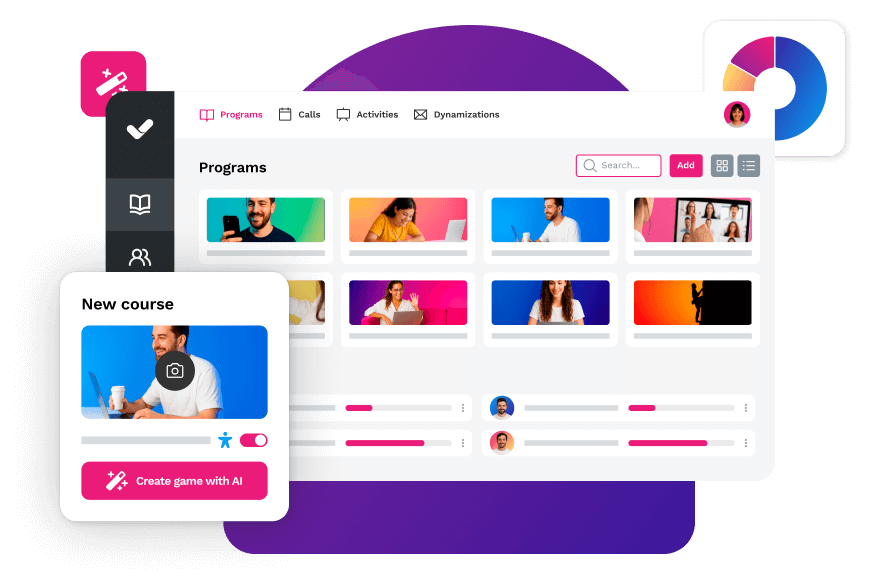


Streamline your training management
Experience the power of AI in an LMS that has it all