An interactive infographic is a visual resource that allows users to actively explore the information presented: expanding sections, zooming in on text, navigating through layers, or interacting with its elements. Unlike a static infographic, it does not simply display data — it invites users to discover it.
In the context of corporate training, this type of resource is especially valuable for representing multi-step processes, comparisons between concepts, hierarchical structures, or any content where understanding improves when learners control the pace and level of detail they access. According to the Learning and Development Global Sentiment Survey by Donald H. Taylor, interactive and personalised content is among the top priorities for L&D teams in the coming years.
An interactive infographic is a dynamic visual resource that allows users to actively explore information. In corporate e-learning, it transforms complex concepts into navigable experiences that improve learner retention and engagement.
isEazy definition
Benefits of interactive infographics in corporate training
Interactive infographics are not simply an aesthetic upgrade to content: they have a direct impact on how learners process and retain information. Here are their main advantages in the e-learning context:
Higher content retention. Dual coding theory (Paivio, 1986) demonstrates that combining visual and textual information significantly improves retention. Interactivity adds a third dimension: active exploration consolidates learning better than passive observation.
Reduced cognitive overload. By revealing information progressively (learners expand only what they need), the saturation effect caused by dense slides or lengthy texts is avoided.
Greater engagement. Learners shift from passive recipients to active explorers. This translates into longer attention spans and lower drop-off rates, particularly in mandatory training where intrinsic motivation is limited.
Mobile adaptability. A well-designed infographic works on small screens because each element only occupies the space it needs, without compromising readability.
Thematic versatility. From onboarding processes to compliance regulations, through digital competencies or safety protocols: virtually any structured content can be effectively represented using this format.
Types of interactive infographics for e-learning
Not all interactive infographics are the same. Choosing the right type depends on the nature of the content and the learning objective. Below are some of the formats available in isEazy Author and their optimal use cases in corporate training:
Pyramid. Ideal for representing hierarchies, maturity levels or processes with increasing priority. Widely used in leadership content (needs pyramid, competency levels) or in learning strategies with different depths.
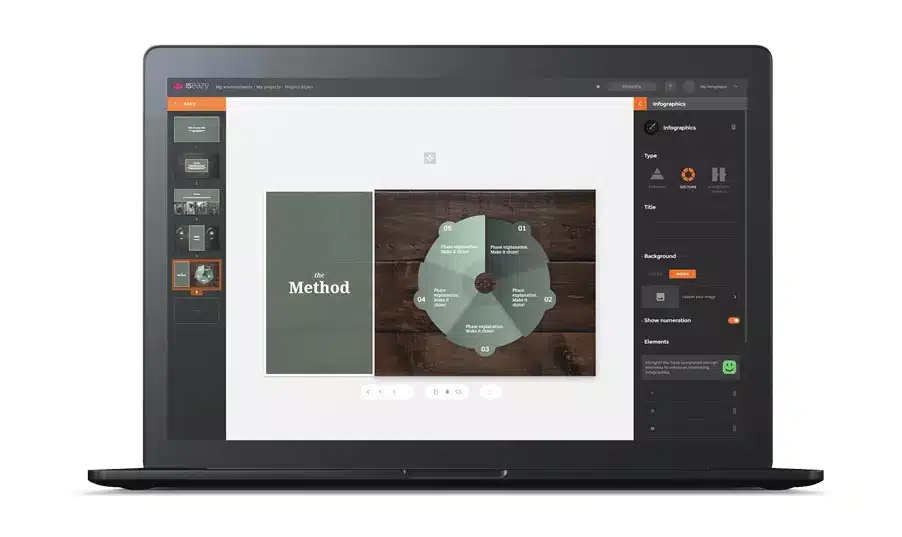
Sectors. Perfect for showing proportions, distributions or mutually exclusive categories. Useful in corporate culture content (company values, areas of action) or in time management and resource allocation training.
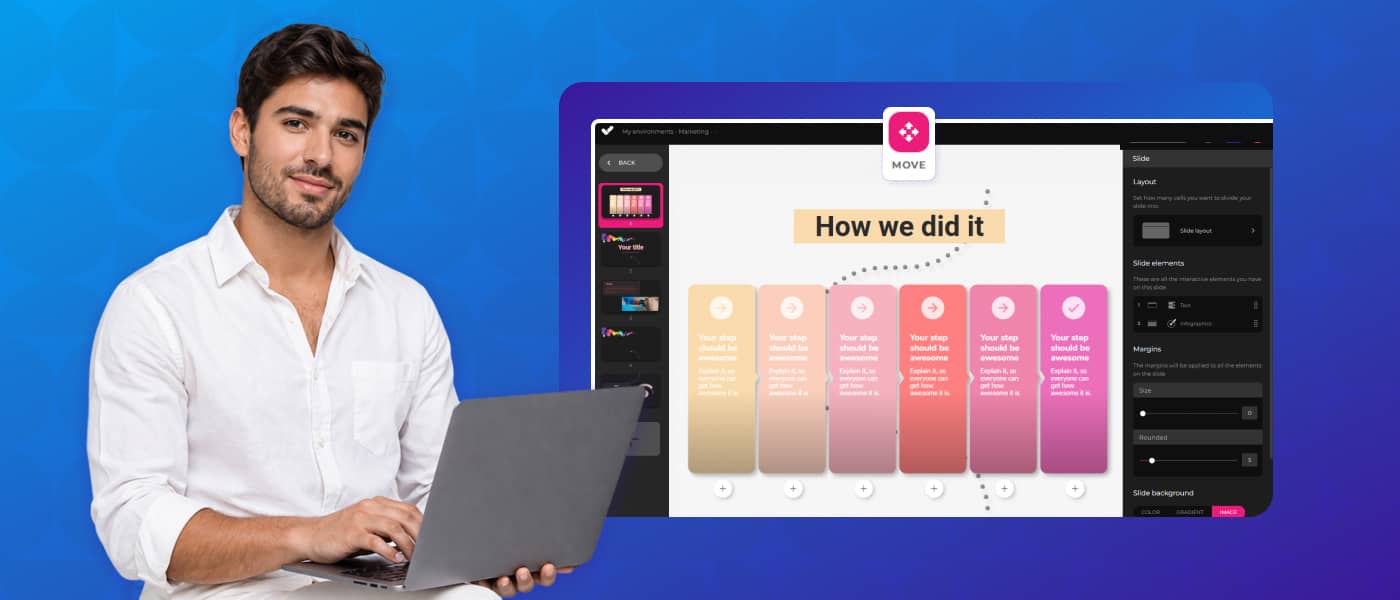
Horizontal panels. Recommended for linear or chronological processes where order matters: workflows, project phases, steps in an operational procedure. The horizontal layout reinforces the idea of sequence.
Vertical panels. Similar to horizontal panels, but with greater prominence for each individual element. Works well for comparing options or presenting parallel concepts that learners can explore independently.
In all types, automatic numbering can be enabled or disabled as appropriate: it is especially useful when the order of elements is significant (steps in a process) and unnecessary when elements are equivalent to each other (values, categories).
Type
Best for
Recommended no. of elements
Pyramid
Hierarchies, levels, priorities
3–6
Sectors
Proportions, categories, distribution
3–6
Horizontal panels
Linear processes, sequential steps
3–6
Vertical panels
Comparisons, parallel concepts
3–6
How to create an interactive infographic in isEazy Author
isEazy Author includes the Infographic element natively, with no need for external tools or design knowledge. The creation process follows these steps:
1. Choose the infographic type
Select from pyramid, sectors, horizontal panels or vertical panels. You can change the type at any time without losing the content already entered: the system automatically adapts the visual representation.
2. Add a title (optional)
The title appears above the infographic. If the element occupies a small space within the slide, the title is hidden and appears as a pop-up button to avoid compromising the visual space.
3. Configure the background
You can use a solid colour (with adjustable opacity) or a background image. This setting is the same as for other visual elements in Author, so if you are already familiar with the image element you will not need to learn anything new.
4. Enable or disable numbering
Automatic numbering is useful when elements have a significant order. If elements are equivalent or interchangeable, disable it for a cleaner appearance.
5. Define the elements (minimum 3, maximum 6)
Each infographic element has four configurable fields:
Title: the main label for the element. It should be descriptive and unique within the infographic.
Text: a brief description visible directly in the infographic.
Colour: visually differentiates each element. Use the corporate palette to maintain brand consistency.
Icon: a visual element that reinforces the concept. isEazy Author provides an icon library to choose from.
6. Add extended text if you need more depth
The extended text is additional content that appears when the learner presses the “+” button on each element. It is ideal for training where learners need to access supplementary information without cluttering the main view. In courses with sequential navigation, the system can require learners to have viewed this text before advancing, ensuring they do not skip critical content.
Vodafone is a good example of how an authoring tool with native interactive elements such as infographics can transform the production of training content. With isEazy Author, Vodafone tripled its productivity in e-learning course creation, producing more engaging and interactive content in less time. Discover how they did it →
CASE STUDY
We multiplied x3 the productivity in the creation of e-learning courses at Vodafone
The market offers different solutions for creating interactive infographics, from generic design tools to e-learning-specific platforms. The key difference lies in whether the tool is designed to produce training content or simply visual content:
Generic design tools (Canva, Venngage, Genially): allow you to create attractive infographics, but the result is usually a static image or an embedded file that does not integrate natively into an e-learning course and is not compatible with standards such as SCORM or xAPI.
Authoring tools with native infographic support (such as isEazy Author): the infographic element is part of the course itself, with the same navigation logic, tracking and accessibility as the rest of the content. There is no need to export, convert or embed: it is created directly within the course production environment.
The following comparison shows the main differences between isEazy Author and other market options for creating interactive content:
isEazy Author
The Leading AI Authoring Tool on the Market
Features
Benefits
Pricing
Accessibility
Awards
AI features: generate images, games and exercises, automatic subtitles, voiceovers, advanced interactive elements, avatars, and AI video presenters to bring your content to life.
AI Autopilot: automatic course creation from documents or ideas, with pedagogical structure, interactive resources, and applied visual identity. Transform any content into a publish-ready course in minutes.
Templates: over 25 ready-to-use interactive templates, editable and customizable with corporate colors, typography, and logo via the Smart Colors feature.
Drag-and-drop editor: visual editing to create courses with no technical, programming, or design knowledge required.
Automatic responsive design: courses adapt to any device without manual adjustments, with dual mode so each learner can access content in their preferred format.
Multi-format: export in SCORM 1.2, SCORM 2004, xAPI, and HTML5, compatible with any LMS on the market.
Automatic translation: full AI-powered course translation into over 40 languages, with no need for external translators.
Text to speech: professional voiceovers automatically generated from content, with selection of gender, language, and voice variation.
PowerPoint import: convert presentations into interactive e-learning courses in just a couple of clicks.
Real-time collaboration: simultaneous collaborative work on the same course with integrated comments, change tracking, and automatic saving with restore points.
Brand customization: styles, colors, typography, and logo to maintain corporate consistency across all content.
Gamification: points, badges, and leaderboards to motivate learners and increase engagement.
Assessments and quizzes: multiple question types and answer logic, with AI-powered automatic generation of final assessment tests based on course content.
Multimedia library: built-in bank of images, videos, icons, and graphic resources, with AI image generation adapted to your course style.
Integrations: connection with LMS platforms (SCORM, xAPI), external platforms, and management systems. A built-in learning environment is also available without leaving isEazy Author.
AI-powered: automates key creation tasks and drastically reduces production time. Over 36,000 users and 120,000 projects created in more than 90 countries speak for themselves.
Intuitive and visual interface: everything is edited intuitively with no learning curve, with pre-configured ready-to-use resources.
Real collaborative experience: distributed teams can work in parallel with real-time feedback, ideal for content factories and L&D teams.
Total flexibility: ideal for both occasional creators and large-scale production teams. Compatible with any LMS and 100% cloud-based.
Visual and professional courses: no designers or developers needed, with quality results recognized by Training Industry and eLearning Industry 2026.
Cost savings: less need for external resources and greater efficiency in content creation. Calculate your savings with the AI Autopilot ROI calculator.
Constantly evolving: new features released regularly and agile multilingual support, with real accessibility up to WCAG level AA and 80% of level AAA.
FREE plan: free forever. Ideal for exploring the tool with no commitment.
Professional: from €80/month. 1 author and up to 5 GB of storage.
Business: from €208/month. 2 authors and up to 12 GB of storage. The most popular plan.
Enterprise: custom authors and storage. Contact us for pricing.
Real standards compliance: courses compatible with level AA (100%) and up to 80% of level AAA of the Web Content Accessibility Guidelines (WCAG), and with Section 508 of the U.S. Rehabilitation Act.
Dual mode: create a single SCORM course and your learners can access it in their preferred mode, with or without accessibility adaptations, without duplicating production work.
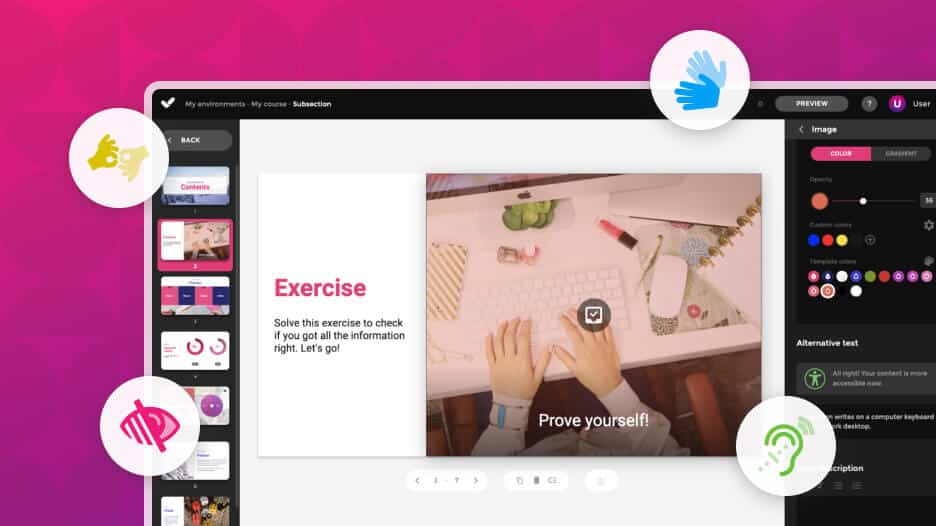
Accessible interactive elements: all interactive resources in isEazy Author are designed to provide the same learning experience to all learners, regardless of their needs.
Contextual editor guidance: tips and guides built into the editor so any author can create quality accessible content easily, with no prior technical knowledge required.
Without sacrificing design or interactivity: accessibility in isEazy Author does not mean compromising visual impact or content richness. Accessible, attractive, and effective courses all at once.
Training Industry 2026: Top 20 AI Content Creation.
eLearning Industry 2026: Best AI-Powered Authoring Tool and Learning & Skills Development.
Training Industry 2025: Top 20 AI Content Creation.
eLearning Industry 2025: Best e-Learning Authoring Tool.
Brandon Hall 2024: Excellence Awards.
eLearning Industry 2024: Best Game Design and AI Watchlist.
G2 2024: Momentum Leader, High Performer, and High Performer Mid-Market.
Crozdesk 2024: Quality Choice, Trusted Vendor, and Happiest Users.
Software Advice 2024: FrontRunners.
Software Suggest 2024: Category Leader.
Features
AI features: generate images, games and exercises, automatic subtitles, voiceovers, advanced interactive elements, avatars, and AI video presenters to bring your content to life.
AI Autopilot: automatic course creation from documents or ideas, with pedagogical structure, interactive resources, and applied visual identity. Transform any content into a publish-ready course in minutes.
Templates: over 25 ready-to-use interactive templates, editable and customizable with corporate colors, typography, and logo via the Smart Colors feature.
Drag-and-drop editor: visual editing to create courses with no technical, programming, or design knowledge required.
Automatic responsive design: courses adapt to any device without manual adjustments, with dual mode so each learner can access content in their preferred format.
Multi-format: export in SCORM 1.2, SCORM 2004, xAPI, and HTML5, compatible with any LMS on the market.
Automatic translation: full AI-powered course translation into over 40 languages, with no need for external translators.
Text to speech: professional voiceovers automatically generated from content, with selection of gender, language, and voice variation.
PowerPoint import: convert presentations into interactive e-learning courses in just a couple of clicks.
Real-time collaboration: simultaneous collaborative work on the same course with integrated comments, change tracking, and automatic saving with restore points.
Brand customization: styles, colors, typography, and logo to maintain corporate consistency across all content.
Gamification: points, badges, and leaderboards to motivate learners and increase engagement.
Assessments and quizzes: multiple question types and answer logic, with AI-powered automatic generation of final assessment tests based on course content.
Multimedia library: built-in bank of images, videos, icons, and graphic resources, with AI image generation adapted to your course style.
Integrations: connection with LMS platforms (SCORM, xAPI), external platforms, and management systems. A built-in learning environment is also available without leaving isEazy Author.
Benefits
AI-powered: automates key creation tasks and drastically reduces production time. Over 36,000 users and 120,000 projects created in more than 90 countries speak for themselves.
Intuitive and visual interface: everything is edited intuitively with no learning curve, with pre-configured ready-to-use resources.
Real collaborative experience: distributed teams can work in parallel with real-time feedback, ideal for content factories and L&D teams.
Total flexibility: ideal for both occasional creators and large-scale production teams. Compatible with any LMS and 100% cloud-based.
Visual and professional courses: no designers or developers needed, with quality results recognized by Training Industry and eLearning Industry 2026.
Cost savings: less need for external resources and greater efficiency in content creation. Calculate your savings with the AI Autopilot ROI calculator.
Constantly evolving: new features released regularly and agile multilingual support, with real accessibility up to WCAG level AA and 80% of level AAA.
Pricing
FREE plan: free forever. Ideal for exploring the tool with no commitment.
Professional: from €80/month. 1 author and up to 5 GB of storage.
Business: from €208/month. 2 authors and up to 12 GB of storage. The most popular plan.
Enterprise: custom authors and storage. Contact us for pricing.
Accessibility
Real standards compliance: courses compatible with level AA (100%) and up to 80% of level AAA of the Web Content Accessibility Guidelines (WCAG), and with Section 508 of the U.S. Rehabilitation Act.
Dual mode: create a single SCORM course and your learners can access it in their preferred mode, with or without accessibility adaptations, without duplicating production work.
Accessible interactive elements: all interactive resources in isEazy Author are designed to provide the same learning experience to all learners, regardless of their needs.
Contextual editor guidance: tips and guides built into the editor so any author can create quality accessible content easily, with no prior technical knowledge required.
Without sacrificing design or interactivity: accessibility in isEazy Author does not mean compromising visual impact or content richness. Accessible, attractive, and effective courses all at once.
Awards
Training Industry 2026: Top 20 AI Content Creation.
eLearning Industry 2026: Best AI-Powered Authoring Tool and Learning & Skills Development.
Training Industry 2025: Top 20 AI Content Creation.
eLearning Industry 2025: Best e-Learning Authoring Tool.
Brandon Hall 2024: Excellence Awards.
eLearning Industry 2024: Best Game Design and AI Watchlist.
G2 2024: Momentum Leader, High Performer, and High Performer Mid-Market.
Crozdesk 2024: Quality Choice, Trusted Vendor, and Happiest Users.
Software Advice 2024: FrontRunners.
Software Suggest 2024: Category Leader.
Gomo
Features
Benefits
Pricing
Cloud-based authoring: access from anywhere with no installation required. Always automatically updated, with no software update interruptions.
Responsive design: courses automatically adapt to mobile, tablet, and desktop, with accessibility support and region-based content controls.
Multilingual management: create and manage versions in over 160 languages and dialects from a single project, with right-to-left language support and automatic AI translation or XLIFF file export and import.
Template and theme library: facilitates visually consistent brand design, with themes customizable by logo and corporate colors, and a custom theme development option.
Multi-channel publishing: distribute content via SCORM, xAPI, web, and app, with optional connection to Bridge LMS as a learning management platform.
Real-time collaboration: simultaneous editing by multiple team members, with integrated review and comment features.
Built-in AI: text generation, content review, and automatic translation via OpenAI integration.
100% cloud-based: eliminates local software dependencies and facilitates remote work, always running the latest version with no IT team intervention required.
Ideal for global teams: simplifies translation and maintenance of localized versions in over 160 languages from a single base course.
Mobile-first design: ensures a great learning experience on all devices, with content variables adaptable by learner role or location.
Flexible publishing: use courses in an LMS, on the web, or in custom apps, with a 21-day free trial available for Small and Medium plans.
Small: for independent authors. 21-day free trial available.
Medium: for teams of 4 or more authors, with the option to add additional users.
Enterprise: for large teams or companies needing greater flexibility and features. Minimum 12-month contract for all plans.
Pricing available on request in USD, GBP, and EUR.
Features
Cloud-based authoring: access from anywhere with no installation required. Always automatically updated, with no software update interruptions.
Responsive design: courses automatically adapt to mobile, tablet, and desktop, with accessibility support and region-based content controls.
Multilingual management: create and manage versions in over 160 languages and dialects from a single project, with right-to-left language support and automatic AI translation or XLIFF file export and import.
Template and theme library: facilitates visually consistent brand design, with themes customizable by logo and corporate colors, and a custom theme development option.
Multi-channel publishing: distribute content via SCORM, xAPI, web, and app, with optional connection to Bridge LMS as a learning management platform.
Real-time collaboration: simultaneous editing by multiple team members, with integrated review and comment features.
Built-in AI: text generation, content review, and automatic translation via OpenAI integration.
Benefits
100% cloud-based: eliminates local software dependencies and facilitates remote work, always running the latest version with no IT team intervention required.
Ideal for global teams: simplifies translation and maintenance of localized versions in over 160 languages from a single base course.
Mobile-first design: ensures a great learning experience on all devices, with content variables adaptable by learner role or location.
Flexible publishing: use courses in an LMS, on the web, or in custom apps, with a 21-day free trial available for Small and Medium plans.
Pricing
Small: for independent authors. 21-day free trial available.
Medium: for teams of 4 or more authors, with the option to add additional users.
Enterprise: for large teams or companies needing greater flexibility and features. Minimum 12-month contract for all plans.
Pricing available on request in USD, GBP, and EUR.
Adobe Learning Manager
Pensado para contenido multimedia
Funcionalidades
Ventajas
Tecnología, compatibilidad e integración
Precios
Personalización y recomendaciones basadas en IA: motor de recomendaciones que evalúa las habilidades, intereses y función de cada alumno para sugerir contenido formativo relevante.
Aprendizaje unificado y basado en la experiencia: acceso online y offline desde cualquier dispositivo, con distribución de contenidos dentro de aplicaciones o sitios web existentes mediante LMS descentralizado.
Social learning, mobile learning y gamificación: foros de debate al estilo de redes sociales, app móvil con descarga de contenido offline, puntos, insignias y certificaciones.
Informes detallados: seguimiento del progreso por usuario, equipo y organización, con panel de cumplimiento normativo, informes por roles e informes de opinión basados en los niveles de Kirkpatrick.
Rutas de aprendizaje: recorridos temáticos opcionales u obligatorios, planes de aprendizaje automáticos y matriz de habilidades para identificar y cubrir carencias de competencias.
Apoyo al aprendizaje en aulas híbridas: calendario interactivo con sesiones presenciales y virtuales, e integración con MS Teams y Adobe Connect para clases en directo.
Aprendizaje automático e inteligencia artificial: personalización de la experiencia de cada alumno mediante IA y ML, con recomendaciones basadas en actividad previa, intereses y función.
Diseño responsive e interfaz intuitiva: página de inicio personalizable con widgets de arrastrar y soltar, y experiencia de consumo de contenidos unificada mediante Fluidic Player.
Recorridos de aprendizaje guiados: rutas estructuradas con asignación automática de programas y contenidos según el perfil y los objetivos de cada usuario.
Escalabilidad: arquitectura multiinquilino que permite a departamentos, divisiones o clientes tener su propia instancia del LMS.
Integraciones nativas con Microsoft Teams, Salesforce, Workday, Adobe Captivate, LinkedIn Learning, Harvard ManageMentor y Adobe Commerce.
Compatible con SCORM, xAPI y múltiples formatos de contenido (PPT, Word, PDF, HTML5).
SSO mediante SAML 2.0 con proveedores como Okta, OneLogin y Microsoft Active Directory.
SaaS, basado en la nube.
Precios personalizables según las necesidades de la organización.
Funcionalidades
Personalización y recomendaciones basadas en IA: motor de recomendaciones que evalúa las habilidades, intereses y función de cada alumno para sugerir contenido formativo relevante.
Aprendizaje unificado y basado en la experiencia: acceso online y offline desde cualquier dispositivo, con distribución de contenidos dentro de aplicaciones o sitios web existentes mediante LMS descentralizado.
Social learning, mobile learning y gamificación: foros de debate al estilo de redes sociales, app móvil con descarga de contenido offline, puntos, insignias y certificaciones.
Informes detallados: seguimiento del progreso por usuario, equipo y organización, con panel de cumplimiento normativo, informes por roles e informes de opinión basados en los niveles de Kirkpatrick.
Rutas de aprendizaje: recorridos temáticos opcionales u obligatorios, planes de aprendizaje automáticos y matriz de habilidades para identificar y cubrir carencias de competencias.
Ventajas
Apoyo al aprendizaje en aulas híbridas: calendario interactivo con sesiones presenciales y virtuales, e integración con MS Teams y Adobe Connect para clases en directo.
Aprendizaje automático e inteligencia artificial: personalización de la experiencia de cada alumno mediante IA y ML, con recomendaciones basadas en actividad previa, intereses y función.
Diseño responsive e interfaz intuitiva: página de inicio personalizable con widgets de arrastrar y soltar, y experiencia de consumo de contenidos unificada mediante Fluidic Player.
Recorridos de aprendizaje guiados: rutas estructuradas con asignación automática de programas y contenidos según el perfil y los objetivos de cada usuario.
Escalabilidad: arquitectura multiinquilino que permite a departamentos, divisiones o clientes tener su propia instancia del LMS.
Tecnología, compatibilidad e integración
Integraciones nativas con Microsoft Teams, Salesforce, Workday, Adobe Captivate, LinkedIn Learning, Harvard ManageMentor y Adobe Commerce.
Compatible con SCORM, xAPI y múltiples formatos de contenido (PPT, Word, PDF, HTML5).
SSO mediante SAML 2.0 con proveedores como Okta, OneLogin y Microsoft Active Directory.
SaaS, basado en la nube.
Precios
Precios personalizables según las necesidades de la organización.
Accessibility in interactive infographics
An accessible interactive infographic is not an optional goal: it is a requirement to ensure that all staff can complete training on equal terms. Here are the fundamental best practices:
Colour contrast. Ensure that the text over each element colour meets the minimum contrast ratio of 4.5:1 for normal text and 3:1 for large text, according to WCAG 2.1 criteria. The choice of colour for each element directly influences this parameter.
Title with semantic heading. Assign a heading level to the infographic title (H2, H3…) so that screen readers can identify and navigate the element. Avoid repeating the same title in different elements within the same section of the project.
Accessible mode. In accessible mode, extended texts that normally appear when interacting with the “+” button are displayed directly alongside the lower legend, beneath the infographic image. This ensures that users with visual or motor disabilities can access all the information without relying on interaction.
No animations in accessible mode. Accessible mode disables element animations, which benefits users with motion sensitivity or those using assistive technology.
Designing with accessibility from the outset not only meets current legal standards: it improves the experience for all learners and reinforces the organisation’s commitment to diversity and inclusion.
Common mistakes when creating infographics for e-learning
Knowing the most common mistakes helps avoid them before they affect the learner experience:
Exceeding the optimal number of elements. More than 8 elements overload the infographic and make it difficult to read, especially on mobile. If the content requires more than 6 points, consider splitting it into two consecutive infographics or using another format (list, table).
Non-descriptive titles. The title of each element is the first information the learner sees. If it is generic (“Point 1”, “Concept A”) the guiding value of the visual format is lost. Use specific and memorable labels.
Ignoring extended text. Many content teams only fill in the title and brief text, leaving the extended text empty. This is precisely the area where formative depth lies: use it to expand, exemplify or contextualise each element.
Using colours without contrast criteria. Choosing colours for aesthetics without checking contrast can make text unreadable for some learners. Always review contrast before publishing.
Not testing on mobile. An infographic that works well on desktop may be uncomfortable on a small screen if elements are too dense. Always preview on a mobile device before publishing the course.
Transform your training with infographics that really work
Interactive infographics are much more than an attractive visual resource: they are a pedagogical tool that improves retention, reduces cognitive overload and turns learners into the protagonists of their own learning. In a corporate training context where time is limited and attention is the most valuable asset, choosing formats that invite exploration rather than simply displaying information makes all the difference.
With isEazy Author, creating professional-quality interactive infographics requires no design knowledge or external tools. Everything is natively integrated in the same environment where you build your courses, with the same logic, the same tracking and the same accessibility standards as the rest of your content.
Want to see it for yourself? Try isEazy Author for free and discover how easy it is to transform your content into learning experiences that truly engage.
Frequently asked questions about interactive infographics
What is the difference between a static and an interactive infographic?
A static infographic is a fixed image that represents data or information visually, but without any possibility of interaction. An interactive infographic, on the other hand, allows users to actively explore the content: expanding sections, zooming in on text, clicking on elements, or navigating through layers of information. In the context of e-learning, this difference is critical: interactivity increases attention time, promotes information retention, and turns the learner into an active participant in the learning process rather than a passive recipient.
How many elements should an interactive infographic for e-learning have?
The standard recommendation is to work with a minimum of 3 and a maximum of 6 elements per infographic. With fewer than 3, the visual representation doesn’t justify using an interactive element over conventional text. With more than 6, the infographic can become dense and difficult to process, especially on mobile devices. Each element should have a clear title, a descriptive text, and optionally a representative icon and extended text for learners who want to go deeper. The key is that each element represents a distinct concept, not a variation of the same idea.
What types of training content work best with an interactive infographic?
Interactive infographics are especially effective for content where logical or hierarchical structure matters: ordered-step processes (where the pyramid or numbered panels help follow the sequence), comparisons between options or categories (where sectors allow visualising proportions), and concepts with multiple related components (where horizontal or vertical panels facilitate exploration). They are less recommended for purely narrative content or when the number of elements is fewer than three, as in those cases a rich text block can be equally effective.
Are interactive infographics accessible to all users?
Yes, provided they are designed following accessibility best practices. The main recommendations include: using colours with sufficient contrast (minimum ratio of 4.5:1 for normal text according to WCAG 2.1), assigning a semantic heading to the title so screen readers can identify the element, and enabling accessible mode if the tool offers it. In accessible mode, the extended texts that are normally shown on interaction appear directly alongside the legend, ensuring that users with visual or motor disabilities can access all the information without relying on interaction. Additionally, in courses with sequential navigation, the system can require learners to have viewed the extended text before advancing.
Here you can assess and customize the services that we'd like to use on this website. You're in charge! Enable or disable services as you see fit. To learn more, please read our .
We have to include them in order for certain web pages to function securely. These cookies are strictly necessary, so they cannot be rejected or modified.
Cookie
Duration
Description
_ga
2 years
The _ga cookie, installed by Google Analytics, calculates visitor, session and campaign data and also keeps track of site usage for the site's analytics report. The cookie stores information anonymously and assigns a randomly generated number to recognize unique visitors.
_ga_YW3LY84JY6
2 years
This cookie is installed by Google Analytics.
_gat_gtag_UA_90425332_3
1 minute
Set by Google to distinguish users.
_gat_UA-26043609-7
1 minute
A variation of the _gat cookie set by Google Analytics and Google Tag Manager to allow website owners to track visitor behaviour and measure site performance. The pattern element in the name contains the unique identity number of the account or website it relates to.
_gat_UA-90425332-3
1 minute
A variation of the _gat cookie set by Google Analytics and Google Tag Manager to allow website owners to track visitor behaviour and measure site performance. The pattern element in the name contains the unique identity number of the account or website it relates to.
_gcl_au
3 months
Provided by Google Tag Manager to experiment advertisement efficiency of websites using their services.
_gid
1 day
Installed by Google Analytics, _gid cookie stores information on how visitors use a website, while also creating an analytics report of the website's performance. Some of the data that are collected include the number of visitors, their source, and the pages they visit anonymously.
_icl_visitor_lang_js
1 day
This cookie is stored by WPML WordPress plugin. The purpose of the cookie is to store the redirected language.
Bootstrap
11 months
Bootstrap code
cookielawinfo-checkbox-advertisement
1 year
Set by the GDPR Cookie Consent plugin, this cookie is used to record the user consent for the cookies in the "Advertisement" category .
cookielawinfo-checkbox-analytics
11 months
This cookie is set by GDPR Cookie Consent plugin. The cookie is used to store the user consent for the cookies in the category "Analytics".
cookielawinfo-checkbox-functional
11 months
The cookie is set by GDPR cookie consent to record the user consent for the cookies in the category "Functional".
cookielawinfo-checkbox-nece
1 year
Cookie law info
cookielawinfo-checkbox-necessary
11 months
This cookie is set by GDPR Cookie Consent plugin. The cookies is used to store the user consent for the cookies in the category "Necessary".
cookielawinfo-checkbox-others
11 months
This cookie is set by GDPR Cookie Consent plugin. The cookie is used to store the user consent for the cookies in the category "Other.
cookielawinfo-checkbox-performance
11 months
This cookie is set by GDPR Cookie Consent plugin. The cookie is used to store the user consent for the cookies in the category "Performance".
CookieLawInfoConsent
1 year
Records the default button state of the corresponding category & the status of CCPA. It works only in coordination with the primary cookie.
Google Font API
11 months
Google Font API
IDE
1 year 24 days
Google DoubleClick IDE cookies are used to store information about how the user uses the website to present them with relevant ads and according to the user profile.
Pardot
11 months
The pardot cookie is set while the visitor is logged in as a Pardot user. The cookie indicates an active session and is not used for tracking.
test_cookie
15 minutes
The test_cookie is set by doubleclick.net and is used to determine if the user's browser supports cookies.
viewed_cookie_policy
11 months
The cookie is set by the GDPR Cookie Consent plugin and is used to store whether or not user has consented to the use of cookies. It does not store any personal data.
wp-wpml_current_language
session
Language cookies
wpml_browser_redirect_test
session
This cookie is set by WPML WordPress plugin and is used to test if cookies are enabled on the browser.
They collect information in order to measure, evaluate performance, and improve the quality of your experience on our site.
Cookie
Duration
Description
_ga
2 years
The _ga cookie, installed by Google Analytics, calculates visitor, session and campaign data and also keeps track of site usage for the site's analytics report. The cookie stores information anonymously and assigns a randomly generated number to recognize unique visitors.
_ga_YW3LY84JY6
2 years
This cookie is installed by Google Analytics.
_gat_gtag_UA_90425332_3
1 minute
Set by Google to distinguish users.
_gat_UA-26043609-7
1 minute
A variation of the _gat cookie set by Google Analytics and Google Tag Manager to allow website owners to track visitor behaviour and measure site performance. The pattern element in the name contains the unique identity number of the account or website it relates to.
_gat_UA-90425332-3
1 minute
A variation of the _gat cookie set by Google Analytics and Google Tag Manager to allow website owners to track visitor behaviour and measure site performance. The pattern element in the name contains the unique identity number of the account or website it relates to.
_gcl_au
3 months
Provided by Google Tag Manager to experiment advertisement efficiency of websites using their services.
_gid
1 day
Installed by Google Analytics, _gid cookie stores information on how visitors use a website, while also creating an analytics report of the website's performance. Some of the data that are collected include the number of visitors, their source, and the pages they visit anonymously.
_icl_visitor_lang_js
1 day
This cookie is stored by WPML WordPress plugin. The purpose of the cookie is to store the redirected language.
wpml_browser_redirect_test
session
This cookie is set by WPML WordPress plugin and is used to test if cookies are enabled on the browser.
We use them to provide you with efficient and personalized advertisements that we believe are relevant to your interests. You may see them on other sites that you visit.
Cookie
Duration
Description
IDE
1 year 24 days
Google DoubleClick IDE cookies are used to store information about how the user uses the website to present them with relevant ads and according to the user profile.
test_cookie
15 minutes
The test_cookie is set by doubleclick.net and is used to determine if the user's browser supports cookies.










 Subscribe to our newsletter