CASE STUDY
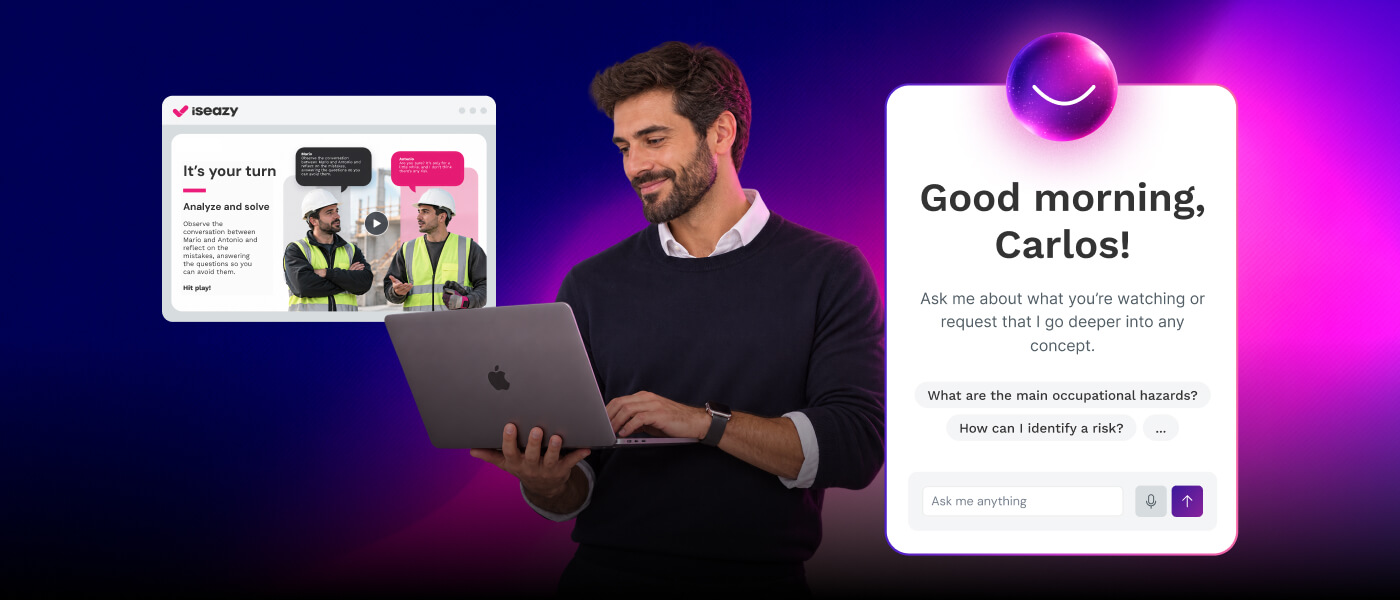
We helped PreZero improve its training strategy with attractive and quality courses.

Brain
The first AI trained to teach

Author
The #1 AI-powered authoring tool on the market

Factory
Custom e-learning content factory

Skills
Comprehensive power skills course catalog

LMS
All-in-one LMS platform with AI

Engage
App for managing frontline teams
Product

What is Brain?
Everything you need to know about the first AI trained to teach.

How does it work?
Adaptive, conversational, and contextual. That’s learning with Brain.

Security
Why your company’s knowledge never leaves your environment or trains other models.

Comparison
Discover what sets isEazy Brain apart from other AI solutions.

Frequently Asked Questions
Want to learn more? Find answers to all your questions about isEazy Brain here.
FEATURES

AINew
Unlock your full potential and speed up course creation with artificial intelligence.

Accessibility
Automatically meet accessibility guidelines—without sacrificing interactivity!

Interactivity
Boost engagement with interactive, ready-to-use activities that make learning fun.

Course Creation
Reduce the time it takes to create your e-learning courses with our authoring tool.

Distribution
We offer you different distribution options, so that nothing can stop you.

SCORM
Publish your course in SCORM format and share it on any LMS.
SERVICES

Instrucional Design
Surprise your students with multimedia and interactive content.

Custom Courses
We create e-learning courses for you—tailored to your needs and hassle-free!

Virtual Reality
Turn learning into an immersive experience.

Custom Avatars
Give your courses and videos a unique touch with personalized avatars.

Audiovisual FactoryNew
Turn training into something dynamic and visual with engaging videos.
CATALOG

Course catalog
Over 600 skills and competency courses to help you adapt to your team's needs.
Microsoft Copilot AcademyNew
Your professionals will learn how to apply Copilot AI to key processes within your organization.

Artificial Intelligence Academy
Train your teams in the practical use of AI to boost productivity and innovation in your company.

Cybersecurity Academy
Capacita a tu empresa con el catálogo más completo en seguridad digital corporativa.
FEATURES

Learning platform
Manage all your training from one place

Analitycs
Measure the impact of your training

Learning Experience
Offer a unique learning experience to your team
Content Library
Choose from hundreds of expert-created courses
Authoring Tool
Create your own content—faster than ever

Use cases
Choose the solution that best fits your needs

Industries
Solutions for all types of industries
USE CASES

Onboarding
Facilitate the onboarding process, productivity and engagement of your new employees.

Upskilling
Boost your team's skills and prepare them for the challenges of the future with upskilling.

Microlearning
Discover all the advantages of microlearning and boost your training results.

Gamification
Enjoy addictive training that will get your professionals hooked.

Internal Communication
Improve communication in your company and enjoy an aligned and committed team.

Mobile learning
Agile, flexible, and interactive learning—built for today’s digital-first workforce.
INDUSTRIES

Banking and financial services
Training in compliance, cybersecurity, customer service, and key skills development.

Pharmaceuticals and healthcare
Digital onboarding, regulatory updates, and ongoing training for healthcare staff.

Retail and consumer
Agile and scalable training for in-store, operational, and customer service teams.

Industry and manufacturing
Training in processes, safety, and corporate culture for distributed teams.

Education and training
Digital solutions for training centers, internal academies, and corporate universities.

Technology and telecommunications
Development of technical talent, digital skills, and upskilling and reskilling programs.
CLIENTS

MAPFRE
How MAPFRE turn e-learning into sales with isEazy

Pepco
A personalised learning experience for a growing team.

BBVA
Digitisation and creation of high quality e-learning content.

Shiseido
We increase the engagement of the training with a social and gamified app.

Telefónica
Large-scale reskilling for the company's digital transformation.

Vodafone
A personalised learning experience for a growing team.
More than 1,000 companies already rely on isEazy.





MEET ISEAZY

Events
Discover our upcoming events and connect with the future of e-learning.

News
Find out the latest news about isEazy: press releases, partnerships, updates...

Contact
Leave us your personal details and we will contact you as soon as possible.
About isEazyNew
Find out more about our company.

Careers
We are looking for the best talent, join our team!

Partners
Become our partner and grow your business.
INTERESTING RESOURCES

Blog
The best content on e-learning: trends, tools and key strategies.

Whitepapers
Gain valuable insights and stay ahead of industry trends.

Product releases
The latest news and releases of our e-learning products and solutions.

Glossary
Definitions of the most commonly used terms and key industry concepts.

Guides
Discover the best step-by-step tips and tricks to optimize your L&D strategy.

Webinars
Video sessions on our products, trends and more

Comparatives
Compare e-learning solutions available on the market and choose the most suitable one.


WEBINAR
Master AI in isEazy Author in under an hour.




GUIDE
Prepare your organization to comply with the new AI regulations

Stay up to date with all our latest news
 Subscribe to our newsletter
 Stay up to date with all our latest news

April 27, 2026

CONTENT CREATED BY:

Table of contents
Your company’s most valuable knowledge probably already exists. It’s in procedure manuals, product presentations, onboarding documents, and internal guidelines. The problem is that this knowledge lives in formats that weren’t designed for learning: 200-page PDFs that no one reads, 80-slide PowerPoints with no clear narrative, spreadsheets full of data with no pedagogical context. Content curation for e-learning is exactly about this: taking that existing material and transforming it into structured, usable, and pedagogically effective courses.
With the arrival of AI in authoring tools, this process has been radically accelerated. Today it’s possible to upload a document and get a course proposal ready to review and publish in minutes. In this article we explain what content curation means in corporate e-learning, how the process works, and how AI is transforming the way L&D teams unlock the knowledge that already exists within their organizations.
In the context of online learning, the term content curation has two distinct meanings that are worth keeping separate. The first, more academic and common in content marketing, refers to finding, selecting, and organizing relevant external sources on a topic. The second —and the one that actually matters to corporate training teams— is about transforming internal knowledge into effective learning.
An L&D Manager at a mid-sized company doesn’t spend their time browsing articles online. What they have in front of them is a 120-page onboarding manual that nobody reads, a sales presentation that gets updated every quarter, a quality procedures document that the operations team has been refining for years. All of that material contains real, valuable knowledge — but in a format that wasn’t designed for learning.
Curating that content means applying instructional design principles to turn those materials into learning experiences: identifying learning objectives, structuring the content into modules and lessons, adding interactivity and assessments, and publishing it on a platform where progress can be tracked.
It’s not about copying and pasting. It’s about reinterpreting existing knowledge from the learner’s perspective.

According to an IDC report, 80% of organizational knowledge lives in unstructured documents: emails, presentations, PDFs, and files scattered across shared folders. This knowledge exists, but it’s inaccessible from a learning standpoint: no one can learn from a 400-row spreadsheet or a presentation that has no narrator to accompany the slides.
The consequences for L&D teams are concrete:
Content curation addresses all of these issues at once: the document becomes a course, the course is published on the platform, and from that point on, learning is measurable, trackable, and centrally updatable.

Turning a document into a quality e-learning course isn’t primarily a technology challenge — it’s a methodological one. Technology —and especially AI— can speed the process up, but the quality of the result depends on applying solid instructional design principles.
The process has five essential steps:
The table below summarizes the key differences between a traditional training document and a course curated with AI:
| Criterion | Original document | AI-curated course |
|---|---|---|
| Content retention | 10–20% | 60–70% |
| Learning traceability | None | Complete (LMS) |
| Interactivity | None | High (quizzes, scenarios) |
| Controlled consumption time | Variable / uncontrollable | Structured by modules |
| Content updates | Manual and fragmented | Centralized and trackable |
| Production time with AI | — | Hours (vs. weeks without AI) |
Until recently, turning a corporate document into an e-learning course could take weeks: the training team would review the material, define the structure, send it to the instructional design team, it would be laid out in the authoring tool, and then published on the platform. A lengthy process that, in many organizations, meant only the most strategic content ever went through it — leaving everything else trapped in documents.
Artificial intelligence applied to authoring tools compresses that process dramatically. The AI Autopilot in isEazy Author lets you upload a PDF, a PowerPoint presentation, or any document and get back in minutes:
What used to take weeks now takes hours. And more importantly: the result isn’t just a format conversion — it’s a structured course with real pedagogical logic.

Not all documents transform in the same way. Each format has its own characteristics in terms of structure, information density, and pedagogical potential. Here are the most common ones in corporate environments:
These are the most common and the easiest to curate when they have a clear internal structure. The process involves identifying each procedure as a standalone module, converting the steps into screens with linear navigation, and adding verification assessments at the end of each critical block. Lengthy manuals should be broken into microlearning chunks of 5–10 minutes per module to maintain attention.
The corporate PowerPoint is the most overrated training material out there. A presentation designed to be delivered live loses 70% of its informational value when consumed alone. Curating a PowerPoint means rewriting each slide’s content as self-explanatory text, identifying which slides can be grouped into a single screen and which need supplementary material, and adding interactivity that replaces the role of the presenter.
A spreadsheet is rarely a good starting point for a course on its own, but it’s excellent for identifying what knowledge needs to be formalized. Curating a spreadsheet means extracting the rules, procedures, or relevant information and turning them into narrative content with practical examples and application assessments.
Recordings of in-person training sessions, product demos, or interviews with internal subject-matter experts have high raw learning value. Curation means breaking them into microlearning capsules, adding reflection and verification checkpoints, and embedding them in a course with context and pedagogical structure.
Good curation isn’t about the tools — it’s about judgment. These are the practices that separate quality curation from a simple format conversion:
Discover everything our solutions have to offer.


Key Features
Benefits
Pricing
Key Features
Benefits
Pricing

Key Features
Benefits
Pricing
Key Features
Benefits
Pricing

Key Features
Benefits
Pricing
Key Features
Benefits
Pricing
PreZero, an environmental services company operating across several European countries, faced a challenge common in organizations of its size: a large volume of internal knowledge —operational procedures, safety training, waste management regulations— scattered across documents that teams weren’t using as structured training. With isEazy Author, PreZero transformed that internal knowledge into high-quality e-learning courses, dramatically cutting production time and ensuring the organization’s expert knowledge reached every team effectively. See how PreZero turned their internal knowledge into effective training →
CASE STUDY
We helped PreZero improve its training strategy with attractive and quality courses.


Content curation can seem simpler than creating from scratch, and that perception is exactly what leads to mistakes that compromise the quality of the end result. The most common ones:

Content curation for e-learning represents one of the most significant opportunities for L&D teams today: transforming the knowledge an organization already has into structured, measurable, and effective training — without starting from scratch.
AI doesn’t replace instructional design, but it removes the operational barriers that prevented most organizations from running this process systematically. With tools like isEazy Author and its AI Autopilot, what used to take weeks of specialist work now takes hours — and the result is a structured, interactive course published on the platform, ready to be consumed and measured.
Your organization’s knowledge already exists. Content curation with AI is the fastest and most effective way to turn it into real learning.
Curating content means transforming existing material — manuals, presentations, procedures, or reports — into structured and pedagogically effective training. Creating from scratch involves developing training content without any prior documents. In most companies, curation is more efficient because the knowledge already exists: it just needs to be reorganized, contextualized, and converted into a format that supports learning. Creating from scratch makes sense when there is no reference material, when the topic is completely new to the organization, or when a very high level of customization is required that existing documents cannot provide.
Almost any corporate document can be transformed into an e-learning course if the right methodology and tools are used. PDFs of procedures and manuals are turned into step-by-step modules with interspersed assessments. PowerPoint presentations are turned into interactive lessons with enhanced explanations, videos, and activities. Excel documents with data, regulations, or product catalogs can be converted into interactive reference resources or knowledge quizzes. Internal videos — recordings of live training sessions or product demos — can be structured as microlearning with reflection and check-in moments. The key in all cases is not to transfer the document as is, but to reinterpret it based on instructional design: what the learner needs to know, in what order, and how to check if they have learned it.
Artificial intelligence speeds up the curation process in several key stages. In the analysis phase, AI reads the original document and automatically extracts key concepts, implicit learning objectives, and the logical structure of the content. In the transformation phase, it generates a proposed course structure — modules, lessons, instructional sequence — based on the existing material, suggesting which parts of the document are most relevant to include and which can be summarized or removed. In the enrichment phase, it proposes interactive activities, assessment questions, and additional resources tailored to the content. Tools like the AI Autopilot from isEazy Author allow you to upload a PDF or a presentation and get a structured course proposal ready for review and publication in minutes, reducing production time from weeks to hours.
The most common mistake is transferring the document as is without adapting it to the medium or the learner: a 150-page PDF converted into 150 text slides is a low-quality course, even if it is on an LMS platform. Other common mistakes include not defining learning objectives before starting the curation, curating without considering the learner’s profile — their prior knowledge, work context, available time — ignoring third-party material usage rights when combining external sources, and not validating the course with a sample of real users before publishing. Instructional design is not optional in curation: it is precisely what turns an informational document into an effective learning experience.

WEBINAR
Master AI in isEazy Author in under an hour.
Register Now


Creating spectacular e-learning courses doesn't have to be complicated
Create and share accessible, engaging, and interactive e-learning courses in just minutes with isEazy Author


Creating spectacular e-learning courses doesn't have to be complicated
Create and share accessible, engaging, and interactive e-learning courses in just minutes with isEazy Author