CASE STUDY
We multiplied x3 the productivity in the creation of e-learning courses at Vodafone

Brain
The first AI trained to teach

Author
The #1 AI-powered authoring tool on the market

Factory
Custom e-learning content factory

Skills
Comprehensive power skills course catalog

LMS
All-in-one LMS platform with AI

Engage
App for managing frontline teams
Product

What is Brain?
Everything you need to know about the first AI trained to teach.

Learning agent: CompanionNew
Supports learners and answers their questions right inside the course, without breaking the audit trail.

How does it work?
Adaptive, conversational, and contextual. That’s learning with Brain.
FEATURES

AINew
Unlock your full potential and speed up course creation with artificial intelligence.

Accessibility
Automatically meet accessibility guidelines—without sacrificing interactivity!

Interactivity
Boost engagement with interactive, ready-to-use activities that make learning fun.

Course Creation
Reduce the time it takes to create your e-learning courses with our authoring tool.

Distribution
We offer you different distribution options, so that nothing can stop you.

SCORM
Publish your course in SCORM format and share it on any LMS.
SERVICES

Instrucional Design
Surprise your students with multimedia and interactive content.

Custom Courses
We create e-learning courses for you—tailored to your needs and hassle-free!

Virtual Reality
Turn learning into an immersive experience.

Custom Avatars
Give your courses and videos a unique touch with personalized avatars.

Audiovisual FactoryNew
Turn training into something dynamic and visual with engaging videos.
CATALOG

Course catalog
Over 600 skills and competency courses to help you adapt to your team's needs.
Microsoft Copilot AcademyNew
Your professionals will learn how to apply Copilot AI to key processes within your organization.

Artificial Intelligence Academy
Train your teams in the practical use of AI to boost productivity and innovation in your company.

Cybersecurity Academy
Capacita a tu empresa con el catálogo más completo en seguridad digital corporativa.

Use cases
Choose the solution that best fits your needs

Industries
Solutions for all types of industries
USE CASES

Onboarding
Facilitate the onboarding process, productivity and engagement of your new employees.

Upskilling
Boost your team's skills and prepare them for the challenges of the future with upskilling.

Microlearning
Discover all the advantages of microlearning and boost your training results.

Gamification
Enjoy addictive training that will get your professionals hooked.

Internal Communication
Improve communication in your company and enjoy an aligned and committed team.

Mobile learning
Agile, flexible, and interactive learning—built for today’s digital-first workforce.
INDUSTRIES

Banking and financial services
Training in compliance, cybersecurity, customer service, and key skills development.

Pharmaceuticals and healthcare
Digital onboarding, regulatory updates, and ongoing training for healthcare staff.

Retail and consumer
Agile and scalable training for in-store, operational, and customer service teams.

Industry and manufacturing
Training in processes, safety, and corporate culture for distributed teams.

Education and training
Digital solutions for training centers, internal academies, and corporate universities.

Technology and telecommunications
Development of technical talent, digital skills, and upskilling and reskilling programs.
CLIENTS

MAPFRE
How MAPFRE turn e-learning into sales with isEazy

Pepco
A personalised learning experience for a growing team.

BBVA
Digitisation and creation of high quality e-learning content.

Shiseido
We increase the engagement of the training with a social and gamified app.

Telefónica
Large-scale reskilling for the company's digital transformation.

Vodafone
A personalised learning experience for a growing team.
More than 1,000 companies already rely on isEazy.





MEET ISEAZY

Events
Discover our upcoming events and connect with the future of e-learning.

News
Find out the latest news about isEazy: press releases, partnerships, updates...

Contact
Leave us your personal details and we will contact you as soon as possible.
About isEazyNew
Find out more about our company.

Careers
We are looking for the best talent, join our team!

Partners
Become our partner and grow your business.
INTERESTING RESOURCES

Blog
The best content on e-learning: trends, tools and key strategies.

Whitepapers
Gain valuable insights and stay ahead of industry trends.

Product releases
The latest news and releases of our e-learning products and solutions.

Glossary
Definitions of the most commonly used terms and key industry concepts.

Guides
Discover the best step-by-step tips and tricks to optimize your L&D strategy.

Webinars
Video sessions on our products, trends and more

Comparatives
Compare e-learning solutions available on the market and choose the most suitable one.


WEBINAR
Master AI in isEazy Author in under an hour.




June 11, 2026

CONTENT CREATED BY:

Table of contents
Creating an online course means designing a learning experience that takes a person from a starting point to an observable outcome — combining clear objectives, content structured into modules, practice and interactivity, assessment, and results measurement. It is not about “uploading a PDF or a video”: it is about building a journey that learners can complete, apply, and that organisations can measure.
In corporate training, creating an online course also means publishing it on an LMS, ensuring accessibility and mobile consumption, and exporting it in standards such as SCORM or xAPI for tracking purposes. Modern authoring tools make it possible to do all of this without any technical knowledge of programming or design.
Creating an online course is no longer about “converting a PowerPoint to video”: in 2026, a course works when it achieves an observable result, is easy to consume on mobile, combines practice and theory, and allows you to measure whether the learner truly learned.
The global e-learning market is set to surpass $450 billion in 2026, growing at 14% per year driven by remote work and continuous learning. This guide walks you through every step, from validating your idea to launching the course — with a focus designed for corporate training professionals.

The first decision is not which tool to use — it is what result you want the learner to achieve. A course that does not start from a clear objective will end up being a repository of content that nobody completes.
In 2026, creating an online course in a corporate context means designing a learning experience that:
This changes what the course looks like: fewer long PDFs turned into slides, more focused micro-modules with practice, interaction, and concrete assessment.
| Approach | What it looks like | Why it works (or fails) |
|---|---|---|
| Content-centric | Lots of text and theory, few activities | High completion-only pressure — poor retention |
| Objective-based | Each module responds to a specific performance gap | Clear measurement and high practical impact |
| Experience-based | Scenarios, simulations, real cases | Maximum transfer to the job — higher production effort |
The most common mistake when creating an online course is starting with content rather than with objectives. “Learn about compliance” is not an objective — “correctly apply the data protection protocol in client interactions” is.
A measurable learning objective must answer three questions:
The classic framework is Bloom’s taxonomy: use action verbs (identify, apply, analyse, evaluate) instead of passive verbs (know, understand, be aware of). The more specific the objective, the easier it is to design the assessment and measure results in your LMS.
| Vague objective | Measurable objective |
|---|---|
| Understand data security | Apply the data protection protocol correctly in every client interaction |
| Know the product catalogue | Identify the 3 products most suitable for each client profile |
| Improve communication skills | Resolve a conflict scenario applying active listening techniques |
Before designing any content, answer these three questions about your learners:
In corporate environments, it is also important to understand what motivates the learner to complete the course. If completion is mandatory, you need to design for maximum clarity and minimal friction. If it is optional, you need to make the value immediately obvious.
A practical tool: create a brief learner profile before you start. Name, role, typical working context, digital comfort level, and the main barrier they face in their day-to-day work. This profile will guide every design decision.
A well-structured course is one where the learner can see the logic of the whole: where they are going, what they have already learned, and how it all fits together. The recommended structure for a corporate course is: intro → content block (2–4 modules) → assessment → practical application.

The script is the backbone of the course. A poorly written script cannot be salvaged by good design. These are the key principles:
A practical script template for each screen: objective of this screen (what the learner will know/do after it) → key content (1–3 key ideas) → interaction or check (question, drag-and-drop, reflection) → transition to the next screen.

You do not need a film production studio to create an effective online course. But there is a minimum quality threshold below which the course loses credibility and learner attention:
In corporate training, the content often comes from an internal expert: a product manager, a compliance officer, a sales director. The challenge is extracting their knowledge efficiently and translating it into learning content — not a PowerPoint presentation.
A practical workflow: structured interview with the SME (60–90 min) → first script draft by the L&D team → review and validation by the SME → final production. Never ask the SME to “write the course” — that leads to content-heavy documents that are hard to convert.
Interactivity is not decoration. Every interactive element should serve a clear purpose: reinforce memory, force a decision, check understanding, or apply a concept in context. The most effective interactive elements for corporate training are:
| Interactive element | Best use | Complexity |
|---|---|---|
| Multiple choice | Conceptual check | Low |
| Drag-and-drop | Processes and classification | Low-medium |
| Practical scenario | Decision-making | Medium |
| Branching simulation | Complex procedures | High |
Simulated conversations allow the learner to practice difficult interactions — a complaint, a negotiation, a performance review — in a safe environment. They are especially effective for sales, customer service, and leadership skills. Some authoring tools include native branching editors; others require exporting to specialised tools.

A well-designed course with poor UX will have high drop-off rates. These are the most impactful practices:
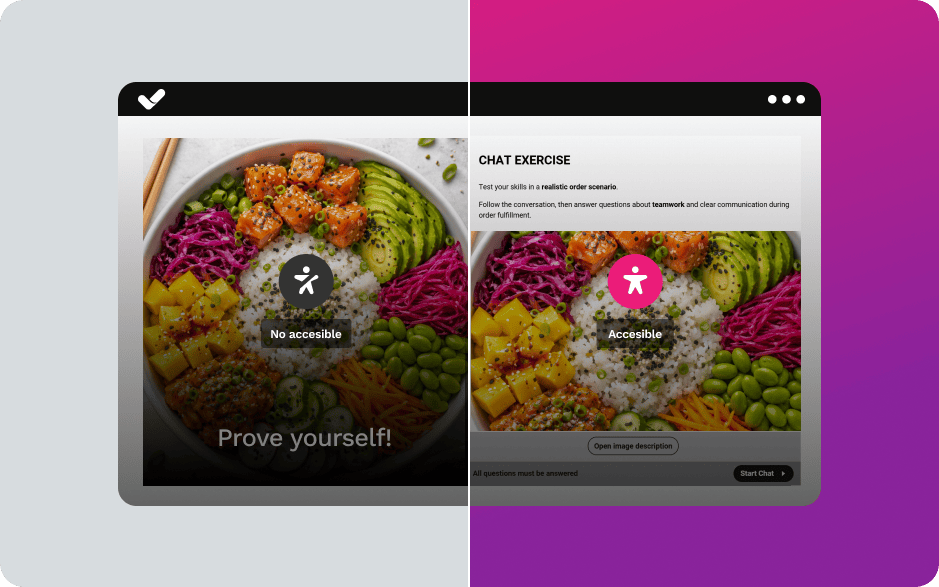
Accessible course design is not optional — it is a legal requirement in many regions and a quality standard in corporate training. The key points:
Some authoring tools handle accessibility and mobile learning automatically through their templates; others require manual configuration of each element. Verify this before choosing your platform.
Publishing isn’t simply about uploading a file. It means preparing the course so that it reaches the right learners, allows you to track their progress, and generates data that helps improve the training.
If your organization uses an LMS (Learning Management System), you can publish the course using standards that make it possible to track learner activity. SCORM remains one of the most widely used formats for basic tracking.
If you want to centralize the entire process, isEazy LMS allows you to manage, distribute, and track training from a single environment and includes an authoring tool for creating your own content.
Another option is to distribute training directly from the authoring tool itself. isEazy Author Go allows you to create your own learning environment without leaving isEazy Author, manage registered users, and monitor their activity and progress. This way, you can create and distribute your courses from the same environment without needing a separate LMS.
Once the course is published, focus on the metrics that can genuinely help improve the learning experience:
These insights allow you to adjust the content, practice activities, and explanations without having to rebuild the entire course.
Artificial intelligence has transformed the way online courses are created. Today, it’s possible to generate the initial structure, develop first drafts of content, propose activities, and even create assessments in a matter of minutes. This allows course creators to spend less time on repetitive tasks and devote more effort to what truly matters: reviewing, adapting, and enriching the course with expert insight.
AI does not replace instructional design or the creator’s expertise, but it does streamline the slowest phases of the production process. When used effectively, it becomes a strategic tool for moving from an initial idea to a structured, coherent course that’s ready for refinement.
Tools like isEazy Author’s AI Autopilot integrate this workflow directly into the authoring tool. This way, you can move from the learning objective to the first draft of the course without leaving the platform. To get started, simply upload your documentation or specify a topic, select a template, define the style and colors, and let Autopilot generate an initial version. From there, human review comes into play: adjusting content, validating the pedagogical approach, and adding the expert touch that will make the course stand out.

The best way to understand what a good corporate course looks like is to see it in real context. Below are the most common types in L&D teams, with their typical format and use case.
Vodafone is a good example of how to create online courses at scale in a corporate environment. Using isEazy Author, they tripled their productivity in e-learning content creation — more training delivered in less time, with a more engaging experience for their teams. Find out how they did it →
CASE STUDY
We multiplied x3 the productivity in the creation of e-learning courses at Vodafone


No. Creating an online course no longer requires knowing how to code, do HTML layout, or edit video professionally. Modern authoring tools work with templates, drag-and-drop visual editing, and AI assistants, so anyone on the L&D team can produce a complete course independently.
What you do need is judgement about content and learning — not technical skills:
Technical skills (design, accessibility, standards export) are handled by the tool itself. This democratises course creation and allows subject-matter experts to become authors.
When creating an online course, not all tools serve the same purpose. Some are designed to create interactive e-learning content, while others focus on distributing and managing that content and tracking learning progress within an organization. Therefore, before choosing a solution, it’s important to determine whether you need an authoring tool, a platform for converting existing content, or an LMS for publishing content and measuring results.
isEazy Author is an authoring tool designed to create interactive e-learning courses quickly, visually, and without the need for technical knowledge. It allows users to develop content from scratch, import existing materials, and enrich them with exercises, games, videos, and multimedia resources, as well as publish them in formats such as SCORM or xAPI. Its focus is on facilitating the creation of engaging, accessible courses that are ready for use in any learning environment.

Features
Benefits
Pricing
Accessibility
Awards
Features
Benefits
Pricing
Accessibility
Awards
iSpring Suite is an authoring tool well known for its integration with PowerPoint, making it a popular choice for those who want to turn presentations into online courses. It allows you to add quizzes, simulations, narration, and other interactive elements to an existing template, so it typically works well for projects that build on existing materials and require a relatively simple learning curve.

Key Features
Benefits
Pricing
Key Features
Benefits
Pricing
Adobe Learning Manager is a learning management system (LMS) designed to manage, deliver, and track digital training programs. Unlike an authoring tool, its primary function is not to create courses, but rather to organize learning paths, enroll users, monitor progress, and analyze learning outcomes. It is an option designed for organizations that need to scale their training and gain visibility into their learners’ performance.

Features
Benefits
Technology, compatibility, and integration
Pricing
Features
Benefits
Technology, compatibility, and integration
Pricing
There is no single figure: cost and time depend on the course scope, the production level, and whether you start from templates or build from scratch. Here is an indicative reference for planning a corporate training project.
| Course type | Approximate time | Typical investment |
|---|---|---|
| Micro-lesson (5–10 min) | A few hours | Low — templates and AI |
| Short course (1–2 modules) | 3–7 days | Low-medium |
| Full course (multiple modules + assessment) | 2–6 weeks | Medium |
| Programme with high-production video | 6+ weeks | High |
You can start creating an online course for free with basic plans, but it is worth knowing what you gain and lose compared to a professional tool — especially if the course is part of a training programme that needs to measure results.
| Criterion | Free option | Professional platform |
|---|---|---|
| Interactivity and templates | Limited | Full |
| SCORM/xAPI export | Usually not included | Yes |
| Accessibility and multi-device | Partial | Guaranteed |
| Results analytics | Basic or none | Advanced (LMS integration) |
| AI for content creation | Limited | Integrated |
If you want to try the professional approach at no initial cost, you can create a free account with isEazy and build your first course with templates and AI.
isEazy Author is an authoring tool built for creating online courses without technical knowledge: templates, visual editing, and integrated AI. These are the 5 steps to create your first course:
| Step | Action | What you get |
|---|---|---|
| 1. Choose the course type | Classic (extended training) or Express (mobile micro-format) | Format adapted to your learner profile |
| 2. Define the style | Select template, colour palette, and corporate branding | Visual consistency with your brand |
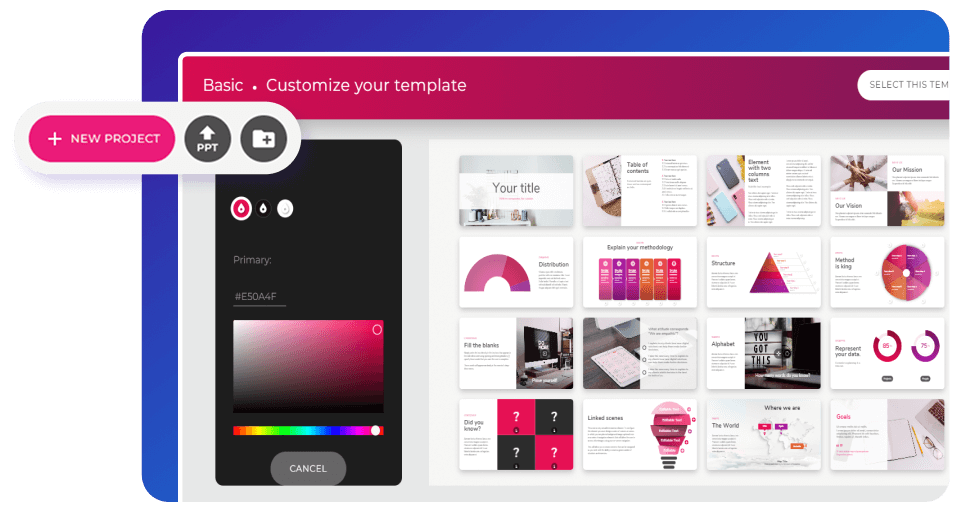
| 3. Create the content | Start from scratch or import a PowerPoint and organise slides into modules | Clear and reusable structure |
| 4. Add interactivity | Videos, podcasts, games, exercises, and assessments | More engagement and retention |
| 5. Distribute the course | Publish to LMS via SCORM or xAPI, share by link or corporate intranet | Reach all learners and measure results |
Even following all 9 steps, there are recurring mistakes that cause many online courses to fail. Here are the 5 most common ones and how to avoid them.
| Error | Why it fails | How to avoid it |
|---|---|---|
| No trainer–learner relationship | The learner feels isolated and drops out | Use video calls, forums, and messaging to maintain a sense of presence |
| Not knowing the course technology | The trainer cannot resolve learners' technical questions | Master the tool or choose an intuitive one like isEazy Author |
| Directly converting a face-to-face course to e-learning | Face-to-face material does not translate to online learning | Redesign the content using online formats: microlearning, interactive elements |
| Overly long material | Information overload leads to drop-off | Keep it brief, modular, and use visual resources |
| Poor audio and video quality | Undermines credibility and makes learning harder | Invest in production basics: good microphone, lighting, and editing |
Creating the course is only the first step. Once your content is ready, the next challenge is getting it in front of the right people and turning it into sales. If you want to learn how to structure your launch, choose the right pricing model, and activate the promotional channels that work, check out our complete guide on how to sell and promote online courses.
Creating an online course is a design process, not a transcription exercise: it requires measurable objectives, a structure that respects the learner’s pace, interactivity that activates practice, and real results measurement. If you work in corporate training, the added challenge is doing this at scale — multiple courses a year while maintaining quality across all of them.
An intuitive authoring tool with templates, integrated AI, and export to industry standards makes the difference between publishing a course “because you have to” and building a programme your organisation will actually use. Try isEazy Author free and apply this guide to your first course.
It’s a digital tool designed to make it easy to create interactive and dynamic educational content. These platforms provide templates, multimedia resources, and collaboration features so that L&D teams, trainers, and subject-matter experts can build professional-quality courses without needing technical knowledge.
To choose the right platform, consider ease of use, available features (interactivity, templates, AI), SCORM/xAPI export, mobile compatibility, accessibility support, and integration with your LMS. Test at least two or three options before committing — most offer a free trial.
You can use tools like isEazy Author to create product courses with visual resources, videos, gamified activities, and assessments. The key is combining clear, bite-sized content with interactive elements that allow learners to practice and check their understanding in real time.
A good platform should support interactive content, be intuitive to use, and allow you to customise courses to your brand. It should also offer SCORM/xAPI export, mobile-first design, accessibility compliance (WCAG), analytics, and ideally AI-assisted content creation.
There are various tools for creating high-quality content, such as isEazy Author, which lets you integrate multiple types of multimedia and interactive resources — including standard and interactive videos. You can also outsource content production with isEazy Factory: just provide the source material and the team takes care of the rest.
To start creating courses with isEazy Author, first choose the course type you want to build — Classic (for longer programmes) or Express (optimised for mobile micro-formats). Then define the style and structure, selecting templates and organising content into modules and topics. isEazy Author offers an intuitive interface with pre-configured slides, drag-and-drop editing, and AI tools to speed up production.
Yes. There are free tools and plans for creating online courses, but they typically limit interactivity, SCORM/xAPI export, analytics, and support. For a corporate course that needs to measure outcomes and integrate with an LMS, a professional authoring tool gives you far more control, templates, accessibility, and compliance with industry standards. Free options are valid for getting started or validating an idea; professional tools are the right choice when the course is part of a serious training programme.
It depends on the scope. A micro-lesson can be ready in a matter of hours, while a full course with multiple modules, interactivity, and assessments typically takes two to six weeks. The timeline shrinks considerably when you start from templates and use AI to generate the structure and first content drafts. The biggest factors are the clarity of your objectives, the availability of your subject-matter expert (SME), and the level of audiovisual production you need.

Activate autopilot and create courses at AI speed
Transform your ideas or documents into spectacular courses automatically, with the #1 AI authoring tool on the market.
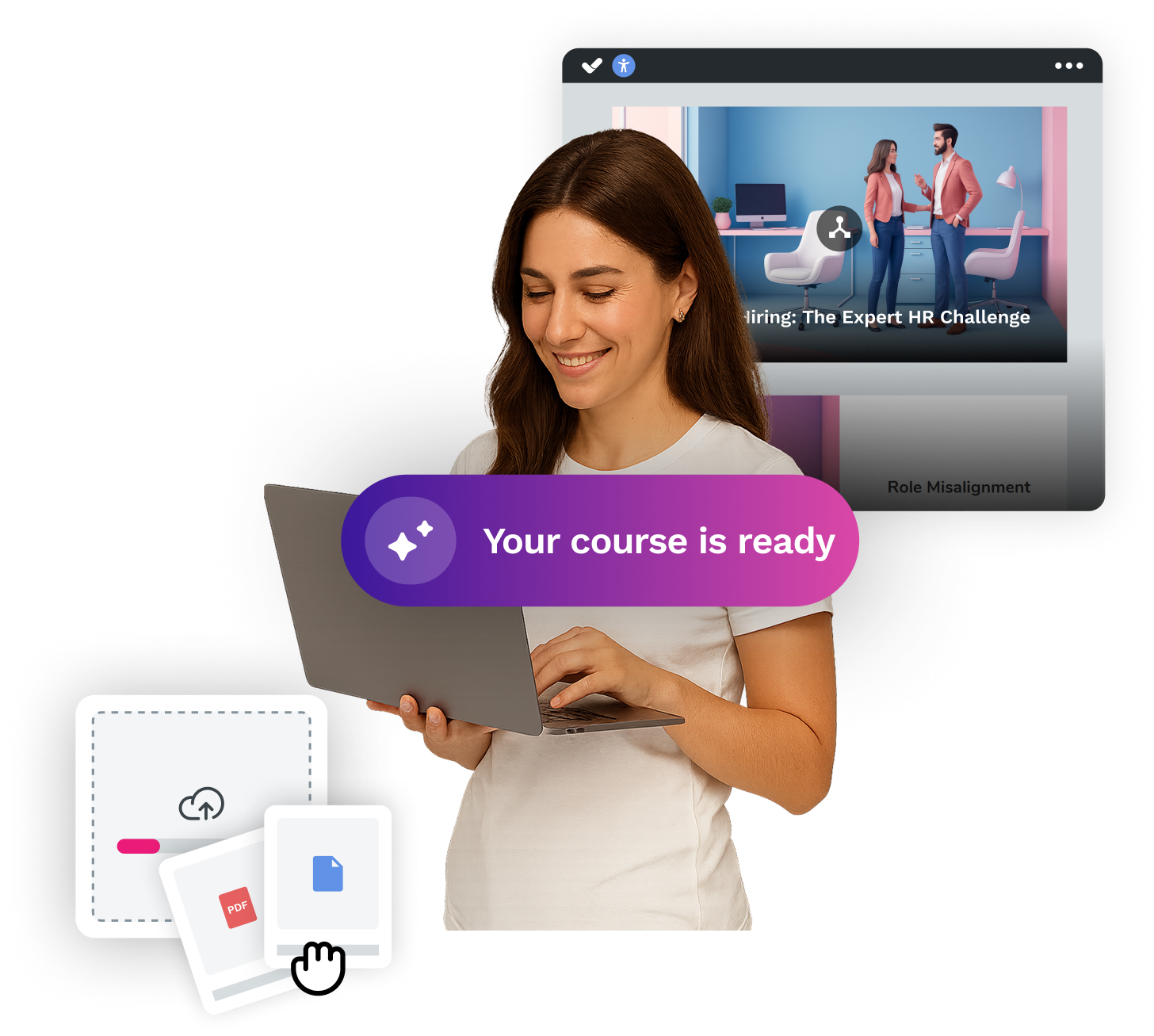

Welcome to a new way of creating e-learning courses with AI Autopilot.
Request a demo
Activate autopilot and create courses at AI speed
Transform your ideas or documents into spectacular courses automatically, with the #1 AI authoring tool on the market.