E-learning is training delivered through digital platforms and devices, without the need for a physical classroom or fixed schedule. It combines interactive multimedia content, automated assessments and progress tracking so each person can learn at their own pace and from anywhere.
Having surpassed hundreds of billions of dollars in global investment and with growing adoption in companies and universities alike, e-learning has established itself as one of the most effective ways to train, upskill and certify teams. According to the Global eLearning Market report by eLearning Industry (2024), the global e-learning market will exceed $400 billion by 2026, with a sustained annual growth rate of 8% since the pandemic.
But “e-learning” is not just taking an online course: today we are talking about interactive, personalised and measurable digital experiences, capable of improving retention, reducing costs and scaling training across any organisation.
In this guide we explain what e-learning is, how it works, what types exist, its benefits and challenges, and how to implement it step by step in your company.
E-learning is the training modality that uses digital technology to deliver educational content in a flexible, interactive and measurable way, without depending on a physical space or a face-to-face schedule. It is the most scalable way to train teams in the modern enterprise.
x
Differences between e-learning and face-to-face training
What are the differences between e-learning and face-to-face training? This question comes up more often than you might expect, especially when companies are evaluating which modality best fits their training objectives. The short answer: e-learning is a 100% digital modality, while face-to-face training depends on a classroom, a schedule and a shared physical space.
But the distinction goes beyond the medium. The differences affect scalability, cost, personalisation and the measurement of learning. There is also a third option that combines both worlds: blended learning, which alternates digital sessions with face-to-face moments.
Criteria
E-learning
Face-to-face
Location
Any device with an internet connection
Fixed physical classroom
Schedule
Flexible, on-demand
Fixed, simultaneous
Scalability
High: same content for thousands of people
Limited by capacity and trainer availability
Cost per person
Low (decreases with volume)
High (trainer, venue, materials)
Personalisation
High: adaptive paths and self-paced
Low: pace set by the group
Progress tracking
Automatic and real-time
Manual, requires specific assessments
Social interaction
Virtual (forums, chats, video conferencing)
Direct and spontaneous
What is e-learning for?
E-learning serves to democratise access to knowledge within an organisation. It allows all employees to receive the same training, regardless of their location, shift or time availability.
From a strategic perspective, e-learning turns training into a measurable asset. According to LinkedIn Learning’s Workplace Learning Report 2024, 89% of L&D professionals believe that proactively developing skills helps navigate the future of work, and organisations with robust learning programmes have 24% higher employee retention.
In practice, companies use it to reduce the ramp-up time for new employees, ensure regulatory compliance across the entire workforce, develop leadership skills and continuously update technical or product knowledge.
History of e-learning
E-learning did not begin with the internet. Its roots go back to 19th-century correspondence education, when universities like the University of Chicago already offered courses by post. The evolution to the current digital format has gone through several distinct phases.
In the 1960s and 70s, the first Computer Assisted Instruction (CAI) systems emerged, used mainly in military and university settings. With the arrival of CD-ROMs in the 1980s and 90s, companies began distributing training on physical media. The internet changed everything in the 2000s: the first LMS platforms appeared, along with the SCORM standard and the first online mass courses.
The 2020 pandemic acted as the definitive catalyst: in less than three months, millions of organisations moved from face-to-face training to distance e-learning. Today, the evolution continues with generative AI, microlearning and immersive environments. You can read a detailed timeline in this article on the history of online training.
Characteristics and types of e-learning
Main characteristics of e-learning
Understanding what makes e-learning different from other modalities is essential to making the most of it. These are its defining characteristics:
Time and location flexibility: each person accesses training when and from wherever they can.
Interactivity: the learner is not passive; they answer questions, explore scenarios, complete simulations.
Personalisation: modern systems adapt the learning path to the level and pace of each user.
Measurability: the LMS records every interaction: connection time, results, completion rate.
Scalability: the same course can be delivered to 10 people or 100,000 with no additional marginal cost.
Continuous updating: modifying digital content is immediate; in face-to-face training it means delivering it all over again.
The modality can be synchronous — in real time, with a tutor or video conferencing — or asynchronous, where each learner progresses at their own pace without a shared timetable.
Types of e-learning
Not all e-learning is the same. The modality diversifies according to the content format, the level of interaction and the technology used. These are the main types available in today’s market:
Asynchronous e-learning: the learner accesses content without needing to connect simultaneously with others. It is the most scalable and most widely used in corporate environments.
Synchronous e-learning: real-time training via video conferencing, webinar or virtual classroom. Maintains direct interaction between tutor and learners.
Microlearning: content snippets of 3 to 10 minutes designed for a very specific learning objective. Ideal for knowledge reinforcement and quick updates.
Mobile learning: e-learning optimised for smartphones. Key in environments with employees who do not have a fixed desk.
Blended learning: combination of digital modules with face-to-face or synchronous virtual sessions. The format with the best balance between flexibility and group cohesion.
Adaptive learning: systems that adjust the training itinerary based on the learner’s performance, showing more or less content according to their results.
The right type depends on the training objective, the learner profile and the available technological infrastructure. To understand how each format connects with different learning profiles, see our guide on learning styles.
What is e-learning used for? Practical examples
E-learning in the corporate environment
In companies, e-learning has moved beyond being an alternative to face-to-face training to become the backbone of organisational learning. These are the five most common corporate use cases:
1. Onboarding new employees
E-learning allows companies to standardise the onboarding process, ensuring all new hires receive the same information about the company’s culture, processes and tools from day one. According to SHRM, a structured onboarding programme improves 12-month retention by 82%. Find out how to design yours in our onboarding plan guide.
2. Compliance training
Compliance training is one of the most critical use cases: workplace risk prevention, GDPR, data protection, sector-specific regulations. E-learning ensures that the entire workforce certifies their knowledge in a traceable and auditable way.
3. Leadership development
Digital leadership programmes allow organisations to scale itineraries that were previously only available to middle managers and executives. With e-learning, any employee with potential can access executive development content.
4. Sales and customer service training
Sales training benefits especially from e-learning thanks to its simulation capabilities: interactive scenarios, digital role plays and practical assessments that replicate real sales situations.
5. Updating internal procedures
When a process changes, e-learning allows content to be updated and redistributed within hours, rather than waiting to organise a new face-to-face session. This is especially valuable in regulated environments or those with high staff turnover.
E-learning in academic education
Beyond the corporate environment, e-learning has transformed university education and vocational training. Universities around the world offer 100% online degrees; MOOCs (Massive Open Online Courses) have democratised access to quality education; and digital certification programmes make it possible to accredit skills without setting foot in a physical classroom.
The pandemic accelerated adoption in the academic sector irreversibly: according to UNESCO, in 2020 more than 1.5 billion students worldwide experienced some form of distance learning.
Advantages of e-learning for companies and learners
Benefits of e-learning for companies
The adoption of e-learning in the corporate environment responds to advantages that translate directly into business results:
Reduced training costs: eliminates travel, room hire and printed materials. According to ATD’s The Business Impact of Learning report (2023), companies that invest in digital training reduce the cost per hour of learning by up to 40-60% compared to face-to-face training.
Unlimited scalability: the same course can be delivered to 10 or 100,000 people with no incremental cost.
Traceability and regulatory compliance: the LMS records who completed what, when and with what result. Essential for compliance audits.
Agile content updates: a regulatory or product change can be reflected in the course within hours, not weeks.
Continuous training without disrupting operations: employees learn in the gaps of their working day without needing to leave their post.
Benefits of e-learning for learners
Autonomy and self-pacing: each person progresses according to their own availability and learning speed.
Accessibility: well-designed content allows people with visual, hearing or motor disabilities to access training. Discover the keys to accessible e-learning design.
Repetition at no extra cost: the learner can revisit a module as many times as needed.
Immediate feedback: automated assessments return results in real time, allowing knowledge gaps to be identified instantly.
Work-life balance: compatible with any work or personal schedule.
Challenges and disadvantages of e-learning
E-learning is not a perfect solution. Knowing its limitations is essential to designing a strategy that works.
Challenges for learners
Self-discipline and motivation: without an external timetable compelling them to connect, procrastination is the main enemy of completion.
Isolation: the absence of face-to-face interaction can reduce the sense of belonging, especially in long programmes.
Digital divide: not all employees have the same level of technological competence or access to devices and quality connectivity.
Challenges for companies
Content quality: a poorly designed e-learning course has very low completion rates. Instructional design is just as important as the technology.
Cultural change management: adopting e-learning requires employees and managers to change habits and perceptions about what “real training” looks like.
Technology integration: connecting the LMS with HR, payroll and talent management systems can be complex.
Common mistakes when implementing e-learning (and how to avoid them)
Beyond structural challenges, there are recurring implementation mistakes that can be prevented with good planning:
Digitising face-to-face training without adapting it: converting a PowerPoint presentation into an interactive PDF is not e-learning. Content must be designed for the digital format from the outset.
Not defining measurable learning objectives: without clear KPIs (completion rate, average score, impact on business KPIs), it is impossible to know whether training is working.
Ignoring user experience (UX): a course with confusing navigation or poor mobile optimisation causes immediate abandonment.
Launching without prior internal communication: employees need to understand why they are being asked to train and what benefit they will get.
Not keeping content up to date: outdated content damages the credibility of the entire training programme.
How to successfully implement e-learning solutions in your organisation
Implementing e-learning in a company is not simply a matter of choosing a platform and uploading content. It requires a strategic approach across five phases:
Phase 1: Training needs assessment
Before creating any course, you need to answer: what competencies is the workforce missing? What business objectives does this training address? The assessment can include manager surveys, performance analysis or a review of business indicators (turnover, process errors, sales results).
Phase 2: Strategy and KPI definition
Set metrics from the start: target completion rate, expected competency improvement, reduction in onboarding time. Without defined KPIs, training has no way of demonstrating its value.
Phase 3: Tool selection
The two fundamental tools are the authoring tool (to create the content) and the LMS (to distribute it and manage tracking). See our complete LMS guide to understand which criteria to use when selecting one.
Phase 4: Content creation and piloting
Design the first courses with a pilot audience before mass deployment. Gather feedback on usability, clarity and relevance. Early iteration avoids costly mistakes when scaling.
Phase 5: Deployment, communication and monitoring
Launch with an internal communication campaign explaining the what, the why and the benefit for employees. Monitor LMS data in the first few weeks and intervene where the completion rate is low.
Phase
What to do
Mistake to avoid
1. Assessment
Identify competency gaps and business objectives
Assuming you already know what the workforce needs
2. Strategy & KPIs
Define success metrics before creating content
Launching without measurable indicators
3. Tools
Select LMS and authoring tool based on real criteria
Choosing by price without evaluating usability
4. Creation & pilot
Design native digital content and test with a pilot group
Digitising PowerPoints without adapting them
5. Deployment & monitoring
Communicate the launch and monitor LMS data
Uploading the course and not reviewing metrics
E-learning vs blended learning: which model should you choose for your company?
One of the most frequent decisions in L&D departments is whether to go for a 100% digital model or a hybrid approach that combines e-learning with face-to-face or synchronous sessions. There is no universal answer: the choice depends on the type of competency to be developed, the employee profile and the resources available.
If you need to scale a compliance programme for 5,000 employees, pure e-learning is the most efficient option. If you want to develop leaders or transform your sales culture, blended learning offers a more effective balance between digital autonomy and group practice.
Phase
What to do
Mistake to avoid
1. Assessment
Identify competency gaps and business objectives
Assuming you already know what the workforce needs
2. Strategy & KPIs
Define success metrics before creating content
Launching without measurable indicators
3. Tools
Select LMS and authoring tool based on real criteria
Choosing by price without evaluating usability
4. Creation & pilot
Design native digital content and test with a pilot group
Digitising PowerPoints without adapting them
5. Deployment & monitoring
Communicate the launch and monitor LMS data
Uploading the course and not reviewing metrics
Best e-learning tools for companies
Authoring tools for creating e-learning courses
An authoring tool is the software that allows training teams to create interactive courses without needing to programme. The most widely used in the corporate market can be compared by features and price:
isEazy Author
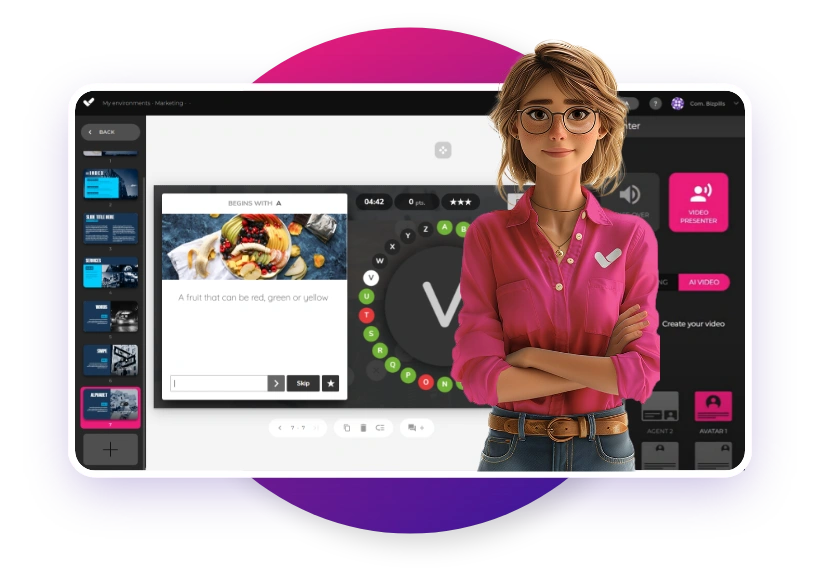
isEazy Author is isEazy’s native authoring tool: it allows you to create interactive e-learning courses with professional templates, multimedia elements and SCORM export in minutes. Its no-code approach makes it accessible to any content expert, with no need for a designer or developer. Discover isEazy Author.
isEazy Author
The Leading AI Authoring Tool on the Market
Features
Benefits
Pricing
Accessibility
Awards
AI features: generate images, games and exercises, automatic subtitles, voiceovers, advanced interactive elements, avatars, and AI video presenters to bring your content to life.
AI Autopilot: automatic course creation from documents or ideas, with pedagogical structure, interactive resources, and applied visual identity. Transform any content into a publish-ready course in minutes.
Templates: over 25 ready-to-use interactive templates, editable and customizable with corporate colors, typography, and logo via the Smart Colors feature.
Drag-and-drop editor: visual editing to create courses with no technical, programming, or design knowledge required.
Automatic responsive design: courses adapt to any device without manual adjustments, with dual mode so each learner can access content in their preferred format.
Multi-format: export in SCORM 1.2, SCORM 2004, xAPI, and HTML5, compatible with any LMS on the market.
Automatic translation: full AI-powered course translation into over 40 languages, with no need for external translators.
Text to speech: professional voiceovers automatically generated from content, with selection of gender, language, and voice variation.
PowerPoint import: convert presentations into interactive e-learning courses in just a couple of clicks.
Real-time collaboration: simultaneous collaborative work on the same course with integrated comments, change tracking, and automatic saving with restore points.
Brand customization: styles, colors, typography, and logo to maintain corporate consistency across all content.
Gamification: points, badges, and leaderboards to motivate learners and increase engagement.
Assessments and quizzes: multiple question types and answer logic, with AI-powered automatic generation of final assessment tests based on course content.
Multimedia library: built-in bank of images, videos, icons, and graphic resources, with AI image generation adapted to your course style.
Integrations: connection with LMS platforms (SCORM, xAPI), external platforms, and management systems. A built-in learning environment is also available without leaving isEazy Author.
AI-powered: automates key creation tasks and drastically reduces production time. Over 36,000 users and 120,000 projects created in more than 90 countries speak for themselves.
Intuitive and visual interface: everything is edited intuitively with no learning curve, with pre-configured ready-to-use resources.
Real collaborative experience: distributed teams can work in parallel with real-time feedback, ideal for content factories and L&D teams.
Total flexibility: ideal for both occasional creators and large-scale production teams. Compatible with any LMS and 100% cloud-based.
Visual and professional courses: no designers or developers needed, with quality results recognized by Training Industry and eLearning Industry 2026.
Cost savings: less need for external resources and greater efficiency in content creation. Calculate your savings with the AI Autopilot ROI calculator.
Constantly evolving: new features released regularly and agile multilingual support, with real accessibility up to WCAG level AA and 80% of level AAA.
FREE plan: free forever. Ideal for exploring the tool with no commitment.
Professional: from €80/month. 1 author and up to 5 GB of storage.
Business: from €208/month. 2 authors and up to 12 GB of storage. The most popular plan.
Enterprise: custom authors and storage. Contact us for pricing.
Real standards compliance: courses compatible with level AA (100%) and up to 80% of level AAA of the Web Content Accessibility Guidelines (WCAG), and with Section 508 of the U.S. Rehabilitation Act.
Dual mode: create a single SCORM course and your learners can access it in their preferred mode, with or without accessibility adaptations, without duplicating production work.
Accessible interactive elements: all interactive resources in isEazy Author are designed to provide the same learning experience to all learners, regardless of their needs.
Contextual editor guidance: tips and guides built into the editor so any author can create quality accessible content easily, with no prior technical knowledge required.
Without sacrificing design or interactivity: accessibility in isEazy Author does not mean compromising visual impact or content richness. Accessible, attractive, and effective courses all at once.
Training Industry 2026: Top 20 AI Content Creation.
eLearning Industry 2026: Best AI-Powered Authoring Tool and Learning & Skills Development.
Training Industry 2025: Top 20 AI Content Creation.
eLearning Industry 2025: Best e-Learning Authoring Tool.
Brandon Hall 2024: Excellence Awards.
eLearning Industry 2024: Best Game Design and AI Watchlist.
G2 2024: Momentum Leader, High Performer, and High Performer Mid-Market.
Crozdesk 2024: Quality Choice, Trusted Vendor, and Happiest Users.
Software Advice 2024: FrontRunners.
Software Suggest 2024: Category Leader.
Features
AI features: generate images, games and exercises, automatic subtitles, voiceovers, advanced interactive elements, avatars, and AI video presenters to bring your content to life.
AI Autopilot: automatic course creation from documents or ideas, with pedagogical structure, interactive resources, and applied visual identity. Transform any content into a publish-ready course in minutes.
Templates: over 25 ready-to-use interactive templates, editable and customizable with corporate colors, typography, and logo via the Smart Colors feature.
Drag-and-drop editor: visual editing to create courses with no technical, programming, or design knowledge required.
Automatic responsive design: courses adapt to any device without manual adjustments, with dual mode so each learner can access content in their preferred format.
Multi-format: export in SCORM 1.2, SCORM 2004, xAPI, and HTML5, compatible with any LMS on the market.
Automatic translation: full AI-powered course translation into over 40 languages, with no need for external translators.
Text to speech: professional voiceovers automatically generated from content, with selection of gender, language, and voice variation.
PowerPoint import: convert presentations into interactive e-learning courses in just a couple of clicks.
Real-time collaboration: simultaneous collaborative work on the same course with integrated comments, change tracking, and automatic saving with restore points.
Brand customization: styles, colors, typography, and logo to maintain corporate consistency across all content.
Gamification: points, badges, and leaderboards to motivate learners and increase engagement.
Assessments and quizzes: multiple question types and answer logic, with AI-powered automatic generation of final assessment tests based on course content.
Multimedia library: built-in bank of images, videos, icons, and graphic resources, with AI image generation adapted to your course style.
Integrations: connection with LMS platforms (SCORM, xAPI), external platforms, and management systems. A built-in learning environment is also available without leaving isEazy Author.
Benefits
AI-powered: automates key creation tasks and drastically reduces production time. Over 36,000 users and 120,000 projects created in more than 90 countries speak for themselves.
Intuitive and visual interface: everything is edited intuitively with no learning curve, with pre-configured ready-to-use resources.
Real collaborative experience: distributed teams can work in parallel with real-time feedback, ideal for content factories and L&D teams.
Total flexibility: ideal for both occasional creators and large-scale production teams. Compatible with any LMS and 100% cloud-based.
Visual and professional courses: no designers or developers needed, with quality results recognized by Training Industry and eLearning Industry 2026.
Cost savings: less need for external resources and greater efficiency in content creation. Calculate your savings with the AI Autopilot ROI calculator.
Constantly evolving: new features released regularly and agile multilingual support, with real accessibility up to WCAG level AA and 80% of level AAA.
Pricing
FREE plan: free forever. Ideal for exploring the tool with no commitment.
Professional: from €80/month. 1 author and up to 5 GB of storage.
Business: from €208/month. 2 authors and up to 12 GB of storage. The most popular plan.
Enterprise: custom authors and storage. Contact us for pricing.
Accessibility
Real standards compliance: courses compatible with level AA (100%) and up to 80% of level AAA of the Web Content Accessibility Guidelines (WCAG), and with Section 508 of the U.S. Rehabilitation Act.
Dual mode: create a single SCORM course and your learners can access it in their preferred mode, with or without accessibility adaptations, without duplicating production work.
Accessible interactive elements: all interactive resources in isEazy Author are designed to provide the same learning experience to all learners, regardless of their needs.
Contextual editor guidance: tips and guides built into the editor so any author can create quality accessible content easily, with no prior technical knowledge required.
Without sacrificing design or interactivity: accessibility in isEazy Author does not mean compromising visual impact or content richness. Accessible, attractive, and effective courses all at once.
Awards
Training Industry 2026: Top 20 AI Content Creation.
eLearning Industry 2026: Best AI-Powered Authoring Tool and Learning & Skills Development.
Training Industry 2025: Top 20 AI Content Creation.
eLearning Industry 2025: Best e-Learning Authoring Tool.
Brandon Hall 2024: Excellence Awards.
eLearning Industry 2024: Best Game Design and AI Watchlist.
G2 2024: Momentum Leader, High Performer, and High Performer Mid-Market.
Crozdesk 2024: Quality Choice, Trusted Vendor, and Happiest Users.
Software Advice 2024: FrontRunners.
Software Suggest 2024: Category Leader.
Gomo Learning
Gomo is a cloud-native authoring tool specialised in responsive multi-device content. It stands out for its ease of use and its direct cloud publishing model.
Gomo
Features
Benefits
Pricing
Cloud-based authoring: access from anywhere with no installation required. Always automatically updated, with no software update interruptions.
Responsive design: courses automatically adapt to mobile, tablet, and desktop, with accessibility support and region-based content controls.
Multilingual management: create and manage versions in over 160 languages and dialects from a single project, with right-to-left language support and automatic AI translation or XLIFF file export and import.
Template and theme library: facilitates visually consistent brand design, with themes customizable by logo and corporate colors, and a custom theme development option.
Multi-channel publishing: distribute content via SCORM, xAPI, web, and app, with optional connection to Bridge LMS as a learning management platform.
Real-time collaboration: simultaneous editing by multiple team members, with integrated review and comment features.
Built-in AI: text generation, content review, and automatic translation via OpenAI integration.
100% cloud-based: eliminates local software dependencies and facilitates remote work, always running the latest version with no IT team intervention required.
Ideal for global teams: simplifies translation and maintenance of localized versions in over 160 languages from a single base course.
Mobile-first design: ensures a great learning experience on all devices, with content variables adaptable by learner role or location.
Flexible publishing: use courses in an LMS, on the web, or in custom apps, with a 21-day free trial available for Small and Medium plans.
Small: for independent authors. 21-day free trial available.
Medium: for teams of 4 or more authors, with the option to add additional users.
Enterprise: for large teams or companies needing greater flexibility and features. Minimum 12-month contract for all plans.
Pricing available on request in USD, GBP, and EUR.
Features
Cloud-based authoring: access from anywhere with no installation required. Always automatically updated, with no software update interruptions.
Responsive design: courses automatically adapt to mobile, tablet, and desktop, with accessibility support and region-based content controls.
Multilingual management: create and manage versions in over 160 languages and dialects from a single project, with right-to-left language support and automatic AI translation or XLIFF file export and import.
Template and theme library: facilitates visually consistent brand design, with themes customizable by logo and corporate colors, and a custom theme development option.
Multi-channel publishing: distribute content via SCORM, xAPI, web, and app, with optional connection to Bridge LMS as a learning management platform.
Real-time collaboration: simultaneous editing by multiple team members, with integrated review and comment features.
Built-in AI: text generation, content review, and automatic translation via OpenAI integration.
Benefits
100% cloud-based: eliminates local software dependencies and facilitates remote work, always running the latest version with no IT team intervention required.
Ideal for global teams: simplifies translation and maintenance of localized versions in over 160 languages from a single base course.
Mobile-first design: ensures a great learning experience on all devices, with content variables adaptable by learner role or location.
Flexible publishing: use courses in an LMS, on the web, or in custom apps, with a 21-day free trial available for Small and Medium plans.
Pricing
Small: for independent authors. 21-day free trial available.
Medium: for teams of 4 or more authors, with the option to add additional users.
Enterprise: for large teams or companies needing greater flexibility and features. Minimum 12-month contract for all plans.
Pricing available on request in USD, GBP, and EUR.
LMS platforms for managing training
An LMS (Learning Management System) is the platform that distributes courses, manages enrolments, tracks progress and generates monitoring reports. It is the central system of any corporate e-learning strategy. Find out all the details in our LMS guide.
isEazy LMS
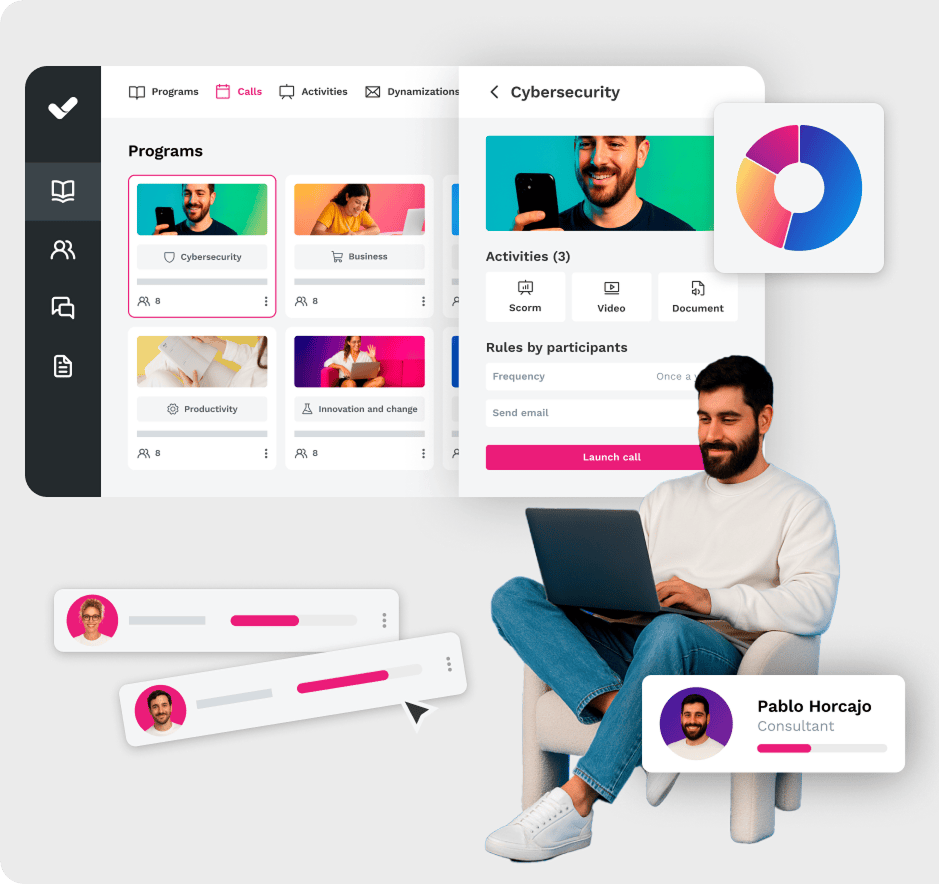
isEazy LMS is isEazy’s learning management platform: intuitive, integrable with the main HR systems and with advanced analytics to measure the real impact of training on the business. Discover isEazy LMS.
isEazy LMS
The all-in-one LMS platform powered by AI
Features
Benefits
Subscription plans
Industries
Use cases
All-in-one AI-powered LMS: combines learning management and tracking, a library of over 600 ready-to-use courses, and an AI-powered authoring tool for creating proprietary content in one solution.
Engagement and collaboration: includes gamification, mobile learning, certificates, a knowledge library, social learning, and communication channels for sharing relevant news and content.
Integrations and compatibility: connects the LMS with other business tools through SSO, APIs, and custom integrations. It supports SCORM 1.2 and SCORM 2004.
End-to-end learning management: manages learners, groups, roles, permissions, courses, programs, and learning paths from one environment. It automates training campaigns and engagement actions and supports annual learning plans with dynamic filters by audience, department, or company. It can also support administrative requirements such as FUNDAE-funded training in Spain and DC3 and DC4 records in Mexico.
Analytics and reporting: turns learning data into actionable information through visual dashboards and detailed reports. Organizations can review activity, progress, and results by learner, department, audience, subsidiary, or company.
Learning experience: provides an intuitive, customizable interface with content cards for urgent, new, recommended, or pending courses. It also includes news, announcements, and an AI-powered recommender that helps learners discover relevant content.
Content library: provides unlimited access to over 600 ready-to-use courses covering leadership, compliance, soft skills, productivity, artificial intelligence, cybersecurity, and other key areas. Content is available in 8 languages, multiple formats, and is continuously updated.
Built-in AI authoring tool: enables teams to build courses from scratch or import PowerPoint presentations and turn them into interactive content. AI supports translations, voice-overs, subtitles, images, avatar videos, exercises, and final assessments. Courses can be exported in SCORM format.
One solution for the entire learning cycle: brings management, content creation, delivery, a ready-to-use course catalog, and measurement together in one system, reducing the need for separate tools at each stage.
Proven operational capacity: provides a modern environment that helps learners find, resume, and complete assigned training. Its track record includes more than 1.5 million users, 88 million training hours, 400 learning programs, and 94,000 learning activities.
Time and resource efficiency: automates campaigns, assignments, communications, reminders, and reporting, while its AI-powered authoring tool streamlines content creation and updates. Support, consulting, outsourcing, and LMS management services are also available.
Multi-device access: provides learning access from desktop computers, phones, and tablets. Its multi-format library, available in 8 languages, supports international learning programs.
Scalable and flexible: serves both small and medium-sized businesses and large enterprises, with segmentation by department, role, company, location, or audience and plans ranging from 100 learners to enterprise deployments.
Highly customizable: allows organizations to configure colors, logos, messages, login pages, domains, structures, permissions, and learning environments according to their brand and requirements.
International recognition: isEazy LMS was included in Training Industry’s 2025 Top LMS Companies Watch List and received eLearning Industry’s “Most Effective Implementation of AI for Talent Development and Management 2026” recognition.
Professional: up to 100 users, with unlimited courses, unlimited administrators, and unlimited learning environments.
Business: up to 200 users. Includes all Professional features and adds a dedicated manager dashboard.
Enterprise: from 201 users. Includes all Business features, communication channels, a BI reporting module, a dedicated Customer Success Manager, and custom integrations.
Included capabilities: all plans include support, automation, learning management tools, customization, learning experience features, gamification, mobile learning, certificates, reporting, a training catalog, and a course recommender.
Additional services: outsourcing, consulting, custom training, and Training as a Service can be added according to project requirements.
Banking and financial services: manages compliance, cybersecurity, customer service, sales training, and skills development programs for branches, networks, and corporate teams.
Pharmaceutical and healthcare: centralizes onboarding, regulatory updates, product training, and continuous learning for healthcare, sales, and corporate employees.
Retail and consumer goods: delivers agile, segmented learning to store employees, regional managers, sales networks, operations teams, and customer service staff.
Technology and telecommunications: develops technical and digital capabilities through continuous onboarding, certification, upskilling, and reskilling programs.
Manufacturing: manages training on processes, safety, quality, technical skills, and company culture for plants, factories, and distributed teams.
Transportation and logistics: centralizes onboarding, procedural updates, operational safety, and continuous training for drivers, warehouses, and logistics networks.
Consulting and professional services: supports knowledge updates, technical learning, onboarding, and skills development for project- and client-focused teams.
Education and training: manages training providers, internal academies, certification programs, and corporate universities from a customizable environment.
Government and public sector: supports the management, segmentation, and traceability of learning programs for public employees and complex government organizations.
Insurance: keeps sales networks, agents, and back-office teams up to date on regulations, products, processes, and commercial skills.
Energy: manages safety, regulatory, sustainability, operational, and technical learning for internal teams, contractors, and external networks.
Corporate academies: centralizes programs, learning paths, resources, communications, and learning communities to build an internal academy aligned with the organization’s goals and culture.
Onboarding: creates personalized welcome journeys, automates resource assignments, and ensures each new hire receives the required training from day one.
Mandatory training: manages health and safety, equality, compliance, and regulatory programs with automated assignments, certificates, reminders, and full traceability.
Talent development: creates programs and learning paths for different roles, departments, and responsibility levels to support upskilling and reskilling.
Product training: keeps sales teams, customers, partners, and distributors up to date with practical content about products, services, and procedures.
Skills development: combines LMS management with a library of over 600 courses covering leadership, communication, productivity, digital capabilities, and other professional skills.
Features
All-in-one AI-powered LMS: combines learning management and tracking, a library of over 600 ready-to-use courses, and an AI-powered authoring tool for creating proprietary content in one solution.
Engagement and collaboration: includes gamification, mobile learning, certificates, a knowledge library, social learning, and communication channels for sharing relevant news and content.
Integrations and compatibility: connects the LMS with other business tools through SSO, APIs, and custom integrations. It supports SCORM 1.2 and SCORM 2004.
End-to-end learning management: manages learners, groups, roles, permissions, courses, programs, and learning paths from one environment. It automates training campaigns and engagement actions and supports annual learning plans with dynamic filters by audience, department, or company. It can also support administrative requirements such as FUNDAE-funded training in Spain and DC3 and DC4 records in Mexico.
Analytics and reporting: turns learning data into actionable information through visual dashboards and detailed reports. Organizations can review activity, progress, and results by learner, department, audience, subsidiary, or company.
Learning experience: provides an intuitive, customizable interface with content cards for urgent, new, recommended, or pending courses. It also includes news, announcements, and an AI-powered recommender that helps learners discover relevant content.
Content library: provides unlimited access to over 600 ready-to-use courses covering leadership, compliance, soft skills, productivity, artificial intelligence, cybersecurity, and other key areas. Content is available in 8 languages, multiple formats, and is continuously updated.
Built-in AI authoring tool: enables teams to build courses from scratch or import PowerPoint presentations and turn them into interactive content. AI supports translations, voice-overs, subtitles, images, avatar videos, exercises, and final assessments. Courses can be exported in SCORM format.
Benefits
One solution for the entire learning cycle: brings management, content creation, delivery, a ready-to-use course catalog, and measurement together in one system, reducing the need for separate tools at each stage.
Proven operational capacity: provides a modern environment that helps learners find, resume, and complete assigned training. Its track record includes more than 1.5 million users, 88 million training hours, 400 learning programs, and 94,000 learning activities.
Time and resource efficiency: automates campaigns, assignments, communications, reminders, and reporting, while its AI-powered authoring tool streamlines content creation and updates. Support, consulting, outsourcing, and LMS management services are also available.
Multi-device access: provides learning access from desktop computers, phones, and tablets. Its multi-format library, available in 8 languages, supports international learning programs.
Scalable and flexible: serves both small and medium-sized businesses and large enterprises, with segmentation by department, role, company, location, or audience and plans ranging from 100 learners to enterprise deployments.
Highly customizable: allows organizations to configure colors, logos, messages, login pages, domains, structures, permissions, and learning environments according to their brand and requirements.
International recognition: isEazy LMS was included in Training Industry’s 2025 Top LMS Companies Watch List and received eLearning Industry’s “Most Effective Implementation of AI for Talent Development and Management 2026” recognition.
Subscription plans
Professional: up to 100 users, with unlimited courses, unlimited administrators, and unlimited learning environments.
Business: up to 200 users. Includes all Professional features and adds a dedicated manager dashboard.
Enterprise: from 201 users. Includes all Business features, communication channels, a BI reporting module, a dedicated Customer Success Manager, and custom integrations.
Included capabilities: all plans include support, automation, learning management tools, customization, learning experience features, gamification, mobile learning, certificates, reporting, a training catalog, and a course recommender.
Additional services: outsourcing, consulting, custom training, and Training as a Service can be added according to project requirements.
Industries
Banking and financial services: manages compliance, cybersecurity, customer service, sales training, and skills development programs for branches, networks, and corporate teams.
Pharmaceutical and healthcare: centralizes onboarding, regulatory updates, product training, and continuous learning for healthcare, sales, and corporate employees.
Retail and consumer goods: delivers agile, segmented learning to store employees, regional managers, sales networks, operations teams, and customer service staff.
Technology and telecommunications: develops technical and digital capabilities through continuous onboarding, certification, upskilling, and reskilling programs.
Manufacturing: manages training on processes, safety, quality, technical skills, and company culture for plants, factories, and distributed teams.
Transportation and logistics: centralizes onboarding, procedural updates, operational safety, and continuous training for drivers, warehouses, and logistics networks.
Consulting and professional services: supports knowledge updates, technical learning, onboarding, and skills development for project- and client-focused teams.
Education and training: manages training providers, internal academies, certification programs, and corporate universities from a customizable environment.
Government and public sector: supports the management, segmentation, and traceability of learning programs for public employees and complex government organizations.
Insurance: keeps sales networks, agents, and back-office teams up to date on regulations, products, processes, and commercial skills.
Energy: manages safety, regulatory, sustainability, operational, and technical learning for internal teams, contractors, and external networks.
Use cases
Corporate academies: centralizes programs, learning paths, resources, communications, and learning communities to build an internal academy aligned with the organization’s goals and culture.
Onboarding: creates personalized welcome journeys, automates resource assignments, and ensures each new hire receives the required training from day one.
Mandatory training: manages health and safety, equality, compliance, and regulatory programs with automated assignments, certificates, reminders, and full traceability.
Talent development: creates programs and learning paths for different roles, departments, and responsibility levels to support upskilling and reskilling.
Product training: keeps sales teams, customers, partners, and distributors up to date with practical content about products, services, and procedures.
Skills development: combines LMS management with a library of over 600 courses covering leadership, communication, productivity, digital capabilities, and other professional skills.
LearnWorlds
LearnWorlds is an LMS oriented towards selling online courses and external training. It combines learning management with marketing tools and content monetisation features.
LearnWorlds
Designed for course creators and online academies
Features
Benefits
Subscription plans
Interactive course design: interactive videos, quizzes, surveys, custom certificates, and 200+ pre-built AI prompts to speed up content creation.
Artificial intelligence tools: AI assistant for content creation, automatic subtitle generation, course translation, and data analysis via the AI Insights Hub.
Website builder: page editor with customizable templates, custom domain, and white-label option to create learning portals with your own brand identity.
Integrations: with Zoom, Webex, Microsoft Teams, Mailchimp, ActiveCampaign, HubSpot, multiple payment gateways, and 50+ native integrations. API and SSO available from the Learning Center plan.
User management: user segmentation, custom roles, individual progress tracking, and group license management.
E-commerce: sell individual courses, subscriptions, bundles, and installment plans. Support for discounts, coupons, B2B sales, and affiliate programs.
Mobile app: custom-branded app with your own logo and colors to access courses from mobile devices.
Standards compliance: compatible with SCORM and LTI 1.3 to ensure interoperability with other systems.
Advanced interactivity: interactive videos with integrated quizzes, buttons, titles, and annotations to create dynamic learning experiences.
Full customization: white-label with custom domain, logo, and colors. Custom mobile app available from the Learning Center plan.
Process automation: automation engine for workflows based on learner behavior, available from the Learning Center plan.
Detailed analytics: advanced reports on progress, content consumption, course performance, and sales analytics from the Learning Center plan.
Multilingual support: site available in multiple languages via Weglot integration, with AI-powered automatic content translation.
Starter: $24/month. Unlimited paid courses, 3-page website, custom domain, AI tools, and 24/5 email support. Includes $5 per enrollment.
Pro Trainer: $79/month. No transaction fees. Adds unlimited free courses, learning programs, custom certificates, live sessions, subscriptions, affiliate management, and 20 SCORMs.
Learning Center: $249/month. No transaction fees. Adds AI interactive video, automations, custom user roles, API and webhooks, 3 SSO, advanced analytics, and 24/7 priority support.
High Volume & Corporate: custom pricing. Adds premium servers, multiple daily backups, custom number of admins, dedicated success manager, and 24/7 phone support.
30-day free trial available.
Features
Interactive course design: interactive videos, quizzes, surveys, custom certificates, and 200+ pre-built AI prompts to speed up content creation.
Artificial intelligence tools: AI assistant for content creation, automatic subtitle generation, course translation, and data analysis via the AI Insights Hub.
Website builder: page editor with customizable templates, custom domain, and white-label option to create learning portals with your own brand identity.
Integrations: with Zoom, Webex, Microsoft Teams, Mailchimp, ActiveCampaign, HubSpot, multiple payment gateways, and 50+ native integrations. API and SSO available from the Learning Center plan.
User management: user segmentation, custom roles, individual progress tracking, and group license management.
E-commerce: sell individual courses, subscriptions, bundles, and installment plans. Support for discounts, coupons, B2B sales, and affiliate programs.
Mobile app: custom-branded app with your own logo and colors to access courses from mobile devices.
Standards compliance: compatible with SCORM and LTI 1.3 to ensure interoperability with other systems.
Benefits
Advanced interactivity: interactive videos with integrated quizzes, buttons, titles, and annotations to create dynamic learning experiences.
Full customization: white-label with custom domain, logo, and colors. Custom mobile app available from the Learning Center plan.
Process automation: automation engine for workflows based on learner behavior, available from the Learning Center plan.
Detailed analytics: advanced reports on progress, content consumption, course performance, and sales analytics from the Learning Center plan.
Multilingual support: site available in multiple languages via Weglot integration, with AI-powered automatic content translation.
Subscription plans
Starter: $24/month. Unlimited paid courses, 3-page website, custom domain, AI tools, and 24/5 email support. Includes $5 per enrollment.
Pro Trainer: $79/month. No transaction fees. Adds unlimited free courses, learning programs, custom certificates, live sessions, subscriptions, affiliate management, and 20 SCORMs.
Learning Center: $249/month. No transaction fees. Adds AI interactive video, automations, custom user roles, API and webhooks, 3 SSO, advanced analytics, and 24/7 priority support.
High Volume & Corporate: custom pricing. Adds premium servers, multiple daily backups, custom number of admins, dedicated success manager, and 24/7 phone support.
30-day free trial available.
Course catalogues to train teams quickly
For companies that do not want to create content from scratch, pre-built course catalogues allow training programmes to be launched within days. isEazy Skills offers a catalogue with hundreds of courses in key competencies, organised by subject area.
The most complete power skills course catalog on the market
Features
Benefits
Ratings
Specialized Schools
Over 600 courses in power skills and digital skills: communication, leadership, digital mindset, innovation, wellbeing, sustainability, compliance, and much more. One new course added every month.
Courses available in multiple languages: Spanish, English, German, French, Italian, Portuguese, Latin American Spanish, and more. Compliant with WCAG accessibility guidelines to ensure inclusive learning for your entire workforce.
Different course formats: classic (50-70 min) with an interactive structure, videos, and high-impact resources; Essential Facts (15-20 min) with specific content focused on solving immediate challenges; and podcast format for learning anytime, anywhere.
Compatible with any LMS via SCORM format. Also available in the isEazy Skills environment, up and running within 5 business days.
Available as SaaS with an integrated platform: organized spaces for easy access to courses, a resource library, and learning tracking with detailed progress reports.
AI-powered course and program recommender: suggests the most suitable content based on the learning needs of each professional and your organization.
Complete and up-to-date catalog with new courses added every month, covering more than 16 key topic areas for professional development.
100% practical methodology focused on real-world application, based on real situations and examples so your professionals develop habits they can immediately apply in their daily work.
Immersive and engaging learning experience with multiple formats that adapt to every type of learner. Over 28 types of pedagogical resources and more than 16 different interactive elements per course.
Optimized engagement and knowledge retention through gamification dynamics and interactive content. Clients like UEM achieve over 90% course completion and 93% knowledge retention.
Full scalability and customization, allowing training to be tailored to the specific needs of each company and team. Present in over 40 countries with more than 1M learners trained.
Flexible commercial model with an unlimited flat-rate subscription or customized plans with gamification, communication, and personalized tutoring services.
isEazy Skills Ratings
SoftDoit: 5/5 stars.
G2: 4.9/5 stars.
Training Industry 2026: Top 20 AI Content Creation.
eLearning Industry 2026: Leading AI Innovation, Leadership Development, Leading LMS Talent, and Learning & Skills Development.
Brandon Hall 2025: Excellence Awards.
Capterra 2025: Best Ease of Use.
School of Artificial Intelligence: turn AI into a real competitive advantage for your company. Developed together with MIOTI, it ensures a solid command of the key AI concepts, techniques, and tools.
School of Microsoft Copilot: Microsoft-endorsed training. Your professionals will learn to apply Copilot AI to the key processes of your organization.
School of Cybersecurity: the most comprehensive corporate digital security catalog. Created together with S2 Group, specifically designed to protect your company against digital threats.
Features
Over 600 courses in power skills and digital skills: communication, leadership, digital mindset, innovation, wellbeing, sustainability, compliance, and much more. One new course added every month.
Courses available in multiple languages: Spanish, English, German, French, Italian, Portuguese, Latin American Spanish, and more. Compliant with WCAG accessibility guidelines to ensure inclusive learning for your entire workforce.
Different course formats: classic (50-70 min) with an interactive structure, videos, and high-impact resources; Essential Facts (15-20 min) with specific content focused on solving immediate challenges; and podcast format for learning anytime, anywhere.
Compatible with any LMS via SCORM format. Also available in the isEazy Skills environment, up and running within 5 business days.
Available as SaaS with an integrated platform: organized spaces for easy access to courses, a resource library, and learning tracking with detailed progress reports.
AI-powered course and program recommender: suggests the most suitable content based on the learning needs of each professional and your organization.
Benefits
Complete and up-to-date catalog with new courses added every month, covering more than 16 key topic areas for professional development.
100% practical methodology focused on real-world application, based on real situations and examples so your professionals develop habits they can immediately apply in their daily work.
Immersive and engaging learning experience with multiple formats that adapt to every type of learner. Over 28 types of pedagogical resources and more than 16 different interactive elements per course.
Optimized engagement and knowledge retention through gamification dynamics and interactive content. Clients like UEM achieve over 90% course completion and 93% knowledge retention.
Full scalability and customization, allowing training to be tailored to the specific needs of each company and team. Present in over 40 countries with more than 1M learners trained.
Flexible commercial model with an unlimited flat-rate subscription or customized plans with gamification, communication, and personalized tutoring services.
Ratings
isEazy Skills Ratings
SoftDoit: 5/5 stars.
G2: 4.9/5 stars.
Training Industry 2026: Top 20 AI Content Creation.
eLearning Industry 2026: Leading AI Innovation, Leadership Development, Leading LMS Talent, and Learning & Skills Development.
Brandon Hall 2025: Excellence Awards.
Capterra 2025: Best Ease of Use.
Specialized Schools
School of Artificial Intelligence: turn AI into a real competitive advantage for your company. Developed together with MIOTI, it ensures a solid command of the key AI concepts, techniques, and tools.
School of Microsoft Copilot: Microsoft-endorsed training. Your professionals will learn to apply Copilot AI to the key processes of your organization.
School of Cybersecurity: the most comprehensive corporate digital security catalog. Created together with S2 Group, specifically designed to protect your company against digital threats.
Udemy Business
Udemy Business is a content catalogue platform oriented towards companies that want to give their workforce open access to thousands of courses from multiple providers.
Udemy for Business
An online course library
Features
Advantages
Ratings
Udemy for Business Features
User and group management: allows administrators to add or remove users, organize employees into groups, and manage access to content.
Content assignment: enables organizations to assign courses and learning paths to specific employees or teams.
Extensive course library: provides access to a curated collection of courses covering artificial intelligence, technology, business, leadership, compliance, and other professional skills.
Curated and updated content: offers courses selected according to demand, ratings, and subject relevance. Content freshness may vary by course.
Customized learning paths: allows organizations to build learning journeys using Udemy Business courses, proprietary content, and external links.
Progress tracking: includes tools for reviewing employee adoption, activity, engagement, and course progress.
Learning analytics: provides reports on user activity, course performance, and skill development. Advanced capabilities depend on the selected plan.
Web and mobile interface: courses can be accessed through a web browser and mobile applications for iOS and Android.
Corporate tool integrations: the Enterprise Plan supports selected LMS and LXP integrations, single sign-on, and user, course, and reporting APIs.
Udemy for Business Advantages
Centralized administration: supports user, group, assignment, and learning activity management from a single environment.
Assessment resources: selected courses include quizzes, practice tests, and assessments for checking knowledge.
On-demand learning: enables participants to access content and progress according to their availability and preferred learning pace.
Continuous knowledge development: provides access to training focused on in-demand professional and technology skills.
Technical and soft skills development: includes content covering technology, business, leadership, communication, and other workplace skills.
Continuous learning: provides content and recommendations that can support ongoing employee development programs.
Learning tracking: reports and progress data help organizations review participation and completed content.
Adaptability for different organizations: offers separate plans for small teams and larger organizations.
Learning investment analysis: adoption, activity, and progress data help organizations review the use of their subscribed content.
Udemy for Business Ratings
Capterra: 4.5/5 stars, based on 164 reviews.
G2: 4.5/5 stars, based on 712 reviews.
Features
Udemy for Business Features
User and group management: allows administrators to add or remove users, organize employees into groups, and manage access to content.
Content assignment: enables organizations to assign courses and learning paths to specific employees or teams.
Extensive course library: provides access to a curated collection of courses covering artificial intelligence, technology, business, leadership, compliance, and other professional skills.
Curated and updated content: offers courses selected according to demand, ratings, and subject relevance. Content freshness may vary by course.
Customized learning paths: allows organizations to build learning journeys using Udemy Business courses, proprietary content, and external links.
Progress tracking: includes tools for reviewing employee adoption, activity, engagement, and course progress.
Learning analytics: provides reports on user activity, course performance, and skill development. Advanced capabilities depend on the selected plan.
Web and mobile interface: courses can be accessed through a web browser and mobile applications for iOS and Android.
Corporate tool integrations: the Enterprise Plan supports selected LMS and LXP integrations, single sign-on, and user, course, and reporting APIs.
Advantages
Udemy for Business Advantages
Centralized administration: supports user, group, assignment, and learning activity management from a single environment.
Assessment resources: selected courses include quizzes, practice tests, and assessments for checking knowledge.
On-demand learning: enables participants to access content and progress according to their availability and preferred learning pace.
Continuous knowledge development: provides access to training focused on in-demand professional and technology skills.
Technical and soft skills development: includes content covering technology, business, leadership, communication, and other workplace skills.
Continuous learning: provides content and recommendations that can support ongoing employee development programs.
Learning tracking: reports and progress data help organizations review participation and completed content.
Adaptability for different organizations: offers separate plans for small teams and larger organizations.
Learning investment analysis: adoption, activity, and progress data help organizations review the use of their subscribed content.
Ratings
Udemy for Business Ratings
Capterra: 4.5/5 stars, based on 164 reviews.
G2: 4.5/5 stars, based on 712 reviews.
Success stories: e-learning in real companies
PreZero: internal knowledge turned into courses at record speed
PreZero, the waste management company of the Schwarz Group, needed to transform the internal knowledge of its experts into high-quality e-learning courses without relying on external providers. With isEazy Author, they succeeded in producing training autonomously, significantly reducing the time and cost of content creation. Find out how they did it →
CASE STUDY
We helped PreZero improve its training strategy with attractive and quality courses.
Alain Afflelou: continuous learning and training at scale
Alain Afflelou, the international optical chain with a presence in more than 15 countries, chose e-learning to scale its continuous training programme to all its opticians and store employees, with content adapted to each role and updatable in real time. Find out how they did it →
CASE STUDY
How we helped Alain Afflelou drive their continuous learning strategy
Ready to discover the e-learning solutions that will help your team grow?
E-learning is not a trend: it is how the most competitive companies train their teams today. From onboarding to leadership development, from compliance to technical upskilling, a well-designed e-learning strategy turns training into a real competitive advantage.
isEazy offers a complete suite of e-learning solutions: an authoring tool to create interactive content, an LMS to manage and distribute it, and a course catalogue to speed up deployment time. Request a demo and discover which one best fits your company.
Frequently asked questions about e-learning
What is e-learning?
E-learning is a training modality that uses digital platforms and devices to deliver educational content without the need for a physical classroom, combining interactivity, flexibility and automated tracking.
What types of e-learning exist?
The main types are: asynchronous, synchronous, microlearning, mobile learning, gamified learning, blended learning and adaptive learning. Each suits different objectives and learner profiles.
What are the advantages of e-learning?
Its main advantages are: cost reduction, unlimited scalability, real-time traceability, flexible scheduling and the ability to update content rapidly.
What is the difference between e-learning and blended learning?
E-learning is 100% digital and asynchronous, while blended learning combines digital modules with face-to-face or synchronous sessions. Blended is more effective for developing behavioural skills.
What is needed to implement e-learning in a company?
An authoring tool to create content, an LMS to distribute and track it, and a communication strategy so employees understand the value of the training.
Discover the e-learning tools that will take your learning strategy to the next level
Amazing, intuitive, and easy-to-use software for everyone
Here you can assess and customize the services that we'd like to use on this website. You're in charge! Enable or disable services as you see fit. To learn more, please read our .
We have to include them in order for certain web pages to function securely. These cookies are strictly necessary, so they cannot be rejected or modified.
Cookie
Duration
Description
_ga
2 years
The _ga cookie, installed by Google Analytics, calculates visitor, session and campaign data and also keeps track of site usage for the site's analytics report. The cookie stores information anonymously and assigns a randomly generated number to recognize unique visitors.
_ga_YW3LY84JY6
2 years
This cookie is installed by Google Analytics.
_gat_gtag_UA_90425332_3
1 minute
Set by Google to distinguish users.
_gat_UA-26043609-7
1 minute
A variation of the _gat cookie set by Google Analytics and Google Tag Manager to allow website owners to track visitor behaviour and measure site performance. The pattern element in the name contains the unique identity number of the account or website it relates to.
_gat_UA-90425332-3
1 minute
A variation of the _gat cookie set by Google Analytics and Google Tag Manager to allow website owners to track visitor behaviour and measure site performance. The pattern element in the name contains the unique identity number of the account or website it relates to.
_gcl_au
3 months
Provided by Google Tag Manager to experiment advertisement efficiency of websites using their services.
_gid
1 day
Installed by Google Analytics, _gid cookie stores information on how visitors use a website, while also creating an analytics report of the website's performance. Some of the data that are collected include the number of visitors, their source, and the pages they visit anonymously.
_icl_visitor_lang_js
1 day
This cookie is stored by WPML WordPress plugin. The purpose of the cookie is to store the redirected language.
Bootstrap
11 months
Bootstrap code
cookielawinfo-checkbox-advertisement
1 year
Set by the GDPR Cookie Consent plugin, this cookie is used to record the user consent for the cookies in the "Advertisement" category .
cookielawinfo-checkbox-analytics
11 months
This cookie is set by GDPR Cookie Consent plugin. The cookie is used to store the user consent for the cookies in the category "Analytics".
cookielawinfo-checkbox-functional
11 months
The cookie is set by GDPR cookie consent to record the user consent for the cookies in the category "Functional".
cookielawinfo-checkbox-nece
1 year
Cookie law info
cookielawinfo-checkbox-necessary
11 months
This cookie is set by GDPR Cookie Consent plugin. The cookies is used to store the user consent for the cookies in the category "Necessary".
cookielawinfo-checkbox-others
11 months
This cookie is set by GDPR Cookie Consent plugin. The cookie is used to store the user consent for the cookies in the category "Other.
cookielawinfo-checkbox-performance
11 months
This cookie is set by GDPR Cookie Consent plugin. The cookie is used to store the user consent for the cookies in the category "Performance".
CookieLawInfoConsent
1 year
Records the default button state of the corresponding category & the status of CCPA. It works only in coordination with the primary cookie.
Google Font API
11 months
Google Font API
IDE
1 year 24 days
Google DoubleClick IDE cookies are used to store information about how the user uses the website to present them with relevant ads and according to the user profile.
Pardot
11 months
The pardot cookie is set while the visitor is logged in as a Pardot user. The cookie indicates an active session and is not used for tracking.
test_cookie
15 minutes
The test_cookie is set by doubleclick.net and is used to determine if the user's browser supports cookies.
viewed_cookie_policy
11 months
The cookie is set by the GDPR Cookie Consent plugin and is used to store whether or not user has consented to the use of cookies. It does not store any personal data.
wp-wpml_current_language
session
Language cookies
wpml_browser_redirect_test
session
This cookie is set by WPML WordPress plugin and is used to test if cookies are enabled on the browser.
They collect information in order to measure, evaluate performance, and improve the quality of your experience on our site.
Cookie
Duration
Description
_ga
2 years
The _ga cookie, installed by Google Analytics, calculates visitor, session and campaign data and also keeps track of site usage for the site's analytics report. The cookie stores information anonymously and assigns a randomly generated number to recognize unique visitors.
_ga_YW3LY84JY6
2 years
This cookie is installed by Google Analytics.
_gat_gtag_UA_90425332_3
1 minute
Set by Google to distinguish users.
_gat_UA-26043609-7
1 minute
A variation of the _gat cookie set by Google Analytics and Google Tag Manager to allow website owners to track visitor behaviour and measure site performance. The pattern element in the name contains the unique identity number of the account or website it relates to.
_gat_UA-90425332-3
1 minute
A variation of the _gat cookie set by Google Analytics and Google Tag Manager to allow website owners to track visitor behaviour and measure site performance. The pattern element in the name contains the unique identity number of the account or website it relates to.
_gcl_au
3 months
Provided by Google Tag Manager to experiment advertisement efficiency of websites using their services.
_gid
1 day
Installed by Google Analytics, _gid cookie stores information on how visitors use a website, while also creating an analytics report of the website's performance. Some of the data that are collected include the number of visitors, their source, and the pages they visit anonymously.
_icl_visitor_lang_js
1 day
This cookie is stored by WPML WordPress plugin. The purpose of the cookie is to store the redirected language.
wpml_browser_redirect_test
session
This cookie is set by WPML WordPress plugin and is used to test if cookies are enabled on the browser.
We use them to provide you with efficient and personalized advertisements that we believe are relevant to your interests. You may see them on other sites that you visit.
Cookie
Duration
Description
IDE
1 year 24 days
Google DoubleClick IDE cookies are used to store information about how the user uses the website to present them with relevant ads and according to the user profile.
test_cookie
15 minutes
The test_cookie is set by doubleclick.net and is used to determine if the user's browser supports cookies.