


Find out how much you can save by creating courses compared to other tools

Brain
The first AI trained to teach

Author
The #1 AI-powered authoring tool on the market

Factory
Custom e-learning content factory

Skills
Comprehensive power skills course catalog

LMS
All-in-one LMS platform with AI

Engage
App for managing frontline teams
Discover isEazy Author


 See all features
FEATURES
AINew
Unlock your full potential and speed up course creation with artificial intelligence.
Accessibility
Automatically meet accessibility guidelines—without sacrificing interactivity!
Interactivity
Boost engagement with interactive, ready-to-use activities that make learning fun.
Course Creation
Reduce the time it takes to create your e-learning courses with our authoring tool.
Distribution
We offer you different distribution options, so that nothing can stop you.
SCORM
Publish your course in SCORM format and share it on any LMS.
Discover isEazy Factory


SERVICES
Instrucional Design
Surprise your students with multimedia and interactive content.
Custom Courses
We create e-learning courses for you—tailored to your needs and hassle-free!
Virtual Reality
Turn learning into an immersive experience.
Custom Avatars
Give your courses and videos a unique touch with personalized avatars.
Audiovisual FactoryNew
Turn training into something dynamic and visual with engaging videos.
Discover isEazy Skills


CATALOG
Course catalog
Over 600 skills and competency courses to help you adapt to your team's needs.
Microsoft Copilot AcademyNew
Your professionals will learn how to apply Copilot AI to key processes within your organization.
Artificial Intelligence Academy
Train your teams in the practical use of AI to boost productivity and innovation in your company.
Cybersecurity Academy
Capacita a tu empresa con el catálogo más completo en seguridad digital corporativa.

Use cases
Choose the solution that best fits your needs

Industries
Solutions for all types of industries
See all solutions


 See all solutions
USE CASES
Onboarding
Facilitate the onboarding process, productivity and engagement of your new employees.
Upskilling
Boost your team's skills and prepare them for the challenges of the future with upskilling.
Microlearning
Discover all the advantages of microlearning and boost your training results.
Gamification
Enjoy addictive training that will get your professionals hooked.
Internal Communication
Improve communication in your company and enjoy an aligned and committed team.
Mobile learning
Agile, flexible, and interactive learning—built for today’s digital-first workforce.
Discover our industries


 View all industries
INDUSTRIES
Banking and financial services
Training in compliance, cybersecurity, customer service, and key skills development.
Pharmaceuticals and healthcare
Digital onboarding, regulatory updates, and ongoing training for healthcare staff.
Retail and consumer
Agile and scalable training for in-store, operational, and customer service teams.
Industry and manufacturing
Training in processes, safety, and corporate culture for distributed teams.
Education and training
Digital solutions for training centers, internal academies, and corporate universities.
Technology and telecommunications
Development of technical talent, digital skills, and upskilling and reskilling programs.
CLIENTS

MAPFRE
How MAPFRE turn e-learning into sales with isEazy

Pepco
A personalised learning experience for a growing team.

BBVA
Digitisation and creation of high quality e-learning content.

Shiseido
We increase the engagement of the training with a social and gamified app.

Telefónica
Large-scale reskilling for the company's digital transformation.

Vodafone
A personalised learning experience for a growing team.
More than 1,000 companies already rely on isEazy.





MEET ISEAZY

Events
Discover our upcoming events and connect with the future of e-learning.

News
Find out the latest news about isEazy: press releases, partnerships, updates...

Contact
Leave us your personal details and we will contact you as soon as possible.
About isEazyNew
Find out more about our company.

Careers
We are looking for the best talent, join our team!

Partners
Become our partner and grow your business.
INTERESTING RESOURCES

Blog
The best content on e-learning: trends, tools and key strategies.

Whitepapers
Gain valuable insights and stay ahead of industry trends.

Product releases
The latest news and releases of our e-learning products and solutions.

Glossary
Definitions of the most commonly used terms and key industry concepts.

Guides
Discover the best step-by-step tips and tricks to optimize your L&D strategy.

Webinars
Video sessions on our products, trends and more

Comparatives
Compare e-learning solutions available on the market and choose the most suitable one.


WEBINAR
AI-powered course creation, step by step
Master AI in isEazy Author in under an hour.

05/11/2026

11:00 AM ET



GUIDE
Does your training plan comply with the EU AI Act?
Prepare your organization to comply with the new AI regulations


AUTHORING TOOL
Haven’t you tried AI-powered course creation yet?
Create courses automatically and generate interactive activities, games, translations, and multimedia resources in seconds.

Subscribe to our newsletter
Stay up to date with all our latest news
 Subscribe to our newsletter
 Stay up to date with all our latest news

May 7, 2026
How to digitize OHS training in your company

CONTENT CREATED BY:
Cristina Sánchez
Digital PR Specialist at isEazy

Table of contents
Occupational health and safety (OHS) training is a legal requirement that applies to all companies, embedded in labour regulations across most countries. Yet in many organisations it is still managed in person, with paper-based documentation and no centralised record of compliance.
This creates concrete problems: employees who do not receive training on time, difficulty proving compliance during an inspection, high costs for trainers and venues, and content that quickly becomes outdated. In companies with multiple locations, high staff turnover, or distributed workforces, the traditional model is simply unworkable.
Digitizing OHS training is not just a trend; it is an operational necessity. In this article we explain how to do it step by step, which tools to use, and what tangible benefits your company will gain.
Digitizing occupational health and safety training means transforming classroom-based or paper-based courses into online learning experiences: interactive, traceable, and accessible from any device. The goal is to ensure regulatory compliance and improve employee safety with greater efficiency.
What digitizing OHS training actually means
There is an important distinction worth clarifying from the outset: digitizing OHS management (risk assessments, documentation, electronic signatures) is not the same as digitizing OHS training. Here we focus on the latter: converting training programmes into digital learning experiences.
Digitizing OHS training involves:
- Creating online courses that cover the content required by regulations: general and job-specific hazards, personal protective equipment, emergency procedures, first aid, and more.
- Distributing those courses through an LMS (Learning Management System), which allows you to assign training to each employee based on their role and automatically records who has completed it.
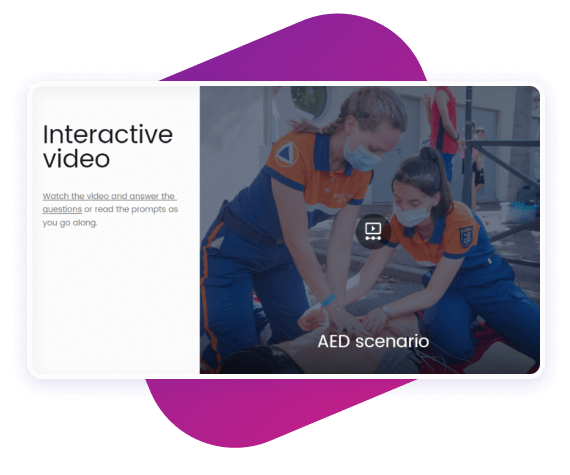
- Using interactive formats such as simulations, branching scenarios, and gamified assessments — not just slides converted to PDF.
- Generating automatic compliance records. The LMS stores each employee’s training history: date, score, time spent, and certificate issued.
The result is a training process that is more scalable and easier to demonstrate to an auditor or labour inspector.
Benefits of digitizing OHS training in your company
Beyond regulatory compliance, bringing occupational health and safety training into the digital environment delivers tangible benefits for HR teams and the organisation as a whole:
- Traceability and compliance evidence. The LMS automatically records who has completed each course, when, and with what result. In the event of a labour inspection, you can export the report in minutes.
- Scalability. Once a course is created, it can be assigned to hundreds or thousands of employees at no additional per-session cost. Ideal for companies with high turnover or multiple work sites.
- Instant content updates. When a regulation or internal procedure changes, you can update the course in the authoring tool and publish the new version immediately, without rescheduling classroom sessions.
- Better knowledge retention. According to the ATD 2023 report, interactive digital learning improves retention by 25% to 60% compared to passive methods.
- Cost reduction. Expenses for external trainers, travel, printed materials, and venue hire are eliminated.
| Criteria | Classroom training | Digital training (e-learning) |
|---|---|---|
| Traceability | Manual (paper attendance lists) | Automatic and centralised in the LMS |
| Content updates | Requires rescheduling sessions | Immediate: new version published instantly |
| Scalability | Limited by trainer availability | Unlimited: one course for the entire workforce |
| Accessibility | Requires physical presence | Available from any device |
| Cost per trained employee | High (trainer + venue + time) | Low after initial creation investment |
| Compliance evidence | Difficult to centralise and export | Exportable reports in real time |
How to create digital OHS training courses step by step
Digitizing OHS training does not require expertise in instructional design. With the right tool, any health and safety professional or training manager can create professional-grade courses by following these steps:
- Identify the hazards for each job role. The starting point is the risk assessment for each position. Training content must be specific: a course for warehouse operatives is very different from one for office workers or drivers.
- Define the learning objectives. What should the employee be able to do after completing the course? Be specific: “identify the PPE required for their role”, “follow the evacuation procedure”, “report an accident correctly”.
- Structure the content into short modules. Microlearning works particularly well in OHS training: 10–15 minute modules focused on a single topic improve retention and fit more easily into the working day.
- Add interactive elements. Replace static slides with simulations, branching decision scenarios (“what would you do if…?”), drag-and-drop exercises, and embedded assessments. These elements reinforce learning and make the course valid as a compliance record.
- Include a final assessment. Define a minimum passing score. The LMS will record who has passed and who needs to retake the course.
- Publish and assign through your LMS. Once the course is ready, publish it in your LMS and assign it to employees by job role. The system will manage deadlines, reminders, and result tracking automatically.
The best tools for digitizing OHS training with AI
Choosing the right authoring tool is key to making the digitization process efficient and ensuring courses meet the required quality standards. The most advanced solutions on the market now integrate artificial intelligence to accelerate content creation: from generating a course outline based on a risk assessment document, to suggesting interactive activities or adapting content to the employee’s profile. Below is a comparison of the main options available:

isEazy Author
The Leading AI Authoring Tool on the Market
Features
Benefits
Pricing
Accessibility
Awards
- AI features: generate images, games and exercises, automatic subtitles, voiceovers, advanced interactive elements, avatars, and AI video presenters to bring your content to life.
- AI Autopilot: automatic course creation from documents or ideas, with pedagogical structure, interactive resources, and applied visual identity. Transform any content into a publish-ready course in minutes.
- Templates: over 25 ready-to-use interactive templates, editable and customizable with corporate colors, typography, and logo via the Smart Colors feature.
- Drag-and-drop editor: visual editing to create courses with no technical, programming, or design knowledge required.
- Automatic responsive design: courses adapt to any device without manual adjustments, with dual mode so each learner can access content in their preferred format.
- Multi-format: export in SCORM 1.2, SCORM 2004, xAPI, and HTML5, compatible with any LMS on the market.
- Automatic translation: full AI-powered course translation into over 40 languages, with no need for external translators.
- Text to speech: professional voiceovers automatically generated from content, with selection of gender, language, and voice variation.
- PowerPoint import: convert presentations into interactive e-learning courses in just a couple of clicks.
- Real-time collaboration: simultaneous collaborative work on the same course with integrated comments, change tracking, and automatic saving with restore points.
- Brand customization: styles, colors, typography, and logo to maintain corporate consistency across all content.
- Gamification: points, badges, and leaderboards to motivate learners and increase engagement.
- Assessments and quizzes: multiple question types and answer logic, with AI-powered automatic generation of final assessment tests based on course content.
- Multimedia library: built-in bank of images, videos, icons, and graphic resources, with AI image generation adapted to your course style.
- Integrations: connection with LMS platforms (SCORM, xAPI), external platforms, and management systems. A built-in learning environment is also available without leaving isEazy Author.
- AI-powered: automates key creation tasks and drastically reduces production time. Over 36,000 users and 120,000 projects created in more than 90 countries speak for themselves.
- Intuitive and visual interface: everything is edited intuitively with no learning curve, with pre-configured ready-to-use resources.
- Real collaborative experience: distributed teams can work in parallel with real-time feedback, ideal for content factories and L&D teams.
- Total flexibility: ideal for both occasional creators and large-scale production teams. Compatible with any LMS and 100% cloud-based.
- Visual and professional courses: no designers or developers needed, with quality results recognized by Training Industry and eLearning Industry 2026.
- Cost savings: less need for external resources and greater efficiency in content creation. Calculate your savings with the AI Autopilot ROI calculator.
- Constantly evolving: new features released regularly and agile multilingual support, with real accessibility up to WCAG level AA and 80% of level AAA.
- FREE plan: free forever. Ideal for exploring the tool with no commitment.
- Professional: from €80/month. 1 author and up to 5 GB of storage.
- Business: from €208/month. 2 authors and up to 12 GB of storage. The most popular plan.
- Enterprise: custom authors and storage. Contact us for pricing.
- Real standards compliance: courses compatible with level AA (100%) and up to 80% of level AAA of the Web Content Accessibility Guidelines (WCAG), and with Section 508 of the U.S. Rehabilitation Act.
- Dual mode: create a single SCORM course and your learners can access it in their preferred mode, with or without accessibility adaptations, without duplicating production work.
- Accessible interactive elements: all interactive resources in isEazy Author are designed to provide the same learning experience to all learners, regardless of their needs.
- Contextual editor guidance: tips and guides built into the editor so any author can create quality accessible content easily, with no prior technical knowledge required.
- Without sacrificing design or interactivity: accessibility in isEazy Author does not mean compromising visual impact or content richness. Accessible, attractive, and effective courses all at once.
- Training Industry 2026: Top 20 AI Content Creation.
- eLearning Industry 2026: Best AI-Powered Authoring Tool and Learning & Skills Development.
- Training Industry 2025: Top 20 AI Content Creation.
- eLearning Industry 2025: Best e-Learning Authoring Tool.
- Brandon Hall 2024: Excellence Awards.
- eLearning Industry 2024: Best Game Design and AI Watchlist.
- G2 2024: Momentum Leader, High Performer, and High Performer Mid-Market.
- Crozdesk 2024: Quality Choice, Trusted Vendor, and Happiest Users.
- Software Advice 2024: FrontRunners.
- Software Suggest 2024: Category Leader.
Features
- AI features: generate images, games and exercises, automatic subtitles, voiceovers, advanced interactive elements, avatars, and AI video presenters to bring your content to life.
- AI Autopilot: automatic course creation from documents or ideas, with pedagogical structure, interactive resources, and applied visual identity. Transform any content into a publish-ready course in minutes.
- Templates: over 25 ready-to-use interactive templates, editable and customizable with corporate colors, typography, and logo via the Smart Colors feature.
- Drag-and-drop editor: visual editing to create courses with no technical, programming, or design knowledge required.
- Automatic responsive design: courses adapt to any device without manual adjustments, with dual mode so each learner can access content in their preferred format.
- Multi-format: export in SCORM 1.2, SCORM 2004, xAPI, and HTML5, compatible with any LMS on the market.
- Automatic translation: full AI-powered course translation into over 40 languages, with no need for external translators.
- Text to speech: professional voiceovers automatically generated from content, with selection of gender, language, and voice variation.
- PowerPoint import: convert presentations into interactive e-learning courses in just a couple of clicks.
- Real-time collaboration: simultaneous collaborative work on the same course with integrated comments, change tracking, and automatic saving with restore points.
- Brand customization: styles, colors, typography, and logo to maintain corporate consistency across all content.
- Gamification: points, badges, and leaderboards to motivate learners and increase engagement.
- Assessments and quizzes: multiple question types and answer logic, with AI-powered automatic generation of final assessment tests based on course content.
- Multimedia library: built-in bank of images, videos, icons, and graphic resources, with AI image generation adapted to your course style.
- Integrations: connection with LMS platforms (SCORM, xAPI), external platforms, and management systems. A built-in learning environment is also available without leaving isEazy Author.
Benefits
- AI-powered: automates key creation tasks and drastically reduces production time. Over 36,000 users and 120,000 projects created in more than 90 countries speak for themselves.
- Intuitive and visual interface: everything is edited intuitively with no learning curve, with pre-configured ready-to-use resources.
- Real collaborative experience: distributed teams can work in parallel with real-time feedback, ideal for content factories and L&D teams.
- Total flexibility: ideal for both occasional creators and large-scale production teams. Compatible with any LMS and 100% cloud-based.
- Visual and professional courses: no designers or developers needed, with quality results recognized by Training Industry and eLearning Industry 2026.
- Cost savings: less need for external resources and greater efficiency in content creation. Calculate your savings with the AI Autopilot ROI calculator.
- Constantly evolving: new features released regularly and agile multilingual support, with real accessibility up to WCAG level AA and 80% of level AAA.
Pricing
- FREE plan: free forever. Ideal for exploring the tool with no commitment.
- Professional: from €80/month. 1 author and up to 5 GB of storage.
- Business: from €208/month. 2 authors and up to 12 GB of storage. The most popular plan.
- Enterprise: custom authors and storage. Contact us for pricing.
Accessibility
- Real standards compliance: courses compatible with level AA (100%) and up to 80% of level AAA of the Web Content Accessibility Guidelines (WCAG), and with Section 508 of the U.S. Rehabilitation Act.
- Dual mode: create a single SCORM course and your learners can access it in their preferred mode, with or without accessibility adaptations, without duplicating production work.
- Accessible interactive elements: all interactive resources in isEazy Author are designed to provide the same learning experience to all learners, regardless of their needs.
- Contextual editor guidance: tips and guides built into the editor so any author can create quality accessible content easily, with no prior technical knowledge required.
- Without sacrificing design or interactivity: accessibility in isEazy Author does not mean compromising visual impact or content richness. Accessible, attractive, and effective courses all at once.
Awards
- Training Industry 2026: Top 20 AI Content Creation.
- eLearning Industry 2026: Best AI-Powered Authoring Tool and Learning & Skills Development.
- Training Industry 2025: Top 20 AI Content Creation.
- eLearning Industry 2025: Best e-Learning Authoring Tool.
- Brandon Hall 2024: Excellence Awards.
- eLearning Industry 2024: Best Game Design and AI Watchlist.
- G2 2024: Momentum Leader, High Performer, and High Performer Mid-Market.
- Crozdesk 2024: Quality Choice, Trusted Vendor, and Happiest Users.
- Software Advice 2024: FrontRunners.
- Software Suggest 2024: Category Leader.

Easygenerator
Key Features
Benefits
Pricing
Easygenerator's features
- Cloud-based authoring: create courses from the browser with no local installation, accessible from any device with continuous automatic updates.
- Ready-to-use templates: enables non-technical users to produce content quickly, with drag-and-drop elements for fast and intuitive course creation.
- SCORM and xAPI publishing: export courses to an LMS or publish directly via a web link, with dynamic SCORM that allows content updates without re-uploading the package to the LMS.
- Feedback and assessments: tools to add quizzes, surveys, and AI-powered automatic question generation based on course content.
- Real-time collaboration: multiple users can edit and review content simultaneously, with integrated review and approval workflows.
- Automatic translation and multilingual management: built-in translation into 75+ languages via EasyTranslate for fast localization without external tools.
- EasyAI: convert documents (PDF, PowerPoint, Word) into structured courses in minutes, improve text, generate questions, and create AI-powered images tailored to course content.
Why choose Easygenerator
- Easy to use: enables any employee to create courses with no prior e-learning or technical experience. A pioneer in introducing AI features across all plans at no extra cost.
- Ideal for collaborative environments: fosters content creation across departments through the Employee-Generated Learning (EGL) model, trusted by 2,000+ companies including Electrolux, DHL, and Danone.
- Development speed: focused on speed and simplicity, with Doc-to-course to reuse existing materials and convert them into structured training in minutes.
- Flexible publishing: courses hosted in an LMS or accessible via web link, with unlimited learners on all plans.
Easygenerator Pricing
- Pro: from €116/month (billed annually). 1 author, unlimited learners.
- Team: from €582/month (billed annually). 5 authors, unlimited learners.
- Enterprise: pricing on request. Unlimited authors and advanced management and security features.
- 14-day free trial available. Discounts for educational institutions and non-profit organizations available on request.
Key Features
Easygenerator's features
- Cloud-based authoring: create courses from the browser with no local installation, accessible from any device with continuous automatic updates.
- Ready-to-use templates: enables non-technical users to produce content quickly, with drag-and-drop elements for fast and intuitive course creation.
- SCORM and xAPI publishing: export courses to an LMS or publish directly via a web link, with dynamic SCORM that allows content updates without re-uploading the package to the LMS.
- Feedback and assessments: tools to add quizzes, surveys, and AI-powered automatic question generation based on course content.
- Real-time collaboration: multiple users can edit and review content simultaneously, with integrated review and approval workflows.
- Automatic translation and multilingual management: built-in translation into 75+ languages via EasyTranslate for fast localization without external tools.
- EasyAI: convert documents (PDF, PowerPoint, Word) into structured courses in minutes, improve text, generate questions, and create AI-powered images tailored to course content.
Benefits
Why choose Easygenerator
- Easy to use: enables any employee to create courses with no prior e-learning or technical experience. A pioneer in introducing AI features across all plans at no extra cost.
- Ideal for collaborative environments: fosters content creation across departments through the Employee-Generated Learning (EGL) model, trusted by 2,000+ companies including Electrolux, DHL, and Danone.
- Development speed: focused on speed and simplicity, with Doc-to-course to reuse existing materials and convert them into structured training in minutes.
- Flexible publishing: courses hosted in an LMS or accessible via web link, with unlimited learners on all plans.
Pricing
Easygenerator Pricing
- Pro: from €116/month (billed annually). 1 author, unlimited learners.
- Team: from €582/month (billed annually). 5 authors, unlimited learners.
- Enterprise: pricing on request. Unlimited authors and advanced management and security features.
- 14-day free trial available. Discounts for educational institutions and non-profit organizations available on request.

Articulate 360
Key Features
Benefits
Pricing
- Storyline 360: authoring tool for creating custom courses with advanced interactions, complex branching logic, and tailored simulations.
- Rise 360: web-based editor for creating responsive courses visually and quickly, with no software installation or prior technical knowledge required.
- AI features: transform documents, videos, or presentations into interactive courses in minutes. Includes automatic translation into 80+ languages and AI-powered content generation.
- Content Library: access to a library of templates, characters, backgrounds, and graphic resources ready to use in any course.
- Review 360: collaborative platform for course review and feedback, with requests, reviews, and comment resolution all in one place throughout the creation process.
- Screen recording and editing: tools to record videos and screencasts directly from the platform.
- SCORM, AICC, xAPI, and cmi5 compatibility: export in standard formats for integration with any LMS, with web distribution also available without complex configurations.
- Two authoring approaches: choose between a visual and fast environment (Rise 360) or a more technical and customizable one (Storyline 360) depending on project needs.
- Creative potential: ideal for courses with advanced logic, complex interactions, and gamification, with full design freedom in Storyline 360.
- Seamless collaboration: Review 360 makes it easy to share progress and gather team or stakeholder feedback in real time throughout the entire process.
- Responsive courses: Rise 360 ensures a great experience on any device without manual adjustments.
- Articulate 360 Standard: from $1,499 USD/year per user. Includes access to all tools in the package and continuous updates.
- Articulate 360 AI: from $1,749 USD/year per user. Includes all Standard plan features plus advanced AI capabilities.
- Free trial available. Team discounts available on request.
Key Features
- Storyline 360: authoring tool for creating custom courses with advanced interactions, complex branching logic, and tailored simulations.
- Rise 360: web-based editor for creating responsive courses visually and quickly, with no software installation or prior technical knowledge required.
- AI features: transform documents, videos, or presentations into interactive courses in minutes. Includes automatic translation into 80+ languages and AI-powered content generation.
- Content Library: access to a library of templates, characters, backgrounds, and graphic resources ready to use in any course.
- Review 360: collaborative platform for course review and feedback, with requests, reviews, and comment resolution all in one place throughout the creation process.
- Screen recording and editing: tools to record videos and screencasts directly from the platform.
- SCORM, AICC, xAPI, and cmi5 compatibility: export in standard formats for integration with any LMS, with web distribution also available without complex configurations.
Benefits
- Two authoring approaches: choose between a visual and fast environment (Rise 360) or a more technical and customizable one (Storyline 360) depending on project needs.
- Creative potential: ideal for courses with advanced logic, complex interactions, and gamification, with full design freedom in Storyline 360.
- Seamless collaboration: Review 360 makes it easy to share progress and gather team or stakeholder feedback in real time throughout the entire process.
- Responsive courses: Rise 360 ensures a great experience on any device without manual adjustments.
Pricing
- Articulate 360 Standard: from $1,499 USD/year per user. Includes access to all tools in the package and continuous updates.
- Articulate 360 AI: from $1,749 USD/year per user. Includes all Standard plan features plus advanced AI capabilities.
- Free trial available. Team discounts available on request.
Digitizing content with AI
One of the most challenging aspects of digitizing occupational health and safety training is that this type of information is typically found in lengthy guides or static documents that are difficult to transform into interactive courses. However, with the right tool, it is simpler than it sounds. AI Autopilot from isEazy Author offers exactly that: it transforms your ideas or documents into courses with pedagogical structure, design, and interactivity — automatically.
Enter the topic of your course or upload your documentation (PDF, Word, PPT), and the AI will analyse your content and automatically generate a didactically coherent structure. Adjust each step or slide with complete freedom, or add new content quickly and easily. You can also choose your style, colours, and template — our AI applies your brand identity in seconds. And once the structure is in place, use the AI’s features to generate assessments, summaries, and interactive activities from your course content, so you can focus entirely on what matters.

What a digital OHS course must include to be effective
Simply digitizing content as it was on paper is not enough. An effective digital OHS course must bring together a set of characteristics that differentiate it from a mere conversion of slides into an online format:
- Role- and sector-specific content. Regulations require training to be appropriate to the actual hazards of the job. A generic “health and safety” course without sector-specific adaptation does not meet this requirement.
- Interactive format, not just didactic. Practical exercises, decision-making scenarios (“what would you do if…?”), equipment-use simulations, and embedded assessments maintain attention and reinforce learning.
- Assessment with a minimum passing score. For the course to serve as valid compliance evidence, it must include a knowledge test with a minimum threshold that the employee must meet.
- Automatic certificate and records. The LMS must issue a certificate upon completion and store that record permanently and in an exportable format.
- Mobile accessibility. Employees must be able to complete the course from any device — smartphone, tablet, or desktop — without losing progress.
- Modular, updatable structure. Regulations change. The course must be structured to allow agile updates without having to rebuild it from scratch.
- Downloadable certificate. Upon completing the course, the employee must be able to download or receive their training certificate. The LMS must store this record permanently and in an exportable format.



Digitizing OHS training is a decision companies need to make today
The technology available today allows companies to create professional courses in days, distribute them to any employee on any device, and generate the compliance evidence required by regulations — all from a single platform.
Classroom-based training will continue to make sense in certain contexts, particularly for hands-on sessions involving physical equipment. But for the theoretical, regulatory, and awareness-raising component, e-learning is more effective, more scalable, and more cost-efficient beyond a certain workforce size.
If your company is still managing OHS training with sign-in sheets and classroom sessions, now is the time to make the shift. Tools like isEazy Author with integrated AI allow you to create professional-quality OHS courses in hours, not weeks, and manage them with an LMS that automates all compliance tracking.
Frequently asked questions about digital OHS training
Is online occupational health and safety training legally valid?
Yes. Most occupational health and safety (OHS) regulations do not require training to be delivered in person — they require it to be sufficient, appropriate, and both theoretical and practical in nature. E-learning courses are valid as long as they cover the content required by applicable regulations, include an assessment, and generate a record of completion. In many jurisdictions, regulatory guidance explicitly confirms the validity of online OHS training when there is effective tracking of employee engagement and progress.
What is the difference between an LMS and an authoring tool for OHS training?
They are complementary tools with different functions. An authoring tool (such as isEazy Author) is used to create course content: videos, interactive slides, assessments, simulations, and safety scenarios. An LMS (such as isEazy LMS) is the platform where that course is distributed, managed, and tracked: who has completed it, what score they achieved, and how much time they spent. To fully digitize OHS training, the ideal approach is to combine both: create high-quality courses with an authoring tool and manage them through an LMS that generates traceability and compliance evidence.
How long does it take to digitize a company’s OHS courses?
It depends on the volume of content and the starting point, but a training team can digitize the core OHS courses (general hazards, personal protective equipment, evacuation procedures) in two to six weeks using an authoring tool with ready-made templates. If existing materials are already available in PowerPoint or PDF format, the process is faster: with AI-powered tools like isEazy Author with Autopilot, it is possible to convert existing documents into interactive courses in a matter of hours. Most of the time is spent reviewing content and adapting practical scenarios to each specific job role.
How do you prove that an employee has completed OHS training?
Traceability is one of the key advantages of digital OHS training over traditional classroom-based delivery. When courses are distributed through an LMS, the system automatically records: the date of completion, time spent, assessment scores, and the certificate of completion. This information is stored and can be exported at any time, making it straightforward to demonstrate during a labour inspection or audit that each employee has received and passed the mandatory training required by occupational health and safety legislation.
Featured articles



Generate a complete course in minutes with AI Autopilot
Start with an idea or upload your documents, choose your style, colors, template... And you're done!
Request a demo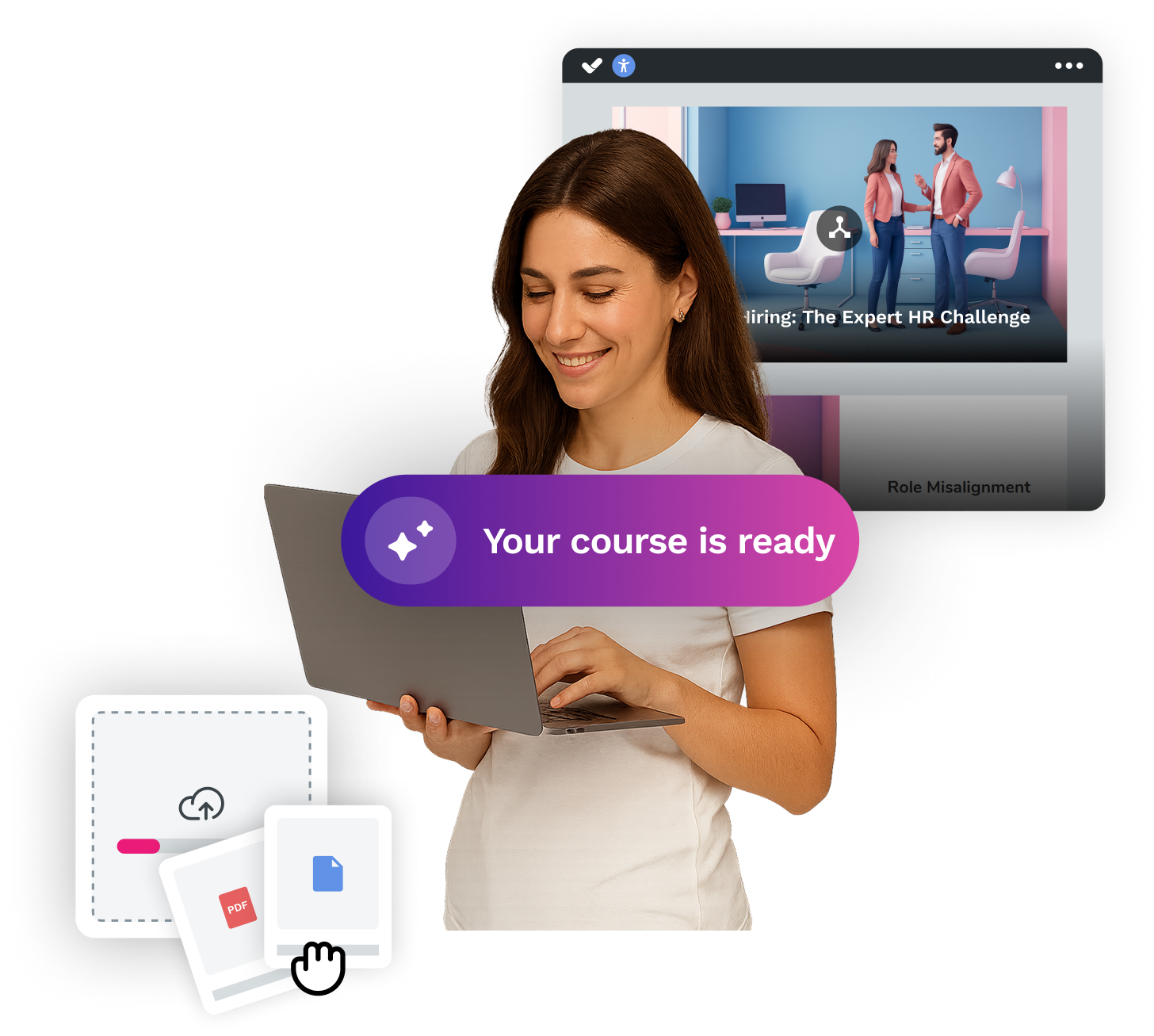


Looking for an easy, agile and efficient authoring tool?
Create accessible, engaging and dynamic e-learning courses with artificial intelligence in minutes.


Looking for an easy, agile and efficient authoring tool?
Create accessible, engaging and dynamic e-learning courses with artificial intelligence in minutes.
Related articles

Antonio González Pozo
May 1, 2026
Video e-learning: what it is, types and how to implement it in your company
Read more

Fernando González Zurita
May 7, 2026
Online training models: a complete guide for companies
Read more
Antonio González Pozo
January 15, 2026
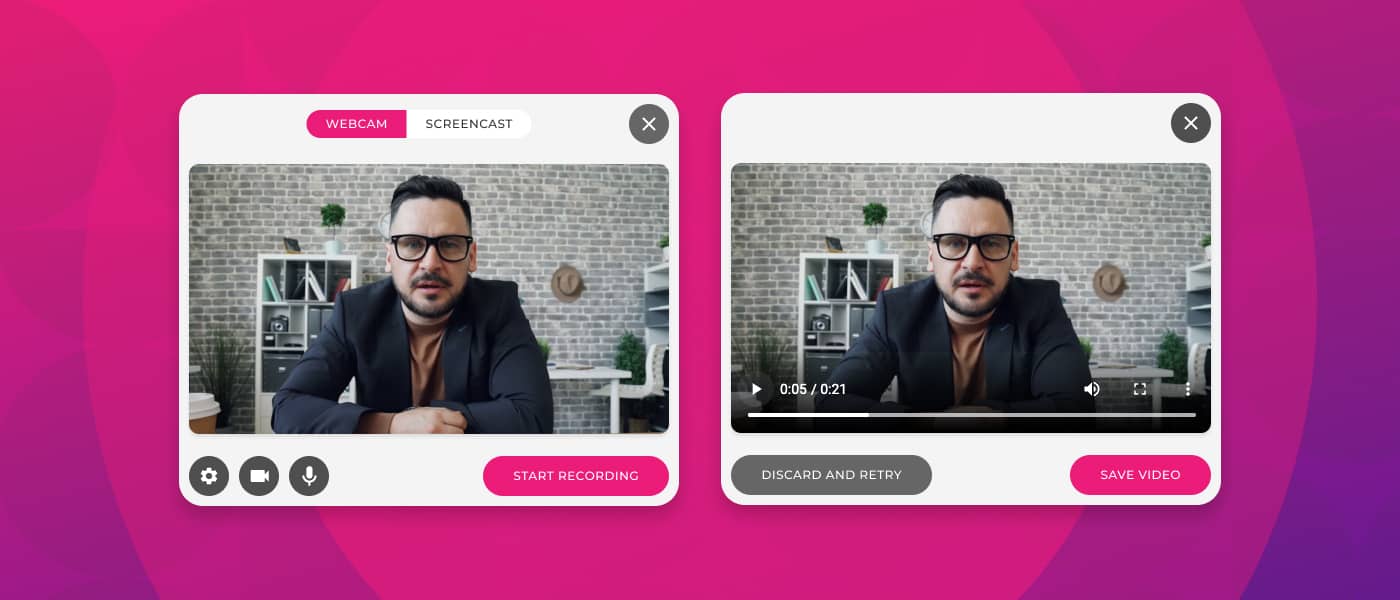
How to make a video tutorial for your courses? Step by step and ideal tools
Read more
