CASE STUDY
We multiplied x3 the productivity in the creation of e-learning courses at Vodafone

Brain
The first AI trained to teach

Author
The #1 AI-powered authoring tool on the market

Factory
Custom e-learning content factory

Skills
Comprehensive power skills course catalog

LMS
All-in-one LMS platform with AI

Engage
App for managing frontline teams
Product

What is Brain?
Everything you need to know about the first AI trained to teach.

How does it work?
Adaptive, conversational, and contextual. That’s learning with Brain.

Security
Why your company’s knowledge never leaves your environment or trains other models.

Comparison
Discover what sets isEazy Brain apart from other AI solutions.

Frequently Asked Questions
Want to learn more? Find answers to all your questions about isEazy Brain here.
FEATURES

AINew
Unlock your full potential and speed up course creation with artificial intelligence.

Accessibility
Automatically meet accessibility guidelines—without sacrificing interactivity!

Interactivity
Boost engagement with interactive, ready-to-use activities that make learning fun.

Course Creation
Reduce the time it takes to create your e-learning courses with our authoring tool.

Distribution
We offer you different distribution options, so that nothing can stop you.

SCORM
Publish your course in SCORM format and share it on any LMS.
SERVICES

Instrucional Design
Surprise your students with multimedia and interactive content.

Custom Courses
We create e-learning courses for you—tailored to your needs and hassle-free!

Virtual Reality
Turn learning into an immersive experience.

Custom Avatars
Give your courses and videos a unique touch with personalized avatars.

Audiovisual FactoryNew
Turn training into something dynamic and visual with engaging videos.
CATALOG

Course catalog
Over 600 skills and competency courses to help you adapt to your team's needs.
Microsoft Copilot AcademyNew
Your professionals will learn how to apply Copilot AI to key processes within your organization.

Artificial Intelligence Academy
Train your teams in the practical use of AI to boost productivity and innovation in your company.

Cybersecurity Academy
Capacita a tu empresa con el catálogo más completo en seguridad digital corporativa.
FEATURES

Learning platform
Manage all your training from one place

Analitycs
Measure the impact of your training

Learning Experience
Offer a unique learning experience to your team
Content Library
Choose from hundreds of expert-created courses
Authoring Tool
Create your own content—faster than ever

Use cases
Choose the solution that best fits your needs

Industries
Solutions for all types of industries
USE CASES

Onboarding
Facilitate the onboarding process, productivity and engagement of your new employees.

Upskilling
Boost your team's skills and prepare them for the challenges of the future with upskilling.

Microlearning
Discover all the advantages of microlearning and boost your training results.

Gamification
Enjoy addictive training that will get your professionals hooked.

Internal Communication
Improve communication in your company and enjoy an aligned and committed team.

Mobile learning
Agile, flexible, and interactive learning—built for today’s digital-first workforce.
INDUSTRIES

Banking and financial services
Training in compliance, cybersecurity, customer service, and key skills development.

Pharmaceuticals and healthcare
Digital onboarding, regulatory updates, and ongoing training for healthcare staff.

Retail and consumer
Agile and scalable training for in-store, operational, and customer service teams.

Industry and manufacturing
Training in processes, safety, and corporate culture for distributed teams.

Education and training
Digital solutions for training centers, internal academies, and corporate universities.

Technology and telecommunications
Development of technical talent, digital skills, and upskilling and reskilling programs.
CLIENTS

MAPFRE
How MAPFRE turn e-learning into sales with isEazy

Pepco
A personalised learning experience for a growing team.

BBVA
Digitisation and creation of high quality e-learning content.

Shiseido
We increase the engagement of the training with a social and gamified app.

Telefónica
Large-scale reskilling for the company's digital transformation.

Vodafone
A personalised learning experience for a growing team.
More than 1,000 companies already rely on isEazy.





MEET ISEAZY

Events
Discover our upcoming events and connect with the future of e-learning.

News
Find out the latest news about isEazy: press releases, partnerships, updates...

Contact
Leave us your personal details and we will contact you as soon as possible.
About isEazyNew
Find out more about our company.

Careers
We are looking for the best talent, join our team!

Partners
Become our partner and grow your business.
INTERESTING RESOURCES

Blog
The best content on e-learning: trends, tools and key strategies.

Whitepapers
Gain valuable insights and stay ahead of industry trends.

Product releases
The latest news and releases of our e-learning products and solutions.

Glossary
Definitions of the most commonly used terms and key industry concepts.

Guides
Discover the best step-by-step tips and tricks to optimize your L&D strategy.

Webinars
Video sessions on our products, trends and more

Comparatives
Compare e-learning solutions available on the market and choose the most suitable one.


WEBINAR
Master AI in isEazy Author in under an hour.




GUIDE
Prepare your organization to comply with the new AI regulations

Stay up to date with all our latest news
 Subscribe to our newsletter
 Stay up to date with all our latest news

May 1, 2026

CONTENT CREATED BY:

Table of contents
Video e-learning is one of the most impactful methodologies in corporate training today: video content generates a retention rate of 95%, compared to just 10% for written text. In this article, you’ll find out exactly what it is, the different types of training videos available, their benefits for organisations, and how to implement them successfully in your company.
The use of video in learning is nothing new. What started with a television and a VHS player in the classroom has transformed today into a global phenomenon. Currently, 92% of internet users watch some form of online video every week, with tutorials, explainer videos and educational content among the most popular formats for Generation Z, according to Statista data.
In the context of corporate training, video e-learning is a methodology that uses video as its primary teaching tool. This approach combines visual and auditory stimuli to create a dynamic learning environment that facilitates understanding and information retention.
Unlike traditional training videos — recordings of in-person classes or corporate documentaries — video e-learning is designed specifically for digital learning: it is interactive, modular, accessible from any device, and measurable through an LMS or training platform.
Through videos, employees can access tutorials, practical demonstrations, simulations, micro-content or lectures, adapting the learning pace to their own needs.
One of the key questions for L&D managers is how to capture employees’ attention in an environment saturated with stimuli. The answer lies in the data. YouTube is the second most visited website in the world, with over 2.5 billion active users. This is no coincidence: the human brain processes moving images 60,000 times faster than text.
Research suggests that video content has a retention rate of 95% compared to 10% for text-based content — a figure widely cited in the sector regarding the impact of video on learning, referenced by sources such as Wharton School and LinkedIn Learning. This difference is especially relevant in compliance training, operational processes or technical skills development, where precise retention makes a real difference.
Video e-learning also offers other cognitive advantages: it helps explain abstract concepts through visualisations, allows learners to pause and replay specific sections, and adapts to different learning styles — visual, auditory, and, in the case of interactive videos, kinaesthetic.
For Generation Z, video is not just a preferred format: it is the native channel for consuming information. Integrating video into training is not a design choice — it is a necessity for connecting with the youngest talent.
Video e-learning has not only transformed how companies train their teams — it offers a series of concrete advantages that justify its strategic adoption.

Not all training videos are the same, nor do they serve the same purposes. Before producing any content, the first step is to define what you want employees to know or be able to do by the end of the video. The following table will help you make that decision with objective criteria:
| Video type | Best training use | Recommended duration |
|---|---|---|
| Talking-Head / Expert | Conveying expert knowledge, leadership, corporate culture | 5–15 min |
| Screencast | Software training, digital processes, step-by-step tutorials | 3–8 min |
| Animated video | Abstract concepts, complex processes, product onboarding | 2–5 min |
| Micro-video | Knowledge reinforcement, learning pills, just-in-time learning | 1–3 min |
| Interactive video | Practical assessment, role-plays, simulations, decision-making | 5–15 min |
Now that you know which type of video best suits each objective, let’s look in detail at the characteristics of each format and how to get the most out of them in a corporate training context.
This format features an expert speaking directly to camera about a topic. The focus is on the presenter, although many complement the recording with images, graphics or visual resources to support the content. TED talks, corporate conferences and webinars are common examples of this type. They are particularly effective for conveying leadership messages, company values or training that requires credibility and authority.

Unlike the previous format, the focus is on the instructor’s computer screen. They allow you to show in real time how to complete a process or perform a digital task — the effect is similar to looking over a colleague’s shoulder while they work. They are ideal for training on software tools, CRMs, ERPs or any process that takes place on a screen. They can be complemented with a partial webcam recording of the presenter, and it’s always advisable to include audio narration.
Animated videos are especially effective for illustrating abstract concepts or processes that are difficult to show in reality: workflows, financial concepts, supply chains, safety protocols. Through animations and avatars, it’s possible to take employees to any scenario and show them exactly what they need to do. They are also the preferred format for onboarding new employees, as they allow the company, its culture and processes to be presented in a visually engaging and memorable way. They connect particularly well with different learning styles, combining visual, narrative and kinaesthetic stimuli.
Micro-videos are one of the most popular formats for training employees in high-turnover or mobile working environments. With a duration of between 1 and 3 minutes, they deliver valuable information in a concise, focused way. This format responds to a clear reality: sustained attention spans are increasingly short, and dividing a topic into small learning pills generates more effective learning with higher completion rates. They can be used in multi-module skills training, operational tutorials, procedure reminders or as reinforcement before assessments.
Interactive videos are the most advanced format and the one with the greatest potential for corporate training. Unlike linear videos, these allow employees to make decisions during playback: explore alternative paths, answer questions, access additional information or assess their own performance in real time. They are especially powerful for role-plays, customer service simulations, high-stakes decision-making, or compliance training where active practice makes the real difference.

Incorporating video into your training strategy is not simply a matter of recording content and uploading it to a platform. For it to have a real impact on learning, you need to follow a structured process.
Before producing any video, determine what you want employees to know or be able to do by the end of it. A concrete, measurable objective is the foundation of any effective training video. Avoid generic informational videos: the more specific the objective, the more useful the video will be.
Use the video type table in this article as a reference. The format must match the objective: if you need to teach a process in software, a screencast is your best option; if you want to assess decision-making, interactive video is irreplaceable.
The biggest mistake in training video production is improvising. A structured script saves editing time, improves message clarity and reduces retakes. The script should include: an opening hook (why this matters), development of the key content, and a close with a concrete action.
The optimal length for a training video is no more than 6–8 minutes. If the content requires more time, break it into independent modules. Micro-videos of 1–3 minutes have significantly higher completion rates than longer videos, according to industry data.
A training video without measurement is a shot in the dark. Integrate it into your training platform to track views, viewing time, drop-off points and results from associated assessments. This data will allow you to iterate and continuously improve your content library.
Video e-learning has one advantage over in-person training: it’s easy to update. Set a content review schedule — at least once a year for compliance training, and whenever a process or product changes — to ensure your training library is always up to date.


Features
Benefits
Pricing
Accessibility
Awards
Features
Benefits
Pricing
Accessibility
Awards

Key Features
Benefits
Pricing
Key Features
Benefits
Pricing

Key Features
Benefits
Pricing
Key Features
Benefits
Pricing

Key Features
Benefits
Pricing
Key Features
Benefits
Pricing
Video e-learning has moved beyond being a trend to become a standard of quality corporate training. Its ability to improve knowledge retention, adapt to any employee profile and scale at no additional cost makes it one of the most cost-effective resources an L&D team can adopt.
Although interactive videos are an extraordinarily powerful training resource, editing them and integrating them into your courses can considerably complicate your content creation processes. With isEazy Author you can create interactive videos in just a few steps, taking your training to a whole new dimension:
The options offered by interactive video allow you to add emotion to your courses and the human factor that contributes so much to learning. With the active participation of your audience, learning becomes an immersive and memorable experience. If you want to start making the most of video in your training, discover everything isEazy Author can do for you.
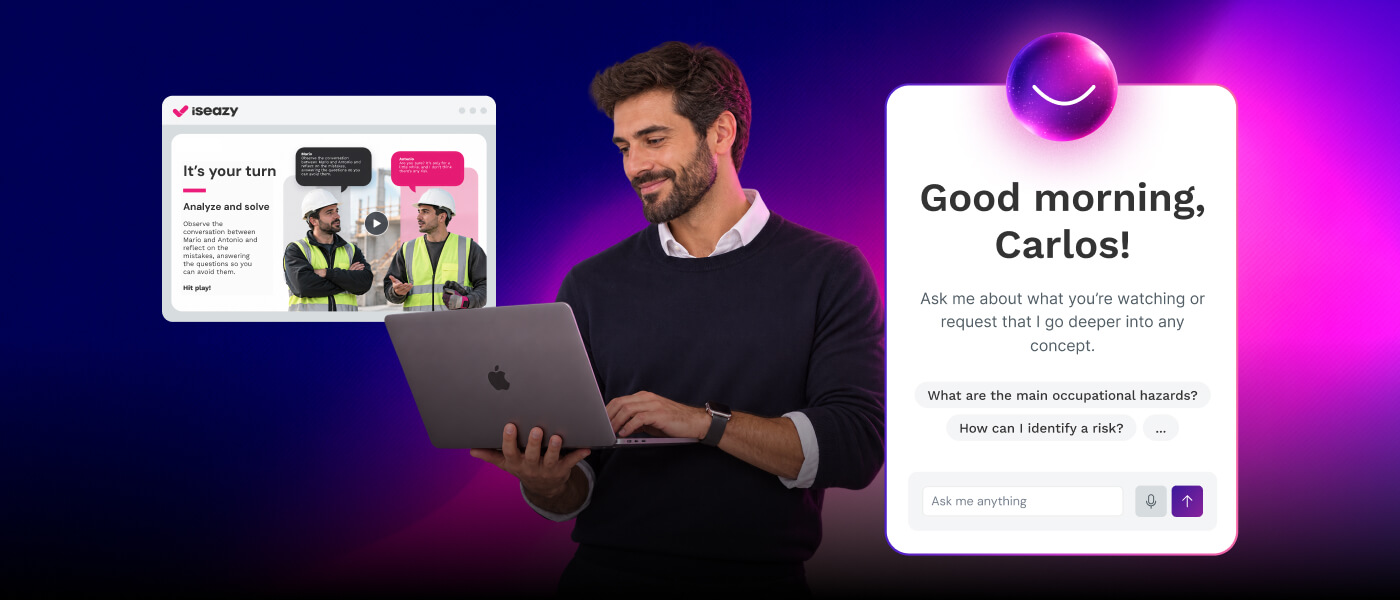
Vodafone is a clear example of how investing in advanced content creation tools transforms training productivity. With isEazy Author, Vodafone tripled its productivity in e-learning content creation, significantly reducing production times and improving the quality of their training materials. Find out how they did it →
CASE STUDY
We multiplied x3 the productivity in the creation of e-learning courses at Vodafone


Video e-learning combines visual and auditory elements that capture learners’ attention, resulting in a more engaging and effective learning experience. This improves knowledge retention, as learners remember visual content much better than plain text.
Engaging your audience through online training requires more than quality content — it’s about presenting it in a way that attracts and connects with people. This is where video outperforms virtually any other format. Videos allow you to deliver more information in a more condensed way, improving concept retention. You can explain complex topics more simply, directly and visually. They also add real dynamism and boost engagement.
Effectiveness is measured through data analysis such as viewing time, participation in interactive activities and quiz results. Learner feedback can also be collected to adjust and improve the content.
There are various tools for creating high-quality content, such as isEazy Author, which lets you integrate different types of multimedia and interactive resources, including videos and interactive videos. You can also outsource the creation of training content with isEazy Factory — you just need to provide your knowledge and they’ll take care of the rest.
Yes, it’s critical to create detailed scripts, include interactive elements, and customize content to make it relevant and engaging for learners.
It’s important to add subtitles, offer translations, and ensure that videos can be accessed on different devices and platforms. Accessibility guidelines for people with visual and hearing impairments should also be followed. Fortunately, you don’t need to be an expert to achieve this — the interactive resources in isEazy Author automatically adapt to their accessible version, offering an interactive learning experience adjusted to everyone’s needs.

WEBINAR
Master AI in isEazy Author in under an hour.
Register Now


Creating spectacular e-learning courses doesn't have to be complicated
Create and share accessible, engaging, and interactive e-learning courses in just minutes with isEazy Author

Creating spectacular e-learning courses doesn't have to be complicated
Create and share accessible, engaging, and interactive e-learning courses in just minutes with isEazy Author