In 2026, universities, business schools, vocational training centres and academies face a common challenge: digitalising their learning experiences with quality, agility and traceability. The global e-learning market exceeds 400 billion dollars (Global Market Insights, 2024) and the range of educational platforms keeps growing. Choosing well is no longer just a technology decision: it defines the quality of the learning experience you offer your students. In this comparison, you will find what an educational platform is, the types that exist, their key features, and which are the best options on the market for educational institutions and training centres in 2026.
An educational platform is a digital environment that centralises the creation, distribution and tracking of learning. It enables educational institutions and training centres to manage learning in a scalable, personalised and measurable way. Choosing the right one determines the quality of the experience you offer your students.
What is an educational platform?
An educational platform, also known as an e-learning platform, virtual learning environment (VLE) or virtual campus, is a digital environment designed to manage, organise and facilitate teaching and learning online.
It allows you to create courses, share resources, interact with students, conduct assessments and track progress from a single space. It is used in schools, universities, training centres and organisations that need to train their teams. It is, therefore, a key type of educational software in any digital training strategy.
Today there is a wide variety of educational platforms, each adapted to different learning needs and contexts. Some of the most common are:
1. Learning Management Systems (LMS)
LMS (Learning Management Systems) manage training programmes from end to end, including enrolments, schedules, assessments and progress tracking. They are widely used in both formal education and continuing professional development and vocational training centres.
2. Online course platforms
These platforms offer open or closed online courses. They include:
Private platforms such as isEazy Skills, with catalogues of agile, fully accessible power skills courses for competency development.
3. Social learning networks and training apps
These allow students to collaborate, interact and share knowledge. They are ideal for institutions with geographically distributed learners or programmes that combine face-to-face and online learning (blended learning), since they support learning on the go and improve engagement.
4. Authoring tools
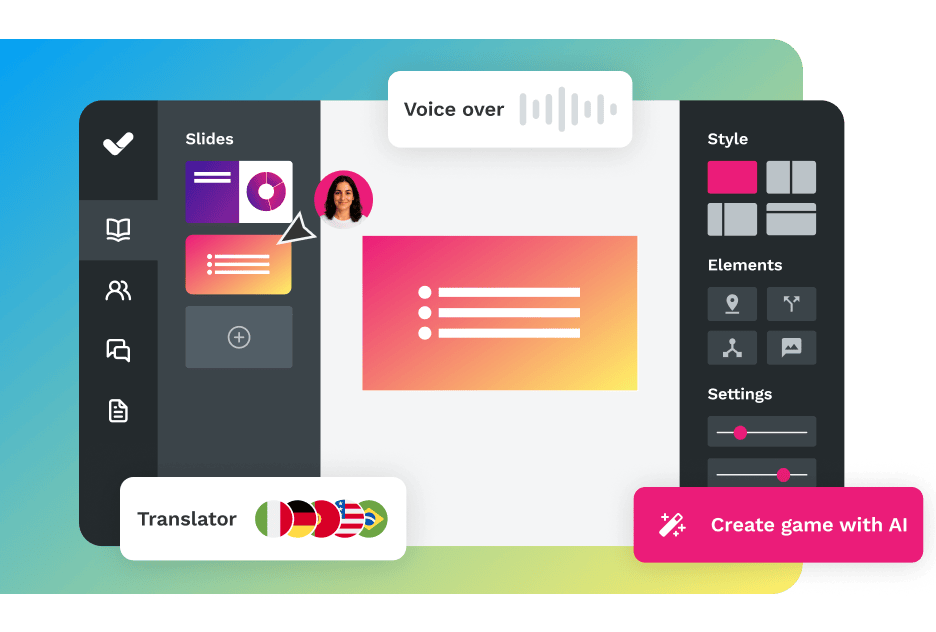
These allow teachers, subject matter experts and pedagogical teams to create interactive e-learning content without programming. They are essential for institutions that want to digitalise their own materials and retain control over their content. isEazy Author is the most intuitive authoring tool on the market, with built-in AI to speed up production.
5. Gamification apps
These turn learning into a fun experience through challenges, rankings and rewards. Highly effective at improving motivation and knowledge retention in face-to-face or blended training programmes. isEazy Game lets you gamify any training content with ease.
Features of an educational platform
The features of an educational platform determine its suitability for each institution. Not all platforms are equal: a tool designed for higher education has different requirements from a vocational training centre or private academy. Below we detail the key features you should evaluate, with their real impact on the learning experience.
1. Content management and resource library
A good educational platform allows teachers and managers to create, organise, update and distribute training materials from a single place: texts, videos, presentations, interactive activities, documents and multimedia resources. The ability to structure content by courses, learning paths or student groups is essential for institutions with diverse programmes. The best solutions also include a built-in authoring tool so you can create your own content without leaving the platform.
2. Assessment, exams and feedback
Assessment is one of the most critical functions of any educational platform. It must allow you to create quizzes, exams, rubrics and continuous assessment activities, as well as providing immediate and personalised feedback to students. The most advanced platforms include question banks, adaptive assessment and the ability to automatically generate certificates upon reaching a knowledge threshold.
3. Progress tracking and learning analytics
An educational platform without analytics is a blind platform. Tracking tools let you monitor individual and collective progress: completion rates, time spent, assessment results, content access and dropout patterns. According to the State of Learning 2024 report by 360Learning, institutions that use learning analytics improve their completion rates by up to 30%. The best LMS solutions offer real-time dashboards and report exports for audits and accreditations.
4. Interaction, collaboration and community
Learning does not only happen through content consumption: interaction between students and with teachers is critical for knowledge retention. Modern educational platforms include discussion forums, live chat, integrated video conferencing, collaborative spaces and social learning tools that allow you to build community within the virtual environment.
5. Personalisation and adaptive learning paths
Every student has a different pace, profile and objectives. The most advanced platforms allow you to create personalised learning paths based on the student’s profile, previous results or their role in the institution. Artificial intelligence applied to personalisation — such as the content recommender in isEazy LMS — automatically suggests the next most relevant learning step for each user.
6. Accessibility and inclusion
An educational platform must ensure that all students, regardless of their abilities, can access the content and take part in learning activities. The reference standard is WCAG 2.1 Level AA, which includes requirements for contrast, screen reader compatibility, video subtitles and keyboard navigation. In the EU, public bodies are legally required to meet this standard for their digital platforms.
7. Compatibility with e-learning standards: SCORM, xAPI and LTI
Interoperability is key for any institution that already has existing content or systems. The most important standards are:
SCORM 1.2 / SCORM 2004: the most widely used standard for packaging and distributing e-learning content between platforms.
xAPI (Tin Can API): an evolution of SCORM that records any learning experience, including offline activities, simulations and informal learning.
LTI (Learning Tools Interoperability): an IMS Global standard that allows external tools (video conferencing, simulators, assessments) to be integrated into the LMS without requiring a separate login.
A platform that does not support these standards makes integration with existing tools more difficult and can create information silos that prevent complete learning tracking.
8. Gamification and motivation
Gamification dynamics — points, badges, rankings, challenges and rewards — significantly increase motivation and course completion rates. According to a study by the University of Wollongong (2023), gamified learning environments increase engagement by up to 48% compared to traditional formats. Some platforms include basic gamification natively; others integrate with specialist solutions such as isEazy Game.
9. Integration with institutional systems
An educational platform does not operate in isolation: it must integrate with the existing technology ecosystem in your institution. The most common integrations are:
SIS (Student Information System): synchronisation of enrolments, groups and student data.
SSO (Single Sign-On): single sign-on with institutional credentials (Microsoft, Google, LDAP).
Video conferencing: Zoom, Teams or Meet integrated for synchronous sessions.
CRM and ERP: for institutions that manage student acquisition or billing from the same environment.
10. Scalability, security and availability
An educational platform must be available 24/7 with a robust architecture that handles access peaks — especially during exam periods or course starts. Student data security is mandatory under the General Data Protection Regulation (GDPR). Verify that the provider holds security certifications (ISO 27001, SOC 2), hosts data on European servers and has a clear backup policy.
Feature
Why it matters
Available in isEazy
Content management
Centralises and distributes materials from a single place
✅ isEazy Author + LMS
Assessment and certification
Measures knowledge and accredits results
✅ isEazy LMS
Learning analytics
Make decisions based on real data
✅ isEazy LMS
Personalisation and AI
Automatically adapts the learning path for each student
✅ isEazy LMS + Autopilot
Accessibility WCAG 2.1
Ensures inclusion for all learners
✅ isEazy Author
SCORM / xAPI / LTI
Interoperability with existing tools and systems
✅ isEazy LMS
Advantages and disadvantages of an educational platform
Advantages
Flexibility: allows access to training from anywhere and at any time.
Personalised learning: adapts to different styles and paces of learners.
Interactivity and collaboration: encourages active participation through forums, activities and multimedia resources.
Continuous tracking and assessment: makes it easy to measure progress and improve the training process with real data.
Scalability: allows training hundreds or thousands of students simultaneously without proportionally increasing costs or teaching effort.
Cost reduction: eliminates travel, printing and physical space costs, facilitating hybrid or fully online training models.
Disadvantages
Requires self-discipline: some students need support or tutoring to complete courses without face-to-face attendance.
Not all styles adapt: certain profiles or disciplines require face-to-face interaction, hands-on practice or laboratory work.
Adoption curve: implementing a new platform requires training the teaching team and institutional change management.
Technology dependency: the learning experience depends on the quality of the internet connection and devices available to students.
How to overcome the main disadvantages
Combine asynchronous training with synchronous sessions or tutoring for students who need more support.
Choose platforms with an intuitive interface for teachers and students to reduce the adoption curve.
Ensure content is accessible from mobile devices to minimise technology barriers.
What is an educational platform used for?
It is used to centralise, digitalise and scale training. It allows you to deliver courses, distribute materials, assess knowledge, automate tasks and facilitate communication between students and teachers. In the education and training sector, the most common use cases are:
Digitalising your own content: transforming face-to-face materials (presentations, notes, recorded classes) into interactive and reusable e-learning courses.
Continuing professional development for teaching staff: keeping teachers, trainers and administrative staff up to date on tools, methodologies and regulations.
Comprehensive academic management: organising enrolments, learning paths, assessments, certifications and tracking from a single environment.
Blended learning programmes: combining face-to-face sessions with online modules to offer more flexible and effective learning experiences.
Accreditation and traceability: recording training activity to the standards required for official accreditations, audits or certifications.
Key skills development: making catalogues of professional skills courses available to students and teachers for continuous development.
Comparison of types of educational platforms
There is no single “best educational platform”: the right choice depends on the type of institution and use case. This table summarises the main types and which isEazy solution covers each need in the education and training sector:
isEazy LMS
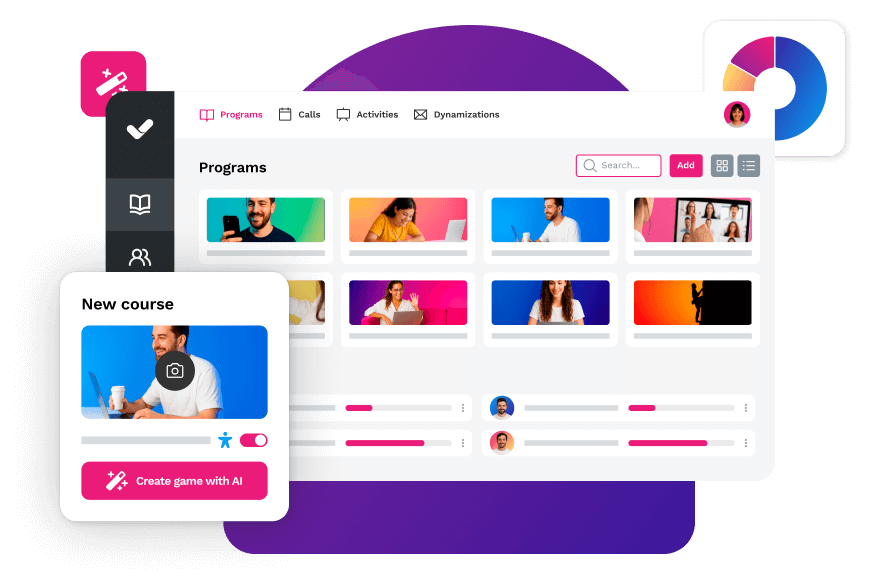
The all-in-one LMS platform powered by AI
Features
Benefits
Subscription plans
Industries
Use cases
All-in-one AI-powered LMS: combines learning management and tracking, a library of over 600 ready-to-use courses, and an AI-powered authoring tool for creating proprietary content in one solution.
Engagement and collaboration: includes gamification, mobile learning, certificates, a knowledge library, social learning, and communication channels for sharing relevant news and content.
Integrations and compatibility: connects the LMS with other business tools through SSO, APIs, and custom integrations. It supports SCORM 1.2 and SCORM 2004.
End-to-end learning management: manages learners, groups, roles, permissions, courses, programs, and learning paths from one environment. It automates training campaigns and engagement actions and supports annual learning plans with dynamic filters by audience, department, or company. It can also support administrative requirements such as FUNDAE-funded training in Spain and DC3 and DC4 records in Mexico.
Analytics and reporting: turns learning data into actionable information through visual dashboards and detailed reports. Organizations can review activity, progress, and results by learner, department, audience, subsidiary, or company.
Learning experience: provides an intuitive, customizable interface with content cards for urgent, new, recommended, or pending courses. It also includes news, announcements, and an AI-powered recommender that helps learners discover relevant content.
Content library: provides unlimited access to over 600 ready-to-use courses covering leadership, compliance, soft skills, productivity, artificial intelligence, cybersecurity, and other key areas. Content is available in 8 languages, multiple formats, and is continuously updated.
Built-in AI authoring tool: enables teams to build courses from scratch or import PowerPoint presentations and turn them into interactive content. AI supports translations, voice-overs, subtitles, images, avatar videos, exercises, and final assessments. Courses can be exported in SCORM format.
One solution for the entire learning cycle: brings management, content creation, delivery, a ready-to-use course catalog, and measurement together in one system, reducing the need for separate tools at each stage.
Proven operational capacity: provides a modern environment that helps learners find, resume, and complete assigned training. Its track record includes more than 1.5 million users, 88 million training hours, 400 learning programs, and 94,000 learning activities.
Time and resource efficiency: automates campaigns, assignments, communications, reminders, and reporting, while its AI-powered authoring tool streamlines content creation and updates. Support, consulting, outsourcing, and LMS management services are also available.
Multi-device access: provides learning access from desktop computers, phones, and tablets. Its multi-format library, available in 8 languages, supports international learning programs.
Scalable and flexible: serves both small and medium-sized businesses and large enterprises, with segmentation by department, role, company, location, or audience and plans ranging from 100 learners to enterprise deployments.
Highly customizable: allows organizations to configure colors, logos, messages, login pages, domains, structures, permissions, and learning environments according to their brand and requirements.
International recognition: isEazy LMS was included in Training Industry’s 2025 Top LMS Companies Watch List and received eLearning Industry’s “Most Effective Implementation of AI for Talent Development and Management 2026” recognition.
Professional: up to 100 users, with unlimited courses, unlimited administrators, and unlimited learning environments.
Business: up to 200 users. Includes all Professional features and adds a dedicated manager dashboard.
Enterprise: from 201 users. Includes all Business features, communication channels, a BI reporting module, a dedicated Customer Success Manager, and custom integrations.
Included capabilities: all plans include support, automation, learning management tools, customization, learning experience features, gamification, mobile learning, certificates, reporting, a training catalog, and a course recommender.
Additional services: outsourcing, consulting, custom training, and Training as a Service can be added according to project requirements.
Banking and financial services: manages compliance, cybersecurity, customer service, sales training, and skills development programs for branches, networks, and corporate teams.
Pharmaceutical and healthcare: centralizes onboarding, regulatory updates, product training, and continuous learning for healthcare, sales, and corporate employees.
Retail and consumer goods: delivers agile, segmented learning to store employees, regional managers, sales networks, operations teams, and customer service staff.
Technology and telecommunications: develops technical and digital capabilities through continuous onboarding, certification, upskilling, and reskilling programs.
Manufacturing: manages training on processes, safety, quality, technical skills, and company culture for plants, factories, and distributed teams.
Transportation and logistics: centralizes onboarding, procedural updates, operational safety, and continuous training for drivers, warehouses, and logistics networks.
Consulting and professional services: supports knowledge updates, technical learning, onboarding, and skills development for project- and client-focused teams.
Education and training: manages training providers, internal academies, certification programs, and corporate universities from a customizable environment.
Government and public sector: supports the management, segmentation, and traceability of learning programs for public employees and complex government organizations.
Insurance: keeps sales networks, agents, and back-office teams up to date on regulations, products, processes, and commercial skills.
Energy: manages safety, regulatory, sustainability, operational, and technical learning for internal teams, contractors, and external networks.
Corporate academies: centralizes programs, learning paths, resources, communications, and learning communities to build an internal academy aligned with the organization’s goals and culture.
Onboarding: creates personalized welcome journeys, automates resource assignments, and ensures each new hire receives the required training from day one.
Mandatory training: manages health and safety, equality, compliance, and regulatory programs with automated assignments, certificates, reminders, and full traceability.
Talent development: creates programs and learning paths for different roles, departments, and responsibility levels to support upskilling and reskilling.
Product training: keeps sales teams, customers, partners, and distributors up to date with practical content about products, services, and procedures.
Skills development: combines LMS management with a library of over 600 courses covering leadership, communication, productivity, digital capabilities, and other professional skills.
Features
All-in-one AI-powered LMS: combines learning management and tracking, a library of over 600 ready-to-use courses, and an AI-powered authoring tool for creating proprietary content in one solution.
Engagement and collaboration: includes gamification, mobile learning, certificates, a knowledge library, social learning, and communication channels for sharing relevant news and content.
Integrations and compatibility: connects the LMS with other business tools through SSO, APIs, and custom integrations. It supports SCORM 1.2 and SCORM 2004.
End-to-end learning management: manages learners, groups, roles, permissions, courses, programs, and learning paths from one environment. It automates training campaigns and engagement actions and supports annual learning plans with dynamic filters by audience, department, or company. It can also support administrative requirements such as FUNDAE-funded training in Spain and DC3 and DC4 records in Mexico.
Analytics and reporting: turns learning data into actionable information through visual dashboards and detailed reports. Organizations can review activity, progress, and results by learner, department, audience, subsidiary, or company.
Learning experience: provides an intuitive, customizable interface with content cards for urgent, new, recommended, or pending courses. It also includes news, announcements, and an AI-powered recommender that helps learners discover relevant content.
Content library: provides unlimited access to over 600 ready-to-use courses covering leadership, compliance, soft skills, productivity, artificial intelligence, cybersecurity, and other key areas. Content is available in 8 languages, multiple formats, and is continuously updated.
Built-in AI authoring tool: enables teams to build courses from scratch or import PowerPoint presentations and turn them into interactive content. AI supports translations, voice-overs, subtitles, images, avatar videos, exercises, and final assessments. Courses can be exported in SCORM format.
Benefits
One solution for the entire learning cycle: brings management, content creation, delivery, a ready-to-use course catalog, and measurement together in one system, reducing the need for separate tools at each stage.
Proven operational capacity: provides a modern environment that helps learners find, resume, and complete assigned training. Its track record includes more than 1.5 million users, 88 million training hours, 400 learning programs, and 94,000 learning activities.
Time and resource efficiency: automates campaigns, assignments, communications, reminders, and reporting, while its AI-powered authoring tool streamlines content creation and updates. Support, consulting, outsourcing, and LMS management services are also available.
Multi-device access: provides learning access from desktop computers, phones, and tablets. Its multi-format library, available in 8 languages, supports international learning programs.
Scalable and flexible: serves both small and medium-sized businesses and large enterprises, with segmentation by department, role, company, location, or audience and plans ranging from 100 learners to enterprise deployments.
Highly customizable: allows organizations to configure colors, logos, messages, login pages, domains, structures, permissions, and learning environments according to their brand and requirements.
International recognition: isEazy LMS was included in Training Industry’s 2025 Top LMS Companies Watch List and received eLearning Industry’s “Most Effective Implementation of AI for Talent Development and Management 2026” recognition.
Subscription plans
Professional: up to 100 users, with unlimited courses, unlimited administrators, and unlimited learning environments.
Business: up to 200 users. Includes all Professional features and adds a dedicated manager dashboard.
Enterprise: from 201 users. Includes all Business features, communication channels, a BI reporting module, a dedicated Customer Success Manager, and custom integrations.
Included capabilities: all plans include support, automation, learning management tools, customization, learning experience features, gamification, mobile learning, certificates, reporting, a training catalog, and a course recommender.
Additional services: outsourcing, consulting, custom training, and Training as a Service can be added according to project requirements.
Industries
Banking and financial services: manages compliance, cybersecurity, customer service, sales training, and skills development programs for branches, networks, and corporate teams.
Pharmaceutical and healthcare: centralizes onboarding, regulatory updates, product training, and continuous learning for healthcare, sales, and corporate employees.
Retail and consumer goods: delivers agile, segmented learning to store employees, regional managers, sales networks, operations teams, and customer service staff.
Technology and telecommunications: develops technical and digital capabilities through continuous onboarding, certification, upskilling, and reskilling programs.
Manufacturing: manages training on processes, safety, quality, technical skills, and company culture for plants, factories, and distributed teams.
Transportation and logistics: centralizes onboarding, procedural updates, operational safety, and continuous training for drivers, warehouses, and logistics networks.
Consulting and professional services: supports knowledge updates, technical learning, onboarding, and skills development for project- and client-focused teams.
Education and training: manages training providers, internal academies, certification programs, and corporate universities from a customizable environment.
Government and public sector: supports the management, segmentation, and traceability of learning programs for public employees and complex government organizations.
Insurance: keeps sales networks, agents, and back-office teams up to date on regulations, products, processes, and commercial skills.
Energy: manages safety, regulatory, sustainability, operational, and technical learning for internal teams, contractors, and external networks.
Use cases
Corporate academies: centralizes programs, learning paths, resources, communications, and learning communities to build an internal academy aligned with the organization’s goals and culture.
Onboarding: creates personalized welcome journeys, automates resource assignments, and ensures each new hire receives the required training from day one.
Mandatory training: manages health and safety, equality, compliance, and regulatory programs with automated assignments, certificates, reminders, and full traceability.
Talent development: creates programs and learning paths for different roles, departments, and responsibility levels to support upskilling and reskilling.
Product training: keeps sales teams, customers, partners, and distributors up to date with practical content about products, services, and procedures.
Skills development: combines LMS management with a library of over 600 courses covering leadership, communication, productivity, digital capabilities, and other professional skills.
Moodle
Designed for open source and higher education
Features
Benefits
Technology, compatibility, and integration
Pricing
Activity panel, with resources and interactive elements for creating online courses.
Notifications, search filters, student portal, and assessment management, including a gradebook and individual student progress tracking.
Online and in-person modes (higher education, vocational training, and corporate).
Analytics and reports to analyze student progress and course performance.
Social learning, gamification, and mobile learning: forums, workshops, peer review, badges, and mobile app.
Customization: visual themes with corporate colors and logo.
Competency frameworks and learning plans, assignable to individuals or groups.
Moodle Technology
Integrations with Microsoft 365, Google Workspace, H5P, BigBlueButton, and Meta.
SaaS available through MoodleCloud.
SCORM compatible.
Open source.
Open source: free download with self-hosting.
MoodleCloud: tiered paid plans by number of users for small teams and growing organizations.
Moodle Workplace: price based on hosting and contracted services, available through certified partners.
Features
Activity panel, with resources and interactive elements for creating online courses.
Notifications, search filters, student portal, and assessment management, including a gradebook and individual student progress tracking.
Online and in-person modes (higher education, vocational training, and corporate).
Analytics and reports to analyze student progress and course performance.
Benefits
Social learning, gamification, and mobile learning: forums, workshops, peer review, badges, and mobile app.
Customization: visual themes with corporate colors and logo.
Competency frameworks and learning plans, assignable to individuals or groups.
Technology, compatibility, and integration
Moodle Technology
Integrations with Microsoft 365, Google Workspace, H5P, BigBlueButton, and Meta.
SaaS available through MoodleCloud.
SCORM compatible.
Open source.
Pricing
Open source: free download with self-hosting.
MoodleCloud: tiered paid plans by number of users for small teams and growing organizations.
Moodle Workplace: price based on hosting and contracted services, available through certified partners.
TalentLMS
Designed for small businesses
Features
Benefits
Technology, compatibility, and integration
Pricing
Learning paths: step-by-step journeys with connected courses, unlockable in sequence to personalize learning and reinforce knowledge over time.
Detailed reports: real-time, scheduled, and custom reports on learner progress, completions, and certifications. Includes an activity timeline for audit purposes.
Social learning, mobile learning, and gamification: built-in discussion forums, native iOS and Android app with offline access, and gamification mechanics with points, badges, levels, and leaderboards.
Mass actions: update multiple users or courses in just a few clicks, including enrollments, deactivations, and group assignments.
Platform customization: white-labeling with custom logo, colors, and domain. Option for a custom mobile app with your company’s branding.
Blended learning: combine self-paced courses with in-person or virtual instructor-led training. Compatible with integrated videoconferencing tools.
E-commerce: sell individual courses or subscriptions with support for discounts, coupons, and payments via PayPal and Stripe.
Responsive design and intuitive interface: quick setup with no complex configuration, accessible from any device.
Scalability: flexible plans with a Flex option for unlimited users, with no hard limits on Pro and Enterprise plans.
Compatible with SCORM, xAPI, and cmi5 for full compatibility with standard e-learning content.
Integrations with HRIS, CRM, and communication tools via native connectors, REST API, and Zapier.
SSO for simplified access using existing corporate credentials.
SaaS, cloud-based.
Core: from $69 USD/month for up to 100 users.
Grow: from $109 USD/month for up to 500 users.
Pro: from $139 USD/month for up to 1,000 users.
Enterprise: from 1,000 users, custom plan.
Free plan available with basic features, no time limit.
Features
Learning paths: step-by-step journeys with connected courses, unlockable in sequence to personalize learning and reinforce knowledge over time.
Detailed reports: real-time, scheduled, and custom reports on learner progress, completions, and certifications. Includes an activity timeline for audit purposes.
Social learning, mobile learning, and gamification: built-in discussion forums, native iOS and Android app with offline access, and gamification mechanics with points, badges, levels, and leaderboards.
Mass actions: update multiple users or courses in just a few clicks, including enrollments, deactivations, and group assignments.
Platform customization: white-labeling with custom logo, colors, and domain. Option for a custom mobile app with your company’s branding.
Benefits
Blended learning: combine self-paced courses with in-person or virtual instructor-led training. Compatible with integrated videoconferencing tools.
E-commerce: sell individual courses or subscriptions with support for discounts, coupons, and payments via PayPal and Stripe.
Responsive design and intuitive interface: quick setup with no complex configuration, accessible from any device.
Scalability: flexible plans with a Flex option for unlimited users, with no hard limits on Pro and Enterprise plans.
Technology, compatibility, and integration
Compatible with SCORM, xAPI, and cmi5 for full compatibility with standard e-learning content.
Integrations with HRIS, CRM, and communication tools via native connectors, REST API, and Zapier.
SSO for simplified access using existing corporate credentials.
SaaS, cloud-based.
Pricing
Core: from $69 USD/month for up to 100 users.
Grow: from $109 USD/month for up to 500 users.
Pro: from $139 USD/month for up to 1,000 users.
Enterprise: from 1,000 users, custom plan.
Free plan available with basic features, no time limit.
Canvas LMS
Designed for higher education
Features
Benefits
Technology, compatibility and integration
Pricing
Online, blended, and in-person modes (individual classrooms, universities, and enterprises), with access from any device at any time.
Assessments with flexible types, personalized feedback, rubric-based grading, and individual student progress tracking.
Analytics and reports to measure student progress and success and inform teaching decisions.
Competency management and personalized learning plans adapted to each learner’s pace.
Mobile learning and gamification to keep students engaged with their learning.
Customization of courses, learning paths, and the student experience.
Intuitive interface with two-way communication flow between educators and students.
Open-source LMS, with an open API to integrate new applications without modifying the platform.
Third-party integrations with over 600 edtech partners, including Google Classroom, Microsoft Teams, Zoom, and Adobe, via LTI.
Dedicated support for institutions.
SaaS, backed by Amazon Web Services.
Canvas LMS pricing
Subscription-based, varies by institution size.
Canvas Free-for-Teacher: free version with basic functionality for educators.
Features
Online, blended, and in-person modes (individual classrooms, universities, and enterprises), with access from any device at any time.
Assessments with flexible types, personalized feedback, rubric-based grading, and individual student progress tracking.
Analytics and reports to measure student progress and success and inform teaching decisions.
Competency management and personalized learning plans adapted to each learner’s pace.
Benefits
Mobile learning and gamification to keep students engaged with their learning.
Customization of courses, learning paths, and the student experience.
Intuitive interface with two-way communication flow between educators and students.
Technology, compatibility and integration
Open-source LMS, with an open API to integrate new applications without modifying the platform.
Third-party integrations with over 600 edtech partners, including Google Classroom, Microsoft Teams, Zoom, and Adobe, via LTI.
Dedicated support for institutions.
SaaS, backed by Amazon Web Services.
Pricing
Canvas LMS pricing
Subscription-based, varies by institution size.
Canvas Free-for-Teacher: free version with basic functionality for educators.
Adobe Learning Manager
Designed for multimedia content
Features
Benefits
Technology, compatibility, and integration
Pricing
AI-powered personalization and recommendations: recommendation engine that evaluates each learner’s skills, interests, and role to suggest relevant training content.
Unified and experience-based learning: online and offline access from any device, with content distribution within existing applications or websites via headless LMS.
Social learning, mobile learning, and gamification: social-style discussion forums, mobile app with offline content download, points, badges, and certifications.
Detailed reports: progress tracking by user, team, and organization, with a compliance dashboard, role-based reports, and opinion reports based on Kirkpatrick levels.
Learning paths: optional or mandatory themed journeys, automatic learning plans, and a skills matrix to identify and address competency gaps.
Hybrid classroom learning support: interactive calendar with in-person and virtual sessions, and integration with MS Teams and Adobe Connect for live classes.
Machine learning and artificial intelligence: personalized learning experience for each learner through AI and ML, with recommendations based on prior activity, interests, and role.
Responsive design and intuitive interface: customizable homepage with drag-and-drop widgets, and unified content consumption experience via Fluidic Player.
Guided learning journeys: structured paths with automatic assignment of programs and content based on each user’s profile and objectives.
Scalability: multi-tenant architecture that allows departments, divisions, or clients to have their own LMS instance.
Native integrations with Microsoft Teams, Salesforce, Workday, Adobe Captivate, LinkedIn Learning, Harvard ManageMentor, and Adobe Commerce.
Compatible with SCORM and xAPI and multiple content formats (PPT, Word, PDF, HTML5).
SSO via SAML 2.0 with providers such as Okta, OneLogin, and Microsoft Active Directory.
SaaS, cloud-based.
Customizable pricing based on organizational needs.
Features
AI-powered personalization and recommendations: recommendation engine that evaluates each learner’s skills, interests, and role to suggest relevant training content.
Unified and experience-based learning: online and offline access from any device, with content distribution within existing applications or websites via headless LMS.
Social learning, mobile learning, and gamification: social-style discussion forums, mobile app with offline content download, points, badges, and certifications.
Detailed reports: progress tracking by user, team, and organization, with a compliance dashboard, role-based reports, and opinion reports based on Kirkpatrick levels.
Learning paths: optional or mandatory themed journeys, automatic learning plans, and a skills matrix to identify and address competency gaps.
Benefits
Hybrid classroom learning support: interactive calendar with in-person and virtual sessions, and integration with MS Teams and Adobe Connect for live classes.
Machine learning and artificial intelligence: personalized learning experience for each learner through AI and ML, with recommendations based on prior activity, interests, and role.
Responsive design and intuitive interface: customizable homepage with drag-and-drop widgets, and unified content consumption experience via Fluidic Player.
Guided learning journeys: structured paths with automatic assignment of programs and content based on each user’s profile and objectives.
Scalability: multi-tenant architecture that allows departments, divisions, or clients to have their own LMS instance.
Technology, compatibility, and integration
Native integrations with Microsoft Teams, Salesforce, Workday, Adobe Captivate, LinkedIn Learning, Harvard ManageMentor, and Adobe Commerce.
Compatible with SCORM and xAPI and multiple content formats (PPT, Word, PDF, HTML5).
SSO via SAML 2.0 with providers such as Okta, OneLogin, and Microsoft Active Directory.
SaaS, cloud-based.
Pricing
Customizable pricing based on organizational needs.
How to choose the best educational platform?
Choosing the best educational platform depends on several factors, including your specific needs, the type of content you want to offer and your budget. Here are some steps to help you decide:
1. Identify your needs
Determine what type of education or training you want to offer and what essential features you need. For example, if you manage a vocational training centre, you will need tracking and certification tools; if you are a business school, you will prioritise content quality and student experience.
2. Define your learners’ profile
Are they university students, working professionals or teachers in continuing professional development? Do they access mainly from a computer or mobile? Are they on a single campus or distributed across several sites or countries? The learner profile is critical to choosing the right type of platform.
3. Evaluate the features
Compare the features of the platforms you are considering and make sure they meet your pedagogical and technical requirements: content management, assessment tools, personalisation options, compatibility with standards (SCORM, xAPI, LTI) and accessibility for students with disabilities.
4. Consider the user experience
Any platform designed for learning must be easy to use for both teachers and managers and for students. An intuitive interface and a user-friendly design can significantly improve the learning experience and reduce dropout.
5. Analyse the cost
Evaluate the initial cost and recurring expenses associated with the platform. Also consider the return you can gain from improving training quality, student satisfaction and teaching team efficiency.
6. Look for reviews and trial the platform
Research reviews from other educational institutions similar to yours and ask for references. If possible, trial the platform before making a decision. isEazy offers a free trial so you can evaluate it without commitment.
Quick checklist for evaluating an educational platform
Does it support SCORM, xAPI and LTI to ensure interoperability?
Can I create my own content or do I need a separate authoring tool?
Does it offer learning analytics for individual and group tracking?
Does it integrate with my Student Information System (SIS) or institutional directory?
Is it accessible for students with disabilities (WCAG 2.1)?
Does the provider offer English-language support and have clients in the education sector?
Is it scalable to grow with my institution?
ESCP Business School is a prime example of how a leading educational institution can improve the production, engagement and completion of its e-learning courses with the right tools. After adopting isEazy Author as its content creation tool, ESCP significantly increased its production capacity and student satisfaction. Find out how they did it →
CASE STUDY
How we helped ESADE innovate in their e-learning course creation proces
isEazy: the complete educational platform ecosystem for training centres
Looking for an e-learning solution to digitalise and scale your institution’s training? isEazy offers the best e-learning tools, high quality, suited to any type of educational organisation and easy to implement:
isEazy Author — The number 1 AI-powered authoring tool on the market. Create engaging, interactive and accessible e-learning courses in minutes, without any programming.
isEazy LMS — The all-in-one training platform: management, creation and content in a single AI-powered environment. Designed to deliver a modern, flexible learning experience.
isEazy Skills — The most comprehensive course catalogue for key skills development. Covers any training need, profile or sector.
isEazy Game — The most engaging gamification app on the market. Turn any training content into a motivating and memorable learning experience.
AI Autopilot — The isEazy Author AI that generates complete courses from any document, reducing production time by up to 80%.
Ready to request a demo of our tools? Try them together or separately and take your institution’s training to the next level.
Frequently asked questions about educational platforms
What exactly is an educational platform?
An educational platform is a virtual teaching and learning environment that centralises tools for creating courses, assessing knowledge, sharing content and tracking learning progress, in both academic and organisational settings.
What is an educational platform used for?
It organises and distributes training digitally: manages enrolments, launches courses, assesses learning, automates processes and provides impact metrics. For educational institutions and training centres, it drives course digitalisation, continuous professional development and scalable programme management.
What types of educational platforms are there?
The main types are: LMS (Learning Management System), authoring tools for creating e-learning content, online course platforms (MOOCs and private), gamification apps, social learning networks and collaborative learning environments. Each type addresses different training needs.
What are the advantages of an educational platform?
The main advantages are flexibility of access from anywhere and at any time, personalisation of learning to suit each student’s profile, real-time progress tracking, higher engagement through interactive content, and scalability to train large numbers of learners simultaneously.
How do you choose the best educational platform?
First define your training objectives and your learners’ profiles. Then compare key features (content management, assessment, analytics, AI integration), review the user experience, analyse the total cost and run a pilot before committing.
Which is the best educational platform for training centres and educational institutions?
It depends on the use case. For comprehensive management of training programmes (enrolments, assessments, certifications), an LMS like isEazy LMS is the most complete option. For digitalising your own content, isEazy Author. For complementing your offering with ready-to-use courses, isEazy Skills. Ideally, an ecosystem that covers creation, management and content from a single provider.
What is the difference between an LMS and an educational platform?
An educational platform is the umbrella term for any digital learning solution: LMS, authoring tools, online course platforms, gamification apps, etc. An LMS (Learning Management System) is a specific type of educational platform focused on the management and administration of training programmes: enrolments, learning paths, assessments, tracking and certifications.
An LMS to manage and track learning across your entire team
Measure its impact by individual, department, region, or company-wide. Everything you need to power up your training strategy.
Here you can assess and customize the services that we'd like to use on this website. You're in charge! Enable or disable services as you see fit. To learn more, please read our .
We have to include them in order for certain web pages to function securely. These cookies are strictly necessary, so they cannot be rejected or modified.
Cookie
Duration
Description
_ga
2 years
The _ga cookie, installed by Google Analytics, calculates visitor, session and campaign data and also keeps track of site usage for the site's analytics report. The cookie stores information anonymously and assigns a randomly generated number to recognize unique visitors.
_ga_YW3LY84JY6
2 years
This cookie is installed by Google Analytics.
_gat_gtag_UA_90425332_3
1 minute
Set by Google to distinguish users.
_gat_UA-26043609-7
1 minute
A variation of the _gat cookie set by Google Analytics and Google Tag Manager to allow website owners to track visitor behaviour and measure site performance. The pattern element in the name contains the unique identity number of the account or website it relates to.
_gat_UA-90425332-3
1 minute
A variation of the _gat cookie set by Google Analytics and Google Tag Manager to allow website owners to track visitor behaviour and measure site performance. The pattern element in the name contains the unique identity number of the account or website it relates to.
_gcl_au
3 months
Provided by Google Tag Manager to experiment advertisement efficiency of websites using their services.
_gid
1 day
Installed by Google Analytics, _gid cookie stores information on how visitors use a website, while also creating an analytics report of the website's performance. Some of the data that are collected include the number of visitors, their source, and the pages they visit anonymously.
_icl_visitor_lang_js
1 day
This cookie is stored by WPML WordPress plugin. The purpose of the cookie is to store the redirected language.
Bootstrap
11 months
Bootstrap code
cookielawinfo-checkbox-advertisement
1 year
Set by the GDPR Cookie Consent plugin, this cookie is used to record the user consent for the cookies in the "Advertisement" category .
cookielawinfo-checkbox-analytics
11 months
This cookie is set by GDPR Cookie Consent plugin. The cookie is used to store the user consent for the cookies in the category "Analytics".
cookielawinfo-checkbox-functional
11 months
The cookie is set by GDPR cookie consent to record the user consent for the cookies in the category "Functional".
cookielawinfo-checkbox-nece
1 year
Cookie law info
cookielawinfo-checkbox-necessary
11 months
This cookie is set by GDPR Cookie Consent plugin. The cookies is used to store the user consent for the cookies in the category "Necessary".
cookielawinfo-checkbox-others
11 months
This cookie is set by GDPR Cookie Consent plugin. The cookie is used to store the user consent for the cookies in the category "Other.
cookielawinfo-checkbox-performance
11 months
This cookie is set by GDPR Cookie Consent plugin. The cookie is used to store the user consent for the cookies in the category "Performance".
CookieLawInfoConsent
1 year
Records the default button state of the corresponding category & the status of CCPA. It works only in coordination with the primary cookie.
Google Font API
11 months
Google Font API
IDE
1 year 24 days
Google DoubleClick IDE cookies are used to store information about how the user uses the website to present them with relevant ads and according to the user profile.
Pardot
11 months
The pardot cookie is set while the visitor is logged in as a Pardot user. The cookie indicates an active session and is not used for tracking.
test_cookie
15 minutes
The test_cookie is set by doubleclick.net and is used to determine if the user's browser supports cookies.
viewed_cookie_policy
11 months
The cookie is set by the GDPR Cookie Consent plugin and is used to store whether or not user has consented to the use of cookies. It does not store any personal data.
wp-wpml_current_language
session
Language cookies
wpml_browser_redirect_test
session
This cookie is set by WPML WordPress plugin and is used to test if cookies are enabled on the browser.
They collect information in order to measure, evaluate performance, and improve the quality of your experience on our site.
Cookie
Duration
Description
_ga
2 years
The _ga cookie, installed by Google Analytics, calculates visitor, session and campaign data and also keeps track of site usage for the site's analytics report. The cookie stores information anonymously and assigns a randomly generated number to recognize unique visitors.
_ga_YW3LY84JY6
2 years
This cookie is installed by Google Analytics.
_gat_gtag_UA_90425332_3
1 minute
Set by Google to distinguish users.
_gat_UA-26043609-7
1 minute
A variation of the _gat cookie set by Google Analytics and Google Tag Manager to allow website owners to track visitor behaviour and measure site performance. The pattern element in the name contains the unique identity number of the account or website it relates to.
_gat_UA-90425332-3
1 minute
A variation of the _gat cookie set by Google Analytics and Google Tag Manager to allow website owners to track visitor behaviour and measure site performance. The pattern element in the name contains the unique identity number of the account or website it relates to.
_gcl_au
3 months
Provided by Google Tag Manager to experiment advertisement efficiency of websites using their services.
_gid
1 day
Installed by Google Analytics, _gid cookie stores information on how visitors use a website, while also creating an analytics report of the website's performance. Some of the data that are collected include the number of visitors, their source, and the pages they visit anonymously.
_icl_visitor_lang_js
1 day
This cookie is stored by WPML WordPress plugin. The purpose of the cookie is to store the redirected language.
wpml_browser_redirect_test
session
This cookie is set by WPML WordPress plugin and is used to test if cookies are enabled on the browser.
We use them to provide you with efficient and personalized advertisements that we believe are relevant to your interests. You may see them on other sites that you visit.
Cookie
Duration
Description
IDE
1 year 24 days
Google DoubleClick IDE cookies are used to store information about how the user uses the website to present them with relevant ads and according to the user profile.
test_cookie
15 minutes
The test_cookie is set by doubleclick.net and is used to determine if the user's browser supports cookies.