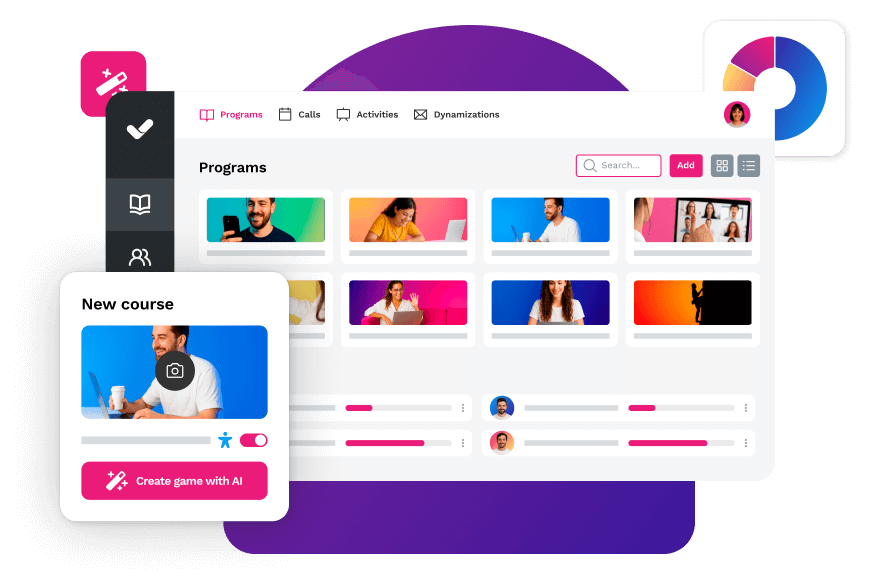
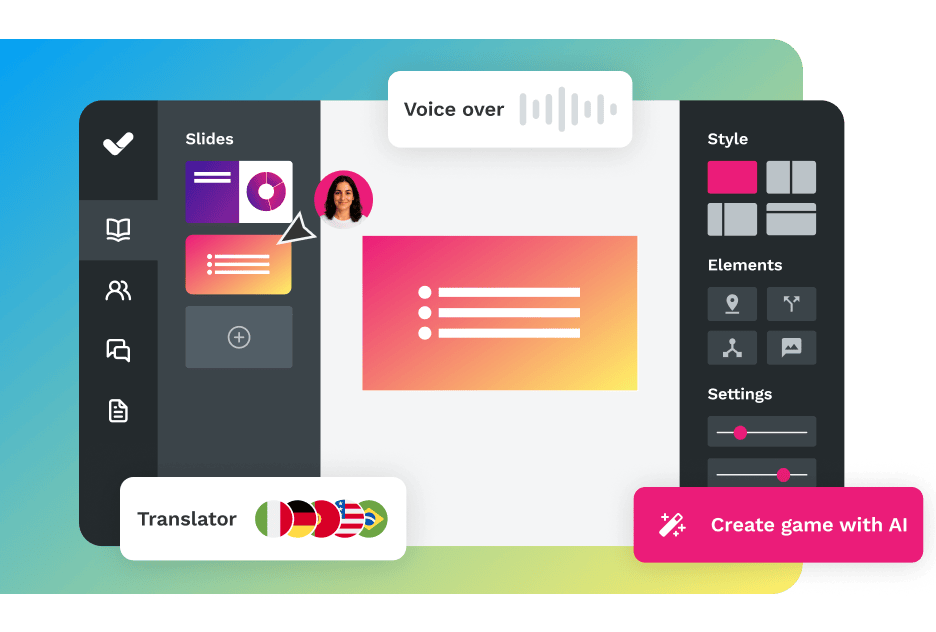
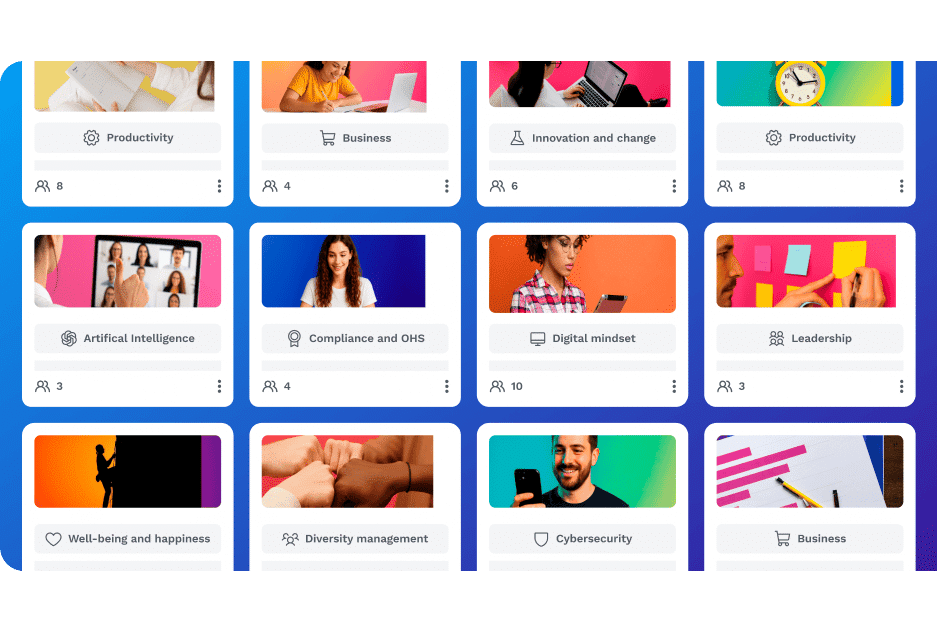
An enterprise LMS is the backbone of corporate training in organizations that need to scale: thousands of users, multiple locations, regulatory compliance, and analytics tied to real business outcomes. If you’re evaluating platforms, this is the most comprehensive comparison on the market in 2026 — with real evaluation criteria, common mistakes to avoid, and the framework you need to make the right decision.
An enterprise LMS is a learning management platform built for complex organizations: advanced user management, automated certification workflows, integrations with corporate systems, and actionable analytics. Unlike a standard LMS, it operates at global scale and plugs directly into the company's technology ecosystem.
What Is an Enterprise LMS and How Is It Different from a Standard LMS?
An enterprise LMS is a learning management platform specifically designed to meet the needs of large organizations with complex structures, multiple departments, and global-scale training requirements.
The difference from a conventional LMS is not just size — it’s functional depth:
Advanced user management: granular control with custom roles, department-level permissions, and segmentation by region or business unit.
Process automation: from enrollments to certifications and compliance renewals, without manual intervention.
Enterprise integration:corporate SSO and data integration via API, HRIS, CRM, and LDAP directory.
Real scalability: capacity to manage from hundreds to tens of thousands of users with consistent performance.
Enterprise-grade security: ISO 27001 and ISO 20000 certifications, SSO authentication, and auditable access controls.
Advanced analytics: real-time dashboards linked to business KPIs, not just consumption metrics.
A standard LMS covers the basic needs of small teams without critical integrations or complex organizational structures. If you have multiple locations, recurring compliance training, or external audiences (partners, clients, distributors), you need an enterprise LMS. Learn more in our complete LMS guide.
Tangible Benefits of Implementing an Enterprise LMS
Organizations that adopt an enterprise LMS see measurable improvements across their operations. Here are the most well-documented ones:
Demonstrable ROI: according to LinkedIn Learning’s Workplace Learning Report 2024, 66% of companies see a return on their training investment within the first year. Modern LMS platforms include analytics that connect learning to business metrics such as sales performance, operational efficiency, and customer satisfaction.
Direct impact on business results: companies like Pepco Iberia achieved double-digit growth in their sales results thanks to integrated training management with isEazy LMS. See how they did it →
Reduced operational costs: virtual training eliminates travel, venue, and printed material expenses. More importantly, enterprise LMS platforms let you deploy training to distributed teams in days, not months.
Organizational agility: automating administrative tasks frees up to 40% of HR and L&D teams’ time, letting them focus on experience design and strategic talent development.
Effortless compliance: automated certification renewals, smart reminders, and full audit trails for regulatory requirements.
Real case:Pepco Iberia, operating across more than 10 countries with thousands of point-of-sale employees, achieved double-digit growth in sales results through comprehensive training management with isEazy LMS. See how they did it →
CASE STUDY
How Pepco was able to comprehensively manage employee training with an LMS
The corporate learning landscape has evolved dramatically. These are the capabilities that define the best enterprise LMS platforms on the market today:
1. Integrated Artificial Intelligence
Next-generation enterprise LMS platforms incorporate AI applied to learning to create training content in minutes, deliver personalized content recommendations based on profile and behavior, and automate translation into multiple languages for global reach.
2. Flexible Architecture and Multitenancy
Complex organizations need to manage multiple audiences: departments with differentiated content, regional offices with specific language and compliance requirements, and external partners or customers with dedicated experiences — all from a single centralized platform.
3. Robust Integration Ecosystem
An enterprise LMS must integrate with the organization’s existing technology stack: HRIS (Workday, SAP, BambooHR), SSO authentication with SAML/LDAP, support for SCORM and xAPI, and public APIs to automate workflows and connect data with corporate systems. Check out our complete guide to LMS integrations.
4. Streaming-Style User Experience
The best enterprise LMS platforms have moved away from outdated interfaces in favor of experiences that mirror streaming platforms: modern interfaces with content blocks and cards, full mobile access, and AI-powered content search.
5. Actionable Analytics
Data transforms learning from a cost center into a strategic investment: dashboards with participation, progress, and completion metrics; impact analysis by person, department, region, or business line; and exportable reports for stakeholders and leadership. Explore what metrics to track in your LMS.
6. Regulatory Compliance and Security
An enterprise LMS must ensure full certification traceability, automatic renewal reminders, and auditable security standards (ISO 27001, SOC 2, GDPR). This is especially critical in regulated sectors such as banking, healthcare, manufacturing, or safety-focused industries. Learn more about LMS platforms for safety training.
Comparison: The 10 Best Enterprise LMS Platforms of 2026
We’ve analyzed the leading solutions on the market by evaluating scalability, ease of use, technological innovation, integrations, and value for money. Before the individual platform profiles, this quick-reference table helps you identify which one fits your use case best:
Platform
Best for
Company profile
isEazy LMS
Complete ecosystem (LMS + authoring + catalog) with integrated AI
Mid-size and large enterprise; all-in-one without external dependencies
Docebo
Multi-audience (employees, clients, partners) with e-commerce
Enterprise with extended enterprise and customer education needs
Cornerstone OnDemand
360° talent management: training + performance + recruitment
Large enterprise with HCM suite and complex compliance requirements
MoodleCloud
Flexible open-source environment without major integrations
SME or institution with technical resources and a limited budget
360Learning
Collaborative learning and decentralized content creation
Company looking to activate internal expert knowledge at scale
TalentLMS
Simplicity and fast deployment without a technical profile
Growing SME that needs to launch training without delays
LearnUpon
Training for external clients, partners, and distributors
Company with extended enterprise and customer LMS needs
D2L Brightspace
Learning science, accessibility, and blended learning
Organization with accessibility compliance requirements or hybrid environments
iSpring Learn
Native integration with PowerPoint and interactive content delivery
Organization already using iSpring Suite to create content
Litmos
Centralized administration with ILT/vILT support
Company combining in-person and virtual training
1. isEazy LMS
isEazy LMS represents the evolution of the corporate learning platform concept. Far more than a traditional LMS, it’s an all-in-one platform that brings together everything a modern enterprise needs to design, manage, and scale its learning strategy — without friction or external dependencies.
What sets isEazy LMS apart from any competitor is its integrated approach. While other platforms require contracting multiple vendors to cover all training needs (LMS + authoring tool + content library), isEazy LMS delivers all of this natively in a single environment:
A central learning management platform with a streaming-style user experience.
An AI-powered authoring tool that transforms ideas or corporate documents into professional courses in minutes.
A library of over 500 resources in formats such as microlearning, podcasts, and videos — ready to use from day one.
This integration eliminates the fragmentation typical of traditional enterprise solutions, reducing costs, simplifying management, and accelerating time-to-value. AI in isEazy LMS is not an add-on: it’s a cross-cutting capability that creates interactive exercises, translates content into more than 40 languages, generates AI avatars for automatic narration, and recommends content based on each user’s profile.
isEazy LMS
The all-in-one LMS platform powered by AI
Features
Benefits
Subscription plans
Industries
Use cases
All-in-one AI-powered LMS: combines learning management and tracking, a library of over 600 ready-to-use courses, and an AI-powered authoring tool for creating proprietary content in one solution.
Engagement and collaboration: includes gamification, mobile learning, certificates, a knowledge library, social learning, and communication channels for sharing relevant news and content.
Integrations and compatibility: connects the LMS with other business tools through SSO, APIs, and custom integrations. It supports SCORM 1.2 and SCORM 2004.
End-to-end learning management: manages learners, groups, roles, permissions, courses, programs, and learning paths from one environment. It automates training campaigns and engagement actions and supports annual learning plans with dynamic filters by audience, department, or company. It can also support administrative requirements such as FUNDAE-funded training in Spain and DC3 and DC4 records in Mexico.
Analytics and reporting: turns learning data into actionable information through visual dashboards and detailed reports. Organizations can review activity, progress, and results by learner, department, audience, subsidiary, or company.
Learning experience: provides an intuitive, customizable interface with content cards for urgent, new, recommended, or pending courses. It also includes news, announcements, and an AI-powered recommender that helps learners discover relevant content.
Content library: provides unlimited access to over 600 ready-to-use courses covering leadership, compliance, soft skills, productivity, artificial intelligence, cybersecurity, and other key areas. Content is available in 8 languages, multiple formats, and is continuously updated.
Built-in AI authoring tool: enables teams to build courses from scratch or import PowerPoint presentations and turn them into interactive content. AI supports translations, voice-overs, subtitles, images, avatar videos, exercises, and final assessments. Courses can be exported in SCORM format.
One solution for the entire learning cycle: brings management, content creation, delivery, a ready-to-use course catalog, and measurement together in one system, reducing the need for separate tools at each stage.
Proven operational capacity: provides a modern environment that helps learners find, resume, and complete assigned training. Its track record includes more than 1.5 million users, 88 million training hours, 400 learning programs, and 94,000 learning activities.
Time and resource efficiency: automates campaigns, assignments, communications, reminders, and reporting, while its AI-powered authoring tool streamlines content creation and updates. Support, consulting, outsourcing, and LMS management services are also available.
Multi-device access: provides learning access from desktop computers, phones, and tablets. Its multi-format library, available in 8 languages, supports international learning programs.
Scalable and flexible: serves both small and medium-sized businesses and large enterprises, with segmentation by department, role, company, location, or audience and plans ranging from 100 learners to enterprise deployments.
Highly customizable: allows organizations to configure colors, logos, messages, login pages, domains, structures, permissions, and learning environments according to their brand and requirements.
International recognition: isEazy LMS was included in Training Industry’s 2025 Top LMS Companies Watch List and received eLearning Industry’s “Most Effective Implementation of AI for Talent Development and Management 2026” recognition.
Professional: up to 100 users, with unlimited courses, unlimited administrators, and unlimited learning environments.
Business: up to 200 users. Includes all Professional features and adds a dedicated manager dashboard.
Enterprise: from 201 users. Includes all Business features, communication channels, a BI reporting module, a dedicated Customer Success Manager, and custom integrations.
Included capabilities: all plans include support, automation, learning management tools, customization, learning experience features, gamification, mobile learning, certificates, reporting, a training catalog, and a course recommender.
Additional services: outsourcing, consulting, custom training, and Training as a Service can be added according to project requirements.
Banking and financial services: manages compliance, cybersecurity, customer service, sales training, and skills development programs for branches, networks, and corporate teams.
Pharmaceutical and healthcare: centralizes onboarding, regulatory updates, product training, and continuous learning for healthcare, sales, and corporate employees.
Retail and consumer goods: delivers agile, segmented learning to store employees, regional managers, sales networks, operations teams, and customer service staff.
Technology and telecommunications: develops technical and digital capabilities through continuous onboarding, certification, upskilling, and reskilling programs.
Manufacturing: manages training on processes, safety, quality, technical skills, and company culture for plants, factories, and distributed teams.
Transportation and logistics: centralizes onboarding, procedural updates, operational safety, and continuous training for drivers, warehouses, and logistics networks.
Consulting and professional services: supports knowledge updates, technical learning, onboarding, and skills development for project- and client-focused teams.
Education and training: manages training providers, internal academies, certification programs, and corporate universities from a customizable environment.
Government and public sector: supports the management, segmentation, and traceability of learning programs for public employees and complex government organizations.
Insurance: keeps sales networks, agents, and back-office teams up to date on regulations, products, processes, and commercial skills.
Energy: manages safety, regulatory, sustainability, operational, and technical learning for internal teams, contractors, and external networks.
Corporate academies: centralizes programs, learning paths, resources, communications, and learning communities to build an internal academy aligned with the organization’s goals and culture.
Onboarding: creates personalized welcome journeys, automates resource assignments, and ensures each new hire receives the required training from day one.
Mandatory training: manages health and safety, equality, compliance, and regulatory programs with automated assignments, certificates, reminders, and full traceability.
Talent development: creates programs and learning paths for different roles, departments, and responsibility levels to support upskilling and reskilling.
Product training: keeps sales teams, customers, partners, and distributors up to date with practical content about products, services, and procedures.
Skills development: combines LMS management with a library of over 600 courses covering leadership, communication, productivity, digital capabilities, and other professional skills.
Features
All-in-one AI-powered LMS: combines learning management and tracking, a library of over 600 ready-to-use courses, and an AI-powered authoring tool for creating proprietary content in one solution.
Engagement and collaboration: includes gamification, mobile learning, certificates, a knowledge library, social learning, and communication channels for sharing relevant news and content.
Integrations and compatibility: connects the LMS with other business tools through SSO, APIs, and custom integrations. It supports SCORM 1.2 and SCORM 2004.
End-to-end learning management: manages learners, groups, roles, permissions, courses, programs, and learning paths from one environment. It automates training campaigns and engagement actions and supports annual learning plans with dynamic filters by audience, department, or company. It can also support administrative requirements such as FUNDAE-funded training in Spain and DC3 and DC4 records in Mexico.
Analytics and reporting: turns learning data into actionable information through visual dashboards and detailed reports. Organizations can review activity, progress, and results by learner, department, audience, subsidiary, or company.
Learning experience: provides an intuitive, customizable interface with content cards for urgent, new, recommended, or pending courses. It also includes news, announcements, and an AI-powered recommender that helps learners discover relevant content.
Content library: provides unlimited access to over 600 ready-to-use courses covering leadership, compliance, soft skills, productivity, artificial intelligence, cybersecurity, and other key areas. Content is available in 8 languages, multiple formats, and is continuously updated.
Built-in AI authoring tool: enables teams to build courses from scratch or import PowerPoint presentations and turn them into interactive content. AI supports translations, voice-overs, subtitles, images, avatar videos, exercises, and final assessments. Courses can be exported in SCORM format.
Benefits
One solution for the entire learning cycle: brings management, content creation, delivery, a ready-to-use course catalog, and measurement together in one system, reducing the need for separate tools at each stage.
Proven operational capacity: provides a modern environment that helps learners find, resume, and complete assigned training. Its track record includes more than 1.5 million users, 88 million training hours, 400 learning programs, and 94,000 learning activities.
Time and resource efficiency: automates campaigns, assignments, communications, reminders, and reporting, while its AI-powered authoring tool streamlines content creation and updates. Support, consulting, outsourcing, and LMS management services are also available.
Multi-device access: provides learning access from desktop computers, phones, and tablets. Its multi-format library, available in 8 languages, supports international learning programs.
Scalable and flexible: serves both small and medium-sized businesses and large enterprises, with segmentation by department, role, company, location, or audience and plans ranging from 100 learners to enterprise deployments.
Highly customizable: allows organizations to configure colors, logos, messages, login pages, domains, structures, permissions, and learning environments according to their brand and requirements.
International recognition: isEazy LMS was included in Training Industry’s 2025 Top LMS Companies Watch List and received eLearning Industry’s “Most Effective Implementation of AI for Talent Development and Management 2026” recognition.
Subscription plans
Professional: up to 100 users, with unlimited courses, unlimited administrators, and unlimited learning environments.
Business: up to 200 users. Includes all Professional features and adds a dedicated manager dashboard.
Enterprise: from 201 users. Includes all Business features, communication channels, a BI reporting module, a dedicated Customer Success Manager, and custom integrations.
Included capabilities: all plans include support, automation, learning management tools, customization, learning experience features, gamification, mobile learning, certificates, reporting, a training catalog, and a course recommender.
Additional services: outsourcing, consulting, custom training, and Training as a Service can be added according to project requirements.
Industries
Banking and financial services: manages compliance, cybersecurity, customer service, sales training, and skills development programs for branches, networks, and corporate teams.
Pharmaceutical and healthcare: centralizes onboarding, regulatory updates, product training, and continuous learning for healthcare, sales, and corporate employees.
Retail and consumer goods: delivers agile, segmented learning to store employees, regional managers, sales networks, operations teams, and customer service staff.
Technology and telecommunications: develops technical and digital capabilities through continuous onboarding, certification, upskilling, and reskilling programs.
Manufacturing: manages training on processes, safety, quality, technical skills, and company culture for plants, factories, and distributed teams.
Transportation and logistics: centralizes onboarding, procedural updates, operational safety, and continuous training for drivers, warehouses, and logistics networks.
Consulting and professional services: supports knowledge updates, technical learning, onboarding, and skills development for project- and client-focused teams.
Education and training: manages training providers, internal academies, certification programs, and corporate universities from a customizable environment.
Government and public sector: supports the management, segmentation, and traceability of learning programs for public employees and complex government organizations.
Insurance: keeps sales networks, agents, and back-office teams up to date on regulations, products, processes, and commercial skills.
Energy: manages safety, regulatory, sustainability, operational, and technical learning for internal teams, contractors, and external networks.
Use cases
Corporate academies: centralizes programs, learning paths, resources, communications, and learning communities to build an internal academy aligned with the organization’s goals and culture.
Onboarding: creates personalized welcome journeys, automates resource assignments, and ensures each new hire receives the required training from day one.
Mandatory training: manages health and safety, equality, compliance, and regulatory programs with automated assignments, certificates, reminders, and full traceability.
Talent development: creates programs and learning paths for different roles, departments, and responsibility levels to support upskilling and reskilling.
Product training: keeps sales teams, customers, partners, and distributors up to date with practical content about products, services, and procedures.
Skills development: combines LMS management with a library of over 600 courses covering leadership, communication, productivity, digital capabilities, and other professional skills.
2. Docebo
A veteran enterprise platform focused on AI-driven automation and multi-audience learning management (employees, clients, partners, distributors). Docebo stands out for its ability to simultaneously manage different audiences with fully differentiated experiences, independent portals with custom branding, and integrated e-commerce to monetize training content.
Docebo Learn
Designed for large-scale corporate training
Features
Benefits
Pricing/Plans
Learning management (LMS): creation, organization, and tracking of courses and training programs for employees, customers, and partners from a single platform.
Content creation: tools to develop interactive learning materials, with an AI assistant to speed up content production.
Content marketplace: access to over 30,000 courses and certifications from external providers covering areas from leadership to digital skills.
Learning intelligence: AI algorithms to analyze user behavior and deliver personalized recommendations.
E-commerce: sell courses and training programs directly through the platform.
Integrations: with Salesforce, Microsoft Teams, Zoom, HRIS, CRM, and enterprise tools. Compatible with SSO, SCORM, and xAPI.
Customization: AI-driven learning experience tailored to each user, with learning paths based on profile and objectives.
Scalability: designed for large organizations, with the ability to manage multiple audiences from a single platform.
Automation: reduces administrative workload by automating tasks such as enrollments, progress tracking, and report generation.
User experience: intuitive interface with a native mobile app for access from any device.
Pricing based on annual active users and selected product tier. Rates are not publicly listed — contact the sales team for a personalized quote.
Features
Learning management (LMS): creation, organization, and tracking of courses and training programs for employees, customers, and partners from a single platform.
Content creation: tools to develop interactive learning materials, with an AI assistant to speed up content production.
Content marketplace: access to over 30,000 courses and certifications from external providers covering areas from leadership to digital skills.
Learning intelligence: AI algorithms to analyze user behavior and deliver personalized recommendations.
E-commerce: sell courses and training programs directly through the platform.
Integrations: with Salesforce, Microsoft Teams, Zoom, HRIS, CRM, and enterprise tools. Compatible with SSO, SCORM, and xAPI.
Benefits
Customization: AI-driven learning experience tailored to each user, with learning paths based on profile and objectives.
Scalability: designed for large organizations, with the ability to manage multiple audiences from a single platform.
Automation: reduces administrative workload by automating tasks such as enrollments, progress tracking, and report generation.
User experience: intuitive interface with a native mobile app for access from any device.
Pricing/Plans
Pricing based on annual active users and selected product tier. Rates are not publicly listed — contact the sales team for a personalized quote.
3. Cornerstone OnDemand
A comprehensive talent management suite combining an enterprise LMS with complete performance management, recruitment, succession planning, and career development solutions. Unlike pure LMS platforms, Cornerstone offers a full suite including Cornerstone Learn (LMS + LXP), Cornerstone Grow (performance and career), Cornerstone Recruit (ATS), and Cornerstone Elevate (skills intelligence), allowing HR to manage the complete employee lifecycle from a single platform.
Cornerstone on demand
Key features
Ratings
Plans and pricing
Workflows: automation of training processes, enrollments, and compliance tracking to keep the organization always audit-ready.
Talent management tools: personalized learning paths by role, department, or individual, with integrated skills management and career development.
Report generation: customizable dashboards with visibility into training progress, skill gap detection, and compliance tracking.
Exclusive content subscriptions: access to external content catalogs to complement internal training with specialized resources.
Mobile learning and gamification: training accessible from any device, with motivation mechanics to drive engagement and course completion.
Native LXP: personalized learning experience with AI-powered content recommendations tailored to each user’s profile, skills, and career aspirations.
Easy-to-use interface: platform designed to facilitate adoption by both administrators and learners.
Social learning: collaboration and knowledge-sharing tools between employees.
Compliance tracking: management and traceability of regulatory compliance, with automatic workflows and reporting for audits.
SaaS. Compatible with SCORM and xAPI for integration with any standard e-learning content.
Integrations with Salesforce, Microsoft Teams, Workday, and other enterprise HRIS, CRM, and ATS applications.
Capterra Rating: 4.3/5 stars.
G2 Rating: 4.1/5 stars.
Plans vary by institution, features, and number of users. Contact the sales team for a personalized quote.
Key features
Workflows: automation of training processes, enrollments, and compliance tracking to keep the organization always audit-ready.
Talent management tools: personalized learning paths by role, department, or individual, with integrated skills management and career development.
Report generation: customizable dashboards with visibility into training progress, skill gap detection, and compliance tracking.
Exclusive content subscriptions: access to external content catalogs to complement internal training with specialized resources.
Mobile learning and gamification: training accessible from any device, with motivation mechanics to drive engagement and course completion.
Native LXP: personalized learning experience with AI-powered content recommendations tailored to each user’s profile, skills, and career aspirations.
Easy-to-use interface: platform designed to facilitate adoption by both administrators and learners.
Social learning: collaboration and knowledge-sharing tools between employees.
Compliance tracking: management and traceability of regulatory compliance, with automatic workflows and reporting for audits.
SaaS. Compatible with SCORM and xAPI for integration with any standard e-learning content.
Integrations with Salesforce, Microsoft Teams, Workday, and other enterprise HRIS, CRM, and ATS applications.
Ratings
Capterra Rating: 4.3/5 stars.
G2 Rating: 4.1/5 stars.
Plans and pricing
Plans vary by institution, features, and number of users. Contact the sales team for a personalized quote.
4. MoodleCloud
MoodleCloud is the cloud edition of the most widely adopted open-source LMS globally. It’s designed as a ready-to-use alternative: you can launch a learning environment without managing installations, servers, or technical maintenance. A good fit for SMEs looking to get started quickly with a customizable setup for teams without critical enterprise integrations.
Moodle
Designed for open source and higher education
Features
Benefits
Technology, compatibility, and integration
Pricing
Activity panel, with resources and interactive elements for creating online courses.
Notifications, search filters, student portal, and assessment management, including a gradebook and individual student progress tracking.
Online and in-person modes (higher education, vocational training, and corporate).
Analytics and reports to analyze student progress and course performance.
Social learning, gamification, and mobile learning: forums, workshops, peer review, badges, and mobile app.
Customization: visual themes with corporate colors and logo.
Competency frameworks and learning plans, assignable to individuals or groups.
Moodle Technology
Integrations with Microsoft 365, Google Workspace, H5P, BigBlueButton, and Meta.
SaaS available through MoodleCloud.
SCORM compatible.
Open source.
Open source: free download with self-hosting.
MoodleCloud: tiered paid plans by number of users for small teams and growing organizations.
Moodle Workplace: price based on hosting and contracted services, available through certified partners.
Features
Activity panel, with resources and interactive elements for creating online courses.
Notifications, search filters, student portal, and assessment management, including a gradebook and individual student progress tracking.
Online and in-person modes (higher education, vocational training, and corporate).
Analytics and reports to analyze student progress and course performance.
Benefits
Social learning, gamification, and mobile learning: forums, workshops, peer review, badges, and mobile app.
Customization: visual themes with corporate colors and logo.
Competency frameworks and learning plans, assignable to individuals or groups.
Technology, compatibility, and integration
Moodle Technology
Integrations with Microsoft 365, Google Workspace, H5P, BigBlueButton, and Meta.
SaaS available through MoodleCloud.
SCORM compatible.
Open source.
Pricing
Open source: free download with self-hosting.
MoodleCloud: tiered paid plans by number of users for small teams and growing organizations.
Moodle Workplace: price based on hosting and contracted services, available through certified partners.
5. 360Learning
360Learning is a collaborative learning-focused LMS with a clear proposition: turning internal expert knowledge into actionable training for the entire organization. Since its launch in 2013, the platform has reinforced this approach with AI-powered collaboration and automation features, so L&D teams can scale skills development without relying solely on centralized content creation.
360Learning
Designed for internal expert-led content co-creation
Strengths
Ideal use cases
Plans
Agile and decentralized authoring: any internal subject matter expert can create courses without instructional design knowledge, accelerating the production and update of internal training content.
Peer collaboration: tools that facilitate knowledge sharing, active participation, and continuous content improvement by the teams themselves.
L&D team automation: built-in AI to reduce administrative tasks such as enrollments, tracking, and reporting, freeing up time for strategic initiatives.
Integration ecosystem: compatible with Microsoft 365/Teams, Google Workspace, Salesforce, SAP SuccessFactors, Zoom, Slack, LinkedIn Learning, Go1, and OpenSesame, among others. API and webhooks available for custom integrations.
Gamification: motivation mechanics to drive engagement and course completion rates.
Analytics and reporting: progress and performance metrics by groups, users, courses, and learning paths, with data export and automated weekly reports.
Internal content co-creation: companies looking to scale training creation by leveraging subject matter experts (SMEs) for fast and continuous updates.
Training agility: organizations that prioritize launching and maintaining training at the pace of the business, with automations and built-in authoring.
Onboarding and operational training: accelerating ramp-up and standardizing practices, including frontline team training.
External training: academies for customers, partners, and sales teams to drive adoption and message consistency.
Team: $8 per registered user per month, up to 100 users. Includes collaborative authoring, learning paths, gamification, integrations, and support with monthly collective onboarding sessions. Optional add-ons at $2/user/month: Coaching, Live (instructor-led training with Zoom/Teams), and Globalization (automatic multilingual support).
Business: custom pricing for large organizations. Includes all Team plan features plus enterprise capabilities, multiple audiences (employees, customers, partners), and dedicated professional services.
Strengths
Agile and decentralized authoring: any internal subject matter expert can create courses without instructional design knowledge, accelerating the production and update of internal training content.
Peer collaboration: tools that facilitate knowledge sharing, active participation, and continuous content improvement by the teams themselves.
L&D team automation: built-in AI to reduce administrative tasks such as enrollments, tracking, and reporting, freeing up time for strategic initiatives.
Integration ecosystem: compatible with Microsoft 365/Teams, Google Workspace, Salesforce, SAP SuccessFactors, Zoom, Slack, LinkedIn Learning, Go1, and OpenSesame, among others. API and webhooks available for custom integrations.
Gamification: motivation mechanics to drive engagement and course completion rates.
Analytics and reporting: progress and performance metrics by groups, users, courses, and learning paths, with data export and automated weekly reports.
Ideal use cases
Internal content co-creation: companies looking to scale training creation by leveraging subject matter experts (SMEs) for fast and continuous updates.
Training agility: organizations that prioritize launching and maintaining training at the pace of the business, with automations and built-in authoring.
Onboarding and operational training: accelerating ramp-up and standardizing practices, including frontline team training.
External training: academies for customers, partners, and sales teams to drive adoption and message consistency.
Plans
Team: $8 per registered user per month, up to 100 users. Includes collaborative authoring, learning paths, gamification, integrations, and support with monthly collective onboarding sessions. Optional add-ons at $2/user/month: Coaching, Live (instructor-led training with Zoom/Teams), and Globalization (automatic multilingual support).
Business: custom pricing for large organizations. Includes all Team plan features plus enterprise capabilities, multiple audiences (employees, customers, partners), and dedicated professional services.
6. TalentLMS
TalentLMS is an online training LMS designed for SMEs and growing organizations that want a learning environment without the complexity. Its proposition is built on a straightforward user experience and fast setup: teams can launch training programs quickly without specialized technical profiles. It covers the basic corporate training cycle: creating content, assigning it to users, and measuring results.
TalentLMS
Designed for small businesses
Features
Benefits
Technology, compatibility, and integration
Pricing
Learning paths: step-by-step journeys with connected courses, unlockable in sequence to personalize learning and reinforce knowledge over time.
Detailed reports: real-time, scheduled, and custom reports on learner progress, completions, and certifications. Includes an activity timeline for audit purposes.
Social learning, mobile learning, and gamification: built-in discussion forums, native iOS and Android app with offline access, and gamification mechanics with points, badges, levels, and leaderboards.
Mass actions: update multiple users or courses in just a few clicks, including enrollments, deactivations, and group assignments.
Platform customization: white-labeling with custom logo, colors, and domain. Option for a custom mobile app with your company’s branding.
Blended learning: combine self-paced courses with in-person or virtual instructor-led training. Compatible with integrated videoconferencing tools.
E-commerce: sell individual courses or subscriptions with support for discounts, coupons, and payments via PayPal and Stripe.
Responsive design and intuitive interface: quick setup with no complex configuration, accessible from any device.
Scalability: flexible plans with a Flex option for unlimited users, with no hard limits on Pro and Enterprise plans.
Compatible with SCORM, xAPI, and cmi5 for full compatibility with standard e-learning content.
Integrations with HRIS, CRM, and communication tools via native connectors, REST API, and Zapier.
SSO for simplified access using existing corporate credentials.
SaaS, cloud-based.
Core: from $69 USD/month for up to 100 users.
Grow: from $109 USD/month for up to 500 users.
Pro: from $139 USD/month for up to 1,000 users.
Enterprise: from 1,000 users, custom plan.
Free plan available with basic features, no time limit.
Features
Learning paths: step-by-step journeys with connected courses, unlockable in sequence to personalize learning and reinforce knowledge over time.
Detailed reports: real-time, scheduled, and custom reports on learner progress, completions, and certifications. Includes an activity timeline for audit purposes.
Social learning, mobile learning, and gamification: built-in discussion forums, native iOS and Android app with offline access, and gamification mechanics with points, badges, levels, and leaderboards.
Mass actions: update multiple users or courses in just a few clicks, including enrollments, deactivations, and group assignments.
Platform customization: white-labeling with custom logo, colors, and domain. Option for a custom mobile app with your company’s branding.
Benefits
Blended learning: combine self-paced courses with in-person or virtual instructor-led training. Compatible with integrated videoconferencing tools.
E-commerce: sell individual courses or subscriptions with support for discounts, coupons, and payments via PayPal and Stripe.
Responsive design and intuitive interface: quick setup with no complex configuration, accessible from any device.
Scalability: flexible plans with a Flex option for unlimited users, with no hard limits on Pro and Enterprise plans.
Technology, compatibility, and integration
Compatible with SCORM, xAPI, and cmi5 for full compatibility with standard e-learning content.
Integrations with HRIS, CRM, and communication tools via native connectors, REST API, and Zapier.
SSO for simplified access using existing corporate credentials.
SaaS, cloud-based.
Pricing
Core: from $69 USD/month for up to 100 users.
Grow: from $109 USD/month for up to 500 users.
Pro: from $139 USD/month for up to 1,000 users.
Enterprise: from 1,000 users, custom plan.
Free plan available with basic features, no time limit.
7. LearnUpon
LearnUpon is a cloud LMS focused on helping companies deliver training programs not only to employees, but also to external audiences: clients, partners, and distributors. Its proposition centers on clear, easy-to-consume experiences, with automation and measurement capabilities that allow organizations to scale training and connect it to business objectives such as adoption, performance, and retention.
LearnUpon
Designed for corporate training and extended enterprise
Strengths
Ideal use cases
Plans
Course creation and management: accepts industry-standard content (SCORM, xAPI), as well as videos, documents, and assessments to build complete learning journeys.
On-demand training: 24/7 access from anywhere, enabling flexible consumption by internal and external teams.
User management automation: registrations, enrollments, assignments, and audience administration with less operational workload, with native integrations with HR systems.
Gamification: mechanics designed to increase participation and course completion rates.
Reports and analytics: detailed reports to measure progress, activity, and results, with support for automatic certifications and recertifications.
Integrations: with Slack, BambooHR, Personio, HubSpot, Salesforce, LinkedIn Learning, Go1, and webinar platforms, among others. SSO, two-way API, and webhooks available.
Built-in AI: learning journey personalization, content suggestions by profile and behavior, and AI-powered assessments.
Extended enterprise: companies that need to train employees, customers, and partners from a single platform, with differentiated portals and branding per audience.
Customer education: training programs focused on customer success, with personalized journeys by plan, need, or lifecycle stage.
Associations and members: training and certification management for members, with integrated e-commerce to monetize the course catalog.
Traceability and compliance: organizations that need audit-ready reporting, certification management, and expiration tracking for internal audits.
LearnUpon for Employees: for teams from 100 users. Full L&D management, learning journeys, gamification, certifications, and HRIS integrations.
LearnUpon for Customer Education: for organizations from 300 users. AI-powered course creation, personalized journeys, HubSpot integrations, and an Enterprise plan with white-labeling and e-commerce.
LearnUpon for Associations: for associations from 150 users. Member training, accreditation, and e-commerce to generate revenue from the content catalog.
All plans include an implementation consultant, dedicated Customer Success, and 24/7 technical support. Pricing on request.
Strengths
Course creation and management: accepts industry-standard content (SCORM, xAPI), as well as videos, documents, and assessments to build complete learning journeys.
On-demand training: 24/7 access from anywhere, enabling flexible consumption by internal and external teams.
User management automation: registrations, enrollments, assignments, and audience administration with less operational workload, with native integrations with HR systems.
Gamification: mechanics designed to increase participation and course completion rates.
Reports and analytics: detailed reports to measure progress, activity, and results, with support for automatic certifications and recertifications.
Integrations: with Slack, BambooHR, Personio, HubSpot, Salesforce, LinkedIn Learning, Go1, and webinar platforms, among others. SSO, two-way API, and webhooks available.
Built-in AI: learning journey personalization, content suggestions by profile and behavior, and AI-powered assessments.
Ideal use cases
Extended enterprise: companies that need to train employees, customers, and partners from a single platform, with differentiated portals and branding per audience.
Customer education: training programs focused on customer success, with personalized journeys by plan, need, or lifecycle stage.
Associations and members: training and certification management for members, with integrated e-commerce to monetize the course catalog.
Traceability and compliance: organizations that need audit-ready reporting, certification management, and expiration tracking for internal audits.
Plans
LearnUpon for Employees: for teams from 100 users. Full L&D management, learning journeys, gamification, certifications, and HRIS integrations.
LearnUpon for Customer Education: for organizations from 300 users. AI-powered course creation, personalized journeys, HubSpot integrations, and an Enterprise plan with white-labeling and e-commerce.
LearnUpon for Associations: for associations from 150 users. Member training, accreditation, and e-commerce to generate revenue from the content catalog.
All plans include an implementation consultant, dedicated Customer Success, and 24/7 technical support. Pricing on request.
8. D2L Brightspace
D2L Brightspace is an established LMS with a long track record in the market, positioned as a plug-and-play solution that integrates with multiple applications. Its approach is closely tied to learning science and improving the learning experience through competency-based pathways, progress tracking, and analytics. It includes specific tools to reinforce accessibility and compliance, particularly relevant for organizations with regulatory requirements or diverse user populations.
D2L Brightspace
Designed for personalized learning
Features
Benefits
Technology, compatibility and integration
Pricing
D2L Brightspace features
Online, in-person and blended learning (suitable for traditional education, businesses and associations).
Content creation tools (Brightspace editor)
Performance assessments and analysis.
Content customization.
Detailed reports and analysis.
Social learning and mobile learning.
D2L Brightspace features
Video notes.
Discussion panels.
Intuitive interface.
Advanced accessibility features.
D2L Brightspace Technology
Integration with third-party tools.
Plug-and-play.
Support.
SCORM compatible.
D2L Brightspace pricing
Free trial.
Plans vary by organization, features, and number of users.
Features
D2L Brightspace features
Online, in-person and blended learning (suitable for traditional education, businesses and associations).
Content creation tools (Brightspace editor)
Performance assessments and analysis.
Content customization.
Detailed reports and analysis.
Social learning and mobile learning.
Benefits
D2L Brightspace features
Video notes.
Discussion panels.
Intuitive interface.
Advanced accessibility features.
Technology, compatibility and integration
D2L Brightspace Technology
Integration with third-party tools.
Plug-and-play.
Support.
SCORM compatible.
Pricing
D2L Brightspace pricing
Free trial.
Plans vary by organization, features, and number of users.
9. iSpring Learn
iSpring Learn is a corporate training LMS popular among SMEs looking for a reliable, easy-to-adopt environment. It stands out for its natural integration with iSpring Suite, which allows organizations already creating content with that tool to benefit from a tightly integrated workflow for publishing and distributing interactive training.
iSpring Suite
Key Features
Benefits
Pricing
PowerPoint integration: convert existing presentations into interactive e-learning courses in just a few clicks, without leaving the familiar PowerPoint environment.
Screen recording and simulations: tools for recording screens with automatic click and keystroke detection, adding voiceovers, and creating interactive simulations and role-plays.
Quizzes and assessments: tests with multiple question types, branching logic, and answer flows to assess learner knowledge.
Video lessons: create presentations synchronized with a presenter video for a more engaging and personal learning experience.
SCORM, xAPI, and cmi5 compatibility: export courses in standard formats for integration with any LMS on the market.
Content library: over 2,500 locations, 3,600+ icons, templates, characters, backgrounds, and reusable graphic resources to enrich course design.
AI features: text generation, automatic translation into 70+ languages, text-to-speech with natural ElevenLabs voices, and AI image generation.
Low learning curve: ideal for users already familiar with PowerPoint. No technical knowledge or prior training required.
Fast course production: transform existing presentations into interactive training content quickly, with video publishing up to 1.5x faster.
LMS compatibility: ensures progress and results tracking across multiple platforms via clean, standards-compliant SCORM packages compatible with any LMS.
All tools in one suite: quizzes, video, simulations, screen recordings, AI features, and a content library all in a single environment.
iSpring Suite: from $970 USD/year per author. Includes PowerPoint authoring tool, quizzes, video lessons, simulations, and technical support.
iSpring Suite AI: from $1,290 USD/year per author. Includes all iSpring Suite features plus AI capabilities, iSpring Cloud AI, advanced content library, and updates included.
14-day free trial available. Discounts for freelancers and academics available on request.
Key Features
PowerPoint integration: convert existing presentations into interactive e-learning courses in just a few clicks, without leaving the familiar PowerPoint environment.
Screen recording and simulations: tools for recording screens with automatic click and keystroke detection, adding voiceovers, and creating interactive simulations and role-plays.
Quizzes and assessments: tests with multiple question types, branching logic, and answer flows to assess learner knowledge.
Video lessons: create presentations synchronized with a presenter video for a more engaging and personal learning experience.
SCORM, xAPI, and cmi5 compatibility: export courses in standard formats for integration with any LMS on the market.
Content library: over 2,500 locations, 3,600+ icons, templates, characters, backgrounds, and reusable graphic resources to enrich course design.
AI features: text generation, automatic translation into 70+ languages, text-to-speech with natural ElevenLabs voices, and AI image generation.
Benefits
Low learning curve: ideal for users already familiar with PowerPoint. No technical knowledge or prior training required.
Fast course production: transform existing presentations into interactive training content quickly, with video publishing up to 1.5x faster.
LMS compatibility: ensures progress and results tracking across multiple platforms via clean, standards-compliant SCORM packages compatible with any LMS.
All tools in one suite: quizzes, video, simulations, screen recordings, AI features, and a content library all in a single environment.
Pricing
iSpring Suite: from $970 USD/year per author. Includes PowerPoint authoring tool, quizzes, video lessons, simulations, and technical support.
iSpring Suite AI: from $1,290 USD/year per author. Includes all iSpring Suite features plus AI capabilities, iSpring Cloud AI, advanced content library, and updates included.
14-day free trial available. Discounts for freelancers and academics available on request.
10. Litmos
Litmos is a cloud LMS focused on corporate training and skills development, used by organizations of various sizes. Founded in 2007 and through several growth stages and ownership changes, it has established itself as a solid option within the e-learning ecosystem, particularly when fast deployment and centralized management of training programs with ILT/vILT support are the priority.
Litmos
Features
Benefits
Ratings
Content library: provides ready-to-use courses covering compliance, safety, leadership, management, sales, technology, and professional skills.
Topic-based collections: organizes content by skill, business requirement, audience, and industry.
Different content lengths: combines short-form resources with longer courses for different learning moments.
Search and filtering: enables users to find content by topic, skill, use case, language, region, or duration.
Training for different audiences: includes content for employees, sales teams, customers, partners, and frontline teams.
Professional skills: offers training on communication, leadership, self-management, well-being, digital skills, and teamwork.
Content in multiple languages: supports training for international teams through courses and regional versions.
Access through Litmos: the library is used alongside Litmos learning delivery and tracking capabilities.
Ready-to-use courses: enables organizations to add prebuilt content to corporate learning programs.
Organization by learning needs: groups courses according to business areas, skills, and development goals.
Short and extended learning: provides content of different lengths for combining quick learning with more extensive courses.
Range of topics: includes training related to professional, commercial, technical, and leadership skills.
Access for international teams: provides content in different languages and versions adapted to selected regions.
Filter-based selection: simplifies course discovery according to learner profiles and training needs.
Selected content: brings together courses developed internally or provided by specialized content partners.
Management in one environment: enables organizations to distribute content and review learning activity through Litmos.
Capterra: 4.2/5 stars, based on 284 reviews.
G2: 4.3/5 stars, based on 698 reviews.
Rating scope: these ratings apply to Litmos as a complete solution, not exclusively to Litmos Content Libraries.
Features
Content library: provides ready-to-use courses covering compliance, safety, leadership, management, sales, technology, and professional skills.
Topic-based collections: organizes content by skill, business requirement, audience, and industry.
Different content lengths: combines short-form resources with longer courses for different learning moments.
Search and filtering: enables users to find content by topic, skill, use case, language, region, or duration.
Training for different audiences: includes content for employees, sales teams, customers, partners, and frontline teams.
Professional skills: offers training on communication, leadership, self-management, well-being, digital skills, and teamwork.
Content in multiple languages: supports training for international teams through courses and regional versions.
Access through Litmos: the library is used alongside Litmos learning delivery and tracking capabilities.
Benefits
Ready-to-use courses: enables organizations to add prebuilt content to corporate learning programs.
Organization by learning needs: groups courses according to business areas, skills, and development goals.
Short and extended learning: provides content of different lengths for combining quick learning with more extensive courses.
Range of topics: includes training related to professional, commercial, technical, and leadership skills.
Access for international teams: provides content in different languages and versions adapted to selected regions.
Filter-based selection: simplifies course discovery according to learner profiles and training needs.
Selected content: brings together courses developed internally or provided by specialized content partners.
Management in one environment: enables organizations to distribute content and review learning activity through Litmos.
Ratings
Capterra: 4.2/5 stars, based on 284 reviews.
G2: 4.3/5 stars, based on 698 reviews.
Rating scope: these ratings apply to Litmos as a complete solution, not exclusively to Litmos Content Libraries.
How to Choose the Right Enterprise LMS?
Choosing an enterprise LMS is a strategic decision that will impact your organization for years. Before diving into the evaluation framework, one key question that accelerates the decision: what is your primary use case?
If you need an all-in-one ecosystem (LMS + authoring + catalog), without managing multiple vendors → isEazy LMS
If you have multiple external audiences (clients, partners, distributors) with e-commerce → Docebo or LearnUpon
If you need 360° talent management (training + assessments + recruitment + succession) → Cornerstone OnDemand
If your budget is tight and you have internal technical capacity → MoodleCloud
If you want to activate internal expert knowledge collaboratively → 360Learning
If your situation doesn’t fit any of these profiles or you have multiple use cases, use the full evaluation framework below. We also recommend consulting our LMS RFP template before starting the selection process.
Phase 1 — Define Your Critical Requirements
Dimension
Key questions
Organizational structure
How many total users and projected growth over 3-5 years? Multiple regions, languages, or business divisions? External audiences (partners, clients, distributors)? Complex reporting structure by hierarchy?
Priority use cases
Employee onboarding, compliance and certifications, leadership and upskilling development, sales enablement, customer education, technical and safety training.
Existing technology ecosystem
Current HRIS (Workday, SAP, Oracle, BambooHR…), productivity tools (M365, Google Workspace), CRM (Salesforce, HubSpot), video conferencing (Zoom, Teams), SSO and authentication requirements.
Phase 2 — Assess Technical Capabilities
Capability
What to check
User experience
Intuitive interface for non-technical users? Full native mobile experience? Brand customization without code? Social and collaborative features?
Content management
Built-in authoring or requires external tools? SCORM, xAPI, AICC support? Included content library? Easy content versioning and updating?
Automation and AI
AI for personalized recommendations? Automated enrollments, reminders, and certifications? Virtual assistants or learning agents?
Analytics and reporting
Real-time dashboards? Customizable reports? Data export and reporting APIs? Advanced BI included or as an add-on?
Phase 3 — Consider Implementation Factors
Factor
What to evaluate
Time to value
Days, weeks, or months until deployment? External consultants required? Content migration included? See our <a href="https://www.iseazy.com/guides/guide-lms-implementation/" target="_blank" rel="noopener">LMS implementation guide</a> for key steps.
Support and partnership
Dedicated Customer Success Manager? Uptime and support SLAs? Active product roadmap? User community and training resources?
Security and compliance
ISO 27001, SOC 2 certifications, GDPR and local regulations compliance, hosting options (cloud, on-premise, hybrid), access controls and audit trails.
Phase 4 — Evaluate the Pricing Model
Dimension
Key questions
Cost transparency
Pricing per active, registered, or named user? What does the base license include vs. add-ons? Implementation and integration costs? Hidden costs (premium support, storage, admin users)?
Cost scalability
Tiered or linear pricing? Penalties for exceeding limits? Mandatory multi-year contracts? See our <a href="https://www.iseazy.com/guides/lms-pricing/" target="_blank" rel="noopener">LMS pricing guide</a> to calculate the 3-5 year TCO without surprises.
Phase 5 — Final Validation
Action
How to execute it
References and case studies
Talk to similar clients by size and industry, look for documented case studies with metrics, and research reviews on G2 or Capterra.
Risk analysis
Data and content portability if you switch vendors? Technology lock-in? Negotiate portability clauses and use open standards (SCORM, xAPI).
Common Mistakes When Selecting an Enterprise LMS (and How to Avoid Them)
Choosing an enterprise LMS often happens under pressure — back-to-back demos and plenty of promises on the table. When the decision is made based solely on checklists or technical criteria, it’s easy to overlook what really determines success: adoption, internal change, and alignment with the business.
Mistake #1: Prioritizing features over adoption
Buying the LMS with the longest feature list without considering whether users will actually use it. The solution: prioritize user experience, ease of use, and speed to value. A “complete” LMS that no one uses is money wasted.
Mistake #2: Underestimating cultural change
Assuming that buying technology will automatically change learning behaviors. The solution: invest in change management, internal communication, identifying champions, and celebrating quick wins from day one.
Mistake #3: Not involving key stakeholders early
L&D selects the LMS unilaterally without input from IT, business departments, or end users. The solution: build a cross-functional committee with IT, HR, business units, and end users involved from the requirements phase.
Mistake #4: Ignoring the total cost of ownership
Focusing only on the license price without considering implementation, integrations, maintenance, and content updates. The solution: calculate the TCO over 3-5 years including all direct and indirect costs. Check our LMS pricing guide to avoid surprises.
Mistake #5: Vendor lock-in without an exit strategy
Signing long-term contracts with proprietary vendors without considering data and content portability. The solution: negotiate portability clauses, use open standards (SCORM, xAPI), and keep backups of critical content externally.
3 Trends Redefining the Enterprise LMS in 2026
In 2026, the enterprise LMS is evolving beyond a simple course repository into a smarter, more connected, results-oriented system. Leading platforms are prioritizing L&D productivity, personalized development, and the real-world application of learning on the job.
1. Generative AI for Content Creation
Creating training content has historically been one of L&D’s biggest bottlenecks. According to G2’s 2024 AI content creation report, over 4,630 user reviews reflect a significant surge in demand for AI-powered authoring tools.
isEazy Autopilot — the AI feature built into isEazy Author — transforms corporate documentation, presentations, or briefings into structured, interactive, professionally designed courses in minutes. Without any technical expertise, any internal subject matter expert can generate actionable training: from modules with advanced interactivity to assessments and practice scenarios, with automatic translation into over 40 languages.
The result is a dramatic acceleration in time-to-learning: L&D teams can respond to emerging training needs in hours, not weeks.
2. Skills-Based Learning
Organizations are shifting from “role-based” training to genuinely skills-based development: what matters is no longer which course you completed, but which skills you’ve developed and which ones you still need to perform better in your current role or transition to a new one.
Today’s leading enterprise LMS platforms integrate features to organize learning around a skills taxonomy, link content and learning paths to those competencies, and measure progress with objective evidence: assessments, certifications, and learning milestones. HR and L&D can then visualize skill gaps and prioritize upskilling and reskilling with real data.
3. Adaptive and Conversational Learning Integrated into Training
In 2026, one of the major trends is incorporating more adaptive and conversational experiences directly within training environments. The goal is not to replace the LMS or move learning outside the course — it’s to enrich the experience so that each person can progress with more contextual, personalized support connected to their individual needs.
This is where isEazy Brain comes in — a native AI-powered learning technology designed to transform a company’s real, validated knowledge into adaptive, contextual, and conversational learning experiences. Brain can be integrated into the training ecosystem to support employees, answer questions, adapt the experience to their level, role, or context, and facilitate knowledge application — always with full traceability and human control.
x
isEazy LMS: The Platform That Brings It All Together
These three trends are not independent: the best organizations implement them together, from a single platform. isEazy LMS is the all-in-one enterprise platform that brings together in one environment:
Training management and administration with automation, analytics, and a streaming-style experience.
isEazy Autopilot (generative AI to create professional content in minutes).
A library of over 600 ready-to-use resources across all key training areas.
Ready to transform your corporate learning strategy? Request a demo of isEazy LMS and discover how hundreds of companies are accelerating talent development with the most innovative enterprise LMS on the market. If you’d like to understand the cost first, check out the isEazy LMS pricing plans.
Frequently Asked Questions about Enterprise LMS
What sets an enterprise LMS apart from a “standard” LMS?
An enterprise LMS is designed to operate at large scale and handle complex organizational structures: advanced user management (roles, permissions, hierarchies, regions), automations (enrollments, certifications, renewals), security and compliance, granular reporting, and the ability to integrate with the corporate technology ecosystem. A standard LMS typically covers simpler needs with lower demands for governance, scalability, and integration.
How do I know if my organization needs an enterprise LMS or a lighter solution?
Enterprise is usually the right fit when there are multiple locations or countries, departments with different training needs, recurring compliance training, traceability requirements for audits, external audiences (partners, clients, distributors), or a user base that will grow steadily. If the priority is launching a basic program quickly for a small, homogeneous team without critical integrations, a lighter solution may be sufficient.
Which criteria should matter most in 2026 when choosing an enterprise LMS?
Beyond the feature checklist, what most determines success is adoption and impact. In 2026, the deciding factors tend to be: user experience (especially mobile), real automation capacity, actionable analytics, flexibility to organize content and audiences, support for open standards (SCORM/xAPI) and integration with corporate systems, and a clear focus on skills and performance — measuring progress and reducing time to competency.
How can I compare platforms without falling into the “infinite feature checklist” trap?
Start with 3–5 priority use cases (for example: onboarding, compliance, skills-based upskilling, sales training, partner training) and turn them into demo and pilot scenarios. Evaluate each platform on evidence: how quickly can it be configured, how much friction does the end user face, what automations activate without custom development, what reports you get without manual work, and what data you can export or connect to BI.
What is the difference between an enterprise LMS and an LXP?
An enterprise LMS (Learning Management System) focuses on training management and administration: enrollments, assignments, compliance, certifications, and traceability. An LXP (Learning Experience Platform) focuses on the learner’s experience: content discovery, self-directed learning, personalized recommendations, and social learning. In 2026, the distinction is increasingly blurred: the best enterprise LMS solutions incorporate LXP-like capabilities (AI recommendation engines, content feeds, social interaction) without losing the governance and control features that complex organizations require. isEazy LMS is a clear example of this convergence.
Streamline your training management
Experience the power of AI in an LMS that has it all
Here you can assess and customize the services that we'd like to use on this website. You're in charge! Enable or disable services as you see fit. To learn more, please read our .
We have to include them in order for certain web pages to function securely. These cookies are strictly necessary, so they cannot be rejected or modified.
Cookie
Duration
Description
_ga
2 years
The _ga cookie, installed by Google Analytics, calculates visitor, session and campaign data and also keeps track of site usage for the site's analytics report. The cookie stores information anonymously and assigns a randomly generated number to recognize unique visitors.
_ga_YW3LY84JY6
2 years
This cookie is installed by Google Analytics.
_gat_gtag_UA_90425332_3
1 minute
Set by Google to distinguish users.
_gat_UA-26043609-7
1 minute
A variation of the _gat cookie set by Google Analytics and Google Tag Manager to allow website owners to track visitor behaviour and measure site performance. The pattern element in the name contains the unique identity number of the account or website it relates to.
_gat_UA-90425332-3
1 minute
A variation of the _gat cookie set by Google Analytics and Google Tag Manager to allow website owners to track visitor behaviour and measure site performance. The pattern element in the name contains the unique identity number of the account or website it relates to.
_gcl_au
3 months
Provided by Google Tag Manager to experiment advertisement efficiency of websites using their services.
_gid
1 day
Installed by Google Analytics, _gid cookie stores information on how visitors use a website, while also creating an analytics report of the website's performance. Some of the data that are collected include the number of visitors, their source, and the pages they visit anonymously.
_icl_visitor_lang_js
1 day
This cookie is stored by WPML WordPress plugin. The purpose of the cookie is to store the redirected language.
Bootstrap
11 months
Bootstrap code
cookielawinfo-checkbox-advertisement
1 year
Set by the GDPR Cookie Consent plugin, this cookie is used to record the user consent for the cookies in the "Advertisement" category .
cookielawinfo-checkbox-analytics
11 months
This cookie is set by GDPR Cookie Consent plugin. The cookie is used to store the user consent for the cookies in the category "Analytics".
cookielawinfo-checkbox-functional
11 months
The cookie is set by GDPR cookie consent to record the user consent for the cookies in the category "Functional".
cookielawinfo-checkbox-nece
1 year
Cookie law info
cookielawinfo-checkbox-necessary
11 months
This cookie is set by GDPR Cookie Consent plugin. The cookies is used to store the user consent for the cookies in the category "Necessary".
cookielawinfo-checkbox-others
11 months
This cookie is set by GDPR Cookie Consent plugin. The cookie is used to store the user consent for the cookies in the category "Other.
cookielawinfo-checkbox-performance
11 months
This cookie is set by GDPR Cookie Consent plugin. The cookie is used to store the user consent for the cookies in the category "Performance".
CookieLawInfoConsent
1 year
Records the default button state of the corresponding category & the status of CCPA. It works only in coordination with the primary cookie.
Google Font API
11 months
Google Font API
IDE
1 year 24 days
Google DoubleClick IDE cookies are used to store information about how the user uses the website to present them with relevant ads and according to the user profile.
Pardot
11 months
The pardot cookie is set while the visitor is logged in as a Pardot user. The cookie indicates an active session and is not used for tracking.
test_cookie
15 minutes
The test_cookie is set by doubleclick.net and is used to determine if the user's browser supports cookies.
viewed_cookie_policy
11 months
The cookie is set by the GDPR Cookie Consent plugin and is used to store whether or not user has consented to the use of cookies. It does not store any personal data.
wp-wpml_current_language
session
Language cookies
wpml_browser_redirect_test
session
This cookie is set by WPML WordPress plugin and is used to test if cookies are enabled on the browser.
They collect information in order to measure, evaluate performance, and improve the quality of your experience on our site.
Cookie
Duration
Description
_ga
2 years
The _ga cookie, installed by Google Analytics, calculates visitor, session and campaign data and also keeps track of site usage for the site's analytics report. The cookie stores information anonymously and assigns a randomly generated number to recognize unique visitors.
_ga_YW3LY84JY6
2 years
This cookie is installed by Google Analytics.
_gat_gtag_UA_90425332_3
1 minute
Set by Google to distinguish users.
_gat_UA-26043609-7
1 minute
A variation of the _gat cookie set by Google Analytics and Google Tag Manager to allow website owners to track visitor behaviour and measure site performance. The pattern element in the name contains the unique identity number of the account or website it relates to.
_gat_UA-90425332-3
1 minute
A variation of the _gat cookie set by Google Analytics and Google Tag Manager to allow website owners to track visitor behaviour and measure site performance. The pattern element in the name contains the unique identity number of the account or website it relates to.
_gcl_au
3 months
Provided by Google Tag Manager to experiment advertisement efficiency of websites using their services.
_gid
1 day
Installed by Google Analytics, _gid cookie stores information on how visitors use a website, while also creating an analytics report of the website's performance. Some of the data that are collected include the number of visitors, their source, and the pages they visit anonymously.
_icl_visitor_lang_js
1 day
This cookie is stored by WPML WordPress plugin. The purpose of the cookie is to store the redirected language.
wpml_browser_redirect_test
session
This cookie is set by WPML WordPress plugin and is used to test if cookies are enabled on the browser.
We use them to provide you with efficient and personalized advertisements that we believe are relevant to your interests. You may see them on other sites that you visit.
Cookie
Duration
Description
IDE
1 year 24 days
Google DoubleClick IDE cookies are used to store information about how the user uses the website to present them with relevant ads and according to the user profile.
test_cookie
15 minutes
The test_cookie is set by doubleclick.net and is used to determine if the user's browser supports cookies.