Choosing the best LMS for your company is one of the most important strategic decisions in corporate training. With more than 800 platforms available on the market, the difference between a good choice and a bad one can mean months of wasted implementation time and thousands in hidden costs.
In this comparison, you’ll find the 15 best Learning Management Systems (LMS) of 2026 — analyzed from an L&D and corporate HR perspective — a quick comparison table, practical selection criteria, and a guide to choosing the right platform based on your company’s size.
An effective corporate LMS is not just a course repository: it is the infrastructure that turns your training strategy into measurable business results. It centralizes, automates, and ensures that learning reaches the right people at the right time.
What is an LMS and what is it used for in a company?
A Learning Management System (LMS) is a digital platform that centralizes the creation, distribution, tracking, and evaluation of corporate training. It allows organizations to manage the entire learning cycle from a single environment: from new employee onboarding to upskilling programs and regulatory compliance.
The best corporate LMS platforms combine these key capabilities:
User and role management: differentiated permission assignment for learners, managers, and administrators. The best LMS platforms also allow external providers and multi-company training management.
Content catalog: a centralized course library accessible from any device. Compatibility with SCORM, xAPI, and AICC standards.
Tracking and analytics: detailed reports on progress, completion rates, time-on-task, and assessment results. Learn more about training tracking best practices.
Integrations: connection with HRIS, video conferencing tools, SSO, and content authoring platforms.
Mobile experience: access from mobile devices via native app or responsive design.
Automation: automatic assignment of training by role, start date, or custom criteria.
Benefits of an LMS for companies
By centralizing resources and offering effective tracking and evaluation tools, an LMS transforms the way organizations manage their training programs. According to Brandon Hall Group’s 2024 L&D Benchmarking Study, companies that use an LMS with advanced analytics report a 41% improvement in training program efficiency compared to those that manage training manually.
The main benefits of an LMS in the corporate environment are:
Flexibility and universal access: employees access materials at any time, from any device. Essential for distributed teams, remote work, and field training.
Training cost reduction: elimination of travel costs, room rentals, and physical materials. The same content serves hundreds or thousands of employees simultaneously.
Training consistency: all employees receive exactly the same training, eliminating variations between offices or teams.
Tracking and compliance: complete traceability of who completed what, when, and with what result. Essential for regulatory compliance and audits.
Scalability: the platform grows with the company without requiring a proportional increase in L&D team resources.
Personalization: the best LMS platforms allow adapting learning paths by role, level, department, or specific business need.
These benefits only materialize if the chosen platform fits the size, digital maturity, and training objectives of your organization. Below, we analyze the 15 best options on the market.
The 15 Best LMS Platforms: Quick Comparison
Before diving into the detailed analysis of each platform, here is an overview of the 15 best LMS platforms on the market. The table shows the company profile they are optimized for, their main strength, and whether they offer a free version or trial.
LMS
Company profile
Main strength
isEazy LMS
Mid-size and enterprise
Full suite: LMS + authoring + skills
Canvas LMS
Education and companies
Intuitive interface, open source community
Blackboard Learn
Higher education
Complete academic tools
Moodle
SMB and education
Open source, highly customizable
TalentLMS
SMB and mid-size
Quick setup, competitive pricing
Docebo
Enterprise
AI-powered learning personalization
iSpring Learn
Mid-size companies
Native PowerPoint integration
Absorb LMS
Mid-size and enterprise
Clean UX, advanced reporting
SAP Litmos
Enterprise
SAP integration, content library
D2L Brightspace
Education and companies
Accessibility and integrable ecosystem
Schoology
K-12 and education
Interoperability, family communication
LearnUpon
Mid-size companies
Customer and partner training
Cornerstone Learning
Enterprise
Unified talent + learning platform
Trakstar Learn
Mid-size companies
Centralization and built-in quizzes
Adobe Learning Manager
Enterprise
AI, SCORM, Adobe integrations
The 15 best LMS platforms in detail
1. isEazy LMS
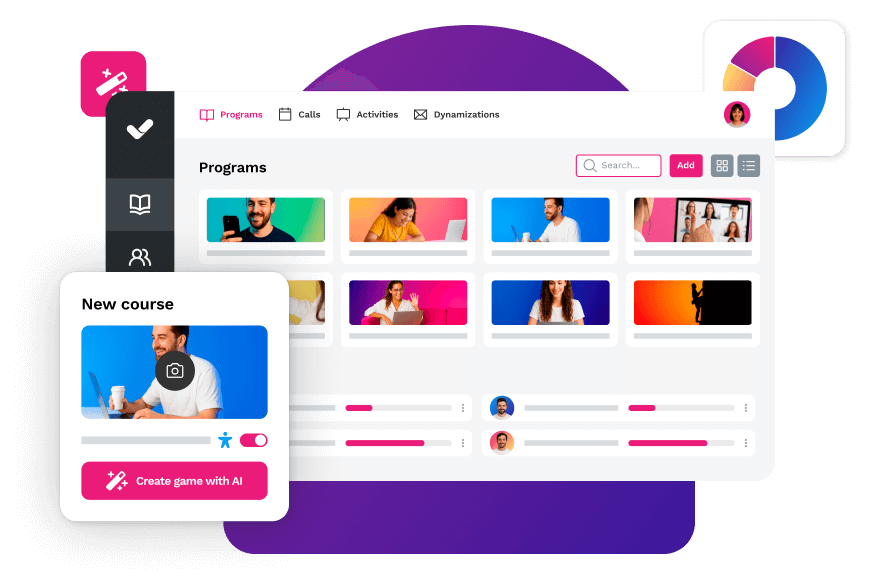
Unlike other alternatives, isEazy LMS is an all-in-one AI-powered platform that includes a content authoring tool (isEazy Author), a skills-based course catalog (isEazy Skills), and gamification solutions (isEazy Game), eliminating the need to integrate multiple third-party tools. isEazy LMS is particularly well-suited for medium and large enterprises that need a scalable solution without the complexity of a large-scale implementation.
isEazy LMS
The all-in-one LMS platform powered by AI
Features
Benefits
Subscription plans
Industries
Use cases
All-in-one AI-powered LMS: combines learning management and tracking, a library of over 600 ready-to-use courses, and an AI-powered authoring tool for creating proprietary content in one solution.
Engagement and collaboration: includes gamification, mobile learning, certificates, a knowledge library, social learning, and communication channels for sharing relevant news and content.
Integrations and compatibility: connects the LMS with other business tools through SSO, APIs, and custom integrations. It supports SCORM 1.2 and SCORM 2004.
End-to-end learning management: manages learners, groups, roles, permissions, courses, programs, and learning paths from one environment. It automates training campaigns and engagement actions and supports annual learning plans with dynamic filters by audience, department, or company. It can also support administrative requirements such as FUNDAE-funded training in Spain and DC3 and DC4 records in Mexico.
Analytics and reporting: turns learning data into actionable information through visual dashboards and detailed reports. Organizations can review activity, progress, and results by learner, department, audience, subsidiary, or company.
Learning experience: provides an intuitive, customizable interface with content cards for urgent, new, recommended, or pending courses. It also includes news, announcements, and an AI-powered recommender that helps learners discover relevant content.
Content library: provides unlimited access to over 600 ready-to-use courses covering leadership, compliance, soft skills, productivity, artificial intelligence, cybersecurity, and other key areas. Content is available in 8 languages, multiple formats, and is continuously updated.
Built-in AI authoring tool: enables teams to build courses from scratch or import PowerPoint presentations and turn them into interactive content. AI supports translations, voice-overs, subtitles, images, avatar videos, exercises, and final assessments. Courses can be exported in SCORM format.
One solution for the entire learning cycle: brings management, content creation, delivery, a ready-to-use course catalog, and measurement together in one system, reducing the need for separate tools at each stage.
Proven operational capacity: provides a modern environment that helps learners find, resume, and complete assigned training. Its track record includes more than 1.5 million users, 88 million training hours, 400 learning programs, and 94,000 learning activities.
Time and resource efficiency: automates campaigns, assignments, communications, reminders, and reporting, while its AI-powered authoring tool streamlines content creation and updates. Support, consulting, outsourcing, and LMS management services are also available.
Multi-device access: provides learning access from desktop computers, phones, and tablets. Its multi-format library, available in 8 languages, supports international learning programs.
Scalable and flexible: serves both small and medium-sized businesses and large enterprises, with segmentation by department, role, company, location, or audience and plans ranging from 100 learners to enterprise deployments.
Highly customizable: allows organizations to configure colors, logos, messages, login pages, domains, structures, permissions, and learning environments according to their brand and requirements.
International recognition: isEazy LMS was included in Training Industry’s 2025 Top LMS Companies Watch List and received eLearning Industry’s “Most Effective Implementation of AI for Talent Development and Management 2026” recognition.
Professional: up to 100 users, with unlimited courses, unlimited administrators, and unlimited learning environments.
Business: up to 200 users. Includes all Professional features and adds a dedicated manager dashboard.
Enterprise: from 201 users. Includes all Business features, communication channels, a BI reporting module, a dedicated Customer Success Manager, and custom integrations.
Included capabilities: all plans include support, automation, learning management tools, customization, learning experience features, gamification, mobile learning, certificates, reporting, a training catalog, and a course recommender.
Additional services: outsourcing, consulting, custom training, and Training as a Service can be added according to project requirements.
Banking and financial services: manages compliance, cybersecurity, customer service, sales training, and skills development programs for branches, networks, and corporate teams.
Pharmaceutical and healthcare: centralizes onboarding, regulatory updates, product training, and continuous learning for healthcare, sales, and corporate employees.
Retail and consumer goods: delivers agile, segmented learning to store employees, regional managers, sales networks, operations teams, and customer service staff.
Technology and telecommunications: develops technical and digital capabilities through continuous onboarding, certification, upskilling, and reskilling programs.
Manufacturing: manages training on processes, safety, quality, technical skills, and company culture for plants, factories, and distributed teams.
Transportation and logistics: centralizes onboarding, procedural updates, operational safety, and continuous training for drivers, warehouses, and logistics networks.
Consulting and professional services: supports knowledge updates, technical learning, onboarding, and skills development for project- and client-focused teams.
Education and training: manages training providers, internal academies, certification programs, and corporate universities from a customizable environment.
Government and public sector: supports the management, segmentation, and traceability of learning programs for public employees and complex government organizations.
Insurance: keeps sales networks, agents, and back-office teams up to date on regulations, products, processes, and commercial skills.
Energy: manages safety, regulatory, sustainability, operational, and technical learning for internal teams, contractors, and external networks.
Corporate academies: centralizes programs, learning paths, resources, communications, and learning communities to build an internal academy aligned with the organization’s goals and culture.
Onboarding: creates personalized welcome journeys, automates resource assignments, and ensures each new hire receives the required training from day one.
Mandatory training: manages health and safety, equality, compliance, and regulatory programs with automated assignments, certificates, reminders, and full traceability.
Talent development: creates programs and learning paths for different roles, departments, and responsibility levels to support upskilling and reskilling.
Product training: keeps sales teams, customers, partners, and distributors up to date with practical content about products, services, and procedures.
Skills development: combines LMS management with a library of over 600 courses covering leadership, communication, productivity, digital capabilities, and other professional skills.
Features
All-in-one AI-powered LMS: combines learning management and tracking, a library of over 600 ready-to-use courses, and an AI-powered authoring tool for creating proprietary content in one solution.
Engagement and collaboration: includes gamification, mobile learning, certificates, a knowledge library, social learning, and communication channels for sharing relevant news and content.
Integrations and compatibility: connects the LMS with other business tools through SSO, APIs, and custom integrations. It supports SCORM 1.2 and SCORM 2004.
End-to-end learning management: manages learners, groups, roles, permissions, courses, programs, and learning paths from one environment. It automates training campaigns and engagement actions and supports annual learning plans with dynamic filters by audience, department, or company. It can also support administrative requirements such as FUNDAE-funded training in Spain and DC3 and DC4 records in Mexico.
Analytics and reporting: turns learning data into actionable information through visual dashboards and detailed reports. Organizations can review activity, progress, and results by learner, department, audience, subsidiary, or company.
Learning experience: provides an intuitive, customizable interface with content cards for urgent, new, recommended, or pending courses. It also includes news, announcements, and an AI-powered recommender that helps learners discover relevant content.
Content library: provides unlimited access to over 600 ready-to-use courses covering leadership, compliance, soft skills, productivity, artificial intelligence, cybersecurity, and other key areas. Content is available in 8 languages, multiple formats, and is continuously updated.
Built-in AI authoring tool: enables teams to build courses from scratch or import PowerPoint presentations and turn them into interactive content. AI supports translations, voice-overs, subtitles, images, avatar videos, exercises, and final assessments. Courses can be exported in SCORM format.
Benefits
One solution for the entire learning cycle: brings management, content creation, delivery, a ready-to-use course catalog, and measurement together in one system, reducing the need for separate tools at each stage.
Proven operational capacity: provides a modern environment that helps learners find, resume, and complete assigned training. Its track record includes more than 1.5 million users, 88 million training hours, 400 learning programs, and 94,000 learning activities.
Time and resource efficiency: automates campaigns, assignments, communications, reminders, and reporting, while its AI-powered authoring tool streamlines content creation and updates. Support, consulting, outsourcing, and LMS management services are also available.
Multi-device access: provides learning access from desktop computers, phones, and tablets. Its multi-format library, available in 8 languages, supports international learning programs.
Scalable and flexible: serves both small and medium-sized businesses and large enterprises, with segmentation by department, role, company, location, or audience and plans ranging from 100 learners to enterprise deployments.
Highly customizable: allows organizations to configure colors, logos, messages, login pages, domains, structures, permissions, and learning environments according to their brand and requirements.
International recognition: isEazy LMS was included in Training Industry’s 2025 Top LMS Companies Watch List and received eLearning Industry’s “Most Effective Implementation of AI for Talent Development and Management 2026” recognition.
Subscription plans
Professional: up to 100 users, with unlimited courses, unlimited administrators, and unlimited learning environments.
Business: up to 200 users. Includes all Professional features and adds a dedicated manager dashboard.
Enterprise: from 201 users. Includes all Business features, communication channels, a BI reporting module, a dedicated Customer Success Manager, and custom integrations.
Included capabilities: all plans include support, automation, learning management tools, customization, learning experience features, gamification, mobile learning, certificates, reporting, a training catalog, and a course recommender.
Additional services: outsourcing, consulting, custom training, and Training as a Service can be added according to project requirements.
Industries
Banking and financial services: manages compliance, cybersecurity, customer service, sales training, and skills development programs for branches, networks, and corporate teams.
Pharmaceutical and healthcare: centralizes onboarding, regulatory updates, product training, and continuous learning for healthcare, sales, and corporate employees.
Retail and consumer goods: delivers agile, segmented learning to store employees, regional managers, sales networks, operations teams, and customer service staff.
Technology and telecommunications: develops technical and digital capabilities through continuous onboarding, certification, upskilling, and reskilling programs.
Manufacturing: manages training on processes, safety, quality, technical skills, and company culture for plants, factories, and distributed teams.
Transportation and logistics: centralizes onboarding, procedural updates, operational safety, and continuous training for drivers, warehouses, and logistics networks.
Consulting and professional services: supports knowledge updates, technical learning, onboarding, and skills development for project- and client-focused teams.
Education and training: manages training providers, internal academies, certification programs, and corporate universities from a customizable environment.
Government and public sector: supports the management, segmentation, and traceability of learning programs for public employees and complex government organizations.
Insurance: keeps sales networks, agents, and back-office teams up to date on regulations, products, processes, and commercial skills.
Energy: manages safety, regulatory, sustainability, operational, and technical learning for internal teams, contractors, and external networks.
Use cases
Corporate academies: centralizes programs, learning paths, resources, communications, and learning communities to build an internal academy aligned with the organization’s goals and culture.
Onboarding: creates personalized welcome journeys, automates resource assignments, and ensures each new hire receives the required training from day one.
Mandatory training: manages health and safety, equality, compliance, and regulatory programs with automated assignments, certificates, reminders, and full traceability.
Talent development: creates programs and learning paths for different roles, departments, and responsibility levels to support upskilling and reskilling.
Product training: keeps sales teams, customers, partners, and distributors up to date with practical content about products, services, and procedures.
Skills development: combines LMS management with a library of over 600 courses covering leadership, communication, productivity, digital capabilities, and other professional skills.
2. Canvas LMS
Canvas LMS is a learning management platform designed to centralize online teaching and learning. It offers tools for content management and organization, assessments, and communication between students and instructors. Its interface is straightforward and it has a large user community. Very popular in higher education environments, it also has adoption in companies looking for a flexible LMS with an available open source version.
Canvas LMS
Designed for higher education
Features
Benefits
Technology, compatibility and integration
Pricing
Online, blended, and in-person modes (individual classrooms, universities, and enterprises), with access from any device at any time.
Assessments with flexible types, personalized feedback, rubric-based grading, and individual student progress tracking.
Analytics and reports to measure student progress and success and inform teaching decisions.
Competency management and personalized learning plans adapted to each learner’s pace.
Mobile learning and gamification to keep students engaged with their learning.
Customization of courses, learning paths, and the student experience.
Intuitive interface with two-way communication flow between educators and students.
Open-source LMS, with an open API to integrate new applications without modifying the platform.
Third-party integrations with over 600 edtech partners, including Google Classroom, Microsoft Teams, Zoom, and Adobe, via LTI.
Dedicated support for institutions.
SaaS, backed by Amazon Web Services.
Canvas LMS pricing
Subscription-based, varies by institution size.
Canvas Free-for-Teacher: free version with basic functionality for educators.
Features
Online, blended, and in-person modes (individual classrooms, universities, and enterprises), with access from any device at any time.
Assessments with flexible types, personalized feedback, rubric-based grading, and individual student progress tracking.
Analytics and reports to measure student progress and success and inform teaching decisions.
Competency management and personalized learning plans adapted to each learner’s pace.
Benefits
Mobile learning and gamification to keep students engaged with their learning.
Customization of courses, learning paths, and the student experience.
Intuitive interface with two-way communication flow between educators and students.
Technology, compatibility and integration
Open-source LMS, with an open API to integrate new applications without modifying the platform.
Third-party integrations with over 600 edtech partners, including Google Classroom, Microsoft Teams, Zoom, and Adobe, via LTI.
Dedicated support for institutions.
SaaS, backed by Amazon Web Services.
Pricing
Canvas LMS pricing
Subscription-based, varies by institution size.
Canvas Free-for-Teacher: free version with basic functionality for educators.
3. Blackboard Learn
Blackboard Learn is an educational platform that provides a complete set of tools for course creation, user management, and assessments. It allows instructors to design interactive learning experiences and provide continuous feedback to students. Primarily focused on higher education, it also has corporate versions under the Anthology brand.
Blackboard Learn
Designed for higher education
Features
Benefits
Technology, compatibility and integration
Pricing
Online, in-person, and blended modes (colleges, universities, and enterprises), with access to courses from any device.
Intuitive workflows for educators and students, with centralized management from course development to assessments.
Assessments, certifications, and activity panel, with student progress tracking and personalized feedback.
Analytics and reports with real-time insights to improve learning outcomes.
Blackboard Learn benefits
Mobile learning and gamification to increase student engagement.
Intuitive interface, designed in collaboration with the educational community.
AI features for design: course design assistant, assessment generation, and grading rubrics.
Accessibility checker powered by Anthology Ally, which detects accessibility issues in course content.
Blackboard Learn Technology
Third-party integrations via LTI 1.3 and REST APIs, including Turnitin, Zoom, Microsoft Teams, and SIS platforms.
Dedicated support for institutions.
SaaS, web-based.
Blackboard Learn pricing
Varies by institution and number of users.
Features
Online, in-person, and blended modes (colleges, universities, and enterprises), with access to courses from any device.
Intuitive workflows for educators and students, with centralized management from course development to assessments.
Assessments, certifications, and activity panel, with student progress tracking and personalized feedback.
Analytics and reports with real-time insights to improve learning outcomes.
Benefits
Blackboard Learn benefits
Mobile learning and gamification to increase student engagement.
Intuitive interface, designed in collaboration with the educational community.
AI features for design: course design assistant, assessment generation, and grading rubrics.
Accessibility checker powered by Anthology Ally, which detects accessibility issues in course content.
Technology, compatibility and integration
Blackboard Learn Technology
Third-party integrations via LTI 1.3 and REST APIs, including Turnitin, Zoom, Microsoft Teams, and SIS platforms.
Dedicated support for institutions.
SaaS, web-based.
Pricing
Blackboard Learn pricing
Varies by institution and number of users.
4. Moodle
Moodle is the world’s most widely used open source LMS, with over 300 million users in 242 countries. Its open source model allows for virtually unlimited customization, though it requires technical resources for deployment and maintenance. It is a solid option for organizations with an internal IT team and a tight budget, or for companies that need a high degree of customization without depending on a single vendor.
Online and in-person learning approaches (suitable for higher education, professional education and corporate).
Analysis and reports.
Benefits
Moodle benefits
Social learning, gamification and mobile learning.
Customization.
Competency creation and learning frameworks.
Technology, compatibility and integration
Moodle Technology
Integration with Microsoft 365, Google Workspace, H5P, BigBlueButton and Meta.
Cloud, SaaS
SCORM compliant.
Pricing
Moodle pricing
Open source.
Moodle Workspace: price based on hosting and contracted services.
5. TalentLMS
TalentLMS is one of the most popular LMS platforms for SMBs and mid-size companies, especially known for its ease of setup and value for money. It allows creating courses from scratch or importing existing content (SCORM, videos, documents), managing users, and obtaining basic progress reports. It has a free version with user and course limitations.
TalentLMS
Designed for small businesses
Features
Benefits
Technology, compatibility, and integration
Pricing
Learning paths: step-by-step journeys with connected courses, unlockable in sequence to personalize learning and reinforce knowledge over time.
Detailed reports: real-time, scheduled, and custom reports on learner progress, completions, and certifications. Includes an activity timeline for audit purposes.
Social learning, mobile learning, and gamification: built-in discussion forums, native iOS and Android app with offline access, and gamification mechanics with points, badges, levels, and leaderboards.
Mass actions: update multiple users or courses in just a few clicks, including enrollments, deactivations, and group assignments.
Platform customization: white-labeling with custom logo, colors, and domain. Option for a custom mobile app with your company’s branding.
Blended learning: combine self-paced courses with in-person or virtual instructor-led training. Compatible with integrated videoconferencing tools.
E-commerce: sell individual courses or subscriptions with support for discounts, coupons, and payments via PayPal and Stripe.
Responsive design and intuitive interface: quick setup with no complex configuration, accessible from any device.
Scalability: flexible plans with a Flex option for unlimited users, with no hard limits on Pro and Enterprise plans.
Compatible with SCORM, xAPI, and cmi5 for full compatibility with standard e-learning content.
Integrations with HRIS, CRM, and communication tools via native connectors, REST API, and Zapier.
SSO for simplified access using existing corporate credentials.
SaaS, cloud-based.
Core: from $69 USD/month for up to 100 users.
Grow: from $109 USD/month for up to 500 users.
Pro: from $139 USD/month for up to 1,000 users.
Enterprise: from 1,000 users, custom plan.
Free plan available with basic features, no time limit.
Features
Learning paths: step-by-step journeys with connected courses, unlockable in sequence to personalize learning and reinforce knowledge over time.
Detailed reports: real-time, scheduled, and custom reports on learner progress, completions, and certifications. Includes an activity timeline for audit purposes.
Social learning, mobile learning, and gamification: built-in discussion forums, native iOS and Android app with offline access, and gamification mechanics with points, badges, levels, and leaderboards.
Mass actions: update multiple users or courses in just a few clicks, including enrollments, deactivations, and group assignments.
Platform customization: white-labeling with custom logo, colors, and domain. Option for a custom mobile app with your company’s branding.
Benefits
Blended learning: combine self-paced courses with in-person or virtual instructor-led training. Compatible with integrated videoconferencing tools.
E-commerce: sell individual courses or subscriptions with support for discounts, coupons, and payments via PayPal and Stripe.
Responsive design and intuitive interface: quick setup with no complex configuration, accessible from any device.
Scalability: flexible plans with a Flex option for unlimited users, with no hard limits on Pro and Enterprise plans.
Technology, compatibility, and integration
Compatible with SCORM, xAPI, and cmi5 for full compatibility with standard e-learning content.
Integrations with HRIS, CRM, and communication tools via native connectors, REST API, and Zapier.
SSO for simplified access using existing corporate credentials.
SaaS, cloud-based.
Pricing
Core: from $69 USD/month for up to 100 users.
Grow: from $109 USD/month for up to 500 users.
Pro: from $139 USD/month for up to 1,000 users.
Enterprise: from 1,000 users, custom plan.
Free plan available with basic features, no time limit.
6. Docebo
Docebo is an enterprise LMS focused on large organizations that prioritize personalized learning through artificial intelligence. Its AI engine automates content recommendations, course assignments, and personalized learning path generation. It features an integrated content marketplace and strong integration capabilities with work tools such as Salesforce, Workday, and Microsoft Teams.
Docebo Learn
Designed for large-scale corporate training
Features
Benefits
Pricing/Plans
Learning management (LMS): creation, organization, and tracking of courses and training programs for employees, customers, and partners from a single platform.
Content creation: tools to develop interactive learning materials, with an AI assistant to speed up content production.
Content marketplace: access to over 30,000 courses and certifications from external providers covering areas from leadership to digital skills.
Learning intelligence: AI algorithms to analyze user behavior and deliver personalized recommendations.
E-commerce: sell courses and training programs directly through the platform.
Integrations: with Salesforce, Microsoft Teams, Zoom, HRIS, CRM, and enterprise tools. Compatible with SSO, SCORM, and xAPI.
Customization: AI-driven learning experience tailored to each user, with learning paths based on profile and objectives.
Scalability: designed for large organizations, with the ability to manage multiple audiences from a single platform.
Automation: reduces administrative workload by automating tasks such as enrollments, progress tracking, and report generation.
User experience: intuitive interface with a native mobile app for access from any device.
Pricing based on annual active users and selected product tier. Rates are not publicly listed — contact the sales team for a personalized quote.
Features
Learning management (LMS): creation, organization, and tracking of courses and training programs for employees, customers, and partners from a single platform.
Content creation: tools to develop interactive learning materials, with an AI assistant to speed up content production.
Content marketplace: access to over 30,000 courses and certifications from external providers covering areas from leadership to digital skills.
Learning intelligence: AI algorithms to analyze user behavior and deliver personalized recommendations.
E-commerce: sell courses and training programs directly through the platform.
Integrations: with Salesforce, Microsoft Teams, Zoom, HRIS, CRM, and enterprise tools. Compatible with SSO, SCORM, and xAPI.
Benefits
Customization: AI-driven learning experience tailored to each user, with learning paths based on profile and objectives.
Scalability: designed for large organizations, with the ability to manage multiple audiences from a single platform.
Automation: reduces administrative workload by automating tasks such as enrollments, progress tracking, and report generation.
User experience: intuitive interface with a native mobile app for access from any device.
Pricing/Plans
Pricing based on annual active users and selected product tier. Rates are not publicly listed — contact the sales team for a personalized quote.
7. iSpring Learn
iSpring Learn is a cloud LMS particularly valued for its native integration with PowerPoint, which makes it very easy to convert existing presentations into e-learning courses. It offers learning path management, assessments, integrated video conferencing, and reporting. It is a recommended option for mid-size companies that already have a lot of training material in Office format and want to digitize it without a steep learning curve.
iSpring Learn
Designed for easy integration
Features
Benefits
Technology, compatibility, and integration
Pricing
Learning paths: personalized training journeys by profile, department, or branch, with automatic course enrollment and progress tracking.
Analytics and reports: detailed reports on completions, scores, engagement, and performance by user or team. Includes report templates and scheduled reports.
Platform customization: white-labeling with custom domain, logo, colors, and cover image to adapt the LMS to your corporate identity.
Built-in course authoring tool: create HTML5/SCORM courses, interactive quizzes, role-play simulations, and training videos directly from the LMS, with an AI assistant to speed up content production.
Social learning, mobile learning, and gamification: corporate newsfeed, chat between learners and instructors, native iOS and Android app with offline access, and a points, badges, and leaderboards system.
360-degree employee evaluation tool: unlimited feedback sessions, competency profile builder, and visual reports to identify strengths and areas for improvement.
Analytics and reporting: real-time tracking of progress, completions, and engagement, with exportable and scheduled reports for administrators and managers.
Mobile app with offline learning support: access courses from any device, with downloadable content and automatic sync when back online.
Responsive design and intuitive interface: learner portal with clear pending and completed content sections, accessible with no learning curve.
Scalability: pay-per-active-user model, unlimited storage, and 24/7 technical support included in all plans.
Compatible with SCORM 1.2 and 2004, as well as PPT, MP4, PDF, MP3, and more formats.
Integrations with Udemy, Go1, LinkedIn Learning, and other course libraries. API available for custom integrations.
SSO and custom role and permission management.
SaaS, cloud-based with Amazon AWS infrastructure.
Pay-per-active-user model (only billed for users who have logged in at least once per month).
Start: from $2.29 USD per user/month (indicative price, check with iSpring LMS for current rates).
Business: from $3.14 USD per user/month (indicative price, check with iSpring LMS for current rates).
Custom plan available for organizations with specific needs.
14-day free trial available.
Features
Learning paths: personalized training journeys by profile, department, or branch, with automatic course enrollment and progress tracking.
Analytics and reports: detailed reports on completions, scores, engagement, and performance by user or team. Includes report templates and scheduled reports.
Platform customization: white-labeling with custom domain, logo, colors, and cover image to adapt the LMS to your corporate identity.
Built-in course authoring tool: create HTML5/SCORM courses, interactive quizzes, role-play simulations, and training videos directly from the LMS, with an AI assistant to speed up content production.
Social learning, mobile learning, and gamification: corporate newsfeed, chat between learners and instructors, native iOS and Android app with offline access, and a points, badges, and leaderboards system.
Benefits
360-degree employee evaluation tool: unlimited feedback sessions, competency profile builder, and visual reports to identify strengths and areas for improvement.
Analytics and reporting: real-time tracking of progress, completions, and engagement, with exportable and scheduled reports for administrators and managers.
Mobile app with offline learning support: access courses from any device, with downloadable content and automatic sync when back online.
Responsive design and intuitive interface: learner portal with clear pending and completed content sections, accessible with no learning curve.
Scalability: pay-per-active-user model, unlimited storage, and 24/7 technical support included in all plans.
Technology, compatibility, and integration
Compatible with SCORM 1.2 and 2004, as well as PPT, MP4, PDF, MP3, and more formats.
Integrations with Udemy, Go1, LinkedIn Learning, and other course libraries. API available for custom integrations.
SSO and custom role and permission management.
SaaS, cloud-based with Amazon AWS infrastructure.
Pricing
Pay-per-active-user model (only billed for users who have logged in at least once per month).
Start: from $2.29 USD per user/month (indicative price, check with iSpring LMS for current rates).
Business: from $3.14 USD per user/month (indicative price, check with iSpring LMS for current rates).
Custom plan available for organizations with specific needs.
14-day free trial available.
8. Absorb LMS
Absorb LMS stands out for its polished user interface and advanced reporting system, with visual customization capabilities that allow adapting the platform to corporate branding. Targeted at mid-size and large companies, it includes e-commerce features to sell training externally, classroom training management, and an AI-powered content recommendation feature called Absorb Amplify.
Absorb LMS
Designed for an intuitive user experience
Features
Advantages
Technology
Pricing
Absorb LMS Features
Built-in authoring tool.
Learning paths.
Reporting and analytics.
Learner and course dashboards.
Mobile learning and gamification.
Advantages of Absorb LMS
Content library.
Ready-to-use learning content.
User-friendly interface.
Personalized learning experiences.
Absorb LMS Technology
SaaS (Software as a Service).
SCORM compliant.
Support.
Integration with HCM software, CRM systems, or other applications.
Absorb LMS Pricing
Custom pricing. Varies by institution and number of users.
Features
Absorb LMS Features
Built-in authoring tool.
Learning paths.
Reporting and analytics.
Learner and course dashboards.
Mobile learning and gamification.
Advantages
Advantages of Absorb LMS
Content library.
Ready-to-use learning content.
User-friendly interface.
Personalized learning experiences.
Technology
Absorb LMS Technology
SaaS (Software as a Service).
SCORM compliant.
Support.
Integration with HCM software, CRM systems, or other applications.
Pricing
Absorb LMS Pricing
Custom pricing. Varies by institution and number of users.
9. SAP Litmos
SAP Litmos is an LMS particularly valued in enterprise environments already using SAP solutions. It includes task automation, user management, a third-party content library, and a built-in basic authoring tool. Its strength lies in integration with SuccessFactors and other SAP modules, making it a natural choice for large enterprises with existing SAP infrastructure.
SAP Litmos
Designed for corporate training with a focus on compliance
Strengths
Ideal use cases
Plans
Unified training administration: centralizes courses, users, and learning plans in a single environment, with learning paths, certification management, and expiration tracking.
Adaptable content: tailors training materials and experiences to specific profiles or needs, with over 2,000 soft skills and compliance courses available in the content library.
ILT/vILT support: manages instructor-led training in both in-person and virtual formats, with session management, attendance tracking, and integrated video conferencing.
Analytics and dashboards: panels and reports to measure participation, progress, and results, with electronic signatures and audit-friendly reporting for regulated environments.
Gamification: elements such as points, badges, and discussion forums to drive engagement and course completion.
Integrations: with Salesforce, Zoom, ADP, DocuSign, Shopify, Box, and more. API, webhooks, and SSO available. Compatible with SCORM, xAPI, and LTI.
Compliance and risk management: organizations with a strong focus on regulatory compliance that need to automate assignments, manage expirations and certifications, and have audit-friendly reporting.
Frontline and distributed team training: companies with a mobile workforce that require access from any device (iOS and Android) to ensure completion in the field.
Extended enterprise: companies that train partners, customers, and contractors with differentiated portals and audiences through multiple branded experiences.
Fast time-to-value: teams looking for agile implementation supported by a SaaS platform with a ready-to-use content library.
Foundation: core LMS features, learning paths, SSO, mobile (iOS and Android), reporting and dashboards, gamification, and communications. Pricing on request.
Platinum: all Foundation plan features plus custom domain with SSL, multiple branded experiences, competencies and skills, social learning, and advanced engagement capabilities. Pricing on request.
Platinum AI: all Platinum plan features plus AI assistant, AI content authoring, AI video assessments, and AI playlists. Pricing on request.
14-day free trial available.
Strengths
Unified training administration: centralizes courses, users, and learning plans in a single environment, with learning paths, certification management, and expiration tracking.
Adaptable content: tailors training materials and experiences to specific profiles or needs, with over 2,000 soft skills and compliance courses available in the content library.
ILT/vILT support: manages instructor-led training in both in-person and virtual formats, with session management, attendance tracking, and integrated video conferencing.
Analytics and dashboards: panels and reports to measure participation, progress, and results, with electronic signatures and audit-friendly reporting for regulated environments.
Gamification: elements such as points, badges, and discussion forums to drive engagement and course completion.
Integrations: with Salesforce, Zoom, ADP, DocuSign, Shopify, Box, and more. API, webhooks, and SSO available. Compatible with SCORM, xAPI, and LTI.
Ideal use cases
Compliance and risk management: organizations with a strong focus on regulatory compliance that need to automate assignments, manage expirations and certifications, and have audit-friendly reporting.
Frontline and distributed team training: companies with a mobile workforce that require access from any device (iOS and Android) to ensure completion in the field.
Extended enterprise: companies that train partners, customers, and contractors with differentiated portals and audiences through multiple branded experiences.
Fast time-to-value: teams looking for agile implementation supported by a SaaS platform with a ready-to-use content library.
Plans
Foundation: core LMS features, learning paths, SSO, mobile (iOS and Android), reporting and dashboards, gamification, and communications. Pricing on request.
Platinum: all Foundation plan features plus custom domain with SSL, multiple branded experiences, competencies and skills, social learning, and advanced engagement capabilities. Pricing on request.
Platinum AI: all Platinum plan features plus AI assistant, AI content authoring, AI video assessments, and AI playlists. Pricing on request.
14-day free trial available.
10. D2L Brightspace
D2L Brightspace is an LMS with a strong presence in the education sector that combines learning management tools with advanced accessibility capabilities. It allows multiple applications to be combined within the same digital ecosystem and includes a built-in accessibility checker. In the corporate arena, it is positioned as a platform for structured continuous learning and upskilling programs.
D2L Brightspace
Designed for personalized learning
Features
Benefits
Technology, compatibility and integration
Pricing
D2L Brightspace features
Online, in-person and blended learning (suitable for traditional education, businesses and associations).
Content creation tools (Brightspace editor)
Performance assessments and analysis.
Content customization.
Detailed reports and analysis.
Social learning and mobile learning.
D2L Brightspace features
Video notes.
Discussion panels.
Intuitive interface.
Advanced accessibility features.
D2L Brightspace Technology
Integration with third-party tools.
Plug-and-play.
Support.
SCORM compatible.
D2L Brightspace pricing
Free trial.
Plans vary by organization, features, and number of users.
Features
D2L Brightspace features
Online, in-person and blended learning (suitable for traditional education, businesses and associations).
Content creation tools (Brightspace editor)
Performance assessments and analysis.
Content customization.
Detailed reports and analysis.
Social learning and mobile learning.
Benefits
D2L Brightspace features
Video notes.
Discussion panels.
Intuitive interface.
Advanced accessibility features.
Technology, compatibility and integration
D2L Brightspace Technology
Integration with third-party tools.
Plug-and-play.
Support.
SCORM compatible.
Pricing
D2L Brightspace pricing
Free trial.
Plans vary by organization, features, and number of users.
11. Schoology
Schoology is a K-12 LMS designed to centralize learning for teachers, students, and families. This platform integrates with collaboration and communication tools, and provides an AI-powered personal assistant called PowerBuddy. Although it was designed for the primary and secondary education environment, some organizations use it for internal training programs with a similar profile.
Schoology
Designed for K-12 education
Key features
Ratings
Plans & pricing
Online and blended modes (schools, educational centers, and families), with support for all K-12 levels from a single platform.
Collaboration and communication tools: groups for teacher professional development, student organizations, and family communication, with automatic grade and attendance sync with the SIS.
Assessments and data analytics: standards-based gradebook, progress reports, and connection with student assessment tools to identify learning gaps.
Intuitive interface: designed to facilitate adoption by teachers, students, and families, with a mobile app available for access from any device.
PowerBuddy personal assistant: AI-powered assistant that provides teachers with individualized recommendations to improve engagement and support each student’s needs.
Social learning tools: collaboration spaces for working groups, teacher professional learning communities, and shared student projects.
User community and dedicated support for educational institutions.
Adaptability for different educational levels: from elementary to high school, with level-specific experiences within the same platform.
SaaS. Compatible with SCORM and with major SIS systems via OneRoster 1.2.
Integration with Google Drive, Microsoft OneDrive, and other edtech applications, with over 143 edtech tools commonly used in the classroom.
Capterra rating: 4.4/5 stars.
G2 rating: 4.4/5 stars.
Plans vary by institution, features, and number of users. Contact the PowerSchool team for a personalized quote.
Key features
Online and blended modes (schools, educational centers, and families), with support for all K-12 levels from a single platform.
Collaboration and communication tools: groups for teacher professional development, student organizations, and family communication, with automatic grade and attendance sync with the SIS.
Assessments and data analytics: standards-based gradebook, progress reports, and connection with student assessment tools to identify learning gaps.
Intuitive interface: designed to facilitate adoption by teachers, students, and families, with a mobile app available for access from any device.
PowerBuddy personal assistant: AI-powered assistant that provides teachers with individualized recommendations to improve engagement and support each student’s needs.
Social learning tools: collaboration spaces for working groups, teacher professional learning communities, and shared student projects.
User community and dedicated support for educational institutions.
Adaptability for different educational levels: from elementary to high school, with level-specific experiences within the same platform.
SaaS. Compatible with SCORM and with major SIS systems via OneRoster 1.2.
Integration with Google Drive, Microsoft OneDrive, and other edtech applications, with over 143 edtech tools commonly used in the classroom.
Ratings
Capterra rating: 4.4/5 stars.
G2 rating: 4.4/5 stars.
Plans & pricing
Plans vary by institution, features, and number of users. Contact the PowerSchool team for a personalized quote.
12. LearnUpon
LearnUpon is an LMS especially focused on training customers, partners, and employees from a single platform. Its multi-portal architecture allows creating separate training environments for each audience with independent branding. It is especially popular with SaaS and services companies that need to train their external customers as well as their internal teams.
LearnUpon
Designed for corporate training and extended enterprise
Strengths
Ideal use cases
Plans
Course creation and management: accepts industry-standard content (SCORM, xAPI), as well as videos, documents, and assessments to build complete learning journeys.
On-demand training: 24/7 access from anywhere, enabling flexible consumption by internal and external teams.
User management automation: registrations, enrollments, assignments, and audience administration with less operational workload, with native integrations with HR systems.
Gamification: mechanics designed to increase participation and course completion rates.
Reports and analytics: detailed reports to measure progress, activity, and results, with support for automatic certifications and recertifications.
Integrations: with Slack, BambooHR, Personio, HubSpot, Salesforce, LinkedIn Learning, Go1, and webinar platforms, among others. SSO, two-way API, and webhooks available.
Built-in AI: learning journey personalization, content suggestions by profile and behavior, and AI-powered assessments.
Extended enterprise: companies that need to train employees, customers, and partners from a single platform, with differentiated portals and branding per audience.
Customer education: training programs focused on customer success, with personalized journeys by plan, need, or lifecycle stage.
Associations and members: training and certification management for members, with integrated e-commerce to monetize the course catalog.
Traceability and compliance: organizations that need audit-ready reporting, certification management, and expiration tracking for internal audits.
LearnUpon for Employees: for teams from 100 users. Full L&D management, learning journeys, gamification, certifications, and HRIS integrations.
LearnUpon for Customer Education: for organizations from 300 users. AI-powered course creation, personalized journeys, HubSpot integrations, and an Enterprise plan with white-labeling and e-commerce.
LearnUpon for Associations: for associations from 150 users. Member training, accreditation, and e-commerce to generate revenue from the content catalog.
All plans include an implementation consultant, dedicated Customer Success, and 24/7 technical support. Pricing on request.
Strengths
Course creation and management: accepts industry-standard content (SCORM, xAPI), as well as videos, documents, and assessments to build complete learning journeys.
On-demand training: 24/7 access from anywhere, enabling flexible consumption by internal and external teams.
User management automation: registrations, enrollments, assignments, and audience administration with less operational workload, with native integrations with HR systems.
Gamification: mechanics designed to increase participation and course completion rates.
Reports and analytics: detailed reports to measure progress, activity, and results, with support for automatic certifications and recertifications.
Integrations: with Slack, BambooHR, Personio, HubSpot, Salesforce, LinkedIn Learning, Go1, and webinar platforms, among others. SSO, two-way API, and webhooks available.
Built-in AI: learning journey personalization, content suggestions by profile and behavior, and AI-powered assessments.
Ideal use cases
Extended enterprise: companies that need to train employees, customers, and partners from a single platform, with differentiated portals and branding per audience.
Customer education: training programs focused on customer success, with personalized journeys by plan, need, or lifecycle stage.
Associations and members: training and certification management for members, with integrated e-commerce to monetize the course catalog.
Traceability and compliance: organizations that need audit-ready reporting, certification management, and expiration tracking for internal audits.
Plans
LearnUpon for Employees: for teams from 100 users. Full L&D management, learning journeys, gamification, certifications, and HRIS integrations.
LearnUpon for Customer Education: for organizations from 300 users. AI-powered course creation, personalized journeys, HubSpot integrations, and an Enterprise plan with white-labeling and e-commerce.
LearnUpon for Associations: for associations from 150 users. Member training, accreditation, and e-commerce to generate revenue from the content catalog.
All plans include an implementation consultant, dedicated Customer Success, and 24/7 technical support. Pricing on request.
13. Cornerstone Learning Management
Cornerstone is a cloud-based enterprise LMS that acts as a unified platform for assigning, automating, and tracking learning. Its integrated applications allow learning from anywhere, automating workflows, and obtaining insights on training program efficiency. It is positioned as a complete talent management solution that goes beyond the LMS, including performance, succession, and workforce planning modules.
Cornerstone on demand
Key features
Ratings
Plans and pricing
Workflows: automation of training processes, enrollments, and compliance tracking to keep the organization always audit-ready.
Talent management tools: personalized learning paths by role, department, or individual, with integrated skills management and career development.
Report generation: customizable dashboards with visibility into training progress, skill gap detection, and compliance tracking.
Exclusive content subscriptions: access to external content catalogs to complement internal training with specialized resources.
Mobile learning and gamification: training accessible from any device, with motivation mechanics to drive engagement and course completion.
Native LXP: personalized learning experience with AI-powered content recommendations tailored to each user’s profile, skills, and career aspirations.
Easy-to-use interface: platform designed to facilitate adoption by both administrators and learners.
Social learning: collaboration and knowledge-sharing tools between employees.
Compliance tracking: management and traceability of regulatory compliance, with automatic workflows and reporting for audits.
SaaS. Compatible with SCORM and xAPI for integration with any standard e-learning content.
Integrations with Salesforce, Microsoft Teams, Workday, and other enterprise HRIS, CRM, and ATS applications.
Capterra Rating: 4.3/5 stars.
G2 Rating: 4.1/5 stars.
Plans vary by institution, features, and number of users. Contact the sales team for a personalized quote.
Key features
Workflows: automation of training processes, enrollments, and compliance tracking to keep the organization always audit-ready.
Talent management tools: personalized learning paths by role, department, or individual, with integrated skills management and career development.
Report generation: customizable dashboards with visibility into training progress, skill gap detection, and compliance tracking.
Exclusive content subscriptions: access to external content catalogs to complement internal training with specialized resources.
Mobile learning and gamification: training accessible from any device, with motivation mechanics to drive engagement and course completion.
Native LXP: personalized learning experience with AI-powered content recommendations tailored to each user’s profile, skills, and career aspirations.
Easy-to-use interface: platform designed to facilitate adoption by both administrators and learners.
Social learning: collaboration and knowledge-sharing tools between employees.
Compliance tracking: management and traceability of regulatory compliance, with automatic workflows and reporting for audits.
SaaS. Compatible with SCORM and xAPI for integration with any standard e-learning content.
Integrations with Salesforce, Microsoft Teams, Workday, and other enterprise HRIS, CRM, and ATS applications.
Ratings
Capterra Rating: 4.3/5 stars.
G2 Rating: 4.1/5 stars.
Plans and pricing
Plans vary by institution, features, and number of users. Contact the sales team for a personalized quote.
14. Trakstar Learn (Mindflash)
Trakstar Learn, formerly known as Mindflash, is a learning management solution aimed at mid-size companies. This cloud-based LMS helps centralize information and connect users with training. It includes a content creation tool that allows integrating surveys and quizzes, optimizing existing content, and managing access for different user groups.
Trakstar Learn
Designed for corporate training
Features
Benefits
Technology, compatibility and integration
Pricing
Trakstar Learn features
Online and blended learning (suitable for companies and governments).
Integrated content creation tools.
Performance evaluation.
Detailed reports and analysis.
Mobile learning.
Trakstar Learn benefits
Multimedia course creation.
Tools for the virtual classroom.
Questionnaires and evaluations (all-in-one tool).
Trakstar Learn Technology
SCORM and xAPI compliant.
Cloud, SaaS.
Integration with Salesforce, Zapier, and other enterprise apps.
Trakstar Learn pricing
Plans vary by organization, features, and number of users.
Features
Trakstar Learn features
Online and blended learning (suitable for companies and governments).
Integrated content creation tools.
Performance evaluation.
Detailed reports and analysis.
Mobile learning.
Benefits
Trakstar Learn benefits
Multimedia course creation.
Tools for the virtual classroom.
Questionnaires and evaluations (all-in-one tool).
Technology, compatibility and integration
Trakstar Learn Technology
SCORM and xAPI compliant.
Cloud, SaaS.
Integration with Salesforce, Zapier, and other enterprise apps.
Pricing
Trakstar Learn pricing
Plans vary by organization, features, and number of users.
Adobe Learning Manager, formerly known as Adobe Captivate Prime, is a SCORM-compatible LMS designed for corporate learning management. It integrates with various enterprise applications and offers machine learning and artificial intelligence features to personalize training. Its native integration with the Adobe ecosystem (Captivate, Photoshop, Acrobat) makes it a natural choice for companies already working with Adobe creative tools.
Adobe Learning Manager
Designed for multimedia content
Features
Benefits
Technology, compatibility, and integration
Pricing
AI-powered personalization and recommendations: recommendation engine that evaluates each learner’s skills, interests, and role to suggest relevant training content.
Unified and experience-based learning: online and offline access from any device, with content distribution within existing applications or websites via headless LMS.
Social learning, mobile learning, and gamification: social-style discussion forums, mobile app with offline content download, points, badges, and certifications.
Detailed reports: progress tracking by user, team, and organization, with a compliance dashboard, role-based reports, and opinion reports based on Kirkpatrick levels.
Learning paths: optional or mandatory themed journeys, automatic learning plans, and a skills matrix to identify and address competency gaps.
Hybrid classroom learning support: interactive calendar with in-person and virtual sessions, and integration with MS Teams and Adobe Connect for live classes.
Machine learning and artificial intelligence: personalized learning experience for each learner through AI and ML, with recommendations based on prior activity, interests, and role.
Responsive design and intuitive interface: customizable homepage with drag-and-drop widgets, and unified content consumption experience via Fluidic Player.
Guided learning journeys: structured paths with automatic assignment of programs and content based on each user’s profile and objectives.
Scalability: multi-tenant architecture that allows departments, divisions, or clients to have their own LMS instance.
Native integrations with Microsoft Teams, Salesforce, Workday, Adobe Captivate, LinkedIn Learning, Harvard ManageMentor, and Adobe Commerce.
Compatible with SCORM and xAPI and multiple content formats (PPT, Word, PDF, HTML5).
SSO via SAML 2.0 with providers such as Okta, OneLogin, and Microsoft Active Directory.
SaaS, cloud-based.
Customizable pricing based on organizational needs.
Features
AI-powered personalization and recommendations: recommendation engine that evaluates each learner’s skills, interests, and role to suggest relevant training content.
Unified and experience-based learning: online and offline access from any device, with content distribution within existing applications or websites via headless LMS.
Social learning, mobile learning, and gamification: social-style discussion forums, mobile app with offline content download, points, badges, and certifications.
Detailed reports: progress tracking by user, team, and organization, with a compliance dashboard, role-based reports, and opinion reports based on Kirkpatrick levels.
Learning paths: optional or mandatory themed journeys, automatic learning plans, and a skills matrix to identify and address competency gaps.
Benefits
Hybrid classroom learning support: interactive calendar with in-person and virtual sessions, and integration with MS Teams and Adobe Connect for live classes.
Machine learning and artificial intelligence: personalized learning experience for each learner through AI and ML, with recommendations based on prior activity, interests, and role.
Responsive design and intuitive interface: customizable homepage with drag-and-drop widgets, and unified content consumption experience via Fluidic Player.
Guided learning journeys: structured paths with automatic assignment of programs and content based on each user’s profile and objectives.
Scalability: multi-tenant architecture that allows departments, divisions, or clients to have their own LMS instance.
Technology, compatibility, and integration
Native integrations with Microsoft Teams, Salesforce, Workday, Adobe Captivate, LinkedIn Learning, Harvard ManageMentor, and Adobe Commerce.
Compatible with SCORM and xAPI and multiple content formats (PPT, Word, PDF, HTML5).
SSO via SAML 2.0 with providers such as Okta, OneLogin, and Microsoft Active Directory.
SaaS, cloud-based.
Pricing
Customizable pricing based on organizational needs.
Best LMS by company size
There is no universally best LMS: the ideal platform depends on the size of your organization, the maturity of your L&D team, and the volume and type of training you need to manage. Here is a decision guide by segment.
Startups and companies with up to 50 employees
Startups need an LMS that can be set up in hours, not weeks, and that has a cost adjusted to user volume. Priorities are ease of use, availability of pre-designed content, and simple integration with productivity tools (Slack, Google Workspace). TalentLMS and iSpring Learn are solid options in this segment. Moodle can be an alternative if technical resources for installation are available.
Mid-size companies (50–500 employees)
Mid-size companies need an LMS that scales without technical complexity, with assignment automation capabilities, reporting for middle managers, and support for blended learning. Implementation cost and vendor support are decisive factors. isEazy LMS, Absorb LMS, and LearnUpon are especially recommended in this segment, with a good balance between functionality and operational cost. You can learn more about the advantages of cloud-based training as a key factor in LMS selection.
Large enterprises and corporations (+500 employees)
Large organizations prioritize integration with HRIS (Workday, SAP SuccessFactors), multi-site and multilingual management, regulatory compliance with full traceability, and the ability to personalize learning paths at scale. Consider pairing your LMS with a solid upskilling strategy to maximize ROI. Cornerstone, Docebo, SAP Litmos, and isEazy LMS are the most complete options. isEazy LMS adds the advantage of integrating content creation and a skills catalog in the same suite, reducing technology fragmentation.
Company size
Recommended LMS
Key reason
Startup / <50 employees
TalentLMS, iSpring Learn
Quick setup, affordable pricing
Mid-size (50–500)
isEazy LMS, Absorb LMS, LearnUpon
Scalability without technical complexity
Enterprise (+500)
isEazy LMS, Cornerstone, Docebo
HRIS integrations, multilingual, full compliance
Common mistakes when choosing an LMS (and how to avoid them)
The LMS selection process fails more often than it seems. According to Fosway Group’s Technology in L&D 2024 report, more than 30% of European organizations are considering changing their LMS in the next 12 months, mainly due to usability issues and lack of integration with their HR systems. These are the five most common mistakes:
Choosing based on price without evaluating total cost: the license price is just one part. Implementation costs, content migration, admin team training, and technical support can multiply the initial budget. Always request a full total cost of ownership (TCO) breakdown.
Not involving the L&D team in the decision: purchasing an LMS from IT or senior management without validating with the training managers who will operate it daily is one of the most frequent causes of platform abandonment.
Ignoring the end-user experience: an LMS that employees find difficult to use simply won’t be used. Always validate with a pilot test with real users before committing to a vendor.
Underestimating integration complexity: if your company uses a specific HRIS, CRM, or communication tool, verify before signing the contract that the LMS has native connectors — not just a generic API — with those systems.
Not planning for scalability: a platform that works well for 50 users may not work for 500. Make sure the LMS pricing model and technical architecture can support your expected growth.
Types of LMS for your company: cloud, on-premise, and open source
Before comparing features, it is important to understand the three main deployment models and which one fits your infrastructure and technical capacity:
Cloud LMS (SaaS)
The dominant model in today’s corporate market. The vendor manages the infrastructure, updates, and security. The company accesses it via monthly or annual subscription. Advantages: fast deployment, no server investment, automatic updates. Most of the LMS platforms in this comparison (isEazy LMS, TalentLMS, Docebo, Absorb) operate under this model. You can learn more about this model in our guide on the advantages of cloud-based training.
On-premise LMS
The company installs and manages the LMS on its own servers. It offers full control over data and configuration, but requires an internal technical team for maintenance, and the responsibility for updates and security falls on the organization. Increasingly less common among mid-size and large companies that opt for the cloud model.
Open source LMS
The code is public and free to use, but implementation, customization, and maintenance are the organization’s responsibility. Moodle is the best-known example. It can be cost-effective on licensing, but the cost of technical resources can be significant. Recommended for organizations with an internal IT development team and a high need for customization. For a more detailed comparison, you can read our guide on the differences between LMS and LCMS.
If your company is in the evaluation process, our complete LMS guide covers all these aspects in depth.
How to choose the best LMS for your company? 7 key criteria
The LMS selection process has as much to do with platform features as with the purpose behind the adoption. Now that you know the best options on the market, here are the 7 most important criteria for making the best decision:
Identifying needs and objectives: what type of training do you need to manage? Onboarding, compliance, technical upskilling, sales training? The type of training determines which features are essential and which are optional.
Scalability: the platform must be able to grow with your company without requiring complex migrations or technology reinvestment. Evaluate the pricing model: per active user vs. per registered user.
Ease of use: for both admins and end users. An LMS that nobody uses adds no value. Request access to a full demo and run a pilot with a real group of users.
Integrations: does it connect with your current HRIS? With your video conferencing tool? With your corporate SSO? Integrations determine whether the LMS becomes part of the workflow or a separate technology island.
Content compatibility: SCORM, xAPI, AICC… verify the platform accepts the standards of the content you already have or plan to create. If you also need to create content, consider a solution that integrates LMS and authoring tool like isEazy LMS.
Support and onboarding: evaluate the quality of technical support, available documentation, and the level of implementation guidance. An LMS with poor support can stall your L&D team at the most critical moments. Read more about what to expect in our guide on LMS support services.
Price and licensing model: compare total cost (license + implementation + training + maintenance), not just the list price. Request references from companies of similar size.
Real case: how Pepco manages training for thousands of employees with isEazy LMS
Pepco, the fashion and home retail chain present in more than 20 European countries, faced the challenge of training its teams during rapid international expansion. With hundreds of stores and thousands of employees across different languages and cultures, they needed an LMS that could scale quickly and ensure consistent training across all locations. With isEazy LMS — integrated with isEazy Author for AI-powered content creation — Pepco was able to centralize all its training on a single platform, reduce onboarding times, and maintain regulatory compliance across all markets. Find out how Pepco trains its teams with isEazy →
CASE STUDY
How Pepco was able to comprehensively manage employee training with an LMS
Conclusion: which is the best LMS for your company in 2026?
There is no single best LMS — there is the best LMS for each company at each stage. If you are a startup or SMB with limited resources, TalentLMS or iSpring Learn are solid starting points. If your company has between 100 and 1,000 employees and you are looking for a platform that grows with you without technical complexity, isEazy LMS is one of the most complete options on the market, especially if you also need to create and manage content in the same suite.
For enterprise companies with SAP infrastructure or very specific HR system integration needs, Cornerstone or Docebo are solid alternatives.
If you are evaluating other options, you can also check our comparison of the best free LMS platforms.
Frequently asked questions about the best LMS platforms
What is an LMS used for?
A Learning Management System (LMS) is a platform designed to manage, document, track, report and deliver educational or training programs. These tools allow organizations to deliver online courses, manage access to learning materials, conduct assessments, and monitor employee progress. A modern LMS like isEazy LMS also integrates with HR systems to automate training assignments and generate detailed compliance reports.
What functions do Learning Management Systems (LMS) cover?
Learning Management Systems are designed to cover three main areas: learning, management and system. On the learning side, LMS platforms provide a knowledge base including online courses, videos, documents and communication tools for employee development. For management, they allow administrators to assign, track and report on training activities. From a system perspective, they integrate with existing tools such as HRIS, SSO and content authoring platforms to create a connected learning ecosystem.
How do Learning Management Systems benefit organizations?
Learning Management Systems offer numerous benefits to organizations. They improve the efficiency of training program administration, enabling detailed tracking of employee progress and performance. A modern LMS like isEazy LMS provides advanced analytics and reporting tools that allow organizations to evaluate the impact of training programs and continuously optimize them. Additional benefits include reduced training costs, consistent delivery across locations, and simplified compliance management.
What are the key features to look for in an LMS?
When selecting an LMS, key features to look for include ease of use, integration capabilities with other tools and systems, SCORM and xAPI compatibility, and the availability of technical support. An effective LMS should offer personalization features, detailed reporting, and assessment tools. For corporate environments, look for automation of training assignments, mobile learning support, and blended learning management in a single platform.
How can I choose the right LMS for my organization?
Choosing the right LMS requires a careful evaluation of your organization’s needs and objectives. Start by identifying what you want to achieve with the LMS and what features are essential for your context. Evaluate different options through trials and demos, involving future users in the selection process. Also consider factors such as scalability, total cost of ownership, and ease of integration with your current systems. isEazy LMS combines advanced functionality with an optimized user experience, ideal for organizations looking for a robust and efficient LMS.
What are the costs of implementing an LMS?
The costs of implementing an LMS can vary widely depending on the provider and the required features. They generally include a combination of licensing fees (usually monthly or annual subscription for SaaS platforms), implementation and onboarding costs, content migration, administrator training, and ongoing technical support. When comparing providers, always request a full total cost of ownership (TCO) breakdown, not just the list price, as hidden costs in implementation and support can significantly impact the overall investment.
What is the difference between an LMS and an LXP?
An LMS (Learning Management System) manages structured, top-down training — the organization assigns content to employees and tracks compliance. An LXP (Learning Experience Platform) puts the employee at the center, allowing self-directed discovery and consumption of content from multiple sources, similar to a Netflix for learning. Modern corporate platforms like isEazy LMS increasingly integrate LXP capabilities within the same environment, providing both structured compliance training and self-directed upskilling in a single platform.
What mistakes do companies make when choosing an LMS?
The most common mistakes when choosing an LMS are: selecting a platform based on price alone without evaluating scalability, not involving the L&D team in the selection process, underestimating implementation and content migration costs, ignoring the end-user experience (employees), and not verifying integrations with existing HRIS or other tools. A solid selection process should include a pilot test with real users and an evaluation of the vendor’s technical support quality.
What is the difference between a corporate LMS and an academic LMS?
A corporate LMS is designed to meet the needs of corporate training: onboarding, compliance, upskilling and reskilling, with integrations to HR systems and reporting focused on business KPIs. An academic LMS, on the other hand, prioritizes virtual classroom management, grading, and communication between teachers and students. Platforms like Moodle, Canvas, or Blackboard were built for the educational environment, while solutions like isEazy LMS, TalentLMS, or Docebo are optimized for the corporate environment.
Streamline your training management
Experience the power of AI in an LMS that has it all
Here you can assess and customize the services that we'd like to use on this website. You're in charge! Enable or disable services as you see fit. To learn more, please read our .
We have to include them in order for certain web pages to function securely. These cookies are strictly necessary, so they cannot be rejected or modified.
Cookie
Duration
Description
_ga
2 years
The _ga cookie, installed by Google Analytics, calculates visitor, session and campaign data and also keeps track of site usage for the site's analytics report. The cookie stores information anonymously and assigns a randomly generated number to recognize unique visitors.
_ga_YW3LY84JY6
2 years
This cookie is installed by Google Analytics.
_gat_gtag_UA_90425332_3
1 minute
Set by Google to distinguish users.
_gat_UA-26043609-7
1 minute
A variation of the _gat cookie set by Google Analytics and Google Tag Manager to allow website owners to track visitor behaviour and measure site performance. The pattern element in the name contains the unique identity number of the account or website it relates to.
_gat_UA-90425332-3
1 minute
A variation of the _gat cookie set by Google Analytics and Google Tag Manager to allow website owners to track visitor behaviour and measure site performance. The pattern element in the name contains the unique identity number of the account or website it relates to.
_gcl_au
3 months
Provided by Google Tag Manager to experiment advertisement efficiency of websites using their services.
_gid
1 day
Installed by Google Analytics, _gid cookie stores information on how visitors use a website, while also creating an analytics report of the website's performance. Some of the data that are collected include the number of visitors, their source, and the pages they visit anonymously.
_icl_visitor_lang_js
1 day
This cookie is stored by WPML WordPress plugin. The purpose of the cookie is to store the redirected language.
Bootstrap
11 months
Bootstrap code
cookielawinfo-checkbox-advertisement
1 year
Set by the GDPR Cookie Consent plugin, this cookie is used to record the user consent for the cookies in the "Advertisement" category .
cookielawinfo-checkbox-analytics
11 months
This cookie is set by GDPR Cookie Consent plugin. The cookie is used to store the user consent for the cookies in the category "Analytics".
cookielawinfo-checkbox-functional
11 months
The cookie is set by GDPR cookie consent to record the user consent for the cookies in the category "Functional".
cookielawinfo-checkbox-nece
1 year
Cookie law info
cookielawinfo-checkbox-necessary
11 months
This cookie is set by GDPR Cookie Consent plugin. The cookies is used to store the user consent for the cookies in the category "Necessary".
cookielawinfo-checkbox-others
11 months
This cookie is set by GDPR Cookie Consent plugin. The cookie is used to store the user consent for the cookies in the category "Other.
cookielawinfo-checkbox-performance
11 months
This cookie is set by GDPR Cookie Consent plugin. The cookie is used to store the user consent for the cookies in the category "Performance".
CookieLawInfoConsent
1 year
Records the default button state of the corresponding category & the status of CCPA. It works only in coordination with the primary cookie.
Google Font API
11 months
Google Font API
IDE
1 year 24 days
Google DoubleClick IDE cookies are used to store information about how the user uses the website to present them with relevant ads and according to the user profile.
Pardot
11 months
The pardot cookie is set while the visitor is logged in as a Pardot user. The cookie indicates an active session and is not used for tracking.
test_cookie
15 minutes
The test_cookie is set by doubleclick.net and is used to determine if the user's browser supports cookies.
viewed_cookie_policy
11 months
The cookie is set by the GDPR Cookie Consent plugin and is used to store whether or not user has consented to the use of cookies. It does not store any personal data.
wp-wpml_current_language
session
Language cookies
wpml_browser_redirect_test
session
This cookie is set by WPML WordPress plugin and is used to test if cookies are enabled on the browser.
They collect information in order to measure, evaluate performance, and improve the quality of your experience on our site.
Cookie
Duration
Description
_ga
2 years
The _ga cookie, installed by Google Analytics, calculates visitor, session and campaign data and also keeps track of site usage for the site's analytics report. The cookie stores information anonymously and assigns a randomly generated number to recognize unique visitors.
_ga_YW3LY84JY6
2 years
This cookie is installed by Google Analytics.
_gat_gtag_UA_90425332_3
1 minute
Set by Google to distinguish users.
_gat_UA-26043609-7
1 minute
A variation of the _gat cookie set by Google Analytics and Google Tag Manager to allow website owners to track visitor behaviour and measure site performance. The pattern element in the name contains the unique identity number of the account or website it relates to.
_gat_UA-90425332-3
1 minute
A variation of the _gat cookie set by Google Analytics and Google Tag Manager to allow website owners to track visitor behaviour and measure site performance. The pattern element in the name contains the unique identity number of the account or website it relates to.
_gcl_au
3 months
Provided by Google Tag Manager to experiment advertisement efficiency of websites using their services.
_gid
1 day
Installed by Google Analytics, _gid cookie stores information on how visitors use a website, while also creating an analytics report of the website's performance. Some of the data that are collected include the number of visitors, their source, and the pages they visit anonymously.
_icl_visitor_lang_js
1 day
This cookie is stored by WPML WordPress plugin. The purpose of the cookie is to store the redirected language.
wpml_browser_redirect_test
session
This cookie is set by WPML WordPress plugin and is used to test if cookies are enabled on the browser.
We use them to provide you with efficient and personalized advertisements that we believe are relevant to your interests. You may see them on other sites that you visit.
Cookie
Duration
Description
IDE
1 year 24 days
Google DoubleClick IDE cookies are used to store information about how the user uses the website to present them with relevant ads and according to the user profile.
test_cookie
15 minutes
The test_cookie is set by doubleclick.net and is used to determine if the user's browser supports cookies.