Rapid learning is an e-learning content production methodology that allows you to create online courses in very short timeframes, using authoring tools, pre-designed templates, and resource reuse techniques. Unlike traditional online training development, which can require months of work, rapid learning aims to reduce production times to days or even hours without sacrificing the quality of the final result.
In the context of corporate training, rapid learning has become a key approach for L&D teams that need to respond nimbly to changing training demands. According to the LinkedIn Learning Workplace Learning Report 2024, 89% of L&D professionals consider the ability to create training content quickly a strategic priority for their organizations.
Rapid learning is a methodology that allows you to create e-learning courses in very short timeframes thanks to the use of authoring tools, templates, and the reuse of existing resources, achieving agile training production without compromising content quality.
Rapid learning definition
Benefits and challenges of rapid learning in corporate training
Rapid learning has gained widespread acceptance in both academic and business environments thanks to its multiple benefits. However, like any methodology, it also presents challenges worth knowing before implementing it.
Benefits of rapid learning
Time savings and increased productivity: production cycles are reduced from weeks to days, freeing up L&D team resources for other strategic tasks.
Low production costs: by reusing existing materials and using templates, the investment required is significantly reduced compared to custom development.
High level of customization: despite using templates, modern authoring tools allow each course to be adapted to the company’s visual identity and training needs.
Easy content updates: when a process or regulation changes, content can be updated in minutes without needing to rebuild the entire course.
Applicable to different areas: from onboarding to compliance, product training, and soft skills.
Dynamic and engaging formats: interactive videos, quizzes, games, and multimedia resources keep learners engaged.
Immediate feedback: learners receive results and feedback instantly, accelerating the learning cycle.
Improves training ROI: by reducing costs and time while maintaining training impact, the cost-benefit ratio improves substantially.
Challenges of rapid learning
Perception of generic courses: if instructional design is not carefully considered, learners may perceive courses as standard content with no added value.
Risk of low quality: the speed of production can lead to neglecting content depth if an adequate review process is not established.
Lack of personalization: the temptation to reuse content without adapting it to the specific context and audience can reduce training effectiveness.
According to the Training Industry 2023 report, organizations that adopt rapid learning methodologies reduce their training content development times by up to 60% compared to traditional methods.
Training Industry, 2023
How to implement rapid learning in a company
The challenges of rapid learning can be overcome with good planning. Here are the keys to launching an effective rapid learning strategy in your organization:
1. Reuse existing content
Make the most of materials your company already has: presentations, manuals, process documentation, or previous training materials. Converting these resources into e-learning modules saves time and ensures the content is validated and relevant to your organizational context.
2. Invest in the right e-learning platform
For your rapid learning strategy to succeed, you need an LMS platform that provides an accessible environment where employees can access courses and content intuitively. This facilitates autonomous and personalized learning, and allows you to track progress in real time.
3. Leverage pre-designed templates
Templates are one of the pillars of rapid learning. They offer an attractive and professional visual structure that allows content creators to focus on the quality and relevance of the material, without investing time in design from scratch.
4. Include interactive resources
Another essential characteristic of rapid learning is the integration of dynamic elements: videos, images, games, exercises, quizzes, and simulations. These resources foster active learner participation and significantly improve knowledge retention.
5. Establish an agile review process
Speed should not compromise quality. Define a quick but effective review process where subject matter experts validate content before publishing. This prevents the quality issues sometimes associated with rapid learning.
Rapid learning vs. traditional e-learning vs. microlearning
It is common to confuse rapid learning with other online training approaches. This table summarizes the key differences between three methodologies that, although complementary, have different objectives and characteristics:
Criterion
Rapid learning
Traditional e-learning
Production time
Days or hours
Weeks or months
Average cost
Low-medium
High
Content depth
Medium-high
High
Tools required
Authoring tool + templates
Development team + advanced tools
Updates
Immediate
Costly and slow
Typical format
Modular courses with multimedia
Full courses with custom design
Best for
Compliance, onboarding, product
High-complexity technical programs
Rapid learning vs. microlearning: key differences
One of the most common points of confusion in the e-learning space is treating rapid learning and microlearning as synonyms. In reality, they refer to different dimensions of the training process:
Rapid learning focuses on how content is produced: quickly, with templates, reusing resources, and using authoring tools.
Microlearning focuses on how content is consumed: short training nuggets (3-10 minutes), designed for learning at specific moments.
Both approaches are perfectly compatible. In fact, one of the most effective combinations in corporate training is using rapid learning methodology to produce content in microlearning format: the result is short, engaging, and easily updatable modules.
That said, not all content produced with rapid learning has to be micro. It is possible to create full 30-60 minute courses with this methodology, as long as you have the right tools and a good library of templates and resources.
Rapid learning examples in the workplace
Rapid learning has direct applications in multiple corporate training scenarios. These are the most common use cases where this methodology delivers the greatest value:
New employee onboarding
An employee’s first days are critical for their integration and future productivity. With rapid learning, HR teams can create welcome modules, internal policies, and corporate tools training in a matter of hours, ensuring every new hire receives a consistent and up-to-date onboarding experience.
Compliance and regulatory training
Regulations change frequently, and companies need to update their training quickly to meet legal requirements. Rapid learning allows compliance modules to be created or updated in record time, avoiding the long development cycles that could temporarily leave the organization vulnerable.
New product launches
When a company launches a new product or service, sales and customer service teams need to get up to speed quickly. Rapid learning makes it possible to create specific training content on features, sales scripts, and FAQs in days, not weeks.
Vodafone is a standout example of how rapid learning transforms training content production at scale. The company tripled its productivity in e-learning course creation after adopting isEazy Author as its main authoring tool, dramatically reducing development times without sacrificing the quality or interactivity of its content. Find out how they did it →
CASE STUDY
We multiplied x3 the productivity in the creation of e-learning courses at Vodafone
Despite its advantages, rapid learning may not deliver the expected results if certain common mistakes are made. Knowing them is the first step to avoiding them:
Sacrificing quality for speed
The most frequent mistake is prioritizing production speed above all else. A course created in hours but with superficial or disorganized content will not meet its training objectives. The key is to combine agility with a minimum of instructional design: define clear learning objectives, structure content by modules, and ensure each section adds value to the learner.
Not adapting content to the audience
Reusing materials without adapting them to the context and level of the target audience is another common mistake. A technical manual written for engineers does not work as onboarding material for commercial profiles. Rapid learning enables fast production, but that does not mean all content should be identical for all audiences.
Ignoring instructional design
Using templates does not mean eliminating the instructional design phase. Before producing, it is worth defining learning objectives, the didactic sequence, and the assessment mechanisms. Without this prior planning, the result tends to be an accumulation of content without a connecting thread or clear purpose.
Not measuring impact
Producing quickly is only the first part. If you do not measure training effectiveness (completion rates, assessment results, on-the-job application), there is no way to know whether the content is fulfilling its function or how to improve future iterations.
Best tools for implementing rapid learning successfully
Choosing the right tools is a key factor for the success of a rapid learning strategy. There are two main categories of technology tools:
Authoring tools
These are the core of rapid learning. An authoring tool allows you to create e-learning courses visually and intuitively, without any programming knowledge. The best ones include professional template libraries, integrated multimedia resources, interactivity options, and increasingly, artificial intelligence features that further accelerate content creation. The best tools available on the market are:
isEazy Author
The Leading AI Authoring Tool on the Market
Features
Benefits
Pricing
Accessibility
Awards
AI features: generate images, games and exercises, automatic subtitles, voiceovers, advanced interactive elements, avatars, and AI video presenters to bring your content to life.
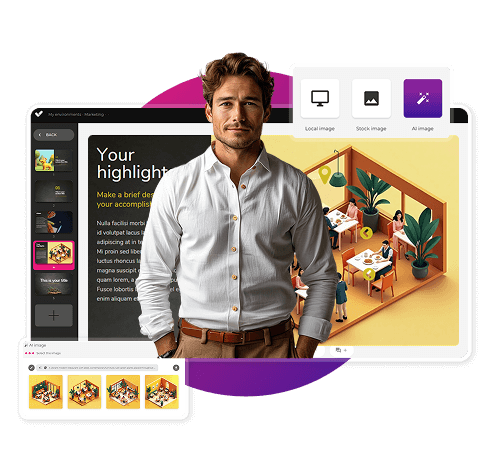
AI Autopilot: automatic course creation from documents or ideas, with pedagogical structure, interactive resources, and applied visual identity. Transform any content into a publish-ready course in minutes.
Templates: over 25 ready-to-use interactive templates, editable and customizable with corporate colors, typography, and logo via the Smart Colors feature.
Drag-and-drop editor: visual editing to create courses with no technical, programming, or design knowledge required.
Automatic responsive design: courses adapt to any device without manual adjustments, with dual mode so each learner can access content in their preferred format.
Multi-format: export in SCORM 1.2, SCORM 2004, xAPI, and HTML5, compatible with any LMS on the market.
Automatic translation: full AI-powered course translation into over 40 languages, with no need for external translators.
Text to speech: professional voiceovers automatically generated from content, with selection of gender, language, and voice variation.
PowerPoint import: convert presentations into interactive e-learning courses in just a couple of clicks.
Real-time collaboration: simultaneous collaborative work on the same course with integrated comments, change tracking, and automatic saving with restore points.
Brand customization: styles, colors, typography, and logo to maintain corporate consistency across all content.
Gamification: points, badges, and leaderboards to motivate learners and increase engagement.
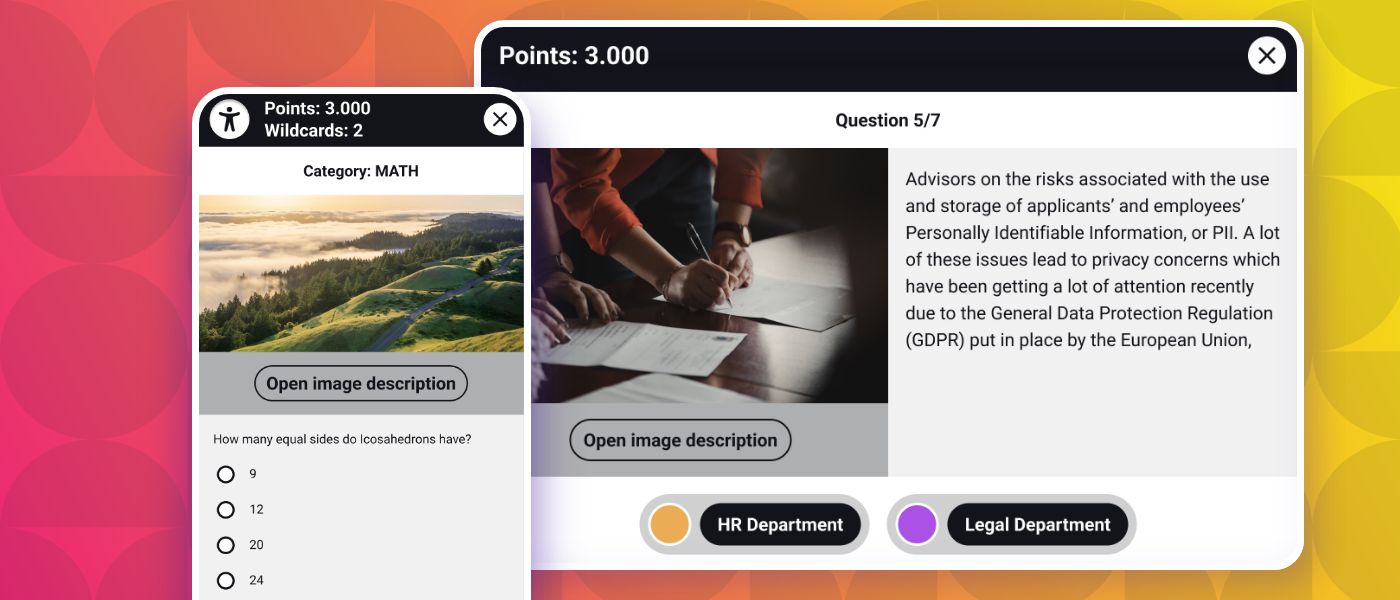
Assessments and quizzes: multiple question types and answer logic, with AI-powered automatic generation of final assessment tests based on course content.
Multimedia library: built-in bank of images, videos, icons, and graphic resources, with AI image generation adapted to your course style.
Integrations: connection with LMS platforms (SCORM, xAPI), external platforms, and management systems. A built-in learning environment is also available without leaving isEazy Author.
AI-powered: automates key creation tasks and drastically reduces production time. Over 36,000 users and 120,000 projects created in more than 90 countries speak for themselves.
Intuitive and visual interface: everything is edited intuitively with no learning curve, with pre-configured ready-to-use resources.
Real collaborative experience: distributed teams can work in parallel with real-time feedback, ideal for content factories and L&D teams.
Total flexibility: ideal for both occasional creators and large-scale production teams. Compatible with any LMS and 100% cloud-based.
Visual and professional courses: no designers or developers needed, with quality results recognized by Training Industry and eLearning Industry 2026.
Cost savings: less need for external resources and greater efficiency in content creation. Calculate your savings with the AI Autopilot ROI calculator.
Constantly evolving: new features released regularly and agile multilingual support, with real accessibility up to WCAG level AA and 80% of level AAA.
FREE plan: free forever. Ideal for exploring the tool with no commitment.
Professional: from €80/month. 1 author and up to 5 GB of storage.
Business: from €208/month. 2 authors and up to 12 GB of storage. The most popular plan.
Enterprise: custom authors and storage. Contact us for pricing.
Real standards compliance: courses compatible with level AA (100%) and up to 80% of level AAA of the Web Content Accessibility Guidelines (WCAG), and with Section 508 of the U.S. Rehabilitation Act.
Dual mode: create a single SCORM course and your learners can access it in their preferred mode, with or without accessibility adaptations, without duplicating production work.
Accessible interactive elements: all interactive resources in isEazy Author are designed to provide the same learning experience to all learners, regardless of their needs.
Contextual editor guidance: tips and guides built into the editor so any author can create quality accessible content easily, with no prior technical knowledge required.
Without sacrificing design or interactivity: accessibility in isEazy Author does not mean compromising visual impact or content richness. Accessible, attractive, and effective courses all at once.
Training Industry 2026: Top 20 AI Content Creation.
eLearning Industry 2026: Best AI-Powered Authoring Tool and Learning & Skills Development.
Training Industry 2025: Top 20 AI Content Creation.
eLearning Industry 2025: Best e-Learning Authoring Tool.
Brandon Hall 2024: Excellence Awards.
eLearning Industry 2024: Best Game Design and AI Watchlist.
G2 2024: Momentum Leader, High Performer, and High Performer Mid-Market.
Crozdesk 2024: Quality Choice, Trusted Vendor, and Happiest Users.
Software Advice 2024: FrontRunners.
Software Suggest 2024: Category Leader.
Features
AI features: generate images, games and exercises, automatic subtitles, voiceovers, advanced interactive elements, avatars, and AI video presenters to bring your content to life.
AI Autopilot: automatic course creation from documents or ideas, with pedagogical structure, interactive resources, and applied visual identity. Transform any content into a publish-ready course in minutes.
Templates: over 25 ready-to-use interactive templates, editable and customizable with corporate colors, typography, and logo via the Smart Colors feature.
Drag-and-drop editor: visual editing to create courses with no technical, programming, or design knowledge required.
Automatic responsive design: courses adapt to any device without manual adjustments, with dual mode so each learner can access content in their preferred format.
Multi-format: export in SCORM 1.2, SCORM 2004, xAPI, and HTML5, compatible with any LMS on the market.
Automatic translation: full AI-powered course translation into over 40 languages, with no need for external translators.
Text to speech: professional voiceovers automatically generated from content, with selection of gender, language, and voice variation.
PowerPoint import: convert presentations into interactive e-learning courses in just a couple of clicks.
Real-time collaboration: simultaneous collaborative work on the same course with integrated comments, change tracking, and automatic saving with restore points.
Brand customization: styles, colors, typography, and logo to maintain corporate consistency across all content.
Gamification: points, badges, and leaderboards to motivate learners and increase engagement.
Assessments and quizzes: multiple question types and answer logic, with AI-powered automatic generation of final assessment tests based on course content.
Multimedia library: built-in bank of images, videos, icons, and graphic resources, with AI image generation adapted to your course style.
Integrations: connection with LMS platforms (SCORM, xAPI), external platforms, and management systems. A built-in learning environment is also available without leaving isEazy Author.
Benefits
AI-powered: automates key creation tasks and drastically reduces production time. Over 36,000 users and 120,000 projects created in more than 90 countries speak for themselves.
Intuitive and visual interface: everything is edited intuitively with no learning curve, with pre-configured ready-to-use resources.
Real collaborative experience: distributed teams can work in parallel with real-time feedback, ideal for content factories and L&D teams.
Total flexibility: ideal for both occasional creators and large-scale production teams. Compatible with any LMS and 100% cloud-based.
Visual and professional courses: no designers or developers needed, with quality results recognized by Training Industry and eLearning Industry 2026.
Cost savings: less need for external resources and greater efficiency in content creation. Calculate your savings with the AI Autopilot ROI calculator.
Constantly evolving: new features released regularly and agile multilingual support, with real accessibility up to WCAG level AA and 80% of level AAA.
Pricing
FREE plan: free forever. Ideal for exploring the tool with no commitment.
Professional: from €80/month. 1 author and up to 5 GB of storage.
Business: from €208/month. 2 authors and up to 12 GB of storage. The most popular plan.
Enterprise: custom authors and storage. Contact us for pricing.
Accessibility
Real standards compliance: courses compatible with level AA (100%) and up to 80% of level AAA of the Web Content Accessibility Guidelines (WCAG), and with Section 508 of the U.S. Rehabilitation Act.
Dual mode: create a single SCORM course and your learners can access it in their preferred mode, with or without accessibility adaptations, without duplicating production work.
Accessible interactive elements: all interactive resources in isEazy Author are designed to provide the same learning experience to all learners, regardless of their needs.
Contextual editor guidance: tips and guides built into the editor so any author can create quality accessible content easily, with no prior technical knowledge required.
Without sacrificing design or interactivity: accessibility in isEazy Author does not mean compromising visual impact or content richness. Accessible, attractive, and effective courses all at once.
Awards
Training Industry 2026: Top 20 AI Content Creation.
eLearning Industry 2026: Best AI-Powered Authoring Tool and Learning & Skills Development.
Training Industry 2025: Top 20 AI Content Creation.
eLearning Industry 2025: Best e-Learning Authoring Tool.
Brandon Hall 2024: Excellence Awards.
eLearning Industry 2024: Best Game Design and AI Watchlist.
G2 2024: Momentum Leader, High Performer, and High Performer Mid-Market.
Crozdesk 2024: Quality Choice, Trusted Vendor, and Happiest Users.
Software Advice 2024: FrontRunners.
Software Suggest 2024: Category Leader.
Easygenerator
Key Features
Benefits
Pricing
Easygenerator's features
Cloud-based authoring: create courses from the browser with no local installation, accessible from any device with continuous automatic updates.
Ready-to-use templates: enables non-technical users to produce content quickly, with drag-and-drop elements for fast and intuitive course creation.
SCORM and xAPI publishing: export courses to an LMS or publish directly via a web link, with dynamic SCORM that allows content updates without re-uploading the package to the LMS.
Feedback and assessments: tools to add quizzes, surveys, and AI-powered automatic question generation based on course content.
Real-time collaboration: multiple users can edit and review content simultaneously, with integrated review and approval workflows.
Automatic translation and multilingual management: built-in translation into 75+ languages via EasyTranslate for fast localization without external tools.
EasyAI: convert documents (PDF, PowerPoint, Word) into structured courses in minutes, improve text, generate questions, and create AI-powered images tailored to course content.
Why choose Easygenerator
Easy to use: enables any employee to create courses with no prior e-learning or technical experience. A pioneer in introducing AI features across all plans at no extra cost.
Ideal for collaborative environments: fosters content creation across departments through the Employee-Generated Learning (EGL) model, trusted by 2,000+ companies including Electrolux, DHL, and Danone.
Development speed: focused on speed and simplicity, with Doc-to-course to reuse existing materials and convert them into structured training in minutes.
Flexible publishing: courses hosted in an LMS or accessible via web link, with unlimited learners on all plans.
Easygenerator Pricing
Pro: from €116/month (billed annually). 1 author, unlimited learners.
Team: from €582/month (billed annually). 5 authors, unlimited learners.
Enterprise: pricing on request. Unlimited authors and advanced management and security features.
14-day free trial available. Discounts for educational institutions and non-profit organizations available on request.
Key Features
Easygenerator's features
Cloud-based authoring: create courses from the browser with no local installation, accessible from any device with continuous automatic updates.
Ready-to-use templates: enables non-technical users to produce content quickly, with drag-and-drop elements for fast and intuitive course creation.
SCORM and xAPI publishing: export courses to an LMS or publish directly via a web link, with dynamic SCORM that allows content updates without re-uploading the package to the LMS.
Feedback and assessments: tools to add quizzes, surveys, and AI-powered automatic question generation based on course content.
Real-time collaboration: multiple users can edit and review content simultaneously, with integrated review and approval workflows.
Automatic translation and multilingual management: built-in translation into 75+ languages via EasyTranslate for fast localization without external tools.
EasyAI: convert documents (PDF, PowerPoint, Word) into structured courses in minutes, improve text, generate questions, and create AI-powered images tailored to course content.
Benefits
Why choose Easygenerator
Easy to use: enables any employee to create courses with no prior e-learning or technical experience. A pioneer in introducing AI features across all plans at no extra cost.
Ideal for collaborative environments: fosters content creation across departments through the Employee-Generated Learning (EGL) model, trusted by 2,000+ companies including Electrolux, DHL, and Danone.
Development speed: focused on speed and simplicity, with Doc-to-course to reuse existing materials and convert them into structured training in minutes.
Flexible publishing: courses hosted in an LMS or accessible via web link, with unlimited learners on all plans.
Pricing
Easygenerator Pricing
Pro: from €116/month (billed annually). 1 author, unlimited learners.
Team: from €582/month (billed annually). 5 authors, unlimited learners.
Enterprise: pricing on request. Unlimited authors and advanced management and security features.
14-day free trial available. Discounts for educational institutions and non-profit organizations available on request.
Gomo
Features
Benefits
Pricing
Cloud-based authoring: access from anywhere with no installation required. Always automatically updated, with no software update interruptions.
Responsive design: courses automatically adapt to mobile, tablet, and desktop, with accessibility support and region-based content controls.
Multilingual management: create and manage versions in over 160 languages and dialects from a single project, with right-to-left language support and automatic AI translation or XLIFF file export and import.
Template and theme library: facilitates visually consistent brand design, with themes customizable by logo and corporate colors, and a custom theme development option.
Multi-channel publishing: distribute content via SCORM, xAPI, web, and app, with optional connection to Bridge LMS as a learning management platform.
Real-time collaboration: simultaneous editing by multiple team members, with integrated review and comment features.
Built-in AI: text generation, content review, and automatic translation via OpenAI integration.
100% cloud-based: eliminates local software dependencies and facilitates remote work, always running the latest version with no IT team intervention required.
Ideal for global teams: simplifies translation and maintenance of localized versions in over 160 languages from a single base course.
Mobile-first design: ensures a great learning experience on all devices, with content variables adaptable by learner role or location.
Flexible publishing: use courses in an LMS, on the web, or in custom apps, with a 21-day free trial available for Small and Medium plans.
Small: for independent authors. 21-day free trial available.
Medium: for teams of 4 or more authors, with the option to add additional users.
Enterprise: for large teams or companies needing greater flexibility and features. Minimum 12-month contract for all plans.
Pricing available on request in USD, GBP, and EUR.
Features
Cloud-based authoring: access from anywhere with no installation required. Always automatically updated, with no software update interruptions.
Responsive design: courses automatically adapt to mobile, tablet, and desktop, with accessibility support and region-based content controls.
Multilingual management: create and manage versions in over 160 languages and dialects from a single project, with right-to-left language support and automatic AI translation or XLIFF file export and import.
Template and theme library: facilitates visually consistent brand design, with themes customizable by logo and corporate colors, and a custom theme development option.
Multi-channel publishing: distribute content via SCORM, xAPI, web, and app, with optional connection to Bridge LMS as a learning management platform.
Real-time collaboration: simultaneous editing by multiple team members, with integrated review and comment features.
Built-in AI: text generation, content review, and automatic translation via OpenAI integration.
Benefits
100% cloud-based: eliminates local software dependencies and facilitates remote work, always running the latest version with no IT team intervention required.
Ideal for global teams: simplifies translation and maintenance of localized versions in over 160 languages from a single base course.
Mobile-first design: ensures a great learning experience on all devices, with content variables adaptable by learner role or location.
Flexible publishing: use courses in an LMS, on the web, or in custom apps, with a 21-day free trial available for Small and Medium plans.
Pricing
Small: for independent authors. 21-day free trial available.
Medium: for teams of 4 or more authors, with the option to add additional users.
Enterprise: for large teams or companies needing greater flexibility and features. Minimum 12-month contract for all plans.
Pricing available on request in USD, GBP, and EUR.
LMS platforms
The LMS complements the authoring tool by managing distribution, enrollments, and learning progress tracking. For rapid learning to be truly effective, it is advisable for the authoring tool and the LMS to be integrated, eliminating manual steps between course creation and publication. The best LMS options available today are:
isEazy LMS
The all-in-one LMS platform powered by AI
Features
Benefits
Subscription plans
Industries
Use cases
All-in-one AI-powered LMS: combines learning management and tracking, a library of over 600 ready-to-use courses, and an AI-powered authoring tool for creating proprietary content in one solution.
Engagement and collaboration: includes gamification, mobile learning, certificates, a knowledge library, social learning, and communication channels for sharing relevant news and content.
Integrations and compatibility: connects the LMS with other business tools through SSO, APIs, and custom integrations. It supports SCORM 1.2 and SCORM 2004.
End-to-end learning management: manages learners, groups, roles, permissions, courses, programs, and learning paths from one environment. It automates training campaigns and engagement actions and supports annual learning plans with dynamic filters by audience, department, or company. It can also support administrative requirements such as FUNDAE-funded training in Spain and DC3 and DC4 records in Mexico.
Analytics and reporting: turns learning data into actionable information through visual dashboards and detailed reports. Organizations can review activity, progress, and results by learner, department, audience, subsidiary, or company.
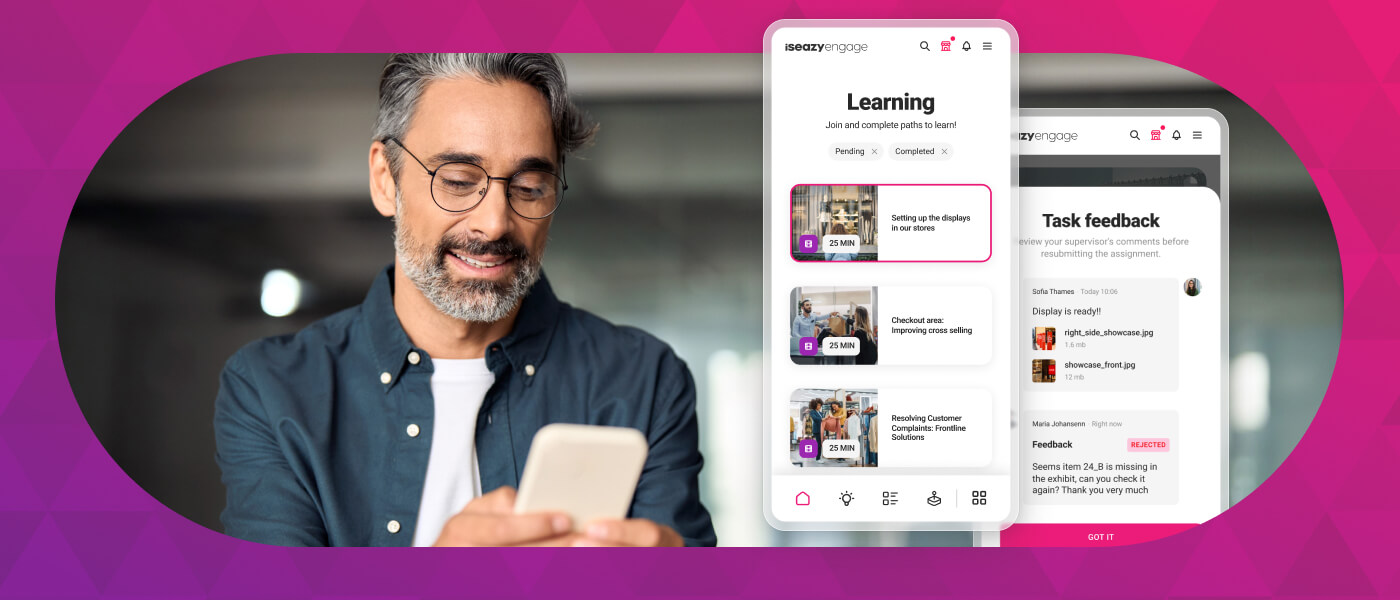
Learning experience: provides an intuitive, customizable interface with content cards for urgent, new, recommended, or pending courses. It also includes news, announcements, and an AI-powered recommender that helps learners discover relevant content.
Content library: provides unlimited access to over 600 ready-to-use courses covering leadership, compliance, soft skills, productivity, artificial intelligence, cybersecurity, and other key areas. Content is available in 8 languages, multiple formats, and is continuously updated.
Built-in AI authoring tool: enables teams to build courses from scratch or import PowerPoint presentations and turn them into interactive content. AI supports translations, voice-overs, subtitles, images, avatar videos, exercises, and final assessments. Courses can be exported in SCORM format.
One solution for the entire learning cycle: brings management, content creation, delivery, a ready-to-use course catalog, and measurement together in one system, reducing the need for separate tools at each stage.
Proven operational capacity: provides a modern environment that helps learners find, resume, and complete assigned training. Its track record includes more than 1.5 million users, 88 million training hours, 400 learning programs, and 94,000 learning activities.
Time and resource efficiency: automates campaigns, assignments, communications, reminders, and reporting, while its AI-powered authoring tool streamlines content creation and updates. Support, consulting, outsourcing, and LMS management services are also available.
Multi-device access: provides learning access from desktop computers, phones, and tablets. Its multi-format library, available in 8 languages, supports international learning programs.
Scalable and flexible: serves both small and medium-sized businesses and large enterprises, with segmentation by department, role, company, location, or audience and plans ranging from 100 learners to enterprise deployments.
Highly customizable: allows organizations to configure colors, logos, messages, login pages, domains, structures, permissions, and learning environments according to their brand and requirements.
International recognition: isEazy LMS was included in Training Industry’s 2025 Top LMS Companies Watch List and received eLearning Industry’s “Most Effective Implementation of AI for Talent Development and Management 2026” recognition.
Professional: up to 100 users, with unlimited courses, unlimited administrators, and unlimited learning environments.
Business: up to 200 users. Includes all Professional features and adds a dedicated manager dashboard.
Enterprise: from 201 users. Includes all Business features, communication channels, a BI reporting module, a dedicated Customer Success Manager, and custom integrations.
Included capabilities: all plans include support, automation, learning management tools, customization, learning experience features, gamification, mobile learning, certificates, reporting, a training catalog, and a course recommender.
Additional services: outsourcing, consulting, custom training, and Training as a Service can be added according to project requirements.
Banking and financial services: manages compliance, cybersecurity, customer service, sales training, and skills development programs for branches, networks, and corporate teams.
Pharmaceutical and healthcare: centralizes onboarding, regulatory updates, product training, and continuous learning for healthcare, sales, and corporate employees.
Retail and consumer goods: delivers agile, segmented learning to store employees, regional managers, sales networks, operations teams, and customer service staff.
Technology and telecommunications: develops technical and digital capabilities through continuous onboarding, certification, upskilling, and reskilling programs.
Manufacturing: manages training on processes, safety, quality, technical skills, and company culture for plants, factories, and distributed teams.
Transportation and logistics: centralizes onboarding, procedural updates, operational safety, and continuous training for drivers, warehouses, and logistics networks.
Consulting and professional services: supports knowledge updates, technical learning, onboarding, and skills development for project- and client-focused teams.
Education and training: manages training providers, internal academies, certification programs, and corporate universities from a customizable environment.
Government and public sector: supports the management, segmentation, and traceability of learning programs for public employees and complex government organizations.
Insurance: keeps sales networks, agents, and back-office teams up to date on regulations, products, processes, and commercial skills.
Energy: manages safety, regulatory, sustainability, operational, and technical learning for internal teams, contractors, and external networks.
Corporate academies: centralizes programs, learning paths, resources, communications, and learning communities to build an internal academy aligned with the organization’s goals and culture.
Onboarding: creates personalized welcome journeys, automates resource assignments, and ensures each new hire receives the required training from day one.
Mandatory training: manages health and safety, equality, compliance, and regulatory programs with automated assignments, certificates, reminders, and full traceability.
Talent development: creates programs and learning paths for different roles, departments, and responsibility levels to support upskilling and reskilling.
Product training: keeps sales teams, customers, partners, and distributors up to date with practical content about products, services, and procedures.
Skills development: combines LMS management with a library of over 600 courses covering leadership, communication, productivity, digital capabilities, and other professional skills.
Features
All-in-one AI-powered LMS: combines learning management and tracking, a library of over 600 ready-to-use courses, and an AI-powered authoring tool for creating proprietary content in one solution.
Engagement and collaboration: includes gamification, mobile learning, certificates, a knowledge library, social learning, and communication channels for sharing relevant news and content.
Integrations and compatibility: connects the LMS with other business tools through SSO, APIs, and custom integrations. It supports SCORM 1.2 and SCORM 2004.
End-to-end learning management: manages learners, groups, roles, permissions, courses, programs, and learning paths from one environment. It automates training campaigns and engagement actions and supports annual learning plans with dynamic filters by audience, department, or company. It can also support administrative requirements such as FUNDAE-funded training in Spain and DC3 and DC4 records in Mexico.
Analytics and reporting: turns learning data into actionable information through visual dashboards and detailed reports. Organizations can review activity, progress, and results by learner, department, audience, subsidiary, or company.
Learning experience: provides an intuitive, customizable interface with content cards for urgent, new, recommended, or pending courses. It also includes news, announcements, and an AI-powered recommender that helps learners discover relevant content.
Content library: provides unlimited access to over 600 ready-to-use courses covering leadership, compliance, soft skills, productivity, artificial intelligence, cybersecurity, and other key areas. Content is available in 8 languages, multiple formats, and is continuously updated.
Built-in AI authoring tool: enables teams to build courses from scratch or import PowerPoint presentations and turn them into interactive content. AI supports translations, voice-overs, subtitles, images, avatar videos, exercises, and final assessments. Courses can be exported in SCORM format.
Benefits
One solution for the entire learning cycle: brings management, content creation, delivery, a ready-to-use course catalog, and measurement together in one system, reducing the need for separate tools at each stage.
Proven operational capacity: provides a modern environment that helps learners find, resume, and complete assigned training. Its track record includes more than 1.5 million users, 88 million training hours, 400 learning programs, and 94,000 learning activities.
Time and resource efficiency: automates campaigns, assignments, communications, reminders, and reporting, while its AI-powered authoring tool streamlines content creation and updates. Support, consulting, outsourcing, and LMS management services are also available.
Multi-device access: provides learning access from desktop computers, phones, and tablets. Its multi-format library, available in 8 languages, supports international learning programs.
Scalable and flexible: serves both small and medium-sized businesses and large enterprises, with segmentation by department, role, company, location, or audience and plans ranging from 100 learners to enterprise deployments.
Highly customizable: allows organizations to configure colors, logos, messages, login pages, domains, structures, permissions, and learning environments according to their brand and requirements.
International recognition: isEazy LMS was included in Training Industry’s 2025 Top LMS Companies Watch List and received eLearning Industry’s “Most Effective Implementation of AI for Talent Development and Management 2026” recognition.
Subscription plans
Professional: up to 100 users, with unlimited courses, unlimited administrators, and unlimited learning environments.
Business: up to 200 users. Includes all Professional features and adds a dedicated manager dashboard.
Enterprise: from 201 users. Includes all Business features, communication channels, a BI reporting module, a dedicated Customer Success Manager, and custom integrations.
Included capabilities: all plans include support, automation, learning management tools, customization, learning experience features, gamification, mobile learning, certificates, reporting, a training catalog, and a course recommender.
Additional services: outsourcing, consulting, custom training, and Training as a Service can be added according to project requirements.
Industries
Banking and financial services: manages compliance, cybersecurity, customer service, sales training, and skills development programs for branches, networks, and corporate teams.
Pharmaceutical and healthcare: centralizes onboarding, regulatory updates, product training, and continuous learning for healthcare, sales, and corporate employees.
Retail and consumer goods: delivers agile, segmented learning to store employees, regional managers, sales networks, operations teams, and customer service staff.
Technology and telecommunications: develops technical and digital capabilities through continuous onboarding, certification, upskilling, and reskilling programs.
Manufacturing: manages training on processes, safety, quality, technical skills, and company culture for plants, factories, and distributed teams.
Transportation and logistics: centralizes onboarding, procedural updates, operational safety, and continuous training for drivers, warehouses, and logistics networks.
Consulting and professional services: supports knowledge updates, technical learning, onboarding, and skills development for project- and client-focused teams.
Education and training: manages training providers, internal academies, certification programs, and corporate universities from a customizable environment.
Government and public sector: supports the management, segmentation, and traceability of learning programs for public employees and complex government organizations.
Insurance: keeps sales networks, agents, and back-office teams up to date on regulations, products, processes, and commercial skills.
Energy: manages safety, regulatory, sustainability, operational, and technical learning for internal teams, contractors, and external networks.
Use cases
Corporate academies: centralizes programs, learning paths, resources, communications, and learning communities to build an internal academy aligned with the organization’s goals and culture.
Onboarding: creates personalized welcome journeys, automates resource assignments, and ensures each new hire receives the required training from day one.
Mandatory training: manages health and safety, equality, compliance, and regulatory programs with automated assignments, certificates, reminders, and full traceability.
Talent development: creates programs and learning paths for different roles, departments, and responsibility levels to support upskilling and reskilling.
Product training: keeps sales teams, customers, partners, and distributors up to date with practical content about products, services, and procedures.
Skills development: combines LMS management with a library of over 600 courses covering leadership, communication, productivity, digital capabilities, and other professional skills.
Canvas LMS
Designed for higher education
Features
Benefits
Technology, compatibility and integration
Pricing
Online, blended, and in-person modes (individual classrooms, universities, and enterprises), with access from any device at any time.
Assessments with flexible types, personalized feedback, rubric-based grading, and individual student progress tracking.
Analytics and reports to measure student progress and success and inform teaching decisions.
Competency management and personalized learning plans adapted to each learner’s pace.
Mobile learning and gamification to keep students engaged with their learning.
Customization of courses, learning paths, and the student experience.
Intuitive interface with two-way communication flow between educators and students.
Open-source LMS, with an open API to integrate new applications without modifying the platform.
Third-party integrations with over 600 edtech partners, including Google Classroom, Microsoft Teams, Zoom, and Adobe, via LTI.
Dedicated support for institutions.
SaaS, backed by Amazon Web Services.
Canvas LMS pricing
Subscription-based, varies by institution size.
Canvas Free-for-Teacher: free version with basic functionality for educators.
Features
Online, blended, and in-person modes (individual classrooms, universities, and enterprises), with access from any device at any time.
Assessments with flexible types, personalized feedback, rubric-based grading, and individual student progress tracking.
Analytics and reports to measure student progress and success and inform teaching decisions.
Competency management and personalized learning plans adapted to each learner’s pace.
Benefits
Mobile learning and gamification to keep students engaged with their learning.
Customization of courses, learning paths, and the student experience.
Intuitive interface with two-way communication flow between educators and students.
Technology, compatibility and integration
Open-source LMS, with an open API to integrate new applications without modifying the platform.
Third-party integrations with over 600 edtech partners, including Google Classroom, Microsoft Teams, Zoom, and Adobe, via LTI.
Dedicated support for institutions.
SaaS, backed by Amazon Web Services.
Pricing
Canvas LMS pricing
Subscription-based, varies by institution size.
Canvas Free-for-Teacher: free version with basic functionality for educators.
Blackboard Learn
Designed for higher education
Features
Benefits
Technology, compatibility and integration
Pricing
Online, in-person, and blended modes (colleges, universities, and enterprises), with access to courses from any device.
Intuitive workflows for educators and students, with centralized management from course development to assessments.
Assessments, certifications, and activity panel, with student progress tracking and personalized feedback.
Analytics and reports with real-time insights to improve learning outcomes.
Blackboard Learn benefits
Mobile learning and gamification to increase student engagement.
Intuitive interface, designed in collaboration with the educational community.
AI features for design: course design assistant, assessment generation, and grading rubrics.
Accessibility checker powered by Anthology Ally, which detects accessibility issues in course content.
Blackboard Learn Technology
Third-party integrations via LTI 1.3 and REST APIs, including Turnitin, Zoom, Microsoft Teams, and SIS platforms.
Dedicated support for institutions.
SaaS, web-based.
Blackboard Learn pricing
Varies by institution and number of users.
Features
Online, in-person, and blended modes (colleges, universities, and enterprises), with access to courses from any device.
Intuitive workflows for educators and students, with centralized management from course development to assessments.
Assessments, certifications, and activity panel, with student progress tracking and personalized feedback.
Analytics and reports with real-time insights to improve learning outcomes.
Benefits
Blackboard Learn benefits
Mobile learning and gamification to increase student engagement.
Intuitive interface, designed in collaboration with the educational community.
AI features for design: course design assistant, assessment generation, and grading rubrics.
Accessibility checker powered by Anthology Ally, which detects accessibility issues in course content.
Technology, compatibility and integration
Blackboard Learn Technology
Third-party integrations via LTI 1.3 and REST APIs, including Turnitin, Zoom, Microsoft Teams, and SIS platforms.
Dedicated support for institutions.
SaaS, web-based.
Pricing
Blackboard Learn pricing
Varies by institution and number of users.
Rapid learning as a competitive advantage in corporate training
In a business environment where change happens at breakneck speed, the ability to train teams quickly and effectively has become a real competitive advantage. Rapid learning is not simply about creating courses faster: it is about adopting a production methodology that allows L&D teams to respond to training needs at the right moment, with relevant, interactive content aligned with business objectives.
Organizations that integrate rapid learning into their training strategy not only reduce development costs and timelines, but also gain in flexibility, responsiveness, and the ability to scale their training offering without needing to proportionally expand their human resources.
The key to success lies in combining production speed with solid instructional design, the right tools, and a continuous improvement process based on data. With these ingredients, rapid learning becomes one of the most solid pillars of any modern corporate training strategy.
Start creating courses fast and at the highest quality
Bringing rapid learning to your organization isn’t just about producing courses faster—it’s about doing so without compromising educational quality, design, or interactivity. To achieve this, you need a tool that enables L&D teams to create, update, and publish training content in an agile, scalable way that’s aligned with the business’s actual needs.
With isEazy Author, you can transform ideas, documents, or presentations into high-impact online courses in less time, incorporating professional templates, interactive resources, exercises, assessments, voiceovers, translations, and AI-powered features. All of this can be done without technical expertise, while maintaining a learning experience that is engaging, accessible, and easy to update.
This allows your team to respond quickly to new training needs, reduce production times, and create high-quality e-learning content that’s ready to be shared, published, or integrated into your LMS.
Frequently asked questions about rapid learning
What is the difference between rapid learning and microlearning?
Although both concepts share the goal of streamlining training, they refer to different things. Rapid learning is a production methodology that aims to reduce the time and cost of creating e-learning content, using authoring tools, pre-designed templates, and existing resources. Microlearning, on the other hand, is a consumption format: it focuses on delivering short learning nuggets (between 3 and 10 minutes) that learners can complete at any time. A course created using rapid learning methodology can include microlearning modules, but does not have to. The key distinction is that rapid learning is about how content is produced, while microlearning is about how it is consumed.
How long does it take to create a course with rapid learning?
Production time varies depending on the complexity of the content and the tools used, but rapid learning makes it possible to dramatically reduce timelines compared to traditional development. While a conventional e-learning course can require between 4 and 12 weeks to develop, with rapid learning it is possible to create complete training modules in a matter of days or even hours. Authoring tools like isEazy Author, which offer pre-designed templates, integrated multimedia resources, and AI-powered content generation features, are what make this acceleration possible without compromising the quality of the output.
Is rapid learning suitable for all types of corporate training?
Rapid learning is especially effective for training that requires frequent updates or rapid deployment, such as onboarding new employees, compliance and regulatory training, product launches, or changes in internal processes. However, for highly complex technical training that requires advanced simulations, virtual labs, or very elaborate instructional design, it may be necessary to complement rapid learning with more extensive development methodologies. The key is to identify which content benefits from speed of production and which requires a more in-depth approach.
What tools are needed to implement rapid learning?
To implement an effective rapid learning strategy, you essentially need two types of tools: an authoring tool and an LMS platform. The authoring tool is the central element, as it allows you to create courses in an agile way without programming knowledge, using templates, multimedia resources, and artificial intelligence features. The LMS, for its part, handles content distribution, enrollment management, and learner progress tracking. Solutions like isEazy Author combine both capabilities within an integrated ecosystem, further simplifying the process of creating and distributing training content.
Here you can assess and customize the services that we'd like to use on this website. You're in charge! Enable or disable services as you see fit. To learn more, please read our .
We have to include them in order for certain web pages to function securely. These cookies are strictly necessary, so they cannot be rejected or modified.
Cookie
Duration
Description
_ga
2 years
The _ga cookie, installed by Google Analytics, calculates visitor, session and campaign data and also keeps track of site usage for the site's analytics report. The cookie stores information anonymously and assigns a randomly generated number to recognize unique visitors.
_ga_YW3LY84JY6
2 years
This cookie is installed by Google Analytics.
_gat_gtag_UA_90425332_3
1 minute
Set by Google to distinguish users.
_gat_UA-26043609-7
1 minute
A variation of the _gat cookie set by Google Analytics and Google Tag Manager to allow website owners to track visitor behaviour and measure site performance. The pattern element in the name contains the unique identity number of the account or website it relates to.
_gat_UA-90425332-3
1 minute
A variation of the _gat cookie set by Google Analytics and Google Tag Manager to allow website owners to track visitor behaviour and measure site performance. The pattern element in the name contains the unique identity number of the account or website it relates to.
_gcl_au
3 months
Provided by Google Tag Manager to experiment advertisement efficiency of websites using their services.
_gid
1 day
Installed by Google Analytics, _gid cookie stores information on how visitors use a website, while also creating an analytics report of the website's performance. Some of the data that are collected include the number of visitors, their source, and the pages they visit anonymously.
_icl_visitor_lang_js
1 day
This cookie is stored by WPML WordPress plugin. The purpose of the cookie is to store the redirected language.
Bootstrap
11 months
Bootstrap code
cookielawinfo-checkbox-advertisement
1 year
Set by the GDPR Cookie Consent plugin, this cookie is used to record the user consent for the cookies in the "Advertisement" category .
cookielawinfo-checkbox-analytics
11 months
This cookie is set by GDPR Cookie Consent plugin. The cookie is used to store the user consent for the cookies in the category "Analytics".
cookielawinfo-checkbox-functional
11 months
The cookie is set by GDPR cookie consent to record the user consent for the cookies in the category "Functional".
cookielawinfo-checkbox-nece
1 year
Cookie law info
cookielawinfo-checkbox-necessary
11 months
This cookie is set by GDPR Cookie Consent plugin. The cookies is used to store the user consent for the cookies in the category "Necessary".
cookielawinfo-checkbox-others
11 months
This cookie is set by GDPR Cookie Consent plugin. The cookie is used to store the user consent for the cookies in the category "Other.
cookielawinfo-checkbox-performance
11 months
This cookie is set by GDPR Cookie Consent plugin. The cookie is used to store the user consent for the cookies in the category "Performance".
CookieLawInfoConsent
1 year
Records the default button state of the corresponding category & the status of CCPA. It works only in coordination with the primary cookie.
Google Font API
11 months
Google Font API
IDE
1 year 24 days
Google DoubleClick IDE cookies are used to store information about how the user uses the website to present them with relevant ads and according to the user profile.
Pardot
11 months
The pardot cookie is set while the visitor is logged in as a Pardot user. The cookie indicates an active session and is not used for tracking.
test_cookie
15 minutes
The test_cookie is set by doubleclick.net and is used to determine if the user's browser supports cookies.
viewed_cookie_policy
11 months
The cookie is set by the GDPR Cookie Consent plugin and is used to store whether or not user has consented to the use of cookies. It does not store any personal data.
wp-wpml_current_language
session
Language cookies
wpml_browser_redirect_test
session
This cookie is set by WPML WordPress plugin and is used to test if cookies are enabled on the browser.
They collect information in order to measure, evaluate performance, and improve the quality of your experience on our site.
Cookie
Duration
Description
_ga
2 years
The _ga cookie, installed by Google Analytics, calculates visitor, session and campaign data and also keeps track of site usage for the site's analytics report. The cookie stores information anonymously and assigns a randomly generated number to recognize unique visitors.
_ga_YW3LY84JY6
2 years
This cookie is installed by Google Analytics.
_gat_gtag_UA_90425332_3
1 minute
Set by Google to distinguish users.
_gat_UA-26043609-7
1 minute
A variation of the _gat cookie set by Google Analytics and Google Tag Manager to allow website owners to track visitor behaviour and measure site performance. The pattern element in the name contains the unique identity number of the account or website it relates to.
_gat_UA-90425332-3
1 minute
A variation of the _gat cookie set by Google Analytics and Google Tag Manager to allow website owners to track visitor behaviour and measure site performance. The pattern element in the name contains the unique identity number of the account or website it relates to.
_gcl_au
3 months
Provided by Google Tag Manager to experiment advertisement efficiency of websites using their services.
_gid
1 day
Installed by Google Analytics, _gid cookie stores information on how visitors use a website, while also creating an analytics report of the website's performance. Some of the data that are collected include the number of visitors, their source, and the pages they visit anonymously.
_icl_visitor_lang_js
1 day
This cookie is stored by WPML WordPress plugin. The purpose of the cookie is to store the redirected language.
wpml_browser_redirect_test
session
This cookie is set by WPML WordPress plugin and is used to test if cookies are enabled on the browser.
We use them to provide you with efficient and personalized advertisements that we believe are relevant to your interests. You may see them on other sites that you visit.
Cookie
Duration
Description
IDE
1 year 24 days
Google DoubleClick IDE cookies are used to store information about how the user uses the website to present them with relevant ads and according to the user profile.
test_cookie
15 minutes
The test_cookie is set by doubleclick.net and is used to determine if the user's browser supports cookies.










 Subscribe to our newsletter