BrainNew
The first AI trained to teach

Author
The #1 AI-powered authoring tool on the market

Factory
Custom e-learning content factory

Skills
Comprehensive power skills course catalog

LMS
All-in-one LMS platform with AI

Engage
App for managing frontline teams
Product

What is Brain?
Everything you need to know about the first AI trained to teach.

How does it work?
Adaptive, conversational, and contextual. That’s learning with Brain.

Security
Why your company’s knowledge never leaves your environment or trains other models.

Comparison
Discover what sets isEazy Brain apart from other AI solutions.

Frequently Asked Questions
Want to learn more? Find answers to all your questions about isEazy Brain here.

FEATURES

AINew
Unlock your full potential and speed up course creation with artificial intelligence.

Accessibility
Automatically meet accessibility guidelines—without sacrificing interactivity!

Interactivity
Boost engagement with interactive, ready-to-use activities that make learning fun.

Course Creation
Reduce the time it takes to create your e-learning courses with our authoring tool.

Distribution
We offer you different distribution options, so that nothing can stop you.

SCORM
Publish your course in SCORM format and share it on any LMS.

SERVICES

Instrucional Design
Surprise your students with multimedia and interactive content.

Custom Courses
We create e-learning courses for you—tailored to your needs and hassle-free!

Virtual Reality
Turn learning into an immersive experience.

Custom Avatars
Give your courses and videos a unique touch with personalized avatars.

Audiovisual FactoryNew
Turn training into something dynamic and visual with engaging videos.

CATALOG

Course catalog
Over 600 skills and competency courses to help you adapt to your team's needs.
Microsoft Copilot AcademyNew
Your professionals will learn how to apply Copilot AI to key processes within your organization.

Artificial Intelligence Academy
Train your teams in the practical use of AI to boost productivity and innovation in your company.

Cybersecurity Academy
Capacita a tu empresa con el catálogo más completo en seguridad digital corporativa.
FEATURES

Learning platform
Manage all your training from one place

Analitycs
Measure the impact of your training

Learning Experience
Offer a unique learning experience to your team
Content Library
Choose from hundreds of expert-created courses
Authoring Tool
Create your own content—faster than ever


Use cases
Choose the solution that best fits your needs

Industries
Solutions for all types of industries
USE CASES

Onboarding
Facilitate the onboarding process, productivity and engagement of your new employees.

Upskilling
Boost your team's skills and prepare them for the challenges of the future with upskilling.

Microlearning
Discover all the advantages of microlearning and boost your training results.

Gamification
Enjoy addictive training that will get your professionals hooked.

Internal Communication
Improve communication in your company and enjoy an aligned and committed team.

Mobile learning
Agile, flexible, and interactive learning—built for today’s digital-first workforce.
INDUSTRIES

Banking and financial services
Training in compliance, cybersecurity, customer service, and key skills development.

Pharmaceuticals and healthcare
Digital onboarding, regulatory updates, and ongoing training for healthcare staff.

Retail and consumer
Agile and scalable training for in-store, operational, and customer service teams.

Industry and manufacturing
Training in processes, safety, and corporate culture for distributed teams.

Education and training
Digital solutions for training centers, internal academies, and corporate universities.

Technology and telecommunications
Development of technical talent, digital skills, and upskilling and reskilling programs.
CLIENTS

MAPFRE
How MAPFRE turn e-learning into sales with isEazy

Pepco
A personalised learning experience for a growing team.

BBVA
Digitisation and creation of high quality e-learning content.

Shiseido
We increase the engagement of the training with a social and gamified app.

Telefónica
Large-scale reskilling for the company's digital transformation.

Vodafone
A personalised learning experience for a growing team.
More than 1,000 companies already rely on isEazy.






MEET ISEAZY

News
Find out the latest news about isEazy: press releases, partnerships, updates...

Contact
Leave us your personal details and we will contact you as soon as possible.
About isEazyNew
Find out more about our company.

Careers
We are looking for the best talent, join our team!

Partners
Become our partner and grow your business.

INTERESTING RESOURCES

Blog
The best content on e-learning: trends, tools and key strategies.

Whitepapers
Gain valuable insights and stay ahead of industry trends.

Product releases
The latest news and releases of our e-learning products and solutions.

Glossary
Definitions of the most commonly used terms and key industry concepts.

Guides
Discover the best step-by-step tips and tricks to optimize your L&D strategy.

Webinars
Video sessions on our products, trends and more

Comparatives
Compare e-learning solutions available on the market and choose the most suitable one.




September 21, 2026
Learner Profile: definition, types and how to use it in corporate training

CONTENT CREATED BY:

Table of contents
A learner profile is a structured set of data that describes a person within a learning system: their current competencies, development goals, learning history, role in the organisation, and format or pace preferences. It is, in essence, the starting point for any personalised training strategy.
In the context of corporate learning, the learner profile allows L&D managers and LMS platforms to treat each employee as an individual with specific needs, rather than designing one-size-fits-all learning paths for the entire organisation.
Types of learner profile: from basic to dynamic
Not all systems manage the learner profile with the same level of depth. In practice, three stages of maturity can be identified:
- Static profile: created once during onboarding (name, role, department, language) and never updated. It is the minimum starting point, but offers limited analytical value because it does not reflect the employee’s evolution.
- Progressive profile: enriched with each learning interaction — completed courses, assessments, time spent. The LMS updates it automatically and allows users to be segmented based on their actual progress.
- Dynamic or adaptive profile: integrates real-time data from multiple sources (LMS, manager assessments, performance tools, and even in-course behavioural signals) to continuously adjust the learning path. This is the model that enables true adaptive learning.
Most organisations start with static profiles and evolve towards progressive ones as their L&D strategy matures. The dynamic profile requires more advanced infrastructure, but produces the greatest impact on personalisation and knowledge retention.
What information does a learner profile include?
A complete learner profile integrates data from different sources and is updated on an ongoing basis. The most common elements are:
- Current competencies and skill gaps: what the employee can already do and what they need to develop. Tools such as skills mapping and the skills inventory are essential for building this layer.
- Role and organisational context: the job title, team, level of responsibility and business objectives associated with that person.
- Learning history: completed courses, certifications obtained, assessments passed and time spent on learning.
- Learning preferences: preferred format (video, reading, microlearning), time of day, usual device.
- Development goals: both those defined by the organisation and those set by the employee themselves.
Skills management acts as the strategic layer that gives meaning to this data, connecting the individual profile with the organisation’s actual business needs.
What is a learner profile used for in corporate training?
The learner profile is the engine behind three key capabilities in modern learning systems:
- Learning path personalisation: it allows learning routes to be automatically assigned based on each person’s role, skill gap and level. It is the foundation of role-based learning and structured learning pathways.
- Adaptive learning: systems that implement adaptive learning use the learner profile as a dynamic reference to adjust content, difficulty and pace in real time.
- Learning analytics: combining profile data with training progress through LMS analytics makes it possible to identify patterns, detect employees at risk of disengagement, and measure the real impact of training.
The result is a more relevant learning experience that fits naturally into each person’s learning journey.
How to build an effective learner profile
A learner profile is not a static form filled in once. To be useful, it must be built progressively and updated with every learning interaction. These are the typical steps:
- Define the profile dimensions based on the organisation’s objectives: technical competencies, soft skills, role, level and preferences.
- Collect data through a combined approach: employee self-assessment, manager evaluations, assessment results and LMS usage data.
- Integrate the profile into the learning system: an LMS with segmentation capabilities can use the learner profile to assign content, manage access permissions and personalise the experience from the very first login.
- Update continuously: every completed course, passed assessment or role change should be reflected automatically in the profile.
Organisations that apply this approach achieve personalised training that reduces time to competence and increases engagement with learning.
Common mistakes when implementing a learner profile
A learner profile only works if the data feeding it is reliable, current and actionable. These are the most common mistakes that reduce its effectiveness:
- Collecting data without using it: many organisations build detailed profiles but never connect them to content assignment or L&D decision-making. Data that is not activated is just noise.
- Not updating the profile after role changes: an employee who moves to a different department or takes on new responsibilities has different training needs. If the profile is not updated, the system keeps recommending irrelevant content.
- Confusing learner profile with learner persona: a learner persona is a semi-fictional representation used in the instructional design phase to understand a target audience. A learner profile is a real, individualised record of a specific employee. Both are useful, but at different stages and for different purposes.
- Relying solely on self-assessment: employees are not always accurate when evaluating their own competencies. Combining self-assessment with external evaluations and LMS usage data produces a much more accurate profile.
Learner profile and the future of corporate learning
As organizations incorporate more data into their L&D decisions, the learner profile becomes a key element for personalizing training. It is not just an employee record: it helps connect each person’s role, learning history, progress, and development needs with more relevant learning experiences.
For this information to be truly valuable, it needs to be integrated into a system capable of segmenting users, assigning training, and tracking progress. An LMS like isEazy LMS allows organizations to centralize user and group management, deliver courses and learning programs, and analyze training progress from a single environment.
Frequently asked questions about learner profiles
What is the difference between a learner profile and a learner persona?
A learner profile contains real, individualised data about a specific employee — their role, competencies, learning history and development goals. A learner persona is a semi-fictional representation used in instructional design to understand the characteristics and needs of a group of learners.
How often should a learner profile be updated?
A learner profile should be updated continuously as the employee’s role, competencies, goals or learning history change. Progress data, assessments and completed courses all help keep the profile aligned with the learner’s current development needs.
What is the relationship between a learner profile and adaptive learning?
The learner profile provides the data an adaptive learning system needs to adjust content, difficulty, pace or learning pathways in real time based on each person’s characteristics and progress. The more complete and up-to-date the profile, the greater the system’s ability to personalise the learning experience.

The power of AI in a fully integrated training platform
Automate processes, access 600+ ready-to-use courses, or create your own content with the help of AI.
Request a demoContact us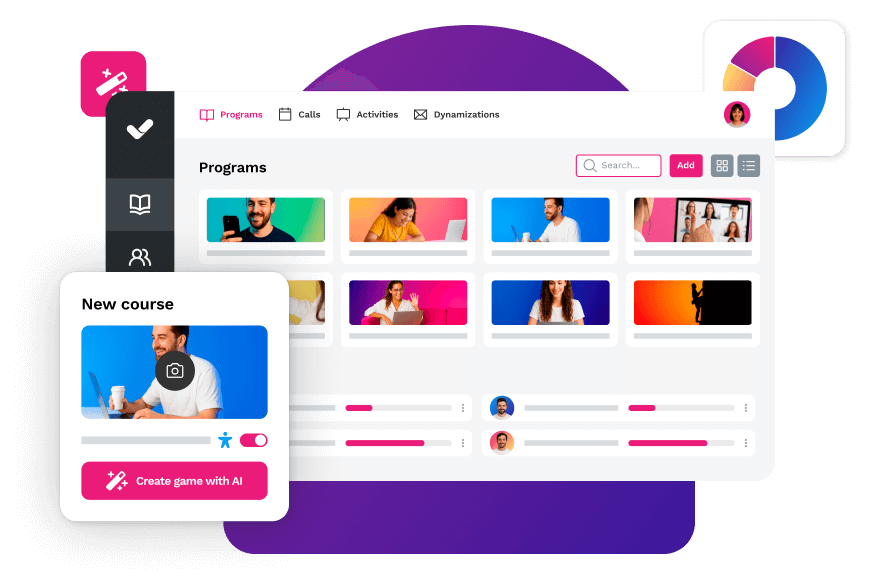


Streamline your training management
Experience the power of AI in an LMS that has it all