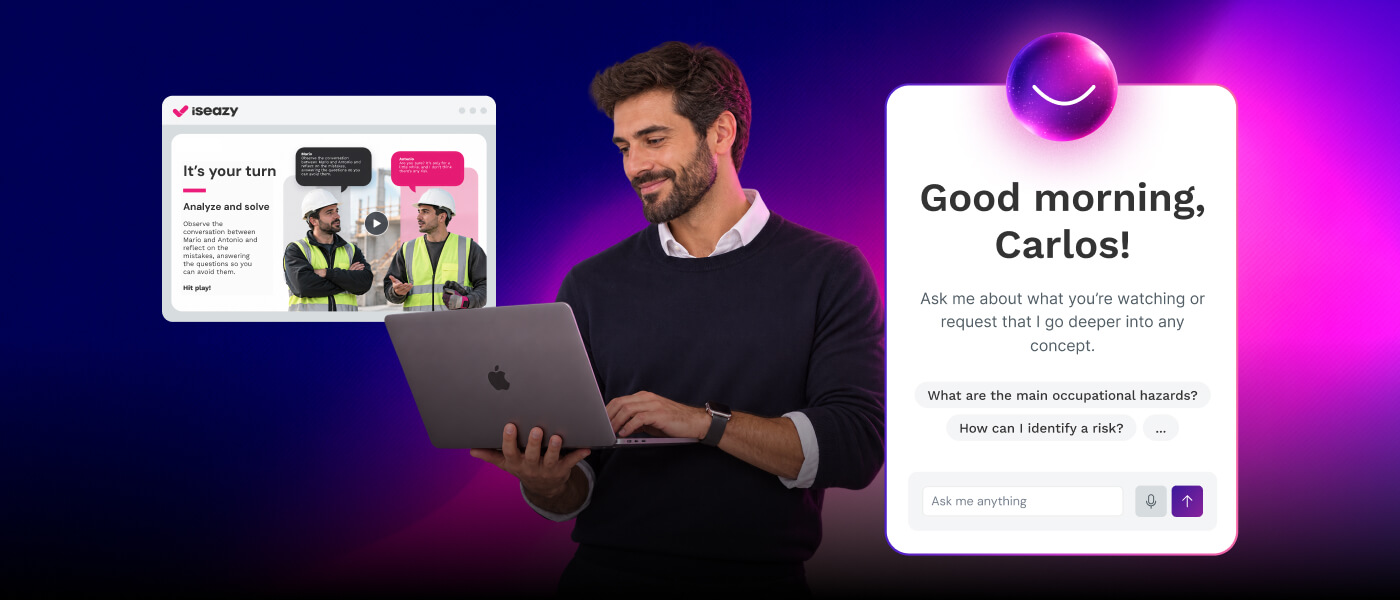
CASE STUDY
Learn how we helped AKRON Group promote upskilling and reskilling of their workforce

Brain
The first AI trained to teach

Author
The #1 AI-powered authoring tool on the market

Factory
Custom e-learning content factory

Skills
Comprehensive power skills course catalog

LMS
All-in-one LMS platform with AI

Engage
App for managing frontline teams
Product

What is Brain?
Everything you need to know about the first AI trained to teach.

Learning agent: CompanionNew
Supports learners and answers their questions right inside the course, without breaking the audit trail.

How does it work?
Adaptive, conversational, and contextual. That’s learning with Brain.
FEATURES

AINew
Unlock your full potential and speed up course creation with artificial intelligence.

Accessibility
Automatically meet accessibility guidelines—without sacrificing interactivity!

Interactivity
Boost engagement with interactive, ready-to-use activities that make learning fun.

Course Creation
Reduce the time it takes to create your e-learning courses with our authoring tool.

Distribution
We offer you different distribution options, so that nothing can stop you.

SCORM
Publish your course in SCORM format and share it on any LMS.
SERVICES

Instrucional Design
Surprise your students with multimedia and interactive content.

Custom Courses
We create e-learning courses for you—tailored to your needs and hassle-free!

Virtual Reality
Turn learning into an immersive experience.

Custom Avatars
Give your courses and videos a unique touch with personalized avatars.

Audiovisual FactoryNew
Turn training into something dynamic and visual with engaging videos.
CATALOG

Course catalog
Over 600 skills and competency courses to help you adapt to your team's needs.
Microsoft Copilot AcademyNew
Your professionals will learn how to apply Copilot AI to key processes within your organization.

Artificial Intelligence Academy
Train your teams in the practical use of AI to boost productivity and innovation in your company.

Cybersecurity Academy
Capacita a tu empresa con el catálogo más completo en seguridad digital corporativa.
FEATURES

Learning platform
Manage all your training from one place

Analitycs
Measure the impact of your training

Learning Experience
Offer a unique learning experience to your team
Content Library
Choose from hundreds of expert-created courses
Authoring Tool
Create your own content—faster than ever

Use cases
Choose the solution that best fits your needs

Industries
Solutions for all types of industries
USE CASES

Onboarding
Facilitate the onboarding process, productivity and engagement of your new employees.

Upskilling
Boost your team's skills and prepare them for the challenges of the future with upskilling.

Microlearning
Discover all the advantages of microlearning and boost your training results.

Gamification
Enjoy addictive training that will get your professionals hooked.

Internal Communication
Improve communication in your company and enjoy an aligned and committed team.

Mobile learning
Agile, flexible, and interactive learning—built for today’s digital-first workforce.
INDUSTRIES

Banking and financial services
Training in compliance, cybersecurity, customer service, and key skills development.

Pharmaceuticals and healthcare
Digital onboarding, regulatory updates, and ongoing training for healthcare staff.

Retail and consumer
Agile and scalable training for in-store, operational, and customer service teams.

Industry and manufacturing
Training in processes, safety, and corporate culture for distributed teams.

Education and training
Digital solutions for training centers, internal academies, and corporate universities.

Technology and telecommunications
Development of technical talent, digital skills, and upskilling and reskilling programs.
CLIENTS

MAPFRE
How MAPFRE turn e-learning into sales with isEazy

Pepco
A personalised learning experience for a growing team.

BBVA
Digitisation and creation of high quality e-learning content.

Shiseido
We increase the engagement of the training with a social and gamified app.

Telefónica
Large-scale reskilling for the company's digital transformation.

Vodafone
A personalised learning experience for a growing team.
More than 1,000 companies already rely on isEazy.





MEET ISEAZY

Events
Discover our upcoming events and connect with the future of e-learning.

News
Find out the latest news about isEazy: press releases, partnerships, updates...

Contact
Leave us your personal details and we will contact you as soon as possible.
About isEazyNew
Find out more about our company.

Careers
We are looking for the best talent, join our team!

Partners
Become our partner and grow your business.
INTERESTING RESOURCES

Blog
The best content on e-learning: trends, tools and key strategies.

Whitepapers
Gain valuable insights and stay ahead of industry trends.

Product releases
The latest news and releases of our e-learning products and solutions.

Glossary
Definitions of the most commonly used terms and key industry concepts.

Guides
Discover the best step-by-step tips and tricks to optimize your L&D strategy.

Webinars
Video sessions on our products, trends and more

Comparatives
Compare e-learning solutions available on the market and choose the most suitable one.


WEBINAR
Master AI in isEazy Author in under an hour.




GUIDE
Prepare your organization to comply with the new AI regulations

Stay up to date with all our latest news
 Subscribe to our newsletter
 Stay up to date with all our latest news

April 30, 2026

CONTENT CREATED BY:

Table of contents
Role-based learning is a corporate training approach that personalizes learning paths according to the specific functions, responsibilities, and skills required for each job role. Instead of delivering the same content to the entire organization, every employee receives exactly the training they need to perform well in their role.
In this article, you’ll find a complete guide: what it is, why it matters, how to implement it, and which tools and real-world examples you can apply in your organization today.
Role-based learning is a training model that structures learning programs around the responsibilities, workflows, and specific competencies of each job role. Unlike generic training, it ensures employees develop only the skills directly applicable to their daily tasks and the business objectives of their area.
According to the LinkedIn Workplace Learning Report 2024, 68% of employees prefer to learn in the context of their own work and at the moment they need it. Role-based learning responds precisely to that demand: it delivers relevant, timely content that is directly connected to job performance.
It’s not just about personalizing how people learn — it’s about ensuring that what’s learned has real impact. This approach is especially effective in industries with high turnover, highly specialized profiles, or teams distributed across multiple locations.
To understand the real value of role-based learning, it helps to compare it with the traditional approach to corporate training:
| Criteria | Generic training | Role-based learning |
|---|---|---|
| Content | Same for all employees | Specific to each job role |
| Training time | Longer (includes irrelevant content) | Optimized (only what applies to the role) |
| Motivation | Low if content doesn't feel useful | High when direct applicability is clear |
| Performance impact | Indirect and difficult to measure | Direct and measurable by role |
| Adaptability | Rigid, hard to update per role | Flexible, updatable by role or area |
Many employees feel overtrained in certain areas yet underprepared in the core competencies that matter most to their daily tasks. Role-based learning addresses precisely that gap. Here are its main benefits:
By focusing only on the essential skills for each role, role-based learning eliminates irrelevant content and reduces training time. According to the Brandon Hall Group, organizations that adopt personalized training programs reduce training time by up to 40% while maintaining or improving outcomes.
When employees see that training directly applies to their work, engagement increases significantly. Content relevance is the number-one driver of motivation in corporate training, according to the Deloitte Global Human Capital Trends report.
Role-based learning narrows the gap between learning and application. By designing content around real job situations, employees can immediately transfer what they’ve learned to their daily work, resulting in measurable performance gains.
Investing in relevant, personalized training sends a clear signal of professional development. Companies that implement role-based training programs report significantly higher retention rates, as employees perceive a concrete career path linked to their current responsibilities.
Identifying the competencies required for each role and comparing them against each employee’s current level allows organizations to address skill gaps with precision. This is especially relevant in digital transformation or reskilling contexts, where role profiles evolve rapidly.
A solution like isEazy Skills allows you to assign learning paths by role, track progress by competency, and automatically detect where each person needs to strengthen their training.
AKRON Group is a strong example of how role-based learning can transform upskilling and reskilling programs at a corporate scale. With isEazy, AKRON implemented a role-based personalized training plan that allowed them to develop key competencies across their teams in a structured, measurable way. Discover how they did it →
CASE STUDY
Learn how we helped AKRON Group promote upskilling and reskilling of their workforce


Implementing role-based learning effectively requires a well-structured process. Here are the key steps:
The first step is identifying all roles in the organization and defining the competencies, skills, and knowledge required for each. This role map is the foundation of the entire program. If updated job descriptions already exist, this step moves quickly; if not, now is the time to build them.
With the competency map in hand, the next step is assessing each employee’s current level for their role. The gap between what’s required and what exists defines training priorities. The most effective learning strategies always start from a real diagnosis, not assumptions.
Once the gaps are identified, role-specific learning paths are designed. Content must be relevant, accessible in a work context, and diverse in format: microlearning, video, simulations, experiential learning, or content tailored to each profile.
Scaling role-based learning depends on technology. An LMS platform or a skills catalog allows you to automatically assign paths by role, track progress, and adjust the program in real time. Without this technology layer, the model is difficult to scale in mid-sized or large organizations.
The final step — and the most often overlooked — is measurement. Define clear KPIs per role: completion rate, time-to-competency, measurable performance improvement. Platform data helps you identify which paths are working, which content isn’t being consumed, and where training needs reinforcement.
The success of role-based learning depends greatly on the formats and tools used. Here are the most effective ones by role type and learning objective:
Short learning bursts (3–7 minutes) are ideal for reinforcing role-specific competencies at the moment of need. They are especially effective for sales teams, customer service, or high-turnover roles.
Simulations allow employees to practice real job situations in a safe environment. For sales, leadership, or negotiation roles, role playing is one of the techniques with the highest transfer rate to real-world performance.
For technical, operational, or physically hazardous roles, virtual reality training allows the work environment to be recreated with high fidelity. Immersive learning improves retention and reduces errors in high-risk real-world contexts.
The principle of practice-based learning (learning by doing) is especially powerful in a role-based learning context: employees learn by doing, in situations that replicate their actual job tasks. Combining theory with applied practice is the formula with the greatest impact on knowledge retention.
The adaptive learning approach automatically adjusts content based on each employee’s level, pace, and performance within their role path. This technology is particularly valuable when there is wide variation in skill levels within the same role.

To put role-based learning into practice, it’s essential to have tools that allow you to design, manage, and distribute role-tailored training in an agile and scalable way. These solutions make it easier to map competencies, create content, and track learning by job role. Here are some of the most widely used.

Features
Benefits
Pricing
Accessibility
Awards
Features
Benefits
Pricing
Accessibility
Awards

Key Features
Benefits
Pricing
Key Features
Benefits
Pricing

Key Features
Benefits
Pricing
Key Features
Benefits
Pricing

Key Features
Benefits
Pricing
Key Features
Benefits
Pricing
In a context of accelerating technology, role-based learning becomes a strategic tool for developing digital competencies by role. Not all roles require the same digital skills: a marketing profile needs to master analytics and automation tools; an operations profile, ERP systems; an HR profile, talent management platforms.
Designing role-specific digital learning paths allows organizations to advance their digital transformation in an orderly, measurable way — without overwhelming employees with generic “digitalization” content that doesn’t translate into concrete, role-applicable skills.
Tools like isEazy Skills allow you to map the digital competencies required for each role and deliver specific training paths, with tracking by area, department, or organizational level. Similarly, isEazy Author makes it easy to create personalized e-learning content by role, without any advanced technical knowledge required. Want to see how it works in practice? Try isEazy Skills or isEazy Author with a free demo.
The main difference lies in personalization. Generic training offers the same content to all employees, regardless of their responsibilities or level. Role-based learning, on the other hand, creates specific learning paths for each role, ensuring every person receives only the training applicable to their daily tasks.
In terms of impact, the difference is significant: according to the LinkedIn Workplace Learning Report 2024, 68% of employees prefer to learn in the context of their own work and at the moment they need it. Role-based learning responds precisely to that need, avoiding wasted time on irrelevant content and increasing both motivation and the rate at which learning is applied on the job.
Implementing role-based learning effectively requires a structured, multi-step process. First, you need to conduct a role analysis: identify existing positions, map the competencies required for each, and detect current skill gaps. This diagnostic is the foundation of the entire program.
Next, personalized learning paths are designed for each role, using a combination of formats: microlearning, video, simulations, gamification, and case studies. Content must be directly applicable to daily work.
Technology plays a key role in scaling the program. An LMS platform or a skills catalog like isEazy Skills allows you to automatically assign learning paths by role, track progress, and measure performance impact. Finally, KPIs are set to evaluate effectiveness: completion rates, performance improvement, and time to autonomy in the role (time-to-competency).
Role-based learning benefits most from formats that make practical application easier. The most effective ones are:
Microlearning: short learning bursts (3-7 minutes) focused on a specific role competency. Ideal for just-in-time training needs.
Simulations and role playing: allow employees to practice real job situations in a safe environment. Especially valuable for sales, customer service, or leadership roles.
Demonstration videos: for technical skills or role-specific procedures.
Gamification: boosts motivation and engagement, especially in high-turnover team training.
Adaptive learning: automatically adjusts content based on each person’s level and progress within their role path.
The key is that every format must be directly tied to the responsibilities of the role and accessible in the context of daily work.
Measuring the impact of role-based learning requires defining indicators tied to both learning outcomes and on-the-job performance. The most relevant KPIs are:
Time-to-competency: how long it takes an employee to become autonomous in their role. Reduces the onboarding period and accelerates productivity.
Application rate: the percentage of employees who apply what they learned at work. Measured through performance reviews or post-training surveys (Kirkpatrick model, level 3).
Completion rate: the percentage of employees who complete their role learning path. Indicates how relevant they find the content.
Performance improvement: comparing business results before and after training (sales, quality, NPS, productivity) by role.
Skill gap reduction: measuring competency gaps before and after the program, through self-assessments or 360-degree evaluations.
An LMS platform or a skills catalog makes this tracking much easier, centralizing progress data and enabling comparison of results across roles, teams, or time periods.

GUIDE
Prepare your organization to comply with the new AI Regulations
Download guide


Creating spectacular e-learning courses doesn't have to be complicated
Create and share accessible, engaging, and interactive e-learning courses in just minutes with isEazy Author


Creating spectacular e-learning courses doesn't have to be complicated
Create and share accessible, engaging, and interactive e-learning courses in just minutes with isEazy Author