CASE STUDY
How Pepco transformed training using top learning tools

Brain
The first AI trained to teach

Author
The #1 AI-powered authoring tool on the market

Factory
Custom e-learning content factory

Skills
Comprehensive power skills course catalog

LMS
All-in-one LMS platform with AI

Engage
App for managing frontline teams
FEATURES

AINew
Unlock your full potential and speed up course creation with artificial intelligence.

Accessibility
Automatically meet accessibility guidelines—without sacrificing interactivity!

Interactivity
Boost engagement with interactive, ready-to-use activities that make learning fun.

Course Creation
Reduce the time it takes to create your e-learning courses with our authoring tool.

Distribution
We offer you different distribution options, so that nothing can stop you.

SCORM
Publish your course in SCORM format and share it on any LMS.
SERVICES

Instrucional Design
Surprise your students with multimedia and interactive content.

Custom Courses
We create e-learning courses for you—tailored to your needs and hassle-free!

Virtual Reality
Turn learning into an immersive experience.

Custom Avatars
Give your courses and videos a unique touch with personalized avatars.

Audiovisual FactoryNew
Turn training into something dynamic and visual with engaging videos.
CATALOG

Course catalog
Over 600 skills and competency courses to help you adapt to your team's needs.
Microsoft Copilot AcademyNew
Your professionals will learn how to apply Copilot AI to key processes within your organization.

Artificial Intelligence Academy
Train your teams in the practical use of AI to boost productivity and innovation in your company.

Cybersecurity Academy
Capacita a tu empresa con el catálogo más completo en seguridad digital corporativa.

Use cases
Choose the solution that best fits your needs

Industries
Solutions for all types of industries
USE CASES

Onboarding
Facilitate the onboarding process, productivity and engagement of your new employees.

Upskilling
Boost your team's skills and prepare them for the challenges of the future with upskilling.

Microlearning
Discover all the advantages of microlearning and boost your training results.

Gamification
Enjoy addictive training that will get your professionals hooked.

Internal Communication
Improve communication in your company and enjoy an aligned and committed team.

Mobile learning
Agile, flexible, and interactive learning—built for today’s digital-first workforce.
INDUSTRIES

Banking and financial services
Training in compliance, cybersecurity, customer service, and key skills development.

Pharmaceuticals and healthcare
Digital onboarding, regulatory updates, and ongoing training for healthcare staff.

Retail and consumer
Agile and scalable training for in-store, operational, and customer service teams.

Industry and manufacturing
Training in processes, safety, and corporate culture for distributed teams.

Education and training
Digital solutions for training centers, internal academies, and corporate universities.

Technology and telecommunications
Development of technical talent, digital skills, and upskilling and reskilling programs.
CLIENTS

MAPFRE
How MAPFRE turn e-learning into sales with isEazy

Pepco
A personalised learning experience for a growing team.

BBVA
Digitisation and creation of high quality e-learning content.

Shiseido
We increase the engagement of the training with a social and gamified app.

Telefónica
Large-scale reskilling for the company's digital transformation.

Vodafone
A personalised learning experience for a growing team.
More than 1,000 companies already rely on isEazy.





MEET ISEAZY

Events
Discover our upcoming events and connect with the future of e-learning.

News
Find out the latest news about isEazy: press releases, partnerships, updates...

Contact
Leave us your personal details and we will contact you as soon as possible.
About isEazyNew
Find out more about our company.

Careers
We are looking for the best talent, join our team!

Partners
Become our partner and grow your business.
INTERESTING RESOURCES

Blog
The best content on e-learning: trends, tools and key strategies.

Whitepapers
Gain valuable insights and stay ahead of industry trends.

Product releases
The latest news and releases of our e-learning products and solutions.

Glossary
Definitions of the most commonly used terms and key industry concepts.

Guides
Discover the best step-by-step tips and tricks to optimize your L&D strategy.

Webinars
Video sessions on our products, trends and more

Comparatives
Compare e-learning solutions available on the market and choose the most suitable one.


WEBINAR
Master AI in isEazy Author in under an hour.


AUTHORING TOOL
Create courses automatically and generate interactive activities, games, translations, and multimedia resources in seconds.

Stay up to date with all our latest news
 Subscribe to our newsletter
 Stay up to date with all our latest news

July 20, 2026

CONTENT CREATED BY:
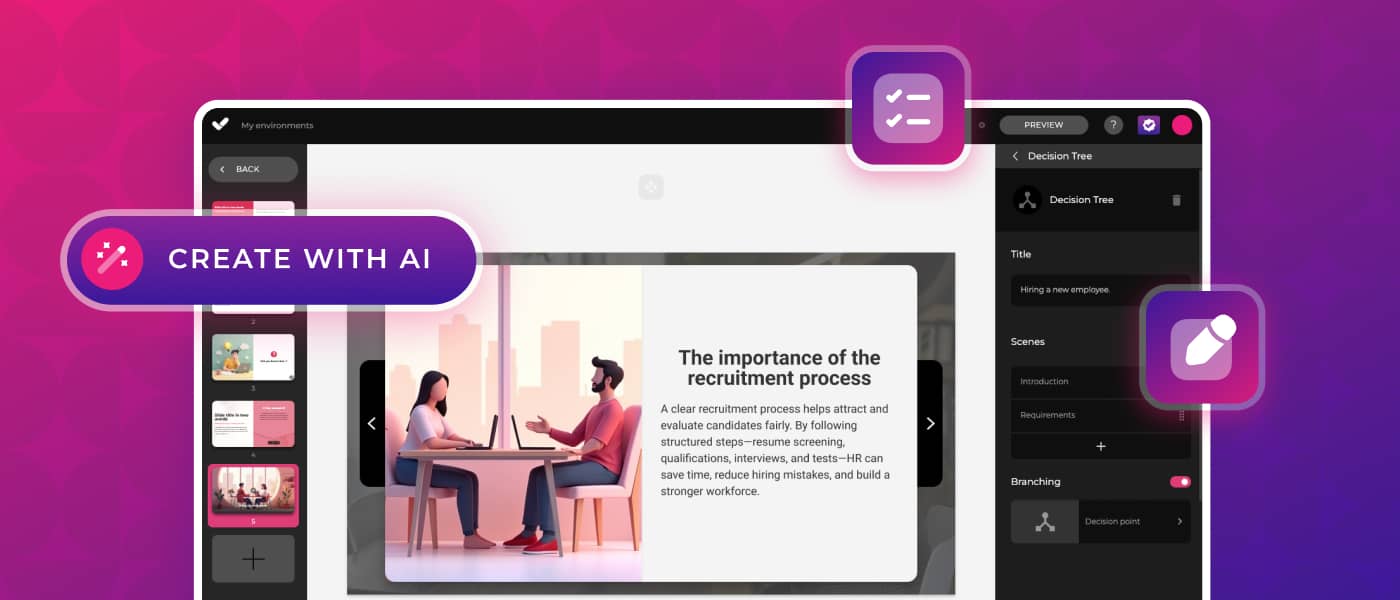
Table of contents
In corporate training, sharing information is not enough: changing behaviors requires professionals to make real decisions and see their consequences. Branching scenarios convert any e-learning course into an immersive experience where every choice makes a difference. In this article you will find everything you need to know: what they are, how they work, what they are used for, and how to create them.
Branching scenarios are interactive activities that present the learner with different paths through the content based on the decisions they make. The story evolves in a non-linear way and the learner understands the impact of their actions by experiencing different consequences on each attempt.
Unlike a traditional quiz—which only evaluates whether an answer is right or wrong—a branching scenario accepts the chosen option and shows its consequences in context. The learner does not simply receive a “correct/incorrect”, but instead experiences the effects of their decision and can go back to explore other paths. This approach connects directly with experiential learning: according to a meta-analysis by the University of Colorado (2019) covering 65 studies and 6,476 learners, interactive simulations and scenarios achieve 9% better knowledge retention, 14% greater procedural mastery, and 20% higher self-efficacy compared to linear training methods.
Decision scenarios are particularly well suited for putting theoretical knowledge into practice through non-linear navigation modules, and for developing the ability to make decisions in situations where there is no single right answer—only more or less effective options.
A branching scenario is built around three fundamental elements:
The result is a map of choices and consequences that can be as complex as the designer needs: from two simple paths to decision trees with multiple levels and outcomes. Flexible navigation lets the learner go back and explore different paths without restarting from scratch, which multiplies the learning value of each session.
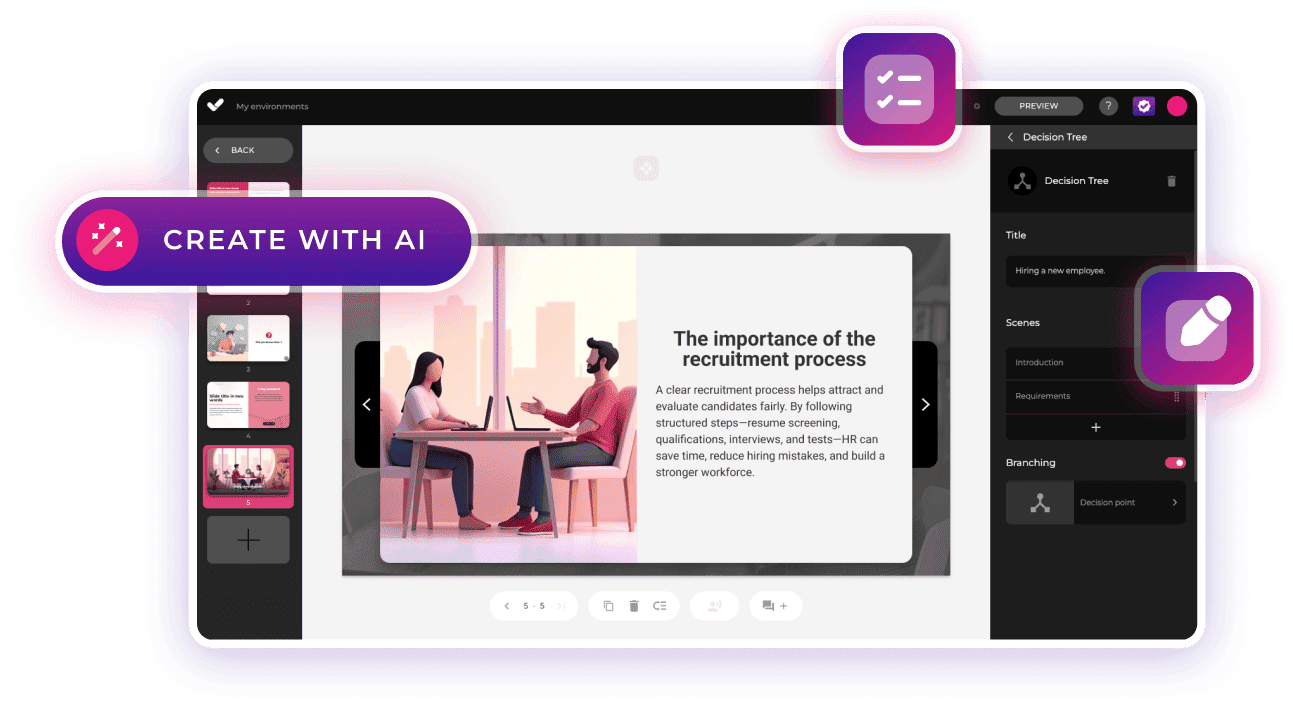
isEazy Author includes branching scenarios as a native interactive element within the course creation tool. Each story is made up of scenes enriched with text, images, videos, and more, and is navigated via a visual map that makes editing easy even in complex structures. In addition, scenarios created with isEazy Author are compatible with the xAPI and cmi5 standards, which allows the LMS to record not just completion, but every path taken and every decision made by the learner.
In many real workplace situations there is no right or wrong answer—only a more effective one. Branching scenarios recreate exactly these kinds of situations, training decision-making in a risk-free environment. Here are the main use cases in corporate settings:
Branching scenarios do not replace other interactive formats—they complement them. The key is choosing the type of activity based on the learning objective and the type of skill to be developed. The following table compares the three most widely used formats in corporate e-learning:
| Format | Type of learning | Feedback to learner |
|---|---|---|
| Quiz / questionnaire | Evaluation of theoretical knowledge | Immediate correct / incorrect |
| Interactive video | Understanding of processes or contexts | Reflection points or embedded questions |
| Branching scenario | Decision-making practice | Contextual consequences of each choice |
| Format | Path personalization | Best for |
|---|---|---|
| Quiz / questionnaire | None — everyone sees the same content | Knowledge, compliance, assessment |
| Interactive video | Low — simple branching | Processes, demonstrations, context |
| Branching scenario | High — multiple paths based on decisions | Soft skills, leadership, customer service, H&S |
Branching scenarios are versatile and adapt to different learning objectives, but their effectiveness depends on design. Following these four phases significantly improves results:
Practical example: imagine a leadership scenario where a manager must resolve a conflict between two team members. The learner moves through different scenes, talks with those involved, and reaches a decision point: speak with each employee separately, call a joint meeting, or do nothing. Each choice leads to a different sequence: the conflict may escalate, be resolved, or remain unresolved. The learner can go back and try another path, exploring the real consequences of their decisions before facing the situation with their own team.
To dive deeper into how to measure the results of this type of active training, read our article on LMS analytics.
Creating branching scenarios with isEazy is fast and intuitive, with two modes of working:
With the visual interface of isEazy Author, the designer adds scenes with text, images, videos, and audio, and defines the response options that guide the learner to new branches. A navigation map shows the complete structure of the scenario at all times, making editing easy no matter how complex the story is.
When time is a key factor, the AI generation option creates the scenario automatically from the course content. Simply select “Generate with AI” and the tool builds the scene structure, paths, and decision points instantly—ready for the designer to review and adjust as needed.

Branching scenarios are the ideal solution for learning content that requires active participation. Their main advantages over linear formats are:
If you are looking for a platform that supports this type of interactive content, discover the capabilities of a next-generation LMS.
Pepco, a retail chain present in more than 20 European countries, found in isEazy the solution to scale its corporate training and improve the engagement of its store teams with more interactive and personalized content. Discover how they did it →
Branching scenarios turn passive content into experiences where learners practice, make decisions, and learn from their consequences. For training teams, the challenge lies in designing these paths quickly, visually, and without relying on programming.
With isEazy Author you can create branching scenarios with text, images, videos, and audio, organize each scene using a visual map, and generate the structure with AI to speed up the process. You can also review and customize each path, adapt the content to your company’s brand identity, and export it in formats compatible with your training ecosystem.
Request a demo of isEazy Author and create more interactive, accessible experiences connected to real workplace situations—with the AI-powered authoring tool that creates alongside you.
Branching scenarios are a decision-based learning technique set within an interactive environment. Participants must choose between different options, generating different consequences and multiple paths within the learning experience.
This method helps improve knowledge retention, allows practice in a safe environment, encourages real-time decision-making, and increases learner engagement by making them an active participant in their own learning.
They can be used in multiple contexts, such as sales training, business decision-making, conflict resolution, compliance training, and soft skills development, among others.
To design a good branching scenario, it is important to define clear objectives, create realistic situations, offer multiple paths with meaningful consequences, and provide feedback that helps learners learn from their decisions.
No. Tools like isEazy Author make it easy to create this type of content with interactive templates and branching options, allowing you to develop learning experiences without any programming knowledge.
Branching scenarios are the ideal solution for learning content that requires active learner participation. They are engaging, enjoyable, and effective—and they also offer multiple benefits: they improve engagement and retention, since learners make decisions and learn from their mistakes, absorbing information more effectively. They also provide a safe space for practice without real-world risk, and allow employees to experience how a right or wrong decision can completely change outcomes while identifying the skills they need to develop to succeed.
Unlike quizzes and assessments—which are typically linear, meaning the next question is always the same regardless of the learner’s answer—branching scenarios are unpredictable: different answers lead to different challenges. Another key difference is their focus: while quizzes test acquired knowledge, branching scenarios focus on developing practical solutions to real-life situations. Feedback is also different: a quiz tells the learner whether they got an answer right or wrong, while a branching scenario shows the contextual consequences of their choice.
In many real workplace situations, there is no right or wrong answer—only a more effective one. A good example is customer service interactions. There are no exact rules for getting it right, yet the professional must still respond to customers in the best possible way. In these situations, corporate training must give employees learning solutions that offer multiple paths and outcomes—and that is exactly what branching scenarios can achieve. Decision scenarios are perfect for putting theoretical knowledge into practice through interactive, non-linear navigation modules. They are best suited for simulation-based learning when training professionals in decision-making or situation-management skills.

With the new interactive: branching scenarios in isEazy Author.
Try it freeRequest a demo

Create interactive stories with decisions and multiple outcomes.
Try the new interactive from isEazy Author.

Create interactive stories with decisions and multiple outcomes.
Try the new interactive from isEazy Author.