Flipped learning, also known as the inverted classroom, is a methodology that is transforming corporate training. With the rise of e-learning and the growing need to train teams in a more dynamic and efficient way, more and more organisations are adopting this approach to make better use of training time and increase knowledge retention.
What is flipped learning?
Flipped learning is an educational approach that reverses the traditional training sequence: theoretical content is consumed independently — through videos, readings or podcasts — before the training session, and class time (in-person or virtual) is dedicated entirely to practical activities, debates and problem-solving. In corporate training, it enables more active, flexible learning that is better aligned with real on-the-job challenges.
The concept was systematised by Jon Bergmann and Aaron Sams in 2012, and later structured by the Flipped Learning Global Initiative (FLGI), which established four key pillars: flexible environment, learning culture, intentional content and professional educator. In the corporate world, this model is particularly relevant for distributed teams, hybrid environments and active learning programmes where synchronous training time is limited and valuable.
Unlike blended learning, which simply combines online and in-person training, flipped learning involves a deliberate pedagogical redesign: the basic cognitive load (remembering, understanding) takes place outside the classroom, and the higher-order stages of Bloom’s Taxonomy (applying, analysing, evaluating, creating) take place within it.
Flipped learning reverses the traditional training model: theory is studied before the session and time with the trainer or peers is dedicated to practising, debating and solving real problems. In corporate training, it improves retention, fosters active learning and optimises every synchronous training hour.
Flipped learning vs. traditional training
To understand the value of the inverted model, it helps to directly contrast its differences with the conventional approach:
Aspect
Traditional training
Flipped learning
Employee role
Passive recipient of information
Active protagonist of their own learning
Use of synchronous time
Trainer-led content delivery
Practice, debate and problem-solving
Content consumption
In class, in real time
Before the session, at their own pace
Personalisation
One-size-fits-all
Adaptable to each person's level and pace
Long-term retention
Lower (no immediate application)
Higher (practice and feedback in session)
Flipped learning strategies and methodologies
There is no single way to apply the inverted classroom. Depending on the training objectives and team profile, different approaches can be combined:
Video-based learning
This is the most widely used format. Employees watch short training videos — between 3 and 10 minutes — before the session. Ideal for explaining processes, procedures or key concepts. Platforms such as isEazy Author with AI make it possible to produce this type of content quickly and with high visual quality.
Reading-based learning
Participants access documents, articles or manuals before the session. Works well for regulatory, technical or product content where accuracy is critical. The key is for the material to be concise and well structured.
Project-based learning
Synchronous session time is dedicated to solving a real project or business case. Employees arrive with the theoretical knowledge already acquired and work as a team to apply it. This approach is particularly powerful in leadership and management development programmes.
Debate-based learning
Participants prepare arguments and positions based on the pre-session material. The session becomes a space for contrasting ideas, critical analysis and decision-making. Very effective in sales training, negotiation and team management.
Hybrid
Combines videos, readings and interactive activities beforehand with synchronous in-person or virtual sessions. This is the most flexible model and the one that best suits geographically distributed teams or those with different schedules. According to the LinkedIn Learning Workplace Report 2024, 72% of professionals prefer to learn at their own pace — which reinforces the value of the asynchronous component in flipped learning.
Tools and resources for the inverted classroom
To successfully implement flipped learning in an organisation, it is essential to have a combination of technology tools that cover the entire training cycle:
Learning platforms (LMS)
An LMS is the backbone of the inverted model in corporate environments. It centralises pre-session materials, manages enrolments, tracks each employee’s progress and facilitates communication between trainers and teams. Find out more about what an LMS is and how it works, or explore the isEazy Skills course catalogue to complement your content strategy.
Authoring tools
Authoring tools are ideal platforms for creating pre-session materials: interactive videos, animated presentations, simulations and microcourses. They allow anyone on the team — regardless of technical background — to produce high-quality content. Discover what authoring tools are and how they can streamline your training content production. isEazy Author also integrates AI for course creation with Autopilot, dramatically reducing production time.
Collaboration software
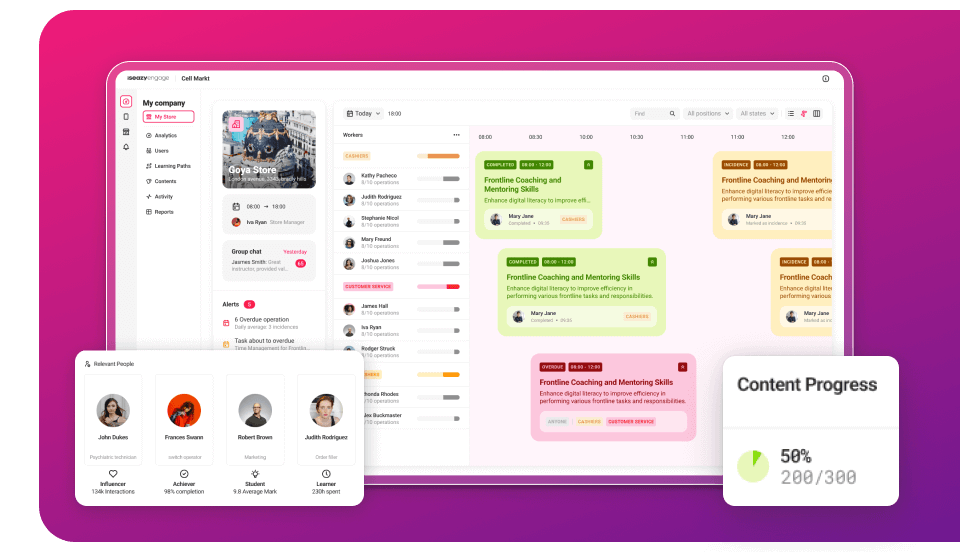
Communication and teamwork platforms are essential for the social component of flipped learning: discussion forums, Q&A channels, spaces for sharing reflections before the session and co-creation tools. isEazy Engage combines internal communication and training in a single app, ideal for frontline workers or deskless employees.
Interactive assessments
E-learning provides tools for creating interactive assessments and self-assessments — quizzes, questionnaires, branching scenarios — that measure employee progress and adapt content based on results. Read our guide on e-learning assessment to explore this further.
ING is a great example of how to combine gamification and mobile learning within a modern training ecosystem. With isEazy, the bank implemented a social, gamified app that transformed the way its teams access training and internal communications — exactly the kind of technology support that flipped learning needs to work at scale. Discover how they did it →
CASE STUDY
How ING centralized all its training and communication into a single app.
Flipped learning in the corporate e-learning context
How to adapt the inverted classroom to professional training
Flipped learning fits perfectly in the corporate environment by fostering active learning aligned with real on-the-job challenges. To implement it successfully, training programmes need to be redesigned: theoretical content must be available in easy-to-access digital formats — videos, readings, podcasts — that employees can consume at their own pace before a synchronous session or collaborative activity.
During training sessions (in-person or virtual), time is dedicated to practical application: simulations, role plays, real-case problem solving or team projects. The trainer shifts from information transmitter to learning facilitator. This change of role is one of the model’s greatest benefits and one of the most valued by L&D teams.
Advantages for hybrid environments and distributed teams
The inverted classroom is particularly well-suited to distributed or hybrid teams. By decoupling the theoretical component from the synchronous session, each person can prepare from their own location and time zone. This removes the pressure of coordinating schedules just to deliver basic information, and reserves synchronous meetings for what truly requires human interaction: debate, practice and feedback.
Using microlearning and personalised learning paths
Flipped learning finds a natural ally in microlearning. By dividing theoretical content into short, focused learning bites, it becomes easier to consume during low cognitive load moments or within the flow of work. This not only improves retention but also adapts to different learning styles and paces. Personalised learning paths further allow L&D teams to offer tailored training itineraries based on each professional’s profile, needs and goals, making learning more relevant and effective.
The role of the LMS and SCORM content in the inverted model
An LMS is a key piece in orchestrating flipped learning in corporate environments: it centralises pre-session content, manages enrolments, tracks progress and encourages participation through forums, assessments and collaborative activities. Content in SCORM format ensures learning traceability: who has completed the pre-session materials, how long they spent and what results they achieved — critical information for trainers to tailor the practical session accordingly.
The future of the inverted classroom: trends in education and training
Artificial intelligence and personalised learning
Artificial intelligence is redefining the inverted model. Beyond distributing the same videos to everyone, AI makes it possible to adapt pre-session materials to each employee’s profile, level of mastery and learning pace. Platforms such as isEazy Brain represent the natural evolution of flipped learning: they convert real corporate knowledge into conversational learning agents that accompany the employee before, during and after the practical session, adjusting difficulty and tone in real time. It is the training that thinks — adaptive, contextual and trackable — without requiring L&D Managers to intervene at every step.
x
Integration with analytics and tracking tools
Flipped learning gains effectiveness when combined with learning analytics. Knowing who has consumed the pre-session materials, how long they spent on them and where they got stuck allows the trainer to personalise the synchronous session and focus on the least understood concepts. Modern LMS platforms include tracking dashboards that turn this data into concrete training decisions.
Gamification and challenge-based learning
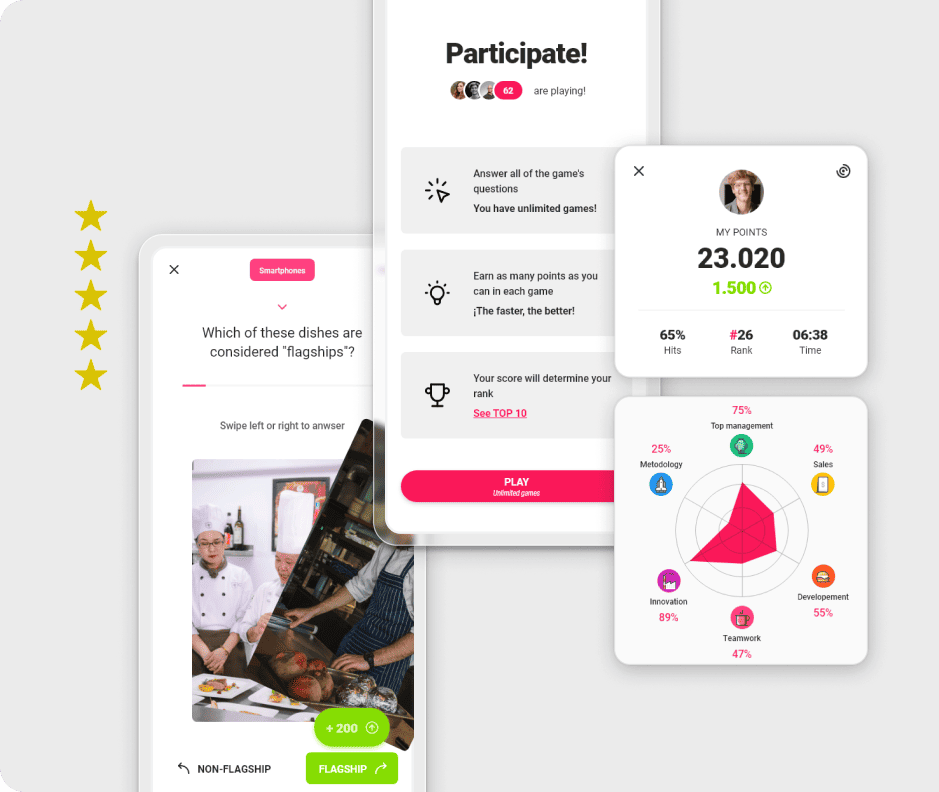
Incorporating gamification elements into the asynchronous component — badges for completing pre-session materials, participation rankings, unlockable challenges — increases motivation and pre-session completion rates. Challenge-based learning connects directly with the inverted model: employees acquire the theoretical foundations independently and face the challenge as a group during the session, maximising both collaboration and real-world knowledge application.
The Best Tools on the Market for Creating Flipped Learning Training
Choosing the right tools is just as important as designing the methodology well. To successfully implement flipped learning in a corporate environment, you need solutions that cover the entire cycle: creating pre-course materials, distributing and managing the learning experience, communication, and follow-up. Below you’ll find a comparison of the leading platforms on the market so you can make the best decision for your team.
isEazy Author
The Leading AI Authoring Tool on the Market
Features
Benefits
Pricing
Accessibility
Awards
AI features: generate images, games and exercises, automatic subtitles, voiceovers, advanced interactive elements, avatars, and AI video presenters to bring your content to life.
AI Autopilot: automatic course creation from documents or ideas, with pedagogical structure, interactive resources, and applied visual identity. Transform any content into a publish-ready course in minutes.
Templates: over 25 ready-to-use interactive templates, editable and customizable with corporate colors, typography, and logo via the Smart Colors feature.
Drag-and-drop editor: visual editing to create courses with no technical, programming, or design knowledge required.
Automatic responsive design: courses adapt to any device without manual adjustments, with dual mode so each learner can access content in their preferred format.
Multi-format: export in SCORM 1.2, SCORM 2004, xAPI, and HTML5, compatible with any LMS on the market.
Automatic translation: full AI-powered course translation into over 40 languages, with no need for external translators.
Text to speech: professional voiceovers automatically generated from content, with selection of gender, language, and voice variation.
PowerPoint import: convert presentations into interactive e-learning courses in just a couple of clicks.
Real-time collaboration: simultaneous collaborative work on the same course with integrated comments, change tracking, and automatic saving with restore points.
Brand customization: styles, colors, typography, and logo to maintain corporate consistency across all content.
Gamification: points, badges, and leaderboards to motivate learners and increase engagement.
Assessments and quizzes: multiple question types and answer logic, with AI-powered automatic generation of final assessment tests based on course content.
Multimedia library: built-in bank of images, videos, icons, and graphic resources, with AI image generation adapted to your course style.
Integrations: connection with LMS platforms (SCORM, xAPI), external platforms, and management systems. A built-in learning environment is also available without leaving isEazy Author.
AI-powered: automates key creation tasks and drastically reduces production time. Over 36,000 users and 120,000 projects created in more than 90 countries speak for themselves.
Intuitive and visual interface: everything is edited intuitively with no learning curve, with pre-configured ready-to-use resources.
Real collaborative experience: distributed teams can work in parallel with real-time feedback, ideal for content factories and L&D teams.
Total flexibility: ideal for both occasional creators and large-scale production teams. Compatible with any LMS and 100% cloud-based.
Visual and professional courses: no designers or developers needed, with quality results recognized by Training Industry and eLearning Industry 2026.
Cost savings: less need for external resources and greater efficiency in content creation. Calculate your savings with the AI Autopilot ROI calculator.
Constantly evolving: new features released regularly and agile multilingual support, with real accessibility up to WCAG level AA and 80% of level AAA.
FREE plan: free forever. Ideal for exploring the tool with no commitment.
Professional: from €80/month. 1 author and up to 5 GB of storage.
Business: from €208/month. 2 authors and up to 12 GB of storage. The most popular plan.
Enterprise: custom authors and storage. Contact us for pricing.
Real standards compliance: courses compatible with level AA (100%) and up to 80% of level AAA of the Web Content Accessibility Guidelines (WCAG), and with Section 508 of the U.S. Rehabilitation Act.
Dual mode: create a single SCORM course and your learners can access it in their preferred mode, with or without accessibility adaptations, without duplicating production work.
Accessible interactive elements: all interactive resources in isEazy Author are designed to provide the same learning experience to all learners, regardless of their needs.
Contextual editor guidance: tips and guides built into the editor so any author can create quality accessible content easily, with no prior technical knowledge required.
Without sacrificing design or interactivity: accessibility in isEazy Author does not mean compromising visual impact or content richness. Accessible, attractive, and effective courses all at once.
Training Industry 2026: Top 20 AI Content Creation.
eLearning Industry 2026: Best AI-Powered Authoring Tool and Learning & Skills Development.
Training Industry 2025: Top 20 AI Content Creation.
eLearning Industry 2025: Best e-Learning Authoring Tool.
Brandon Hall 2024: Excellence Awards.
eLearning Industry 2024: Best Game Design and AI Watchlist.
G2 2024: Momentum Leader, High Performer, and High Performer Mid-Market.
Crozdesk 2024: Quality Choice, Trusted Vendor, and Happiest Users.
Software Advice 2024: FrontRunners.
Software Suggest 2024: Category Leader.
Features
AI features: generate images, games and exercises, automatic subtitles, voiceovers, advanced interactive elements, avatars, and AI video presenters to bring your content to life.
AI Autopilot: automatic course creation from documents or ideas, with pedagogical structure, interactive resources, and applied visual identity. Transform any content into a publish-ready course in minutes.
Templates: over 25 ready-to-use interactive templates, editable and customizable with corporate colors, typography, and logo via the Smart Colors feature.
Drag-and-drop editor: visual editing to create courses with no technical, programming, or design knowledge required.
Automatic responsive design: courses adapt to any device without manual adjustments, with dual mode so each learner can access content in their preferred format.
Multi-format: export in SCORM 1.2, SCORM 2004, xAPI, and HTML5, compatible with any LMS on the market.
Automatic translation: full AI-powered course translation into over 40 languages, with no need for external translators.
Text to speech: professional voiceovers automatically generated from content, with selection of gender, language, and voice variation.
PowerPoint import: convert presentations into interactive e-learning courses in just a couple of clicks.
Real-time collaboration: simultaneous collaborative work on the same course with integrated comments, change tracking, and automatic saving with restore points.
Brand customization: styles, colors, typography, and logo to maintain corporate consistency across all content.
Gamification: points, badges, and leaderboards to motivate learners and increase engagement.
Assessments and quizzes: multiple question types and answer logic, with AI-powered automatic generation of final assessment tests based on course content.
Multimedia library: built-in bank of images, videos, icons, and graphic resources, with AI image generation adapted to your course style.
Integrations: connection with LMS platforms (SCORM, xAPI), external platforms, and management systems. A built-in learning environment is also available without leaving isEazy Author.
Benefits
AI-powered: automates key creation tasks and drastically reduces production time. Over 36,000 users and 120,000 projects created in more than 90 countries speak for themselves.
Intuitive and visual interface: everything is edited intuitively with no learning curve, with pre-configured ready-to-use resources.
Real collaborative experience: distributed teams can work in parallel with real-time feedback, ideal for content factories and L&D teams.
Total flexibility: ideal for both occasional creators and large-scale production teams. Compatible with any LMS and 100% cloud-based.
Visual and professional courses: no designers or developers needed, with quality results recognized by Training Industry and eLearning Industry 2026.
Cost savings: less need for external resources and greater efficiency in content creation. Calculate your savings with the AI Autopilot ROI calculator.
Constantly evolving: new features released regularly and agile multilingual support, with real accessibility up to WCAG level AA and 80% of level AAA.
Pricing
FREE plan: free forever. Ideal for exploring the tool with no commitment.
Professional: from €80/month. 1 author and up to 5 GB of storage.
Business: from €208/month. 2 authors and up to 12 GB of storage. The most popular plan.
Enterprise: custom authors and storage. Contact us for pricing.
Accessibility
Real standards compliance: courses compatible with level AA (100%) and up to 80% of level AAA of the Web Content Accessibility Guidelines (WCAG), and with Section 508 of the U.S. Rehabilitation Act.
Dual mode: create a single SCORM course and your learners can access it in their preferred mode, with or without accessibility adaptations, without duplicating production work.
Accessible interactive elements: all interactive resources in isEazy Author are designed to provide the same learning experience to all learners, regardless of their needs.
Contextual editor guidance: tips and guides built into the editor so any author can create quality accessible content easily, with no prior technical knowledge required.
Without sacrificing design or interactivity: accessibility in isEazy Author does not mean compromising visual impact or content richness. Accessible, attractive, and effective courses all at once.
Awards
Training Industry 2026: Top 20 AI Content Creation.
eLearning Industry 2026: Best AI-Powered Authoring Tool and Learning & Skills Development.
Training Industry 2025: Top 20 AI Content Creation.
eLearning Industry 2025: Best e-Learning Authoring Tool.
Brandon Hall 2024: Excellence Awards.
eLearning Industry 2024: Best Game Design and AI Watchlist.
G2 2024: Momentum Leader, High Performer, and High Performer Mid-Market.
Crozdesk 2024: Quality Choice, Trusted Vendor, and Happiest Users.
Software Advice 2024: FrontRunners.
Software Suggest 2024: Category Leader.
iSpring Suite
Key Features
Benefits
Pricing
PowerPoint integration: convert existing presentations into interactive e-learning courses in just a few clicks, without leaving the familiar PowerPoint environment.
Screen recording and simulations: tools for recording screens with automatic click and keystroke detection, adding voiceovers, and creating interactive simulations and role-plays.
Quizzes and assessments: tests with multiple question types, branching logic, and answer flows to assess learner knowledge.
Video lessons: create presentations synchronized with a presenter video for a more engaging and personal learning experience.
SCORM, xAPI, and cmi5 compatibility: export courses in standard formats for integration with any LMS on the market.
Content library: over 2,500 locations, 3,600+ icons, templates, characters, backgrounds, and reusable graphic resources to enrich course design.
AI features: text generation, automatic translation into 70+ languages, text-to-speech with natural ElevenLabs voices, and AI image generation.
Low learning curve: ideal for users already familiar with PowerPoint. No technical knowledge or prior training required.
Fast course production: transform existing presentations into interactive training content quickly, with video publishing up to 1.5x faster.
LMS compatibility: ensures progress and results tracking across multiple platforms via clean, standards-compliant SCORM packages compatible with any LMS.
All tools in one suite: quizzes, video, simulations, screen recordings, AI features, and a content library all in a single environment.
iSpring Suite: from $970 USD/year per author. Includes PowerPoint authoring tool, quizzes, video lessons, simulations, and technical support.
iSpring Suite AI: from $1,290 USD/year per author. Includes all iSpring Suite features plus AI capabilities, iSpring Cloud AI, advanced content library, and updates included.
14-day free trial available. Discounts for freelancers and academics available on request.
Key Features
PowerPoint integration: convert existing presentations into interactive e-learning courses in just a few clicks, without leaving the familiar PowerPoint environment.
Screen recording and simulations: tools for recording screens with automatic click and keystroke detection, adding voiceovers, and creating interactive simulations and role-plays.
Quizzes and assessments: tests with multiple question types, branching logic, and answer flows to assess learner knowledge.
Video lessons: create presentations synchronized with a presenter video for a more engaging and personal learning experience.
SCORM, xAPI, and cmi5 compatibility: export courses in standard formats for integration with any LMS on the market.
Content library: over 2,500 locations, 3,600+ icons, templates, characters, backgrounds, and reusable graphic resources to enrich course design.
AI features: text generation, automatic translation into 70+ languages, text-to-speech with natural ElevenLabs voices, and AI image generation.
Benefits
Low learning curve: ideal for users already familiar with PowerPoint. No technical knowledge or prior training required.
Fast course production: transform existing presentations into interactive training content quickly, with video publishing up to 1.5x faster.
LMS compatibility: ensures progress and results tracking across multiple platforms via clean, standards-compliant SCORM packages compatible with any LMS.
All tools in one suite: quizzes, video, simulations, screen recordings, AI features, and a content library all in a single environment.
Pricing
iSpring Suite: from $970 USD/year per author. Includes PowerPoint authoring tool, quizzes, video lessons, simulations, and technical support.
iSpring Suite AI: from $1,290 USD/year per author. Includes all iSpring Suite features plus AI capabilities, iSpring Cloud AI, advanced content library, and updates included.
14-day free trial available. Discounts for freelancers and academics available on request.
Articulate 360
Key Features
Benefits
Pricing
Storyline 360: authoring tool for creating custom courses with advanced interactions, complex branching logic, and tailored simulations.
Rise 360: web-based editor for creating responsive courses visually and quickly, with no software installation or prior technical knowledge required.
AI features: transform documents, videos, or presentations into interactive courses in minutes. Includes automatic translation into 80+ languages and AI-powered content generation.
Content Library: access to a library of templates, characters, backgrounds, and graphic resources ready to use in any course.
Review 360: collaborative platform for course review and feedback, with requests, reviews, and comment resolution all in one place throughout the creation process.
Screen recording and editing: tools to record videos and screencasts directly from the platform.
SCORM, AICC, xAPI, and cmi5 compatibility: export in standard formats for integration with any LMS, with web distribution also available without complex configurations.
Two authoring approaches: choose between a visual and fast environment (Rise 360) or a more technical and customizable one (Storyline 360) depending on project needs.
Creative potential: ideal for courses with advanced logic, complex interactions, and gamification, with full design freedom in Storyline 360.
Seamless collaboration: Review 360 makes it easy to share progress and gather team or stakeholder feedback in real time throughout the entire process.
Responsive courses: Rise 360 ensures a great experience on any device without manual adjustments.
Articulate 360 Standard: from $1,499 USD/year per user. Includes access to all tools in the package and continuous updates.
Articulate 360 AI: from $1,749 USD/year per user. Includes all Standard plan features plus advanced AI capabilities.
Free trial available. Team discounts available on request.
Key Features
Storyline 360: authoring tool for creating custom courses with advanced interactions, complex branching logic, and tailored simulations.
Rise 360: web-based editor for creating responsive courses visually and quickly, with no software installation or prior technical knowledge required.
AI features: transform documents, videos, or presentations into interactive courses in minutes. Includes automatic translation into 80+ languages and AI-powered content generation.
Content Library: access to a library of templates, characters, backgrounds, and graphic resources ready to use in any course.
Review 360: collaborative platform for course review and feedback, with requests, reviews, and comment resolution all in one place throughout the creation process.
Screen recording and editing: tools to record videos and screencasts directly from the platform.
SCORM, AICC, xAPI, and cmi5 compatibility: export in standard formats for integration with any LMS, with web distribution also available without complex configurations.
Benefits
Two authoring approaches: choose between a visual and fast environment (Rise 360) or a more technical and customizable one (Storyline 360) depending on project needs.
Creative potential: ideal for courses with advanced logic, complex interactions, and gamification, with full design freedom in Storyline 360.
Seamless collaboration: Review 360 makes it easy to share progress and gather team or stakeholder feedback in real time throughout the entire process.
Responsive courses: Rise 360 ensures a great experience on any device without manual adjustments.
Pricing
Articulate 360 Standard: from $1,499 USD/year per user. Includes access to all tools in the package and continuous updates.
Articulate 360 AI: from $1,749 USD/year per user. Includes all Standard plan features plus advanced AI capabilities.
Free trial available. Team discounts available on request.
Easygenerator
Key Features
Benefits
Pricing
Easygenerator's features
Cloud-based authoring: create courses from the browser with no local installation, accessible from any device with continuous automatic updates.
Ready-to-use templates: enables non-technical users to produce content quickly, with drag-and-drop elements for fast and intuitive course creation.
SCORM and xAPI publishing: export courses to an LMS or publish directly via a web link, with dynamic SCORM that allows content updates without re-uploading the package to the LMS.
Feedback and assessments: tools to add quizzes, surveys, and AI-powered automatic question generation based on course content.
Real-time collaboration: multiple users can edit and review content simultaneously, with integrated review and approval workflows.
Automatic translation and multilingual management: built-in translation into 75+ languages via EasyTranslate for fast localization without external tools.
EasyAI: convert documents (PDF, PowerPoint, Word) into structured courses in minutes, improve text, generate questions, and create AI-powered images tailored to course content.
Why choose Easygenerator
Easy to use: enables any employee to create courses with no prior e-learning or technical experience. A pioneer in introducing AI features across all plans at no extra cost.
Ideal for collaborative environments: fosters content creation across departments through the Employee-Generated Learning (EGL) model, trusted by 2,000+ companies including Electrolux, DHL, and Danone.
Development speed: focused on speed and simplicity, with Doc-to-course to reuse existing materials and convert them into structured training in minutes.
Flexible publishing: courses hosted in an LMS or accessible via web link, with unlimited learners on all plans.
Easygenerator Pricing
Pro: from €116/month (billed annually). 1 author, unlimited learners.
Team: from €582/month (billed annually). 5 authors, unlimited learners.
Enterprise: pricing on request. Unlimited authors and advanced management and security features.
14-day free trial available. Discounts for educational institutions and non-profit organizations available on request.
Key Features
Easygenerator's features
Cloud-based authoring: create courses from the browser with no local installation, accessible from any device with continuous automatic updates.
Ready-to-use templates: enables non-technical users to produce content quickly, with drag-and-drop elements for fast and intuitive course creation.
SCORM and xAPI publishing: export courses to an LMS or publish directly via a web link, with dynamic SCORM that allows content updates without re-uploading the package to the LMS.
Feedback and assessments: tools to add quizzes, surveys, and AI-powered automatic question generation based on course content.
Real-time collaboration: multiple users can edit and review content simultaneously, with integrated review and approval workflows.
Automatic translation and multilingual management: built-in translation into 75+ languages via EasyTranslate for fast localization without external tools.
EasyAI: convert documents (PDF, PowerPoint, Word) into structured courses in minutes, improve text, generate questions, and create AI-powered images tailored to course content.
Benefits
Why choose Easygenerator
Easy to use: enables any employee to create courses with no prior e-learning or technical experience. A pioneer in introducing AI features across all plans at no extra cost.
Ideal for collaborative environments: fosters content creation across departments through the Employee-Generated Learning (EGL) model, trusted by 2,000+ companies including Electrolux, DHL, and Danone.
Development speed: focused on speed and simplicity, with Doc-to-course to reuse existing materials and convert them into structured training in minutes.
Flexible publishing: courses hosted in an LMS or accessible via web link, with unlimited learners on all plans.
Pricing
Easygenerator Pricing
Pro: from €116/month (billed annually). 1 author, unlimited learners.
Team: from €582/month (billed annually). 5 authors, unlimited learners.
Enterprise: pricing on request. Unlimited authors and advanced management and security features.
14-day free trial available. Discounts for educational institutions and non-profit organizations available on request.
Conclusion
Flipped learning is not just a pedagogical methodology: it is a different way of understanding corporate training, one that treats team time as the valuable resource it truly is. By inverting the flow of information, organisations can transform their training sessions into spaces for real practice, collaboration and direct application to the job. The result is more effective programmes, more engaged teams and a more tangible training ROI.
If you want to implement flipped learning in your organisation, at isEazy you will find the tools you need for every phase of the model: from creating pre-session materials to managing learning and tracking progress. Talk to our team and discover how to build a more active, flexible and results-driven training strategy.
Frequently asked questions about flipped learning
What is flipped learning and how is it applied in corporate training?
Flipped learning, also known as the inverted classroom, is an educational methodology that reverses the traditional model. Theoretical content is consumed before the training session — through videos, readings, or podcasts — and class time (in-person or virtual) is dedicated to practical activities, debates, and projects. In corporate training, it enables more active, flexible learning that is better aligned with real on-the-job challenges.
What tools are needed to implement a flipped learning model?
To successfully apply flipped learning, it is essential to have the right technology: LMS platforms, authoring tools such as isEazy Author, collaborative apps like isEazy Engage, and systems for interactive assessments. These solutions allow L&D teams to design, distribute and manage accessible, visual and customisable training content, improving the overall inverted learning experience in corporate environments.
What advantages does flipped learning offer for distributed or hybrid teams?
Flipped learning is ideal for distributed or remote teams, as it allows employees to consume training content asynchronously and use synchronous sessions to focus on practical application. This methodology fosters autonomy, makes better use of time, and encourages collaboration and peer learning, even in fully virtual formats.
What role does artificial intelligence play in flipped learning?
Artificial intelligence takes flipped learning to a new level: instead of offering the same pre-session materials to all employees, AI platforms can adapt content to each person’s profile, level of mastery, and learning pace. Tools such as isEazy Brain go beyond distributing videos or readings — they convert real corporate knowledge into conversational learning agents that respond, adjust difficulty, and support the employee before, during, and after the practical session. The result is a more personalised, trackable and business-aligned flipped learning experience.
Here you can assess and customize the services that we'd like to use on this website. You're in charge! Enable or disable services as you see fit. To learn more, please read our .
We have to include them in order for certain web pages to function securely. These cookies are strictly necessary, so they cannot be rejected or modified.
Cookie
Duration
Description
_ga
2 years
The _ga cookie, installed by Google Analytics, calculates visitor, session and campaign data and also keeps track of site usage for the site's analytics report. The cookie stores information anonymously and assigns a randomly generated number to recognize unique visitors.
_ga_YW3LY84JY6
2 years
This cookie is installed by Google Analytics.
_gat_gtag_UA_90425332_3
1 minute
Set by Google to distinguish users.
_gat_UA-26043609-7
1 minute
A variation of the _gat cookie set by Google Analytics and Google Tag Manager to allow website owners to track visitor behaviour and measure site performance. The pattern element in the name contains the unique identity number of the account or website it relates to.
_gat_UA-90425332-3
1 minute
A variation of the _gat cookie set by Google Analytics and Google Tag Manager to allow website owners to track visitor behaviour and measure site performance. The pattern element in the name contains the unique identity number of the account or website it relates to.
_gcl_au
3 months
Provided by Google Tag Manager to experiment advertisement efficiency of websites using their services.
_gid
1 day
Installed by Google Analytics, _gid cookie stores information on how visitors use a website, while also creating an analytics report of the website's performance. Some of the data that are collected include the number of visitors, their source, and the pages they visit anonymously.
_icl_visitor_lang_js
1 day
This cookie is stored by WPML WordPress plugin. The purpose of the cookie is to store the redirected language.
Bootstrap
11 months
Bootstrap code
cookielawinfo-checkbox-advertisement
1 year
Set by the GDPR Cookie Consent plugin, this cookie is used to record the user consent for the cookies in the "Advertisement" category .
cookielawinfo-checkbox-analytics
11 months
This cookie is set by GDPR Cookie Consent plugin. The cookie is used to store the user consent for the cookies in the category "Analytics".
cookielawinfo-checkbox-functional
11 months
The cookie is set by GDPR cookie consent to record the user consent for the cookies in the category "Functional".
cookielawinfo-checkbox-nece
1 year
Cookie law info
cookielawinfo-checkbox-necessary
11 months
This cookie is set by GDPR Cookie Consent plugin. The cookies is used to store the user consent for the cookies in the category "Necessary".
cookielawinfo-checkbox-others
11 months
This cookie is set by GDPR Cookie Consent plugin. The cookie is used to store the user consent for the cookies in the category "Other.
cookielawinfo-checkbox-performance
11 months
This cookie is set by GDPR Cookie Consent plugin. The cookie is used to store the user consent for the cookies in the category "Performance".
CookieLawInfoConsent
1 year
Records the default button state of the corresponding category & the status of CCPA. It works only in coordination with the primary cookie.
Google Font API
11 months
Google Font API
IDE
1 year 24 days
Google DoubleClick IDE cookies are used to store information about how the user uses the website to present them with relevant ads and according to the user profile.
Pardot
11 months
The pardot cookie is set while the visitor is logged in as a Pardot user. The cookie indicates an active session and is not used for tracking.
test_cookie
15 minutes
The test_cookie is set by doubleclick.net and is used to determine if the user's browser supports cookies.
viewed_cookie_policy
11 months
The cookie is set by the GDPR Cookie Consent plugin and is used to store whether or not user has consented to the use of cookies. It does not store any personal data.
wp-wpml_current_language
session
Language cookies
wpml_browser_redirect_test
session
This cookie is set by WPML WordPress plugin and is used to test if cookies are enabled on the browser.
They collect information in order to measure, evaluate performance, and improve the quality of your experience on our site.
Cookie
Duration
Description
_ga
2 years
The _ga cookie, installed by Google Analytics, calculates visitor, session and campaign data and also keeps track of site usage for the site's analytics report. The cookie stores information anonymously and assigns a randomly generated number to recognize unique visitors.
_ga_YW3LY84JY6
2 years
This cookie is installed by Google Analytics.
_gat_gtag_UA_90425332_3
1 minute
Set by Google to distinguish users.
_gat_UA-26043609-7
1 minute
A variation of the _gat cookie set by Google Analytics and Google Tag Manager to allow website owners to track visitor behaviour and measure site performance. The pattern element in the name contains the unique identity number of the account or website it relates to.
_gat_UA-90425332-3
1 minute
A variation of the _gat cookie set by Google Analytics and Google Tag Manager to allow website owners to track visitor behaviour and measure site performance. The pattern element in the name contains the unique identity number of the account or website it relates to.
_gcl_au
3 months
Provided by Google Tag Manager to experiment advertisement efficiency of websites using their services.
_gid
1 day
Installed by Google Analytics, _gid cookie stores information on how visitors use a website, while also creating an analytics report of the website's performance. Some of the data that are collected include the number of visitors, their source, and the pages they visit anonymously.
_icl_visitor_lang_js
1 day
This cookie is stored by WPML WordPress plugin. The purpose of the cookie is to store the redirected language.
wpml_browser_redirect_test
session
This cookie is set by WPML WordPress plugin and is used to test if cookies are enabled on the browser.
We use them to provide you with efficient and personalized advertisements that we believe are relevant to your interests. You may see them on other sites that you visit.
Cookie
Duration
Description
IDE
1 year 24 days
Google DoubleClick IDE cookies are used to store information about how the user uses the website to present them with relevant ads and according to the user profile.
test_cookie
15 minutes
The test_cookie is set by doubleclick.net and is used to determine if the user's browser supports cookies.