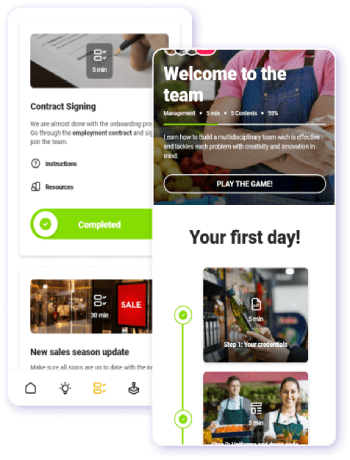
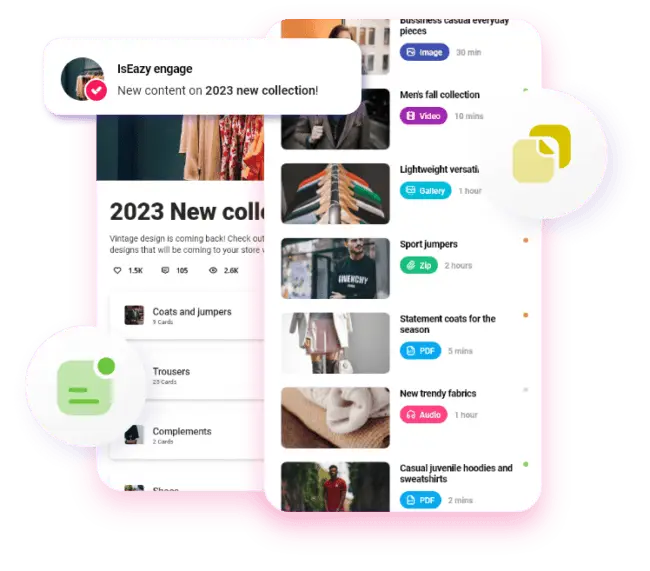
Mobile devices are an essential part of our daily lives. We use them for everything: checking the weather, shopping, searching for information, staying in touch, and even learning. In fact, our phones have become such indispensable companions that we spend around 5 hours a day on them. It comes as no surprise, then, that they are increasingly being adopted in the professional and corporate environment.
When it comes to corporate training, mobile learning through microlearning is one of the most effective strategies for improving knowledge retention and reaching all employees, regardless of their location. If you are evaluating options for your team, this comparison will help you identify the best microlearning apps available in 2026, what to look for before choosing, and how to measure their real impact.
A microlearning app delivers corporate training in short modules of 3–10 minutes, designed to be consumed on mobile devices, integrated into the flow of work, and proven to improve knowledge retention compared to traditional classroom or desktop LMS training.
What are microlearning apps and what are they used for?
Microlearning apps are digital educational tools that deliver information in small, easy-to-digest doses. They transform learning into a more engaging, agile, and memorable experience by converting content into visual and interactive formats optimized for mobile consumption.
Unlike a traditional LMS — which centralizes the management of extensive training programs and full learning paths — a microlearning app is built for quick consumption. Both tools are complementary, not mutually exclusive: many organizations use an LMS for structured learning journeys and a microlearning app for daily reinforcement, onboarding, or real-time communication with distributed teams.
From a cognitive standpoint, these apps directly combat Ebbinghaus’s Forgetting Curve: without reinforcement, people forget up to 70% of what they learned within the first 24 hours and up to 90% within a month. The short, repeated sessions that microlearning provides are the most effective documented solution to this problem.
x
Why should you offer a microlearning app to your team?
While it is a highly valuable learning tool, its use goes far beyond corporate training. Certain microlearning apps also serve as a direct communication channel to reach all employees — including those who, due to the nature of their roles, work outside the office: frontline workers, remote employees, or teams distributed across multiple locations.
Industry data supports this trend strongly:
The global microlearning market surpassed $3 billion in 2026 and is expected to reach $5 billion in the coming years (Mordor Intelligence, January 2026).
The best platforms achieve engagement rates above 85%, compared to the 40% typically seen in traditional LMS deployments.
According to LinkedIn Learning’s Workplace Learning Report 2024, 68% of employees prefer to learn in the flow of work, in short sessions integrated into their day.
Organizations that implement mobile microlearning report up to a 50% reduction in training time without loss of learning outcomes (Toward Maturity, 2023).
What advanced features can you find in the best microlearning apps?
Some microlearning apps go far beyond training to offer a range of features that enhance the learning experience, organizational culture, communication, and employee productivity. Here are some of the most valuable:
Intuitive mobile interface: easy to navigate without requiring any prior technical training.
Variety of content formats: videos, audio, games, infographics, flashcards, and quizzes to keep employees engaged and motivated.
Personalization options: learning paths adapted to each role and knowledge level.
Integration with other tools: compatibility with LMS, HRIS, and standards such as xAPI or cmi5 to track learning outside the LMS.
Mobile and offline accessibility: training anytime, anywhere — even without an internet connection. Essential for field teams, plant workers, or retail staff.
Scalability: suitable for businesses of all sizes, from SMBs to large enterprises, without disproportionate cost increases.
Gamification: points, leaderboards, challenges, and rewards to boost motivation and engagement.
L&D process automation: to reduce the administrative burden on your training team.
Corporate branding: visual customization that reinforces your company’s identity and culture.
How to choose the best microlearning app for your company
The question is no longer whether to use microlearning — it’s which solution fits your organization, your infrastructure, and your employees’ profiles. Before deciding, run a quick diagnosis: which training programs have low participation? Where is knowledge lost fastest? Which employee profiles don’t have access to a desktop computer? These five criteria will guide your choice:
Employee profile: are they frontline workers without a computer, or office-based teams? Solutions for front-line employees prioritize offline access and an ultra-simple interface; office-based solutions can handle more complexity.
Compatibility with your current LMS: if you already have an LMS with advanced features, you need the app to export data in xAPI or SCORM to preserve your training history.
Privacy and GDPR compliance: verify that the provider has servers in the EU and ISO 27001 certification. This is essential for European companies.
Real support in English: interface, customer service, and documentation in English — not just automated translation.
Pricing model and scalability: assess whether costs scale linearly with user numbers. Check out isEazy LMS pricing plans as a market benchmark.
Criterion
What to check
Red flag
Employee profile
Native mobile app? Works offline?
Web-only, no downloadable app
SCORM/xAPI compatibility
Exports data to existing LMS?
Closed silo with no integrations
GDPR & security
EU servers? ISO 27001?
Data stored outside EU without DPA
English support
English interface? English customer support?
Support in English only via automated translation
Pricing per user
Active user model or per-license model?
Opaque pricing requiring a sales call
Comparison of the best microlearning apps in 2026
Below you will find the 10 best microlearning apps for 2026. Discover their features and strengths — but also their limitations — so you can choose the one that best suits your needs.
App
Ideal profile
Indicative pricing
isEazy Engage
Frontline, retail, distribution
Request a demo
Axonify
Large-scale operational companies
Enterprise (custom pricing)
SC Training (EdApp)
Any size, mobile-first
Free up to 10 users; ~$5/user/month
TalentCards
Frontline, deskless workers
Free up to 5 users; from ~$50/month
360Learning
Teams that create content internally
From ~$8/user/month
LearnUpon
Mid-size and large companies
Custom (from ~150 users)
MLevel
Sales teams, retail
Custom pricing
Gnowbe
Multinationals, NGOs
From ~$8/user/month
OttoLearn
Teams focused on knowledge retention
From $250/month (annual)
Mindflash (Trakstar)
SMBs with recurring onboarding needs
Custom pricing
1. isEazy Engage
isEazy Engage is an app designed to connect, train, and manage frontline teams. It helps companies improve internal communication, streamline daily operations, and deliver training in the flow of work. With an intuitive interface and a focus on immediacy, it ensures that key information reaches every employee quickly and effectively — without relying on external tools like WhatsApp or email.
Its strengths include real-time task management, gamification to motivate teams, and an instant communication system with segmented chats, surveys, and push notifications.
✅ Key strengths: the only solution combining training + communication + operations in a single app; purpose-built for European frontline workers; English support; GDPR compliance.
⚠️ Keep in mind: primarily designed for frontline and deskless workers. If your workforce is entirely office-based with an LMS already in place, consider whether you need its operational communication features.
The app to manage, connect, and train your frontline teams
Features
Benefits
Pricing
Task management: ultra-simple task creation and assignment, real-time campaign planning and deployment, progress tracking at each location, and instant validation and feedback.
Instant communication: interactive newsfeed, push notifications, chats and surveys, likes and comments. Launch your own communication channel to keep all your teams aligned with campaigns, promotions, and company news.
On-the-go training: training microbursts, knowledge library, games and challenges, and training tracking. Agile and engaging training adapted to the daily workflow of frontline teams.
Analytics: comprehensive dashboard with key metrics on tasks, communication, and training. Access detailed reports instantly or schedule them to make strategic decisions in real time.
Document manager: all documentation in one place, organized by areas, folders, or tags and available at every professional’s fingertips.
Gamification: points, rankings, and rewards every time employees review a document, interact with content, or take part in a game.
Collaborative environment: employees can create and share their own content, adding images, videos, and all types of external resources.
Roles and permissions: restrict visibility of content, announcements, and tasks through role and permission settings by department, region, or profile.
Integrated Artificial Intelligence: manage your project more easily and find any content in seconds, even within your multimedia resources.
Everything in one place: operational management, instant communication, and on-the-go training centralized in a single app, with no need for multiple tools.
Always-aligned teams: keep all your frontline professionals up to date with everything happening in your business, from campaigns and promotions to internal procedures.
Multi-location management: supervise teams and tasks across multiple stores or franchises from a single platform, with real-time visibility of all operations.
Higher engagement and knowledge retention: the combination of training and gamification has achieved over 90% knowledge retention for clients like Shiseido.
Full customization: set up the app with your corporate identity and segment content, communications, and tasks by department, region, or employee profile.
Real-time decisions: a comprehensive dashboard that lets you visualize key metrics and access detailed reports on team performance whenever you need them.
Built for frontline workers: 80% of today’s workforce are frontline workers. 78% prefer mobile to access information, and 68% consume content better through microbursts that fit their daily pace.
Flexible pricing model tailored to your company’s needs. Contact the isEazy Engage team for a personalized quote.
Features
Task management: ultra-simple task creation and assignment, real-time campaign planning and deployment, progress tracking at each location, and instant validation and feedback.
Instant communication: interactive newsfeed, push notifications, chats and surveys, likes and comments. Launch your own communication channel to keep all your teams aligned with campaigns, promotions, and company news.
On-the-go training: training microbursts, knowledge library, games and challenges, and training tracking. Agile and engaging training adapted to the daily workflow of frontline teams.
Analytics: comprehensive dashboard with key metrics on tasks, communication, and training. Access detailed reports instantly or schedule them to make strategic decisions in real time.
Document manager: all documentation in one place, organized by areas, folders, or tags and available at every professional’s fingertips.
Gamification: points, rankings, and rewards every time employees review a document, interact with content, or take part in a game.
Collaborative environment: employees can create and share their own content, adding images, videos, and all types of external resources.
Roles and permissions: restrict visibility of content, announcements, and tasks through role and permission settings by department, region, or profile.
Integrated Artificial Intelligence: manage your project more easily and find any content in seconds, even within your multimedia resources.
Benefits
Everything in one place: operational management, instant communication, and on-the-go training centralized in a single app, with no need for multiple tools.
Always-aligned teams: keep all your frontline professionals up to date with everything happening in your business, from campaigns and promotions to internal procedures.
Multi-location management: supervise teams and tasks across multiple stores or franchises from a single platform, with real-time visibility of all operations.
Higher engagement and knowledge retention: the combination of training and gamification has achieved over 90% knowledge retention for clients like Shiseido.
Full customization: set up the app with your corporate identity and segment content, communications, and tasks by department, region, or employee profile.
Real-time decisions: a comprehensive dashboard that lets you visualize key metrics and access detailed reports on team performance whenever you need them.
Built for frontline workers: 80% of today’s workforce are frontline workers. 78% prefer mobile to access information, and 68% consume content better through microbursts that fit their daily pace.
Pricing
Flexible pricing model tailored to your company’s needs. Contact the isEazy Engage team for a personalized quote.
2. Axonify
Axonify is a training platform designed for frontline employees — retail, logistics, manufacturing — focused on improving performance through personalized microlearning and daily reinforcement. It uses AI to adapt content to each employee’s individual needs and collects more than 5,000 data points per user per year to measure real impact on performance.
✅ Key strengths: highly mature adaptive AI; gamification (points, badges, leaderboards); catalog of over 650 predefined topics; native spaced repetition.
⚠️ Keep in mind: enterprise pricing with no published standard plan; content customization can be complex for small L&D teams; less suited for knowledge workers needing leadership or advanced compliance training.
Axonify
Features
Advantages
Pricing
Axonify Features
Microlearning: delivers training through short-form content designed to fit into the workday of frontline employees.
Mobile learning: enables frontline teams to access learning content and activities from the devices they use at work.
Personalized training: adapts selected learning activities according to each learner’s knowledge and progress.
Learning reinforcement: supports recurring activities designed to review and reinforce knowledge after initial training.
Content creation: includes tools for developing, organizing, and updating learning resources.
Content library: enables organizations to supplement internal programs with prebuilt learning resources.
Assessments: uses questions and short activities to assess learner knowledge.
Communication: enables selected news, updates, and information to be distributed to different employee groups.
Task management: allows selected frontline tasks to be assigned and tracked.
Onboarding: enables training content, communications, and tasks to be combined into programs for new hires.
Gamification: includes points, games, and other mechanics linked to participation in learning activities.
Analytics: provides information on participation, progress, knowledge, and team learning activity.
Axonify Advantages
Microlearning focus: is particularly focused on delivering short-form training to frontline employees.
Learning during the workday: enables short learning activities to be incorporated into employees’ daily workflow.
Knowledge reinforcement: supplements initial training with follow-up review activities.
Mobile access: enables learners to review and complete training from different devices.
Prebuilt content: allows internal learning materials to be supplemented with resources from its content library.
Segmented delivery: enables training and selected communications to be targeted to different employee groups.
Connection with tasks: allows selected training programs to be accompanied by activities that teams need to complete.
Centralized tracking: provides information on learner participation and progress.
Axonify Pricing
Custom pricing: Axonify does not publish a standard price for its platform.
Pricing model: pricing depends on organization size and the selected configuration.
Quote: organizations must contact Axonify to receive a customized proposal.
Features
Axonify Features
Microlearning: delivers training through short-form content designed to fit into the workday of frontline employees.
Mobile learning: enables frontline teams to access learning content and activities from the devices they use at work.
Personalized training: adapts selected learning activities according to each learner’s knowledge and progress.
Learning reinforcement: supports recurring activities designed to review and reinforce knowledge after initial training.
Content creation: includes tools for developing, organizing, and updating learning resources.
Content library: enables organizations to supplement internal programs with prebuilt learning resources.
Assessments: uses questions and short activities to assess learner knowledge.
Communication: enables selected news, updates, and information to be distributed to different employee groups.
Task management: allows selected frontline tasks to be assigned and tracked.
Onboarding: enables training content, communications, and tasks to be combined into programs for new hires.
Gamification: includes points, games, and other mechanics linked to participation in learning activities.
Analytics: provides information on participation, progress, knowledge, and team learning activity.
Advantages
Axonify Advantages
Microlearning focus: is particularly focused on delivering short-form training to frontline employees.
Learning during the workday: enables short learning activities to be incorporated into employees’ daily workflow.
Knowledge reinforcement: supplements initial training with follow-up review activities.
Mobile access: enables learners to review and complete training from different devices.
Prebuilt content: allows internal learning materials to be supplemented with resources from its content library.
Segmented delivery: enables training and selected communications to be targeted to different employee groups.
Connection with tasks: allows selected training programs to be accompanied by activities that teams need to complete.
Centralized tracking: provides information on learner participation and progress.
Pricing
Axonify Pricing
Custom pricing: Axonify does not publish a standard price for its platform.
Pricing model: pricing depends on organization size and the selected configuration.
Quote: organizations must contact Axonify to receive a customized proposal.
3. SC Training (EdApp)
SC Training (formerly EdApp) is a mobile learning management platform that facilitates the creation and distribution of microlearning courses. It offers more than 80 mobile-first templates, built-in gamification, spaced repetition, and automatic translation into more than 100 languages.
✅ Key strengths: free plan for up to 10 users; extensive template library; offline access; solid analytics in paid plans.
⚠️ Keep in mind: advanced analytics only available in paid plans (~$5/user/month); limited customization for large enterprises; content catalog management becomes complex as content scales.
SC Training (Ed App)
Features
Benefits
Pricing
Ratings
Microlearning: delivers training through short micro-lessons designed to be completed in just a few minutes.
Mobile learning: enables learners to access training from smartphones, tablets, and computers.
Course creation: includes tools for creating, editing, and updating learning content within the same environment.
Course library: provides prebuilt courses that can be added to company training programs.
User and group management: allows administrators to organize learners into different audiences and distribute content by group.
Course management: supports priorities, due dates, and learning paths for organizing training.
Assessments: includes quizzes and activities for checking learner understanding.
Gamification: includes games, badges, and achievements linked to learning activities.
Certificates: enables organizations to create customized certificates for selected completed courses.
Notifications: sends reminders about assigned, upcoming, or overdue training.
Reporting: provides information about participation, progress, completion, and course results.
Microlearning focus: is specifically designed to deliver short-form training to frontline teams.
Mobile learning: enables employees to complete micro-lessons from different devices during their workday.
Built-in creation: allows teams to develop and distribute courses from the same learning environment.
Prebuilt content: enables organizations to supplement internal courses with resources from its course library.
Group-based delivery: supports distributing different content to selected learner groups.
Learning tracking: enables administrators to review progress and completion of assigned training.
Learning engagement: includes quizzes, games, achievements, and reminders linked to training activities.
Free option: SC Training allows organizations to start using selected functionality at no cost, subject to current service conditions.
Premium: Capterra currently lists pricing from USD 5 per user per month.
Business plans: terms may vary depending on the number of users and selected functionality.
Final pricing: organizations should request a quote directly from the provider to confirm the applicable terms.
Capterra: 4.8/5 stars, based on 4 reviews.
G2: 4.7/5 stars, based on 220 reviews.
Rating scope: ratings apply to SC Training, formerly known as EdApp.
Rating updates: ratings and review counts may change as new user reviews are published.
Features
Microlearning: delivers training through short micro-lessons designed to be completed in just a few minutes.
Mobile learning: enables learners to access training from smartphones, tablets, and computers.
Course creation: includes tools for creating, editing, and updating learning content within the same environment.
Course library: provides prebuilt courses that can be added to company training programs.
User and group management: allows administrators to organize learners into different audiences and distribute content by group.
Course management: supports priorities, due dates, and learning paths for organizing training.
Assessments: includes quizzes and activities for checking learner understanding.
Gamification: includes games, badges, and achievements linked to learning activities.
Certificates: enables organizations to create customized certificates for selected completed courses.
Notifications: sends reminders about assigned, upcoming, or overdue training.
Reporting: provides information about participation, progress, completion, and course results.
Benefits
Microlearning focus: is specifically designed to deliver short-form training to frontline teams.
Mobile learning: enables employees to complete micro-lessons from different devices during their workday.
Built-in creation: allows teams to develop and distribute courses from the same learning environment.
Prebuilt content: enables organizations to supplement internal courses with resources from its course library.
Group-based delivery: supports distributing different content to selected learner groups.
Learning tracking: enables administrators to review progress and completion of assigned training.
Learning engagement: includes quizzes, games, achievements, and reminders linked to training activities.
Pricing
Free option: SC Training allows organizations to start using selected functionality at no cost, subject to current service conditions.
Premium: Capterra currently lists pricing from USD 5 per user per month.
Business plans: terms may vary depending on the number of users and selected functionality.
Final pricing: organizations should request a quote directly from the provider to confirm the applicable terms.
Ratings
Capterra: 4.8/5 stars, based on 4 reviews.
G2: 4.7/5 stars, based on 220 reviews.
Rating scope: ratings apply to SC Training, formerly known as EdApp.
Rating updates: ratings and review counts may change as new user reviews are published.
4. TalentCards
TalentCards is a mobile microlearning platform designed to train frontline and deskless employees through interactive digital cards featuring text, images, audio, and video. Its spaced repetition system automatically reinforces knowledge over time.
✅ Strengths: free plan for up to 5 users; very easy to set up; QR codes for sharing courses without login; offline access.
⚠️ Keep in mind: the flashcard format limits depth for complex content; more basic analytics than enterprise platforms; not suitable as the primary solution for knowledge-worker teams.
TalentCards
Features
Advantages
Disadvantages
Pricing
Mobile microlearning: creates and delivers short, smartphone-friendly card-based training with text, images, audio, video, and quizzes.
AI-powered content creation: can generate microlearning courses from a topic, turn PDFs into card sets, create quizzes, and translate content with AI.
Spaced repetition: shows challenging content more frequently so employees can reinforce knowledge over time.
Offline access: learners can download content and use it on mobile devices even without an internet connection.
QR codes: each card set can have its own QR code so employees can access training or job information directly from equipment, products, or workstations.
Gamification: includes badges, challenges, and other mechanics designed to encourage participation.
Notifications and surveys: supports email or SMS invitations, push notifications, surveys, and reminders.
Analytics: tracks activity, progress, and engagement, with exportable data and scheduled reporting depending on the plan.
Strong microlearning focus: its product is clearly designed for short, mobile-friendly training.
Point-of-work access: QR codes and offline access make it easy to retrieve information when employees need it.
Fast content creation: combines a simple editor with AI-assisted content generation.
Public pricing: offers a free plan and transparent per-user rates.
Primarily a training tool: its core use case is microlearning and knowledge reinforcement rather than end-to-end frontline operations management.
More limited operational task management: it is not specifically designed to roll out campaigns, assign operational tasks, and supervise execution across multiple locations.
Narrower internal communications: notifications and surveys support training, but they do not provide the same communications hub as an operations-focused workforce app.
Less functional breadth: tasks, communications, documents, and training are not centralized at the same operational depth.
TalentCards offers a free plan for up to 5 users. With monthly billing, Standard starts at USD 1 per user/month and Premium at USD 1.50 per user/month, starting at 50 users. Annual billing saves 20%. Custom plans are available for more than 2,000 users.
Features
Mobile microlearning: creates and delivers short, smartphone-friendly card-based training with text, images, audio, video, and quizzes.
AI-powered content creation: can generate microlearning courses from a topic, turn PDFs into card sets, create quizzes, and translate content with AI.
Spaced repetition: shows challenging content more frequently so employees can reinforce knowledge over time.
Offline access: learners can download content and use it on mobile devices even without an internet connection.
QR codes: each card set can have its own QR code so employees can access training or job information directly from equipment, products, or workstations.
Gamification: includes badges, challenges, and other mechanics designed to encourage participation.
Notifications and surveys: supports email or SMS invitations, push notifications, surveys, and reminders.
Analytics: tracks activity, progress, and engagement, with exportable data and scheduled reporting depending on the plan.
Advantages
Strong microlearning focus: its product is clearly designed for short, mobile-friendly training.
Point-of-work access: QR codes and offline access make it easy to retrieve information when employees need it.
Fast content creation: combines a simple editor with AI-assisted content generation.
Public pricing: offers a free plan and transparent per-user rates.
Disadvantages
Primarily a training tool: its core use case is microlearning and knowledge reinforcement rather than end-to-end frontline operations management.
More limited operational task management: it is not specifically designed to roll out campaigns, assign operational tasks, and supervise execution across multiple locations.
Narrower internal communications: notifications and surveys support training, but they do not provide the same communications hub as an operations-focused workforce app.
Less functional breadth: tasks, communications, documents, and training are not centralized at the same operational depth.
Pricing
TalentCards offers a free plan for up to 5 users. With monthly billing, Standard starts at USD 1 per user/month and Premium at USD 1.50 per user/month, starting at 50 users. Annual billing saves 20%. Custom plans are available for more than 2,000 users.
5. 360Learning
360Learning is a collaborative learning platform powered by AI. It combines formal learning with social learning and is aimed at organizations looking to foster participatory learning and internal content creation among employees themselves.
✅ Key strengths: highly effective when internal experts create and update content; AI that identifies knowledge gaps; strong peer-learning component; plans from ~$8/user/month.
⚠️ Keep in mind: requires an established learning culture to leverage its collaborative approach; less suited for frontline workers with limited technology access.
360Learning
Designed for internal expert-led content co-creation
Strengths
Ideal use cases
Plans
Agile and decentralized authoring: any internal subject matter expert can create courses without instructional design knowledge, accelerating the production and update of internal training content.
Peer collaboration: tools that facilitate knowledge sharing, active participation, and continuous content improvement by the teams themselves.
L&D team automation: built-in AI to reduce administrative tasks such as enrollments, tracking, and reporting, freeing up time for strategic initiatives.
Integration ecosystem: compatible with Microsoft 365/Teams, Google Workspace, Salesforce, SAP SuccessFactors, Zoom, Slack, LinkedIn Learning, Go1, and OpenSesame, among others. API and webhooks available for custom integrations.
Gamification: motivation mechanics to drive engagement and course completion rates.
Analytics and reporting: progress and performance metrics by groups, users, courses, and learning paths, with data export and automated weekly reports.
Internal content co-creation: companies looking to scale training creation by leveraging subject matter experts (SMEs) for fast and continuous updates.
Training agility: organizations that prioritize launching and maintaining training at the pace of the business, with automations and built-in authoring.
Onboarding and operational training: accelerating ramp-up and standardizing practices, including frontline team training.
External training: academies for customers, partners, and sales teams to drive adoption and message consistency.
Team: $8 per registered user per month, up to 100 users. Includes collaborative authoring, learning paths, gamification, integrations, and support with monthly collective onboarding sessions. Optional add-ons at $2/user/month: Coaching, Live (instructor-led training with Zoom/Teams), and Globalization (automatic multilingual support).
Business: custom pricing for large organizations. Includes all Team plan features plus enterprise capabilities, multiple audiences (employees, customers, partners), and dedicated professional services.
Strengths
Agile and decentralized authoring: any internal subject matter expert can create courses without instructional design knowledge, accelerating the production and update of internal training content.
Peer collaboration: tools that facilitate knowledge sharing, active participation, and continuous content improvement by the teams themselves.
L&D team automation: built-in AI to reduce administrative tasks such as enrollments, tracking, and reporting, freeing up time for strategic initiatives.
Integration ecosystem: compatible with Microsoft 365/Teams, Google Workspace, Salesforce, SAP SuccessFactors, Zoom, Slack, LinkedIn Learning, Go1, and OpenSesame, among others. API and webhooks available for custom integrations.
Gamification: motivation mechanics to drive engagement and course completion rates.
Analytics and reporting: progress and performance metrics by groups, users, courses, and learning paths, with data export and automated weekly reports.
Ideal use cases
Internal content co-creation: companies looking to scale training creation by leveraging subject matter experts (SMEs) for fast and continuous updates.
Training agility: organizations that prioritize launching and maintaining training at the pace of the business, with automations and built-in authoring.
Onboarding and operational training: accelerating ramp-up and standardizing practices, including frontline team training.
External training: academies for customers, partners, and sales teams to drive adoption and message consistency.
Plans
Team: $8 per registered user per month, up to 100 users. Includes collaborative authoring, learning paths, gamification, integrations, and support with monthly collective onboarding sessions. Optional add-ons at $2/user/month: Coaching, Live (instructor-led training with Zoom/Teams), and Globalization (automatic multilingual support).
Business: custom pricing for large organizations. Includes all Team plan features plus enterprise capabilities, multiple audiences (employees, customers, partners), and dedicated professional services.
6. LearnUpon
LearnUpon is a cloud-based learning management platform that helps companies deliver effective training to employees, customers, and partners. It is particularly valued by mid-size companies that manage multiple training audiences from a single platform.
✅ Key strengths: full LMS with integrated microlearning; gamification, certificates, and webinars in one environment; integrations with CRMs and HR tools; enterprise analytics.
⚠️ Keep in mind: custom pricing (requires a demo); may be excessive for small teams; mobile experience is less dynamic than native app solutions.
LearnUpon
Designed for corporate training and extended enterprise
Strengths
Ideal use cases
Plans
Course creation and management: accepts industry-standard content (SCORM, xAPI), as well as videos, documents, and assessments to build complete learning journeys.
On-demand training: 24/7 access from anywhere, enabling flexible consumption by internal and external teams.
User management automation: registrations, enrollments, assignments, and audience administration with less operational workload, with native integrations with HR systems.
Gamification: mechanics designed to increase participation and course completion rates.
Reports and analytics: detailed reports to measure progress, activity, and results, with support for automatic certifications and recertifications.
Integrations: with Slack, BambooHR, Personio, HubSpot, Salesforce, LinkedIn Learning, Go1, and webinar platforms, among others. SSO, two-way API, and webhooks available.
Built-in AI: learning journey personalization, content suggestions by profile and behavior, and AI-powered assessments.
Extended enterprise: companies that need to train employees, customers, and partners from a single platform, with differentiated portals and branding per audience.
Customer education: training programs focused on customer success, with personalized journeys by plan, need, or lifecycle stage.
Associations and members: training and certification management for members, with integrated e-commerce to monetize the course catalog.
Traceability and compliance: organizations that need audit-ready reporting, certification management, and expiration tracking for internal audits.
LearnUpon for Employees: for teams from 100 users. Full L&D management, learning journeys, gamification, certifications, and HRIS integrations.
LearnUpon for Customer Education: for organizations from 300 users. AI-powered course creation, personalized journeys, HubSpot integrations, and an Enterprise plan with white-labeling and e-commerce.
LearnUpon for Associations: for associations from 150 users. Member training, accreditation, and e-commerce to generate revenue from the content catalog.
All plans include an implementation consultant, dedicated Customer Success, and 24/7 technical support. Pricing on request.
Strengths
Course creation and management: accepts industry-standard content (SCORM, xAPI), as well as videos, documents, and assessments to build complete learning journeys.
On-demand training: 24/7 access from anywhere, enabling flexible consumption by internal and external teams.
User management automation: registrations, enrollments, assignments, and audience administration with less operational workload, with native integrations with HR systems.
Gamification: mechanics designed to increase participation and course completion rates.
Reports and analytics: detailed reports to measure progress, activity, and results, with support for automatic certifications and recertifications.
Integrations: with Slack, BambooHR, Personio, HubSpot, Salesforce, LinkedIn Learning, Go1, and webinar platforms, among others. SSO, two-way API, and webhooks available.
Built-in AI: learning journey personalization, content suggestions by profile and behavior, and AI-powered assessments.
Ideal use cases
Extended enterprise: companies that need to train employees, customers, and partners from a single platform, with differentiated portals and branding per audience.
Customer education: training programs focused on customer success, with personalized journeys by plan, need, or lifecycle stage.
Associations and members: training and certification management for members, with integrated e-commerce to monetize the course catalog.
Traceability and compliance: organizations that need audit-ready reporting, certification management, and expiration tracking for internal audits.
Plans
LearnUpon for Employees: for teams from 100 users. Full L&D management, learning journeys, gamification, certifications, and HRIS integrations.
LearnUpon for Customer Education: for organizations from 300 users. AI-powered course creation, personalized journeys, HubSpot integrations, and an Enterprise plan with white-labeling and e-commerce.
LearnUpon for Associations: for associations from 150 users. Member training, accreditation, and e-commerce to generate revenue from the content catalog.
All plans include an implementation consultant, dedicated Customer Success, and 24/7 technical support. Pricing on request.
7. Gnowbe
Gnowbe is a mobile microlearning platform designed to create interactive and collaborative learning experiences in microformat. One of its most valued features is the ability to quickly convert PowerPoint presentations and PDFs into interactive lessons.
✅ Key strengths: excellent for repurposing existing materials; strong in multinationals and NGOs; supports video, audio, and reflection prompts.
⚠️ Keep in mind: gamification and analytics are more limited than other enterprise platforms; auto-converted content may require instructional design adjustments.
Gnowbe
Features
Advantages
Disadvantages
Pricing
Adaptive microlearning: personalizes the content each learner receives based on their knowledge needs.
Spaced repetition: uses repeated exposure to reinforce content and reduce knowledge loss over time.
Short learning sessions: delivers recurring learning experiences of about two minutes.
Content Studio: includes an integrated tool for creating and maintaining microlearning content.
Knowledge Cards: gives employees on-demand access to job information and performance support.
Gamification: uses points, leaderboards, and rewards to encourage participation.
Analytics and dashboards: tracks engagement, mastery, and knowledge gaps.
Multilingual training: supports multiple interface languages and content translation capabilities.
Multi-device access: works across mobile and desktop devices.
Knowledge-retention specialization: combines adaptive microlearning and spaced repetition to reinforce long-term retention.
Very short training: roughly two-minute sessions make continuous learning easier to fit into the workday.
Automatic personalization: reinforcement adapts to the gaps identified for each learner.
Built-in gamification: points, leaderboards, and rewards support continued engagement.
Public starting price: publishes an entry price that makes initial budgeting easier.
Primarily focused on training: it is not an end-to-end workforce app for frontline communications, operations, and learning.
No internal communications hub: newsfeeds, chats, and corporate communications are not positioned as core pillars.
No equivalent operational task management: it is not primarily designed to launch campaigns, assign store tasks, and validate execution across locations.
Narrower operations coverage: it fits knowledge reinforcement and performance support better than daily distributed-workforce operations.
OttoLearn plans start at USD 250 per month, billed annually. It offers team and enterprise options and can scale to thousands of learners through tailored configurations.
Features
Adaptive microlearning: personalizes the content each learner receives based on their knowledge needs.
Spaced repetition: uses repeated exposure to reinforce content and reduce knowledge loss over time.
Short learning sessions: delivers recurring learning experiences of about two minutes.
Content Studio: includes an integrated tool for creating and maintaining microlearning content.
Knowledge Cards: gives employees on-demand access to job information and performance support.
Gamification: uses points, leaderboards, and rewards to encourage participation.
Analytics and dashboards: tracks engagement, mastery, and knowledge gaps.
Multilingual training: supports multiple interface languages and content translation capabilities.
Multi-device access: works across mobile and desktop devices.
Advantages
Knowledge-retention specialization: combines adaptive microlearning and spaced repetition to reinforce long-term retention.
Very short training: roughly two-minute sessions make continuous learning easier to fit into the workday.
Automatic personalization: reinforcement adapts to the gaps identified for each learner.
Built-in gamification: points, leaderboards, and rewards support continued engagement.
Public starting price: publishes an entry price that makes initial budgeting easier.
Disadvantages
Primarily focused on training: it is not an end-to-end workforce app for frontline communications, operations, and learning.
No internal communications hub: newsfeeds, chats, and corporate communications are not positioned as core pillars.
No equivalent operational task management: it is not primarily designed to launch campaigns, assign store tasks, and validate execution across locations.
Narrower operations coverage: it fits knowledge reinforcement and performance support better than daily distributed-workforce operations.
Pricing
OttoLearn plans start at USD 250 per month, billed annually. It offers team and enterprise options and can scale to thousands of learners through tailored configurations.
8. OttoLearn
OttoLearn is a gamified microlearning platform that uses adaptive algorithms to adjust difficulty and content based on each learner’s performance, directly combating the forgetting curve.
⚠️ Keep in mind: reinforcement cycles can feel repetitive; more limited narrative possibilities; geared toward technical retention rather than soft skills.
Otto Learn
Features
Advantages
Disadvantages
Pricing
Adaptive microlearning: personalizes the content each learner receives based on their knowledge needs.
Spaced repetition: uses repeated exposure to reinforce content and reduce knowledge loss over time.
Short learning sessions: delivers recurring learning experiences of about two minutes.
Content Studio: includes an integrated tool for creating and maintaining microlearning content.
Knowledge Cards: gives employees on-demand access to job information and performance support.
Gamification: uses points, leaderboards, and rewards to encourage participation.
Analytics and dashboards: tracks engagement, mastery, and knowledge gaps.
Multilingual training: supports multiple interface languages and content translation capabilities.
Multi-device access: works across mobile and desktop devices.
Knowledge-retention specialization: combines adaptive microlearning and spaced repetition to reinforce long-term retention.
Very short training: roughly two-minute sessions make continuous learning easier to fit into the workday.
Automatic personalization: reinforcement adapts to the gaps identified for each learner.
Built-in gamification: points, leaderboards, and rewards support continued engagement.
Public starting price: publishes an entry price that makes initial budgeting easier.
Primarily focused on training: it is not an end-to-end workforce app for frontline communications, operations, and learning.
No internal communications hub: newsfeeds, chats, and corporate communications are not positioned as core pillars.
No equivalent operational task management: it is not primarily designed to launch campaigns, assign store tasks, and validate execution across locations.
Narrower operations coverage: it fits knowledge reinforcement and performance support better than daily distributed-workforce operations.
OttoLearn plans start at USD 250 per month, billed annually. It offers team and enterprise options and can scale to thousands of learners through tailored configurations.
Features
Adaptive microlearning: personalizes the content each learner receives based on their knowledge needs.
Spaced repetition: uses repeated exposure to reinforce content and reduce knowledge loss over time.
Short learning sessions: delivers recurring learning experiences of about two minutes.
Content Studio: includes an integrated tool for creating and maintaining microlearning content.
Knowledge Cards: gives employees on-demand access to job information and performance support.
Gamification: uses points, leaderboards, and rewards to encourage participation.
Analytics and dashboards: tracks engagement, mastery, and knowledge gaps.
Multilingual training: supports multiple interface languages and content translation capabilities.
Multi-device access: works across mobile and desktop devices.
Advantages
Knowledge-retention specialization: combines adaptive microlearning and spaced repetition to reinforce long-term retention.
Very short training: roughly two-minute sessions make continuous learning easier to fit into the workday.
Automatic personalization: reinforcement adapts to the gaps identified for each learner.
Built-in gamification: points, leaderboards, and rewards support continued engagement.
Public starting price: publishes an entry price that makes initial budgeting easier.
Disadvantages
Primarily focused on training: it is not an end-to-end workforce app for frontline communications, operations, and learning.
No internal communications hub: newsfeeds, chats, and corporate communications are not positioned as core pillars.
No equivalent operational task management: it is not primarily designed to launch campaigns, assign store tasks, and validate execution across locations.
Narrower operations coverage: it fits knowledge reinforcement and performance support better than daily distributed-workforce operations.
Pricing
OttoLearn plans start at USD 250 per month, billed annually. It offers team and enterprise options and can scale to thousands of learners through tailored configurations.
9. Mindflash (Trakstar Learn)
Mindflash, now known as Trakstar Learn, makes it easy to create, distribute, and track online training programs for employees, customers, and partners, with particular strength in onboarding and external partner training.
✅ Strengths: easy to implement for SMBs; good multi-audience management; clear tracking reports.
⚠️ Keep in mind: custom pricing with no public information; mobile experience is more functional than appealing; less powerful in gamification and adaptive personalization.
Trakstar Learn
Features
Advantages
Disadvantages
Pricing
Learning Management System: manages courses, users, learning paths, and training programs in an LMS.
Course creation: builds multimedia training with PowerPoint, video, audio, documents, quizzes, and other resources.
Auto-enrollment: automates employee enrollment by role, department, tenure, or other criteria.
Onboarding and upskilling: supports structured new-hire programs and ongoing development.
Quizzes and assessments: includes multiple question types and reportable results.
Reporting and compliance: provides dashboards and reports for progress, completion, and compliance tracking.
Gamification and mobile learning: includes leaderboards, gamification, and mobile access.
SCORM support: supports SCORM 1.2 and 2004 content under Trakstar Learn’s documented conditions.
Comprehensive learning management: offers LMS capabilities for structuring, distributing, and measuring employee training.
Multimedia course creation: makes it possible to reuse presentations, documents, and video in course development.
Automation: auto-enrollment reduces manual work for assignments and onboarding.
Reporting: includes dashboards and reports for training and compliance monitoring.
Mindflash continuity: Trakstar Learn is the current product name for the platform previously known as Mindflash.
Not a specialized workforce app: its primary focus is learning management rather than daily frontline operations.
Operational campaigns are not the core use case: it is not mainly designed for store task assignment, execution validation, or multi-location campaign management.
Internal communications are secondary: operational communications and newsfeed functionality are not central to the proposition.
More HR and L&D oriented: it is better suited to administering training than running distributed frontline operations.
Trakstar does not publish standard pricing for Trakstar Learn. Pricing is provided through a custom quote based on the organization’s needs.
Features
Learning Management System: manages courses, users, learning paths, and training programs in an LMS.
Course creation: builds multimedia training with PowerPoint, video, audio, documents, quizzes, and other resources.
Auto-enrollment: automates employee enrollment by role, department, tenure, or other criteria.
Onboarding and upskilling: supports structured new-hire programs and ongoing development.
Quizzes and assessments: includes multiple question types and reportable results.
Reporting and compliance: provides dashboards and reports for progress, completion, and compliance tracking.
Gamification and mobile learning: includes leaderboards, gamification, and mobile access.
SCORM support: supports SCORM 1.2 and 2004 content under Trakstar Learn’s documented conditions.
Advantages
Comprehensive learning management: offers LMS capabilities for structuring, distributing, and measuring employee training.
Multimedia course creation: makes it possible to reuse presentations, documents, and video in course development.
Automation: auto-enrollment reduces manual work for assignments and onboarding.
Reporting: includes dashboards and reports for training and compliance monitoring.
Mindflash continuity: Trakstar Learn is the current product name for the platform previously known as Mindflash.
Disadvantages
Not a specialized workforce app: its primary focus is learning management rather than daily frontline operations.
Operational campaigns are not the core use case: it is not mainly designed for store task assignment, execution validation, or multi-location campaign management.
Internal communications are secondary: operational communications and newsfeed functionality are not central to the proposition.
More HR and L&D oriented: it is better suited to administering training than running distributed frontline operations.
Pricing
Trakstar does not publish standard pricing for Trakstar Learn. Pricing is provided through a custom quote based on the organization’s needs.
How could an employee app boost your team’s training and engagement?
More and more jobs are performed outside the office, whether it’s frontline workers, remote employees, or deskless teams. A microlearning app is the best way to provide easy access to all corporate information and work tools. These apps also offer benefits that go far beyond training.
1. They provide immediate access to information anytime
Mobile devices are the most direct channel to reach employees who don’t work in front of a computer. A microlearning app ensures that key information—procedures, product catalogs, internal policy updates—is always available, even without an internet connection. This is particularly critical for frontline workers who need to consult product specs, safety protocols, or operational updates in real time.
2. They provide continuous training in the flow of work
Microlearning is the best methodology for reinforcing learning and increasing knowledge retention. These apps offer teams of all sizes a practical solution for acquiring knowledge in small doses that focus on key content.
But beyond delivering information, the best apps allow you to assess employees with quick quizzes and interactive activities that generate valuable data about your team’s level of understanding.
3. They bring all information together in one place
Another top feature of these apps is that they offer all the knowledge employees need—segmented, structured, and right at their fingertips: manuals, video tutorials, product catalogs, and downloadable resources for offline reference. This eliminates the reliance on emails, shared folders, or WhatsApp to communicate critical operational information.
4. They drive internal communication and engagement
Push notifications, integrated chats, and social feeds turn a microlearning app into an internal communication channel that actually gets read. According to Gallup, companies with high employee engagement are 23% more profitable. A well-designed corporate app increases participation by making content accessible, relevant, and interactive—no more relying on emails that go unread.
5. They improve productivity
By removing physical barriers to accessing information, employees boost their productivity. According to the LinkedIn Learning Workplace Learning Report 2024, employees with access to learning in the flow of work are three times more likely to report higher productivity than those who only have access to in-person training. You can measure this impact with advanced learning reports.
How to measure the impact and ROI of microlearning in your organization
Implementing a microlearning app is just the first step. What sets apart organizations that achieve real results is the systematic measurement of impact. These are the key metrics you should track:
Engagement rate: what percentage of employees actively access the platform each week? The best platforms achieve 85%+; below 40% there’s an adoption problem.
Knowledge retention: measure with pre and post tests. With adaptive microlearning, retention can exceed 90% compared to 30% without reinforcement.
Time to competency: how long does it take new employees to reach their expected productivity level? Microlearning can reduce it by up to 50%.
Business KPI impact: operational errors, support tickets, customer satisfaction, onboarding times. Effective training should move these indicators within 3-6 months.
Clarel, a personal care and home products retail chain, achieved a gamification-based learning engagement rate of 84% after implementing isEazy Engage for their 300+ stores.
CASE STUDY
How Clarel trained professionals at +1,000 points of sale with mobile learning
Best practices for successfully implementing a microlearning app
Technology is only half the equation. The other 50% is experience design and change management. These are the most common mistakes and how to avoid them:
Start with a pilot in one department: test with a team of 20-50 people, measure adoption, collect feedback, and adjust before scaling across the entire organization.
Integrate microlearning into existing routines: set up push notifications during peak availability moments—before a shift, during the commute. Modules that appear at the right time have completion rates up to 3 times higher.
Involve middle managers: managers are the main amplifiers of adoption. Training them first and making them program ambassadors multiplies team engagement.
Keep content up to date: an outdated module destroys the credibility of the entire platform. Establish a quarterly review cycle with automatic alerts for content that hasn’t been updated.
Combine formats: alternate quizzes, short videos, infographics, and interactive scenarios. Variety fights cognitive fatigue and keeps weekly engagement above 70%.
Take your team’s training to the next level with isEazy Engage
As you can see, microlearning apps offer much more than training: they guarantee increased productivity, improve employee engagement, and optimize communication across distributed teams. By accessing relevant content from their mobile devices, employees can acquire knowledge more efficiently and apply it directly in their daily work.
isEazy Engage is the solution specifically designed for frontline teams that combines micro-format training, instant communication, task management, and gamification in a single app—no additional technical infrastructure needed, with support in your language for the market.
Whether you’re looking for a solution for onboarding, operational training, or internal communication, isEazy Engage adapts to your team’s specific needs. Don’t settle for a generic solution—choose the tool that’s transforming how leading companies train their teams. Request a free demo and see it in action.
Frequently Asked Questions
What is a microlearning app and how does it work?
A microlearning app is a digital tool that delivers educational content in small, easy-to-digest doses, designed to be consumed in a short period of time, typically between 3-10 minutes. These apps use interactive formats such as videos, audio, infographics, and more to present information in an engaging and easy-to-understand way. Employees can access the app anytime, anywhere, allowing them to learn at their own pace.
What are the benefits of microlearning compared to traditional training?
The benefits of microlearning include greater flexibility, higher knowledge retention, increased motivation, greater efficiency, and personalization. Additionally, microlearning is more engaging and enjoyable thanks to its similarity to current content formats on social media and streaming platforms, making it easier for employees to engage with training content.
How do I choose the best microlearning app for my company?
To choose the best microlearning app, consider these key factors: ease of use and implementation, content customization capabilities, integration with your existing systems (LMS, HRIS), analytics and reporting features, gamification elements to boost engagement, mobile accessibility, and scalability as your organization grows. It is also important to evaluate the level of technical support offered and whether the platform allows content creation without technical knowledge.
Can a microlearning app integrate with other corporate tools?
Yes, most modern microlearning apps can integrate with other corporate tools such as Learning Management Systems (LMS), human resources platforms (HRIS), communication tools like Slack or Microsoft Teams, and performance management systems. These integrations allow for a smoother learning experience and more comprehensive tracking of employee development.
What types of content can be delivered through a microlearning app?
Microlearning apps can deliver a wide variety of content types, including short videos, interactive quizzes, infographics, podcasts, flashcards, simulations, and gamified activities. The best platforms also support document sharing, step-by-step guides, and real-time updates for operational procedures, making them versatile tools for both training and daily operations.
How do you measure the ROI of a microlearning app?
To measure the ROI of a microlearning app, track key metrics such as engagement rates (weekly active users), knowledge retention through pre and post assessments, time to competency for new hires, course completion rates, and the impact on business KPIs like operational errors, customer satisfaction, and support tickets. The best platforms provide built-in analytics dashboards that make it easy to correlate training activity with business outcomes.
Need fast, effective, and easy-to-digest content?
Reinforce learning and boost knowledge retention with the most engaging multimedia and interactive micro-content
Here you can assess and customize the services that we'd like to use on this website. You're in charge! Enable or disable services as you see fit. To learn more, please read our .
We have to include them in order for certain web pages to function securely. These cookies are strictly necessary, so they cannot be rejected or modified.
Cookie
Duration
Description
_ga
2 years
The _ga cookie, installed by Google Analytics, calculates visitor, session and campaign data and also keeps track of site usage for the site's analytics report. The cookie stores information anonymously and assigns a randomly generated number to recognize unique visitors.
_ga_YW3LY84JY6
2 years
This cookie is installed by Google Analytics.
_gat_gtag_UA_90425332_3
1 minute
Set by Google to distinguish users.
_gat_UA-26043609-7
1 minute
A variation of the _gat cookie set by Google Analytics and Google Tag Manager to allow website owners to track visitor behaviour and measure site performance. The pattern element in the name contains the unique identity number of the account or website it relates to.
_gat_UA-90425332-3
1 minute
A variation of the _gat cookie set by Google Analytics and Google Tag Manager to allow website owners to track visitor behaviour and measure site performance. The pattern element in the name contains the unique identity number of the account or website it relates to.
_gcl_au
3 months
Provided by Google Tag Manager to experiment advertisement efficiency of websites using their services.
_gid
1 day
Installed by Google Analytics, _gid cookie stores information on how visitors use a website, while also creating an analytics report of the website's performance. Some of the data that are collected include the number of visitors, their source, and the pages they visit anonymously.
_icl_visitor_lang_js
1 day
This cookie is stored by WPML WordPress plugin. The purpose of the cookie is to store the redirected language.
Bootstrap
11 months
Bootstrap code
cookielawinfo-checkbox-advertisement
1 year
Set by the GDPR Cookie Consent plugin, this cookie is used to record the user consent for the cookies in the "Advertisement" category .
cookielawinfo-checkbox-analytics
11 months
This cookie is set by GDPR Cookie Consent plugin. The cookie is used to store the user consent for the cookies in the category "Analytics".
cookielawinfo-checkbox-functional
11 months
The cookie is set by GDPR cookie consent to record the user consent for the cookies in the category "Functional".
cookielawinfo-checkbox-nece
1 year
Cookie law info
cookielawinfo-checkbox-necessary
11 months
This cookie is set by GDPR Cookie Consent plugin. The cookies is used to store the user consent for the cookies in the category "Necessary".
cookielawinfo-checkbox-others
11 months
This cookie is set by GDPR Cookie Consent plugin. The cookie is used to store the user consent for the cookies in the category "Other.
cookielawinfo-checkbox-performance
11 months
This cookie is set by GDPR Cookie Consent plugin. The cookie is used to store the user consent for the cookies in the category "Performance".
CookieLawInfoConsent
1 year
Records the default button state of the corresponding category & the status of CCPA. It works only in coordination with the primary cookie.
Google Font API
11 months
Google Font API
IDE
1 year 24 days
Google DoubleClick IDE cookies are used to store information about how the user uses the website to present them with relevant ads and according to the user profile.
Pardot
11 months
The pardot cookie is set while the visitor is logged in as a Pardot user. The cookie indicates an active session and is not used for tracking.
test_cookie
15 minutes
The test_cookie is set by doubleclick.net and is used to determine if the user's browser supports cookies.
viewed_cookie_policy
11 months
The cookie is set by the GDPR Cookie Consent plugin and is used to store whether or not user has consented to the use of cookies. It does not store any personal data.
wp-wpml_current_language
session
Language cookies
wpml_browser_redirect_test
session
This cookie is set by WPML WordPress plugin and is used to test if cookies are enabled on the browser.
They collect information in order to measure, evaluate performance, and improve the quality of your experience on our site.
Cookie
Duration
Description
_ga
2 years
The _ga cookie, installed by Google Analytics, calculates visitor, session and campaign data and also keeps track of site usage for the site's analytics report. The cookie stores information anonymously and assigns a randomly generated number to recognize unique visitors.
_ga_YW3LY84JY6
2 years
This cookie is installed by Google Analytics.
_gat_gtag_UA_90425332_3
1 minute
Set by Google to distinguish users.
_gat_UA-26043609-7
1 minute
A variation of the _gat cookie set by Google Analytics and Google Tag Manager to allow website owners to track visitor behaviour and measure site performance. The pattern element in the name contains the unique identity number of the account or website it relates to.
_gat_UA-90425332-3
1 minute
A variation of the _gat cookie set by Google Analytics and Google Tag Manager to allow website owners to track visitor behaviour and measure site performance. The pattern element in the name contains the unique identity number of the account or website it relates to.
_gcl_au
3 months
Provided by Google Tag Manager to experiment advertisement efficiency of websites using their services.
_gid
1 day
Installed by Google Analytics, _gid cookie stores information on how visitors use a website, while also creating an analytics report of the website's performance. Some of the data that are collected include the number of visitors, their source, and the pages they visit anonymously.
_icl_visitor_lang_js
1 day
This cookie is stored by WPML WordPress plugin. The purpose of the cookie is to store the redirected language.
wpml_browser_redirect_test
session
This cookie is set by WPML WordPress plugin and is used to test if cookies are enabled on the browser.
We use them to provide you with efficient and personalized advertisements that we believe are relevant to your interests. You may see them on other sites that you visit.
Cookie
Duration
Description
IDE
1 year 24 days
Google DoubleClick IDE cookies are used to store information about how the user uses the website to present them with relevant ads and according to the user profile.
test_cookie
15 minutes
The test_cookie is set by doubleclick.net and is used to determine if the user's browser supports cookies.