


Find out how much you can save by creating courses compared to other tools

Brain
The first AI trained to teach

Author
The #1 AI-powered authoring tool on the market

Factory
Custom e-learning content factory

Skills
Comprehensive power skills course catalog

LMS
All-in-one LMS platform with AI

Engage
App for managing frontline teams
Discover isEazy Brain


Product
What is Brain?
Everything you need to know about the first AI trained to teach.
Learning agent: CompanionNew
Supports learners and answers their questions right inside the course, without breaking the audit trail.
How does it work?
Adaptive, conversational, and contextual. That’s learning with Brain.
Discover isEazy Author


 See all features
FEATURES
AINew
Unlock your full potential and speed up course creation with artificial intelligence.
Accessibility
Automatically meet accessibility guidelines—without sacrificing interactivity!
Interactivity
Boost engagement with interactive, ready-to-use activities that make learning fun.
Course Creation
Reduce the time it takes to create your e-learning courses with our authoring tool.
Distribution
We offer you different distribution options, so that nothing can stop you.
SCORM
Publish your course in SCORM format and share it on any LMS.
Discover isEazy Factory


SERVICES
Instrucional Design
Surprise your students with multimedia and interactive content.
Custom Courses
We create e-learning courses for you—tailored to your needs and hassle-free!
Virtual Reality
Turn learning into an immersive experience.
Custom Avatars
Give your courses and videos a unique touch with personalized avatars.
Audiovisual FactoryNew
Turn training into something dynamic and visual with engaging videos.
Discover isEazy Skills


CATALOG
Course catalog
Over 600 skills and competency courses to help you adapt to your team's needs.
Microsoft Copilot AcademyNew
Your professionals will learn how to apply Copilot AI to key processes within your organization.
Artificial Intelligence Academy
Train your teams in the practical use of AI to boost productivity and innovation in your company.
Cybersecurity Academy
Capacita a tu empresa con el catálogo más completo en seguridad digital corporativa.
Discover isEazy LMS


FEATURES
Learning platform
Manage all your training from one place
Analitycs
Measure the impact of your training
Learning Experience
Offer a unique learning experience to your team
Content Library
Choose from hundreds of expert-created courses
Authoring Tool
Create your own content—faster than ever

Use cases
Choose the solution that best fits your needs

Industries
Solutions for all types of industries
See all solutions


 See all solutions
USE CASES
Onboarding
Facilitate the onboarding process, productivity and engagement of your new employees.
Upskilling
Boost your team's skills and prepare them for the challenges of the future with upskilling.
Microlearning
Discover all the advantages of microlearning and boost your training results.
Gamification
Enjoy addictive training that will get your professionals hooked.
Internal Communication
Improve communication in your company and enjoy an aligned and committed team.
Mobile learning
Agile, flexible, and interactive learning—built for today’s digital-first workforce.
Discover our industries


 View all industries
INDUSTRIES
Banking and financial services
Training in compliance, cybersecurity, customer service, and key skills development.
Pharmaceuticals and healthcare
Digital onboarding, regulatory updates, and ongoing training for healthcare staff.
Retail and consumer
Agile and scalable training for in-store, operational, and customer service teams.
Industry and manufacturing
Training in processes, safety, and corporate culture for distributed teams.
Education and training
Digital solutions for training centers, internal academies, and corporate universities.
Technology and telecommunications
Development of technical talent, digital skills, and upskilling and reskilling programs.
CLIENTS

MAPFRE
How MAPFRE turn e-learning into sales with isEazy

Pepco
A personalised learning experience for a growing team.

BBVA
Digitisation and creation of high quality e-learning content.

Shiseido
We increase the engagement of the training with a social and gamified app.

Telefónica
Large-scale reskilling for the company's digital transformation.

Vodafone
A personalised learning experience for a growing team.
More than 1,000 companies already rely on isEazy.





MEET ISEAZY

Events
Discover our upcoming events and connect with the future of e-learning.

News
Find out the latest news about isEazy: press releases, partnerships, updates...

Contact
Leave us your personal details and we will contact you as soon as possible.
About isEazyNew
Find out more about our company.

Careers
We are looking for the best talent, join our team!

Partners
Become our partner and grow your business.
INTERESTING RESOURCES

Blog
The best content on e-learning: trends, tools and key strategies.

Whitepapers
Gain valuable insights and stay ahead of industry trends.

Product releases
The latest news and releases of our e-learning products and solutions.

Glossary
Definitions of the most commonly used terms and key industry concepts.

Guides
Discover the best step-by-step tips and tricks to optimize your L&D strategy.

Webinars
Video sessions on our products, trends and more

Comparatives
Compare e-learning solutions available on the market and choose the most suitable one.

Want to apply what you've learned to your training project?

July 3, 2026
Best AI Tools for Creating E-Learning in 2026

CONTENT CREATED BY:
Sara De la Torre
Content Marketing Manager at isEazy

Table of contents
What are AI tools for e-learning creation?
AI tools for e-learning creation are platforms or features that use artificial intelligence models to automate, accelerate, or improve some stage of the online course production process: from generating the script and instructional structure to creating avatar-based videos, automatic voiceovers, translation, or assessment generation.
In the context of corporate Learning & Development (L&D) teams, these tools have radically changed production timelines. According to ATD’s State of the Industry 2024 report, 68% of organizations with more than 500 employees already use some form of AI in their learning content creation processes, and the average production time per e-learning module has been reduced by 40–60% in teams that have adopted these solutions in a structured way.
An AI tool for e-learning is not just a text generator: it is a system that accelerates the production of structured training content, compatible with LMS standards (SCORM, xAPI) and adaptable to the organization's context. Its real value lies in reducing production time without sacrificing pedagogical quality.
isEazy — AI Tools for E-Learning Guide 2026
What makes an AI e-learning tool different from a traditional authoring tool?
The fundamental distinction lies in who does the structuring work. A traditional authoring tool (such as early versions of Articulate Storyline or Adobe Captivate) starts from a blank canvas: the instructional designer manually builds each screen, activity, and assessment. AI changes that: from a learning objective, a document, or a prompt, it generates a structure proposal, script, and activities — which the designer then validates, edits, and enriches.
The practical implication is significant: teams that previously needed 80–120 hours to develop a complete e-learning module can now complete the same cycle in 30–40 hours by using authoring tools with integrated AI such as isEazy Author. The time saved doesn’t go toward reduced quality, but toward better iteration, broader content coverage, and faster rollout.

Types of AI tools for creating e-learning
Not all AI tools for e-learning do the same thing. Classifying them correctly is the first step to choosing the one that best fits your L&D team’s needs. There are four main categories:
- Authoring tools with integrated AI: platforms designed for interactive course creation that incorporate AI features to generate content, assessments, and instructional structures. They are the most complete option for corporate L&D teams because the output is directly publishable to an LMS. Examples: isEazy Author, Articulate Rise, Adobe Learning Manager.
- AI-powered course generators: tools that take a prompt or document and automatically generate a complete course with minimal human intervention. Useful for low-volume, low-risk productions, but with limited pedagogical control. Examples: Coursebox AI, Magic School AI.
- AI tools for training video: specialized in generating videos with synthetic presenters, automatic localization, or AI-translated subtitles. They resolve a specific production bottleneck but do not generate native SCORM output. Examples: Synthesia, Heygen.
- AI for translation and localization: tools that automate the translation of already-produced courses, enabling rapid scaling to new languages without rebuilding content from scratch. Integrated in some authoring platforms as an additional functionality.
| Type | Best for | Main limitation |
|---|---|---|
| Authoring tool with AI | Interactive corporate courses, SCORM/xAPI | Initial learning curve |
| AI course generator | Rapid prototypes, low-risk content | Limited pedagogical control |
| AI for training video | Procedures, compliance, visual onboarding | Cost per video, no native SCORM |
| AI for translation/localization | Multinational companies, large catalogs | Requires native review of target language |
| Adaptive learning with AI | Personalizing the learning experience without rebuilding courses | Does not replace formal content creation |
Comparison of the leading AI tools for e-learning creation in 2026
The following comparison analyzes the most relevant platforms for corporate L&D teams, evaluated against criteria specific to the enterprise environment: compatibility with e-learning standards, the ability to publish directly to an LMS, brand customization, collaborative workflow, and the depth of native AI integration. Four tools stand out as direct reference points:

isEazy Author
The Leading AI Authoring Tool on the Market
Features
Benefits
Pricing
Accessibility
Awards
- AI features: generate images, games and exercises, automatic subtitles, voiceovers, advanced interactive elements, avatars, and AI video presenters to bring your content to life.
- AI Autopilot: automatic course creation from documents or ideas, with pedagogical structure, interactive resources, and applied visual identity. Transform any content into a publish-ready course in minutes.
- Templates: over 25 ready-to-use interactive templates, editable and customizable with corporate colors, typography, and logo via the Smart Colors feature.
- Drag-and-drop editor: visual editing to create courses with no technical, programming, or design knowledge required.
- Automatic responsive design: courses adapt to any device without manual adjustments, with dual mode so each learner can access content in their preferred format.
- Multi-format: export in SCORM 1.2, SCORM 2004, xAPI, and HTML5, compatible with any LMS on the market.
- Automatic translation: full AI-powered course translation into over 40 languages, with no need for external translators.
- Text to speech: professional voiceovers automatically generated from content, with selection of gender, language, and voice variation.
- PowerPoint import: convert presentations into interactive e-learning courses in just a couple of clicks.
- Real-time collaboration: simultaneous collaborative work on the same course with integrated comments, change tracking, and automatic saving with restore points.
- Brand customization: styles, colors, typography, and logo to maintain corporate consistency across all content.
- Gamification: points, badges, and leaderboards to motivate learners and increase engagement.
- Assessments and quizzes: multiple question types and answer logic, with AI-powered automatic generation of final assessment tests based on course content.
- Multimedia library: built-in bank of images, videos, icons, and graphic resources, with AI image generation adapted to your course style.
- Integrations: connection with LMS platforms (SCORM, xAPI), external platforms, and management systems. A built-in learning environment is also available without leaving isEazy Author.
- AI-powered: automates key creation tasks and drastically reduces production time. Over 36,000 users and 120,000 projects created in more than 90 countries speak for themselves.
- Intuitive and visual interface: everything is edited intuitively with no learning curve, with pre-configured ready-to-use resources.
- Real collaborative experience: distributed teams can work in parallel with real-time feedback, ideal for content factories and L&D teams.
- Total flexibility: ideal for both occasional creators and large-scale production teams. Compatible with any LMS and 100% cloud-based.
- Visual and professional courses: no designers or developers needed, with quality results recognized by Training Industry and eLearning Industry 2026.
- Cost savings: less need for external resources and greater efficiency in content creation. Calculate your savings with the AI Autopilot ROI calculator.
- Constantly evolving: new features released regularly and agile multilingual support, with real accessibility up to WCAG level AA and 80% of level AAA.
- FREE plan: free forever. Ideal for exploring the tool with no commitment.
- Professional: from €80/month. 1 author and up to 5 GB of storage.
- Business: from €208/month. 2 authors and up to 12 GB of storage. The most popular plan.
- Enterprise: custom authors and storage. Contact us for pricing.
- Real standards compliance: courses compatible with level AA (100%) and up to 80% of level AAA of the Web Content Accessibility Guidelines (WCAG), and with Section 508 of the U.S. Rehabilitation Act.
- Dual mode: create a single SCORM course and your learners can access it in their preferred mode, with or without accessibility adaptations, without duplicating production work.
- Accessible interactive elements: all interactive resources in isEazy Author are designed to provide the same learning experience to all learners, regardless of their needs.
- Contextual editor guidance: tips and guides built into the editor so any author can create quality accessible content easily, with no prior technical knowledge required.
- Without sacrificing design or interactivity: accessibility in isEazy Author does not mean compromising visual impact or content richness. Accessible, attractive, and effective courses all at once.
- Training Industry 2026: Top 20 AI Content Creation.
- eLearning Industry 2026: Best AI-Powered Authoring Tool and Learning & Skills Development.
- Training Industry 2025: Top 20 AI Content Creation.
- eLearning Industry 2025: Best e-Learning Authoring Tool.
- Brandon Hall 2024: Excellence Awards.
- eLearning Industry 2024: Best Game Design and AI Watchlist.
- G2 2024: Momentum Leader, High Performer, and High Performer Mid-Market.
- Crozdesk 2024: Quality Choice, Trusted Vendor, and Happiest Users.
- Software Advice 2024: FrontRunners.
- Software Suggest 2024: Category Leader.
Features
- AI features: generate images, games and exercises, automatic subtitles, voiceovers, advanced interactive elements, avatars, and AI video presenters to bring your content to life.
- AI Autopilot: automatic course creation from documents or ideas, with pedagogical structure, interactive resources, and applied visual identity. Transform any content into a publish-ready course in minutes.
- Templates: over 25 ready-to-use interactive templates, editable and customizable with corporate colors, typography, and logo via the Smart Colors feature.
- Drag-and-drop editor: visual editing to create courses with no technical, programming, or design knowledge required.
- Automatic responsive design: courses adapt to any device without manual adjustments, with dual mode so each learner can access content in their preferred format.
- Multi-format: export in SCORM 1.2, SCORM 2004, xAPI, and HTML5, compatible with any LMS on the market.
- Automatic translation: full AI-powered course translation into over 40 languages, with no need for external translators.
- Text to speech: professional voiceovers automatically generated from content, with selection of gender, language, and voice variation.
- PowerPoint import: convert presentations into interactive e-learning courses in just a couple of clicks.
- Real-time collaboration: simultaneous collaborative work on the same course with integrated comments, change tracking, and automatic saving with restore points.
- Brand customization: styles, colors, typography, and logo to maintain corporate consistency across all content.
- Gamification: points, badges, and leaderboards to motivate learners and increase engagement.
- Assessments and quizzes: multiple question types and answer logic, with AI-powered automatic generation of final assessment tests based on course content.
- Multimedia library: built-in bank of images, videos, icons, and graphic resources, with AI image generation adapted to your course style.
- Integrations: connection with LMS platforms (SCORM, xAPI), external platforms, and management systems. A built-in learning environment is also available without leaving isEazy Author.
Benefits
- AI-powered: automates key creation tasks and drastically reduces production time. Over 36,000 users and 120,000 projects created in more than 90 countries speak for themselves.
- Intuitive and visual interface: everything is edited intuitively with no learning curve, with pre-configured ready-to-use resources.
- Real collaborative experience: distributed teams can work in parallel with real-time feedback, ideal for content factories and L&D teams.
- Total flexibility: ideal for both occasional creators and large-scale production teams. Compatible with any LMS and 100% cloud-based.
- Visual and professional courses: no designers or developers needed, with quality results recognized by Training Industry and eLearning Industry 2026.
- Cost savings: less need for external resources and greater efficiency in content creation. Calculate your savings with the AI Autopilot ROI calculator.
- Constantly evolving: new features released regularly and agile multilingual support, with real accessibility up to WCAG level AA and 80% of level AAA.
Pricing
- FREE plan: free forever. Ideal for exploring the tool with no commitment.
- Professional: from €80/month. 1 author and up to 5 GB of storage.
- Business: from €208/month. 2 authors and up to 12 GB of storage. The most popular plan.
- Enterprise: custom authors and storage. Contact us for pricing.
Accessibility
- Real standards compliance: courses compatible with level AA (100%) and up to 80% of level AAA of the Web Content Accessibility Guidelines (WCAG), and with Section 508 of the U.S. Rehabilitation Act.
- Dual mode: create a single SCORM course and your learners can access it in their preferred mode, with or without accessibility adaptations, without duplicating production work.
- Accessible interactive elements: all interactive resources in isEazy Author are designed to provide the same learning experience to all learners, regardless of their needs.
- Contextual editor guidance: tips and guides built into the editor so any author can create quality accessible content easily, with no prior technical knowledge required.
- Without sacrificing design or interactivity: accessibility in isEazy Author does not mean compromising visual impact or content richness. Accessible, attractive, and effective courses all at once.
Awards
- Training Industry 2026: Top 20 AI Content Creation.
- eLearning Industry 2026: Best AI-Powered Authoring Tool and Learning & Skills Development.
- Training Industry 2025: Top 20 AI Content Creation.
- eLearning Industry 2025: Best e-Learning Authoring Tool.
- Brandon Hall 2024: Excellence Awards.
- eLearning Industry 2024: Best Game Design and AI Watchlist.
- G2 2024: Momentum Leader, High Performer, and High Performer Mid-Market.
- Crozdesk 2024: Quality Choice, Trusted Vendor, and Happiest Users.
- Software Advice 2024: FrontRunners.
- Software Suggest 2024: Category Leader.

Easygenerator
Key Features
Benefits
Pricing
Easygenerator's features
- Cloud-based authoring: create courses from the browser with no local installation, accessible from any device with continuous automatic updates.
- Ready-to-use templates: enables non-technical users to produce content quickly, with drag-and-drop elements for fast and intuitive course creation.
- SCORM and xAPI publishing: export courses to an LMS or publish directly via a web link, with dynamic SCORM that allows content updates without re-uploading the package to the LMS.
- Feedback and assessments: tools to add quizzes, surveys, and AI-powered automatic question generation based on course content.
- Real-time collaboration: multiple users can edit and review content simultaneously, with integrated review and approval workflows.
- Automatic translation and multilingual management: built-in translation into 75+ languages via EasyTranslate for fast localization without external tools.
- EasyAI: convert documents (PDF, PowerPoint, Word) into structured courses in minutes, improve text, generate questions, and create AI-powered images tailored to course content.
Why choose Easygenerator
- Easy to use: enables any employee to create courses with no prior e-learning or technical experience. A pioneer in introducing AI features across all plans at no extra cost.
- Ideal for collaborative environments: fosters content creation across departments through the Employee-Generated Learning (EGL) model, trusted by 2,000+ companies including Electrolux, DHL, and Danone.
- Development speed: focused on speed and simplicity, with Doc-to-course to reuse existing materials and convert them into structured training in minutes.
- Flexible publishing: courses hosted in an LMS or accessible via web link, with unlimited learners on all plans.
Easygenerator Pricing
- Pro: from €116/month (billed annually). 1 author, unlimited learners.
- Team: from €582/month (billed annually). 5 authors, unlimited learners.
- Enterprise: pricing on request. Unlimited authors and advanced management and security features.
- 14-day free trial available. Discounts for educational institutions and non-profit organizations available on request.
Key Features
Easygenerator's features
- Cloud-based authoring: create courses from the browser with no local installation, accessible from any device with continuous automatic updates.
- Ready-to-use templates: enables non-technical users to produce content quickly, with drag-and-drop elements for fast and intuitive course creation.
- SCORM and xAPI publishing: export courses to an LMS or publish directly via a web link, with dynamic SCORM that allows content updates without re-uploading the package to the LMS.
- Feedback and assessments: tools to add quizzes, surveys, and AI-powered automatic question generation based on course content.
- Real-time collaboration: multiple users can edit and review content simultaneously, with integrated review and approval workflows.
- Automatic translation and multilingual management: built-in translation into 75+ languages via EasyTranslate for fast localization without external tools.
- EasyAI: convert documents (PDF, PowerPoint, Word) into structured courses in minutes, improve text, generate questions, and create AI-powered images tailored to course content.
Benefits
Why choose Easygenerator
- Easy to use: enables any employee to create courses with no prior e-learning or technical experience. A pioneer in introducing AI features across all plans at no extra cost.
- Ideal for collaborative environments: fosters content creation across departments through the Employee-Generated Learning (EGL) model, trusted by 2,000+ companies including Electrolux, DHL, and Danone.
- Development speed: focused on speed and simplicity, with Doc-to-course to reuse existing materials and convert them into structured training in minutes.
- Flexible publishing: courses hosted in an LMS or accessible via web link, with unlimited learners on all plans.
Pricing
Easygenerator Pricing
- Pro: from €116/month (billed annually). 1 author, unlimited learners.
- Team: from €582/month (billed annually). 5 authors, unlimited learners.
- Enterprise: pricing on request. Unlimited authors and advanced management and security features.
- 14-day free trial available. Discounts for educational institutions and non-profit organizations available on request.

Articulate 360
Key Features
Benefits
Pricing
- Storyline 360: authoring tool for creating custom courses with advanced interactions, complex branching logic, and tailored simulations.
- Rise 360: web-based editor for creating responsive courses visually and quickly, with no software installation or prior technical knowledge required.
- AI features: transform documents, videos, or presentations into interactive courses in minutes. Includes automatic translation into 80+ languages and AI-powered content generation.
- Content Library: access to a library of templates, characters, backgrounds, and graphic resources ready to use in any course.
- Review 360: collaborative platform for course review and feedback, with requests, reviews, and comment resolution all in one place throughout the creation process.
- Screen recording and editing: tools to record videos and screencasts directly from the platform.
- SCORM, AICC, xAPI, and cmi5 compatibility: export in standard formats for integration with any LMS, with web distribution also available without complex configurations.
- Two authoring approaches: choose between a visual and fast environment (Rise 360) or a more technical and customizable one (Storyline 360) depending on project needs.
- Creative potential: ideal for courses with advanced logic, complex interactions, and gamification, with full design freedom in Storyline 360.
- Seamless collaboration: Review 360 makes it easy to share progress and gather team or stakeholder feedback in real time throughout the entire process.
- Responsive courses: Rise 360 ensures a great experience on any device without manual adjustments.
- Articulate 360 Standard: from $1,499 USD/year per user. Includes access to all tools in the package and continuous updates.
- Articulate 360 AI: from $1,749 USD/year per user. Includes all Standard plan features plus advanced AI capabilities.
- Free trial available. Team discounts available on request.
Key Features
- Storyline 360: authoring tool for creating custom courses with advanced interactions, complex branching logic, and tailored simulations.
- Rise 360: web-based editor for creating responsive courses visually and quickly, with no software installation or prior technical knowledge required.
- AI features: transform documents, videos, or presentations into interactive courses in minutes. Includes automatic translation into 80+ languages and AI-powered content generation.
- Content Library: access to a library of templates, characters, backgrounds, and graphic resources ready to use in any course.
- Review 360: collaborative platform for course review and feedback, with requests, reviews, and comment resolution all in one place throughout the creation process.
- Screen recording and editing: tools to record videos and screencasts directly from the platform.
- SCORM, AICC, xAPI, and cmi5 compatibility: export in standard formats for integration with any LMS, with web distribution also available without complex configurations.
Benefits
- Two authoring approaches: choose between a visual and fast environment (Rise 360) or a more technical and customizable one (Storyline 360) depending on project needs.
- Creative potential: ideal for courses with advanced logic, complex interactions, and gamification, with full design freedom in Storyline 360.
- Seamless collaboration: Review 360 makes it easy to share progress and gather team or stakeholder feedback in real time throughout the entire process.
- Responsive courses: Rise 360 ensures a great experience on any device without manual adjustments.
Pricing
- Articulate 360 Standard: from $1,499 USD/year per user. Includes access to all tools in the package and continuous updates.
- Articulate 360 AI: from $1,749 USD/year per user. Includes all Standard plan features plus advanced AI capabilities.
- Free trial available. Team discounts available on request.

Adobe Captivate
Key Features
Benefits
Pricing
Adobe Captivate features
- Software simulations: screen capture with automatic detection of clicks, keystrokes, and rollovers to create step-by-step simulations and interactive tutorials.
- Branched scenarios: personalized learning paths based on user decisions, with advanced variable and condition logic.
- Virtual reality and 360º: integration of 360º images and videos and VR headset compatibility for immersive experiences.
- Responsive design: adaptive design by default, with courses that automatically adjust to any device and screen orientation without manual intervention.
- Screen recording and video editing: tools to create tutorials, screencasts, and training videos with integrated subtitles, text-to-speech, and audio editing.
- Generative AI: text, image generation (with Adobe Firefly), transcripts, and avatar narration to speed up content creation. Import from PowerPoint and Captivate Classic projects.
- SCORM, AICC, xAPI, and cmi5 compatibility: export in standard formats for integration with any LMS on the market.
Why choose Adobe Captivate
- Technical power: build courses with a high level of customization and interactivity, with out-of-the-box widgets and support for JavaScript and advanced interactions.
- VR and 360º support: ideal for innovative projects such as virtual tours or immersive onboarding experiences.
- Integration with other Adobe tools: synergy with Adobe Firefly for image generation and compatibility with Adobe ecosystem workflows.
- Advanced programming features: options for users with knowledge of variables, conditions, and scripts for full customization of course behavior.
Adobe Captivate Pricing
- Individuals: individual subscription with access to Adobe Captivate, Adobe Captivate Classic, 100 GB storage, and monthly generative credits. Price available on adobe.com.
- Teams: subscription for teams and businesses with 700 monthly premium generative credits and unlimited credits for image and text generation. Pricing on request.
- Enterprise: Enterprise Term License Agreement (ETLA) over 3 years for large organizations. Pricing on request.
- Education: special pricing for eligible educational institutions. Pricing on request.
- Free trial available.
Key Features
Adobe Captivate features
- Software simulations: screen capture with automatic detection of clicks, keystrokes, and rollovers to create step-by-step simulations and interactive tutorials.
- Branched scenarios: personalized learning paths based on user decisions, with advanced variable and condition logic.
- Virtual reality and 360º: integration of 360º images and videos and VR headset compatibility for immersive experiences.
- Responsive design: adaptive design by default, with courses that automatically adjust to any device and screen orientation without manual intervention.
- Screen recording and video editing: tools to create tutorials, screencasts, and training videos with integrated subtitles, text-to-speech, and audio editing.
- Generative AI: text, image generation (with Adobe Firefly), transcripts, and avatar narration to speed up content creation. Import from PowerPoint and Captivate Classic projects.
- SCORM, AICC, xAPI, and cmi5 compatibility: export in standard formats for integration with any LMS on the market.
Benefits
Why choose Adobe Captivate
- Technical power: build courses with a high level of customization and interactivity, with out-of-the-box widgets and support for JavaScript and advanced interactions.
- VR and 360º support: ideal for innovative projects such as virtual tours or immersive onboarding experiences.
- Integration with other Adobe tools: synergy with Adobe Firefly for image generation and compatibility with Adobe ecosystem workflows.
- Advanced programming features: options for users with knowledge of variables, conditions, and scripts for full customization of course behavior.
Pricing
Adobe Captivate Pricing
- Individuals: individual subscription with access to Adobe Captivate, Adobe Captivate Classic, 100 GB storage, and monthly generative credits. Price available on adobe.com.
- Teams: subscription for teams and businesses with 700 monthly premium generative credits and unlimited credits for image and text generation. Pricing on request.
- Enterprise: Enterprise Term License Agreement (ETLA) over 3 years for large organizations. Pricing on request.
- Education: special pricing for eligible educational institutions. Pricing on request.
- Free trial available.
How to choose the right AI e-learning tool for your use case
Choosing an AI tool for e-learning creation should not start from the available features, but from the real needs of your team and the type of content you produce. These are the key questions that should guide the decision:
- How many authors are on your team? If the L&D team has more than 3 active authors, you need a tool with real-time collaboration and version control.
- What LMS do you use? Always verify SCORM/xAPI compatibility and the ability to publish directly from the authoring tool to your platform.
- What is your production volume? For teams producing more than 20 modules per year, authoring tools with integrated AI offer better ROI than generic AI tools.
- Do you need brand customization? Many generic AI tools do not allow applying corporate visual identity. Tools designed for enterprise use — like isEazy Author — include advanced branding options as a standard feature.
- Do you need multi-language support? If you produce content in more than two languages, prioritize tools with integrated AI translation and automatic voiceover in multiple languages.
Once you have answered these questions, the decision usually narrows down to one or two options. The next step is to run a real pilot with content from your own catalog — not just a generic demo — to evaluate how the tool performs in the specific context of your organization.



Vodafone is a strong example of the real impact that adopting an AI-powered authoring tool can have on a large-scale L&D team. After implementing isEazy Author, the company tripled its productivity in e-learning content creation, reducing production times without sacrificing the interactive quality of its courses.
CASE STUDY
We multiplied x3 the productivity in the creation of e-learning courses at Vodafone


isEazy Author and AI: an integrated approach for corporate L&D teams
isEazy Author integrates artificial intelligence through its AI Autopilot feature, designed specifically for corporate L&D team workflows. Unlike generic AI tools, AI Autopilot does not just generate text: it proposes the complete instructional structure of the course, creates interactive activities, generates assessment tests aligned with learning objectives, and can produce automatic voiceovers in multiple languages and avatars — all within an environment that already includes the LMS, the skills catalog, and learning analytics.
Beyond course creation: how isEazy Brain adapts training once it’s published
The tools covered in this article address the creation phase: generating, translating, or producing the course faster. But once published, that content typically treats all employees the same. isEazy Brain is designed for that next phase: it converts each company’s real corporate knowledge into adaptive learning agents that respond, in real time, to each team member’s context, level, and needs — always under human control and with full traceability. It is the natural complement to an AI-powered content creation strategy like the one offered by isEazy Author.

x
Frequently asked questions about AI tools for e-learning
What is the best AI tool for creating e-learning courses?
There is no single “best” AI tool for creating e-learning courses — it depends on the use case. For corporate L&D teams that need interactive, accessible, SCORM-compatible courses, authoring tools with integrated AI (such as isEazy Author with its AI Autopilot) offer the best balance between automation and quality control. For large-scale training video production, specialized tools like Synthesia complement the workflow well. The key is to evaluate whether the tool generates reusable output that is compatible with your LMS and adaptable to your organization’s brand identity.
Can AI replace an instructional designer?
No, at least not in its current state. AI can automate repetitive tasks such as generating initial scripts, creating assessments, or proposing module structures, but it cannot replace the expert judgment of an instructional designer. Decisions about pedagogy, alignment with business objectives, learning needs analysis, or adaptation to the organization’s cultural context still require human expertise. The role of the instructional designer is evolving toward the supervision, editing, and validation of AI-generated output — making the function more strategic, not less necessary.
Are AI tools for e-learning compatible with SCORM and xAPI?
It depends on the tool. AI-powered authoring platforms (such as isEazy Author, Articulate Rise, or Adobe Learning Manager) natively generate SCORM 1.2, SCORM 2004, and xAPI packages, as they are specifically designed for corporate LMS environments. However, many generic AI tools (ChatGPT-based course generators, AI video creators) do not export to standard e-learning formats and generate content that cannot connect to an LMS for completion and results tracking. Before adopting any tool, always verify compatibility with your LMS and the standards your organization requires.
How much does an AI tool for creating e-learning cost?
Prices vary enormously depending on the type of tool. AI-powered authoring tools for corporate use typically have subscription models by author or by organization, with ranges from around $50/month per author on basic plans to several thousand dollars annually for enterprise licenses with advanced collaboration, brand customization, and priority support. Specialized AI tools (video, voice, translation) use pay-per-use or credit-volume models. To compare the true total cost, you also need to factor in saved production time: according to isEazy Author user data, AI can reduce course creation time by up to 60%, which has a direct impact on ROI.

Looking for an easy, agile and efficient authoring tool?
Create accessible, engaging and dynamic e-learning courses with artificial intelligence in minutes.


Generate a complete course in minutes with AI Autopilot
Start with an idea or upload your documents, choose your style, colors, template... And you're done!
Request a demo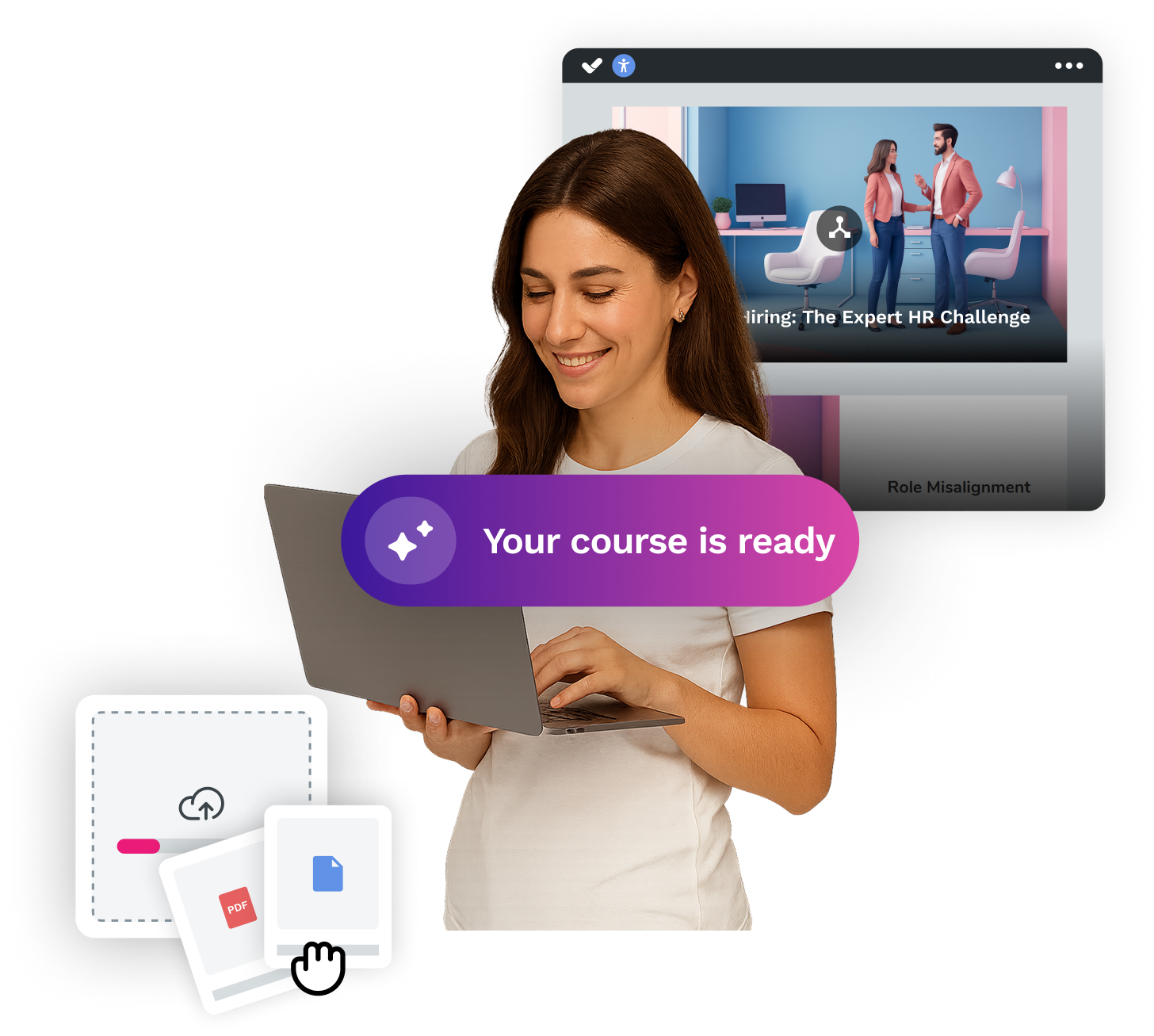

Looking for an easy, agile and efficient authoring tool?
Create accessible, engaging and dynamic e-learning courses with artificial intelligence in minutes.
Related comparatives

Sara De la Torre
June 3, 2026
isEazy LMS vs Cornerstone OnDemand: which one to choose in 2026?
Read more

Sara De la Torre
July 27, 2026
Best LMS for Small Businesses and SMEs in 2026
Read more

Sara De la Torre
August 25, 2026
Top 10 Enterprise LMS: How to Choose the Best Learning Management System
Read more
