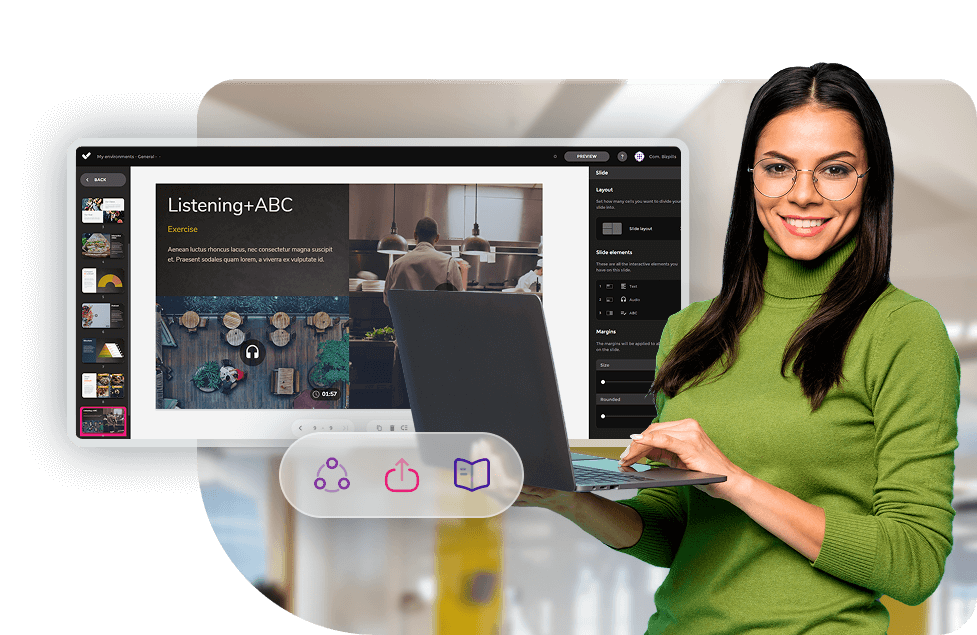
Choosing between isEazy Author and Easygenerator is one of the most common decisions for L&D teams looking for an e-learning authoring tool in 2026. Both allow course creation without technical knowledge, but they follow different philosophies and have relevant differences in interactivity, accessibility, AI and pricing. This comparison analyses each dimension with real data so you can make an informed decision.
An e-learning authoring tool allows you to create interactive courses without coding. isEazy Author bets on professional design, an integrated ecosystem and certified accessibility; Easygenerator prioritises simplicity so internal experts can share knowledge quickly.
What is isEazy Author and what is Easygenerator?
isEazy Author
isEazy Author is the authoring tool within the isEazy suite — a corporate learning platform that integrates course creation, LMS, a content catalogue, gamification and tools for frontline teams. Its approach combines ease of use with professional design capabilities: more than 25 types of interactive elements, pedagogical games, automatically certified WCAG accessibility, and AI integrated into all plans at no extra cost. It is aimed at L&D and HR teams that need to produce high-quality content in an agile, centralised way. Discover isEazy Author →
isEazy Author
The Leading AI Authoring Tool on the Market
Features
Benefits
Pricing
Accessibility
Awards
AI features: generate images, games and exercises, automatic subtitles, voiceovers, advanced interactive elements, avatars, and AI video presenters to bring your content to life.
AI Autopilot: automatic course creation from documents or ideas, with pedagogical structure, interactive resources, and applied visual identity. Transform any content into a publish-ready course in minutes.
Templates: over 25 ready-to-use interactive templates, editable and customizable with corporate colors, typography, and logo via the Smart Colors feature.
Drag-and-drop editor: visual editing to create courses with no technical, programming, or design knowledge required.
Automatic responsive design: courses adapt to any device without manual adjustments, with dual mode so each learner can access content in their preferred format.
Multi-format: export in SCORM 1.2, SCORM 2004, xAPI, and HTML5, compatible with any LMS on the market.
Automatic translation: full AI-powered course translation into over 40 languages, with no need for external translators.
Text to speech: professional voiceovers automatically generated from content, with selection of gender, language, and voice variation.
PowerPoint import: convert presentations into interactive e-learning courses in just a couple of clicks.
Real-time collaboration: simultaneous collaborative work on the same course with integrated comments, change tracking, and automatic saving with restore points.
Brand customization: styles, colors, typography, and logo to maintain corporate consistency across all content.
Gamification: points, badges, and leaderboards to motivate learners and increase engagement.
Assessments and quizzes: multiple question types and answer logic, with AI-powered automatic generation of final assessment tests based on course content.
Multimedia library: built-in bank of images, videos, icons, and graphic resources, with AI image generation adapted to your course style.
Integrations: connection with LMS platforms (SCORM, xAPI), external platforms, and management systems. A built-in learning environment is also available without leaving isEazy Author.
AI-powered: automates key creation tasks and drastically reduces production time. Over 36,000 users and 120,000 projects created in more than 90 countries speak for themselves.
Intuitive and visual interface: everything is edited intuitively with no learning curve, with pre-configured ready-to-use resources.
Real collaborative experience: distributed teams can work in parallel with real-time feedback, ideal for content factories and L&D teams.
Total flexibility: ideal for both occasional creators and large-scale production teams. Compatible with any LMS and 100% cloud-based.
Visual and professional courses: no designers or developers needed, with quality results recognized by Training Industry and eLearning Industry 2026.
Cost savings: less need for external resources and greater efficiency in content creation. Calculate your savings with the AI Autopilot ROI calculator.
Constantly evolving: new features released regularly and agile multilingual support, with real accessibility up to WCAG level AA and 80% of level AAA.
FREE plan: free forever. Ideal for exploring the tool with no commitment.
Professional: from €80/month. 1 author and up to 5 GB of storage.
Business: from €208/month. 2 authors and up to 12 GB of storage. The most popular plan.
Enterprise: custom authors and storage. Contact us for pricing.
Real standards compliance: courses compatible with level AA (100%) and up to 80% of level AAA of the Web Content Accessibility Guidelines (WCAG), and with Section 508 of the U.S. Rehabilitation Act.
Dual mode: create a single SCORM course and your learners can access it in their preferred mode, with or without accessibility adaptations, without duplicating production work.
Accessible interactive elements: all interactive resources in isEazy Author are designed to provide the same learning experience to all learners, regardless of their needs.
Contextual editor guidance: tips and guides built into the editor so any author can create quality accessible content easily, with no prior technical knowledge required.
Without sacrificing design or interactivity: accessibility in isEazy Author does not mean compromising visual impact or content richness. Accessible, attractive, and effective courses all at once.
Training Industry 2026: Top 20 AI Content Creation.
eLearning Industry 2026: Best AI-Powered Authoring Tool and Learning & Skills Development.
Training Industry 2025: Top 20 AI Content Creation.
eLearning Industry 2025: Best e-Learning Authoring Tool.
Brandon Hall 2024: Excellence Awards.
eLearning Industry 2024: Best Game Design and AI Watchlist.
G2 2024: Momentum Leader, High Performer, and High Performer Mid-Market.
Crozdesk 2024: Quality Choice, Trusted Vendor, and Happiest Users.
Software Advice 2024: FrontRunners.
Software Suggest 2024: Category Leader.
Features
AI features: generate images, games and exercises, automatic subtitles, voiceovers, advanced interactive elements, avatars, and AI video presenters to bring your content to life.
AI Autopilot: automatic course creation from documents or ideas, with pedagogical structure, interactive resources, and applied visual identity. Transform any content into a publish-ready course in minutes.
Templates: over 25 ready-to-use interactive templates, editable and customizable with corporate colors, typography, and logo via the Smart Colors feature.
Drag-and-drop editor: visual editing to create courses with no technical, programming, or design knowledge required.
Automatic responsive design: courses adapt to any device without manual adjustments, with dual mode so each learner can access content in their preferred format.
Multi-format: export in SCORM 1.2, SCORM 2004, xAPI, and HTML5, compatible with any LMS on the market.
Automatic translation: full AI-powered course translation into over 40 languages, with no need for external translators.
Text to speech: professional voiceovers automatically generated from content, with selection of gender, language, and voice variation.
PowerPoint import: convert presentations into interactive e-learning courses in just a couple of clicks.
Real-time collaboration: simultaneous collaborative work on the same course with integrated comments, change tracking, and automatic saving with restore points.
Brand customization: styles, colors, typography, and logo to maintain corporate consistency across all content.
Gamification: points, badges, and leaderboards to motivate learners and increase engagement.
Assessments and quizzes: multiple question types and answer logic, with AI-powered automatic generation of final assessment tests based on course content.
Multimedia library: built-in bank of images, videos, icons, and graphic resources, with AI image generation adapted to your course style.
Integrations: connection with LMS platforms (SCORM, xAPI), external platforms, and management systems. A built-in learning environment is also available without leaving isEazy Author.
Benefits
AI-powered: automates key creation tasks and drastically reduces production time. Over 36,000 users and 120,000 projects created in more than 90 countries speak for themselves.
Intuitive and visual interface: everything is edited intuitively with no learning curve, with pre-configured ready-to-use resources.
Real collaborative experience: distributed teams can work in parallel with real-time feedback, ideal for content factories and L&D teams.
Total flexibility: ideal for both occasional creators and large-scale production teams. Compatible with any LMS and 100% cloud-based.
Visual and professional courses: no designers or developers needed, with quality results recognized by Training Industry and eLearning Industry 2026.
Cost savings: less need for external resources and greater efficiency in content creation. Calculate your savings with the AI Autopilot ROI calculator.
Constantly evolving: new features released regularly and agile multilingual support, with real accessibility up to WCAG level AA and 80% of level AAA.
Pricing
FREE plan: free forever. Ideal for exploring the tool with no commitment.
Professional: from €80/month. 1 author and up to 5 GB of storage.
Business: from €208/month. 2 authors and up to 12 GB of storage. The most popular plan.
Enterprise: custom authors and storage. Contact us for pricing.
Accessibility
Real standards compliance: courses compatible with level AA (100%) and up to 80% of level AAA of the Web Content Accessibility Guidelines (WCAG), and with Section 508 of the U.S. Rehabilitation Act.
Dual mode: create a single SCORM course and your learners can access it in their preferred mode, with or without accessibility adaptations, without duplicating production work.
Accessible interactive elements: all interactive resources in isEazy Author are designed to provide the same learning experience to all learners, regardless of their needs.
Contextual editor guidance: tips and guides built into the editor so any author can create quality accessible content easily, with no prior technical knowledge required.
Without sacrificing design or interactivity: accessibility in isEazy Author does not mean compromising visual impact or content richness. Accessible, attractive, and effective courses all at once.
Awards
Training Industry 2026: Top 20 AI Content Creation.
eLearning Industry 2026: Best AI-Powered Authoring Tool and Learning & Skills Development.
Training Industry 2025: Top 20 AI Content Creation.
eLearning Industry 2025: Best e-Learning Authoring Tool.
Brandon Hall 2024: Excellence Awards.
eLearning Industry 2024: Best Game Design and AI Watchlist.
G2 2024: Momentum Leader, High Performer, and High Performer Mid-Market.
Crozdesk 2024: Quality Choice, Trusted Vendor, and Happiest Users.
Software Advice 2024: FrontRunners.
Software Suggest 2024: Category Leader.
Easygenerator
Easygenerator is an e-learning authoring platform focused on the concept of employee-generated learning: enabling any internal expert, regardless of technical background, to create and share training without needing an L&D team. Its proposition centres on maximum simplicity, cross-department collaboration and rapid publishing. Advanced features such as translation, AI video and AI roleplay are available as paid add-on modules.
Easygenerator
Key Features
Benefits
Pricing
Easygenerator's features
Cloud-based authoring: create courses from the browser with no local installation, accessible from any device with continuous automatic updates.
Ready-to-use templates: enables non-technical users to produce content quickly, with drag-and-drop elements for fast and intuitive course creation.
SCORM and xAPI publishing: export courses to an LMS or publish directly via a web link, with dynamic SCORM that allows content updates without re-uploading the package to the LMS.
Feedback and assessments: tools to add quizzes, surveys, and AI-powered automatic question generation based on course content.
Real-time collaboration: multiple users can edit and review content simultaneously, with integrated review and approval workflows.
Automatic translation and multilingual management: built-in translation into 75+ languages via EasyTranslate for fast localization without external tools.
EasyAI: convert documents (PDF, PowerPoint, Word) into structured courses in minutes, improve text, generate questions, and create AI-powered images tailored to course content.
Why choose Easygenerator
Easy to use: enables any employee to create courses with no prior e-learning or technical experience. A pioneer in introducing AI features across all plans at no extra cost.
Ideal for collaborative environments: fosters content creation across departments through the Employee-Generated Learning (EGL) model, trusted by 2,000+ companies including Electrolux, DHL, and Danone.
Development speed: focused on speed and simplicity, with Doc-to-course to reuse existing materials and convert them into structured training in minutes.
Flexible publishing: courses hosted in an LMS or accessible via web link, with unlimited learners on all plans.
Easygenerator Pricing
Pro: from €116/month (billed annually). 1 author, unlimited learners.
Team: from €582/month (billed annually). 5 authors, unlimited learners.
Enterprise: pricing on request. Unlimited authors and advanced management and security features.
14-day free trial available. Discounts for educational institutions and non-profit organizations available on request.
Key Features
Easygenerator's features
Cloud-based authoring: create courses from the browser with no local installation, accessible from any device with continuous automatic updates.
Ready-to-use templates: enables non-technical users to produce content quickly, with drag-and-drop elements for fast and intuitive course creation.
SCORM and xAPI publishing: export courses to an LMS or publish directly via a web link, with dynamic SCORM that allows content updates without re-uploading the package to the LMS.
Feedback and assessments: tools to add quizzes, surveys, and AI-powered automatic question generation based on course content.
Real-time collaboration: multiple users can edit and review content simultaneously, with integrated review and approval workflows.
Automatic translation and multilingual management: built-in translation into 75+ languages via EasyTranslate for fast localization without external tools.
EasyAI: convert documents (PDF, PowerPoint, Word) into structured courses in minutes, improve text, generate questions, and create AI-powered images tailored to course content.
Benefits
Why choose Easygenerator
Easy to use: enables any employee to create courses with no prior e-learning or technical experience. A pioneer in introducing AI features across all plans at no extra cost.
Ideal for collaborative environments: fosters content creation across departments through the Employee-Generated Learning (EGL) model, trusted by 2,000+ companies including Electrolux, DHL, and Danone.
Development speed: focused on speed and simplicity, with Doc-to-course to reuse existing materials and convert them into structured training in minutes.
Flexible publishing: courses hosted in an LMS or accessible via web link, with unlimited learners on all plans.
Pricing
Easygenerator Pricing
Pro: from €116/month (billed annually). 1 author, unlimited learners.
Team: from €582/month (billed annually). 5 authors, unlimited learners.
Enterprise: pricing on request. Unlimited authors and advanced management and security features.
14-day free trial available. Discounts for educational institutions and non-profit organizations available on request.
Key differences between isEazy Author and Easygenerator
The following table summarises the most relevant differences between both tools for a quick first assessment:
Screen reader and keyboard navigation; no published WCAG level
Free plan
Yes — permanent Free plan (€0, no time limit)
No — 14-day trial, then Free with limited features
Integrated ecosystem
Yes — LMS, Skills, Game, Engage, Factory
No — standalone tool with external integrations
Distribution
SCORM 1.2/2004, xAPI, link, PDF, isEazy Author Go
SCORM, Dynamic SCORM, xAPI, LTI, link, PDF, embed
Starting price (paid)
€72/month (1 author, annual billing)
From $582/month (minimum 5 authors, annual billing)
Two different philosophies: professional design vs. employee-generated learning
Beyond features, the most important difference between isEazy Author and Easygenerator is their product philosophy.
isEazy Author starts from the premise that corporate e-learning content must have professional quality: visual design consistent with brand identity, interactivity that drives retention, guaranteed accessibility and a learning experience that genuinely impacts the business. That is why it offers style templates, Smart Colors, corporate fonts and more than 25 types of interactive resources, including pedagogical games such as Wheel of Fortune, Trivia, Swipe, Memory and Words. The L&D team retains full control over the quality and design of all content produced.
Easygenerator bets on democratising content creation so that any internal expert — a sales manager, a technician, a team leader — can produce training without depending on the L&D team. The result is speed and scalability, but with less control over the design and visual quality of the output.
If you prioritise quality, design and an integrated ecosystem, isEazy Author is the natural choice. If your primary goal is for internal experts to share knowledge quickly with minimal friction, Easygenerator has an advantage in that specific use case.
Content creation and interactivity: 25+ resources vs. the essentials
Interactivity is one of the factors with the greatest impact on learning retention. According to the 2024 LinkedIn Learning Workplace Learning Report, interactive content increases course completion rates by 50% compared to static content.
isEazy Author stands out clearly in this area. Its library includes:
Assessment exercises: multiple choice, grouping, fill-in-the-blank, matching, sorting, and AI-powered final assessments with automatic question generation.
Pre-configured pedagogical games: Wheel of Fortune, Trivia, Swipe, Memory and Words — ready to use with no additional setup.
PowerPoint import: converts existing presentations into interactive courses in just a few clicks.
Easygenerator includes quizzes, flip cards, hotspots, scenarios and videos, and supports importing Word, PDF or PowerPoint documents. It is sufficient for basic knowledge training, but does not offer pedagogical games or the advanced interactivity level of isEazy Author.
Both tools support real-time collaborative editing. isEazy Author includes it from the Business plan onwards; Easygenerator from the Team plan (minimum 5 authors).
Artificial Intelligence: what each tool includes and at what cost
AI is the area where the difference between both tools is most significant, particularly regarding what is included by default versus what requires an additional payment.
AI Feature
isEazy Author
Easygenerator
Course generation from document
Yes — AI Autopilot (included)
Yes — EasyAI (included)
Auto-generation of interactives and games
Yes — automatic from slide content (included)
Partial — suggests content blocks (included)
Text to Speech (automatic voiceovers)
Yes — gender, language and variation selection (included)
Yes (included)
Speech to Text (automatic subtitles)
Yes — for videos and audio (included)
Not available
AI image generation
Yes — multiple styles from description (included)
Not available
AI Video Studio / AI avatars
Yes — AI avatars, own video or webcam (included)
EasyVideo — paid add-on
Automatic translation
Yes — full project to any language (included)
EasyTranslate — paid add-on (75 languages)
AI roleplay / coaching
Not currently available
EasyCoach — paid add-on
The key point: isEazy Author includes all its AI features in standard plans, with no add-ons or extra costs. Easygenerator offers EasyAI as a base, but the most advanced features require additional paid modules that increase the total cost.
Easygenerator does have one genuine differentiator with EasyCoach: AI-powered roleplays for practising workplace conversations (sales, customer service, leadership). It is a standout feature for soft skills training that isEazy Author does not currently offer. Learn more about isEazy Author AI Autopilot →
Accessibility: isEazy Author’s key differentiator
Accessibility in e-learning is not just a legal requirement in many contexts — European Accessibility Act, Section 508 in the US — it is also an increasingly demanded standard by HR teams in companies with inclusion and diversity policies.
isEazy Author meets 100% of WCAG AA criteria and 80% of WCAG AAA criteria, as well as Section 508. This includes:
All interactive elements and games automatically adapted to be accessible.
Dual mode: a single SCORM file that learners can use in their preferred mode based on their needs.
Contextual editor guidance with tips for creating accessible content.
VPAT (Voluntary Product Accessibility Template) available for download and audit.
Easygenerator mentions screen reader compatibility, keyboard navigation and alternative text for images, but does not publish an equivalent WCAG compliance level or comparable VPAT.
For organisations that must guarantee certified accessibility in their training, this difference is decisive.
Distribution and LMS compatibility
Both tools cover the most common distribution standards in the market:
SCORM 1.2 and SCORM 2004 — compatible with virtually any LMS on the market.
xAPI (Tin Can) — for environments with a Learning Record Store (LRS).
Direct link publishing — for sharing without an LMS.
PDF export — for static reference formats.
Easygenerator adds two relevant distribution features:
Dynamic SCORM: updates course content in the LMS with a single click, no manual re-upload needed. Useful for frequently updated content.
LTI (Learning Tools Interoperability): direct integration with educational platforms such as Moodle or Canvas.
isEazy Author includes isEazy Author Go: a built-in distribution and tracking environment that allows monitoring learner activity and progress without needing an external LMS.
Pricing and plans: what does each platform offer?
The pricing model is one of the most relevant differences between isEazy Author and Easygenerator, especially for small teams or companies in an evaluation phase. The following table compares the available plans for both tools side by side:
Plan
isEazy Author
Easygenerator
Free
✅ Permanent Free plan — €0, no time limit. 1 author, 3 projects, 0.3 GB, SCORM + web + link, gamification.
⚠️ 14-day trial. Afterwards, Free with premium features disabled.
Entry paid plan
Professional — €72/month*. 1 author, unlimited projects, 5 GB, full image catalogue, corporate logo.
Team — from $582/month*. Minimum 5 authors. Co-authoring, results analytics, onboarding session.
The most relevant point: for a team of 1 or 2 authors, isEazy Author is considerably more accessible in price. Easygenerator requires a minimum of 5 authors on its paid plan, which can represent a significant additional cost for small or medium-sized teams.
Which tool is better for you?
The choice depends on your content production model, team size, quality requirements and the technology ecosystem of your organisation.
Need or profile
Recommendation
Professional design and exact corporate branding
isEazy Author
Mandatory certified WCAG accessibility
isEazy Author
Small team (1–2 authors) with a tight budget
isEazy Author
Integrated ecosystem (LMS + Skills + Game + Engage)
isEazy Author
Maximum interactivity and pedagogical games
isEazy Author
Full AI with no additional add-ons
isEazy Author
Internal experts creating training without an L&D team
Easygenerator
Employee-generated learning at scale across the organisation
Easygenerator
AI roleplay for soft skills practice
Easygenerator
Dynamic SCORM updates without manual re-upload
Easygenerator
Fast training with a minimal learning curve
Both (balanced)
How companies create training with isEazy Author
Vodafone is one of the most representative examples of what a professional authoring tool can deliver for a large organisation. With isEazy Author, Vodafone tripled its productivity in e-learning content creation, reducing production times without sacrificing quality or visual consistency. Find out how they did it →
CASE STUDY
We multiplied x3 the productivity in the creation of e-learning courses at Vodafone
In addition to isEazy Author and Easygenerator, here are other relevant authoring tools worth considering before making a decision:
Articulate 360 (Rise + Storyline)
The benchmark in the English-speaking market, with great power for instructional designers. Steeper learning curve and higher price point.
Articulate 360
Key Features
Benefits
Pricing
Storyline 360: authoring tool for creating custom courses with advanced interactions, complex branching logic, and tailored simulations.
Rise 360: web-based editor for creating responsive courses visually and quickly, with no software installation or prior technical knowledge required.
AI features: transform documents, videos, or presentations into interactive courses in minutes. Includes automatic translation into 80+ languages and AI-powered content generation.
Content Library: access to a library of templates, characters, backgrounds, and graphic resources ready to use in any course.
Review 360: collaborative platform for course review and feedback, with requests, reviews, and comment resolution all in one place throughout the creation process.
Screen recording and editing: tools to record videos and screencasts directly from the platform.
SCORM, AICC, xAPI, and cmi5 compatibility: export in standard formats for integration with any LMS, with web distribution also available without complex configurations.
Two authoring approaches: choose between a visual and fast environment (Rise 360) or a more technical and customizable one (Storyline 360) depending on project needs.
Creative potential: ideal for courses with advanced logic, complex interactions, and gamification, with full design freedom in Storyline 360.
Seamless collaboration: Review 360 makes it easy to share progress and gather team or stakeholder feedback in real time throughout the entire process.
Responsive courses: Rise 360 ensures a great experience on any device without manual adjustments.
Articulate 360 Standard: from $1,499 USD/year per user. Includes access to all tools in the package and continuous updates.
Articulate 360 AI: from $1,749 USD/year per user. Includes all Standard plan features plus advanced AI capabilities.
Free trial available. Team discounts available on request.
Key Features
Storyline 360: authoring tool for creating custom courses with advanced interactions, complex branching logic, and tailored simulations.
Rise 360: web-based editor for creating responsive courses visually and quickly, with no software installation or prior technical knowledge required.
AI features: transform documents, videos, or presentations into interactive courses in minutes. Includes automatic translation into 80+ languages and AI-powered content generation.
Content Library: access to a library of templates, characters, backgrounds, and graphic resources ready to use in any course.
Review 360: collaborative platform for course review and feedback, with requests, reviews, and comment resolution all in one place throughout the creation process.
Screen recording and editing: tools to record videos and screencasts directly from the platform.
SCORM, AICC, xAPI, and cmi5 compatibility: export in standard formats for integration with any LMS, with web distribution also available without complex configurations.
Benefits
Two authoring approaches: choose between a visual and fast environment (Rise 360) or a more technical and customizable one (Storyline 360) depending on project needs.
Creative potential: ideal for courses with advanced logic, complex interactions, and gamification, with full design freedom in Storyline 360.
Seamless collaboration: Review 360 makes it easy to share progress and gather team or stakeholder feedback in real time throughout the entire process.
Responsive courses: Rise 360 ensures a great experience on any device without manual adjustments.
Pricing
Articulate 360 Standard: from $1,499 USD/year per user. Includes access to all tools in the package and continuous updates.
Articulate 360 AI: from $1,749 USD/year per user. Includes all Standard plan features plus advanced AI capabilities.
Free trial available. Team discounts available on request.
iSpring Suite
Native integration with PowerPoint, a good option for teams already working with Microsoft Office.
iSpring Suite
Key Features
Benefits
Pricing
PowerPoint integration: convert existing presentations into interactive e-learning courses in just a few clicks, without leaving the familiar PowerPoint environment.
Screen recording and simulations: tools for recording screens with automatic click and keystroke detection, adding voiceovers, and creating interactive simulations and role-plays.
Quizzes and assessments: tests with multiple question types, branching logic, and answer flows to assess learner knowledge.
Video lessons: create presentations synchronized with a presenter video for a more engaging and personal learning experience.
SCORM, xAPI, and cmi5 compatibility: export courses in standard formats for integration with any LMS on the market.
Content library: over 2,500 locations, 3,600+ icons, templates, characters, backgrounds, and reusable graphic resources to enrich course design.
AI features: text generation, automatic translation into 70+ languages, text-to-speech with natural ElevenLabs voices, and AI image generation.
Low learning curve: ideal for users already familiar with PowerPoint. No technical knowledge or prior training required.
Fast course production: transform existing presentations into interactive training content quickly, with video publishing up to 1.5x faster.
LMS compatibility: ensures progress and results tracking across multiple platforms via clean, standards-compliant SCORM packages compatible with any LMS.
All tools in one suite: quizzes, video, simulations, screen recordings, AI features, and a content library all in a single environment.
iSpring Suite: from $970 USD/year per author. Includes PowerPoint authoring tool, quizzes, video lessons, simulations, and technical support.
iSpring Suite AI: from $1,290 USD/year per author. Includes all iSpring Suite features plus AI capabilities, iSpring Cloud AI, advanced content library, and updates included.
14-day free trial available. Discounts for freelancers and academics available on request.
Key Features
PowerPoint integration: convert existing presentations into interactive e-learning courses in just a few clicks, without leaving the familiar PowerPoint environment.
Screen recording and simulations: tools for recording screens with automatic click and keystroke detection, adding voiceovers, and creating interactive simulations and role-plays.
Quizzes and assessments: tests with multiple question types, branching logic, and answer flows to assess learner knowledge.
Video lessons: create presentations synchronized with a presenter video for a more engaging and personal learning experience.
SCORM, xAPI, and cmi5 compatibility: export courses in standard formats for integration with any LMS on the market.
Content library: over 2,500 locations, 3,600+ icons, templates, characters, backgrounds, and reusable graphic resources to enrich course design.
AI features: text generation, automatic translation into 70+ languages, text-to-speech with natural ElevenLabs voices, and AI image generation.
Benefits
Low learning curve: ideal for users already familiar with PowerPoint. No technical knowledge or prior training required.
Fast course production: transform existing presentations into interactive training content quickly, with video publishing up to 1.5x faster.
LMS compatibility: ensures progress and results tracking across multiple platforms via clean, standards-compliant SCORM packages compatible with any LMS.
All tools in one suite: quizzes, video, simulations, screen recordings, AI features, and a content library all in a single environment.
Pricing
iSpring Suite: from $970 USD/year per author. Includes PowerPoint authoring tool, quizzes, video lessons, simulations, and technical support.
iSpring Suite AI: from $1,290 USD/year per author. Includes all iSpring Suite features plus AI capabilities, iSpring Cloud AI, advanced content library, and updates included.
14-day free trial available. Discounts for freelancers and academics available on request.
Adobe Captivate
Aimed at advanced e-learning developers, with very complete technical capabilities but a high complexity of use.
Adobe Captivate
Key Features
Benefits
Pricing
Adobe Captivate features
Software simulations: screen capture with automatic detection of clicks, keystrokes, and rollovers to create step-by-step simulations and interactive tutorials.
Branched scenarios: personalized learning paths based on user decisions, with advanced variable and condition logic.
Virtual reality and 360º: integration of 360º images and videos and VR headset compatibility for immersive experiences.
Responsive design: adaptive design by default, with courses that automatically adjust to any device and screen orientation without manual intervention.
Screen recording and video editing: tools to create tutorials, screencasts, and training videos with integrated subtitles, text-to-speech, and audio editing.
Generative AI: text, image generation (with Adobe Firefly), transcripts, and avatar narration to speed up content creation. Import from PowerPoint and Captivate Classic projects.
SCORM, AICC, xAPI, and cmi5 compatibility: export in standard formats for integration with any LMS on the market.
Why choose Adobe Captivate
Technical power: build courses with a high level of customization and interactivity, with out-of-the-box widgets and support for JavaScript and advanced interactions.
VR and 360º support: ideal for innovative projects such as virtual tours or immersive onboarding experiences.
Integration with other Adobe tools: synergy with Adobe Firefly for image generation and compatibility with Adobe ecosystem workflows.
Advanced programming features: options for users with knowledge of variables, conditions, and scripts for full customization of course behavior.
Adobe Captivate Pricing
Individuals: individual subscription with access to Adobe Captivate, Adobe Captivate Classic, 100 GB storage, and monthly generative credits. Price available on adobe.com.
Teams: subscription for teams and businesses with 700 monthly premium generative credits and unlimited credits for image and text generation. Pricing on request.
Enterprise: Enterprise Term License Agreement (ETLA) over 3 years for large organizations. Pricing on request.
Education: special pricing for eligible educational institutions. Pricing on request.
Free trial available.
Key Features
Adobe Captivate features
Software simulations: screen capture with automatic detection of clicks, keystrokes, and rollovers to create step-by-step simulations and interactive tutorials.
Branched scenarios: personalized learning paths based on user decisions, with advanced variable and condition logic.
Virtual reality and 360º: integration of 360º images and videos and VR headset compatibility for immersive experiences.
Responsive design: adaptive design by default, with courses that automatically adjust to any device and screen orientation without manual intervention.
Screen recording and video editing: tools to create tutorials, screencasts, and training videos with integrated subtitles, text-to-speech, and audio editing.
Generative AI: text, image generation (with Adobe Firefly), transcripts, and avatar narration to speed up content creation. Import from PowerPoint and Captivate Classic projects.
SCORM, AICC, xAPI, and cmi5 compatibility: export in standard formats for integration with any LMS on the market.
Benefits
Why choose Adobe Captivate
Technical power: build courses with a high level of customization and interactivity, with out-of-the-box widgets and support for JavaScript and advanced interactions.
VR and 360º support: ideal for innovative projects such as virtual tours or immersive onboarding experiences.
Integration with other Adobe tools: synergy with Adobe Firefly for image generation and compatibility with Adobe ecosystem workflows.
Advanced programming features: options for users with knowledge of variables, conditions, and scripts for full customization of course behavior.
Pricing
Adobe Captivate Pricing
Individuals: individual subscription with access to Adobe Captivate, Adobe Captivate Classic, 100 GB storage, and monthly generative credits. Price available on adobe.com.
Teams: subscription for teams and businesses with 700 monthly premium generative credits and unlimited credits for image and text generation. Pricing on request.
Enterprise: Enterprise Term License Agreement (ETLA) over 3 years for large organizations. Pricing on request.
Education: special pricing for eligible educational institutions. Pricing on request.
Free trial available.
Conclusion: which authoring tool should you choose in 2026?
After analysing features, AI, accessibility, pricing and real use cases, the conclusion is clear for most corporate L&D teams: isEazy Author offers a more complete, more integrated and more price-accessible proposition, especially when the goal is to produce professionally designed content, guarantee accessibility and have AI without additional costs.
Easygenerator has a specific use case where it genuinely stands out: organisations that want to implement an employee-generated learning model at scale, where internal experts from different departments create training autonomously without depending on the L&D team. In that specific scenario, its simplicity and co-authoring capabilities offer a real advantage.
For all other cases — L&D teams that need quality, design, certified accessibility, an integrated ecosystem and a reasonable price from the first author — isEazy Author is the best choice.
Feature
isEazy Author
Easygenerator
Interactivity and pedagogical games
⭐⭐⭐⭐⭐
⭐⭐⭐
Certified accessibility (WCAG)
⭐⭐⭐⭐⭐
⭐⭐⭐
Design and corporate branding
⭐⭐⭐⭐⭐
⭐⭐⭐
AI included at no extra cost
⭐⭐⭐⭐⭐
⭐⭐⭐
Integrated ecosystem (LMS, Skills…)
⭐⭐⭐⭐⭐
⭐⭐
Entry price / genuine free plan
⭐⭐⭐⭐⭐
⭐⭐
Distribution and LMS compatibility
⭐⭐⭐⭐
⭐⭐⭐⭐
Ease of use for non-L&D experts
⭐⭐⭐⭐
⭐⭐⭐⭐⭐
Employee-generated learning at scale
⭐⭐⭐
⭐⭐⭐⭐⭐
AI roleplay for soft skills
⭐⭐
⭐⭐⭐⭐⭐
Frequently asked questions about isEazy Author and Easygenerator
Does isEazy Author have a free plan?
Yes. isEazy Author offers a permanent Free plan (€0) that includes 1 author, up to 0.3 GB storage, 3 projects, gamification, and SCORM, web and link publishing. It is the only one of the two tools with a genuinely free, time-unlimited plan, allowing you to try the platform without commitment before scaling to a paid tier.
Which tool offers more AI features?
isEazy Author includes AI natively across all plans at no extra cost: AI Autopilot (full courses from documents), automatic generation of games and interactive elements, Text to Speech, Speech to Text, AI Video Studio, and AI image generation. Easygenerator also includes EasyAI across all plans, but advanced features such as EasyTranslate, EasyVideo, and EasyCoach are paid add-ons. If you want comprehensive AI out of the box, isEazy Author delivers more by default.
Which tool is better for accessible content?
isEazy Author is the leading authoring tool for accessibility: it meets 100% of WCAG AA criteria and 80% of WCAG AAA criteria, as well as Section 508. All interactive elements and games are automatically made accessible. Easygenerator mentions screen reader support and keyboard navigation, but does not publish an equivalent WCAG compliance level.
Can isEazy Author integrate with any LMS?
Yes. isEazy Author exports in the most widely supported formats: SCORM 1.2, SCORM 2004, and xAPI (Tin Can), ensuring compatibility with virtually any LMS. It also supports direct link publishing and PDF export. Additionally, isEazy Author Go provides a built-in distribution and tracking environment as an alternative to an external LMS.
Looking for an easy, agile and efficient authoring tool?
Create accessible, engaging and dynamic e-learning courses with artificial intelligence in minutes.
Here you can assess and customize the services that we'd like to use on this website. You're in charge! Enable or disable services as you see fit. To learn more, please read our .
We have to include them in order for certain web pages to function securely. These cookies are strictly necessary, so they cannot be rejected or modified.
Cookie
Duration
Description
_ga
2 years
The _ga cookie, installed by Google Analytics, calculates visitor, session and campaign data and also keeps track of site usage for the site's analytics report. The cookie stores information anonymously and assigns a randomly generated number to recognize unique visitors.
_ga_YW3LY84JY6
2 years
This cookie is installed by Google Analytics.
_gat_gtag_UA_90425332_3
1 minute
Set by Google to distinguish users.
_gat_UA-26043609-7
1 minute
A variation of the _gat cookie set by Google Analytics and Google Tag Manager to allow website owners to track visitor behaviour and measure site performance. The pattern element in the name contains the unique identity number of the account or website it relates to.
_gat_UA-90425332-3
1 minute
A variation of the _gat cookie set by Google Analytics and Google Tag Manager to allow website owners to track visitor behaviour and measure site performance. The pattern element in the name contains the unique identity number of the account or website it relates to.
_gcl_au
3 months
Provided by Google Tag Manager to experiment advertisement efficiency of websites using their services.
_gid
1 day
Installed by Google Analytics, _gid cookie stores information on how visitors use a website, while also creating an analytics report of the website's performance. Some of the data that are collected include the number of visitors, their source, and the pages they visit anonymously.
_icl_visitor_lang_js
1 day
This cookie is stored by WPML WordPress plugin. The purpose of the cookie is to store the redirected language.
Bootstrap
11 months
Bootstrap code
cookielawinfo-checkbox-advertisement
1 year
Set by the GDPR Cookie Consent plugin, this cookie is used to record the user consent for the cookies in the "Advertisement" category .
cookielawinfo-checkbox-analytics
11 months
This cookie is set by GDPR Cookie Consent plugin. The cookie is used to store the user consent for the cookies in the category "Analytics".
cookielawinfo-checkbox-functional
11 months
The cookie is set by GDPR cookie consent to record the user consent for the cookies in the category "Functional".
cookielawinfo-checkbox-nece
1 year
Cookie law info
cookielawinfo-checkbox-necessary
11 months
This cookie is set by GDPR Cookie Consent plugin. The cookies is used to store the user consent for the cookies in the category "Necessary".
cookielawinfo-checkbox-others
11 months
This cookie is set by GDPR Cookie Consent plugin. The cookie is used to store the user consent for the cookies in the category "Other.
cookielawinfo-checkbox-performance
11 months
This cookie is set by GDPR Cookie Consent plugin. The cookie is used to store the user consent for the cookies in the category "Performance".
CookieLawInfoConsent
1 year
Records the default button state of the corresponding category & the status of CCPA. It works only in coordination with the primary cookie.
Google Font API
11 months
Google Font API
IDE
1 year 24 days
Google DoubleClick IDE cookies are used to store information about how the user uses the website to present them with relevant ads and according to the user profile.
Pardot
11 months
The pardot cookie is set while the visitor is logged in as a Pardot user. The cookie indicates an active session and is not used for tracking.
test_cookie
15 minutes
The test_cookie is set by doubleclick.net and is used to determine if the user's browser supports cookies.
viewed_cookie_policy
11 months
The cookie is set by the GDPR Cookie Consent plugin and is used to store whether or not user has consented to the use of cookies. It does not store any personal data.
wp-wpml_current_language
session
Language cookies
wpml_browser_redirect_test
session
This cookie is set by WPML WordPress plugin and is used to test if cookies are enabled on the browser.
They collect information in order to measure, evaluate performance, and improve the quality of your experience on our site.
Cookie
Duration
Description
_ga
2 years
The _ga cookie, installed by Google Analytics, calculates visitor, session and campaign data and also keeps track of site usage for the site's analytics report. The cookie stores information anonymously and assigns a randomly generated number to recognize unique visitors.
_ga_YW3LY84JY6
2 years
This cookie is installed by Google Analytics.
_gat_gtag_UA_90425332_3
1 minute
Set by Google to distinguish users.
_gat_UA-26043609-7
1 minute
A variation of the _gat cookie set by Google Analytics and Google Tag Manager to allow website owners to track visitor behaviour and measure site performance. The pattern element in the name contains the unique identity number of the account or website it relates to.
_gat_UA-90425332-3
1 minute
A variation of the _gat cookie set by Google Analytics and Google Tag Manager to allow website owners to track visitor behaviour and measure site performance. The pattern element in the name contains the unique identity number of the account or website it relates to.
_gcl_au
3 months
Provided by Google Tag Manager to experiment advertisement efficiency of websites using their services.
_gid
1 day
Installed by Google Analytics, _gid cookie stores information on how visitors use a website, while also creating an analytics report of the website's performance. Some of the data that are collected include the number of visitors, their source, and the pages they visit anonymously.
_icl_visitor_lang_js
1 day
This cookie is stored by WPML WordPress plugin. The purpose of the cookie is to store the redirected language.
wpml_browser_redirect_test
session
This cookie is set by WPML WordPress plugin and is used to test if cookies are enabled on the browser.
We use them to provide you with efficient and personalized advertisements that we believe are relevant to your interests. You may see them on other sites that you visit.
Cookie
Duration
Description
IDE
1 year 24 days
Google DoubleClick IDE cookies are used to store information about how the user uses the website to present them with relevant ads and according to the user profile.
test_cookie
15 minutes
The test_cookie is set by doubleclick.net and is used to determine if the user's browser supports cookies.