Brain
The first AI trained to teach

Author
The #1 AI-powered authoring tool on the market

Factory
Custom e-learning content factory

Skills
Comprehensive power skills course catalog

LMS
All-in-one LMS platform with AI

Engage
App for managing frontline teams
Product

What is Brain?
Everything you need to know about the first AI trained to teach.

How does it work?
Adaptive, conversational, and contextual. That’s learning with Brain.

Security
Why your company’s knowledge never leaves your environment or trains other models.

Comparison
Discover what sets isEazy Brain apart from other AI solutions.

Frequently Asked Questions
Want to learn more? Find answers to all your questions about isEazy Brain here.

FEATURES

AINew
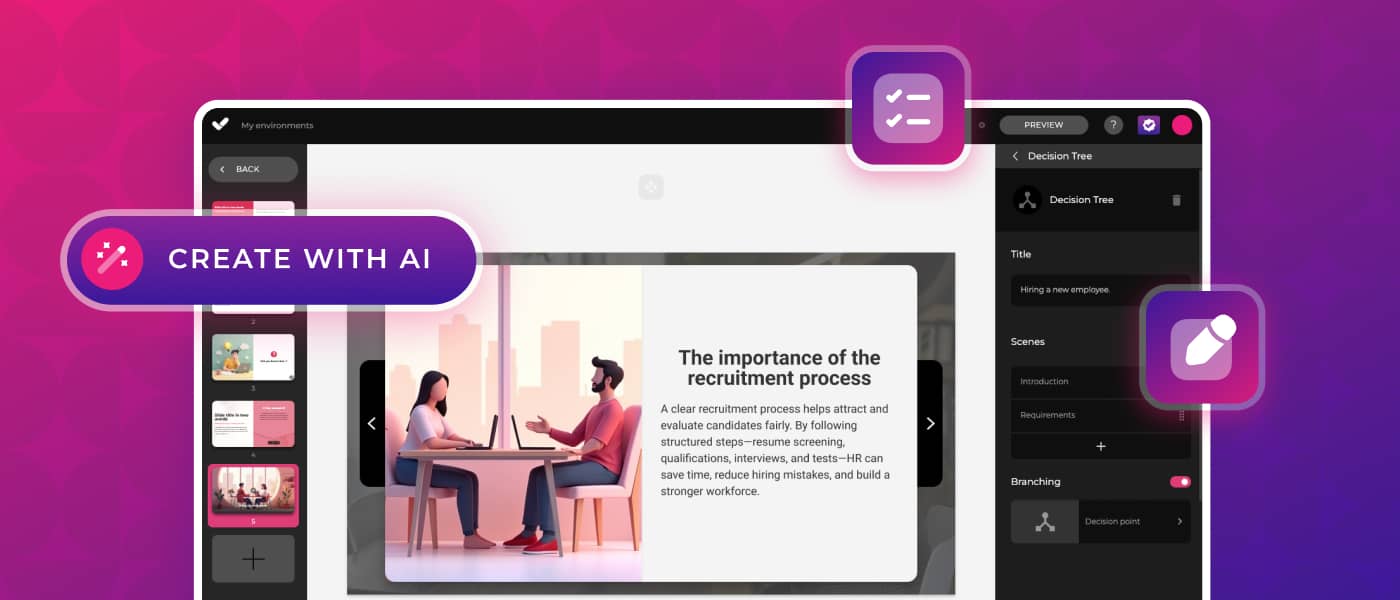
Unlock your full potential and speed up course creation with artificial intelligence.

Accessibility
Automatically meet accessibility guidelines—without sacrificing interactivity!

Interactivity
Boost engagement with interactive, ready-to-use activities that make learning fun.

Course Creation
Reduce the time it takes to create your e-learning courses with our authoring tool.

Distribution
We offer you different distribution options, so that nothing can stop you.

SCORM
Publish your course in SCORM format and share it on any LMS.

SERVICES

Instrucional Design
Surprise your students with multimedia and interactive content.

Custom Courses
We create e-learning courses for you—tailored to your needs and hassle-free!

Virtual Reality
Turn learning into an immersive experience.

Custom Avatars
Give your courses and videos a unique touch with personalized avatars.

Audiovisual FactoryNew
Turn training into something dynamic and visual with engaging videos.

CATALOG

Course catalog
Over 600 skills and competency courses to help you adapt to your team's needs.
Microsoft Copilot AcademyNew
Your professionals will learn how to apply Copilot AI to key processes within your organization.

Artificial Intelligence Academy
Train your teams in the practical use of AI to boost productivity and innovation in your company.

Cybersecurity Academy
Capacita a tu empresa con el catálogo más completo en seguridad digital corporativa.
FEATURES

Learning platform
Manage all your training from one place

Analitycs
Measure the impact of your training

Learning Experience
Offer a unique learning experience to your team
Content Library
Choose from hundreds of expert-created courses
Authoring Tool
Create your own content—faster than ever


Use cases
Choose the solution that best fits your needs

Industries
Solutions for all types of industries
USE CASES

Onboarding
Facilitate the onboarding process, productivity and engagement of your new employees.

Upskilling
Boost your team's skills and prepare them for the challenges of the future with upskilling.

Microlearning
Discover all the advantages of microlearning and boost your training results.

Gamification
Enjoy addictive training that will get your professionals hooked.

Internal Communication
Improve communication in your company and enjoy an aligned and committed team.

Mobile learning
Agile, flexible, and interactive learning—built for today’s digital-first workforce.
INDUSTRIES

Banking and financial services
Training in compliance, cybersecurity, customer service, and key skills development.

Pharmaceuticals and healthcare
Digital onboarding, regulatory updates, and ongoing training for healthcare staff.

Retail and consumer
Agile and scalable training for in-store, operational, and customer service teams.

Industry and manufacturing
Training in processes, safety, and corporate culture for distributed teams.

Education and training
Digital solutions for training centers, internal academies, and corporate universities.

Technology and telecommunications
Development of technical talent, digital skills, and upskilling and reskilling programs.
CLIENTS

MAPFRE
How MAPFRE turn e-learning into sales with isEazy

Pepco
A personalised learning experience for a growing team.

BBVA
Digitisation and creation of high quality e-learning content.

Shiseido
We increase the engagement of the training with a social and gamified app.

Telefónica
Large-scale reskilling for the company's digital transformation.

Vodafone
A personalised learning experience for a growing team.
More than 1,000 companies already rely on isEazy.






MEET ISEAZY

Events
Discover our upcoming events and connect with the future of e-learning.

News
Find out the latest news about isEazy: press releases, partnerships, updates...

Contact
Leave us your personal details and we will contact you as soon as possible.
About isEazyNew
Find out more about our company.

Careers
We are looking for the best talent, join our team!

Partners
Become our partner and grow your business.

INTERESTING RESOURCES

Blog
The best content on e-learning: trends, tools and key strategies.

Whitepapers
Gain valuable insights and stay ahead of industry trends.

Product releases
The latest news and releases of our e-learning products and solutions.

Glossary
Definitions of the most commonly used terms and key industry concepts.

Guides
Discover the best step-by-step tips and tricks to optimize your L&D strategy.

Webinars
Video sessions on our products, trends and more

Comparatives
Compare e-learning solutions available on the market and choose the most suitable one.


WEBINAR
Master AI in isEazy Author in under an hour.




GUIDE
Prepare your organization to comply with the new AI regulations

Stay up to date with all our latest news
 Subscribe to our newsletter
 Stay up to date with all our latest news

April 13, 2026
Accessible E-Learning Design: Standards, Principles and Best Practices

CONTENT CREATED BY:

Table of contents
Today, more than 1.3 billion people worldwide live with some form of visual, hearing, motor, or cognitive disability. Designing accessible e-learning is not just an ethical issue: it is a legal, strategic, and business imperative for any organisation that trains its people.
In this article you will find the principles, standards, and best practices you need to create truly inclusive e-learning — without sacrificing quality or return on investment.
DEI Strategies: 3 Key Business Benefits
More and more companies are embedding accessibility into their Diversity, Equity and Inclusion (DEI) strategies — a set of practices and policies designed to ensure equal opportunities for everyone in the organisation, regardless of ability, background, or identity.
The data strongly supports this approach:
Economic profitability
According to the Getting to Equal: The Disability Inclusion Advantage report by Accenture, companies with advanced inclusion practices generate up to 28% more revenue and 30% higher profit margins than their competitors. Accessibility also extends the reach of training programmes to the entire workforce, reducing the need for costly individual adaptations.
Talent retention
An accessible learning environment is a direct signal of inclusive culture. According to McKinsey, the most diverse and inclusive companies are 35% more likely to outperform their competitors. Furthermore, 57% of people look for companies that champion diversity when choosing where to work.
Reputation improvement
A joint study by the ONCE Foundation and Reputation Institute concluded that including people with disabilities has a direct and positive impact on corporate reputation. Organisations perceived as inclusive build greater trust among clients, investors, and prospective talent.
Why Is It Important to Create Inclusive E-Learning Courses?
Digital corporate training can reproduce the same barriers that exist in the physical world if it is not designed with accessibility criteria in mind. An employee with a visual impairment who cannot read the instructions of a course, or a person with hearing difficulties watching a training video without subtitles, is receiving an inequitable experience that limits their professional development.
Beyond equity, there is also a clear legal framework. In the European Union, the European Accessibility Act (EAA) sets binding requirements for digital products and services, including e-learning platforms. Organisations that train employees with disabilities must treat these standards as a reference for best practice and compliance with applicable regulations.
The conclusion is clear: designing accessible e-learning is not just doing the right thing — it also protects the organisation, ensures regulatory compliance, and extends the impact of training to the entire workforce. Developing soft skills and digital competencies in an inclusive way is a genuine competitive advantage.
Universal Design for Learning (UDL) Principles in E-Learning
Universal Design for Learning (UDL) is the international framework for creating accessible learning experiences from the outset — not as a later adaptation. Developed by CAST (Center for Applied Special Technology), it is based on three core principles:
- Multiple means of representation: offering information in different formats (text, audio, video, infographics) so that each person can access content in the way that best suits their abilities.
- Multiple means of action and expression: allowing learners to demonstrate their knowledge in different ways — written, oral, visual — rather than forcing a single format.
- Multiple means of engagement: designing content that motivates different learner profiles, offering options for difficulty, pace, and degree of autonomy.
Applying UDL in practice means not adding subtitles as an afterthought in production, but planning them from the script; not adjusting font size as a patch, but establishing an accessible typographic hierarchy from the template.
WCAG 2.2 Standards: What an Instructional Designer Needs to Know
The Web Content Accessibility Guidelines (WCAG 2.2) are the international standard for digital accessibility. Although originally designed for websites, their four principles — known as POUR — apply directly to e-learning content design:
- Perceivable: all information must be available to the user’s senses. In practice: alternative text on images, subtitles on videos, audio transcripts, minimum colour contrast of 4.5:1.
- Operable: the interface must be usable with a keyboard, without requiring precise mouse movements. In e-learning: keyboard navigation between screens, no arbitrary time limits on quizzes.
- Understandable: language must be clear and the interface predictable. In practice: explicit instructions, descriptive button labels, clear error messages.
- Robust: content must work with assistive technologies (screen readers, magnifiers). This means using correct semantic HTML or accessible SCORM structures in the authoring tool.
Instructional designers do not need to be WCAG technical experts; what is necessary is that the authoring tool they use incorporates these criteria natively so that exported content meets them automatically.
Main Challenges When Designing Inclusive E-Learning Courses
Knowing the benefits of accessible e-learning is only the first step. In reality, many L&D teams encounter concrete barriers when implementing it. Here are the three most common:
1. Understanding accessibility standards and legislation
Accessibility regulations can be complex: WCAG 2.2, ATAG 2.0, EN 301 549, the European Accessibility Act, Directive (EU) 2016/2102… For a training team without a specialist technical profile, knowing which standards apply in each case and how to translate them into course design is a real challenge. If you want to explore the technical standards in more depth, we recommend this article on e-learning accessibility, where we cover the technical requirements in detail.

2. Technical difficulties when creating accessible courses
Many authoring tools do not generate SCORM content with the required accessibility structure: they do not correctly label interactive elements, do not export with keyboard navigation, or do not allow alternative text to be added to all objects. The result is that instructional designers have to choose between creating accessible content or creating visually engaging content — when they should be able to do both. To learn more about accessible authoring tools available on the market, see our detailed analysis.
3. Maintaining training ROI
A common obstacle is the perception that designing accessibly increases production costs or slows things down. In reality, when the authoring tool incorporates accessibility as part of the standard workflow — not as a layer added afterwards — the additional effort is minimal and the return is maximised: the entire workforce is reached, individual adaptations are reduced, and compliance is achieved from the very first version of the course.
Types of Disability and Design Solutions in E-Learning
A practical way to apply UDL and WCAG principles is to think about the four main disability groups and what specific design decisions address each one:
| Type of Disability | Common Barriers in E-Learning | Accessible Design Solutions |
|---|---|---|
| Visual | Images without alternative text, insufficient contrast, no screen reader compatibility | Descriptive alt text, minimum 4.5:1 contrast, semantic SCORM structure, text resize option |
| Hearing | Videos without subtitles, audio as the only channel for key information | Synchronised subtitles (CEA-608/SRT), downloadable transcripts, additional visual cues |
| Motor | Interactions requiring drag and drop, strict time limits, mouse dependency | Full keyboard navigation, drag-and-drop alternatives, extended or unlimited time on activities |
| Cognitive | Complex language, information overload, ambiguous instructions | Plain and simple language, content chunking, step-by-step instructions, supporting iconography |

Overcoming Accessible E-Learning Challenges with the Right Authoring Tool
Most of the obstacles described above share a common denominator: they depend largely on the authoring tool used by the L&D team. Not all tools create accessible content in the same way, and choosing the right one can make the difference between a project that meets standards from the start and one that requires costly revisions afterwards.
5 Criteria to Evaluate Whether an Authoring Tool Is Truly Accessible
- Accessible SCORM export: the exported package must maintain ARIA labels, correct heading hierarchy, and semantic roles on interactive elements.
- Full keyboard navigation: all screens, buttons, and activities must be navigable without a mouse, both in the editor and in the published course.
- Alt text for every element: there must be an alt text field for every image, icon, and visual element directly in the editor, without needing to edit the exported HTML.
- Integrated subtitles and transcripts: the tool must allow subtitles to be added or imported directly within video and audio components, not as an external element.
- Controllable contrast and typography: the tool’s templates and themes must include palettes that meet WCAG 2.2 contrast ratios by default, or allow real-time verification.
The Best Authoring Tools for Accessible E-Learning Design

Features
Benefits
Pricing
Accessibility
Awards
- AI features: generate images, games and exercises, automatic subtitles, voiceovers, advanced interactive elements, avatars, and AI video presenters to bring your content to life.
- AI Autopilot: automatic course creation from documents or ideas, with pedagogical structure, interactive resources, and applied visual identity. Transform any content into a publish-ready course in minutes.
- Templates: over 25 ready-to-use interactive templates, editable and customizable with corporate colors, typography, and logo via the Smart Colors feature.
- Drag-and-drop editor: visual editing to create courses with no technical, programming, or design knowledge required.
- Automatic responsive design: courses adapt to any device without manual adjustments, with dual mode so each learner can access content in their preferred format.
- Multi-format: export in SCORM 1.2, SCORM 2004, xAPI, and HTML5, compatible with any LMS on the market.
- Automatic translation: full AI-powered course translation into over 40 languages, with no need for external translators.
- Text to speech: professional voiceovers automatically generated from content, with selection of gender, language, and voice variation.
- PowerPoint import: convert presentations into interactive e-learning courses in just a couple of clicks.
- Real-time collaboration: simultaneous collaborative work on the same course with integrated comments, change tracking, and automatic saving with restore points.
- Brand customization: styles, colors, typography, and logo to maintain corporate consistency across all content.
- Gamification: points, badges, and leaderboards to motivate learners and increase engagement.
- Assessments and quizzes: multiple question types and answer logic, with AI-powered automatic generation of final assessment tests based on course content.
- Multimedia library: built-in bank of images, videos, icons, and graphic resources, with AI image generation adapted to your course style.
- Integrations: connection with LMS platforms (SCORM, xAPI), external platforms, and management systems. A built-in learning environment is also available without leaving isEazy Author.
- AI-powered: automates key creation tasks and drastically reduces production time. Over 36,000 users and 120,000 projects created in more than 90 countries speak for themselves.
- Intuitive and visual interface: everything is edited intuitively with no learning curve, with pre-configured ready-to-use resources.
- Real collaborative experience: distributed teams can work in parallel with real-time feedback, ideal for content factories and L&D teams.
- Total flexibility: ideal for both occasional creators and large-scale production teams. Compatible with any LMS and 100% cloud-based.
- Visual and professional courses: no designers or developers needed, with quality results recognized by Training Industry and eLearning Industry 2026.
- Cost savings: less need for external resources and greater efficiency in content creation. Calculate your savings with the AI Autopilot ROI calculator.
- Constantly evolving: new features released regularly and agile multilingual support, with real accessibility up to WCAG level AA and 80% of level AAA.
- FREE plan: free forever. Ideal for exploring the tool with no commitment.
- Professional: from €80/month. 1 author and up to 5 GB of storage.
- Business: from €208/month. 2 authors and up to 12 GB of storage. The most popular plan.
- Enterprise: custom authors and storage. Contact us for pricing.
- Real standards compliance: courses compatible with level AA (100%) and up to 80% of level AAA of the Web Content Accessibility Guidelines (WCAG), and with Section 508 of the U.S. Rehabilitation Act.
- Dual mode: create a single SCORM course and your learners can access it in their preferred mode, with or without accessibility adaptations, without duplicating production work.
- Accessible interactive elements: all interactive resources in isEazy Author are designed to provide the same learning experience to all learners, regardless of their needs.
- Contextual editor guidance: tips and guides built into the editor so any author can create quality accessible content easily, with no prior technical knowledge required.
- Without sacrificing design or interactivity: accessibility in isEazy Author does not mean compromising visual impact or content richness. Accessible, attractive, and effective courses all at once.
- Training Industry 2026: Top 20 AI Content Creation.
- eLearning Industry 2026: Best AI-Powered Authoring Tool and Learning & Skills Development.
- Training Industry 2025: Top 20 AI Content Creation.
- eLearning Industry 2025: Best e-Learning Authoring Tool.
- Brandon Hall 2024: Excellence Awards.
- eLearning Industry 2024: Best Game Design and AI Watchlist.
- G2 2024: Momentum Leader, High Performer, and High Performer Mid-Market.
- Crozdesk 2024: Quality Choice, Trusted Vendor, and Happiest Users.
- Software Advice 2024: FrontRunners.
- Software Suggest 2024: Category Leader.
Features
- AI features: generate images, games and exercises, automatic subtitles, voiceovers, advanced interactive elements, avatars, and AI video presenters to bring your content to life.
- AI Autopilot: automatic course creation from documents or ideas, with pedagogical structure, interactive resources, and applied visual identity. Transform any content into a publish-ready course in minutes.
- Templates: over 25 ready-to-use interactive templates, editable and customizable with corporate colors, typography, and logo via the Smart Colors feature.
- Drag-and-drop editor: visual editing to create courses with no technical, programming, or design knowledge required.
- Automatic responsive design: courses adapt to any device without manual adjustments, with dual mode so each learner can access content in their preferred format.
- Multi-format: export in SCORM 1.2, SCORM 2004, xAPI, and HTML5, compatible with any LMS on the market.
- Automatic translation: full AI-powered course translation into over 40 languages, with no need for external translators.
- Text to speech: professional voiceovers automatically generated from content, with selection of gender, language, and voice variation.
- PowerPoint import: convert presentations into interactive e-learning courses in just a couple of clicks.
- Real-time collaboration: simultaneous collaborative work on the same course with integrated comments, change tracking, and automatic saving with restore points.
- Brand customization: styles, colors, typography, and logo to maintain corporate consistency across all content.
- Gamification: points, badges, and leaderboards to motivate learners and increase engagement.
- Assessments and quizzes: multiple question types and answer logic, with AI-powered automatic generation of final assessment tests based on course content.
- Multimedia library: built-in bank of images, videos, icons, and graphic resources, with AI image generation adapted to your course style.
- Integrations: connection with LMS platforms (SCORM, xAPI), external platforms, and management systems. A built-in learning environment is also available without leaving isEazy Author.
Benefits
- AI-powered: automates key creation tasks and drastically reduces production time. Over 36,000 users and 120,000 projects created in more than 90 countries speak for themselves.
- Intuitive and visual interface: everything is edited intuitively with no learning curve, with pre-configured ready-to-use resources.
- Real collaborative experience: distributed teams can work in parallel with real-time feedback, ideal for content factories and L&D teams.
- Total flexibility: ideal for both occasional creators and large-scale production teams. Compatible with any LMS and 100% cloud-based.
- Visual and professional courses: no designers or developers needed, with quality results recognized by Training Industry and eLearning Industry 2026.
- Cost savings: less need for external resources and greater efficiency in content creation. Calculate your savings with the AI Autopilot ROI calculator.
- Constantly evolving: new features released regularly and agile multilingual support, with real accessibility up to WCAG level AA and 80% of level AAA.
Pricing
- FREE plan: free forever. Ideal for exploring the tool with no commitment.
- Professional: from €80/month. 1 author and up to 5 GB of storage.
- Business: from €208/month. 2 authors and up to 12 GB of storage. The most popular plan.
- Enterprise: custom authors and storage. Contact us for pricing.
Accessibility
- Real standards compliance: courses compatible with level AA (100%) and up to 80% of level AAA of the Web Content Accessibility Guidelines (WCAG), and with Section 508 of the U.S. Rehabilitation Act.
- Dual mode: create a single SCORM course and your learners can access it in their preferred mode, with or without accessibility adaptations, without duplicating production work.
- Accessible interactive elements: all interactive resources in isEazy Author are designed to provide the same learning experience to all learners, regardless of their needs.
- Contextual editor guidance: tips and guides built into the editor so any author can create quality accessible content easily, with no prior technical knowledge required.
- Without sacrificing design or interactivity: accessibility in isEazy Author does not mean compromising visual impact or content richness. Accessible, attractive, and effective courses all at once.
Awards
- Training Industry 2026: Top 20 AI Content Creation.
- eLearning Industry 2026: Best AI-Powered Authoring Tool and Learning & Skills Development.
- Training Industry 2025: Top 20 AI Content Creation.
- eLearning Industry 2025: Best e-Learning Authoring Tool.
- Brandon Hall 2024: Excellence Awards.
- eLearning Industry 2024: Best Game Design and AI Watchlist.
- G2 2024: Momentum Leader, High Performer, and High Performer Mid-Market.
- Crozdesk 2024: Quality Choice, Trusted Vendor, and Happiest Users.
- Software Advice 2024: FrontRunners.
- Software Suggest 2024: Category Leader.

Features
Benefits
Pricing
- Cloud-based authoring: access from anywhere with no installation required. Always automatically updated, with no software update interruptions.
- Responsive design: courses automatically adapt to mobile, tablet, and desktop, with accessibility support and region-based content controls.
- Multilingual management: create and manage versions in over 160 languages and dialects from a single project, with right-to-left language support and automatic AI translation or XLIFF file export and import.
- Template and theme library: facilitates visually consistent brand design, with themes customizable by logo and corporate colors, and a custom theme development option.
- Multi-channel publishing: distribute content via SCORM, xAPI, web, and app, with optional connection to Bridge LMS as a learning management platform.
- Real-time collaboration: simultaneous editing by multiple team members, with integrated review and comment features.
- Built-in AI: text generation, content review, and automatic translation via OpenAI integration.
- 100% cloud-based: eliminates local software dependencies and facilitates remote work, always running the latest version with no IT team intervention required.
- Ideal for global teams: simplifies translation and maintenance of localized versions in over 160 languages from a single base course.
- Mobile-first design: ensures a great learning experience on all devices, with content variables adaptable by learner role or location.
- Flexible publishing: use courses in an LMS, on the web, or in custom apps, with a 21-day free trial available for Small and Medium plans.
- Small: for independent authors. 21-day free trial available.
- Medium: for teams of 4 or more authors, with the option to add additional users.
- Enterprise: for large teams or companies needing greater flexibility and features. Minimum 12-month contract for all plans.
- Pricing available on request in USD, GBP, and EUR.
Features
- Cloud-based authoring: access from anywhere with no installation required. Always automatically updated, with no software update interruptions.
- Responsive design: courses automatically adapt to mobile, tablet, and desktop, with accessibility support and region-based content controls.
- Multilingual management: create and manage versions in over 160 languages and dialects from a single project, with right-to-left language support and automatic AI translation or XLIFF file export and import.
- Template and theme library: facilitates visually consistent brand design, with themes customizable by logo and corporate colors, and a custom theme development option.
- Multi-channel publishing: distribute content via SCORM, xAPI, web, and app, with optional connection to Bridge LMS as a learning management platform.
- Real-time collaboration: simultaneous editing by multiple team members, with integrated review and comment features.
- Built-in AI: text generation, content review, and automatic translation via OpenAI integration.
Benefits
- 100% cloud-based: eliminates local software dependencies and facilitates remote work, always running the latest version with no IT team intervention required.
- Ideal for global teams: simplifies translation and maintenance of localized versions in over 160 languages from a single base course.
- Mobile-first design: ensures a great learning experience on all devices, with content variables adaptable by learner role or location.
- Flexible publishing: use courses in an LMS, on the web, or in custom apps, with a 21-day free trial available for Small and Medium plans.
Pricing
- Small: for independent authors. 21-day free trial available.
- Medium: for teams of 4 or more authors, with the option to add additional users.
- Enterprise: for large teams or companies needing greater flexibility and features. Minimum 12-month contract for all plans.
- Pricing available on request in USD, GBP, and EUR.
Frequently asked questions about accessible e-learning
Why is accessible e-learning design important for companies?
Accessible e-learning design ensures that all employees, regardless of their abilities, can participate in corporate training on equal terms. It not only benefits people with disabilities — it improves the learning experience for everyone, increases participation rates, and fosters an inclusive culture within the organisation.
What are the main challenges when creating accessible e-learning courses?
The main challenges include understanding accessibility standards and regulations such as WCAG and Section 508, the technical difficulties of applying these criteria in practice, and maintaining training ROI without duplicating effort or costs. Many companies still rely on ineffective formats such as PDFs because they lack the right tools.
What benefits does an accessible course offer beyond inclusion?
An accessible course improves learning outcomes, stimulates creativity, promotes equal opportunities, and responds to the individual needs of each employee. For example, it allows someone without a disability to watch a video with subtitles in a noisy environment, extending the usefulness of the content to the entire workforce.
How can isEazy Author help create accessible e-learning courses?
isEazy Author is an intuitive authoring tool that lets you create interactive online courses and automatically generate an accessible version of them. Learners can choose how they want to consume the content, without the company having to develop two separate versions — optimising time, resources, and compliance with accessibility standards such as WCAG 2.2.
Featured articles



WEBINAR
AI-powered course creation, step by step
Master AI in isEazy Author in under an hour.
Register Now


Create accessible e-learning courses automatically—no expertise needed!
Let isEazy Author do the hard work for you. Design accessible e-learning courses in minutes with no technical complications


Create accessible e-learning courses automatically—no expertise needed!
Let isEazy Author do the hard work for you. Design accessible e-learning courses in minutes with no technical complications
Related articles