In 2026, choosing educational software is no longer about “having an LMS” or “an authoring tool.” It’s about how quickly your organization can move from a real need to applied learning, and with what level of quality, control, and measurement. AI has multiplied production capacity, but it has also raised the bar: now it matters that content isn’t just generated fast, but that it has sound instructional structure, interactivity, and brand consistency—and that you can scale it without relying on multiple vendors.
In this comparison, we bring together the leading solutions—LMSs, authoring tools, and video training platforms—and the improvements that truly make a difference day to day: content creation, tracking, automation, user experience, accessibility, and integrations. The goal is to help you identify in minutes which tools fit your use case (onboarding, compliance, reskilling, global training, or distributed teams) and where the real trade-offs are between speed, personalization, and administration.
What is educational software?
Educational software is a digital tool designed specifically to facilitate, optimize, and transform teaching and learning processes. It refers to software programs that can include key capabilities for designing, managing, assessing, and tracking learning experiences in different contexts, from traditional education to corporate training.
x
Educational software at a glance
Aspect
Description
Main function
Facilitate, support, and improve teaching and learning
Where it is used
Schools, universities, companies, and training centers
Flexibility, motivation, accessibility, autonomy, and efficiency
Main types
LMS, authoring tools, tutorials, simulators, educational games
2026 trends
Generative AI, adaptive learning, virtual reality
Types of educational software by function
Before analyzing the best tools on the market, it’s essential to understand the different types of educational software available. Each category serves specific functions and addresses different training needs:
1. Learning Management Systems (LMS)
LMSs are platforms that centralize the full administration of courses, users, assessments, and reports. They are ideal for organizations that need to manage training programs at scale.
Main features:
User and group management.
Content distribution.
Tracking and analytics.
Automated certifications.
2. Authoring tools
Authoring tools are software solutions that allow you to create interactive e-learning content without the need for advanced technical knowledge. They make it easier to produce professional courses quickly and efficiently.
Main features:
Pre-designed templates.
Intuitive visual editor.
Multimedia resources.
SCORM/xAPI compatibility.
3. Tutorial and practice software
These tools present content in a guided and structured way, allowing learners to reinforce knowledge through repeated exercises and activities.
Main features:
Step-by-step learning.
Reinforcement exercises.
Immediate feedback.
Adaptation to the learner’s level.
4. Educational simulators
They recreate real-life situations in safe environments, allowing users to practice without risk. Especially useful in fields such as medicine, engineering, workplace safety, and technical training.
Main features:
Immersive environments.
Risk-free practice.
Realistic scenarios.
Performance assessment.
5. Gamification software
Gamification platforms integrate game mechanics, rewards, and challenges to increase learner motivation and engagement.
Main features:
Points and badges system.
Rankings and competitions.
Progression levels.
Virtual rewards.
6. Collaborative platforms
They encourage interaction among learners through forums, chats, video conferencing, and group activities.
Main features:
Real-time communication.
Shared workspaces.
Co-creation tools.
Peer feedback.
Comparison: the 12 best educational software tools in 2026
Below, we present a detailed comparison of the best educational software solutions on the market, organized by category. Each tool has been evaluated based on features, ease of use, pricing, and ideal use cases.
CATEGORY 1: Authoring Tools (Content creation)
1. isEazy Author
isEazy Author is an authoring tool focused on the agile creation of e-learning courses, combining a low learning curve with a technically robust environment. Its visual interface, based on intuitive editing, enables a wide range of profiles—from L&D specialists to business professionals, freelancers, and even users with no prior experience—to produce professional-quality training content in very short timeframes.
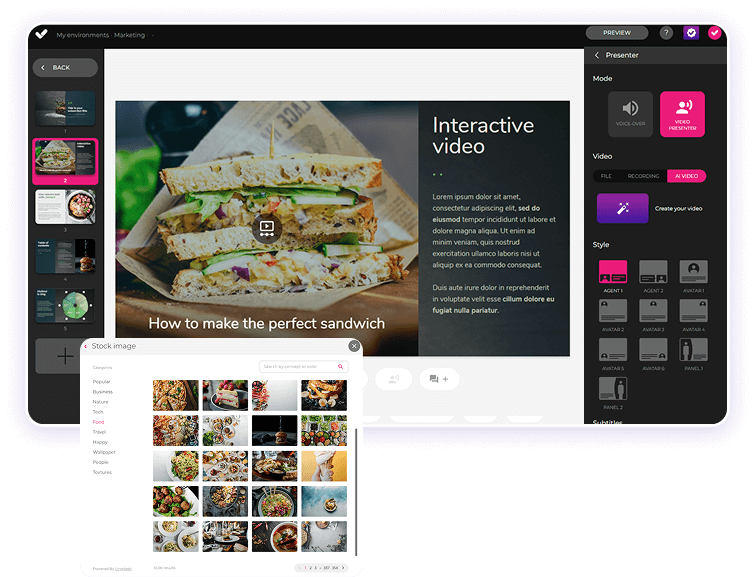
The platform’s key differentiator is its AI-powered architecture. It goes beyond isolated automations and supports multiple stages of the production workflow: generation of interactive activities from base content, translations, voiceovers, image creation, and final assessments in a matter of seconds.
With the addition of AI Autopilot, the scope expands toward full automation: starting from a document or an initial idea, the tool can structure a complete course with instructional logic, interactive elements, and visual identity applied, leaving the result ready for publication. All of this while maintaining compatibility with standards such as SCORM and xAPI, and ensuring responsive output ready for accessible environments without additional development.
From an operational standpoint, isEazy Author is designed as a collaborative environment. It supports simultaneous teamwork, shared editing, and version management, reducing friction in projects with multiple stakeholders. In addition, its scalability makes it suitable both for organizations that are just beginning to digitize their training and for large corporations producing high volumes of content on an ongoing basis.
isEazy Author
Key features
Ideal for
Advantages
Key features
AI features: generates images, games, and exercises, automatic subtitles, voiceovers, advanced interactive elements, avatars, and more.
AI Autopilot: automatic course creation from documents or ideas, with instructional structure, interactive resources, and applied visual identity.
Templates: more than 25 ready-to-use interactive templates, editable and customizable.
Drag-and-drop mode: visual editing to create courses without technical knowledge.
Automatic responsive design: courses adapt to any device without manual adjustments.
Multi-format: export in SCORM 1.2, SCORM 2004, xAPI, and HTML5.
Automatic translation: full course translation with AI in more than 40 languages.
Text-to-speech: professional voiceovers automatically generated from content.
PowerPoint import: converts presentations into interactive e-learning courses.
Real-time collaboration: simultaneous collaborative work on the same course with integrated comments and change tracking.
Brand customization: styles, colors, fonts, and logo to maintain corporate consistency.
Gamification: points, badges, and rankings to motivate learners.
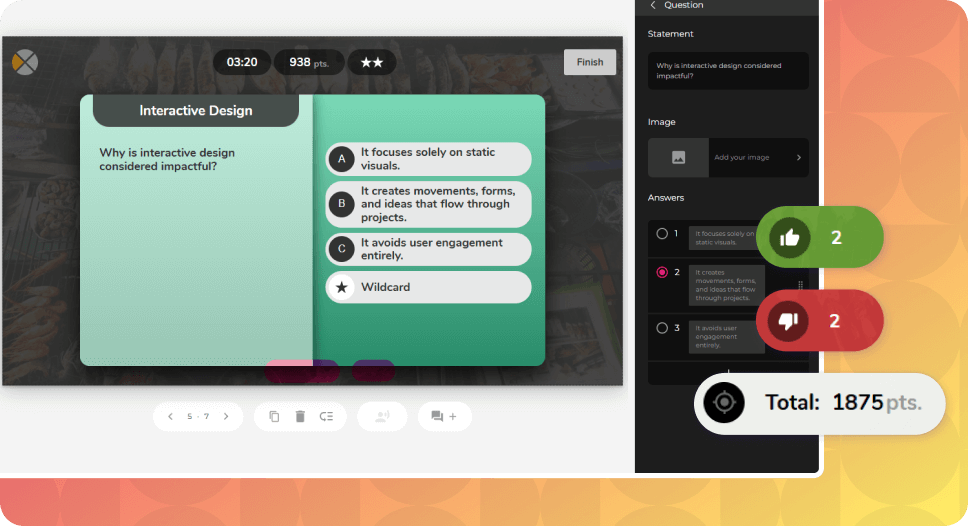
Assessments and quizzes: multiple question types and response logic.
Multimedia library: built-in library of images, videos, icons, and graphic resources.
Integrations: connection with LMSs, external platforms, and management systems.
Ideal for
Corporate training teams that need to create content quickly
Organizations seeking professional design without relying on designers
Companies that want to democratize content creation
Advantages
AI-powered: automates key creation tasks and drastically reduces production time.
Intuitive, visual interface: everything is edited in a straightforward way, with no learning curve.
True collaborative experience: distributed teams can work in parallel with real-time feedback.
Full flexibility: ideal both for occasional creators and high-volume production teams.
Professional, visually polished courses: without the need for designers or developers.
Cost savings: less reliance on external resources and greater efficiency in content creation.
Constantly evolving: regular new features and responsive support in multiple languages.
Key features
Key features
AI features: generates images, games, and exercises, automatic subtitles, voiceovers, advanced interactive elements, avatars, and more.
AI Autopilot: automatic course creation from documents or ideas, with instructional structure, interactive resources, and applied visual identity.
Templates: more than 25 ready-to-use interactive templates, editable and customizable.
Drag-and-drop mode: visual editing to create courses without technical knowledge.
Automatic responsive design: courses adapt to any device without manual adjustments.
Multi-format: export in SCORM 1.2, SCORM 2004, xAPI, and HTML5.
Automatic translation: full course translation with AI in more than 40 languages.
Text-to-speech: professional voiceovers automatically generated from content.
PowerPoint import: converts presentations into interactive e-learning courses.
Real-time collaboration: simultaneous collaborative work on the same course with integrated comments and change tracking.
Brand customization: styles, colors, fonts, and logo to maintain corporate consistency.
Gamification: points, badges, and rankings to motivate learners.
Assessments and quizzes: multiple question types and response logic.
Multimedia library: built-in library of images, videos, icons, and graphic resources.
Integrations: connection with LMSs, external platforms, and management systems.
Ideal for
Ideal for
Corporate training teams that need to create content quickly
Organizations seeking professional design without relying on designers
Companies that want to democratize content creation
Advantages
Advantages
AI-powered: automates key creation tasks and drastically reduces production time.
Intuitive, visual interface: everything is edited in a straightforward way, with no learning curve.
True collaborative experience: distributed teams can work in parallel with real-time feedback.
Full flexibility: ideal both for occasional creators and high-volume production teams.
Professional, visually polished courses: without the need for designers or developers.
Cost savings: less reliance on external resources and greater efficiency in content creation.
Constantly evolving: regular new features and responsive support in multiple languages.
2. iSpring Suite
iSpring Suite is an e-learning authoring tool focused on creating interactive courses from PowerPoint presentations, making it especially accessible for trainers and teams already working within the Microsoft Office environment. Its main value proposition is the ability to convert slides into courses compatible with e-learning standards (SCORM 1.2, SCORM 2004, xAPI, cmi5, and AICC), enabling immediate publication in any LMS without the need for advanced programming.
The suite includes a set of complementary tools to enrich courses: interactive quizzes with multiple question types and branching logic, dialogue simulations for real-world practice, video and screen recording with narration, and other multimedia resources that help make content more dynamic without leaving PowerPoint.
iSpring Suite
Key features
Ideal for
Advantages
Key features
PowerPoint integration: allows you to turn presentations into e-learning courses in just a few clicks.
Screen recording and simulations: includes tools to record screens, add voiceovers, and create interactive simulations.
Quizzes and assessments: option to create tests with multiple question types and branching.
Video lessons: creation of presentations synchronized with presenter video.
SCORM, xAPI, and cmi5 compatibility: export of courses in standard LMS formats.
Content library: includes reusable templates, characters, backgrounds, and graphic assets.
Ideal for
Advanced PowerPoint users
Organizations with a large amount of existing PPT content
Technical teams that need simulations
Advantages
Low learning curve: ideal for users already familiar with PowerPoint.
Fast course production: transforms existing presentations into training content in a short time.
LMS compatibility: ensures tracking of progress and results across multiple platforms.
All-in-one toolkit: quizzes, video, simulations, and recordings in a single environment.
Key features
Key features
PowerPoint integration: allows you to turn presentations into e-learning courses in just a few clicks.
Screen recording and simulations: includes tools to record screens, add voiceovers, and create interactive simulations.
Quizzes and assessments: option to create tests with multiple question types and branching.
Video lessons: creation of presentations synchronized with presenter video.
SCORM, xAPI, and cmi5 compatibility: export of courses in standard LMS formats.
Content library: includes reusable templates, characters, backgrounds, and graphic assets.
Ideal for
Ideal for
Advanced PowerPoint users
Organizations with a large amount of existing PPT content
Technical teams that need simulations
Advantages
Advantages
Low learning curve: ideal for users already familiar with PowerPoint.
Fast course production: transforms existing presentations into training content in a short time.
LMS compatibility: ensures tracking of progress and results across multiple platforms.
All-in-one toolkit: quizzes, video, simulations, and recordings in a single environment.
3. Articulate 360
Articulate 360 is a comprehensive ecosystem of authoring tools for producing interactive and adaptive e-learning courses, designed to cover everything from complex developments to fast, visually driven solutions. Its suite includes key products such as Storyline 360, focused on highly customized creations with advanced logic (variables, states, conditional paths), and Rise 360, which enables the creation of responsive, block-based courses optimized for smooth reading on any device.
Its approach is primarily aimed at instructional designers, corporate training managers, and e-learning agencies that require a platform with broad technical flexibility and creative control, capable of producing advanced content without sacrificing compatibility with major e-learning standards (SCORM, xAPI, cmi5, and AICC).
Articulate 360
Key features
Ideal for
Advantages
Key features
Storyline 360: authoring tool for creating customized courses and advanced interactions.
Rise 360: web-based editor for building responsive courses quickly and visually.
Content Library: access to a library of templates, characters, and graphic assets.
Review 360: collaborative platform for course review and feedback.
Screen recording and editing: includes tools for recording videos and screencasts.
SCORM, AICC, xAPI, and cmi5 compatibility: export in standard LMS formats.
Ideal for
Experienced instructional designers
Large teams with high budgets
Projects that require high technical customization
Advantages
Two authoring approaches: allows you to choose between a visual environment (Rise) or a more technical and customizable one (Storyline).
Creative potential: ideal for building courses with advanced logic, interactions, and gamification.
Smooth collaboration: with Review 360, it’s easy to share progress and gather feedback from teams or stakeholders.
Responsive courses: Rise 360 ensures a strong experience on mobile devices.
Key features
Key features
Storyline 360: authoring tool for creating customized courses and advanced interactions.
Rise 360: web-based editor for building responsive courses quickly and visually.
Content Library: access to a library of templates, characters, and graphic assets.
Review 360: collaborative platform for course review and feedback.
Screen recording and editing: includes tools for recording videos and screencasts.
SCORM, AICC, xAPI, and cmi5 compatibility: export in standard LMS formats.
Ideal for
Ideal for
Experienced instructional designers
Large teams with high budgets
Projects that require high technical customization
Advantages
Advantages
Two authoring approaches: allows you to choose between a visual environment (Rise) or a more technical and customizable one (Storyline).
Creative potential: ideal for building courses with advanced logic, interactions, and gamification.
Smooth collaboration: with Review 360, it’s easy to share progress and gather feedback from teams or stakeholders.
Responsive courses: Rise 360 ensures a strong experience on mobile devices.
4. Adobe Captivate
Adobe Captivate is an e-learning authoring tool focused on developing interactive and highly technical learning experiences. Its feature set is designed for experienced instructional designers and teams that need to build sophisticated content, from software simulations to branching scenarios, adaptive assessments, and immersive learning experiences.
Captivate stands out for its ability to capture screens and create interactive simulations that replicate real workflows, making it especially valuable for technical training or application-based instruction. It also enables the creation of guided walkthroughs, advanced logic-based tests, interactive videos, and conditional responses, providing fine-grained control over the learner experience.
Adobe Captivate
Key features
Ideal for
Advantages
Key features
Software simulations: screen capture and step-by-step simulation creation.
Branching scenarios: creation of personalized learning paths based on user decisions.
Virtual reality and 360°: integration of 360° images and compatibility with VR headsets.
Responsive design: automatic layout adaptation for different devices and screens.
Screen recording and video editing: tools for creating tutorials and training videos.
SCORM, AICC, xAPI, and cmi5 compatibility: export in standard formats for LMS use.
Ideal for
Training on specific software
Projects that require complex technical simulations
Users within the Adobe ecosystem
Advantages
Technical power: enables the creation of courses with a high level of customization and interactivity.
Support for VR and 360°: ideal for innovative projects such as virtual tours or immersive onboarding.
Integration with other Adobe tools: synergy with Photoshop, Illustrator, or Audition to enrich content.
Advanced programming features: options for users familiar with variables, conditions, and scripts.
Key features
Key features
Software simulations: screen capture and step-by-step simulation creation.
Branching scenarios: creation of personalized learning paths based on user decisions.
Virtual reality and 360°: integration of 360° images and compatibility with VR headsets.
Responsive design: automatic layout adaptation for different devices and screens.
Screen recording and video editing: tools for creating tutorials and training videos.
SCORM, AICC, xAPI, and cmi5 compatibility: export in standard formats for LMS use.
Ideal for
Ideal for
Training on specific software
Projects that require complex technical simulations
Users within the Adobe ecosystem
Advantages
Advantages
Technical power: enables the creation of courses with a high level of customization and interactivity.
Support for VR and 360°: ideal for innovative projects such as virtual tours or immersive onboarding.
Integration with other Adobe tools: synergy with Photoshop, Illustrator, or Audition to enrich content.
Advanced programming features: options for users familiar with variables, conditions, and scripts.
5. Easygenerator
Easygenerator is a cloud-based authoring tool for creating e-learning courses, designed to enable non-technical teams to develop training content quickly and collaboratively. Its value proposition focuses on fully simplifying the production process: from structuring modules and lessons to publishing courses compatible with standards such as SCORM and xAPI, without requiring technical knowledge or deep instructional design expertise.
The platform is aimed at organizations that want to decentralize content creation, allowing subject matter experts, internal trainers, or any relevant contributor to participate directly in content development. To support this, Easygenerator provides pre-designed templates, reusable content blocks, and contextual guidance that help structure courses following sound instructional practices without unnecessary complexity.
Easygenerator
Key features
Ideal for
Advantages
Key features
Cloud-based authoring: course creation directly in the browser, with no local installation required.
Ready-to-use templates: makes content production easier for non-technical users.
SCORM and xAPI publishing: export courses for LMS use or publish directly via link.
Feedback and assessments: includes tools to add quizzes and surveys.
Real-time collaboration: multiple users can edit and review content simultaneously.
Automatic translation and multilingual management: integration with DeepL for fast localization.
Ideal for
Companies that want internal experts to create content
Organizations with a culture of knowledge sharing
Decentralized onboarding projects
Advantages
Easy to use: allows any employee to create courses without prior experience.
Ideal for collaborative environments: encourages content creation across different departments.
Fast development: focus on speed and simplicity.
Flexible publishing: courses hosted in an LMS or accessible via web link.
Key features
Key features
Cloud-based authoring: course creation directly in the browser, with no local installation required.
Ready-to-use templates: makes content production easier for non-technical users.
SCORM and xAPI publishing: export courses for LMS use or publish directly via link.
Feedback and assessments: includes tools to add quizzes and surveys.
Real-time collaboration: multiple users can edit and review content simultaneously.
Automatic translation and multilingual management: integration with DeepL for fast localization.
Ideal for
Ideal for
Companies that want internal experts to create content
Organizations with a culture of knowledge sharing
Decentralized onboarding projects
Advantages
Advantages
Easy to use: allows any employee to create courses without prior experience.
Ideal for collaborative environments: encourages content creation across different departments.
Fast development: focus on speed and simplicity.
Flexible publishing: courses hosted in an LMS or accessible via web link.
CATEGORY 2: Learning Management Systems (LMS)
6. isEazy LMS
isEazy LMS redefines the concept of a corporate learning platform by consolidating all the key components of a modern training strategy into a single environment. It goes beyond course management: it functions as an integrated ecosystem where learning design, production, distribution, and analytics coexist without the need for external tools.
Its main differentiator is its all-in-one approach. Compared to traditional models where organizations must combine an LMS, authoring software, and content libraries from different vendors, isEazy LMS brings these layers together in one unified architecture:
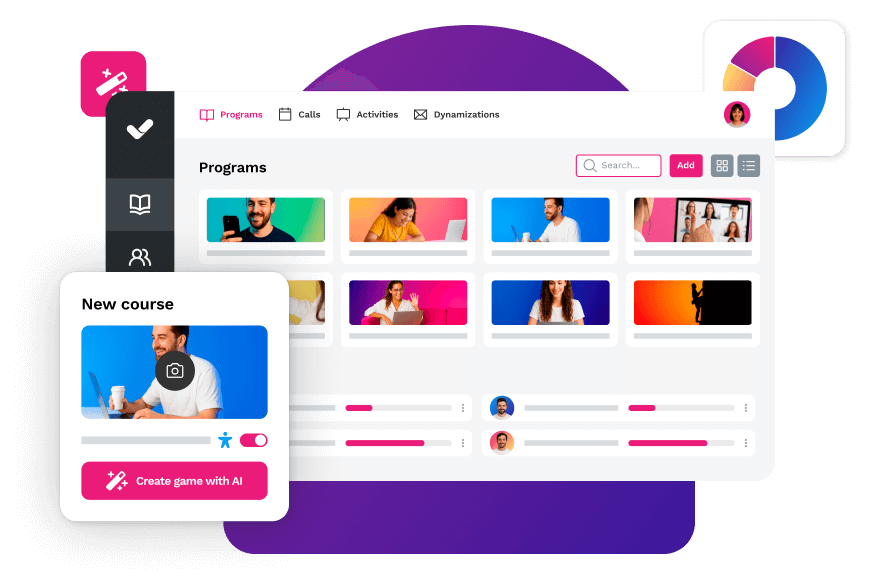
The central learning management platform offers an optimized user experience and a unified environment to administer training. It integrates an AI-powered authoring tool capable of turning ideas, internal documents, or corporate materials into complete courses—with instructional structure, polished visual design, and advanced interactivity—in a matter of minutes. In addition, it includes a library with more than 600 ready-to-use resources in formats such as microlearning, podcasts, and video, enabling organizations to activate training plans from day one.
Artificial intelligence acts as a cross-functional capability within the platform, supporting different stages of the training cycle: generation of interactive exercises and game-based dynamics, creation of assessments, automatic translation into more than 40 languages, production of voiceovers with AI avatars, and content recommendations based on each user’s profile and needs.
From an administrative standpoint, isEazy LMS includes automation for enrollments, session scheduling, and reminders, reporting tools to generate actionable insights, and comprehensive user, certification, and communication management features—creating an environment designed to scale corporate training with operational efficiency.
isEazy LMS
Key features
Ideal for
Advantages
Key features
Learning platform: manage all training from a single place. Launch automated sessions and engagement activities, administer customized roles and permissions, and plan annual training using dynamic filters by group, department, or company.
Analytics: turn data into decisions. Measure impact by user or department, identify the most active profiles, and generate visual, detailed reports to optimize your training strategy.
Learning experience: deliver an intuitive interface with blocks and cards featuring highlighted, urgent, or personalized courses. Includes announcements, news, and an AI-powered recommender that suggests the ideal content in just one click.
Content library: access more than 500 ready-to-use courses in multiple languages and key areas such as leadership, compliance, soft skills, and digital productivity, all managed directly within your LMS.
AI-powered integrated authoring tool: create your own courses up to 10 times faster. Import from PowerPoint, edit intuitively, and automatically add voiceovers, subtitles, images, avatar-based videos, and AI-generated exercises.
Ideal for
HR and L&D departments
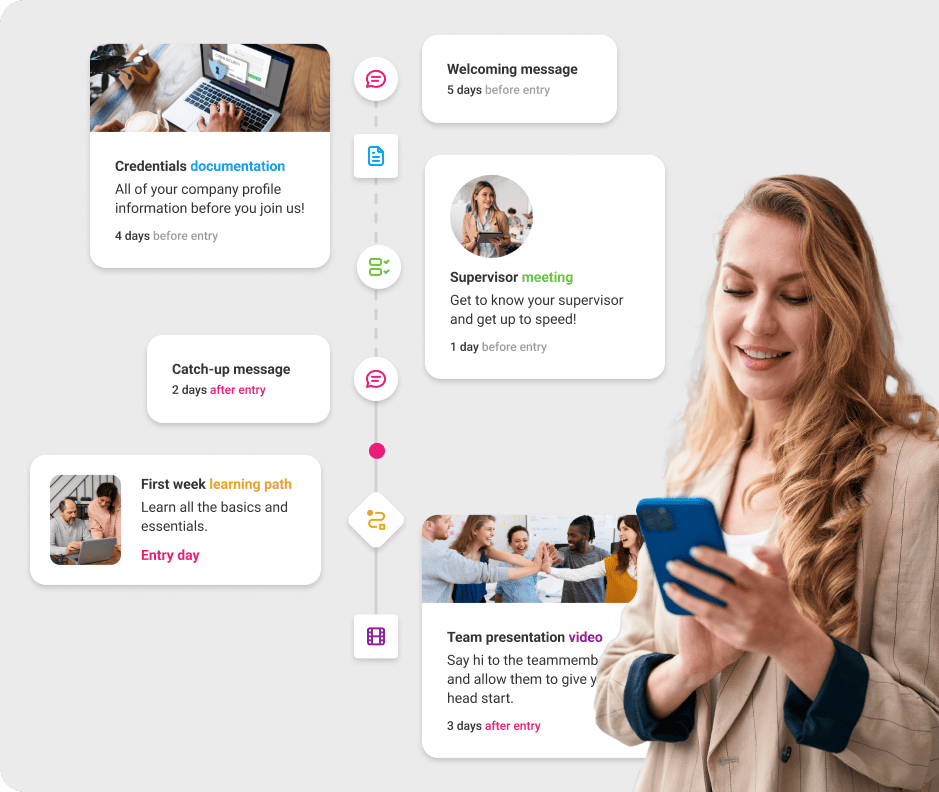
Companies that need agile onboarding
Organizations seeking high engagement
Distributed and remote teams
Large, small, and medium-sized businesses looking to centralize their training processes
Advantages
Outstanding user experience: an interface inspired by streaming platforms, with content organized in blocks, intuitive navigation, and a mobile-first experience that increases engagement.
AI integrated across the platform: from content creation with its AI-powered authoring tool to a course recommender that helps users find the perfect content in just one click.
Fully integrated ecosystem: not only a learning management platform with automation, engagement features, and analytics, but also an AI-powered authoring tool and a catalog with more than 500 ready-to-use courses across all key training areas. From compliance to leadership, everything managed directly within your LMS.
Ultra-fast implementation: deployment in days, not months, with dedicated support and a Customer Success Manager in Enterprise plans.
Competitive pricing: three plans tailored to all types of companies, plus additional services such as outsourcing, consulting, custom training, and more.
Key features
Key features
Learning platform: manage all training from a single place. Launch automated sessions and engagement activities, administer customized roles and permissions, and plan annual training using dynamic filters by group, department, or company.
Analytics: turn data into decisions. Measure impact by user or department, identify the most active profiles, and generate visual, detailed reports to optimize your training strategy.
Learning experience: deliver an intuitive interface with blocks and cards featuring highlighted, urgent, or personalized courses. Includes announcements, news, and an AI-powered recommender that suggests the ideal content in just one click.
Content library: access more than 500 ready-to-use courses in multiple languages and key areas such as leadership, compliance, soft skills, and digital productivity, all managed directly within your LMS.
AI-powered integrated authoring tool: create your own courses up to 10 times faster. Import from PowerPoint, edit intuitively, and automatically add voiceovers, subtitles, images, avatar-based videos, and AI-generated exercises.
Ideal for
Ideal for
HR and L&D departments
Companies that need agile onboarding
Organizations seeking high engagement
Distributed and remote teams
Large, small, and medium-sized businesses looking to centralize their training processes
Advantages
Advantages
Outstanding user experience: an interface inspired by streaming platforms, with content organized in blocks, intuitive navigation, and a mobile-first experience that increases engagement.
AI integrated across the platform: from content creation with its AI-powered authoring tool to a course recommender that helps users find the perfect content in just one click.
Fully integrated ecosystem: not only a learning management platform with automation, engagement features, and analytics, but also an AI-powered authoring tool and a catalog with more than 500 ready-to-use courses across all key training areas. From compliance to leadership, everything managed directly within your LMS.
Ultra-fast implementation: deployment in days, not months, with dedicated support and a Customer Success Manager in Enterprise plans.
Competitive pricing: three plans tailored to all types of companies, plus additional services such as outsourcing, consulting, custom training, and more.
7. Moodle
Moodle is an open-source learning management system (LMS) with global adoption in both educational and corporate environments. Its value proposition is based on structural flexibility, allowing organizations to configure learning environments tailored to different pedagogical models, levels of complexity, and user profiles.
As open-source software, the platform can be used without licensing costs, making it an attractive option for organizations that want full control over their technology environment. However, this approach typically means that setup and day-to-day operations require technical resources, including hosting infrastructure, maintenance, updates, security management, and, in many cases, custom developments or specific configurations.
Moodle
Key features
Ideal for
Advantages
Key features
Customizable design: allows the interface and functionality to be adapted to the specific needs of each institution or project.
Course management: supports the creation and administration of courses in different formats, including weekly, topic-based, or social formats.
Communication tools: includes forums, chats, and internal messaging to foster interaction between learners and instructors.
Assessments and grading: offers various evaluation methods, such as quizzes, assignments, and workshops, with integrated grading systems.
Multimedia integration: enables the incorporation of multimedia resources such as videos, audio, and documents, enriching the learning content.
Multilingual capability: available in more than 70 languages, supporting use in international contexts.
Plugin management: supports the installation of additional plugins to extend functionality according to specific needs.
Ideal for
Educational institutions with technical teams
Organizations with limited budgets
Projects that require extensive customization
Advantages
Flexibility and customization: as open-source software, Moodle allows specific adaptations to meet the unique needs of each organization.
Active community: supported by a large community of users and developers who contribute improvements, plugins, and ongoing support.
Cost-effective: the software itself is free, which can reduce costs compared to proprietary solutions, although implementation and maintenance expenses should be considered.
Scalability: suitable for both small institutions and large universities, thanks to its ability to manage varying numbers of users and courses.
Continuous updates: the platform is regularly updated with new features and security enhancements through its active community.
Key features
Key features
Customizable design: allows the interface and functionality to be adapted to the specific needs of each institution or project.
Course management: supports the creation and administration of courses in different formats, including weekly, topic-based, or social formats.
Communication tools: includes forums, chats, and internal messaging to foster interaction between learners and instructors.
Assessments and grading: offers various evaluation methods, such as quizzes, assignments, and workshops, with integrated grading systems.
Multimedia integration: enables the incorporation of multimedia resources such as videos, audio, and documents, enriching the learning content.
Multilingual capability: available in more than 70 languages, supporting use in international contexts.
Plugin management: supports the installation of additional plugins to extend functionality according to specific needs.
Ideal for
Ideal for
Educational institutions with technical teams
Organizations with limited budgets
Projects that require extensive customization
Advantages
Advantages
Flexibility and customization: as open-source software, Moodle allows specific adaptations to meet the unique needs of each organization.
Active community: supported by a large community of users and developers who contribute improvements, plugins, and ongoing support.
Cost-effective: the software itself is free, which can reduce costs compared to proprietary solutions, although implementation and maintenance expenses should be considered.
Scalability: suitable for both small institutions and large universities, thanks to its ability to manage varying numbers of users and courses.
Continuous updates: the platform is regularly updated with new features and security enhancements through its active community.
8. TalentLMS
TalentLMS is a cloud-based e-learning platform designed to simplify corporate training management without the need for complex technical infrastructure. Its compatibility with standards such as SCORM and its SaaS architecture allow learning environments to be implemented and launched quickly.
The platform combines online and in-person training within a single system, making it easy to organize courses, sessions, users, and groups through a clear interface focused on the day-to-day operations of training teams. It includes features for creating assessments, tracking progress, and generating reports, enabling organizations to monitor user performance and participation.
TalentLMS
Key features
Ideal for
Advantages
Key features
Course creation: provides tools to develop interactive courses, supporting various content types such as videos, quizzes, and documents.
Customization: allows the platform to be adapted to the company’s corporate identity, including logos, colors, and custom domains.
Gamification: incorporates game elements such as badges and points to increase user motivation and engagement.
Reports and analytics: delivers detailed reports on learner progress and performance, supporting data-driven decision-making.
Integrations: integrates with a variety of tools and services, such as human resource management systems, CRMs, and video conferencing applications.
Mobile access: offers native iOS and Android apps, allowing users to access courses anytime, anywhere.
Ideal for
SMEs looking for simplicity
Companies with no prior LMS experience
Projects with tight budgets
Advantages
Ease of use: its intuitive design supports adoption by administrators and instructors, reducing the learning curve.
Scalability: suitable for both small businesses and large corporations, adapting to organizational growth and changing needs.
Flexible pricing: offers multiple plans to fit different budgets and requirements, including a free option for small teams.
Multilingual support: available in more than 30 languages, facilitating implementation in global organizations.
Key features
Key features
Course creation: provides tools to develop interactive courses, supporting various content types such as videos, quizzes, and documents.
Customization: allows the platform to be adapted to the company’s corporate identity, including logos, colors, and custom domains.
Gamification: incorporates game elements such as badges and points to increase user motivation and engagement.
Reports and analytics: delivers detailed reports on learner progress and performance, supporting data-driven decision-making.
Integrations: integrates with a variety of tools and services, such as human resource management systems, CRMs, and video conferencing applications.
Mobile access: offers native iOS and Android apps, allowing users to access courses anytime, anywhere.
Ideal for
Ideal for
SMEs looking for simplicity
Companies with no prior LMS experience
Projects with tight budgets
Advantages
Advantages
Ease of use: its intuitive design supports adoption by administrators and instructors, reducing the learning curve.
Scalability: suitable for both small businesses and large corporations, adapting to organizational growth and changing needs.
Flexible pricing: offers multiple plans to fit different budgets and requirements, including a free option for small teams.
Multilingual support: available in more than 30 languages, facilitating implementation in global organizations.
9. Docebo Learn
Docebo is a cloud-based learning management system (LMS) focused on corporate training and continuous skill development for organizations of different sizes and industries. Since its launch in 2005, it has evolved into a suite-oriented approach that covers multiple layers of the learning ecosystem, from content delivery to performance analytics.
The platform enables the administration of training programs, users, certifications, and learning paths, combining formal, social, and experiential learning within a single environment. Its SaaS architecture supports global deployment and scalability, while its reporting and analytics tools provide L&D teams with visibility into progress, participation, and training impact.
Docebo Learn
Key features
Ideal for
Advantages
Key features
Learning management (LMS): enables the creation, organization, and tracking of courses and training programs, adapting to the specific needs of each organization.
Content creation: provides tools to develop engaging, interactive learning materials, making it easier to update and customize content.
Content marketplace: access to a wide range of courses and resources from external providers, allowing organizations to complement internal training with specialized content.
Learning intelligence: uses artificial intelligence algorithms to analyze user behavior and deliver personalized recommendations, improving learning effectiveness.
E-commerce: supports the sale of courses and training programs through the platform, enabling monetization of educational content.
Integrations: connects with multiple enterprise tools and systems, such as CRM, HRIS, HCM, and video conferencing platforms, ensuring a smooth and integrated experience.
Ideal for
Large corporations
Multinational organizations
Companies that require multiple academies
Advantages
Customization: the platform adapts to each organization’s specific needs, allowing the learning experience to be tailored to user goals and characteristics.
Scalability: designed to grow alongside the organization, Docebo is suitable for small and medium-sized businesses as well as large corporations.
Automation: reduces administrative workload by automating tasks such as course assignments, progress tracking, and report generation.
User experience: offers an intuitive and easy-to-use interface, improving adoption and employee engagement with training programs.
Key features
Key features
Learning management (LMS): enables the creation, organization, and tracking of courses and training programs, adapting to the specific needs of each organization.
Content creation: provides tools to develop engaging, interactive learning materials, making it easier to update and customize content.
Content marketplace: access to a wide range of courses and resources from external providers, allowing organizations to complement internal training with specialized content.
Learning intelligence: uses artificial intelligence algorithms to analyze user behavior and deliver personalized recommendations, improving learning effectiveness.
E-commerce: supports the sale of courses and training programs through the platform, enabling monetization of educational content.
Integrations: connects with multiple enterprise tools and systems, such as CRM, HRIS, HCM, and video conferencing platforms, ensuring a smooth and integrated experience.
Ideal for
Ideal for
Large corporations
Multinational organizations
Companies that require multiple academies
Advantages
Advantages
Customization: the platform adapts to each organization’s specific needs, allowing the learning experience to be tailored to user goals and characteristics.
Scalability: designed to grow alongside the organization, Docebo is suitable for small and medium-sized businesses as well as large corporations.
Automation: reduces administrative workload by automating tasks such as course assignments, progress tracking, and report generation.
User experience: offers an intuitive and easy-to-use interface, improving adoption and employee engagement with training programs.
10. 360Learning
360Learning is a learning management system (LMS) with a clear focus on collaborative learning. Its model is based on activating internal organizational knowledge, enabling subject matter experts to participate directly in the creation and improvement of training content, rather than relying solely on centralized L&D teams.
The platform combines learning management features with social and co-creation tools, allowing courses to be enriched through comments, peer feedback, and continuous improvement cycles. This approach aims to accelerate content production and keep it aligned with the company’s operational reality.
360Learning
Key features
Ideal for
Advantages
Key features
Rapid course creation: enables any member of the organization to develop courses in minutes, democratizing the production of training content.
Collaborative learning: encourages peer interaction through tools that facilitate knowledge and experience sharing.
L&D task automation: uses artificial intelligence to reduce administrative workload, allowing L&D teams to focus on more effective strategies.
Robust integrations: connects with various enterprise applications, including ADP, BambooHR, Canva, Cornerstone, Coursera, Genially, GoTo Meeting, Google Workspace, LinkedIn, Loom, Microsoft 365, Microsoft Teams, Oracle HCM, Personio, Pluralsight, Prezi, SAP SuccessFactors, Salesforce, Slack, Udemy, Vyond, and Zoom.
Gamification: incorporates game elements to increase user engagement and motivation throughout the learning process.
Advanced analytics: provides detailed reports on learner progress and performance, supporting informed decision-making.
Ideal for
Ideal for organizations that want to turn internal experts into active content creators, promoting co-creation and peer learning as part of everyday work.
Well suited for companies that need to update knowledge quickly, especially in environments where processes, products, or tools change frequently and know-how is distributed.
A strong fit for organizations looking to foster a culture of continuous learning and collaboration, integrating formal training with social interaction, feedback, and ongoing content improvement.
Advantages
Intuitive interface: user-centered design that simplifies navigation and enhances the learning experience.
High completion rates: thanks to its collaborative approach and interactive tools, the platform achieves course completion rates of 91%.
Continuous content updates: the ease of creating and modifying courses ensures that training remains aligned with the organization’s current needs.
Scalability: suitable for companies of various sizes, from small businesses to large corporations.
Key features
Key features
Rapid course creation: enables any member of the organization to develop courses in minutes, democratizing the production of training content.
Collaborative learning: encourages peer interaction through tools that facilitate knowledge and experience sharing.
L&D task automation: uses artificial intelligence to reduce administrative workload, allowing L&D teams to focus on more effective strategies.
Robust integrations: connects with various enterprise applications, including ADP, BambooHR, Canva, Cornerstone, Coursera, Genially, GoTo Meeting, Google Workspace, LinkedIn, Loom, Microsoft 365, Microsoft Teams, Oracle HCM, Personio, Pluralsight, Prezi, SAP SuccessFactors, Salesforce, Slack, Udemy, Vyond, and Zoom.
Gamification: incorporates game elements to increase user engagement and motivation throughout the learning process.
Advanced analytics: provides detailed reports on learner progress and performance, supporting informed decision-making.
Ideal for
Ideal for
Ideal for organizations that want to turn internal experts into active content creators, promoting co-creation and peer learning as part of everyday work.
Well suited for companies that need to update knowledge quickly, especially in environments where processes, products, or tools change frequently and know-how is distributed.
A strong fit for organizations looking to foster a culture of continuous learning and collaboration, integrating formal training with social interaction, feedback, and ongoing content improvement.
Advantages
Advantages
Intuitive interface: user-centered design that simplifies navigation and enhances the learning experience.
High completion rates: thanks to its collaborative approach and interactive tools, the platform achieves course completion rates of 91%.
Continuous content updates: the ease of creating and modifying courses ensures that training remains aligned with the organization’s current needs.
Scalability: suitable for companies of various sizes, from small businesses to large corporations.
CATEGORY 3: Video Training Platforms
11. Loom
Loom is a platform focused on creating asynchronous video messages, widely used in remote work environments, support, product demonstrations, and team feedback. Its value proposition revolves around immediacy: it allows users to record their screen, webcam, or both at the same time and share the video via a link in just seconds.
The primary focus is on speed of capture and distribution, reducing communication friction compared to meetings or lengthy emails. It also includes features such as automatic transcription—in multiple languages depending on its capabilities—as well as comments and reactions directly on the video, enabling deferred synchronous interaction.
Loom
Key features
Ideal for
Advantages
Key features
Unmatched speed: record and share in seconds with a single click.
Instant sharing: generates a unique link at the end of the recording for immediate sharing.
AI-powered automatic transcription: converts your audio into text automatically with timestamps.
Contextual comments: viewers can comment at specific moments in the video.
View notifications: know who has watched your video and when.
Seamless integration: connects with Slack, Gmail, Notion, Asana, and more.
Cross-platform: Chrome extension, desktop apps (Mac/Windows), and mobile apps (iOS/Android).
Ideal for
Fast internal communication
Simple tutorials
Visual feedback
Advantages
Facilitates asynchronous communication, allowing processes to be explained, feedback to be given, or updates to be shared without the need for real-time meetings.
Enables screen, camera, or combined recording in just a few clicks, minimizing technical friction for the user.
Generates instant sharing links, speeding up both internal and external information distribution.
Includes automatic transcriptions that improve content comprehension and make it easier to search within the video.
Incorporates comments and reactions directly on the video, turning each recording into a space for contextual interaction.
Key features
Key features
Unmatched speed: record and share in seconds with a single click.
Instant sharing: generates a unique link at the end of the recording for immediate sharing.
AI-powered automatic transcription: converts your audio into text automatically with timestamps.
Contextual comments: viewers can comment at specific moments in the video.
View notifications: know who has watched your video and when.
Seamless integration: connects with Slack, Gmail, Notion, Asana, and more.
Cross-platform: Chrome extension, desktop apps (Mac/Windows), and mobile apps (iOS/Android).
Ideal for
Ideal for
Fast internal communication
Simple tutorials
Visual feedback
Advantages
Advantages
Facilitates asynchronous communication, allowing processes to be explained, feedback to be given, or updates to be shared without the need for real-time meetings.
Enables screen, camera, or combined recording in just a few clicks, minimizing technical friction for the user.
Generates instant sharing links, speeding up both internal and external information distribution.
Includes automatic transcriptions that improve content comprehension and make it easier to search within the video.
Incorporates comments and reactions directly on the video, turning each recording into a space for contextual interaction.
12. Google Classroom
Google Classroom is a free learning management platform widely adopted in primary and secondary education. Its design prioritizes operational simplicity, making it easy for teachers and students to start working with minimal technical friction.
One of its main differentiators is its native integration with the Google ecosystem, allowing classroom management to be seamlessly connected with tools such as Docs, Drive, Slides, Forms, and Meet. This integration simplifies material distribution, assignment submission in different formats, and the organization of daily work.
The platform helps structure lessons, publish content, assign activities, and carry out basic progress tracking, all from a unified interface. It also streamlines workflows by centralizing communications, files, and assessments in a single digital environment.
Google Classroom
Key features
Ideal for
Advantages
Key features
Direct integration with the Google ecosystem, enabling seamless work with Drive, Docs, Slides, Sheets, Forms, and Meet within the classroom environment.
Easy creation and distribution of assignments, materials, and announcements, organized by classes and topics to keep the course structure clear.
Centralized management of students and teachers, with control over who accesses, participates, and submits activities.
Digital workflow for assignment submission and grading, eliminating paper and allowing teachers to comment on, grade, and return work from the same platform.
Integrated grading system, with real-time tracking of assignment status (submitted, pending, graded).
Integrated communication through the class stream, assignment comments, and automatic notifications to keep students and teachers aligned.
Multi-device compatibility, making access easy from computers, tablets, or mobile devices.
Automatic file organization in Google Drive, creating structured folders for each class and activity.
Ease of adoption thanks to its simple interface, consistent with other Google tools, reducing the learning curve.
Ideal for
Educational institutions
Individual teachers
Schools with limited budgets
Advantages
Personalized learning paths.
Originality checks to ensure academic integrity.
Integrated analytics and tracking tools.
Integration with other existing Google tools.
Intuitive interface.
Real-time collaboration through Google Docs and other tools.
Cloud-based solution that requires no installation.
Key features
Key features
Direct integration with the Google ecosystem, enabling seamless work with Drive, Docs, Slides, Sheets, Forms, and Meet within the classroom environment.
Easy creation and distribution of assignments, materials, and announcements, organized by classes and topics to keep the course structure clear.
Centralized management of students and teachers, with control over who accesses, participates, and submits activities.
Digital workflow for assignment submission and grading, eliminating paper and allowing teachers to comment on, grade, and return work from the same platform.
Integrated grading system, with real-time tracking of assignment status (submitted, pending, graded).
Integrated communication through the class stream, assignment comments, and automatic notifications to keep students and teachers aligned.
Multi-device compatibility, making access easy from computers, tablets, or mobile devices.
Automatic file organization in Google Drive, creating structured folders for each class and activity.
Ease of adoption thanks to its simple interface, consistent with other Google tools, reducing the learning curve.
Ideal for
Ideal for
Educational institutions
Individual teachers
Schools with limited budgets
Advantages
Advantages
Personalized learning paths.
Originality checks to ensure academic integrity.
Integrated analytics and tracking tools.
Integration with other existing Google tools.
Intuitive interface.
Real-time collaboration through Google Docs and other tools.
Cloud-based solution that requires no installation.
Features that truly differentiate professional educational software
When comparing learning platforms, it’s not just about how many features each tool includes, but how well they address the real challenges of corporate or academic training: engagement, scalability, impact measurement, and operational efficiency.
These are the pillars that distinguish a basic solution from a professional learning environment.
1. Interactivity that drives real learning
Effective learning software does more than display content. It must engage users in decision-making and active practice, because learning happens when knowledge is applied, not just consumed.
This is where elements such as simulations, branching scenarios, drag-and-drop activities, interactive hotspots, or final assessments integrated within the content flow come into play. These features help transfer knowledge to contexts close to real workplace situations.
2. Personalization of the learning journey
Not all users learn in the same way or at the same pace. The most advanced platforms can adapt the experience based on performance, profile, or learner needs.
This results in dynamic learning paths, automatic recommendations, different difficulty levels, and adaptive content that prevents both overload and lack of challenge.
3. Strategic use of multimedia resources
Professional content combines different formats to explain, demonstrate, and reinforce learning. It’s not just about “adding videos,” but about using each medium when it provides pedagogical value.
Explanatory videos, animations, audio, visual simulations, and interactive infographics help improve understanding, maintain attention, and support knowledge retention.
4. Continuous assessment and actionable analytics
Measuring is not just about grading. A professional learning environment must provide real visibility into what works and what doesn’t in the training process.
Diverse quizzes, immediate feedback, progress dashboards, performance analytics, and exportable reports help identify knowledge gaps, justify training investment, and support data-driven decision-making.
5. Accessibility and full compatibility
Modern training is multi-device and must be accessible. Robust platforms ensure responsive experiences, compatibility with screen readers, subtitles, keyboard navigation, and compliance with standards such as WCAG 2.1. This is not only a technical matter, but also a legal requirement and a key factor in expanding learning reach.
6. Environments that foster collaboration
Social learning improves understanding and transfer to the workplace. That’s why many solutions include forums, interaction spaces, peer review, or learning communities that extend the experience beyond individual content.
7. Automation to scale training
As organizations grow, manual management becomes unviable. Professional platforms integrate automation for enrollments, role-based course assignments, reminders, certifications, and integrations with HR systems, reducing administrative workload and errors.
8. Security, data governance, and compliance
In corporate environments, training platforms handle sensitive data. That’s why aspects such as encryption, access control, backups, security audits, and regulatory compliance (GDPR, data protection laws, etc.) are critical.
How to choose the best educational software for your organization
Selecting the right tool requires a strategic analysis of your specific needs. Follow this step-by-step methodology:
STEP 1: Define clear training objectives
Before evaluating tools, answer these key questions:
What skills do you need to develop in your team?
What is the annual training volume? (users, courses, hours)
What type of content do you need to create? (compliance, onboarding, product training, soft skills)
What is your implementation timeline?
What measurable results do you expect to achieve?
STEP 2: Identify your key users
Consider who will use the platform:
Trainers: Do they need to create content? What is their technical level?
Learners: How many are there? Where are they located? What devices do they use?
Managers: What reports do they need? How often?
Administrators: What level of internal technical support do you have?
STEP 3: Evaluate ease of use
Successful adoption depends on usability:
Intuitive interface: Can an average user create content without prior training?
Learning curve: How long will your team need to become productive?
Onboarding: Does the tool offer tutorials, guides, and support in your language?
Mobile-first: Does it work equally well on mobile devices?
STEP 4: Verify compatibility and integrations
Ensure interoperability with your technology ecosystem:
Data security: Certifications (ISO 27001, SOC 2), server location
Scalability: Does the platform grow with you without drastic plan changes?
Technical support: What level of SLA do they offer? 24/7 support?
Updates: Are they automatic or do they require intervention?
STEP 6: Evaluate key features
Create a list of “must-have” vs. “nice-to-have”:
Must-have:
Content creation (if you don’t have a design team)
Basic tracking and reporting
Mobile access
Support in your language
Nice-to-have:
Advanced gamification
AI for personalization
Virtual/augmented reality
Social learning
Pre-built content catalogs
STEP 7: Compare pricing models
Understand the real total cost:
Licensing: Per active user, per registered user, or unlimited?
Setup: Are there implementation costs or are they included?
Training: Is team onboarding included?
Support: Does technical support have an additional cost?
Content: Is a course library included or extra?
Updates: Are new features included?
Example ROI calculation: If you reduce course creation time from 40 hours to 4 hours (real case with isEazy), with an L&D team salary of €50/hour:
Savings per course: 36 hours × €50 = €1,800
If you create 20 courses/year: €36,000 in savings
Annual investment in isEazy (5 users): ~€2,160
ROI: 1,567% in the first year
STEP 8: Run pilot tests
Before committing long term:
Free trial: Use at least 14 full days (not just 1–2 days)
Create real content: Don’t limit yourself to demos—build a real course
Involve end users: Get feedback from trainers and learners
Test support: Contact the help desk to assess response times
Evaluate reporting: Check whether analytics cover your needs
STEP 9: Request references
Talk to current customers:
Ask for use cases similar to yours
Inquire about real challenges they faced
Ask about post-sale support
Research reviews on G2, Capterra, TrustRadius
STEP 10: Negotiate favorable terms
When making the final decision:
Request discounts for annual or multi-year commitments
Negotiate extra users or onboarding services included
Ensure SLAs (Service Level Agreements) in writing
Verify exit clauses and data portability
Ask for a money-back guarantee or extended trial period
Real corporate training success stories
Below are three concrete examples showing how organizations across different industries have strengthened their internal training and achieved measurable results with customized e-learning solutions.
Telefónica: training optimization and transformation of reskilling processes
Telefónica decided to invest in an ambitious reskilling program to equip its employees with the new skills they needed. They partnered with isEazy to design and implement a training strategy based on three key pillars: agile content, effective methodology, and cutting-edge technology. These solutions enabled them to roll out a comprehensive reskilling plan for more than 18,000 employees.
CASE STUDY
How Telefónica met the growing demand for digital and technical skills
Alain Afflelou: thousands of hours of active learning
The optical retail chain implemented isEazy’s tools to expand its global training strategy. In the past year, employees completed more than 52,000 training hours, with over 80% active participation and a strong impact on onboarding and continuous development programs.
CASE STUDY
We helped Alain Afflelou to update and expand its e-learning course catalog
Pepco Iberia needed to address the learning needs of a rapidly growing workforce. By using an LMS platform and authoring tools, they were able to increase course completion rates from 27% to 84% and reduce training management time by 70%, delivering learning paths tailored to each employee’s profile, role, and location.
CASE STUDY
How Pepco optimized training management and evaluation with an LMS
Boost your training with isEazy’s AI-powered solutions
If you’re looking for educational software tools that allow you to create, manage, and scale your corporate training with maximum quality and efficiency, isEazy offers integrated solutions designed for every stage of the learning process:
Create interactive and accessible courses easily, without technical knowledge, with isEazy Author.
Manage content production efficiently and centrally with isEazy Factory.
Support skills development through isEazy Skills, the most comprehensive catalog of power skills courses.
Leverage isEazy LMS, the next-generation e-learning platform.
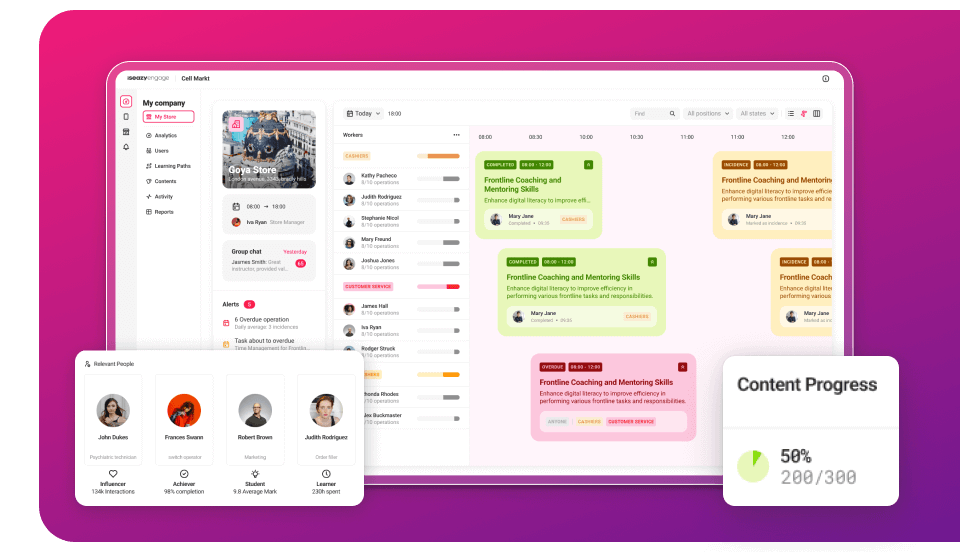
Manage, communicate, and train in one app for your retail teams with isEazy Engage.
Train your professionals while they have fun with isEazy Game.
What are you waiting for to cover your team’s training needs? Request a demo.
Frequently asked questions about educational software
What’s the difference between an LMS and an authoring tool?
An LMS manages training: users, enrollments, sessions, tracking, certifications, and reporting. An authoring tool is used to create interactive e-learning content (courses, assessments, simulations), which you then publish to an LMS or distribute through other channels.
What standards should professional learning software support?
For corporate training, compatibility with SCORM (1.2 and 2004) is typically required and, if you need more flexible analytics, xAPI or cmi5. This ensures content can be deployed in most LMS platforms and that tracking remains consistent.
Can AI already create full courses?
It can significantly speed up the process (structure, activities, voice-over, translation, resources), but in 2026 the critical factor is control: reviewing objectives, content accuracy, tone, examples, and alignment with internal policies. AI reduces time; validation ensures quality and compliance.
What’s better: an all-in-one solution or a multi-vendor stack?
It depends on your priority. An all-in-one solution usually wins in time-to-value, governance, and lower integration complexity. A “best-of-breed” stack may offer more flexibility, but it typically requires more IT effort, coordination, and maintenance to make everything work as one system.
What should I look at to ensure adoption (not just purchase) of learning software?
Three things: user experience (especially on mobile), the ability to automate day-to-day tasks (enrollments, reminders, sessions), and clear analytics to demonstrate impact. If end users don’t use it or admins drown in tasks, the tool fails—even if it has many features.
What costs are often overlooked when implementing an LMS or learning software?
Beyond licenses, there are often setup costs, content migration, integrations (SSO, HRIS/CRM), customization, support, internal maintenance, and team training. In open-source solutions, “free” is often offset by higher technical and operational workload.
Need help?
If you are looking for a perfect e-learning tool tailored to your needs, don't hesitate to write to us!
Here you can assess and customize the services that we'd like to use on this website. You're in charge! Enable or disable services as you see fit. To learn more, please read our .
We have to include them in order for certain web pages to function securely. These cookies are strictly necessary, so they cannot be rejected or modified.
Cookie
Duration
Description
_ga
2 years
The _ga cookie, installed by Google Analytics, calculates visitor, session and campaign data and also keeps track of site usage for the site's analytics report. The cookie stores information anonymously and assigns a randomly generated number to recognize unique visitors.
_ga_YW3LY84JY6
2 years
This cookie is installed by Google Analytics.
_gat_gtag_UA_90425332_3
1 minute
Set by Google to distinguish users.
_gat_UA-26043609-7
1 minute
A variation of the _gat cookie set by Google Analytics and Google Tag Manager to allow website owners to track visitor behaviour and measure site performance. The pattern element in the name contains the unique identity number of the account or website it relates to.
_gat_UA-90425332-3
1 minute
A variation of the _gat cookie set by Google Analytics and Google Tag Manager to allow website owners to track visitor behaviour and measure site performance. The pattern element in the name contains the unique identity number of the account or website it relates to.
_gcl_au
3 months
Provided by Google Tag Manager to experiment advertisement efficiency of websites using their services.
_gid
1 day
Installed by Google Analytics, _gid cookie stores information on how visitors use a website, while also creating an analytics report of the website's performance. Some of the data that are collected include the number of visitors, their source, and the pages they visit anonymously.
_icl_visitor_lang_js
1 day
This cookie is stored by WPML WordPress plugin. The purpose of the cookie is to store the redirected language.
Bootstrap
11 months
Bootstrap code
cookielawinfo-checkbox-advertisement
1 year
Set by the GDPR Cookie Consent plugin, this cookie is used to record the user consent for the cookies in the "Advertisement" category .
cookielawinfo-checkbox-analytics
11 months
This cookie is set by GDPR Cookie Consent plugin. The cookie is used to store the user consent for the cookies in the category "Analytics".
cookielawinfo-checkbox-functional
11 months
The cookie is set by GDPR cookie consent to record the user consent for the cookies in the category "Functional".
cookielawinfo-checkbox-nece
1 year
Cookie law info
cookielawinfo-checkbox-necessary
11 months
This cookie is set by GDPR Cookie Consent plugin. The cookies is used to store the user consent for the cookies in the category "Necessary".
cookielawinfo-checkbox-others
11 months
This cookie is set by GDPR Cookie Consent plugin. The cookie is used to store the user consent for the cookies in the category "Other.
cookielawinfo-checkbox-performance
11 months
This cookie is set by GDPR Cookie Consent plugin. The cookie is used to store the user consent for the cookies in the category "Performance".
CookieLawInfoConsent
1 year
Records the default button state of the corresponding category & the status of CCPA. It works only in coordination with the primary cookie.
Google Font API
11 months
Google Font API
IDE
1 year 24 days
Google DoubleClick IDE cookies are used to store information about how the user uses the website to present them with relevant ads and according to the user profile.
Pardot
11 months
The pardot cookie is set while the visitor is logged in as a Pardot user. The cookie indicates an active session and is not used for tracking.
test_cookie
15 minutes
The test_cookie is set by doubleclick.net and is used to determine if the user's browser supports cookies.
viewed_cookie_policy
11 months
The cookie is set by the GDPR Cookie Consent plugin and is used to store whether or not user has consented to the use of cookies. It does not store any personal data.
wp-wpml_current_language
session
Language cookies
wpml_browser_redirect_test
session
This cookie is set by WPML WordPress plugin and is used to test if cookies are enabled on the browser.
They collect information in order to measure, evaluate performance, and improve the quality of your experience on our site.
Cookie
Duration
Description
_ga
2 years
The _ga cookie, installed by Google Analytics, calculates visitor, session and campaign data and also keeps track of site usage for the site's analytics report. The cookie stores information anonymously and assigns a randomly generated number to recognize unique visitors.
_ga_YW3LY84JY6
2 years
This cookie is installed by Google Analytics.
_gat_gtag_UA_90425332_3
1 minute
Set by Google to distinguish users.
_gat_UA-26043609-7
1 minute
A variation of the _gat cookie set by Google Analytics and Google Tag Manager to allow website owners to track visitor behaviour and measure site performance. The pattern element in the name contains the unique identity number of the account or website it relates to.
_gat_UA-90425332-3
1 minute
A variation of the _gat cookie set by Google Analytics and Google Tag Manager to allow website owners to track visitor behaviour and measure site performance. The pattern element in the name contains the unique identity number of the account or website it relates to.
_gcl_au
3 months
Provided by Google Tag Manager to experiment advertisement efficiency of websites using their services.
_gid
1 day
Installed by Google Analytics, _gid cookie stores information on how visitors use a website, while also creating an analytics report of the website's performance. Some of the data that are collected include the number of visitors, their source, and the pages they visit anonymously.
_icl_visitor_lang_js
1 day
This cookie is stored by WPML WordPress plugin. The purpose of the cookie is to store the redirected language.
wpml_browser_redirect_test
session
This cookie is set by WPML WordPress plugin and is used to test if cookies are enabled on the browser.
We use them to provide you with efficient and personalized advertisements that we believe are relevant to your interests. You may see them on other sites that you visit.
Cookie
Duration
Description
IDE
1 year 24 days
Google DoubleClick IDE cookies are used to store information about how the user uses the website to present them with relevant ads and according to the user profile.
test_cookie
15 minutes
The test_cookie is set by doubleclick.net and is used to determine if the user's browser supports cookies.