CASE STUDY
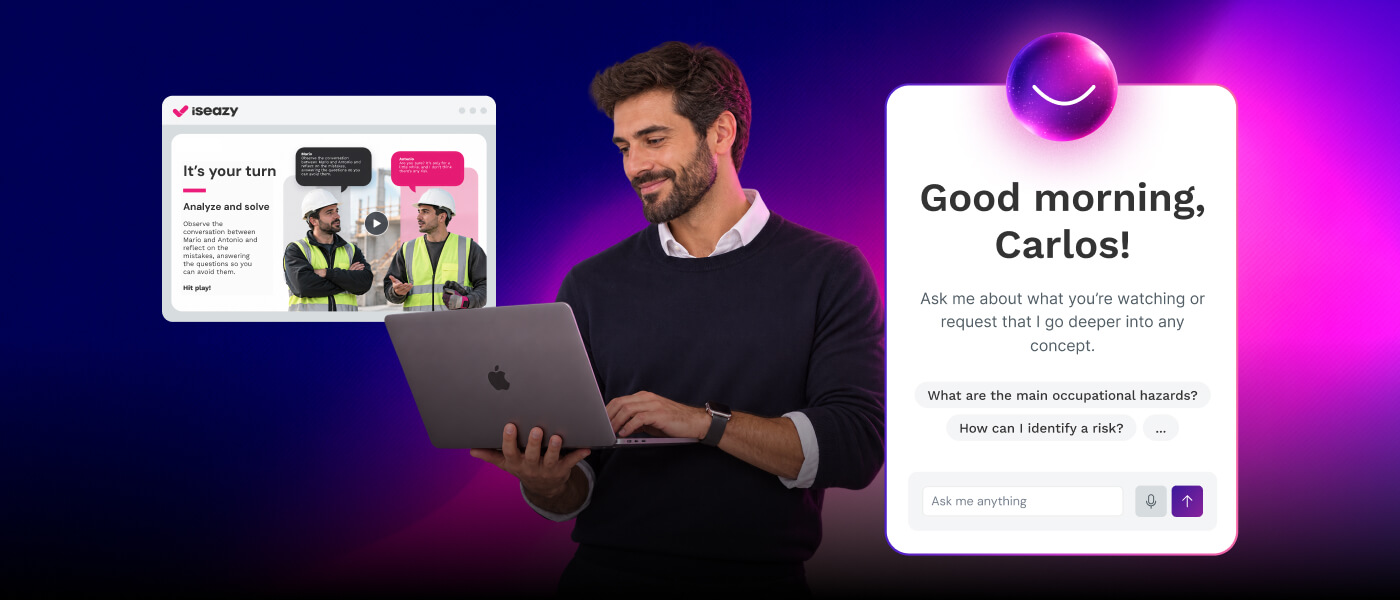
We helped Clarel transform its knowledge into interactive and effective microcontents

Brain
The first AI trained to teach

Author
The #1 AI-powered authoring tool on the market

Factory
Custom e-learning content factory

Skills
Comprehensive power skills course catalog

LMS
All-in-one LMS platform with AI

Engage
App for managing frontline teams
Product

What is Brain?
Everything you need to know about the first AI trained to teach.

Learning agent: CompanionNew
Supports learners and answers their questions right inside the course, without breaking the audit trail.

How does it work?
Adaptive, conversational, and contextual. That’s learning with Brain.
FEATURES

AINew
Unlock your full potential and speed up course creation with artificial intelligence.

Accessibility
Automatically meet accessibility guidelines—without sacrificing interactivity!

Interactivity
Boost engagement with interactive, ready-to-use activities that make learning fun.

Course Creation
Reduce the time it takes to create your e-learning courses with our authoring tool.

Distribution
We offer you different distribution options, so that nothing can stop you.

SCORM
Publish your course in SCORM format and share it on any LMS.
SERVICES

Instrucional Design
Surprise your students with multimedia and interactive content.

Custom Courses
We create e-learning courses for you—tailored to your needs and hassle-free!

Virtual Reality
Turn learning into an immersive experience.

Custom Avatars
Give your courses and videos a unique touch with personalized avatars.

Audiovisual FactoryNew
Turn training into something dynamic and visual with engaging videos.
CATALOG

Course catalog
Over 600 skills and competency courses to help you adapt to your team's needs.
Microsoft Copilot AcademyNew
Your professionals will learn how to apply Copilot AI to key processes within your organization.

Artificial Intelligence Academy
Train your teams in the practical use of AI to boost productivity and innovation in your company.

Cybersecurity Academy
Capacita a tu empresa con el catálogo más completo en seguridad digital corporativa.
FEATURES

Learning platform
Manage all your training from one place

Analitycs
Measure the impact of your training

Learning Experience
Offer a unique learning experience to your team
Content Library
Choose from hundreds of expert-created courses
Authoring Tool
Create your own content—faster than ever

Use cases
Choose the solution that best fits your needs

Industries
Solutions for all types of industries
USE CASES

Onboarding
Facilitate the onboarding process, productivity and engagement of your new employees.

Upskilling
Boost your team's skills and prepare them for the challenges of the future with upskilling.

Microlearning
Discover all the advantages of microlearning and boost your training results.

Gamification
Enjoy addictive training that will get your professionals hooked.

Internal Communication
Improve communication in your company and enjoy an aligned and committed team.

Mobile learning
Agile, flexible, and interactive learning—built for today’s digital-first workforce.
INDUSTRIES

Banking and financial services
Training in compliance, cybersecurity, customer service, and key skills development.

Pharmaceuticals and healthcare
Digital onboarding, regulatory updates, and ongoing training for healthcare staff.

Retail and consumer
Agile and scalable training for in-store, operational, and customer service teams.

Industry and manufacturing
Training in processes, safety, and corporate culture for distributed teams.

Education and training
Digital solutions for training centers, internal academies, and corporate universities.

Technology and telecommunications
Development of technical talent, digital skills, and upskilling and reskilling programs.
CLIENTS

MAPFRE
How MAPFRE turn e-learning into sales with isEazy

Pepco
A personalised learning experience for a growing team.

BBVA
Digitisation and creation of high quality e-learning content.

Shiseido
We increase the engagement of the training with a social and gamified app.

Telefónica
Large-scale reskilling for the company's digital transformation.

Vodafone
A personalised learning experience for a growing team.
More than 1,000 companies already rely on isEazy.





MEET ISEAZY

Events
Discover our upcoming events and connect with the future of e-learning.

News
Find out the latest news about isEazy: press releases, partnerships, updates...

Contact
Leave us your personal details and we will contact you as soon as possible.
About isEazyNew
Find out more about our company.

Careers
We are looking for the best talent, join our team!

Partners
Become our partner and grow your business.
INTERESTING RESOURCES

Blog
The best content on e-learning: trends, tools and key strategies.

Whitepapers
Gain valuable insights and stay ahead of industry trends.

Product releases
The latest news and releases of our e-learning products and solutions.

Glossary
Definitions of the most commonly used terms and key industry concepts.

Guides
Discover the best step-by-step tips and tricks to optimize your L&D strategy.

Webinars
Video sessions on our products, trends and more

Comparatives
Compare e-learning solutions available on the market and choose the most suitable one.


WEBINAR
Master AI in isEazy Author in under an hour.




GUIDE
Prepare your organization to comply with the new AI regulations

Stay up to date with all our latest news
 Subscribe to our newsletter
 Stay up to date with all our latest news

August 6, 2026

CONTENT CREATED BY:

Table of contents
A training schedule is the tool that turns a company’s learning strategy into an executable plan: who gets trained, in what, when, and with what expected results. Without it, training becomes reactive and loses impact. In this article, we explain how to build one step by step, what elements are essential, and which tools make it easier to manage.
A training schedule is an operational document that translates the company’s corporate training plan into concrete actions and defined dates. It acts as the roadmap the L&D team uses to manage, communicate, and measure all training initiatives over a period (monthly, quarterly, or annual).
Unlike the training plan — which answers the ‘what and why’ — the schedule answers the ‘when, how, and for whom’. It includes information on topics, participants, formats (face-to-face, e-learning, blended), owners, and evaluation criteria for each training activity.
According to LinkedIn Learning’s Workplace Learning Report 2024, 90% of organizations that believe training drives business results have a structured, planned learning program — compared to just 8% that improvise training based on immediate demand.

A training schedule plays a strategic role in the organization: it ensures training is proactive, not reactive. When well designed, the L&D team gains control over the training process and leadership can measure the return on talent investment.
The main benefits of having a structured training schedule include:
Continuous learning has a direct effect on operational efficiency — but only when properly planned. A structured training schedule turns training into a performance driver:
For HR and L&D managers, the schedule also simplifies management: instead of responding to scattered individual requests, they work from a centralized plan that facilitates decision-making and reporting to leadership.

One of the key decisions when designing the schedule is choosing the format for each training activity. Not all training requires the same approach — strategically combining formats improves both impact and cost per trained employee.
| Format | When to use it | Key advantages |
|---|---|---|
| In-person / classroom | High-complexity training, teamwork, relational skills | Direct interaction, collaborative work, immediate application |
| E-learning (asynchronous) | Technical training, compliance, onboarding, geographically dispersed teams | Scalable, self-paced, no travel cost, easy to update |
| Blended learning | Leadership programs, complex upskilling, long-term training journeys | Combines the depth of in-person with the flexibility of digital |
Designing an effective training schedule requires following an ordered process. Below we develop the six key steps with practical guidance for each.
Before defining what training to offer, you need to assess the current situation. The questions that should guide this diagnosis are:
To conduct this diagnosis, you can combine performance reviews, employee and manager surveys, and LMS data analysis. The outcome is a prioritized list of training needs on which to build the schedule.
Also check our guide to implementing a corporate training plan to structure this process thoroughly.
Not all employees need the same training or at the same time. Good segmentation avoids training overload and ensures everyone receives exactly what they need. The most useful segmentation criteria are:
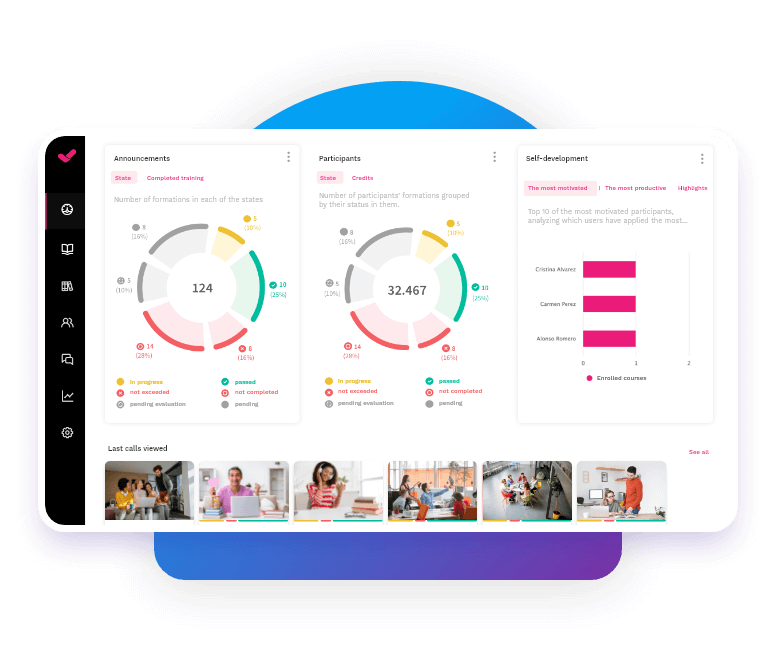
An LMS allows you to automate this segmentation and assign personalized learning paths by profile, eliminating manual assignment management.

Every training activity must have a well-defined purpose before it is added to the schedule. Apply the SMART framework to ensure objectives are actionable:
Defining objectives well at this stage makes the training evaluation at the end of the schedule much easier.
With needs and objectives defined, it is time to build the calendar. Keep in mind:
As a reference, this table summarizes the recommended frequency by training type:
| Training type | Recommended frequency | Typical format |
|---|---|---|
| New employee onboarding | Ongoing / upon joining | Blended (e-learning + in-person session) |
| Compliance and regulatory | Annual or semi-annual | E-learning (asynchronous, trackable) |
| Technical / digital upskilling | Quarterly | E-learning or blended |
| Leadership development | Annual (long program) | Blended or in-person |
The choice of tools directly impacts the feasibility and scalability of the schedule. Two types of tools are essential:

Clarel, a leading Spanish drugstore and perfumery chain with more than 500 points of sale, needed to train thousands of geographically dispersed employees simultaneously with consistent content. With isEazy, they delivered a microlearning-based training program that reached their entire store network with minimal logistical overhead. Discover how Clarel trained its points of sale simultaneously →
CASE STUDY
We helped Clarel transform its knowledge into interactive and effective microcontents


The schedule doesn’t end when the last training session finishes. To ensure its effectiveness and demonstrate return on investment, it is essential to measure results. The key KPIs for evaluating the schedule are:
| KPI | What it measures | Success benchmark |
|---|---|---|
| Completion rate | % of employees who complete the assigned training | Above 80% for mandatory training |
| Training NPS | Employee satisfaction and recommendation after training | Score ≥ 8 out of 10 |
| Performance impact | Change in operational KPIs before and after training | Measurable improvement on the indicator linked to the training objective |
Even with a well-defined process, some recurring mistakes can undermine the schedule’s effectiveness. These are the most common ones in L&D teams:
Executing an effective training schedule requires two capabilities many L&D teams don’t have separately: creating quality content quickly and managing it centrally. isEazy integrates both in one suite:
To see it in action, you can request a free trial and experience first-hand the difference a platform built specifically for corporate training can make.
You can also deepen your knowledge with our corporate training guide and our continuous training guide.
A well-designed training schedule is the difference between corporate training that delivers real impact and one that consumes resources without visible results. The key is following a structured process: needs assessment, segmentation, SMART objectives, a realistic calendar, the right tools, and continuous evaluation.
Companies that invest in planning their training don’t just improve team performance — they build a learning culture that attracts and retains talent. In a labor market where 94% of employees say they would stay longer at a company that invests in their development (LinkedIn Learning, 2024), the training schedule is also an employer branding tool.
Want to learn more about training planning in companies? Also explore our guide to the training manual to complement your learning strategy.
A training plan is the strategic document that defines what skills the organization needs to develop, with what goals and under what budget. A training schedule is the operational tool that turns that plan into action: it establishes which training activities will take place, on what dates, in what format, and for whom. In other words, the plan answers the ‘what and why’, while the schedule answers the ‘when, how, and for whom’. Both documents are complementary and should be developed in coordination to ensure the training strategy is coherent and executable.
It is recommended to review the training schedule at least once per quarter to adjust for changes in business objectives, performance review results, or emerging team needs. The full annual review is mandatory, but not sufficient in dynamic environments. If the company is undergoing digital transformation, expansion, or restructuring, the review cadence should be monthly. A good Learning Management System (LMS) makes this follow-up easier by providing real-time data on employee participation and progress.
The most relevant indicators for evaluating a training schedule are: course completion rate (% of employees who complete the assigned training), satisfaction rate (training NPS or post-course survey), performance impact (comparing key metrics before and after training), time to competency (how long it takes an employee to apply what they have learned), and training return on investment (ROI). An LMS with integrated analytics makes it possible to monitor these KPIs automatically and make data-driven decisions to optimize future editions of the schedule.
The key is to segment employees correctly before designing the schedule. Distinguish at least three profiles: onboarding employees (new hires who need an introduction to processes, culture, and tools), upskilling employees (experienced staff who need to develop new skills within their current role), and reskilling employees (those preparing for new responsibilities or different roles). For each profile, assign differentiated learning paths with adapted content, formats, and timelines. Modern LMS platforms allow this assignment to be automated based on the employee’s profile, ensuring everyone receives exactly the training they need without overloading the L&D team with manual management.
The most useful tools are: an LMS (Learning Management System) to centralize the management, tracking, and reporting of all training activities; an e-learning authoring tool to create training content quickly and without technical knowledge; and analytics software to measure impact. isEazy Author lets you create interactive e-learning courses in hours, while isEazy LMS manages distribution, access, and reports for the entire training program — integrating natively so the L&D team can execute and measure the schedule from a single platform.

Streamline your training management
Experience the power of AI in an LMS that has it all


Streamline your training management
Experience the power of AI in an LMS that has it all