Brain
The first AI trained to teach

Author
The #1 AI-powered authoring tool on the market

Factory
Custom e-learning content factory

Skills
Comprehensive power skills course catalog

LMS
All-in-one LMS platform with AI

Engage
App for managing frontline teams
Product

What is Brain?
Everything you need to know about the first AI trained to teach.

How does it work?
Adaptive, conversational, and contextual. That’s learning with Brain.

Security
Why your company’s knowledge never leaves your environment or trains other models.

Comparison
Discover what sets isEazy Brain apart from other AI solutions.

Frequently Asked Questions
Want to learn more? Find answers to all your questions about isEazy Brain here.

FEATURES

AINew
Unlock your full potential and speed up course creation with artificial intelligence.

Accessibility
Automatically meet accessibility guidelines—without sacrificing interactivity!

Interactivity
Boost engagement with interactive, ready-to-use activities that make learning fun.

Course Creation
Reduce the time it takes to create your e-learning courses with our authoring tool.

Distribution
We offer you different distribution options, so that nothing can stop you.

SCORM
Publish your course in SCORM format and share it on any LMS.

SERVICES

Instrucional Design
Surprise your students with multimedia and interactive content.

Custom Courses
We create e-learning courses for you—tailored to your needs and hassle-free!

Virtual Reality
Turn learning into an immersive experience.

Custom Avatars
Give your courses and videos a unique touch with personalized avatars.

Audiovisual FactoryNew
Turn training into something dynamic and visual with engaging videos.

CATALOG

Course catalog
Over 600 skills and competency courses to help you adapt to your team's needs.
Microsoft Copilot AcademyNew
Your professionals will learn how to apply Copilot AI to key processes within your organization.

Artificial Intelligence Academy
Train your teams in the practical use of AI to boost productivity and innovation in your company.

Cybersecurity Academy
Capacita a tu empresa con el catálogo más completo en seguridad digital corporativa.
FEATURES

Learning platform
Manage all your training from one place

Analitycs
Measure the impact of your training

Learning Experience
Offer a unique learning experience to your team
Content Library
Choose from hundreds of expert-created courses
Authoring Tool
Create your own content—faster than ever


Use cases
Choose the solution that best fits your needs

Industries
Solutions for all types of industries
USE CASES

Onboarding
Facilitate the onboarding process, productivity and engagement of your new employees.

Upskilling
Boost your team's skills and prepare them for the challenges of the future with upskilling.

Microlearning
Discover all the advantages of microlearning and boost your training results.

Gamification
Enjoy addictive training that will get your professionals hooked.

Internal Communication
Improve communication in your company and enjoy an aligned and committed team.

Mobile learning
Agile, flexible, and interactive learning—built for today’s digital-first workforce.
INDUSTRIES

Banking and financial services
Training in compliance, cybersecurity, customer service, and key skills development.

Pharmaceuticals and healthcare
Digital onboarding, regulatory updates, and ongoing training for healthcare staff.

Retail and consumer
Agile and scalable training for in-store, operational, and customer service teams.

Industry and manufacturing
Training in processes, safety, and corporate culture for distributed teams.

Education and training
Digital solutions for training centers, internal academies, and corporate universities.

Technology and telecommunications
Development of technical talent, digital skills, and upskilling and reskilling programs.
CLIENTS

MAPFRE
How MAPFRE turn e-learning into sales with isEazy

Pepco
A personalised learning experience for a growing team.

BBVA
Digitisation and creation of high quality e-learning content.

Shiseido
We increase the engagement of the training with a social and gamified app.

Telefónica
Large-scale reskilling for the company's digital transformation.

Vodafone
A personalised learning experience for a growing team.
More than 1,000 companies already rely on isEazy.






MEET ISEAZY

Events
Discover our upcoming events and connect with the future of e-learning.

News
Find out the latest news about isEazy: press releases, partnerships, updates...

Contact
Leave us your personal details and we will contact you as soon as possible.
About isEazyNew
Find out more about our company.

Careers
We are looking for the best talent, join our team!

Partners
Become our partner and grow your business.

INTERESTING RESOURCES

Blog
The best content on e-learning: trends, tools and key strategies.

Whitepapers
Gain valuable insights and stay ahead of industry trends.

Product releases
The latest news and releases of our e-learning products and solutions.

Glossary
Definitions of the most commonly used terms and key industry concepts.

Guides
Discover the best step-by-step tips and tricks to optimize your L&D strategy.

Webinars
Video sessions on our products, trends and more

Comparatives
Compare e-learning solutions available on the market and choose the most suitable one.


WEBINAR
Master AI in isEazy Author in under an hour.




GUIDE
Prepare your organization to comply with the new AI regulations

Stay up to date with all our latest news
 Subscribe to our newsletter
 Stay up to date with all our latest news

April 10, 2026
What is a Webinar? Types, Uses and How to Run One in Corporate Training

CONTENT CREATED BY:
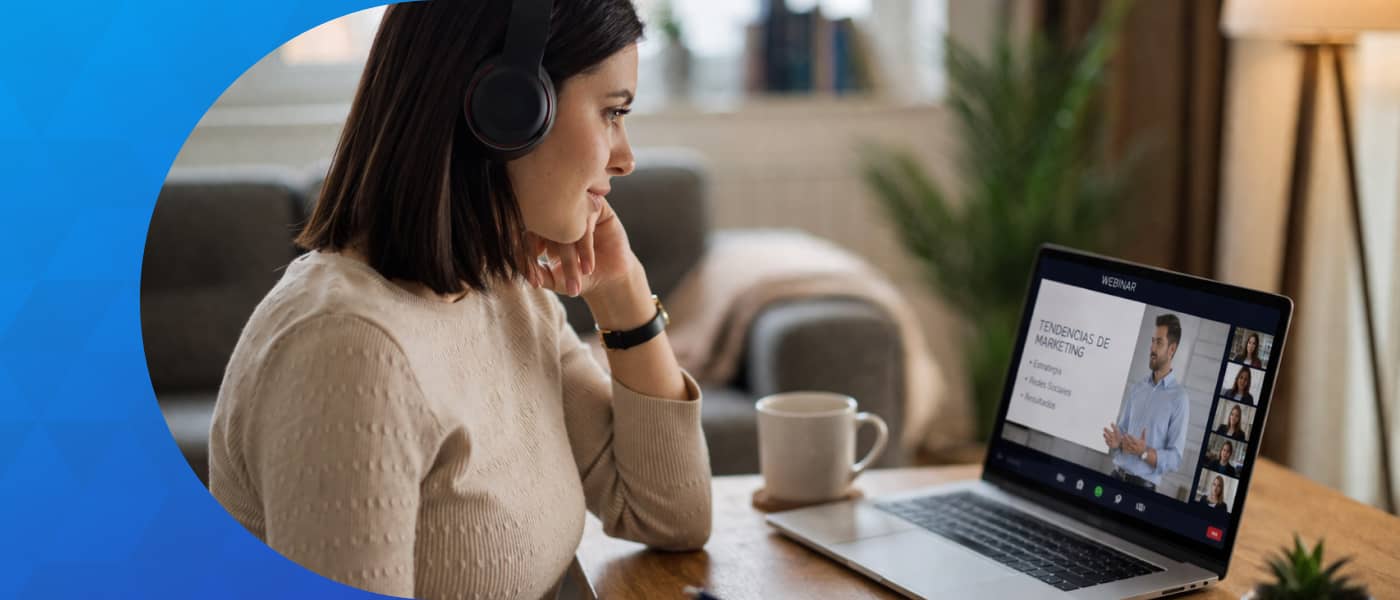
Table of contents
A webinar is a live online training seminar that allows the audience to participate actively in real time. In the corporate environment, it has become one of the most versatile and efficient training tools: scalable, traceable and compatible with any learning strategy.
If you are wondering exactly what a webinar is, how it works and how you can use it to train your teams, this guide gives you all the answers from a practical L&D and HR perspective.
What is a webinar?
The term webinar is a portmanteau of the English words web and seminar. In essence, a webinar is a live broadcast over the internet with a seminar structure: there is a speaker (or a panel of experts) presenting content to a remote audience, with tools enabled so that participants can interact in a controlled way. Unlike a standard video call, the webinar dynamic is asymmetric: the speaker leads the session and attendees participate through specific mechanisms (chat, polls, Q&A).
In corporate training, webinars occupy a different space from e-learning courses or in-person classes: they enable knowledge to be transmitted to hundreds of people simultaneously, with a more engaging experience than asynchronous content and at a fraction of the cost of face-to-face training.
How a webinar works
The technical functioning of a webinar is built around four elements: the platform, registration, the live session and post-event follow-up.
- Platform: the organiser sets up a virtual room in the chosen tool (Zoom, Teams, GoToWebinar, Livestorm, etc.) and defines the parameters: date, duration, maximum attendee capacity and the type of interaction enabled.
- Pre-registration: participants sign up via a form or access link. This step is critical in corporate training because it allows attendance to be recorded and linked to the employee’s profile in the LMS.
- Live session: during the webinar, the speaker shares their screen, presents slides or demos, and manages participation through chat tools, polls, breakout rooms and Q&A rounds.
- Recording and follow-up: most platforms allow the session to be recorded and sent automatically to registered attendees. The recording can be integrated into the LMS as an asynchronous training resource, extending the shelf life of the content beyond the live event.
Types of webinar in corporate training
Not all webinars have the same purpose or structure. Based on the training objective, five main types can be identified:
| Type | Main objective | When to use it |
|---|---|---|
| Onboarding webinar | Introduce the company, culture and processes to large groups of new hires | First weeks of employment; particularly useful for remote or distributed teams |
| Upskilling webinar | Develop specific technical or professional competencies | When a new tool, methodology or regulatory change requires training at scale |
| Compliance webinar | Ensure regulatory compliance across the organisation | Legal updates, internal policies, data protection (GDPR), health & safety |
| Leadership webinar | Share management practices, real-world cases and leadership development | Leadership development programmes, change management initiatives |
| Knowledge-sharing webinar | Disseminate insights, trends or internal knowledge from internal or external experts | Innovation culture initiatives, Communities of Practice, knowledge management |
This classification is not mutually exclusive: a single webinar can combine several objectives. What matters is that the format and level of interactivity are aligned with the purpose of the session.
Advantages of webinars for L&D teams
Webinars offer a distinctive set of advantages that have made them a cornerstone of modern corporate training strategies:
- Real scalability: a single session can reach hundreds or thousands of employees simultaneously, regardless of their location. The cost per participant is marginal compared to face-to-face training.
- Significant cost savings: according to Brandon Hall Group’s State of Learning & Development report, organisations that incorporate webinars into their training blend reduce costs associated with in-person training (travel, venue hire, materials) by between 40% and 60%.
- Traceability and metrics: webinar platforms automatically record attendance, connection time, poll participation and resource clicks. This data can be exported and integrated with some LMS platforms for training reports.
- Flexible consumption: the recording allows employees who could not attend live to access the content asynchronously. This is particularly relevant in companies with distributed teams across different time zones.
- Immediacy and relevance: a webinar can be organised in days, making it ideal for reactive training needs: regulatory changes, product launches, crisis communications.
Tools for organising corporate webinars
The market offers a wide variety of platforms to create and manage webinars. The right choice depends on audience size, integration needs with the company’s technology stack and the required level of interactivity. Here are the most widely used in corporate environments:
| Platform | Best for | Max. capacity |
|---|---|---|
| Zoom Webinars | Companies already using Zoom; high compatibility with calendar and SSO | Up to 50,000 attendees |
| Microsoft Teams Live Events | Organisations with Microsoft 365 ecosystem; native integration with SharePoint and Viva Learning | Up to 20,000 attendees |
| GoToWebinar | Need for advanced analytics, registration management and follow-up automation | Up to 3,000 attendees |
| Livestorm | High interactivity (polls, Q&A, breakout rooms) and lead generation | Up to 3,000 attendees |
| Demio | Onboarding and product webinars; clean interface and follow-up automations | Up to 1,000 attendees |
| Webex Events | Large corporations with strict security requirements and global audiences | Up to 100,000 attendees |
Webinar vs other training formats
A webinar is not the universal solution for every training need. Understanding when to use it and when to opt for another format is key to designing an effective blended learning strategy:
| Format | Synchronous / Asynchronous | Best for |
|---|---|---|
| Webinar | Synchronous (+ asynchronous recording) | Communication at scale, rapid upskilling, compliance, product launches |
| E-learning course | Asynchronous | Deep learning, certifications, content requiring interactive practice |
| Video conference | Synchronous | Collaborative work in small groups, coaching sessions, tutoring |
| Microlearning | Asynchronous | Concept reinforcement, knowledge pills, workflow learning |
The most effective combination in corporate training is typically: webinar to introduce a concept → e-learning course to go deeper → microlearning to reinforce. This blended learning model maximises retention and adapts to the different learning paces and contexts of employees.
How to run an effective training webinar
These are the key steps to design and deliver a training webinar that generates real impact:
- Define the learning objective: what should the participant know or be able to do by the end? A clear objective determines the content, format and duration.
- Know your audience: prior knowledge level, time zone, usual device for access. In distributed teams, make sure the chosen time is accessible to everyone.
- Design a structured flow: break the webinar into blocks of no more than 10–15 minutes each. Alternate exposition with polls, questions or moments of reflection to maintain attention.
- Choose the right platform: based on audience size and integration needs with your LMS (see the tools table above).
- Manage registration and pre-event communication: send reminders 1 week and 1 day before. Registrations with two reminders have attendance rates up to 30% higher than those with none.
- Facilitate real interaction: use polls, chat, raised hands and breakout rooms actively. A webinar without interaction is simply a recorded video.
- Follow up after the session: send a summary email with the recording, key resources and, where relevant, a link to the follow-up e-learning course. This post-event communication significantly improves knowledge retention.
Best practices and common mistakes in corporate webinars
Beyond logistics, the success of a training webinar depends on design decisions that many L&D teams overlook:
- ✅ Limit the duration: webinars lasting more than 90 minutes without a break lose up to 40% of the active audience. If the content requires more time, split it into sessions.
- ✅ Use polls at the start: a 1–2 question poll in the first few minutes activates participation and provides valuable data about the group’s level.
- ✅ Prepare the Q&A session: designate a co-presenter to moderate the chat while the main speaker presents. The attendee experience improves noticeably when their questions receive real-time answers.
- ❌ Don’t confuse the webinar with a lecture: one-way exposition for 60 minutes is not a webinar, it is a recorded talk. Interactivity is what differentiates the format and what generates real learning.
- ❌ Don’t neglect the recording: if the session is not recorded, 30–40% of registrants who could not attend lose access to the content. Always enable automatic recording from the start of the session.
- ❌ Don’t measure attendance alone: the key metric of a training webinar is not how many people connected, but what percentage completed the session, participated in polls and applied the acquired knowledge. A training LMS connected to the webinar platform provides a much richer view of results.
Conclusion
The webinar has evolved from being an occasional resource to becoming a strategic element within any well-designed corporate training ecosystem. Its ability to combine massive reach with the live experience, and its near-zero marginal cost per participant, make it a hard-to-match tool when it comes to transmitting knowledge at scale.
For L&D teams, the key is not to use webinars as a substitute for other formats, but to integrate them intelligently into a blended learning strategy: as an entry point for a topic, as a channel for continuous updates or as a space for connecting the organisation with its people.
If you want to see how the best professionals in the sector tackle corporate training challenges in webinar format, access isEazy’s webinars and discover free sessions on e-learning, talent development and training strategies.
Frequently asked questions about webinars
How long does a webinar last?
The standard duration of a webinar ranges from 45 to 90 minutes. In corporate training contexts, webinars between 60 and 75 minutes are the most common: long enough to develop a topic in depth, yet short enough to maintain participant attention. Shorter webinars (20–30 minutes) are typically reserved for knowledge pills or product updates, while longer sessions are used for interactive workshops or certification programmes.
What platform is recommended for organising a corporate webinar?
The choice depends on audience size and integration requirements. Zoom Webinars and Microsoft Teams are the most widely used options in corporate environments, thanks to their integration with productivity tools already in place. GoToWebinar is preferred when advanced analytics and registration management are needed. For training sessions requiring high interactivity, Demio or Livestorm offer more sophisticated polling and audience segmentation features. Most importantly, the chosen platform should support automatic recording and LMS integration to track attendance and completion.
What is the difference between a webinar and a video conference?
The key difference lies in the dynamic and purpose. A video conference is a two-way meeting between participants with equivalent roles, designed for collaboration and decision-making. A webinar, on the other hand, has an asymmetric structure: one or more speakers present content to an audience that may range from dozens to thousands of people, with interaction controlled and moderated. In corporate training, webinars are used to disseminate knowledge at scale, whereas video conferences are better suited to small groups or collaborative working sessions.
Can a webinar be automated?
Yes. Automated webinars, also known as evergreen webinars or on-demand webinars, are recordings of live webinars scheduled to broadcast on a recurring basis. This format is particularly useful in corporate training for employee onboarding, compliance training, or introductions to tools and processes: content is produced once and can be consumed asynchronously across the entire organisation. Some platforms allow polls and interactive moments to be included in automated webinars to preserve the participation experience.
Featured articles

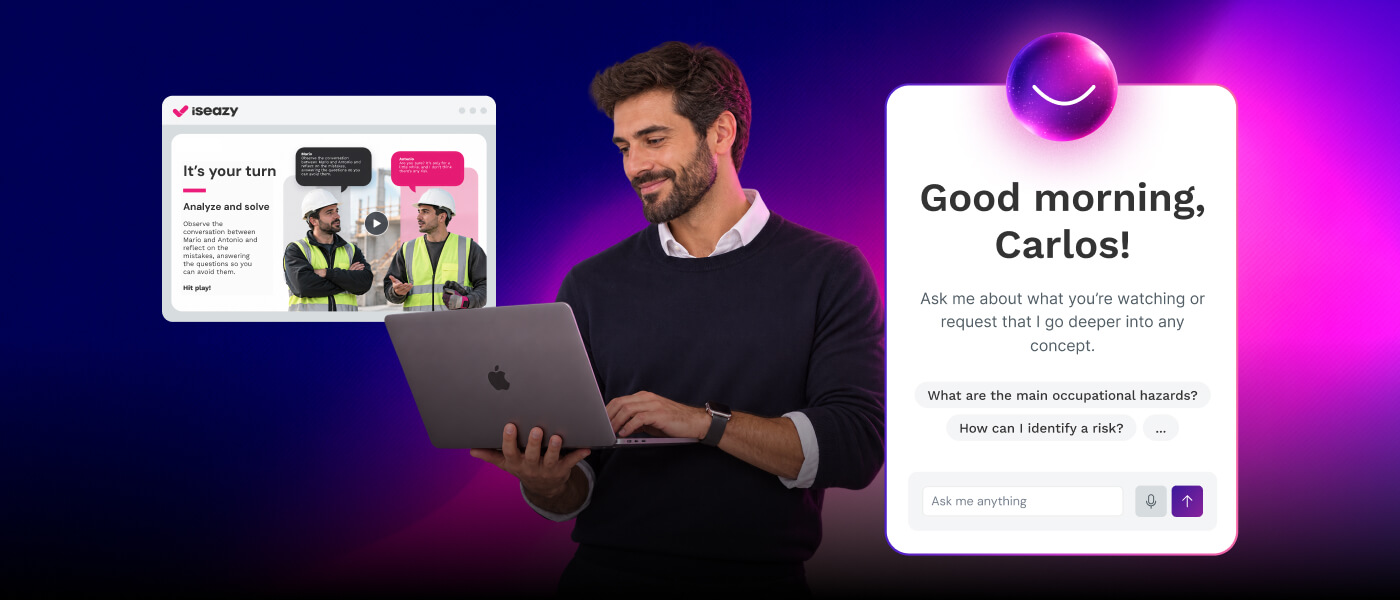


Unlock our courses in podcast format and amplify your power skills training results
Enjoy engaging, bite-sized content that your professionals can access anytime, anywhere—whether they're driving, taking a walk, or working out.


Unlock our courses in podcast format and amplify your power skills training results
Enjoy engaging, bite-sized content that your professionals can access anytime, anywhere—whether they're driving, taking a walk, or working out.
Related articles