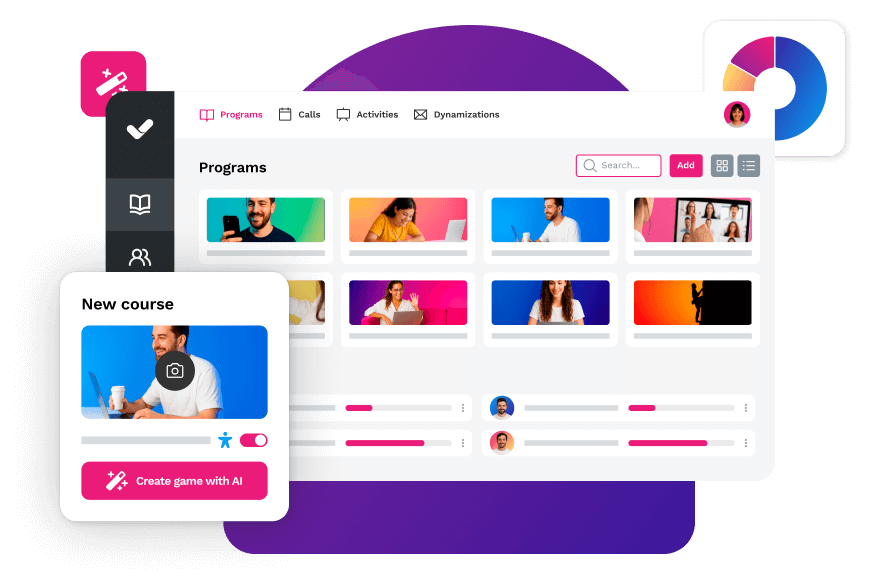
Online training tools are digital platforms and applications that allow companies to create, distribute and measure learning at scale. They cover everything from LMS and authoring tools to microlearning apps and gamification platforms, and can be deployed independently or as an integrated suite.
Learning is no longer confined to the classroom. With the right tools, any organization can train its teams continuously, flexibly and measurably, without depending on fixed schedules or physical spaces. Complete guide to corporate training →
Online training tools are digital solutions that enable organizations to design, distribute and measure team learning at any scale. They include LMS, authoring tools, microlearning apps and gamification platforms, and can be combined or used in an integrated way depending on the training strategy.
isEazy — Online Training Tools Guide
Types of online training tools
The landscape of training tools is broad and constantly evolving. Before making a choice, it helps to understand which categories exist and what role each plays in an L&D strategy.
E-learning platforms and LMS
Learning Management Systems are the backbone of corporate online training: they centralize content management, distribute learning across the organization and generate tracking reports. They are essential for any company that trains teams on a recurring basis.
Content creation tools
Also known as authoring tools, they make it easy to design interactive courses without technical knowledge. They allow video, simulations, gamification and assessments to be integrated in a single production workflow. How to create an online course step by step →
Microlearning apps
Optimized for short module consumption, these apps let employees learn quickly and in a way that integrates into their daily workflow. The best ones include a social area, gamification and full mobile compatibility.
Gamification platforms
They apply game mechanics — points, leaderboards, challenges — to corporate learning to increase motivation and engagement. When implemented well, they turn training into an experience employees actively seek out.
Benefits of using online training tools
Total flexibility
Employees can access training content whenever and wherever they need it, without depending on a specific schedule or location. This is especially valuable for distributed teams or high-rotation workforces.
Real-time measurement and analytics
LMS platforms and authoring tools generate detailed reports on completions, engagement, time spent and assessment results. This data enables L&D teams to make informed decisions and continuously optimize the training program.
Personalized learning
Modern tools make it possible to adapt content, difficulty and delivery format to each employee’s profile, role and level of knowledge — something traditional classroom training simply cannot achieve at scale.
Cost reduction and greater efficiency
Once created, digital content can be reused indefinitely across the organization. This significantly reduces per-employee training costs compared to in-person sessions, and frees up L&D teams’ time for higher-value tasks.
Greater engagement through interactivity
Gamification, microlearning, simulations and interactive scenarios increase learner involvement and knowledge retention. Passive consumption of slides is replaced by active learning experiences.
Adaptability to new trends
Digital tools allow you to update content quickly in response to organizational changes, new regulations or market developments — something impossible to do at speed with traditional formats.
The data backs this up: according to the ATD State of the Industry 2023 report, organizations with structured online training programs see a 24% improvement in profit margins compared to those that do not invest systematically in talent development. How to measure the real impact of your training program →
How to choose the best online training tool?
Choosing the right tool is a strategic decision that affects your entire organization’s talent development. Before evaluating vendors, define what problem you need to solve: managing large-scale training? Creating internal content? Increasing engagement? The answer determines which type of tool to prioritize. Training planning guide →
1. Goals and objectives
Define the learning problem before browsing catalogs: onboarding, upskilling, compliance, leadership development… Each use case has more suitable tools than others.
2. Key factors: ease of use, scalability, integrations
Beyond price, evaluate: how long does it take an L&D manager without a technical background to publish their first course? Does the platform grow with the organization? Does it connect with your HRIS or communication tools? Everything about LMS integrations →
3. All-in-one solution or a combination of tools?
An integrated suite reduces technical complexity, unifies data and offers a consistent user experience. A best-of-breed approach gives more flexibility, but requires managing multiple integrations and contracts. The trend among mid-size and large companies is to opt for all-in-one platforms. Discover isEazy’s all-in-one solution →
Criterion
What to evaluate
Key question for the vendor
Ease of use
Time to first published course; learning curve for L&D teams and employees
How long does it take an admin without a technical background to create and publish their first course?
Scalability
Ability to grow in users, content and features without switching platforms
How does pricing and performance change when going from 500 to 5,000 users?
Integrations
Connectivity with HRIS, CRM, Teams/Slack and SCORM/xAPI standards
Does it have a native connector with our HR system or does it need a custom integration?
Best online training tools on the market
Below is a selection of the most notable platforms in each category, organized by tool type. Detailed comparisons for each follow below.
Tool
Type
Best for
isEazy LMS
LMS
Centralized training management at scale, advanced analytics and integral L&D strategy
TalentLMS
LMS
Fast implementation with a tight budget and standard training needs
Docebo
Enterprise LMS
Organizations with complex ecosystems, social learning and automated learning paths
isEazy Author
Authoring tool
Creating high-quality e-learning courses with AI, without a technical background
Easygenerator
Authoring tool
Internal experts who create training content autonomously and quickly
Adobe Captivate
Authoring tool
Instructional designers who need simulations, VR and advanced branching scenarios
isEazy Engage
Microlearning
Continuous knowledge reinforcement with mobile-first content and gamification
SC Training
Microlearning
Frontline teams with high turnover and mobile as the primary access channel
Axonify
Microlearning
Retail, logistics and manufacturing focused on spaced repetition and behavioral change
isEazy Game
Gamification
Reinforcing training with competitive mechanics integrated in the isEazy ecosystem
Kahoot!
Gamification
Live training sessions, group assessments and in-person dynamics
Bunchball Nitro
Enterprise gamification
Employee and partner engagement with LMS and CRM integration
E-learning platforms and LMS
LMS platforms are the backbone of corporate online training. Here are the most relevant options on the market:
1. isEazy LMS
isEazy LMS is an all-in-one training platform that integrates AI to manage, create and scale your learning strategy from a single place. It offers advanced analytics, automated enrollment, personalized learning paths and a modern user experience designed to maximize engagement.
isEazy LMS
The all-in-one LMS platform powered by AI
Features
Benefits
Subscription plans
Industries
Use cases
All-in-one AI-powered LMS: combines learning management and tracking, a library of over 600 ready-to-use courses, and an AI-powered authoring tool for creating proprietary content in one solution.
Engagement and collaboration: includes gamification, mobile learning, certificates, a knowledge library, social learning, and communication channels for sharing relevant news and content.
Integrations and compatibility: connects the LMS with other business tools through SSO, APIs, and custom integrations. It supports SCORM 1.2 and SCORM 2004.
End-to-end learning management: manages learners, groups, roles, permissions, courses, programs, and learning paths from one environment. It automates training campaigns and engagement actions and supports annual learning plans with dynamic filters by audience, department, or company. It can also support administrative requirements such as FUNDAE-funded training in Spain and DC3 and DC4 records in Mexico.
Analytics and reporting: turns learning data into actionable information through visual dashboards and detailed reports. Organizations can review activity, progress, and results by learner, department, audience, subsidiary, or company.
Learning experience: provides an intuitive, customizable interface with content cards for urgent, new, recommended, or pending courses. It also includes news, announcements, and an AI-powered recommender that helps learners discover relevant content.
Content library: provides unlimited access to over 600 ready-to-use courses covering leadership, compliance, soft skills, productivity, artificial intelligence, cybersecurity, and other key areas. Content is available in 8 languages, multiple formats, and is continuously updated.
Built-in AI authoring tool: enables teams to build courses from scratch or import PowerPoint presentations and turn them into interactive content. AI supports translations, voice-overs, subtitles, images, avatar videos, exercises, and final assessments. Courses can be exported in SCORM format.
One solution for the entire learning cycle: brings management, content creation, delivery, a ready-to-use course catalog, and measurement together in one system, reducing the need for separate tools at each stage.
Proven operational capacity: provides a modern environment that helps learners find, resume, and complete assigned training. Its track record includes more than 1.5 million users, 88 million training hours, 400 learning programs, and 94,000 learning activities.
Time and resource efficiency: automates campaigns, assignments, communications, reminders, and reporting, while its AI-powered authoring tool streamlines content creation and updates. Support, consulting, outsourcing, and LMS management services are also available.
Multi-device access: provides learning access from desktop computers, phones, and tablets. Its multi-format library, available in 8 languages, supports international learning programs.
Scalable and flexible: serves both small and medium-sized businesses and large enterprises, with segmentation by department, role, company, location, or audience and plans ranging from 100 learners to enterprise deployments.
Highly customizable: allows organizations to configure colors, logos, messages, login pages, domains, structures, permissions, and learning environments according to their brand and requirements.
International recognition: isEazy LMS was included in Training Industry’s 2025 Top LMS Companies Watch List and received eLearning Industry’s “Most Effective Implementation of AI for Talent Development and Management 2026” recognition.
Professional: up to 100 users, with unlimited courses, unlimited administrators, and unlimited learning environments.
Business: up to 200 users. Includes all Professional features and adds a dedicated manager dashboard.
Enterprise: from 201 users. Includes all Business features, communication channels, a BI reporting module, a dedicated Customer Success Manager, and custom integrations.
Included capabilities: all plans include support, automation, learning management tools, customization, learning experience features, gamification, mobile learning, certificates, reporting, a training catalog, and a course recommender.
Additional services: outsourcing, consulting, custom training, and Training as a Service can be added according to project requirements.
Banking and financial services: manages compliance, cybersecurity, customer service, sales training, and skills development programs for branches, networks, and corporate teams.
Pharmaceutical and healthcare: centralizes onboarding, regulatory updates, product training, and continuous learning for healthcare, sales, and corporate employees.
Retail and consumer goods: delivers agile, segmented learning to store employees, regional managers, sales networks, operations teams, and customer service staff.
Technology and telecommunications: develops technical and digital capabilities through continuous onboarding, certification, upskilling, and reskilling programs.
Manufacturing: manages training on processes, safety, quality, technical skills, and company culture for plants, factories, and distributed teams.
Transportation and logistics: centralizes onboarding, procedural updates, operational safety, and continuous training for drivers, warehouses, and logistics networks.
Consulting and professional services: supports knowledge updates, technical learning, onboarding, and skills development for project- and client-focused teams.
Education and training: manages training providers, internal academies, certification programs, and corporate universities from a customizable environment.
Government and public sector: supports the management, segmentation, and traceability of learning programs for public employees and complex government organizations.
Insurance: keeps sales networks, agents, and back-office teams up to date on regulations, products, processes, and commercial skills.
Energy: manages safety, regulatory, sustainability, operational, and technical learning for internal teams, contractors, and external networks.
Corporate academies: centralizes programs, learning paths, resources, communications, and learning communities to build an internal academy aligned with the organization’s goals and culture.
Onboarding: creates personalized welcome journeys, automates resource assignments, and ensures each new hire receives the required training from day one.
Mandatory training: manages health and safety, equality, compliance, and regulatory programs with automated assignments, certificates, reminders, and full traceability.
Talent development: creates programs and learning paths for different roles, departments, and responsibility levels to support upskilling and reskilling.
Product training: keeps sales teams, customers, partners, and distributors up to date with practical content about products, services, and procedures.
Skills development: combines LMS management with a library of over 600 courses covering leadership, communication, productivity, digital capabilities, and other professional skills.
Features
All-in-one AI-powered LMS: combines learning management and tracking, a library of over 600 ready-to-use courses, and an AI-powered authoring tool for creating proprietary content in one solution.
Engagement and collaboration: includes gamification, mobile learning, certificates, a knowledge library, social learning, and communication channels for sharing relevant news and content.
Integrations and compatibility: connects the LMS with other business tools through SSO, APIs, and custom integrations. It supports SCORM 1.2 and SCORM 2004.
End-to-end learning management: manages learners, groups, roles, permissions, courses, programs, and learning paths from one environment. It automates training campaigns and engagement actions and supports annual learning plans with dynamic filters by audience, department, or company. It can also support administrative requirements such as FUNDAE-funded training in Spain and DC3 and DC4 records in Mexico.
Analytics and reporting: turns learning data into actionable information through visual dashboards and detailed reports. Organizations can review activity, progress, and results by learner, department, audience, subsidiary, or company.
Learning experience: provides an intuitive, customizable interface with content cards for urgent, new, recommended, or pending courses. It also includes news, announcements, and an AI-powered recommender that helps learners discover relevant content.
Content library: provides unlimited access to over 600 ready-to-use courses covering leadership, compliance, soft skills, productivity, artificial intelligence, cybersecurity, and other key areas. Content is available in 8 languages, multiple formats, and is continuously updated.
Built-in AI authoring tool: enables teams to build courses from scratch or import PowerPoint presentations and turn them into interactive content. AI supports translations, voice-overs, subtitles, images, avatar videos, exercises, and final assessments. Courses can be exported in SCORM format.
Benefits
One solution for the entire learning cycle: brings management, content creation, delivery, a ready-to-use course catalog, and measurement together in one system, reducing the need for separate tools at each stage.
Proven operational capacity: provides a modern environment that helps learners find, resume, and complete assigned training. Its track record includes more than 1.5 million users, 88 million training hours, 400 learning programs, and 94,000 learning activities.
Time and resource efficiency: automates campaigns, assignments, communications, reminders, and reporting, while its AI-powered authoring tool streamlines content creation and updates. Support, consulting, outsourcing, and LMS management services are also available.
Multi-device access: provides learning access from desktop computers, phones, and tablets. Its multi-format library, available in 8 languages, supports international learning programs.
Scalable and flexible: serves both small and medium-sized businesses and large enterprises, with segmentation by department, role, company, location, or audience and plans ranging from 100 learners to enterprise deployments.
Highly customizable: allows organizations to configure colors, logos, messages, login pages, domains, structures, permissions, and learning environments according to their brand and requirements.
International recognition: isEazy LMS was included in Training Industry’s 2025 Top LMS Companies Watch List and received eLearning Industry’s “Most Effective Implementation of AI for Talent Development and Management 2026” recognition.
Subscription plans
Professional: up to 100 users, with unlimited courses, unlimited administrators, and unlimited learning environments.
Business: up to 200 users. Includes all Professional features and adds a dedicated manager dashboard.
Enterprise: from 201 users. Includes all Business features, communication channels, a BI reporting module, a dedicated Customer Success Manager, and custom integrations.
Included capabilities: all plans include support, automation, learning management tools, customization, learning experience features, gamification, mobile learning, certificates, reporting, a training catalog, and a course recommender.
Additional services: outsourcing, consulting, custom training, and Training as a Service can be added according to project requirements.
Industries
Banking and financial services: manages compliance, cybersecurity, customer service, sales training, and skills development programs for branches, networks, and corporate teams.
Pharmaceutical and healthcare: centralizes onboarding, regulatory updates, product training, and continuous learning for healthcare, sales, and corporate employees.
Retail and consumer goods: delivers agile, segmented learning to store employees, regional managers, sales networks, operations teams, and customer service staff.
Technology and telecommunications: develops technical and digital capabilities through continuous onboarding, certification, upskilling, and reskilling programs.
Manufacturing: manages training on processes, safety, quality, technical skills, and company culture for plants, factories, and distributed teams.
Transportation and logistics: centralizes onboarding, procedural updates, operational safety, and continuous training for drivers, warehouses, and logistics networks.
Consulting and professional services: supports knowledge updates, technical learning, onboarding, and skills development for project- and client-focused teams.
Education and training: manages training providers, internal academies, certification programs, and corporate universities from a customizable environment.
Government and public sector: supports the management, segmentation, and traceability of learning programs for public employees and complex government organizations.
Insurance: keeps sales networks, agents, and back-office teams up to date on regulations, products, processes, and commercial skills.
Energy: manages safety, regulatory, sustainability, operational, and technical learning for internal teams, contractors, and external networks.
Use cases
Corporate academies: centralizes programs, learning paths, resources, communications, and learning communities to build an internal academy aligned with the organization’s goals and culture.
Onboarding: creates personalized welcome journeys, automates resource assignments, and ensures each new hire receives the required training from day one.
Mandatory training: manages health and safety, equality, compliance, and regulatory programs with automated assignments, certificates, reminders, and full traceability.
Talent development: creates programs and learning paths for different roles, departments, and responsibility levels to support upskilling and reskilling.
Product training: keeps sales teams, customers, partners, and distributors up to date with practical content about products, services, and procedures.
Skills development: combines LMS management with a library of over 600 courses covering leadership, communication, productivity, digital capabilities, and other professional skills.
2. TalentLMS
TalentLMS is a cloud-based LMS focused on ease of use and rapid deployment. It offers SCORM/xAPI compatibility, basic gamification, progress reports and multi-language support. It is a solid choice for companies that prioritize simplicity over advanced customization.
TalentLMS
Designed for small businesses
Features
Benefits
Technology, compatibility, and integration
Pricing
Learning paths: step-by-step journeys with connected courses, unlockable in sequence to personalize learning and reinforce knowledge over time.
Detailed reports: real-time, scheduled, and custom reports on learner progress, completions, and certifications. Includes an activity timeline for audit purposes.
Social learning, mobile learning, and gamification: built-in discussion forums, native iOS and Android app with offline access, and gamification mechanics with points, badges, levels, and leaderboards.
Mass actions: update multiple users or courses in just a few clicks, including enrollments, deactivations, and group assignments.
Platform customization: white-labeling with custom logo, colors, and domain. Option for a custom mobile app with your company’s branding.
Blended learning: combine self-paced courses with in-person or virtual instructor-led training. Compatible with integrated videoconferencing tools.
E-commerce: sell individual courses or subscriptions with support for discounts, coupons, and payments via PayPal and Stripe.
Responsive design and intuitive interface: quick setup with no complex configuration, accessible from any device.
Scalability: flexible plans with a Flex option for unlimited users, with no hard limits on Pro and Enterprise plans.
Compatible with SCORM, xAPI, and cmi5 for full compatibility with standard e-learning content.
Integrations with HRIS, CRM, and communication tools via native connectors, REST API, and Zapier.
SSO for simplified access using existing corporate credentials.
SaaS, cloud-based.
Core: from $69 USD/month for up to 100 users.
Grow: from $109 USD/month for up to 500 users.
Pro: from $139 USD/month for up to 1,000 users.
Enterprise: from 1,000 users, custom plan.
Free plan available with basic features, no time limit.
Features
Learning paths: step-by-step journeys with connected courses, unlockable in sequence to personalize learning and reinforce knowledge over time.
Detailed reports: real-time, scheduled, and custom reports on learner progress, completions, and certifications. Includes an activity timeline for audit purposes.
Social learning, mobile learning, and gamification: built-in discussion forums, native iOS and Android app with offline access, and gamification mechanics with points, badges, levels, and leaderboards.
Mass actions: update multiple users or courses in just a few clicks, including enrollments, deactivations, and group assignments.
Platform customization: white-labeling with custom logo, colors, and domain. Option for a custom mobile app with your company’s branding.
Benefits
Blended learning: combine self-paced courses with in-person or virtual instructor-led training. Compatible with integrated videoconferencing tools.
E-commerce: sell individual courses or subscriptions with support for discounts, coupons, and payments via PayPal and Stripe.
Responsive design and intuitive interface: quick setup with no complex configuration, accessible from any device.
Scalability: flexible plans with a Flex option for unlimited users, with no hard limits on Pro and Enterprise plans.
Technology, compatibility, and integration
Compatible with SCORM, xAPI, and cmi5 for full compatibility with standard e-learning content.
Integrations with HRIS, CRM, and communication tools via native connectors, REST API, and Zapier.
SSO for simplified access using existing corporate credentials.
SaaS, cloud-based.
Pricing
Core: from $69 USD/month for up to 100 users.
Grow: from $109 USD/month for up to 500 users.
Pro: from $139 USD/month for up to 1,000 users.
Enterprise: from 1,000 users, custom plan.
Free plan available with basic features, no time limit.
3. Docebo
Docebo is an AI-powered enterprise LMS with modules for learning management, social learning and training path automation. Its differentiator is data-driven personalization and its modular ecosystem, designed for organizations with complex needs and mature L&D teams.
Docebo Learn
Designed for large-scale corporate training
Features
Benefits
Pricing/Plans
Learning management (LMS): creation, organization, and tracking of courses and training programs for employees, customers, and partners from a single platform.
Content creation: tools to develop interactive learning materials, with an AI assistant to speed up content production.
Content marketplace: access to over 30,000 courses and certifications from external providers covering areas from leadership to digital skills.
Learning intelligence: AI algorithms to analyze user behavior and deliver personalized recommendations.
E-commerce: sell courses and training programs directly through the platform.
Integrations: with Salesforce, Microsoft Teams, Zoom, HRIS, CRM, and enterprise tools. Compatible with SSO, SCORM, and xAPI.
Customization: AI-driven learning experience tailored to each user, with learning paths based on profile and objectives.
Scalability: designed for large organizations, with the ability to manage multiple audiences from a single platform.
Automation: reduces administrative workload by automating tasks such as enrollments, progress tracking, and report generation.
User experience: intuitive interface with a native mobile app for access from any device.
Pricing based on annual active users and selected product tier. Rates are not publicly listed — contact the sales team for a personalized quote.
Features
Learning management (LMS): creation, organization, and tracking of courses and training programs for employees, customers, and partners from a single platform.
Content creation: tools to develop interactive learning materials, with an AI assistant to speed up content production.
Content marketplace: access to over 30,000 courses and certifications from external providers covering areas from leadership to digital skills.
Learning intelligence: AI algorithms to analyze user behavior and deliver personalized recommendations.
E-commerce: sell courses and training programs directly through the platform.
Integrations: with Salesforce, Microsoft Teams, Zoom, HRIS, CRM, and enterprise tools. Compatible with SSO, SCORM, and xAPI.
Benefits
Customization: AI-driven learning experience tailored to each user, with learning paths based on profile and objectives.
Scalability: designed for large organizations, with the ability to manage multiple audiences from a single platform.
Automation: reduces administrative workload by automating tasks such as enrollments, progress tracking, and report generation.
User experience: intuitive interface with a native mobile app for access from any device.
Pricing/Plans
Pricing based on annual active users and selected product tier. Rates are not publicly listed — contact the sales team for a personalized quote.
Pepco, a leading retail company undergoing European expansion, used isEazy LMS to scale the training of thousands of employees across multiple countries from a single centralized platform. The result was more efficient management and higher course completion rates across their teams. Find out how they did it →
CASE STUDY
How Pepco was able to comprehensively manage employee training with an LMS
Authoring tools make it possible to design interactive courses without technical expertise. They bring together multimedia, assessments and gamification in a single production environment. Here are the top options on the market:
1. isEazy Author
isEazy Author is an all-in-one authoring tool combining AI, professional templates and a no-code creation environment to produce high-quality courses at speed. It publishes to SCORM, xAPI and HTML5, and integrates the Autopilot AI assistant to accelerate content production. Learn how to create an online course →
isEazy Author
The Leading AI Authoring Tool on the Market
Features
Benefits
Pricing
Accessibility
Awards
AI features: generate images, games and exercises, automatic subtitles, voiceovers, advanced interactive elements, avatars, and AI video presenters to bring your content to life.
AI Autopilot: automatic course creation from documents or ideas, with pedagogical structure, interactive resources, and applied visual identity. Transform any content into a publish-ready course in minutes.
Templates: over 25 ready-to-use interactive templates, editable and customizable with corporate colors, typography, and logo via the Smart Colors feature.
Drag-and-drop editor: visual editing to create courses with no technical, programming, or design knowledge required.
Automatic responsive design: courses adapt to any device without manual adjustments, with dual mode so each learner can access content in their preferred format.
Multi-format: export in SCORM 1.2, SCORM 2004, xAPI, and HTML5, compatible with any LMS on the market.
Automatic translation: full AI-powered course translation into over 40 languages, with no need for external translators.
Text to speech: professional voiceovers automatically generated from content, with selection of gender, language, and voice variation.
PowerPoint import: convert presentations into interactive e-learning courses in just a couple of clicks.
Real-time collaboration: simultaneous collaborative work on the same course with integrated comments, change tracking, and automatic saving with restore points.
Brand customization: styles, colors, typography, and logo to maintain corporate consistency across all content.
Gamification: points, badges, and leaderboards to motivate learners and increase engagement.
Assessments and quizzes: multiple question types and answer logic, with AI-powered automatic generation of final assessment tests based on course content.
Multimedia library: built-in bank of images, videos, icons, and graphic resources, with AI image generation adapted to your course style.
Integrations: connection with LMS platforms (SCORM, xAPI), external platforms, and management systems. A built-in learning environment is also available without leaving isEazy Author.
AI-powered: automates key creation tasks and drastically reduces production time. Over 36,000 users and 120,000 projects created in more than 90 countries speak for themselves.
Intuitive and visual interface: everything is edited intuitively with no learning curve, with pre-configured ready-to-use resources.
Real collaborative experience: distributed teams can work in parallel with real-time feedback, ideal for content factories and L&D teams.
Total flexibility: ideal for both occasional creators and large-scale production teams. Compatible with any LMS and 100% cloud-based.
Visual and professional courses: no designers or developers needed, with quality results recognized by Training Industry and eLearning Industry 2026.
Cost savings: less need for external resources and greater efficiency in content creation. Calculate your savings with the AI Autopilot ROI calculator.
Constantly evolving: new features released regularly and agile multilingual support, with real accessibility up to WCAG level AA and 80% of level AAA.
FREE plan: free forever. Ideal for exploring the tool with no commitment.
Professional: from €80/month. 1 author and up to 5 GB of storage.
Business: from €208/month. 2 authors and up to 12 GB of storage. The most popular plan.
Enterprise: custom authors and storage. Contact us for pricing.
Real standards compliance: courses compatible with level AA (100%) and up to 80% of level AAA of the Web Content Accessibility Guidelines (WCAG), and with Section 508 of the U.S. Rehabilitation Act.
Dual mode: create a single SCORM course and your learners can access it in their preferred mode, with or without accessibility adaptations, without duplicating production work.
Accessible interactive elements: all interactive resources in isEazy Author are designed to provide the same learning experience to all learners, regardless of their needs.
Contextual editor guidance: tips and guides built into the editor so any author can create quality accessible content easily, with no prior technical knowledge required.
Without sacrificing design or interactivity: accessibility in isEazy Author does not mean compromising visual impact or content richness. Accessible, attractive, and effective courses all at once.
Training Industry 2026: Top 20 AI Content Creation.
eLearning Industry 2026: Best AI-Powered Authoring Tool and Learning & Skills Development.
Training Industry 2025: Top 20 AI Content Creation.
eLearning Industry 2025: Best e-Learning Authoring Tool.
Brandon Hall 2024: Excellence Awards.
eLearning Industry 2024: Best Game Design and AI Watchlist.
G2 2024: Momentum Leader, High Performer, and High Performer Mid-Market.
Crozdesk 2024: Quality Choice, Trusted Vendor, and Happiest Users.
Software Advice 2024: FrontRunners.
Software Suggest 2024: Category Leader.
Features
AI features: generate images, games and exercises, automatic subtitles, voiceovers, advanced interactive elements, avatars, and AI video presenters to bring your content to life.
AI Autopilot: automatic course creation from documents or ideas, with pedagogical structure, interactive resources, and applied visual identity. Transform any content into a publish-ready course in minutes.
Templates: over 25 ready-to-use interactive templates, editable and customizable with corporate colors, typography, and logo via the Smart Colors feature.
Drag-and-drop editor: visual editing to create courses with no technical, programming, or design knowledge required.
Automatic responsive design: courses adapt to any device without manual adjustments, with dual mode so each learner can access content in their preferred format.
Multi-format: export in SCORM 1.2, SCORM 2004, xAPI, and HTML5, compatible with any LMS on the market.
Automatic translation: full AI-powered course translation into over 40 languages, with no need for external translators.
Text to speech: professional voiceovers automatically generated from content, with selection of gender, language, and voice variation.
PowerPoint import: convert presentations into interactive e-learning courses in just a couple of clicks.
Real-time collaboration: simultaneous collaborative work on the same course with integrated comments, change tracking, and automatic saving with restore points.
Brand customization: styles, colors, typography, and logo to maintain corporate consistency across all content.
Gamification: points, badges, and leaderboards to motivate learners and increase engagement.
Assessments and quizzes: multiple question types and answer logic, with AI-powered automatic generation of final assessment tests based on course content.
Multimedia library: built-in bank of images, videos, icons, and graphic resources, with AI image generation adapted to your course style.
Integrations: connection with LMS platforms (SCORM, xAPI), external platforms, and management systems. A built-in learning environment is also available without leaving isEazy Author.
Benefits
AI-powered: automates key creation tasks and drastically reduces production time. Over 36,000 users and 120,000 projects created in more than 90 countries speak for themselves.
Intuitive and visual interface: everything is edited intuitively with no learning curve, with pre-configured ready-to-use resources.
Real collaborative experience: distributed teams can work in parallel with real-time feedback, ideal for content factories and L&D teams.
Total flexibility: ideal for both occasional creators and large-scale production teams. Compatible with any LMS and 100% cloud-based.
Visual and professional courses: no designers or developers needed, with quality results recognized by Training Industry and eLearning Industry 2026.
Cost savings: less need for external resources and greater efficiency in content creation. Calculate your savings with the AI Autopilot ROI calculator.
Constantly evolving: new features released regularly and agile multilingual support, with real accessibility up to WCAG level AA and 80% of level AAA.
Pricing
FREE plan: free forever. Ideal for exploring the tool with no commitment.
Professional: from €80/month. 1 author and up to 5 GB of storage.
Business: from €208/month. 2 authors and up to 12 GB of storage. The most popular plan.
Enterprise: custom authors and storage. Contact us for pricing.
Accessibility
Real standards compliance: courses compatible with level AA (100%) and up to 80% of level AAA of the Web Content Accessibility Guidelines (WCAG), and with Section 508 of the U.S. Rehabilitation Act.
Dual mode: create a single SCORM course and your learners can access it in their preferred mode, with or without accessibility adaptations, without duplicating production work.
Accessible interactive elements: all interactive resources in isEazy Author are designed to provide the same learning experience to all learners, regardless of their needs.
Contextual editor guidance: tips and guides built into the editor so any author can create quality accessible content easily, with no prior technical knowledge required.
Without sacrificing design or interactivity: accessibility in isEazy Author does not mean compromising visual impact or content richness. Accessible, attractive, and effective courses all at once.
Awards
Training Industry 2026: Top 20 AI Content Creation.
eLearning Industry 2026: Best AI-Powered Authoring Tool and Learning & Skills Development.
Training Industry 2025: Top 20 AI Content Creation.
eLearning Industry 2025: Best e-Learning Authoring Tool.
Brandon Hall 2024: Excellence Awards.
eLearning Industry 2024: Best Game Design and AI Watchlist.
G2 2024: Momentum Leader, High Performer, and High Performer Mid-Market.
Crozdesk 2024: Quality Choice, Trusted Vendor, and Happiest Users.
Software Advice 2024: FrontRunners.
Software Suggest 2024: Category Leader.
2. Easygenerator
Easygenerator is a cloud-based authoring tool designed for rapid content creation by internal subject-matter experts without a technical profile. It stands out for its minimal learning curve, pre-designed templates and SCORM/xAPI compatibility, though its advanced customization capabilities are more limited than other options on the market.
Easygenerator
Key Features
Benefits
Pricing
Easygenerator's features
Cloud-based authoring: create courses from the browser with no local installation, accessible from any device with continuous automatic updates.
Ready-to-use templates: enables non-technical users to produce content quickly, with drag-and-drop elements for fast and intuitive course creation.
SCORM and xAPI publishing: export courses to an LMS or publish directly via a web link, with dynamic SCORM that allows content updates without re-uploading the package to the LMS.
Feedback and assessments: tools to add quizzes, surveys, and AI-powered automatic question generation based on course content.
Real-time collaboration: multiple users can edit and review content simultaneously, with integrated review and approval workflows.
Automatic translation and multilingual management: built-in translation into 75+ languages via EasyTranslate for fast localization without external tools.
EasyAI: convert documents (PDF, PowerPoint, Word) into structured courses in minutes, improve text, generate questions, and create AI-powered images tailored to course content.
Why choose Easygenerator
Easy to use: enables any employee to create courses with no prior e-learning or technical experience. A pioneer in introducing AI features across all plans at no extra cost.
Ideal for collaborative environments: fosters content creation across departments through the Employee-Generated Learning (EGL) model, trusted by 2,000+ companies including Electrolux, DHL, and Danone.
Development speed: focused on speed and simplicity, with Doc-to-course to reuse existing materials and convert them into structured training in minutes.
Flexible publishing: courses hosted in an LMS or accessible via web link, with unlimited learners on all plans.
Easygenerator Pricing
Pro: from €116/month (billed annually). 1 author, unlimited learners.
Team: from €582/month (billed annually). 5 authors, unlimited learners.
Enterprise: pricing on request. Unlimited authors and advanced management and security features.
14-day free trial available. Discounts for educational institutions and non-profit organizations available on request.
Key Features
Easygenerator's features
Cloud-based authoring: create courses from the browser with no local installation, accessible from any device with continuous automatic updates.
Ready-to-use templates: enables non-technical users to produce content quickly, with drag-and-drop elements for fast and intuitive course creation.
SCORM and xAPI publishing: export courses to an LMS or publish directly via a web link, with dynamic SCORM that allows content updates without re-uploading the package to the LMS.
Feedback and assessments: tools to add quizzes, surveys, and AI-powered automatic question generation based on course content.
Real-time collaboration: multiple users can edit and review content simultaneously, with integrated review and approval workflows.
Automatic translation and multilingual management: built-in translation into 75+ languages via EasyTranslate for fast localization without external tools.
EasyAI: convert documents (PDF, PowerPoint, Word) into structured courses in minutes, improve text, generate questions, and create AI-powered images tailored to course content.
Benefits
Why choose Easygenerator
Easy to use: enables any employee to create courses with no prior e-learning or technical experience. A pioneer in introducing AI features across all plans at no extra cost.
Ideal for collaborative environments: fosters content creation across departments through the Employee-Generated Learning (EGL) model, trusted by 2,000+ companies including Electrolux, DHL, and Danone.
Development speed: focused on speed and simplicity, with Doc-to-course to reuse existing materials and convert them into structured training in minutes.
Flexible publishing: courses hosted in an LMS or accessible via web link, with unlimited learners on all plans.
Pricing
Easygenerator Pricing
Pro: from €116/month (billed annually). 1 author, unlimited learners.
Team: from €582/month (billed annually). 5 authors, unlimited learners.
Enterprise: pricing on request. Unlimited authors and advanced management and security features.
14-day free trial available. Discounts for educational institutions and non-profit organizations available on request.
3. Adobe Captivate
Adobe Captivate is aimed at instructional designers who need to produce software simulations, branching scenarios and virtual reality content. It offers a high degree of technical control, at the cost of a steeper learning curve than other authoring tools.
Adobe Captivate
Key Features
Benefits
Pricing
Adobe Captivate features
Software simulations: screen capture with automatic detection of clicks, keystrokes, and rollovers to create step-by-step simulations and interactive tutorials.
Branched scenarios: personalized learning paths based on user decisions, with advanced variable and condition logic.
Virtual reality and 360º: integration of 360º images and videos and VR headset compatibility for immersive experiences.
Responsive design: adaptive design by default, with courses that automatically adjust to any device and screen orientation without manual intervention.
Screen recording and video editing: tools to create tutorials, screencasts, and training videos with integrated subtitles, text-to-speech, and audio editing.
Generative AI: text, image generation (with Adobe Firefly), transcripts, and avatar narration to speed up content creation. Import from PowerPoint and Captivate Classic projects.
SCORM, AICC, xAPI, and cmi5 compatibility: export in standard formats for integration with any LMS on the market.
Why choose Adobe Captivate
Technical power: build courses with a high level of customization and interactivity, with out-of-the-box widgets and support for JavaScript and advanced interactions.
VR and 360º support: ideal for innovative projects such as virtual tours or immersive onboarding experiences.
Integration with other Adobe tools: synergy with Adobe Firefly for image generation and compatibility with Adobe ecosystem workflows.
Advanced programming features: options for users with knowledge of variables, conditions, and scripts for full customization of course behavior.
Adobe Captivate Pricing
Individuals: individual subscription with access to Adobe Captivate, Adobe Captivate Classic, 100 GB storage, and monthly generative credits. Price available on adobe.com.
Teams: subscription for teams and businesses with 700 monthly premium generative credits and unlimited credits for image and text generation. Pricing on request.
Enterprise: Enterprise Term License Agreement (ETLA) over 3 years for large organizations. Pricing on request.
Education: special pricing for eligible educational institutions. Pricing on request.
Free trial available.
Key Features
Adobe Captivate features
Software simulations: screen capture with automatic detection of clicks, keystrokes, and rollovers to create step-by-step simulations and interactive tutorials.
Branched scenarios: personalized learning paths based on user decisions, with advanced variable and condition logic.
Virtual reality and 360º: integration of 360º images and videos and VR headset compatibility for immersive experiences.
Responsive design: adaptive design by default, with courses that automatically adjust to any device and screen orientation without manual intervention.
Screen recording and video editing: tools to create tutorials, screencasts, and training videos with integrated subtitles, text-to-speech, and audio editing.
Generative AI: text, image generation (with Adobe Firefly), transcripts, and avatar narration to speed up content creation. Import from PowerPoint and Captivate Classic projects.
SCORM, AICC, xAPI, and cmi5 compatibility: export in standard formats for integration with any LMS on the market.
Benefits
Why choose Adobe Captivate
Technical power: build courses with a high level of customization and interactivity, with out-of-the-box widgets and support for JavaScript and advanced interactions.
VR and 360º support: ideal for innovative projects such as virtual tours or immersive onboarding experiences.
Integration with other Adobe tools: synergy with Adobe Firefly for image generation and compatibility with Adobe ecosystem workflows.
Advanced programming features: options for users with knowledge of variables, conditions, and scripts for full customization of course behavior.
Pricing
Adobe Captivate Pricing
Individuals: individual subscription with access to Adobe Captivate, Adobe Captivate Classic, 100 GB storage, and monthly generative credits. Price available on adobe.com.
Teams: subscription for teams and businesses with 700 monthly premium generative credits and unlimited credits for image and text generation. Pricing on request.
Enterprise: Enterprise Term License Agreement (ETLA) over 3 years for large organizations. Pricing on request.
Education: special pricing for eligible educational institutions. Pricing on request.
Free trial available.
Microlearning apps
Microlearning apps deliver training in short modules designed to fit into the employee’s daily workflow. They combine bite-sized content, a social area and gamification to maximize retention and engagement. The most relevant platforms:
1. isEazy Engage
isEazy Engage is a microlearning app combining pill-format content, gamification, a social area and progress tracking in a mobile-first experience. It is designed to maintain training engagement between e-learning sessions and reinforce knowledge on a continuous basis.
isEazy Engage
The app to manage, connect, and train your frontline teams
Features
Benefits
Pricing
Task management: ultra-simple task creation and assignment, real-time campaign planning and deployment, progress tracking at each location, and instant validation and feedback.
Instant communication: interactive newsfeed, push notifications, chats and surveys, likes and comments. Launch your own communication channel to keep all your teams aligned with campaigns, promotions, and company news.
On-the-go training: training microbursts, knowledge library, games and challenges, and training tracking. Agile and engaging training adapted to the daily workflow of frontline teams.
Analytics: comprehensive dashboard with key metrics on tasks, communication, and training. Access detailed reports instantly or schedule them to make strategic decisions in real time.
Document manager: all documentation in one place, organized by areas, folders, or tags and available at every professional’s fingertips.
Gamification: points, rankings, and rewards every time employees review a document, interact with content, or take part in a game.
Collaborative environment: employees can create and share their own content, adding images, videos, and all types of external resources.
Roles and permissions: restrict visibility of content, announcements, and tasks through role and permission settings by department, region, or profile.
Integrated Artificial Intelligence: manage your project more easily and find any content in seconds, even within your multimedia resources.
Everything in one place: operational management, instant communication, and on-the-go training centralized in a single app, with no need for multiple tools.
Always-aligned teams: keep all your frontline professionals up to date with everything happening in your business, from campaigns and promotions to internal procedures.
Multi-location management: supervise teams and tasks across multiple stores or franchises from a single platform, with real-time visibility of all operations.
Higher engagement and knowledge retention: the combination of training and gamification has achieved over 90% knowledge retention for clients like Shiseido.
Full customization: set up the app with your corporate identity and segment content, communications, and tasks by department, region, or employee profile.
Real-time decisions: a comprehensive dashboard that lets you visualize key metrics and access detailed reports on team performance whenever you need them.
Built for frontline workers: 80% of today’s workforce are frontline workers. 78% prefer mobile to access information, and 68% consume content better through microbursts that fit their daily pace.
Flexible pricing model tailored to your company’s needs. Contact the isEazy Engage team for a personalized quote.
Features
Task management: ultra-simple task creation and assignment, real-time campaign planning and deployment, progress tracking at each location, and instant validation and feedback.
Instant communication: interactive newsfeed, push notifications, chats and surveys, likes and comments. Launch your own communication channel to keep all your teams aligned with campaigns, promotions, and company news.
On-the-go training: training microbursts, knowledge library, games and challenges, and training tracking. Agile and engaging training adapted to the daily workflow of frontline teams.
Analytics: comprehensive dashboard with key metrics on tasks, communication, and training. Access detailed reports instantly or schedule them to make strategic decisions in real time.
Document manager: all documentation in one place, organized by areas, folders, or tags and available at every professional’s fingertips.
Gamification: points, rankings, and rewards every time employees review a document, interact with content, or take part in a game.
Collaborative environment: employees can create and share their own content, adding images, videos, and all types of external resources.
Roles and permissions: restrict visibility of content, announcements, and tasks through role and permission settings by department, region, or profile.
Integrated Artificial Intelligence: manage your project more easily and find any content in seconds, even within your multimedia resources.
Benefits
Everything in one place: operational management, instant communication, and on-the-go training centralized in a single app, with no need for multiple tools.
Always-aligned teams: keep all your frontline professionals up to date with everything happening in your business, from campaigns and promotions to internal procedures.
Multi-location management: supervise teams and tasks across multiple stores or franchises from a single platform, with real-time visibility of all operations.
Higher engagement and knowledge retention: the combination of training and gamification has achieved over 90% knowledge retention for clients like Shiseido.
Full customization: set up the app with your corporate identity and segment content, communications, and tasks by department, region, or employee profile.
Real-time decisions: a comprehensive dashboard that lets you visualize key metrics and access detailed reports on team performance whenever you need them.
Built for frontline workers: 80% of today’s workforce are frontline workers. 78% prefer mobile to access information, and 68% consume content better through microbursts that fit their daily pace.
Pricing
Flexible pricing model tailored to your company’s needs. Contact the isEazy Engage team for a personalized quote.
2. SC Training (EdApp)
SC Training — formerly EdApp — is a mobile-first microlearning platform with an AI-integrated course creator, template library and gamification elements. It is particularly well-suited for frontline teams and high-turnover industries.
SC Training (Ed App)
Features
Benefits
Pricing
Ratings
Microlearning: delivers training through short micro-lessons designed to be completed in just a few minutes.
Mobile learning: enables learners to access training from smartphones, tablets, and computers.
Course creation: includes tools for creating, editing, and updating learning content within the same environment.
Course library: provides prebuilt courses that can be added to company training programs.
User and group management: allows administrators to organize learners into different audiences and distribute content by group.
Course management: supports priorities, due dates, and learning paths for organizing training.
Assessments: includes quizzes and activities for checking learner understanding.
Gamification: includes games, badges, and achievements linked to learning activities.
Certificates: enables organizations to create customized certificates for selected completed courses.
Notifications: sends reminders about assigned, upcoming, or overdue training.
Reporting: provides information about participation, progress, completion, and course results.
Microlearning focus: is specifically designed to deliver short-form training to frontline teams.
Mobile learning: enables employees to complete micro-lessons from different devices during their workday.
Built-in creation: allows teams to develop and distribute courses from the same learning environment.
Prebuilt content: enables organizations to supplement internal courses with resources from its course library.
Group-based delivery: supports distributing different content to selected learner groups.
Learning tracking: enables administrators to review progress and completion of assigned training.
Learning engagement: includes quizzes, games, achievements, and reminders linked to training activities.
Free option: SC Training allows organizations to start using selected functionality at no cost, subject to current service conditions.
Premium: Capterra currently lists pricing from USD 5 per user per month.
Business plans: terms may vary depending on the number of users and selected functionality.
Final pricing: organizations should request a quote directly from the provider to confirm the applicable terms.
Capterra: 4.8/5 stars, based on 4 reviews.
G2: 4.7/5 stars, based on 220 reviews.
Rating scope: ratings apply to SC Training, formerly known as EdApp.
Rating updates: ratings and review counts may change as new user reviews are published.
Features
Microlearning: delivers training through short micro-lessons designed to be completed in just a few minutes.
Mobile learning: enables learners to access training from smartphones, tablets, and computers.
Course creation: includes tools for creating, editing, and updating learning content within the same environment.
Course library: provides prebuilt courses that can be added to company training programs.
User and group management: allows administrators to organize learners into different audiences and distribute content by group.
Course management: supports priorities, due dates, and learning paths for organizing training.
Assessments: includes quizzes and activities for checking learner understanding.
Gamification: includes games, badges, and achievements linked to learning activities.
Certificates: enables organizations to create customized certificates for selected completed courses.
Notifications: sends reminders about assigned, upcoming, or overdue training.
Reporting: provides information about participation, progress, completion, and course results.
Benefits
Microlearning focus: is specifically designed to deliver short-form training to frontline teams.
Mobile learning: enables employees to complete micro-lessons from different devices during their workday.
Built-in creation: allows teams to develop and distribute courses from the same learning environment.
Prebuilt content: enables organizations to supplement internal courses with resources from its course library.
Group-based delivery: supports distributing different content to selected learner groups.
Learning tracking: enables administrators to review progress and completion of assigned training.
Learning engagement: includes quizzes, games, achievements, and reminders linked to training activities.
Pricing
Free option: SC Training allows organizations to start using selected functionality at no cost, subject to current service conditions.
Premium: Capterra currently lists pricing from USD 5 per user per month.
Business plans: terms may vary depending on the number of users and selected functionality.
Final pricing: organizations should request a quote directly from the provider to confirm the applicable terms.
Ratings
Capterra: 4.8/5 stars, based on 4 reviews.
G2: 4.7/5 stars, based on 220 reviews.
Rating scope: ratings apply to SC Training, formerly known as EdApp.
Rating updates: ratings and review counts may change as new user reviews are published.
3. Axonify
Axonify is an AI-powered microlearning platform that personalizes learning through spaced repetition and adaptive content. It targets frontline employees in sectors such as retail, logistics and manufacturing, with a focus on short-term knowledge reinforcement.
Axonify
Features
Advantages
Pricing
Axonify Features
Microlearning: delivers training through short-form content designed to fit into the workday of frontline employees.
Mobile learning: enables frontline teams to access learning content and activities from the devices they use at work.
Personalized training: adapts selected learning activities according to each learner’s knowledge and progress.
Learning reinforcement: supports recurring activities designed to review and reinforce knowledge after initial training.
Content creation: includes tools for developing, organizing, and updating learning resources.
Content library: enables organizations to supplement internal programs with prebuilt learning resources.
Assessments: uses questions and short activities to assess learner knowledge.
Communication: enables selected news, updates, and information to be distributed to different employee groups.
Task management: allows selected frontline tasks to be assigned and tracked.
Onboarding: enables training content, communications, and tasks to be combined into programs for new hires.
Gamification: includes points, games, and other mechanics linked to participation in learning activities.
Analytics: provides information on participation, progress, knowledge, and team learning activity.
Axonify Advantages
Microlearning focus: is particularly focused on delivering short-form training to frontline employees.
Learning during the workday: enables short learning activities to be incorporated into employees’ daily workflow.
Knowledge reinforcement: supplements initial training with follow-up review activities.
Mobile access: enables learners to review and complete training from different devices.
Prebuilt content: allows internal learning materials to be supplemented with resources from its content library.
Segmented delivery: enables training and selected communications to be targeted to different employee groups.
Connection with tasks: allows selected training programs to be accompanied by activities that teams need to complete.
Centralized tracking: provides information on learner participation and progress.
Axonify Pricing
Custom pricing: Axonify does not publish a standard price for its platform.
Pricing model: pricing depends on organization size and the selected configuration.
Quote: organizations must contact Axonify to receive a customized proposal.
Features
Axonify Features
Microlearning: delivers training through short-form content designed to fit into the workday of frontline employees.
Mobile learning: enables frontline teams to access learning content and activities from the devices they use at work.
Personalized training: adapts selected learning activities according to each learner’s knowledge and progress.
Learning reinforcement: supports recurring activities designed to review and reinforce knowledge after initial training.
Content creation: includes tools for developing, organizing, and updating learning resources.
Content library: enables organizations to supplement internal programs with prebuilt learning resources.
Assessments: uses questions and short activities to assess learner knowledge.
Communication: enables selected news, updates, and information to be distributed to different employee groups.
Task management: allows selected frontline tasks to be assigned and tracked.
Onboarding: enables training content, communications, and tasks to be combined into programs for new hires.
Gamification: includes points, games, and other mechanics linked to participation in learning activities.
Analytics: provides information on participation, progress, knowledge, and team learning activity.
Advantages
Axonify Advantages
Microlearning focus: is particularly focused on delivering short-form training to frontline employees.
Learning during the workday: enables short learning activities to be incorporated into employees’ daily workflow.
Knowledge reinforcement: supplements initial training with follow-up review activities.
Mobile access: enables learners to review and complete training from different devices.
Prebuilt content: allows internal learning materials to be supplemented with resources from its content library.
Segmented delivery: enables training and selected communications to be targeted to different employee groups.
Connection with tasks: allows selected training programs to be accompanied by activities that teams need to complete.
Centralized tracking: provides information on learner participation and progress.
Pricing
Axonify Pricing
Custom pricing: Axonify does not publish a standard price for its platform.
Pricing model: pricing depends on organization size and the selected configuration.
Quote: organizations must contact Axonify to receive a customized proposal.
Gamification platforms
Gamification platforms apply game mechanics — points, challenges, leaderboards — to corporate learning to increase motivation and engagement. The goal is not just to add games to training, but to build an experience employees actively seek out. The main options:
1. isEazy Game
isEazy Game lets you create personalized training games with competitive mechanics, rankings and team challenges. It integrates with isEazy LMS and is designed to reinforce training content in a playful way, particularly in onboarding, compliance and sales development programs.
isEazy Game
The gamification app your team won't want to stop learning with
Features
Benefits
Subscription plans
Use cases
Game creation (individual, team vs. team, multiplayer). Turn any training content into an addictive quiz that multiplies your training results by 10.
Quizzes with all types of multimedia questions: text, audio, video, images, and 13 different content types to suit any learning objective.
Challenges and knowledge contests to keep your team motivated and constantly improving.
Rankings, levels, and achievements (rewards and prizes) fully customizable to drive healthy competition and engagement.
Dashboard and analytics panel with complete metrics: participation, access, progress, activities, and more. Includes a knowledge radar to track each professional’s level before and after the game.
Progress reports and analysis by knowledge category, to identify strengths and areas for improvement for each professional.
Social and collaborative app (chat, push notifications, comments, collaboration, likes) that turns learning into a shared, connected experience.
Customization (colors, logos, avatars, icons, corporate branding). The app adapts 100% to your brand image and needs.
All types of questions, audio, video, images, etc. to create rich and varied learning experiences.
Mobile access, so your professionals can play and learn from anywhere, at any time.
Real-time feedback, so participants know their results instantly and reinforce their learning.
Ease of use, no technical knowledge required to create and launch corporate games in minutes. Ready in a maximum of 15 business days.
Smart search to find content and activities instantly.
Customer area and dedicated support to accompany you at every step.
Multiple languages (over 23 languages), to reach global teams without barriers.
Multiple uses (training, sales, corporate culture): up to 98% engagement and 90% course completion.
Professional: up to 50 users. 1 game, 100 questions, 1 language, and standard customization (logo and colors).
Business: up to 250 users. 1 game, unlimited questions and languages, and advanced customization. The most popular plan.
Enterprise: from 251 users. Multiple games, all Business plan features plus: custom app in app stores, management autonomy, user integration and SSO, manager dashboards, and an onboarding training session.
All plans include: levels and rankings, push notifications, knowledge challenges, help center and support, progress reports, 13 content types (audio, image, video, quizzes, games…), analysis by knowledge category, and custom help screens.
Employee training: turn your training content into addictive games with rankings, challenges, and rewards. Achieve up to 98% engagement and up to 90% course completion among your professionals.
Sales team enablement: keep your sales network always up to date and motivated. Reinforce product knowledge, sales techniques, and key messaging in a dynamic and competitive way.
Corporate culture: drive a sense of belonging and reinforce your company’s values through collaborative game experiences. Turn your employees into the protagonists and ambassadors of your organization.
Features
Game creation (individual, team vs. team, multiplayer). Turn any training content into an addictive quiz that multiplies your training results by 10.
Quizzes with all types of multimedia questions: text, audio, video, images, and 13 different content types to suit any learning objective.
Challenges and knowledge contests to keep your team motivated and constantly improving.
Rankings, levels, and achievements (rewards and prizes) fully customizable to drive healthy competition and engagement.
Dashboard and analytics panel with complete metrics: participation, access, progress, activities, and more. Includes a knowledge radar to track each professional’s level before and after the game.
Progress reports and analysis by knowledge category, to identify strengths and areas for improvement for each professional.
Social and collaborative app (chat, push notifications, comments, collaboration, likes) that turns learning into a shared, connected experience.
Benefits
Customization (colors, logos, avatars, icons, corporate branding). The app adapts 100% to your brand image and needs.
All types of questions, audio, video, images, etc. to create rich and varied learning experiences.
Mobile access, so your professionals can play and learn from anywhere, at any time.
Real-time feedback, so participants know their results instantly and reinforce their learning.
Ease of use, no technical knowledge required to create and launch corporate games in minutes. Ready in a maximum of 15 business days.
Smart search to find content and activities instantly.
Customer area and dedicated support to accompany you at every step.
Multiple languages (over 23 languages), to reach global teams without barriers.
Multiple uses (training, sales, corporate culture): up to 98% engagement and 90% course completion.
Subscription plans
Professional: up to 50 users. 1 game, 100 questions, 1 language, and standard customization (logo and colors).
Business: up to 250 users. 1 game, unlimited questions and languages, and advanced customization. The most popular plan.
Enterprise: from 251 users. Multiple games, all Business plan features plus: custom app in app stores, management autonomy, user integration and SSO, manager dashboards, and an onboarding training session.
All plans include: levels and rankings, push notifications, knowledge challenges, help center and support, progress reports, 13 content types (audio, image, video, quizzes, games…), analysis by knowledge category, and custom help screens.
Use cases
Employee training: turn your training content into addictive games with rankings, challenges, and rewards. Achieve up to 98% engagement and up to 90% course completion among your professionals.
Sales team enablement: keep your sales network always up to date and motivated. Reinforce product knowledge, sales techniques, and key messaging in a dynamic and competitive way.
Corporate culture: drive a sense of belonging and reinforce your company’s values through collaborative game experiences. Turn your employees into the protagonists and ambassadors of your organization.
2. Kahoot!
Kahoot! is a game-based learning platform best known for its real-time interactive quizzes. It is highly effective for live training sessions and group assessments, though its use as a standalone asynchronous training tool is more limited.
Kahoot
Features
Advantages
Plans and pricing
Live sessions and self-paced activities: users can host real-time games or assign activities for participants to complete within a specified deadline.
Results reports: provides data on participation, correct answers, unanswered questions, scores, and individual results. Report availability depends on the selected plan.
Different test formats: users can combine quizzes, true-or-false questions, and other interactive formats. Available question types vary by plan.
Individual and group kahoots: supports individual activities, live sessions, and team-based game modes.
Leaderboards and podium: displays participant scores and rankings during the activity and shows a final podium when the game ends.
Content cloning and duplication: users can create an editable copy of their own kahoots or certain public kahoots shared by other users.
Social and collaborative area: teams can share, organize, and edit content in collaborative workspaces, as well as distribute updates and internal communication resources through certain business solutions.
AI-assisted generator: creates questions and content from a topic or source material. Availability and supported source formats depend on the selected plan.
Access to shared content: users can search for publicly shared kahoots created by other users, use them as inspiration, or duplicate them when the creator’s settings allow it.
Easy participant access: the administrator or creator launches the activity, and participants can join using a PIN, direct link, or QR code from a browser or the mobile app. Downloading the app is not required.
Multimedia content: supports different question formats, videos, and images to create interactive activities.
Multiple languages: the interface is available in several languages, and users can create questions and content for international teams.
Ease of use: its visual editor is designed to create, duplicate, and launch activities without advanced technical knowledge.
Multiple use cases: it can be used for training, sales, meetings, presentations, internal communications, and customer service activities.
Kahoot! 360 Pro Start: USD 19 per month per presenter, billed annually at USD 228.
Kahoot! 360 Pro Standard: standard price of USD 29 per month per presenter, billed annually at USD 348.
Kahoot! 360 Pro Plus: USD 49 per month per presenter, billed annually at USD 588.
Kahoot! 360 Pro Max: standard price of USD 79 per month per presenter, billed annually at USD 948.
Kahoot! 360 Pro Ultra: standard price of USD 99 per month per presenter, billed annually at USD 1,188.
Kahoot! 360 for Enterprises: a solution for organizations that require multiple licenses, centralized administration, and tailored terms. Pricing is available upon request.
Licensing model: professional plans require a separate license for each person who creates, presents, or assigns kahoots. Participants joining with a PIN do not need an account or license.
Pricing terms: professional plans are available with annual billing. Prices exclude VAT or applicable taxes and may vary by country, currency, and current promotions.
Features
Live sessions and self-paced activities: users can host real-time games or assign activities for participants to complete within a specified deadline.
Results reports: provides data on participation, correct answers, unanswered questions, scores, and individual results. Report availability depends on the selected plan.
Different test formats: users can combine quizzes, true-or-false questions, and other interactive formats. Available question types vary by plan.
Individual and group kahoots: supports individual activities, live sessions, and team-based game modes.
Leaderboards and podium: displays participant scores and rankings during the activity and shows a final podium when the game ends.
Content cloning and duplication: users can create an editable copy of their own kahoots or certain public kahoots shared by other users.
Social and collaborative area: teams can share, organize, and edit content in collaborative workspaces, as well as distribute updates and internal communication resources through certain business solutions.
AI-assisted generator: creates questions and content from a topic or source material. Availability and supported source formats depend on the selected plan.
Advantages
Access to shared content: users can search for publicly shared kahoots created by other users, use them as inspiration, or duplicate them when the creator’s settings allow it.
Easy participant access: the administrator or creator launches the activity, and participants can join using a PIN, direct link, or QR code from a browser or the mobile app. Downloading the app is not required.
Multimedia content: supports different question formats, videos, and images to create interactive activities.
Multiple languages: the interface is available in several languages, and users can create questions and content for international teams.
Ease of use: its visual editor is designed to create, duplicate, and launch activities without advanced technical knowledge.
Multiple use cases: it can be used for training, sales, meetings, presentations, internal communications, and customer service activities.
Plans and pricing
Kahoot! 360 Pro Start: USD 19 per month per presenter, billed annually at USD 228.
Kahoot! 360 Pro Standard: standard price of USD 29 per month per presenter, billed annually at USD 348.
Kahoot! 360 Pro Plus: USD 49 per month per presenter, billed annually at USD 588.
Kahoot! 360 Pro Max: standard price of USD 79 per month per presenter, billed annually at USD 948.
Kahoot! 360 Pro Ultra: standard price of USD 99 per month per presenter, billed annually at USD 1,188.
Kahoot! 360 for Enterprises: a solution for organizations that require multiple licenses, centralized administration, and tailored terms. Pricing is available upon request.
Licensing model: professional plans require a separate license for each person who creates, presents, or assigns kahoots. Participants joining with a PIN do not need an account or license.
Pricing terms: professional plans are available with annual billing. Prices exclude VAT or applicable taxes and may vary by country, currency, and current promotions.
3. Bunchball Nitro | BI Worldwide
Bunchball Nitro is an enterprise gamification platform that applies game mechanics to corporate environments by integrating with LMS, CRM and collaboration systems. Its differentiator is the customization of missions and rewards to drive engagement among both employees and business partners.
Bunchball Nitro | BI Worldwide
Features
Advantages
Pricing
Bunchball Nitro Features
Gamification dashboard: brings missions, leaderboards, progress, activity, and achievements together within an experience connected to the organization’s existing tools.
Quizzes, surveys, and polls: enables organizations to incorporate questions and assessment activities into missions and gamification programs.
Participant segmentation: missions, leaderboards, and activities can be assigned to specific users, groups, or audiences.
Analytics and reports: provides data on adoption, participation, completed actions, points earned, levels reached, and completed missions.
Tracking: tracks course completions, enrollments, launches, shares, and recommendations through configurable actions and data received from integrated systems.
Platform customization based on business needs: visual elements, labels, behaviors, badges, levels, and missions can be adapted to each program.
Achievements, leaderboards, and points: includes points, badges, levels, rewards, and individual or group rankings.
Missions: supports individual or team missions linked to specific actions, requirements, deadlines, audiences, and goals.
Visual progress: displays participant advancement through levels, badges, completed missions, and progress bars.
Gamification for existing tools: adds game mechanics to websites, LMSs, CRMs, online communities, intranets, and other business applications.
Bunchball Nitro Advantages
Multi-device access: experiences can be adapted for desktop computers and mobile devices.
Centralized administration: Nitro Studio enables administrators to configure and monitor actions, missions, points, users, and participation data.
Multiple business areas: can be used for sales, customer service, training, partner programs, marketing, and online communities.
Cloud-based: delivered as a SaaS solution for managing enterprise gamification programs.
Multiple integrations: connects with existing systems through embeddable components, APIs, and data imports.
Intuitive interface: provides an administration interface for configuring, managing, and analyzing gamification programs.
Bunchball Nitro Pricing
Custom pricing: Bunchball Nitro does not publish fixed rates or predefined plans on its official website.
Quote available upon request: organizations must contact BI WORLDWIDE to receive a customized proposal based on scope, integrations, and user volume.
Features
Bunchball Nitro Features
Gamification dashboard: brings missions, leaderboards, progress, activity, and achievements together within an experience connected to the organization’s existing tools.
Quizzes, surveys, and polls: enables organizations to incorporate questions and assessment activities into missions and gamification programs.
Participant segmentation: missions, leaderboards, and activities can be assigned to specific users, groups, or audiences.
Analytics and reports: provides data on adoption, participation, completed actions, points earned, levels reached, and completed missions.
Tracking: tracks course completions, enrollments, launches, shares, and recommendations through configurable actions and data received from integrated systems.
Platform customization based on business needs: visual elements, labels, behaviors, badges, levels, and missions can be adapted to each program.
Achievements, leaderboards, and points: includes points, badges, levels, rewards, and individual or group rankings.
Missions: supports individual or team missions linked to specific actions, requirements, deadlines, audiences, and goals.
Visual progress: displays participant advancement through levels, badges, completed missions, and progress bars.
Gamification for existing tools: adds game mechanics to websites, LMSs, CRMs, online communities, intranets, and other business applications.
Advantages
Bunchball Nitro Advantages
Multi-device access: experiences can be adapted for desktop computers and mobile devices.
Centralized administration: Nitro Studio enables administrators to configure and monitor actions, missions, points, users, and participation data.
Multiple business areas: can be used for sales, customer service, training, partner programs, marketing, and online communities.
Cloud-based: delivered as a SaaS solution for managing enterprise gamification programs.
Multiple integrations: connects with existing systems through embeddable components, APIs, and data imports.
Intuitive interface: provides an administration interface for configuring, managing, and analyzing gamification programs.
Pricing
Bunchball Nitro Pricing
Custom pricing: Bunchball Nitro does not publish fixed rates or predefined plans on its official website.
Quote available upon request: organizations must contact BI WORLDWIDE to receive a customized proposal based on scope, integrations, and user volume.
Trends in online learning and the future of digital training
Corporate e-learning is evolving fast. These are the trends shaping L&D teams’ agendas and that will define how organizations train their teams in the years ahead.
1. Artificial intelligence applied to content creation
AI has transformed authoring tools: what used to take days to produce can now be generated in hours. Platforms like isEazy Author integrate AI assistants that automate content structuring, suggest activities and adapt tone to the learner’s profile, without sacrificing instructional quality.
2. Adaptive and conversational learning with isEazy Brain
isEazy Brain is the first native AI trained to teach. It transforms each company’s real knowledge — manuals, processes, products, culture — into learning agents that adapt in real time to each professional. Unlike generic AI tools, Brain does not rely on internet information and does not just answer questions: it is an AI with its own pedagogical engine, capable of diagnosing, reinforcing, assessing and accompanying employees through practical application.
The solution operates through three complementary modes: Companion (accompanies the learner inside the course itself, personalizes the experience and resolves queries in context), Adaptive (diagnoses each person’s knowledge level and generates a personalized learning path that adjusts throughout the learning journey) and Expert (turns the organization’s internal know-how into an expert available 24/7 for queries on processes, onboarding, products or internal policy). All of this under human oversight, with isolated per-client infrastructure, GDPR and EU AI Act compliance, and without corporate knowledge ever leaving the organization’s environment. Discover how it can transform your team’s learning →
x
3. Virtual reality: immersive experiences that reinforce learning
Virtual reality makes it possible to simulate complex work environments — from production lines to high-stress customer service situations — with a level of engagement that traditional formats simply cannot match. Its adoption in corporate training is growing, particularly in sectors where safe practice before acting in the real environment has a direct impact on the business.
4. Power Skills: the skills that cannot be automated
As AI automates more operational tasks, organizations are prioritizing the development of skills such as critical thinking, communication, problem-solving and adaptive leadership. Training tools must support this type of learning, which does not fit into a multiple-choice quiz. How to plan skills development in your organization →
Tips for successfully implementing an online training tool
Choosing the right tool is only the first step. For it to truly transform the way your team learns, a well-defined strategy is essential to ensure adoption and maximize impact. Here are some key tips:
How to ensure employee adoption?
The success of any training tool depends on employees actually using it. Effective strategies include: involving teams from the start by explaining the benefits and demonstrating how the tool will make their day-to-day easier; providing initial training and support; and identifying internal champions who can encourage their peers to use the platform.
Strategies to integrate training into the daily workflow
Learning should not feel like an interruption. Microlearning formats, just-in-time content and gamified reminders help integrate training naturally into employees’ routines. Making training accessible via mobile is also key for distributed or frontline teams.
How to measure training success and adjust the strategy?
Define clear KPIs from the outset: completion rates, assessment scores, knowledge transfer to the job role, time to competency. Review them periodically and use the data to optimize content and delivery formats. A good LMS gives you all the visibility you need to make evidence-based decisions.
isEazy: all your online training tools in one place
The market offers solutions for every training need. The key is choosing tools that scale with your organization, integrate seamlessly and support a consistent learning experience.
isEazy brings together learning management, content creation, ready-to-use courses, gamification and frontline training solutions within one connected ecosystem, helping L&D teams simplify their technology stack and manage training more efficiently.
Want to find out which combination of isEazy solutions best fits your training strategy? Request a demo and discover how isEazy LMS can help you manage, create and scale your corporate training from one place.
Frequently asked questions about online training tools
How to choose a SCORM-compatible LMS?
When choosing a SCORM-compatible LMS, you should compare the available options on the market, evaluating their features and advantages. Make sure your chosen LMS supports SCORM and request a demo to see how it works. It is also advisable to check whether it supports the latest SCORM versions (1.2 and 2004) and if it integrates easily with your existing tools and HR systems.
What are the benefits of microlearning in corporate training?
Microlearning optimizes training time, as employees can learn in short intervals — during commutes or between meetings. It also improves knowledge retention and reduces cognitive overload, making it a highly effective methodology for corporate learning. Its mobile-first format and bite-sized modules encourage consistent engagement with training content.
How to choose the best gamification tool for your company?
Choosing a gamification tool should be based on your company’s needs and objectives. It is recommended to opt for solutions that allow you to personalize the learning experience, such as isEazy Game, which combines interactive games, simulations and advanced tracking systems. Look for tools that integrate with your existing LMS and offer meaningful metrics to measure engagement and learning outcomes.
What are the benefits of using authoring tools in training?
The main benefit is that they make it easy to create interactive, accessible content for all users. Many tools also offer automated features such as auto-save and automatic translation, which helps increase productivity and reduce production time. Modern authoring tools like isEazy Author also include AI-powered assistants that can generate course structures and activities in minutes.
How to measure the effectiveness of a mobile learning strategy?
The effectiveness of mobile learning can be assessed using metrics such as course completion rates, learner engagement and knowledge retention. Using an LMS with advanced analytics, you can track employee progress and adjust training content in real time based on performance data. Additional indicators like time-to-competency and post-training assessment scores provide a fuller picture of impact.
Streamline your training management
Experience the power of AI in an LMS that has it all
Here you can assess and customize the services that we'd like to use on this website. You're in charge! Enable or disable services as you see fit. To learn more, please read our .
We have to include them in order for certain web pages to function securely. These cookies are strictly necessary, so they cannot be rejected or modified.
Cookie
Duration
Description
_ga
2 years
The _ga cookie, installed by Google Analytics, calculates visitor, session and campaign data and also keeps track of site usage for the site's analytics report. The cookie stores information anonymously and assigns a randomly generated number to recognize unique visitors.
_ga_YW3LY84JY6
2 years
This cookie is installed by Google Analytics.
_gat_gtag_UA_90425332_3
1 minute
Set by Google to distinguish users.
_gat_UA-26043609-7
1 minute
A variation of the _gat cookie set by Google Analytics and Google Tag Manager to allow website owners to track visitor behaviour and measure site performance. The pattern element in the name contains the unique identity number of the account or website it relates to.
_gat_UA-90425332-3
1 minute
A variation of the _gat cookie set by Google Analytics and Google Tag Manager to allow website owners to track visitor behaviour and measure site performance. The pattern element in the name contains the unique identity number of the account or website it relates to.
_gcl_au
3 months
Provided by Google Tag Manager to experiment advertisement efficiency of websites using their services.
_gid
1 day
Installed by Google Analytics, _gid cookie stores information on how visitors use a website, while also creating an analytics report of the website's performance. Some of the data that are collected include the number of visitors, their source, and the pages they visit anonymously.
_icl_visitor_lang_js
1 day
This cookie is stored by WPML WordPress plugin. The purpose of the cookie is to store the redirected language.
Bootstrap
11 months
Bootstrap code
cookielawinfo-checkbox-advertisement
1 year
Set by the GDPR Cookie Consent plugin, this cookie is used to record the user consent for the cookies in the "Advertisement" category .
cookielawinfo-checkbox-analytics
11 months
This cookie is set by GDPR Cookie Consent plugin. The cookie is used to store the user consent for the cookies in the category "Analytics".
cookielawinfo-checkbox-functional
11 months
The cookie is set by GDPR cookie consent to record the user consent for the cookies in the category "Functional".
cookielawinfo-checkbox-nece
1 year
Cookie law info
cookielawinfo-checkbox-necessary
11 months
This cookie is set by GDPR Cookie Consent plugin. The cookies is used to store the user consent for the cookies in the category "Necessary".
cookielawinfo-checkbox-others
11 months
This cookie is set by GDPR Cookie Consent plugin. The cookie is used to store the user consent for the cookies in the category "Other.
cookielawinfo-checkbox-performance
11 months
This cookie is set by GDPR Cookie Consent plugin. The cookie is used to store the user consent for the cookies in the category "Performance".
CookieLawInfoConsent
1 year
Records the default button state of the corresponding category & the status of CCPA. It works only in coordination with the primary cookie.
Google Font API
11 months
Google Font API
IDE
1 year 24 days
Google DoubleClick IDE cookies are used to store information about how the user uses the website to present them with relevant ads and according to the user profile.
Pardot
11 months
The pardot cookie is set while the visitor is logged in as a Pardot user. The cookie indicates an active session and is not used for tracking.
test_cookie
15 minutes
The test_cookie is set by doubleclick.net and is used to determine if the user's browser supports cookies.
viewed_cookie_policy
11 months
The cookie is set by the GDPR Cookie Consent plugin and is used to store whether or not user has consented to the use of cookies. It does not store any personal data.
wp-wpml_current_language
session
Language cookies
wpml_browser_redirect_test
session
This cookie is set by WPML WordPress plugin and is used to test if cookies are enabled on the browser.
They collect information in order to measure, evaluate performance, and improve the quality of your experience on our site.
Cookie
Duration
Description
_ga
2 years
The _ga cookie, installed by Google Analytics, calculates visitor, session and campaign data and also keeps track of site usage for the site's analytics report. The cookie stores information anonymously and assigns a randomly generated number to recognize unique visitors.
_ga_YW3LY84JY6
2 years
This cookie is installed by Google Analytics.
_gat_gtag_UA_90425332_3
1 minute
Set by Google to distinguish users.
_gat_UA-26043609-7
1 minute
A variation of the _gat cookie set by Google Analytics and Google Tag Manager to allow website owners to track visitor behaviour and measure site performance. The pattern element in the name contains the unique identity number of the account or website it relates to.
_gat_UA-90425332-3
1 minute
A variation of the _gat cookie set by Google Analytics and Google Tag Manager to allow website owners to track visitor behaviour and measure site performance. The pattern element in the name contains the unique identity number of the account or website it relates to.
_gcl_au
3 months
Provided by Google Tag Manager to experiment advertisement efficiency of websites using their services.
_gid
1 day
Installed by Google Analytics, _gid cookie stores information on how visitors use a website, while also creating an analytics report of the website's performance. Some of the data that are collected include the number of visitors, their source, and the pages they visit anonymously.
_icl_visitor_lang_js
1 day
This cookie is stored by WPML WordPress plugin. The purpose of the cookie is to store the redirected language.
wpml_browser_redirect_test
session
This cookie is set by WPML WordPress plugin and is used to test if cookies are enabled on the browser.
We use them to provide you with efficient and personalized advertisements that we believe are relevant to your interests. You may see them on other sites that you visit.
Cookie
Duration
Description
IDE
1 year 24 days
Google DoubleClick IDE cookies are used to store information about how the user uses the website to present them with relevant ads and according to the user profile.
test_cookie
15 minutes
The test_cookie is set by doubleclick.net and is used to determine if the user's browser supports cookies.