CASE STUDY
How Pepco was able to comprehensively manage employee training with an LMS

Brain
The first AI trained to teach

Author
The #1 AI-powered authoring tool on the market

Factory
Custom e-learning content factory

Skills
Comprehensive power skills course catalog

LMS
All-in-one LMS platform with AI

Engage
App for managing frontline teams
Product

What is Brain?
Everything you need to know about the first AI trained to teach.

How does it work?
Adaptive, conversational, and contextual. That’s learning with Brain.

Security
Why your company’s knowledge never leaves your environment or trains other models.

Comparison
Discover what sets isEazy Brain apart from other AI solutions.

Frequently Asked Questions
Want to learn more? Find answers to all your questions about isEazy Brain here.
FEATURES

AINew
Unlock your full potential and speed up course creation with artificial intelligence.

Accessibility
Automatically meet accessibility guidelines—without sacrificing interactivity!

Interactivity
Boost engagement with interactive, ready-to-use activities that make learning fun.

Course Creation
Reduce the time it takes to create your e-learning courses with our authoring tool.

Distribution
We offer you different distribution options, so that nothing can stop you.

SCORM
Publish your course in SCORM format and share it on any LMS.
SERVICES

Instrucional Design
Surprise your students with multimedia and interactive content.

Custom Courses
We create e-learning courses for you—tailored to your needs and hassle-free!

Virtual Reality
Turn learning into an immersive experience.

Custom Avatars
Give your courses and videos a unique touch with personalized avatars.

Audiovisual FactoryNew
Turn training into something dynamic and visual with engaging videos.
CATALOG

Course catalog
Over 600 skills and competency courses to help you adapt to your team's needs.
Microsoft Copilot AcademyNew
Your professionals will learn how to apply Copilot AI to key processes within your organization.

Artificial Intelligence Academy
Train your teams in the practical use of AI to boost productivity and innovation in your company.

Cybersecurity Academy
Capacita a tu empresa con el catálogo más completo en seguridad digital corporativa.
FEATURES

Learning platform
Manage all your training from one place

Analitycs
Measure the impact of your training

Learning Experience
Offer a unique learning experience to your team
Content Library
Choose from hundreds of expert-created courses
Authoring Tool
Create your own content—faster than ever

Use cases
Choose the solution that best fits your needs

Industries
Solutions for all types of industries
USE CASES

Onboarding
Facilitate the onboarding process, productivity and engagement of your new employees.

Upskilling
Boost your team's skills and prepare them for the challenges of the future with upskilling.

Microlearning
Discover all the advantages of microlearning and boost your training results.

Gamification
Enjoy addictive training that will get your professionals hooked.

Internal Communication
Improve communication in your company and enjoy an aligned and committed team.

Mobile learning
Agile, flexible, and interactive learning—built for today’s digital-first workforce.
INDUSTRIES

Banking and financial services
Training in compliance, cybersecurity, customer service, and key skills development.

Pharmaceuticals and healthcare
Digital onboarding, regulatory updates, and ongoing training for healthcare staff.

Retail and consumer
Agile and scalable training for in-store, operational, and customer service teams.

Industry and manufacturing
Training in processes, safety, and corporate culture for distributed teams.

Education and training
Digital solutions for training centers, internal academies, and corporate universities.

Technology and telecommunications
Development of technical talent, digital skills, and upskilling and reskilling programs.
CLIENTS

MAPFRE
How MAPFRE turn e-learning into sales with isEazy

Pepco
A personalised learning experience for a growing team.

BBVA
Digitisation and creation of high quality e-learning content.

Shiseido
We increase the engagement of the training with a social and gamified app.

Telefónica
Large-scale reskilling for the company's digital transformation.

Vodafone
A personalised learning experience for a growing team.
More than 1,000 companies already rely on isEazy.





MEET ISEAZY

Events
Discover our upcoming events and connect with the future of e-learning.

News
Find out the latest news about isEazy: press releases, partnerships, updates...

Contact
Leave us your personal details and we will contact you as soon as possible.
About isEazyNew
Find out more about our company.

Careers
We are looking for the best talent, join our team!

Partners
Become our partner and grow your business.
INTERESTING RESOURCES

Blog
The best content on e-learning: trends, tools and key strategies.

Whitepapers
Gain valuable insights and stay ahead of industry trends.

Product releases
The latest news and releases of our e-learning products and solutions.

Glossary
Definitions of the most commonly used terms and key industry concepts.

Guides
Discover the best step-by-step tips and tricks to optimize your L&D strategy.

Webinars
Video sessions on our products, trends and more

Comparatives
Compare e-learning solutions available on the market and choose the most suitable one.


WEBINAR
Master AI in isEazy Author in under an hour.




GUIDE
Prepare your organization to comply with the new AI regulations

Stay up to date with all our latest news
 Subscribe to our newsletter
 Stay up to date with all our latest news

May 27, 2026

CONTENT CREATED BY:

Table of contents
Training is one of the factors that most impacts turnover and service quality in a call centre. However, traditional face-to-face training models are slow, costly and difficult to scale in environments with rotating shifts and highly dispersed teams. E-learning changes that equation.
Call centres operate in one of the most high-pressure work environments, with the highest employee turnover rates. According to the ICMI Contact Centre Benchmark Report (2023), annual turnover in this sector ranges between 30% and 45%, far above the average in other industries. Every time an agent leaves the company, the cost of replacing them is estimated at between £5,000 and £10,000 (SHRM, 2023), including recruitment, initial training and lost productivity during the first months.
Training is not just a cost: it is the most direct lever for improving retention. Companies that invest in continuous learning programmes retain their employees 34% longer than those that do not, according to the LinkedIn Workforce Learning Report 2024. In a call centre, that percentage translates into millions saved annually in recruitment and onboarding costs.
Furthermore, training directly impacts service quality. A well-trained agent resolves more calls on first contact, generates fewer escalations and achieves higher customer satisfaction scores. The combination of lower turnover and better performance makes training the most strategic investment in any contact centre.
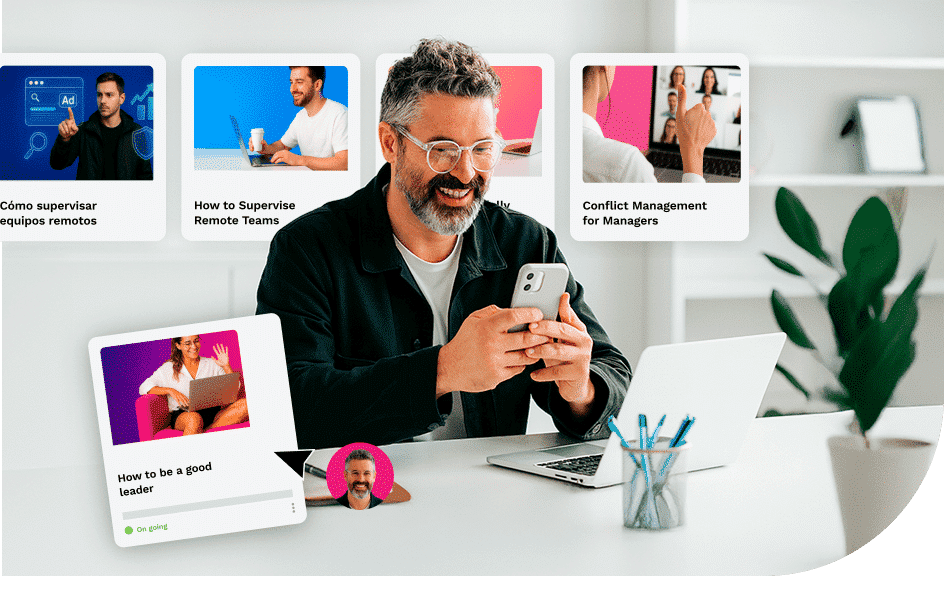
Before designing any training strategy, it is essential to understand why traditional training fails in call centres. The challenges are structural:
E-learning resolves all five challenges simultaneously: it enables asynchronous, self-paced training, accessible from any device and from any location, with automatic tracking of completion and results by agent and team.
| Differences | Face-to-face training | E-learning |
|---|---|---|
| Onboarding time | 4–8 weeks | 2–4 weeks |
| Cost per agent | High (trainer, venue, materials) | Low (initial production + licence) |
| Scheduling flexibility | Low | High (asynchronous, mobile) |
| Scalability | Limited | Unlimited |
| Impact measurement | Difficult | Automatic via LMS |
| Content updates | Slow and costly | Immediate |
The link between training and turnover is not immediately obvious, but it is well documented: employees who feel they are learning and progressing have fewer reasons to leave. In a call centre context, e-learning acts on turnover through three main mechanisms:
The result is a virtuous cycle: better training → greater confidence → higher performance → greater job satisfaction → lower turnover. Companies that have implemented structured e-learning programmes in their contact centres report turnover reductions of between 20% and 35% in the first year of deployment.
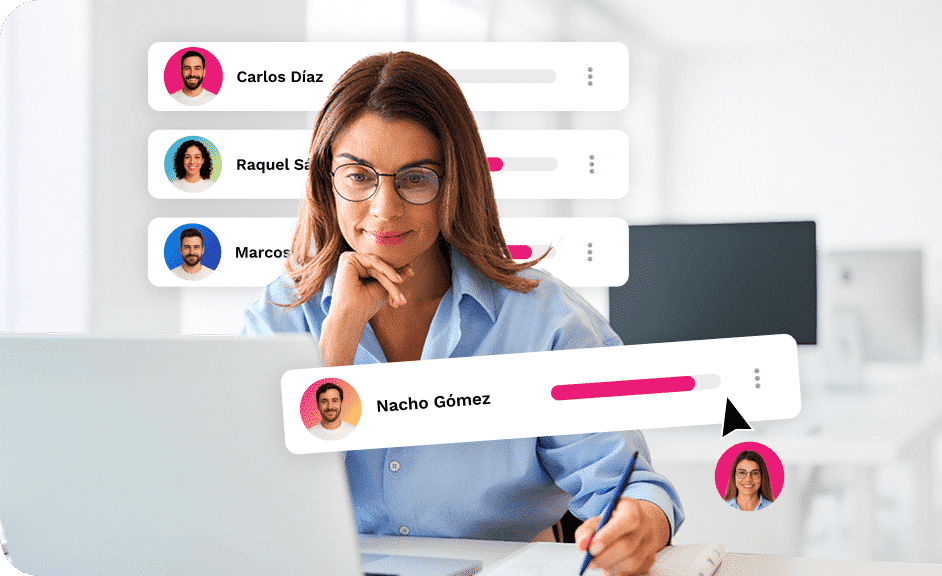
Not all online training methodologies work equally well in a call centre environment. These are the strategies with the greatest demonstrated impact:
Microlearning modules of 3 to 7 minutes are the ideal format for call centres. They allow agents to complete a training pill during breaks or before starting their shift, without disrupting operations. They work particularly well for product updates, new regulations or protocol reminders.
Branching scenarios simulate real conversations with difficult customers, complaints or upselling situations. The agent practises the correct response in a safe environment, where mistakes have no real consequences. This type of training improves FCR (First Call Resolution) and AHT (Average Handle Time) more than any other methodology.
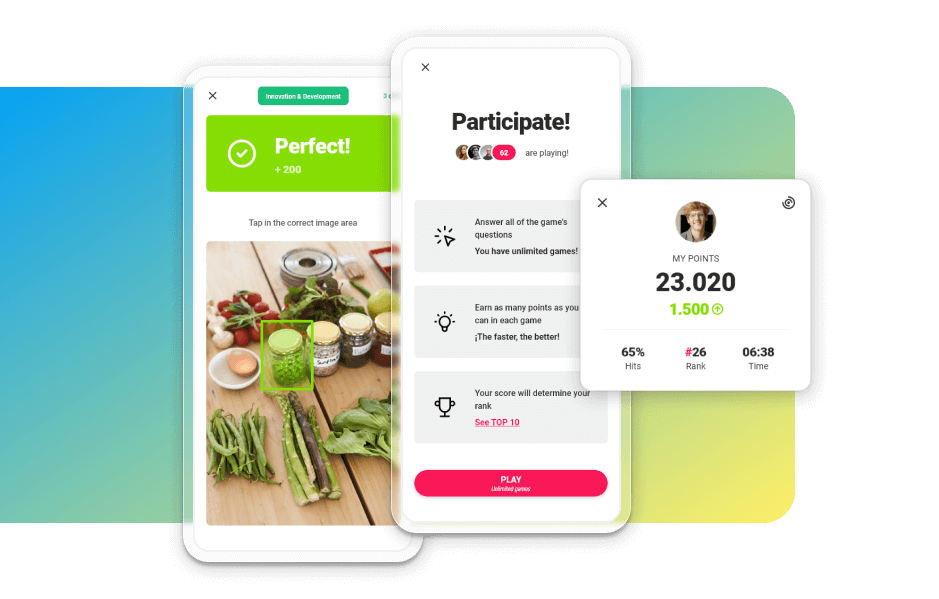
Gamification — points, rankings, badges and challenges — transforms training into a motivating activity. In environments with high disengagement and routine work, gamification increases completion rates by up to 40% (TalentLMS Gamification Report, 2023).
An LMS that automatically assigns courses to new agents when they are registered (based on team, location or profile) eliminates administrative friction and ensures every agent receives consistent training from day one, regardless of the trainer’s workload.
Making updated product sheets, FAQs, objection-handling scripts and procedural guides available in a searchable knowledge base allows the agent to access the right information at the exact moment they need it during a call. This is not strictly a course: it is performance support that reduces AHT and errors.
The quality of customer service in a call centre depends largely on the agents’ soft skills: empathy, active listening, complaint handling, clear communication and the ability to remain calm under pressure. These competencies are not developed in a single initial training session: they require continuous practice and constant feedback.
E-learning makes it possible to work on these skills systematically through:
The combination of these formats — within a structured training platform such as isEazy LMS — allows L&D managers to build a complete development curriculum for the agent, from onboarding to continuous development, with automatic measurement of impact on operational KPIs.
A complete training programme for a call centre must cover five key areas, organised into differentiated pathways depending on the agent’s profile (new, active, supervisor):
Each area can be broken down into short, modular and reusable courses that are updated in line with business changes. The key is to maintain a living curriculum — not a static catalogue — that grows and adapts as the contact centre evolves.
Pepco, a fashion and homeware chain present in more than 20 European countries, faced the challenge of training thousands of employees dispersed across hundreds of stores during a period of rapid expansion. With isEazy LMS, it centralised all training management on a single platform, leveraging AI-powered training and ensuring every new employee received the same quality onboarding regardless of their location.
Implementing an e-learning programme in a call centre does not require large technology investments or months of planning. With the right approach, it is possible to have the first modules live within weeks. This is the 5-step framework that works in practice:
Identify the main bottlenecks: where do new agents fail most? What errors are repeated in calls? How long does it take for an agent to reach full autonomy? The answers to these questions define the first modules to develop.
Choose a platform that adapts to the pace and conditions of the call centre: mobile access, detailed analytics and ease of use for agents with varying levels of digital literacy. In the next section you will find a comparison of the main options on the market.
Start with the highest-impact content: the onboarding programme and the product knowledge module. Use an authoring tool like isEazy Author to create interactive, gamified courses in days, without technical support.
Launch the programme with a cohort of 20–50 agents. Measure completion, assessment scores and operational KPIs (NPS, FCR, AHT) before and after. This data will justify the wider rollout and allow you to optimise the content before scaling.
Once the pilot is validated, expand the programme to the entire team. Update the content in line with business changes and use LMS analytics to identify which agents need reinforcement, which modules have the lowest completion rates and where the biggest knowledge gaps are.
Choosing an LMS is a strategic decision. Below you can compare the main options on the market for call centre and contact centre environments:

Features
Benefits
Subscription plans
Industries
Use cases
Features
Benefits
Subscription plans
Industries
Use cases

Features
Benefits
Subscription plans
Features
Benefits
Subscription plans

Features
Benefits
Technology, compatibility and integration
Pricing
Features
Benefits
Technology, compatibility and integration
Pricing

Features
Benefits
Technology, compatibility and integration
Pricing
Features
Benefits
Technology, compatibility and integration
Pricing
Turnover in call centres is not an inevitable problem. It is, to a large extent, a symptom of training that is insufficient, disconnected from real work and difficult to scale. E-learning solves exactly these three problems: it enables continuous training, integrated into day-to-day work and at any scale, without duplicating costs.
Organisations that have committed to structured e-learning programmes in their contact centres have not only reduced turnover: they have improved agent satisfaction, shortened onboarding times and achieved measurable improvements in their customer service indicators. The technology is available and is accessible. The only thing that makes the difference is the decision to prioritise training as a strategic investment, not as a compliance item.
If you want to evaluate how a platform like isEazy LMS can transform your call centre’s training, request a personalised demo and discover what your team can achieve.
The implementation timeline for an e-learning programme in a call centre depends on the organisation’s starting point. If an LMS is already in place, the process can be completed in 4 to 8 weeks: 1–2 weeks for auditing and content definition, 2–4 weeks for module production, and 1–2 weeks for a pilot with a small group before the full launch. If the platform needs to be selected and implemented from scratch, the timeline may extend to 3 or 4 months. In any case, tools like isEazy Author allow the first courses to be created within days, with no technical knowledge required, which significantly accelerates the launch.
The ideal LMS for a call centre must meet three conditions: be accessible from mobile devices (agents don’t always work at a computer), allow training in small doses adapted to short shifts, and offer detailed analytics to track progress by teams and locations. isEazy LMS is designed precisely for these environments: it enables automated onboarding itineraries, reminder notifications, and measurement of each module’s impact on agent performance. Other market options such as Moodle or Canvas LMS work well in educational contexts but require greater customisation to meet the specific needs of a contact centre.
The impact of e-learning on customer service quality is measured by cross-referencing training data with call centre operational metrics. The most relevant indicators are: NPS (Net Promoter Score) or CSAT before and after training programmes, AHT (Average Handle Time), FCR (First Call Resolution) rate, and the number of escalations per agent. A well-implemented LMS such as isEazy LMS automatically links training completion rates with these operational KPIs, allowing L&D teams to demonstrate the direct return on investment of each training programme.
The cost of an e-learning programme for a call centre varies depending on team size, the number of modules to be produced, and the platform chosen. As a general benchmark: a basic LMS with standard features for a team of 100–500 agents typically ranges from €5,000 to €20,000 per year in licences. Course production with an authoring tool like isEazy Author can be handled internally once the team is trained, significantly reducing production costs compared to outsourcing content creation. The key is not to think about cost per se, but about cost per trained agent and impact on turnover: if e-learning reduces the annual replacement of 20% of the team, the ROI is immediate.

GUIDE
Prepare your organization to comply with the new AI Regulations
Download guide


94% of employees would stay longer at a company that invests in their training
Boost your team's retention and development with isEazy.


94% of employees would stay longer at a company that invests in their training
Boost your team's retention and development with isEazy.