

More than AI—Instructional Intelligence

Brain
The first AI trained to teach

Author
The #1 AI-powered authoring tool on the market

Factory
Custom e-learning content factory

Skills
Comprehensive power skills course catalog

LMS
All-in-one LMS platform with AI

Engage
App for managing frontline teams
Product

What is Brain?
Everything you need to know about the first AI trained to teach.

How does it work?
Adaptive, conversational, and contextual. That’s learning with Brain.

Security
Why your company’s knowledge never leaves your environment or trains other models.

Comparison
Discover what sets isEazy Brain apart from other AI solutions.

Frequently Asked Questions
Want to learn more? Find answers to all your questions about isEazy Brain here.
FEATURES

AINew
Unlock your full potential and speed up course creation with artificial intelligence.

Accessibility
Automatically meet accessibility guidelines—without sacrificing interactivity!

Interactivity
Boost engagement with interactive, ready-to-use activities that make learning fun.

Course Creation
Reduce the time it takes to create your e-learning courses with our authoring tool.

Distribution
We offer you different distribution options, so that nothing can stop you.

SCORM
Publish your course in SCORM format and share it on any LMS.
SERVICES

Instrucional Design
Surprise your students with multimedia and interactive content.

Custom Courses
We create e-learning courses for you—tailored to your needs and hassle-free!

Virtual Reality
Turn learning into an immersive experience.

Custom Avatars
Give your courses and videos a unique touch with personalized avatars.

Audiovisual FactoryNew
Turn training into something dynamic and visual with engaging videos.
CATALOG

Course catalog
Over 600 skills and competency courses to help you adapt to your team's needs.
Microsoft Copilot AcademyNew
Your professionals will learn how to apply Copilot AI to key processes within your organization.

Artificial Intelligence Academy
Train your teams in the practical use of AI to boost productivity and innovation in your company.

Cybersecurity Academy
Capacita a tu empresa con el catálogo más completo en seguridad digital corporativa.
FEATURES

Learning platform
Manage all your training from one place

Analitycs
Measure the impact of your training

Learning Experience
Offer a unique learning experience to your team
Content Library
Choose from hundreds of expert-created courses
Authoring Tool
Create your own content—faster than ever

Use cases
Choose the solution that best fits your needs

Industries
Solutions for all types of industries
USE CASES

Onboarding
Facilitate the onboarding process, productivity and engagement of your new employees.

Upskilling
Boost your team's skills and prepare them for the challenges of the future with upskilling.

Microlearning
Discover all the advantages of microlearning and boost your training results.

Gamification
Enjoy addictive training that will get your professionals hooked.

Internal Communication
Improve communication in your company and enjoy an aligned and committed team.

Mobile learning
Agile, flexible, and interactive learning—built for today’s digital-first workforce.
INDUSTRIES

Banking and financial services
Training in compliance, cybersecurity, customer service, and key skills development.

Pharmaceuticals and healthcare
Digital onboarding, regulatory updates, and ongoing training for healthcare staff.

Retail and consumer
Agile and scalable training for in-store, operational, and customer service teams.

Industry and manufacturing
Training in processes, safety, and corporate culture for distributed teams.

Education and training
Digital solutions for training centers, internal academies, and corporate universities.

Technology and telecommunications
Development of technical talent, digital skills, and upskilling and reskilling programs.
CLIENTS

MAPFRE
How MAPFRE turn e-learning into sales with isEazy

Pepco
A personalised learning experience for a growing team.

BBVA
Digitisation and creation of high quality e-learning content.

Shiseido
We increase the engagement of the training with a social and gamified app.

Telefónica
Large-scale reskilling for the company's digital transformation.

Vodafone
A personalised learning experience for a growing team.
More than 1,000 companies already rely on isEazy.





MEET ISEAZY

Events
Discover our upcoming events and connect with the future of e-learning.

News
Find out the latest news about isEazy: press releases, partnerships, updates...

Contact
Leave us your personal details and we will contact you as soon as possible.
About isEazyNew
Find out more about our company.

Careers
We are looking for the best talent, join our team!

Partners
Become our partner and grow your business.
INTERESTING RESOURCES

Blog
The best content on e-learning: trends, tools and key strategies.

Whitepapers
Gain valuable insights and stay ahead of industry trends.

Product releases
The latest news and releases of our e-learning products and solutions.

Glossary
Definitions of the most commonly used terms and key industry concepts.

Guides
Discover the best step-by-step tips and tricks to optimize your L&D strategy.

Webinars
Video sessions on our products, trends and more

Comparatives
Compare e-learning solutions available on the market and choose the most suitable one.




Table of contents
Creating a SCORM course is only half the work. The other half is making sure it plays properly, saves progress, tracks scores, and delivers a smooth learning experience.
That’s where a SCORM player comes in: the component that makes it possible for SCORM content to run correctly inside an LMS (or training platform), ensuring compatibility and tracking.
In this guide, you’ll learn what a SCORM player is, how it works, which features it should include, and the best options for 2026 (both free and paid).
A SCORM player is the system responsible for interpreting and running a SCORM package inside an e-learning platform. Simply put, it’s the “engine” that opens the course, displays it correctly, and communicates with the LMS to record data.
SCORM (Sharable Content Object Reference Model) is a standard that packages a course with everything it needs (HTML, JS, multimedia, structure, assessments…). But for that course to work properly, it needs a player that can:
Without a SCORM player, the course can’t “talk” to the LMS. And that leads to a frustrating experience: blank screens, progress not being saved, or assessments that don’t record scores.
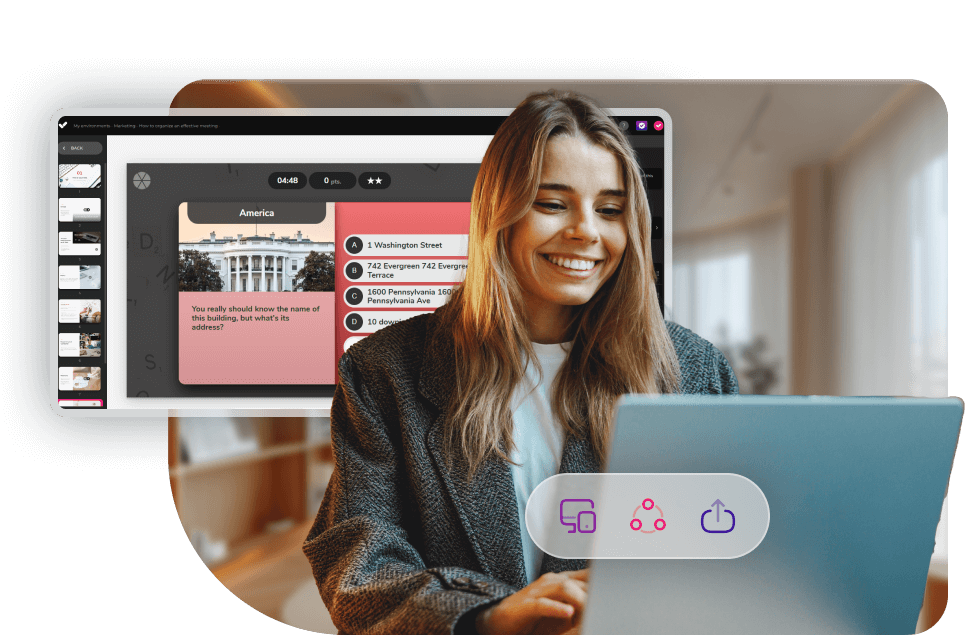
A player doesn’t just “display the course.” In fact, it’s essential for:
1) Ensuring compatibility
So the course works the same way even if you switch platforms or providers.
2) Tracking learner data
Progress, time spent, attempts, final result… essential for compliance training.
3) Improving the learner experience
Clear, responsive, and stable navigation reduces drop-offs.
4) Preventing technical issues
Most SCORM errors happen due to poor standard implementation or limited players.
Even though SCORM is technical, the logic behind it is fairly straightforward.
The LMS receives a ZIP file and the player locates the key file: imsmanifest.xml, which acts as the course index.
When the course is launched, the player starts communicating with the LMS through the SCORM API, sending signals such as “start”, “status”, etc.
Each time the learner interacts, the player records information such as:
When the course is closed, the player sends the final status and “bookmark” to the LMS so the learner can resume where they left off.
Modern players are typically compatible with:
| SCORM version | Year | Key features |
|---|---|---|
| SCORM 1.2 | 2001 | Most widely supported version, broad compatibility, basic functionality |
| SCORM 2004 (2nd Ed.) | 2004 | Simple sequencing, improved navigation |
| SCORM 2004 (3rd Ed.) | 2006 | Advanced sequencing, prerequisites |
| SCORM 2004 (3rd Ed.) | 2006 | Advanced sequencing, prerequisites |
| SCORM 2004 (4th Ed.) | 2009 | More robust, bug fixes |
Tip: If you’re creating new content, SCORM 1.2 is still the safest option for maximum compatibility, although SCORM 2004 offers more advanced functionality.
A modern player can’t just “open the course.” These are the features that truly make the difference:
More than AI—Instructional Intelligence
Discover the new AI Autopilot from isEazy Author


| Step | What to check | Quick checklist |
|---|---|---|
| 1 | Needs | Compliance · Audits/Reports · Number of users |
| 2 | Compatibility | SCORM 1.2/2004 · Browsers · Mobile |
| 3 | Experience | Loading · Navigation · Resume course · Responsive |
| 4 | Analytics | Drop-offs · Critical modules · Comparisons (role/country/area) |
| 5 | Real cost | License · Implementation · Support · Internal hours |
SCORM is still the best option if you need:
xAPI makes more sense if you need:
SCORM players play an important role in delivering educational content to learners, enabling an interactive, personalized, and effective learning experience. isEazy recommendation: choose tools that give you the freedom to export in both formats—like isEazy Author—so the format never limits your strategy.
If you’re responsible for your team’s training and you’re looking for the best e-learning solutions, our authoring tool lets you create courses quickly, easily, and intuitively—and export them in SCORM format to upload into your LMS. Want to give it a try? Request a demo and start enjoying the benefits.

No. An LMS is the complete training management platform (users, enrollments, reporting, catalog, certifications, etc.). A SCORM player is only the component that launches the course and communicates data back to the LMS.
It depends. If you just want to run the content “as a file,” yes (for example, in a testing environment). But if you want to track progress and results, you’ll need a platform that supports the SCORM API (typically an LMS).
One that ensures stability, reliable tracking, and a strong user experience. In corporate environments, the key isn’t just being able to “open” the course—it’s making sure it:
Tracks progress correctly
Supports real reporting
Works consistently on mobile and desktop
Prevents incidents and errors
That’s why many companies choose an LMS with a built-in player (like isEazy LMS).
If your priority is maximum compatibility across LMSs, choose SCORM 1.2.
If you need advanced sequencing (prerequisites, navigation rules), you can use SCORM 2004, as long as your LMS supports it properly.
The most common reasons are:
The course doesn’t “finish” correctly (it doesn’t send a proper exit/close signal)
The LMS ends the session before completion
Cookie/local storage conflicts
Player limitations
Recommendation: always validate your SCORM package using a tool like SCORM Cloud before uploading it to your LMS.
In general, SCORM is designed to run online inside an LMS. Some advanced players offer offline modes, but if you need true offline capability, xAPI is usually the better option.
SCORM Cloud is the industry standard because it lets you launch the course and detect issues (manifest, API calls, scoring, etc.) before publishing in your final LMS.
Yes. In fact, this is one of the reasons SCORM is still widely used: it consistently records completion, time, and results—making it very useful for audits, internal certifications, and compliance requirements.
You need two things:
Content created with a modern authoring tool (not just “export to SCORM”).
A player (and LMS) that properly supports mobile execution and keyboard navigation.
With platforms like isEazy Author + isEazy LMS, content is designed from the start with a responsive and accessible (WCAG) approach, and the player is aligned to run it correctly.

The best AI-powered e-learning solutions in one place.
Request a demo Try it free

The best e-learning solutions for companies, all in one place
Powerful, quick-to-set-up tools that are easy to use, no matter your training needs