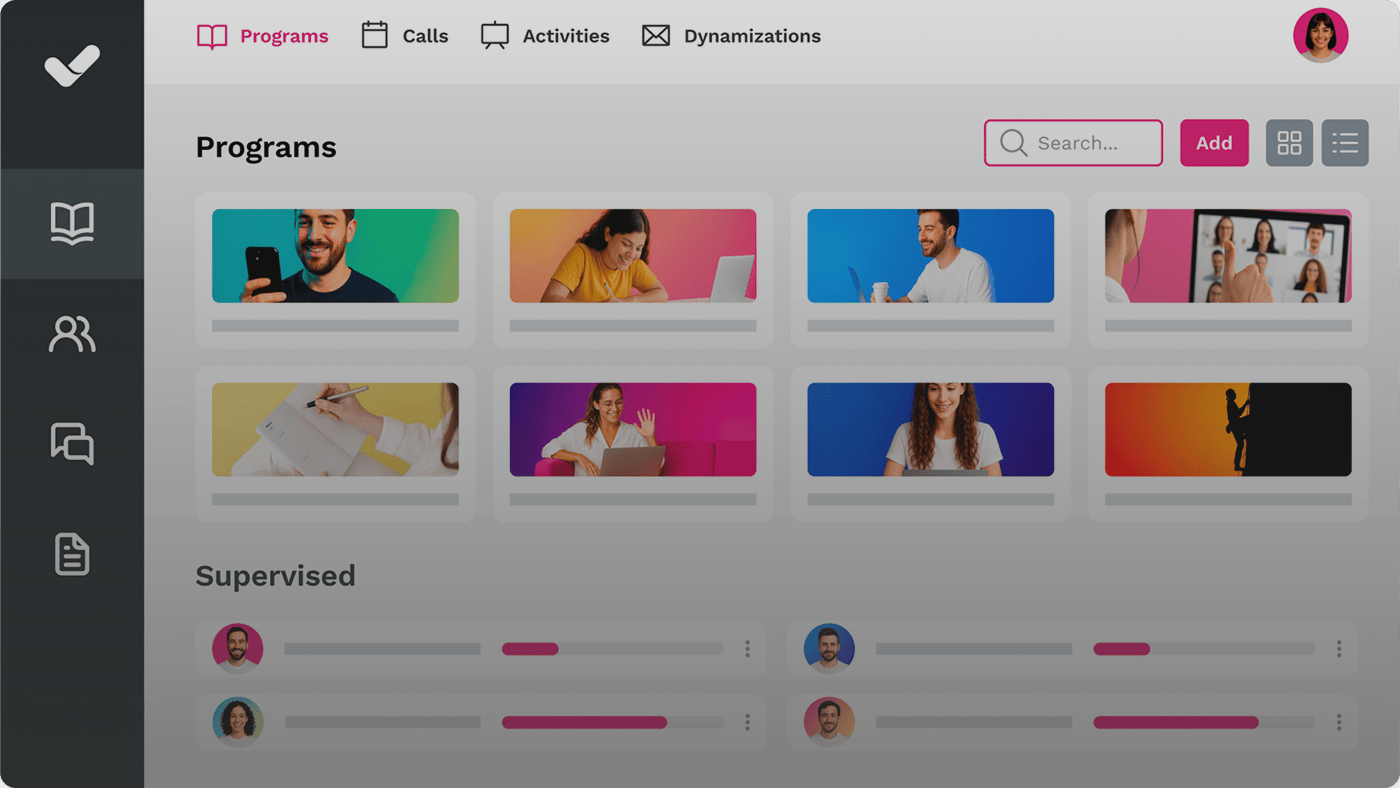
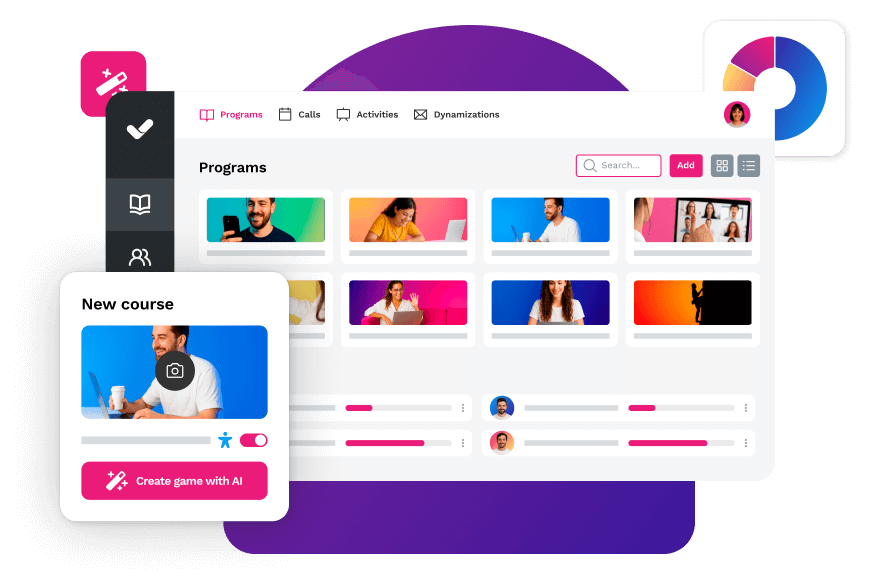
Managing corporate training today demands tools that don’t just distribute courses, but also create, update and measure them from a single place. That’s exactly what an LCMS (Learning Content Management System) does: it unifies content creation, management and learning analytics in one platform.
In this comparison you’ll find the best LCMS solutions on the market in 2026, with clear selection criteria and a practical guide to help you choose the one that best fits your organisation’s training needs.
What is an LCMS?
An LCMS, or Learning Content Management System, is a digital platform that integrates two essential functions in a single tool: learning management (LMS) and e-learning content creation.
Unlike a traditional LMS, which focuses on managing and distributing training, an LCMS also enables you to create, update and personalise training content in an agile, scalable and collaborative way — all from a single interface, without the need for multiple platforms or external tools.
The key distinction: an LMS answers who has completed which training?; an LCMS also answers how do we create and update that training efficiently? To explore this difference further, we recommend our article on what is an LCMS and how it transforms B2B learning.
An LCMS is a training platform that integrates learning management (LMS) with e-learning content creation. It allows you to design, manage, distribute and analyse courses from a single environment, without depending on external tools.
LMS or LCMS? The evolution towards hybrid platforms
In recent years, the boundary between LMS and LCMS has been blurring. Although LMS platforms traditionally focused on learning management, current business needs have driven a clear evolution: the most advanced LMS platforms now integrate full content creation capabilities, enabling teams to design, update and distribute courses from a single environment.
In practice, many platforms marketed as “LMS” now operate as hybrid solutions, combining management, authoring, automation and analytics in one space. This all-in-one approach reduces technology fragmentation, accelerates content production and ensures organisations can keep their training up to date and aligned with business goals.
The choice between a pure LMS and a hybrid LCMS comes down to whether your team also creates content or simply manages it. If the L&D department continuously produces and updates courses, an LCMS is the strategically superior option.
Criterion
LMS
LCMS
Primary function
Manage and distribute training
Manage, create and distribute training
Authoring tool
Not included (requires external tool)
Natively integrated
Course updates
Depends on external tools
In real time, from the same platform
Content repository
Limited or non-existent
Centralised, with versioning and reuse
Authoring collaboration
Not common
Collaborative workflows between instructors and experts
Ideal profile
Teams that only manage pre-built training
L&D teams that both create and manage training
Example
Moodle, Canvas LMS
isEazy LMS, Docebo, Tovuti
Benefits of an LCMS for businesses and training teams
Implementing an LCMS can be a turning point in your corporate training strategy. Here are the most relevant benefits for L&D teams in mid-size and large companies:
Faster content creation: design courses in record time without relying on external providers. Teams using AI-powered authoring tools produce content up to 10 times faster.
Total centralisation: management, design, distribution and tracking from a single platform. Fewer tools means less operational friction.
Continuous updates: modify content in real time and publish updated versions instantly, without depending on external production cycles.
Scalability: easily adapt training to new teams, markets or languages without multiplying technical complexity.
Resource optimisation: consolidate tool spend and reduce total cost of ownership compared to fragmented solutions.
Impact measurement: detailed reports on usage, progress and training effectiveness that enable data-driven decisions.
Key features of a good LCMS for businesses
Not all platforms that call themselves an LCMS offer the same level of functionality. Before making a decision, verify that the solution you are evaluating meets these essential criteria:
Ease of use: for both content creators and end users. The more intuitive the platform, the higher the adoption rate and the shorter the learning curve for the L&D team.
Integrated authoring tool: one that allows you to transform presentations, documents or internal knowledge into interactive courses without external tools.
AI applied to learning: assisted content generation, personalised learning path recommendations and predictive analysis of training progress.
Automation capabilities: for enrolments, notifications, audience segmentation and compliance tracking.
Modern learning experience: responsive design, accessible from any device and adaptable to each user’s pace.
Advanced analytics: real-time dashboards with usage, completion, engagement and training ROI metrics.
Multilingual and collaborative support: essential for global teams or companies operating across multiple markets.
Flexibility and customisation: from corporate branding to learning path structures and user role configuration.
x
Best LCMS for businesses in 2026: full comparison
Below, we analyse the most prominent LCMS platforms on the market today. We have evaluated four key criteria from the perspective of an L&D manager in a mid-size or large company: all-in-one functionality, ease of use, AI capabilities and scalability.
Tool
Best for
Key limitation
isEazy LMS
Businesses needing an all-in-one LCMS with native AI
No significant limitation for corporate use
Docebo
Large corporations with multiple audiences
Long implementation; opaque pricing
Moodle
Organisations with in-house technical teams
Not a native LCMS; requires external authoring tool
Blackboard
Higher education and public sector
Complex UX; built for academia, not enterprise
Canvas LMS
Institutions prioritising learning UX
Limited authoring; needs integrations to work as LCMS
TalentLMS
SMBs getting started with e-learning
Basic authoring; may fall short as strategy scales
Tovuti LMS
Companies valuing gamification and automation
Configuration curve; no public pricing
1. isEazy LMS
isEazy LMS is much more than a platform: it is a complete learning ecosystem that brings together, in one place, all the tools a business needs to design, manage and scale its training strategy. With an all-in-one approach, it combines a learning platform, authoring tool, content library and the full power of AI, so you can train your team without depending on multiple tools or fragmented processes.
Thanks to its intuitive design and modern interface, you can centralise users, courses and results, automate enrolments and sessions, configure your environment without technical effort and measure the real impact of training on the business. Discover all isEazy LMS features or request a free demo to see it in action with your specific use case.
isEazy LMS
The all-in-one LMS platform powered by AI
Features
Benefits
Subscription plans
Industries
Use cases
All-in-one AI-powered LMS: combines learning management and tracking, a library of over 600 ready-to-use courses, and an AI-powered authoring tool for creating proprietary content in one solution.
Engagement and collaboration: includes gamification, mobile learning, certificates, a knowledge library, social learning, and communication channels for sharing relevant news and content.
Integrations and compatibility: connects the LMS with other business tools through SSO, APIs, and custom integrations. It supports SCORM 1.2 and SCORM 2004.
End-to-end learning management: manages learners, groups, roles, permissions, courses, programs, and learning paths from one environment. It automates training campaigns and engagement actions and supports annual learning plans with dynamic filters by audience, department, or company. It can also support administrative requirements such as FUNDAE-funded training in Spain and DC3 and DC4 records in Mexico.
Analytics and reporting: turns learning data into actionable information through visual dashboards and detailed reports. Organizations can review activity, progress, and results by learner, department, audience, subsidiary, or company.
Learning experience: provides an intuitive, customizable interface with content cards for urgent, new, recommended, or pending courses. It also includes news, announcements, and an AI-powered recommender that helps learners discover relevant content.
Content library: provides unlimited access to over 600 ready-to-use courses covering leadership, compliance, soft skills, productivity, artificial intelligence, cybersecurity, and other key areas. Content is available in 8 languages, multiple formats, and is continuously updated.
Built-in AI authoring tool: enables teams to build courses from scratch or import PowerPoint presentations and turn them into interactive content. AI supports translations, voice-overs, subtitles, images, avatar videos, exercises, and final assessments. Courses can be exported in SCORM format.
One solution for the entire learning cycle: brings management, content creation, delivery, a ready-to-use course catalog, and measurement together in one system, reducing the need for separate tools at each stage.
Proven operational capacity: provides a modern environment that helps learners find, resume, and complete assigned training. Its track record includes more than 1.5 million users, 88 million training hours, 400 learning programs, and 94,000 learning activities.
Time and resource efficiency: automates campaigns, assignments, communications, reminders, and reporting, while its AI-powered authoring tool streamlines content creation and updates. Support, consulting, outsourcing, and LMS management services are also available.
Multi-device access: provides learning access from desktop computers, phones, and tablets. Its multi-format library, available in 8 languages, supports international learning programs.
Scalable and flexible: serves both small and medium-sized businesses and large enterprises, with segmentation by department, role, company, location, or audience and plans ranging from 100 learners to enterprise deployments.
Highly customizable: allows organizations to configure colors, logos, messages, login pages, domains, structures, permissions, and learning environments according to their brand and requirements.
International recognition: isEazy LMS was included in Training Industry’s 2025 Top LMS Companies Watch List and received eLearning Industry’s “Most Effective Implementation of AI for Talent Development and Management 2026” recognition.
Professional: up to 100 users, with unlimited courses, unlimited administrators, and unlimited learning environments.
Business: up to 200 users. Includes all Professional features and adds a dedicated manager dashboard.
Enterprise: from 201 users. Includes all Business features, communication channels, a BI reporting module, a dedicated Customer Success Manager, and custom integrations.
Included capabilities: all plans include support, automation, learning management tools, customization, learning experience features, gamification, mobile learning, certificates, reporting, a training catalog, and a course recommender.
Additional services: outsourcing, consulting, custom training, and Training as a Service can be added according to project requirements.
Banking and financial services: manages compliance, cybersecurity, customer service, sales training, and skills development programs for branches, networks, and corporate teams.
Pharmaceutical and healthcare: centralizes onboarding, regulatory updates, product training, and continuous learning for healthcare, sales, and corporate employees.
Retail and consumer goods: delivers agile, segmented learning to store employees, regional managers, sales networks, operations teams, and customer service staff.
Technology and telecommunications: develops technical and digital capabilities through continuous onboarding, certification, upskilling, and reskilling programs.
Manufacturing: manages training on processes, safety, quality, technical skills, and company culture for plants, factories, and distributed teams.
Transportation and logistics: centralizes onboarding, procedural updates, operational safety, and continuous training for drivers, warehouses, and logistics networks.
Consulting and professional services: supports knowledge updates, technical learning, onboarding, and skills development for project- and client-focused teams.
Education and training: manages training providers, internal academies, certification programs, and corporate universities from a customizable environment.
Government and public sector: supports the management, segmentation, and traceability of learning programs for public employees and complex government organizations.
Insurance: keeps sales networks, agents, and back-office teams up to date on regulations, products, processes, and commercial skills.
Energy: manages safety, regulatory, sustainability, operational, and technical learning for internal teams, contractors, and external networks.
Corporate academies: centralizes programs, learning paths, resources, communications, and learning communities to build an internal academy aligned with the organization’s goals and culture.
Onboarding: creates personalized welcome journeys, automates resource assignments, and ensures each new hire receives the required training from day one.
Mandatory training: manages health and safety, equality, compliance, and regulatory programs with automated assignments, certificates, reminders, and full traceability.
Talent development: creates programs and learning paths for different roles, departments, and responsibility levels to support upskilling and reskilling.
Product training: keeps sales teams, customers, partners, and distributors up to date with practical content about products, services, and procedures.
Skills development: combines LMS management with a library of over 600 courses covering leadership, communication, productivity, digital capabilities, and other professional skills.
Features
All-in-one AI-powered LMS: combines learning management and tracking, a library of over 600 ready-to-use courses, and an AI-powered authoring tool for creating proprietary content in one solution.
Engagement and collaboration: includes gamification, mobile learning, certificates, a knowledge library, social learning, and communication channels for sharing relevant news and content.
Integrations and compatibility: connects the LMS with other business tools through SSO, APIs, and custom integrations. It supports SCORM 1.2 and SCORM 2004.
End-to-end learning management: manages learners, groups, roles, permissions, courses, programs, and learning paths from one environment. It automates training campaigns and engagement actions and supports annual learning plans with dynamic filters by audience, department, or company. It can also support administrative requirements such as FUNDAE-funded training in Spain and DC3 and DC4 records in Mexico.
Analytics and reporting: turns learning data into actionable information through visual dashboards and detailed reports. Organizations can review activity, progress, and results by learner, department, audience, subsidiary, or company.
Learning experience: provides an intuitive, customizable interface with content cards for urgent, new, recommended, or pending courses. It also includes news, announcements, and an AI-powered recommender that helps learners discover relevant content.
Content library: provides unlimited access to over 600 ready-to-use courses covering leadership, compliance, soft skills, productivity, artificial intelligence, cybersecurity, and other key areas. Content is available in 8 languages, multiple formats, and is continuously updated.
Built-in AI authoring tool: enables teams to build courses from scratch or import PowerPoint presentations and turn them into interactive content. AI supports translations, voice-overs, subtitles, images, avatar videos, exercises, and final assessments. Courses can be exported in SCORM format.
Benefits
One solution for the entire learning cycle: brings management, content creation, delivery, a ready-to-use course catalog, and measurement together in one system, reducing the need for separate tools at each stage.
Proven operational capacity: provides a modern environment that helps learners find, resume, and complete assigned training. Its track record includes more than 1.5 million users, 88 million training hours, 400 learning programs, and 94,000 learning activities.
Time and resource efficiency: automates campaigns, assignments, communications, reminders, and reporting, while its AI-powered authoring tool streamlines content creation and updates. Support, consulting, outsourcing, and LMS management services are also available.
Multi-device access: provides learning access from desktop computers, phones, and tablets. Its multi-format library, available in 8 languages, supports international learning programs.
Scalable and flexible: serves both small and medium-sized businesses and large enterprises, with segmentation by department, role, company, location, or audience and plans ranging from 100 learners to enterprise deployments.
Highly customizable: allows organizations to configure colors, logos, messages, login pages, domains, structures, permissions, and learning environments according to their brand and requirements.
International recognition: isEazy LMS was included in Training Industry’s 2025 Top LMS Companies Watch List and received eLearning Industry’s “Most Effective Implementation of AI for Talent Development and Management 2026” recognition.
Subscription plans
Professional: up to 100 users, with unlimited courses, unlimited administrators, and unlimited learning environments.
Business: up to 200 users. Includes all Professional features and adds a dedicated manager dashboard.
Enterprise: from 201 users. Includes all Business features, communication channels, a BI reporting module, a dedicated Customer Success Manager, and custom integrations.
Included capabilities: all plans include support, automation, learning management tools, customization, learning experience features, gamification, mobile learning, certificates, reporting, a training catalog, and a course recommender.
Additional services: outsourcing, consulting, custom training, and Training as a Service can be added according to project requirements.
Industries
Banking and financial services: manages compliance, cybersecurity, customer service, sales training, and skills development programs for branches, networks, and corporate teams.
Pharmaceutical and healthcare: centralizes onboarding, regulatory updates, product training, and continuous learning for healthcare, sales, and corporate employees.
Retail and consumer goods: delivers agile, segmented learning to store employees, regional managers, sales networks, operations teams, and customer service staff.
Technology and telecommunications: develops technical and digital capabilities through continuous onboarding, certification, upskilling, and reskilling programs.
Manufacturing: manages training on processes, safety, quality, technical skills, and company culture for plants, factories, and distributed teams.
Transportation and logistics: centralizes onboarding, procedural updates, operational safety, and continuous training for drivers, warehouses, and logistics networks.
Consulting and professional services: supports knowledge updates, technical learning, onboarding, and skills development for project- and client-focused teams.
Education and training: manages training providers, internal academies, certification programs, and corporate universities from a customizable environment.
Government and public sector: supports the management, segmentation, and traceability of learning programs for public employees and complex government organizations.
Insurance: keeps sales networks, agents, and back-office teams up to date on regulations, products, processes, and commercial skills.
Energy: manages safety, regulatory, sustainability, operational, and technical learning for internal teams, contractors, and external networks.
Use cases
Corporate academies: centralizes programs, learning paths, resources, communications, and learning communities to build an internal academy aligned with the organization’s goals and culture.
Onboarding: creates personalized welcome journeys, automates resource assignments, and ensures each new hire receives the required training from day one.
Mandatory training: manages health and safety, equality, compliance, and regulatory programs with automated assignments, certificates, reminders, and full traceability.
Talent development: creates programs and learning paths for different roles, departments, and responsibility levels to support upskilling and reskilling.
Product training: keeps sales teams, customers, partners, and distributors up to date with practical content about products, services, and procedures.
Skills development: combines LMS management with a library of over 600 courses covering leadership, communication, productivity, digital capabilities, and other professional skills.
2. Docebo
A robust platform aimed at large organisations with multiple audiences (employees, partners, customers). It offers advanced analytics, personalisation and AI capabilities for content recommendation. According to Docebo’s own data, the platform manages training for more than 3,500 companies worldwide. It requires technical resources and a longer implementation curve; its enterprise pricing is not public and depends on direct negotiation.
Docebo Learn
Designed for large-scale corporate training
Features
Benefits
Pricing/Plans
Learning management (LMS): creation, organization, and tracking of courses and training programs for employees, customers, and partners from a single platform.
Content creation: tools to develop interactive learning materials, with an AI assistant to speed up content production.
Content marketplace: access to over 30,000 courses and certifications from external providers covering areas from leadership to digital skills.
Learning intelligence: AI algorithms to analyze user behavior and deliver personalized recommendations.
E-commerce: sell courses and training programs directly through the platform.
Integrations: with Salesforce, Microsoft Teams, Zoom, HRIS, CRM, and enterprise tools. Compatible with SSO, SCORM, and xAPI.
Customization: AI-driven learning experience tailored to each user, with learning paths based on profile and objectives.
Scalability: designed for large organizations, with the ability to manage multiple audiences from a single platform.
Automation: reduces administrative workload by automating tasks such as enrollments, progress tracking, and report generation.
User experience: intuitive interface with a native mobile app for access from any device.
Pricing based on annual active users and selected product tier. Rates are not publicly listed — contact the sales team for a personalized quote.
Features
Learning management (LMS): creation, organization, and tracking of courses and training programs for employees, customers, and partners from a single platform.
Content creation: tools to develop interactive learning materials, with an AI assistant to speed up content production.
Content marketplace: access to over 30,000 courses and certifications from external providers covering areas from leadership to digital skills.
Learning intelligence: AI algorithms to analyze user behavior and deliver personalized recommendations.
E-commerce: sell courses and training programs directly through the platform.
Integrations: with Salesforce, Microsoft Teams, Zoom, HRIS, CRM, and enterprise tools. Compatible with SSO, SCORM, and xAPI.
Benefits
Customization: AI-driven learning experience tailored to each user, with learning paths based on profile and objectives.
Scalability: designed for large organizations, with the ability to manage multiple audiences from a single platform.
Automation: reduces administrative workload by automating tasks such as enrollments, progress tracking, and report generation.
User experience: intuitive interface with a native mobile app for access from any device.
Pricing/Plans
Pricing based on annual active users and selected product tier. Rates are not publicly listed — contact the sales team for a personalized quote.
3. Moodle + external authoring tool
An open-source system with more than 300 million users globally, widely used in educational and public sector environments. Flexible and customisable, but requires technical configuration, dedicated servers or a certified partner, and external tools to create quality content. It is not a native LCMS: the authoring component must be integrated separately, which fragments the L&D team’s workflow.
Moodle
Designed for open source and higher education
Features
Benefits
Technology, compatibility, and integration
Pricing
Activity panel, with resources and interactive elements for creating online courses.
Notifications, search filters, student portal, and assessment management, including a gradebook and individual student progress tracking.
Online and in-person modes (higher education, vocational training, and corporate).
Analytics and reports to analyze student progress and course performance.
Social learning, gamification, and mobile learning: forums, workshops, peer review, badges, and mobile app.
Customization: visual themes with corporate colors and logo.
Competency frameworks and learning plans, assignable to individuals or groups.
Moodle Technology
Integrations with Microsoft 365, Google Workspace, H5P, BigBlueButton, and Meta.
SaaS available through MoodleCloud.
SCORM compatible.
Open source.
Open source: free download with self-hosting.
MoodleCloud: tiered paid plans by number of users for small teams and growing organizations.
Moodle Workplace: price based on hosting and contracted services, available through certified partners.
Features
Activity panel, with resources and interactive elements for creating online courses.
Notifications, search filters, student portal, and assessment management, including a gradebook and individual student progress tracking.
Online and in-person modes (higher education, vocational training, and corporate).
Analytics and reports to analyze student progress and course performance.
Benefits
Social learning, gamification, and mobile learning: forums, workshops, peer review, badges, and mobile app.
Customization: visual themes with corporate colors and logo.
Competency frameworks and learning plans, assignable to individuals or groups.
Technology, compatibility, and integration
Moodle Technology
Integrations with Microsoft 365, Google Workspace, H5P, BigBlueButton, and Meta.
SaaS available through MoodleCloud.
SCORM compatible.
Open source.
Pricing
Open source: free download with self-hosting.
MoodleCloud: tiered paid plans by number of users for small teams and growing organizations.
Moodle Workplace: price based on hosting and contracted services, available through certified partners.
4. Blackboard Learn
A platform with a long track record, particularly in higher education and the public sector. Comprehensive in terms of LMS functionality, but its architecture and design are built for academic contexts, not agile corporate training. Its authoring capabilities are limited by current enterprise standards, and the user experience — improved in the Ultra version — is still perceived as complex by L&D teams.
Blackboard Learn
Designed for higher education
Features
Benefits
Technology, compatibility and integration
Pricing
Online, in-person, and blended modes (colleges, universities, and enterprises), with access to courses from any device.
Intuitive workflows for educators and students, with centralized management from course development to assessments.
Assessments, certifications, and activity panel, with student progress tracking and personalized feedback.
Analytics and reports with real-time insights to improve learning outcomes.
Blackboard Learn benefits
Mobile learning and gamification to increase student engagement.
Intuitive interface, designed in collaboration with the educational community.
AI features for design: course design assistant, assessment generation, and grading rubrics.
Accessibility checker powered by Anthology Ally, which detects accessibility issues in course content.
Blackboard Learn Technology
Third-party integrations via LTI 1.3 and REST APIs, including Turnitin, Zoom, Microsoft Teams, and SIS platforms.
Dedicated support for institutions.
SaaS, web-based.
Blackboard Learn pricing
Varies by institution and number of users.
Features
Online, in-person, and blended modes (colleges, universities, and enterprises), with access to courses from any device.
Intuitive workflows for educators and students, with centralized management from course development to assessments.
Assessments, certifications, and activity panel, with student progress tracking and personalized feedback.
Analytics and reports with real-time insights to improve learning outcomes.
Benefits
Blackboard Learn benefits
Mobile learning and gamification to increase student engagement.
Intuitive interface, designed in collaboration with the educational community.
AI features for design: course design assistant, assessment generation, and grading rubrics.
Accessibility checker powered by Anthology Ally, which detects accessibility issues in course content.
Technology, compatibility and integration
Blackboard Learn Technology
Third-party integrations via LTI 1.3 and REST APIs, including Turnitin, Zoom, Microsoft Teams, and SIS platforms.
Dedicated support for institutions.
SaaS, web-based.
Pricing
Blackboard Learn pricing
Varies by institution and number of users.
5. Canvas LMS
Easy to use and with a modern learning experience. Widely adopted in educational institutions (more than 30 million users according to Instructure). Its weak point in corporate environments is the authoring tool: limited in interactivity and advanced personalisation, which requires integrations with external tools (Articulate, Adobe Captivate) to function as a true LCMS. A solid LMS base, but not all-in-one.
Canvas LMS
Designed for higher education
Features
Benefits
Technology, compatibility and integration
Pricing
Online, blended, and in-person modes (individual classrooms, universities, and enterprises), with access from any device at any time.
Assessments with flexible types, personalized feedback, rubric-based grading, and individual student progress tracking.
Analytics and reports to measure student progress and success and inform teaching decisions.
Competency management and personalized learning plans adapted to each learner’s pace.
Mobile learning and gamification to keep students engaged with their learning.
Customization of courses, learning paths, and the student experience.
Intuitive interface with two-way communication flow between educators and students.
Open-source LMS, with an open API to integrate new applications without modifying the platform.
Third-party integrations with over 600 edtech partners, including Google Classroom, Microsoft Teams, Zoom, and Adobe, via LTI.
Dedicated support for institutions.
SaaS, backed by Amazon Web Services.
Canvas LMS pricing
Subscription-based, varies by institution size.
Canvas Free-for-Teacher: free version with basic functionality for educators.
Features
Online, blended, and in-person modes (individual classrooms, universities, and enterprises), with access from any device at any time.
Assessments with flexible types, personalized feedback, rubric-based grading, and individual student progress tracking.
Analytics and reports to measure student progress and success and inform teaching decisions.
Competency management and personalized learning plans adapted to each learner’s pace.
Benefits
Mobile learning and gamification to keep students engaged with their learning.
Customization of courses, learning paths, and the student experience.
Intuitive interface with two-way communication flow between educators and students.
Technology, compatibility and integration
Open-source LMS, with an open API to integrate new applications without modifying the platform.
Third-party integrations with over 600 edtech partners, including Google Classroom, Microsoft Teams, Zoom, and Adobe, via LTI.
Dedicated support for institutions.
SaaS, backed by Amazon Web Services.
Pricing
Canvas LMS pricing
Subscription-based, varies by institution size.
Canvas Free-for-Teacher: free version with basic functionality for educators.
6. TalentLMS
Accessible and quick to implement, with a free plan and setup in minutes. Very popular among SMBs: more than 70,000 companies use it according to their official data. It offers a basic creation tool (TalentCraft), but with limited interactivity and personalisation compared to professional authoring tools. Great for getting started quickly; may not be enough as the training strategy matures.
TalentLMS
Designed for small businesses
Features
Benefits
Technology, compatibility, and integration
Pricing
Learning paths: step-by-step journeys with connected courses, unlockable in sequence to personalize learning and reinforce knowledge over time.
Detailed reports: real-time, scheduled, and custom reports on learner progress, completions, and certifications. Includes an activity timeline for audit purposes.
Social learning, mobile learning, and gamification: built-in discussion forums, native iOS and Android app with offline access, and gamification mechanics with points, badges, levels, and leaderboards.
Mass actions: update multiple users or courses in just a few clicks, including enrollments, deactivations, and group assignments.
Platform customization: white-labeling with custom logo, colors, and domain. Option for a custom mobile app with your company’s branding.
Blended learning: combine self-paced courses with in-person or virtual instructor-led training. Compatible with integrated videoconferencing tools.
E-commerce: sell individual courses or subscriptions with support for discounts, coupons, and payments via PayPal and Stripe.
Responsive design and intuitive interface: quick setup with no complex configuration, accessible from any device.
Scalability: flexible plans with a Flex option for unlimited users, with no hard limits on Pro and Enterprise plans.
Compatible with SCORM, xAPI, and cmi5 for full compatibility with standard e-learning content.
Integrations with HRIS, CRM, and communication tools via native connectors, REST API, and Zapier.
SSO for simplified access using existing corporate credentials.
SaaS, cloud-based.
Core: from $69 USD/month for up to 100 users.
Grow: from $109 USD/month for up to 500 users.
Pro: from $139 USD/month for up to 1,000 users.
Enterprise: from 1,000 users, custom plan.
Free plan available with basic features, no time limit.
Features
Learning paths: step-by-step journeys with connected courses, unlockable in sequence to personalize learning and reinforce knowledge over time.
Detailed reports: real-time, scheduled, and custom reports on learner progress, completions, and certifications. Includes an activity timeline for audit purposes.
Social learning, mobile learning, and gamification: built-in discussion forums, native iOS and Android app with offline access, and gamification mechanics with points, badges, levels, and leaderboards.
Mass actions: update multiple users or courses in just a few clicks, including enrollments, deactivations, and group assignments.
Platform customization: white-labeling with custom logo, colors, and domain. Option for a custom mobile app with your company’s branding.
Benefits
Blended learning: combine self-paced courses with in-person or virtual instructor-led training. Compatible with integrated videoconferencing tools.
E-commerce: sell individual courses or subscriptions with support for discounts, coupons, and payments via PayPal and Stripe.
Responsive design and intuitive interface: quick setup with no complex configuration, accessible from any device.
Scalability: flexible plans with a Flex option for unlimited users, with no hard limits on Pro and Enterprise plans.
Technology, compatibility, and integration
Compatible with SCORM, xAPI, and cmi5 for full compatibility with standard e-learning content.
Integrations with HRIS, CRM, and communication tools via native connectors, REST API, and Zapier.
SSO for simplified access using existing corporate credentials.
SaaS, cloud-based.
Pricing
Core: from $69 USD/month for up to 100 users.
Grow: from $109 USD/month for up to 500 users.
Pro: from $139 USD/month for up to 1,000 users.
Enterprise: from 1,000 users, custom plan.
Free plan available with basic features, no time limit.
How to choose the right LCMS for your business
Choosing an LCMS is not just a technical decision — it is a strategic one. Here is a practical guide to making the right choice. To go deeper, also check out our complete LMS guide.
1. Define your training needs
Before reviewing platforms, ask yourself:
What type of content do you need? (soft skills, compliance, product training…)
Do you have a team to create courses, or do you prefer ready-made content?
What is your users’ profile? Do they work remotely? Do they speak multiple languages?
2. Evaluate the user experience
A good tool should be as intuitive as a streaming app. Request demos and test it as your team would: do they feel comfortable navigating it? Does it motivate them to keep learning?
3. Consider scalability
The LCMS should grow with your business. Ask: what happens if you double your headcount? Can you easily integrate new departments, subsidiaries or languages?
4. Assess the authoring tool: native or external?
This criterion makes a fundamental difference between an LMS and a true LCMS. A natively integrated authoring tool eliminates the friction of exporting and importing content, maintains brand consistency and allows instant updates. If the platform you are evaluating requires purchasing Articulate, iSpring or another separate tool, the real cost and operational complexity increase considerably.
5. Review AI integration
In 2026, AI is not an extra: it is the accelerator that makes the difference between creating a course in weeks or in hours. Look for platforms that offer assisted content generation, personalised learning path recommendations and predictive learning analytics.
6. Compare prices… with criteria
Avoid choosing on price alone. Review what each plan includes: are there hidden costs for extra users? Are advanced features gated? Does it include support and onboarding?
isEazy LMS: the all-in-one AI platform for modern businesses
If you are looking for a platform that combines the best of an LMS with the power of a natively integrated professional authoring tool, isEazy LMS is your best option. From AI-powered content creation to process automation, training management and tracking and analytics, isEazy LMS has been designed so that training your teams is easy, fast and effective.
Start transforming training in your organisation with a solution that adapts to your needs, reduces operational burden and multiplies the impact of learning. Request a free demo and discover how it can work for your organisation.
Pepco, the retail chain with a presence in more than 20 European countries, needed a training solution capable of managing the learning of thousands of employees distributed across multiple countries and languages. With isEazy LMS, it centralised its entire training strategy on a single platform — from content creation to performance tracking by store and market. Discover how Pepco transformed its training with isEazy →
CASE STUDY
How Pepco was able to comprehensively manage employee training with an LMS
An LCMS (Learning Content Management System) is a platform that integrates learning management with e-learning content creation. It allows you to design, organise, distribute and track training from a single environment.
What is the difference between an LMS and an LCMS?
An LMS focuses on learning management — user enrolment, tracking and certifications. An LCMS, on the other hand, combines this with the creation and personalisation of e-learning content, allowing you to design courses directly within the platform.
What makes isEazy LMS different from a traditional LMS?
isEazy LMS goes beyond course management: it includes an AI-powered authoring tool, process automation, a ready-made content library and a modern, intuitive interface. It is a complete solution for creating, managing and scaling training in an agile way.
Is isEazy LMS suitable for companies with remote or multilingual teams?
Yes. isEazy LMS offers an experience accessible from any device, multilingual support, adaptable content and features that make it easy to train distributed teams around the world.
Can content be created within isEazy LMS without technical knowledge?
Yes. The built-in AI-powered authoring tool allows you to transform ideas, documents or presentations into interactive courses simply, quickly and without any technical expertise.
Streamline your training management
Experience the power of AI in an LMS that has it all
Here you can assess and customize the services that we'd like to use on this website. You're in charge! Enable or disable services as you see fit. To learn more, please read our .
We have to include them in order for certain web pages to function securely. These cookies are strictly necessary, so they cannot be rejected or modified.
Cookie
Duration
Description
_ga
2 years
The _ga cookie, installed by Google Analytics, calculates visitor, session and campaign data and also keeps track of site usage for the site's analytics report. The cookie stores information anonymously and assigns a randomly generated number to recognize unique visitors.
_ga_YW3LY84JY6
2 years
This cookie is installed by Google Analytics.
_gat_gtag_UA_90425332_3
1 minute
Set by Google to distinguish users.
_gat_UA-26043609-7
1 minute
A variation of the _gat cookie set by Google Analytics and Google Tag Manager to allow website owners to track visitor behaviour and measure site performance. The pattern element in the name contains the unique identity number of the account or website it relates to.
_gat_UA-90425332-3
1 minute
A variation of the _gat cookie set by Google Analytics and Google Tag Manager to allow website owners to track visitor behaviour and measure site performance. The pattern element in the name contains the unique identity number of the account or website it relates to.
_gcl_au
3 months
Provided by Google Tag Manager to experiment advertisement efficiency of websites using their services.
_gid
1 day
Installed by Google Analytics, _gid cookie stores information on how visitors use a website, while also creating an analytics report of the website's performance. Some of the data that are collected include the number of visitors, their source, and the pages they visit anonymously.
_icl_visitor_lang_js
1 day
This cookie is stored by WPML WordPress plugin. The purpose of the cookie is to store the redirected language.
Bootstrap
11 months
Bootstrap code
cookielawinfo-checkbox-advertisement
1 year
Set by the GDPR Cookie Consent plugin, this cookie is used to record the user consent for the cookies in the "Advertisement" category .
cookielawinfo-checkbox-analytics
11 months
This cookie is set by GDPR Cookie Consent plugin. The cookie is used to store the user consent for the cookies in the category "Analytics".
cookielawinfo-checkbox-functional
11 months
The cookie is set by GDPR cookie consent to record the user consent for the cookies in the category "Functional".
cookielawinfo-checkbox-nece
1 year
Cookie law info
cookielawinfo-checkbox-necessary
11 months
This cookie is set by GDPR Cookie Consent plugin. The cookies is used to store the user consent for the cookies in the category "Necessary".
cookielawinfo-checkbox-others
11 months
This cookie is set by GDPR Cookie Consent plugin. The cookie is used to store the user consent for the cookies in the category "Other.
cookielawinfo-checkbox-performance
11 months
This cookie is set by GDPR Cookie Consent plugin. The cookie is used to store the user consent for the cookies in the category "Performance".
CookieLawInfoConsent
1 year
Records the default button state of the corresponding category & the status of CCPA. It works only in coordination with the primary cookie.
Google Font API
11 months
Google Font API
IDE
1 year 24 days
Google DoubleClick IDE cookies are used to store information about how the user uses the website to present them with relevant ads and according to the user profile.
Pardot
11 months
The pardot cookie is set while the visitor is logged in as a Pardot user. The cookie indicates an active session and is not used for tracking.
test_cookie
15 minutes
The test_cookie is set by doubleclick.net and is used to determine if the user's browser supports cookies.
viewed_cookie_policy
11 months
The cookie is set by the GDPR Cookie Consent plugin and is used to store whether or not user has consented to the use of cookies. It does not store any personal data.
wp-wpml_current_language
session
Language cookies
wpml_browser_redirect_test
session
This cookie is set by WPML WordPress plugin and is used to test if cookies are enabled on the browser.
They collect information in order to measure, evaluate performance, and improve the quality of your experience on our site.
Cookie
Duration
Description
_ga
2 years
The _ga cookie, installed by Google Analytics, calculates visitor, session and campaign data and also keeps track of site usage for the site's analytics report. The cookie stores information anonymously and assigns a randomly generated number to recognize unique visitors.
_ga_YW3LY84JY6
2 years
This cookie is installed by Google Analytics.
_gat_gtag_UA_90425332_3
1 minute
Set by Google to distinguish users.
_gat_UA-26043609-7
1 minute
A variation of the _gat cookie set by Google Analytics and Google Tag Manager to allow website owners to track visitor behaviour and measure site performance. The pattern element in the name contains the unique identity number of the account or website it relates to.
_gat_UA-90425332-3
1 minute
A variation of the _gat cookie set by Google Analytics and Google Tag Manager to allow website owners to track visitor behaviour and measure site performance. The pattern element in the name contains the unique identity number of the account or website it relates to.
_gcl_au
3 months
Provided by Google Tag Manager to experiment advertisement efficiency of websites using their services.
_gid
1 day
Installed by Google Analytics, _gid cookie stores information on how visitors use a website, while also creating an analytics report of the website's performance. Some of the data that are collected include the number of visitors, their source, and the pages they visit anonymously.
_icl_visitor_lang_js
1 day
This cookie is stored by WPML WordPress plugin. The purpose of the cookie is to store the redirected language.
wpml_browser_redirect_test
session
This cookie is set by WPML WordPress plugin and is used to test if cookies are enabled on the browser.
We use them to provide you with efficient and personalized advertisements that we believe are relevant to your interests. You may see them on other sites that you visit.
Cookie
Duration
Description
IDE
1 year 24 days
Google DoubleClick IDE cookies are used to store information about how the user uses the website to present them with relevant ads and according to the user profile.
test_cookie
15 minutes
The test_cookie is set by doubleclick.net and is used to determine if the user's browser supports cookies.