CASE STUDY
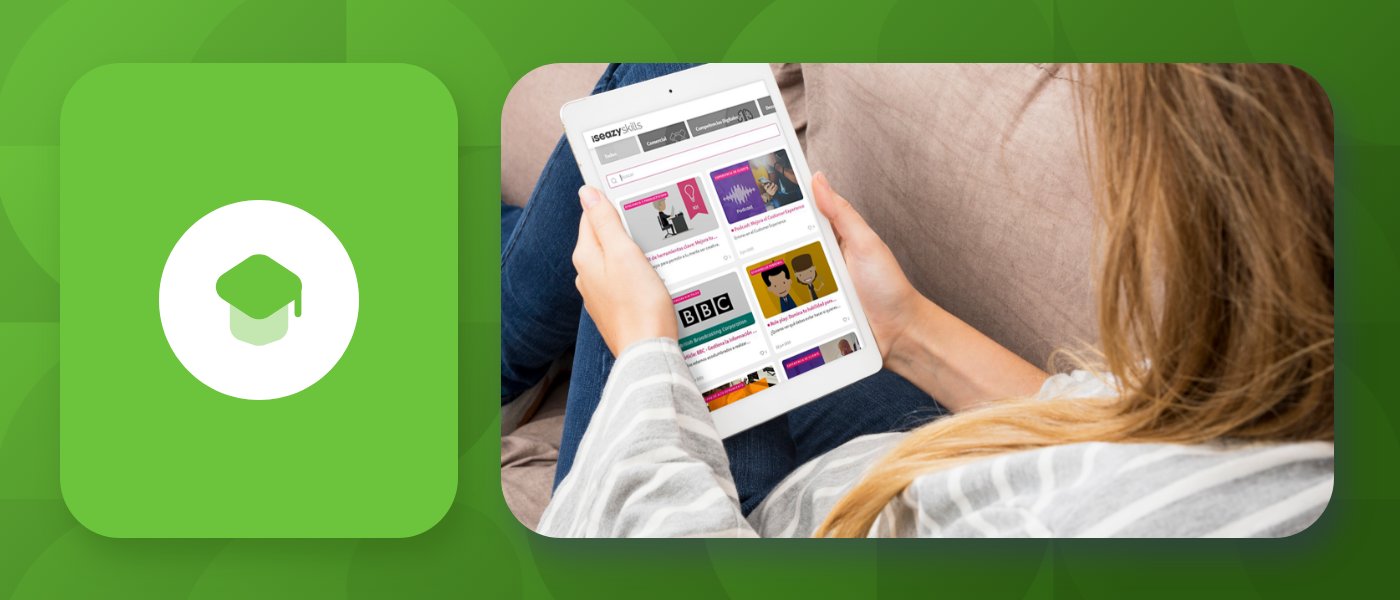
How Clarel achieved over 84% engagement in their training with gamification.

Brain
The first AI trained to teach

Author
The #1 AI-powered authoring tool on the market

Factory
Custom e-learning content factory

Skills
Comprehensive power skills course catalog

LMS
All-in-one LMS platform with AI

Engage
App for managing frontline teams
Product

What is Brain?
Everything you need to know about the first AI trained to teach.

Learning agent: CompanionNew
Supports learners and answers their questions right inside the course, without breaking the audit trail.

How does it work?
Adaptive, conversational, and contextual. That’s learning with Brain.
FEATURES

AINew
Unlock your full potential and speed up course creation with artificial intelligence.

Accessibility
Automatically meet accessibility guidelines—without sacrificing interactivity!

Interactivity
Boost engagement with interactive, ready-to-use activities that make learning fun.

Course Creation
Reduce the time it takes to create your e-learning courses with our authoring tool.

Distribution
We offer you different distribution options, so that nothing can stop you.

SCORM
Publish your course in SCORM format and share it on any LMS.
SERVICES

Instrucional Design
Surprise your students with multimedia and interactive content.

Custom Courses
We create e-learning courses for you—tailored to your needs and hassle-free!

Virtual Reality
Turn learning into an immersive experience.

Custom Avatars
Give your courses and videos a unique touch with personalized avatars.

Audiovisual FactoryNew
Turn training into something dynamic and visual with engaging videos.
CATALOG

Course catalog
Over 600 skills and competency courses to help you adapt to your team's needs.
Microsoft Copilot AcademyNew
Your professionals will learn how to apply Copilot AI to key processes within your organization.

Artificial Intelligence Academy
Train your teams in the practical use of AI to boost productivity and innovation in your company.

Cybersecurity Academy
Capacita a tu empresa con el catálogo más completo en seguridad digital corporativa.

Use cases
Choose the solution that best fits your needs

Industries
Solutions for all types of industries
USE CASES

Onboarding
Facilitate the onboarding process, productivity and engagement of your new employees.

Upskilling
Boost your team's skills and prepare them for the challenges of the future with upskilling.

Microlearning
Discover all the advantages of microlearning and boost your training results.

Gamification
Enjoy addictive training that will get your professionals hooked.

Internal Communication
Improve communication in your company and enjoy an aligned and committed team.

Mobile learning
Agile, flexible, and interactive learning—built for today’s digital-first workforce.
INDUSTRIES

Banking and financial services
Training in compliance, cybersecurity, customer service, and key skills development.

Pharmaceuticals and healthcare
Digital onboarding, regulatory updates, and ongoing training for healthcare staff.

Retail and consumer
Agile and scalable training for in-store, operational, and customer service teams.

Industry and manufacturing
Training in processes, safety, and corporate culture for distributed teams.

Education and training
Digital solutions for training centers, internal academies, and corporate universities.

Technology and telecommunications
Development of technical talent, digital skills, and upskilling and reskilling programs.
CLIENTS

MAPFRE
How MAPFRE turn e-learning into sales with isEazy

Pepco
A personalised learning experience for a growing team.

BBVA
Digitisation and creation of high quality e-learning content.

Shiseido
We increase the engagement of the training with a social and gamified app.

Telefónica
Large-scale reskilling for the company's digital transformation.

Vodafone
A personalised learning experience for a growing team.
More than 1,000 companies already rely on isEazy.





MEET ISEAZY

Events
Discover our upcoming events and connect with the future of e-learning.

News
Find out the latest news about isEazy: press releases, partnerships, updates...

Contact
Leave us your personal details and we will contact you as soon as possible.
About isEazyNew
Find out more about our company.

Careers
We are looking for the best talent, join our team!

Partners
Become our partner and grow your business.
INTERESTING RESOURCES

Blog
The best content on e-learning: trends, tools and key strategies.

Whitepapers
Gain valuable insights and stay ahead of industry trends.

Product releases
The latest news and releases of our e-learning products and solutions.

Glossary
Definitions of the most commonly used terms and key industry concepts.

Guides
Discover the best step-by-step tips and tricks to optimize your L&D strategy.

Webinars
Video sessions on our products, trends and more

Comparatives
Compare e-learning solutions available on the market and choose the most suitable one.


WEBINAR
Master AI in isEazy Author in under an hour.




GUIDE
Prepare your organization to comply with the new AI regulations

Stay up to date with all our latest news
 Subscribe to our newsletter
 Stay up to date with all our latest news

May 5, 2026

CONTENT CREATED BY:
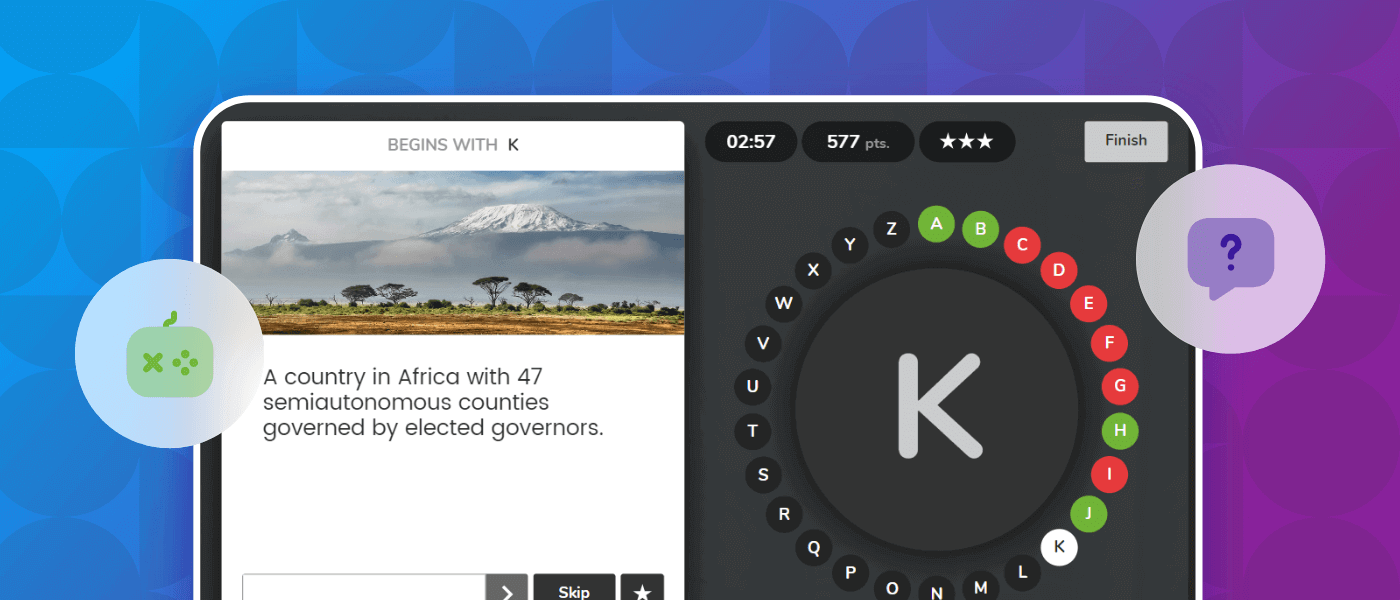
Table of contents
Game-based learning (GBL) is a training methodology that uses play as the central mechanism of learning. Rather than adding points or badges to a course, the game is the activity itself: participants learn by doing, competing or collaborating within a mechanic designed to achieve a specific learning objective. According to data from Educause Review, knowledge retention can increase by 50% to 70% when participatory activities such as games are used, compared to purely expository methods. This explains why more and more corporate training departments are incorporating GBL into their modern learning experience programmes.

One of the most frequent misunderstandings in instructional design is confusing game-based learning with gamification. Although both share the logic of play as a motivational lever, their structure and application are different. Gamification takes elements from games — points, badges, leaderboards — and applies them to an existing learning experience. GBL, on the other hand, makes the game the main vehicle: content is learned within the game, not as a reward for completing it.
The table below summarises the key differences:
| Feature | Gamification | Game-based learning (GBL) |
|---|---|---|
| Structure | Layer of mechanics over existing content | The game IS the training content |
| Main objective | Increase motivation and engagement | Achieve specific learning objectives |
| Typical example | Course completion ranking | Educational Wordle to learn technical vocabulary |
| Flexibility of application | High: can be added to any format | Medium: requires design specific to the objective |
| Feedback | At the end of the activity | Integrated into each game action |
New technologies have opened the door to increasingly effective and engaging learning methods. GBL is one of the most versatile because it impacts several key dimensions of interactive learning simultaneously. These are its main benefits:
Games keep professionals motivated and engaged through action mechanics — swiping, selecting, matching — that turn training into an active and meaningful experience. The Journal of Educational Psychology (Plass et al., 2015) notes that playful learning environments generate greater persistence in the face of error and lower anxiety about assessment than traditional formats.
Educational games include immediate feedback mechanisms that allow learners to correct mistakes and adjust their strategy in real time. This feedback closes the learning loop without the need to wait for a subsequent assessment, which is especially valuable in onboarding or product training contexts where knowledge must be activated quickly. This principle connects directly with the approach of experiential learning or learning by doing.
GBL leads the learner to apply what they have learned within the game itself, not just to recall it. This favours transfer to the workplace because knowledge is processed in an action context, not passively. According to Bloom’s model, well-designed games activate the higher levels of the taxonomy — analysis, evaluation, creation — that videos or PDFs rarely reach.
A game can be configured for different difficulty levels, adapt to each learner’s pace and scale without significant marginal cost. In tools like isEazy Author, educational games are created directly from the course editor itself, without the need for additional technical knowledge.
Not all games serve the same learning objectives. Choosing the right type is key to maximising the impact of GBL in your programme. This table summarises the main types and their ideal application:
| Game type | Ideal learning objective | Best for |
|---|---|---|
| Wordle / word guessing | Retention of vocabulary and key concepts | Onboarding, languages, product training |
| Rosco / complete the letters | Reinforcement of prior knowledge under time pressure | Review, continuous assessment, compliance |
| Memory / matching cards | Concept association, visual memory | Procedures, protocols, technical terminology |
| Trivia / questions by category | Broad knowledge assessment | General corporate training, knowledge audits |
| Swipe / sort cards | Quick decision-making, professional judgement | Customer service, sales, regulations |

isEazy Author includes native educational games that integrate directly into any e-learning course without the need for external tools. These are the three most used by training teams:
Words is our educational version of Wordle. The learner must discover a hidden word with the help of visual and text clues. Each attempt provides chromatic feedback on correct letters and their positions, which forces active reasoning rather than passive memorisation. It works for almost any type of training: the objective and difficulty depend on how the game is configured. You can learn more about how it works in our article on the Words interactive game in isEazy Author.

Alphabet is the perfect game for refreshing concepts dynamically. The learner must complete all the letters of the alphabet by answering questions related to the course topic. The time pressure activates active knowledge retrieval — one of the most robust retention mechanisms validated by cognitive psychology (Roediger & Karpicke, 2006) — making it a particularly effective tool for pre-certification or pre-audit review assessments.

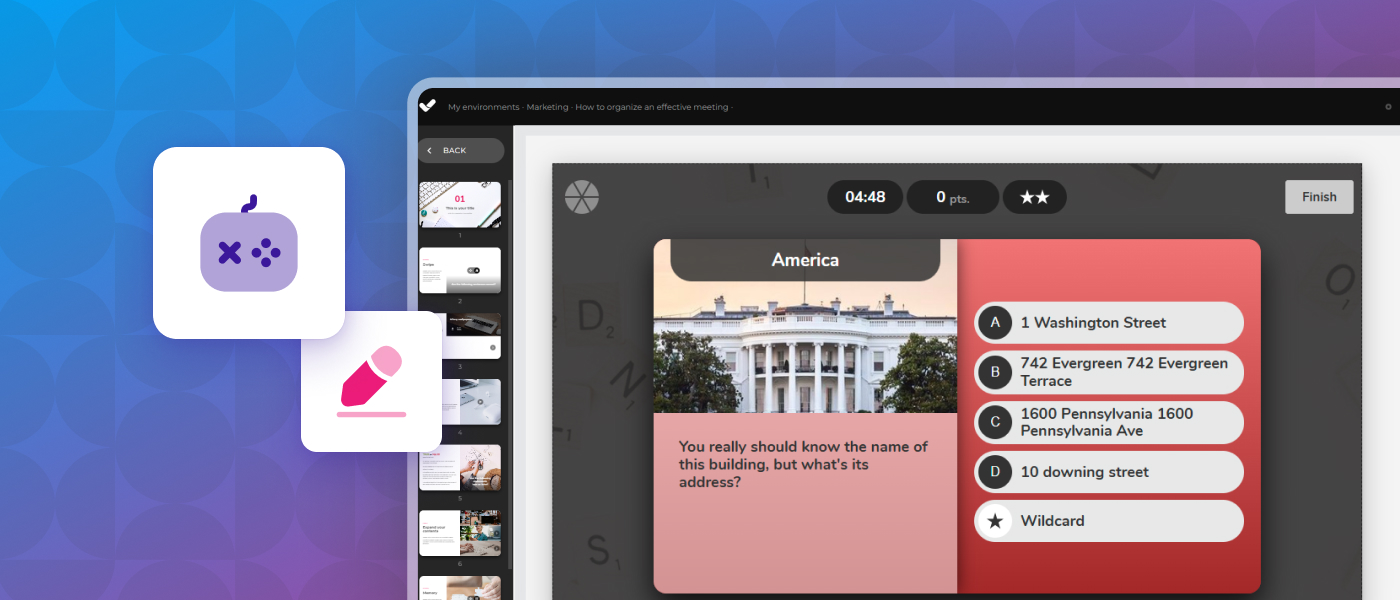
Memory is a digital version of the classic card-matching game. Learners associate concepts shown as text or images, activating visual memory and relational processing. It is ideal for training on procedures, protocols or technical terminology: for example, to reinforce customer service protocols, professionals can match common situations with the correct company-established responses.

Designing effective educational games is not just about choosing the right mechanic — it also means ensuring that all employees can participate on equal terms. This is what defines accessible game-based learning: the application of the Web Content Accessibility Guidelines (WCAG) to the design of games in e-learning environments.
According to these guidelines, accessible games must meet four fundamental principles:
Manually designing a game that meets these criteria can be complex. Authoring tools like isEazy Author automate the accessibility of their native games so that training teams do not need to worry about technical implementation.
Each game type requires specific adaptations. These are the most common patterns:
Clarel, a drugstore chain with over 600 points of sale in Spain, used isEazy to design gamified training experiences that achieved 84% engagement among their store teams. The key: games integrated directly into training modules, accessible from any device and without the need for in-person sessions. Discover how they did it →
CASE STUDY
How Clarel achieved over 84% engagement in their training with gamification.


Incorporating GBL into your training programme does not require starting from scratch. These steps will help you structure an effective implementation:
Before selecting any mechanic, you need to be clear about what skills or knowledge you want employees to acquire. Learning objectives are the starting point: without them, it is impossible to choose the right type of game or measure whether it has worked.
Not all games work for all objectives. Use the game types table in this article as a selection guide. If no existing game fits your need exactly, tools like isEazy Author allow you to configure each game’s parameters — words, questions, images, timers — to adapt them to any training content.
The most common mistake is treating games as an optional or closing activity. In GBL, games are the core of learning, not the dessert. Intersperse them throughout the learning path: a game at the start to activate prior knowledge, another in the middle to reinforce key concepts, and one at the end for assessment and consolidation.
Collect engagement data (completion rates, attempts per learner, time in game) and cross-reference with assessment results. This data will tell you whether the chosen mechanic works for that specific objective, or whether you need to adjust the difficulty, timing or type of game.
If you need to create games at scale for multiple courses or languages, the combination of AI and gamification allows you to automatically generate question banks, vocabulary and game configurations from course content. isEazy Author includes AI features that automate this process directly from the editor.

The difference between a game that entertains and one that transforms learning lies in how it is designed and integrated. These are the practices that generate the most impact in corporate contexts:
Competitive games are motivating, but cooperative ones generate deeper learning because they force participants to explain, argue and reach consensus. Design some games in team mode, especially when the learning objective involves relational skills or working on shared processes.
A game is most effective when its scenarios are recognisable to the learner. If you are training store teams, the Trivia examples should reflect real store situations. If you are training on compliance, the Swipe should include real company scenarios. Contextual relevance is the strongest predictor of transfer to the workplace.
It is not enough to indicate whether the answer is correct or incorrect. Feedback must explain why it is correct or incorrect and, where possible, point towards the correct answer. This turns each mistake into a learning opportunity rather than a penalty.
A game that is too easy is boring; one that is too difficult is frustrating. Configure progressive levels or use data from previous attempts to adjust difficulty. Modern authoring tools allow you to set difficulty parameters without needing to create different versions of the game.
Accessibility in GBL should not be a final fix, but a design criterion from the very beginning. Use tools that automate the accessibility of game mechanics to ensure that the entire workforce can participate without barriers.
Putting everything covered in this article into practice requires neither coding nor external tools. isEazy Author is an authoring tool that integrates native educational games — Words, Alphabet, Memory, Trivia, Swipe — directly into the course editor, with full WCAG accessibility compliance and no additional configuration required.
This means any member of your training team can:
If you want to explore how GBL can transform training for your team, request an isEazy Author demo and discover the possibilities from day one.
Game-based learning (GBL) is a training methodology in which the game constitutes the central mechanism of the learning experience. Unlike gamification, which adds playful elements to an existing course, in GBL the game itself is the training activity: participants learn by doing, competing or collaborating within a mechanic designed to achieve a specific learning objective. It is used successfully in onboarding, product training, compliance and skills development contexts.
Gamification consists of adding game elements — points, badges, leaderboards — to an existing learning experience to increase motivation. Game-based learning (GBL), on the other hand, turns the game into the main vehicle: content is learned inside the game, not as a reward for completing it. Gamification is easier to implement because it can be overlaid on any format; GBL requires design specific to the objective, but generates deeper learning and more effective transfer to the workplace.
There are several game types suitable for corporate contexts, each with its ideal application: word games like Wordle/Words for vocabulary and technical concept retention; letter-completion games like Rosco/Alphabet for review under time pressure; matching games like Memory for procedures and protocols; category question games like Trivia for broad knowledge assessments; and card-sorting games like Swipe for quick decision-making and professional judgement. The key is to choose the game type based on the learning objective and the employee profile.
The most accessible approach is to use an authoring tool that includes native educational games. isEazy Author, for example, integrates games such as Words, Alphabet, Memory, Trivia and Swipe directly into the course editor, with no coding or external tools required. Any member of the training team can configure a game by entering the corresponding words, questions or images from within the editor, and publish it as part of a complete e-learning course.
Yes, provided the games are designed in accordance with the Web Content Accessibility Guidelines (WCAG). This means ensuring that games are operable by keyboard, that feedback does not rely solely on colour, that instructions are available in text format, and that content is interpretable by screen readers. Tools like isEazy Author automate these accessibility requirements in their native games, so training teams do not need to worry about technical implementation to ensure the entire workforce can participate on equal terms.

WEBINAR ONDEMAND
Discover how artificial intelligence can become your main ally in the creation of your e-learning courses.
Watch recording

Looking for an easy, agile and efficient authoring tool?
Create accessible, engaging and dynamic e-learning courses with artificial intelligence in minutes.

Looking for an easy, agile and efficient authoring tool?
Create accessible, engaging and dynamic e-learning courses with artificial intelligence in minutes.